

Our Most Suggested Products


Fleet Time Tracking
Fleet Time Tracking is a smart fleet management tool that automates time measurement across vehicle stages. It monitors each vehicles status with live timers and detailed activity logs. Managers gain clear visibility into fleet operations, ensuring efficiency and accountability.
 Features
 Screenshots
 Support
 Service
Features
Automated Fleet Time Tracking
Combines automated timer control and stage‑based tracking. Timers start, stop, and reset automatically as vehicles move through workflow stages (New Request, Ordered, Registered, Downgraded, Reserve). This ensures precise measurement of how long each vehicle spends in different states without manual effort.
Vehicle Status & Activity Monitoring
Merges vehicle status monitoring with the activity log. Each record shows driver, license plate, and contract details alongside a live timer. Stage changes are logged with timestamps and durations, creating a transparent audit trail of fleet operations.
Screenshot
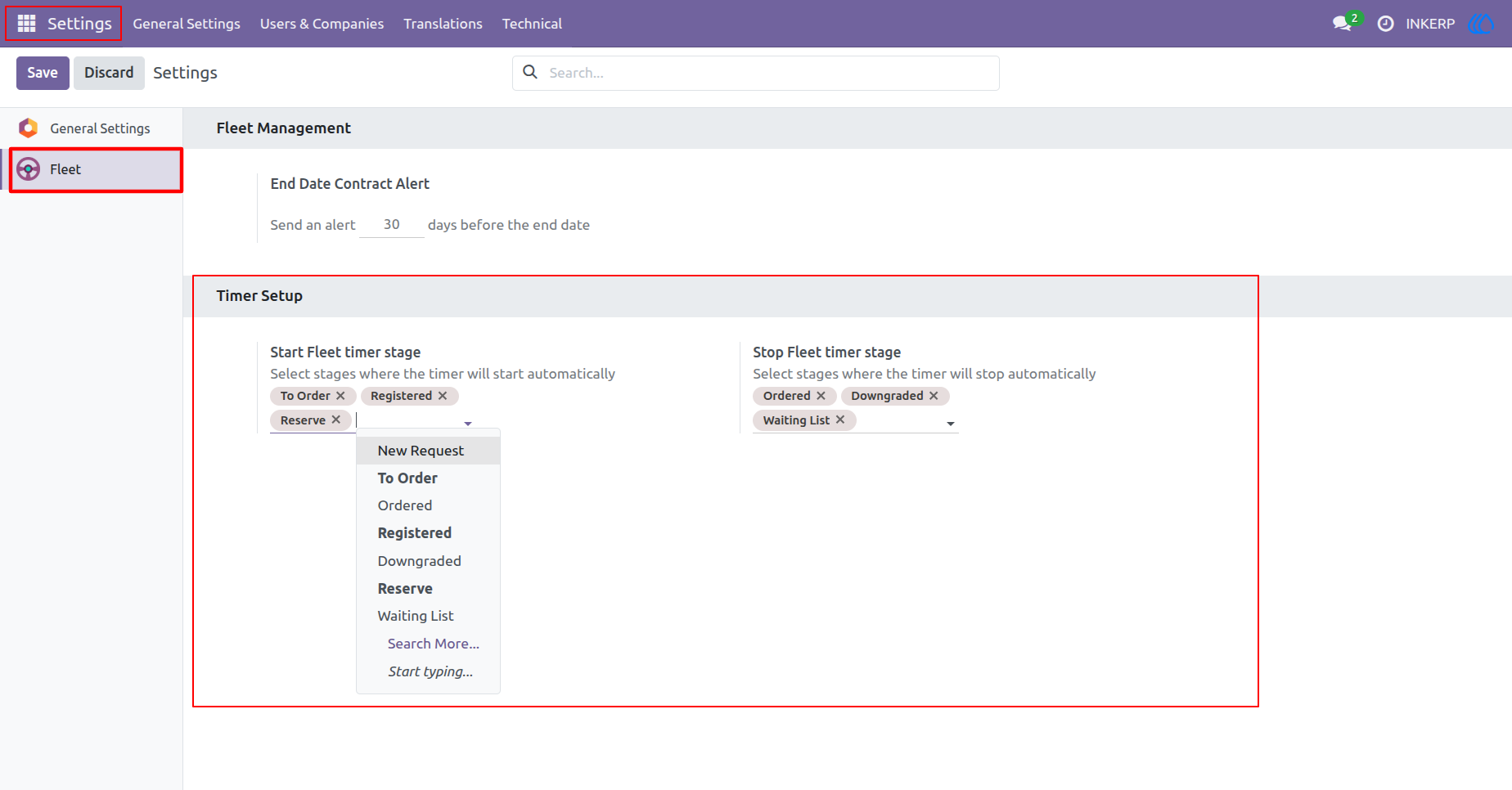
1.) Fleet Timer Configuration
the Fleet Management settings where users define timer automation. You can set stages to start or stop the fleet timer automatically, ensuring accurate time tracking across workflow transitions.
Navigation : Settings › Fleet
2.) Vehicle New Request Stage
The vehicle record for Nissan/Micra begins in the New Request stage. The timer starts automatically, displaying duration and logging transitions for precise tracking of fleet activity.
Navigation : Fleet › Fleet
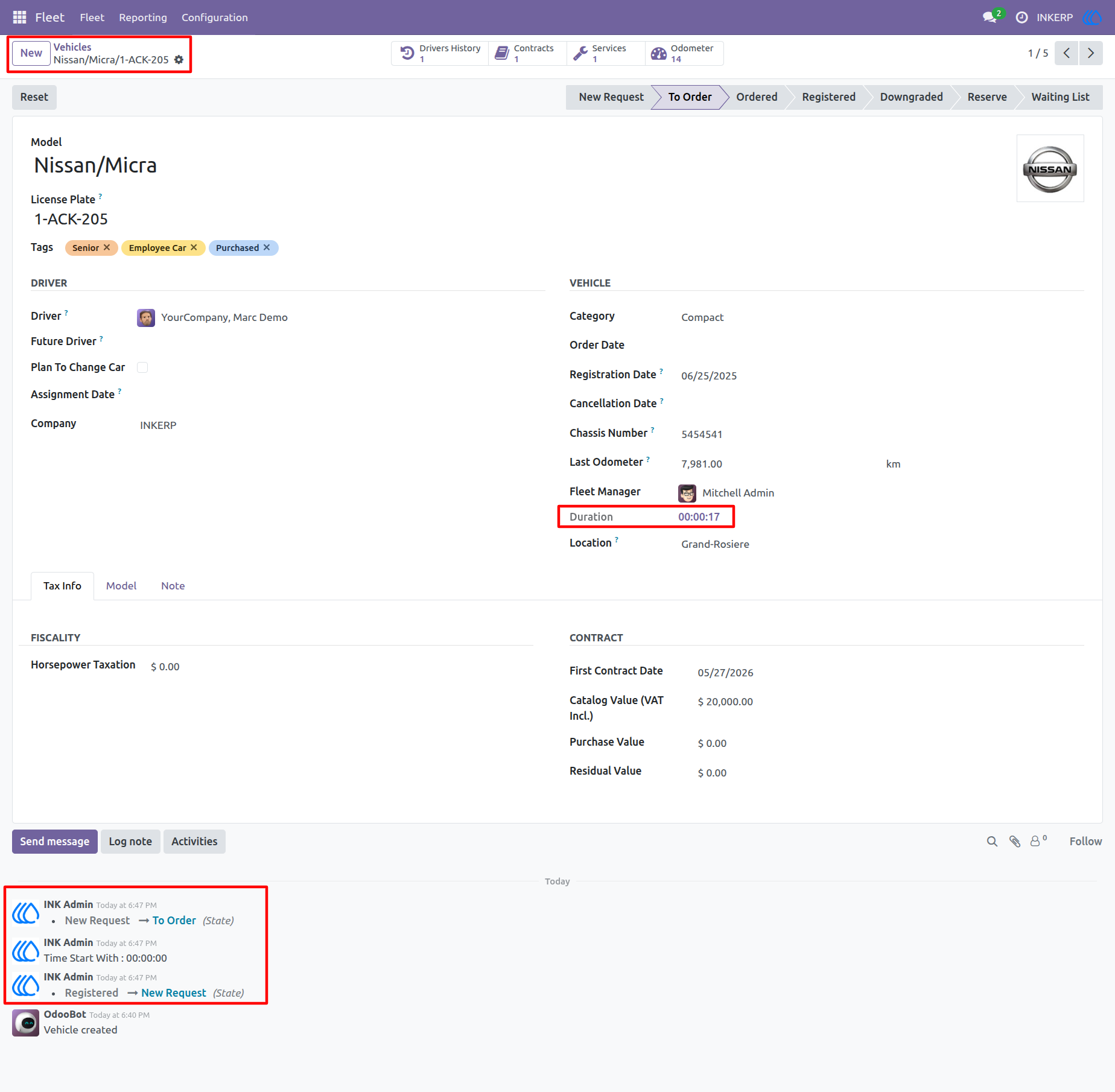
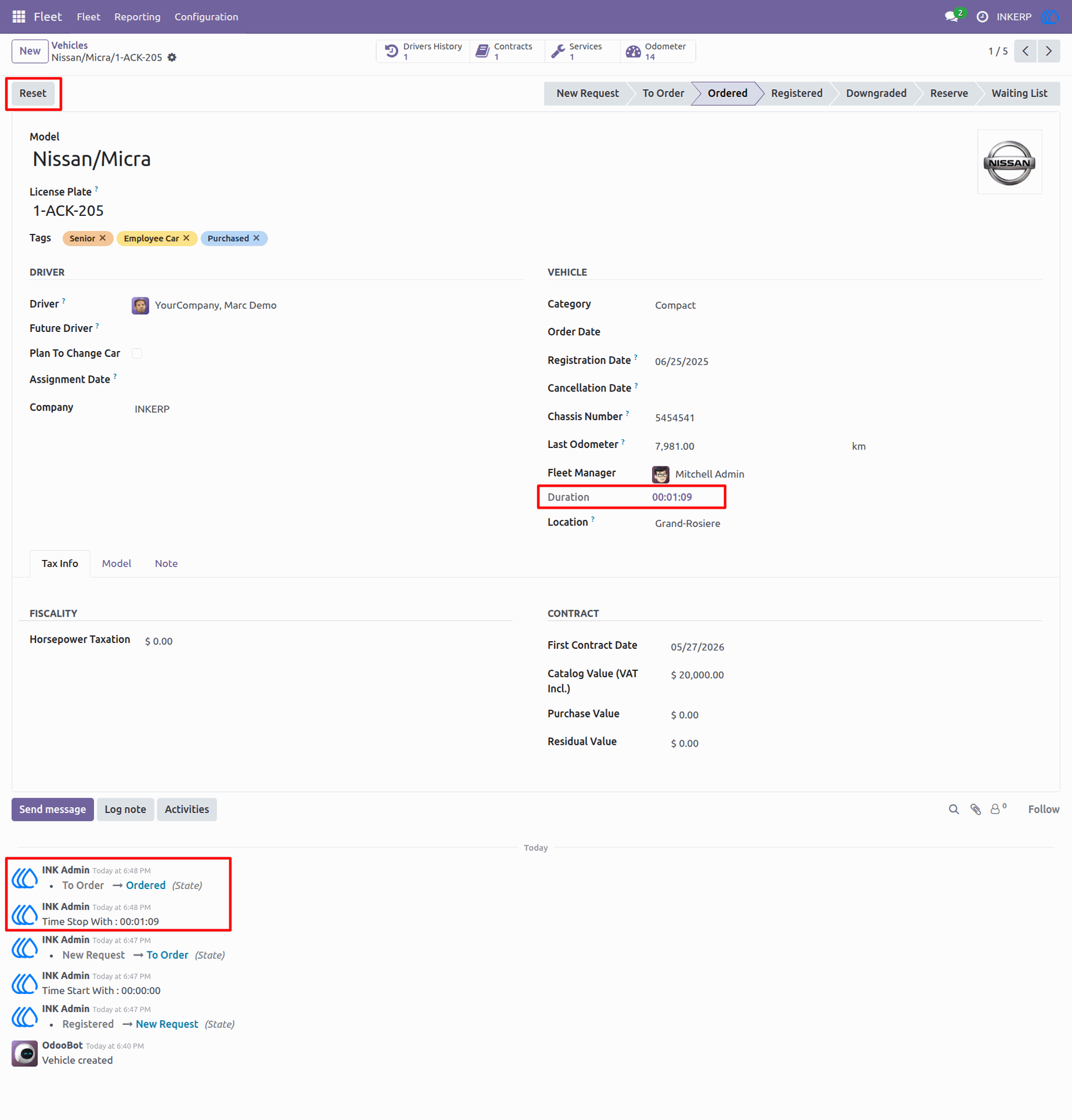
3.) Vehicle Ordered Stage
The vehicle moves to the Ordered stage, and the timer continues counting. The duration updates dynamically, and the activity log records the stage change and time stamp for audit clarity.
Navigation : Fleet › Fleet
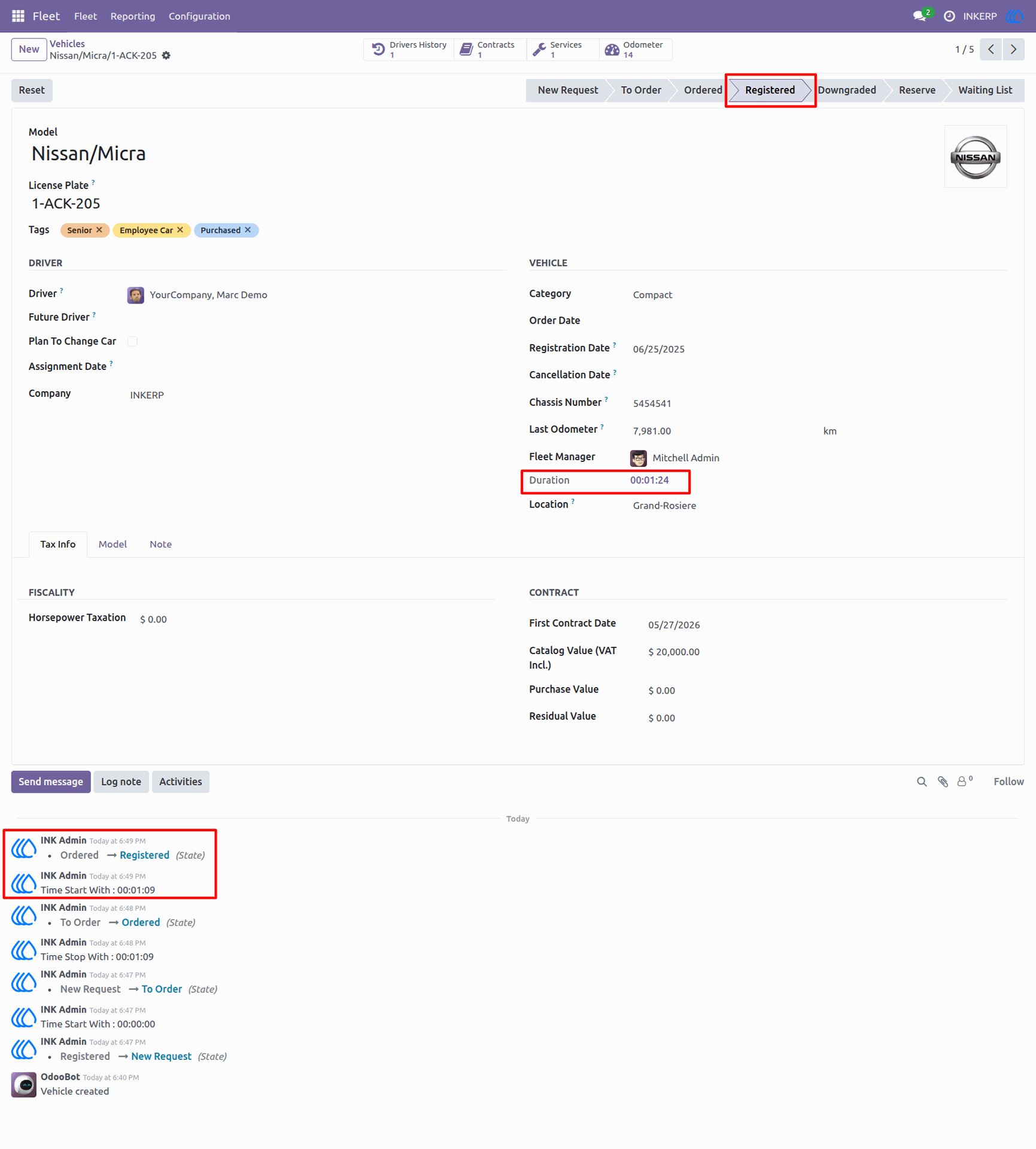
4.) Vehicle Registered Stage
In the Registered stage, the timer resumes and updates duration automatically. The log captures transitions and time start events, showing seamless tracking between workflow stages.
Navigation : Fleet › Fleet
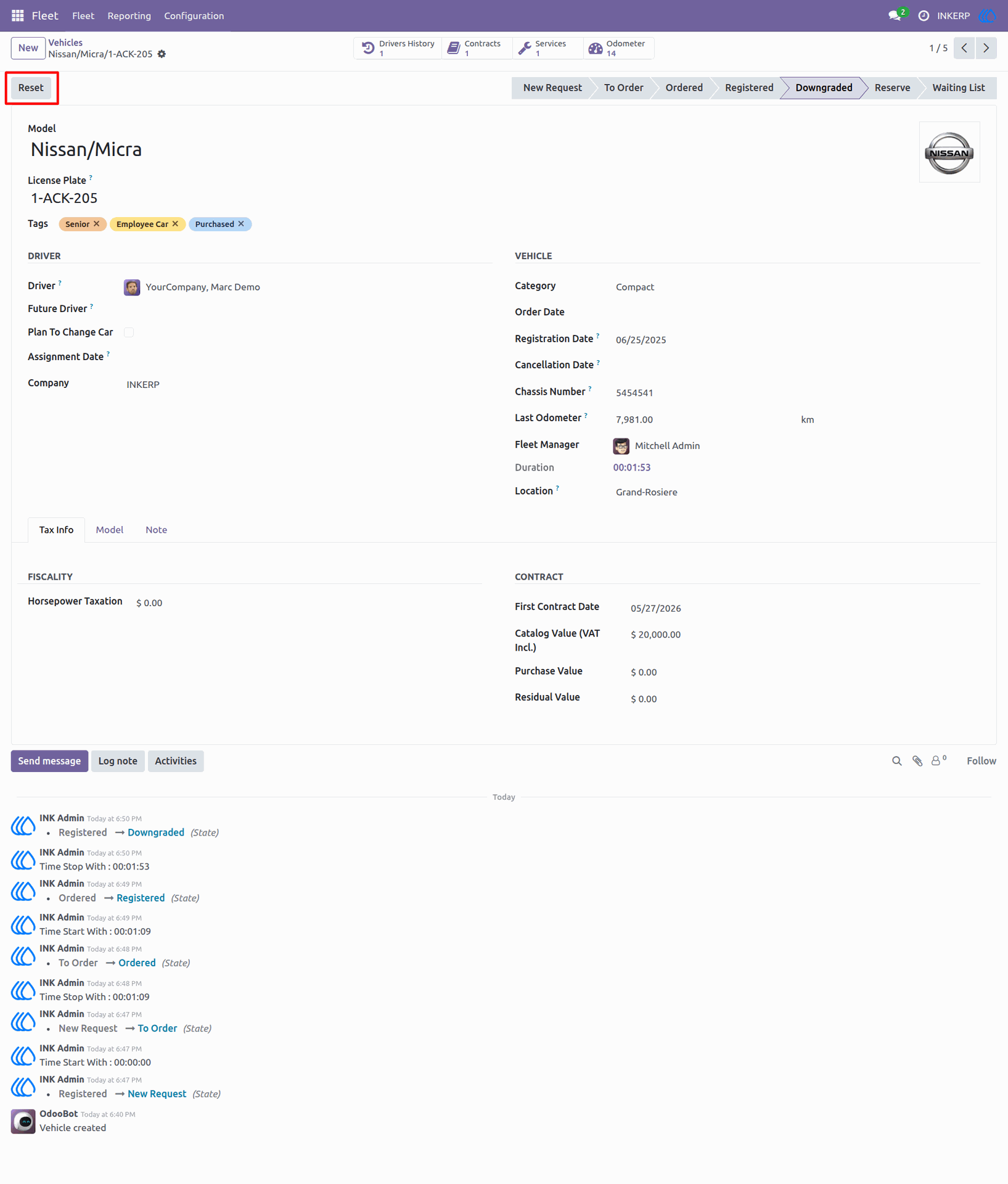
5.) Vehicle Downgraded Stage
When the vehicle enters the Downgraded stage, the timer stops automatically. The duration reflects total tracked time, and the log confirms the stop event for accurate time control.
Navigation : Fleet › Fleet
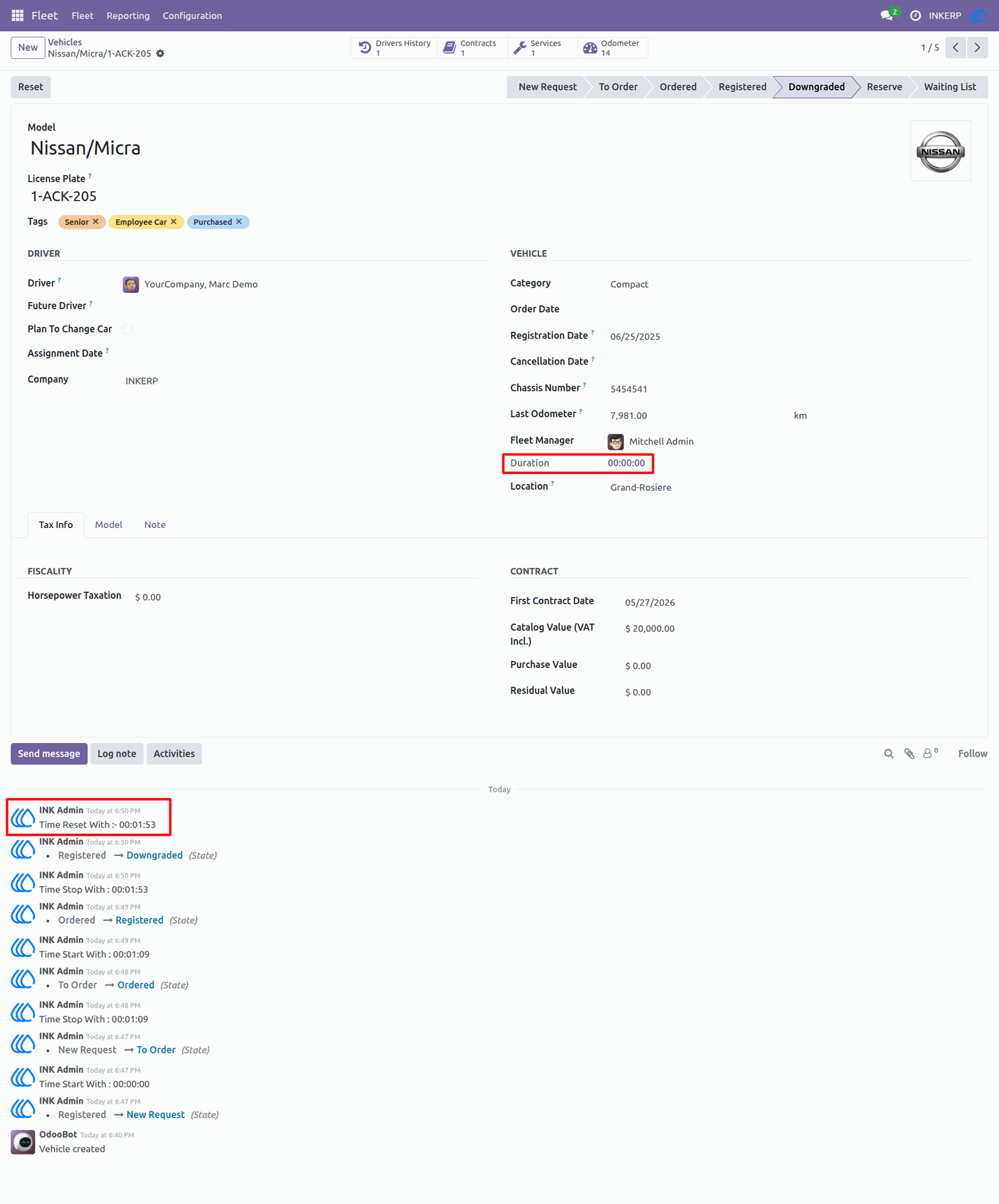
6.) Vehicle Timer Reset
the timer reset action. The duration resets to zero, and the log records the reset event, preparing the system for a fresh tracking cycle.
Navigation : Fleet › Fleet
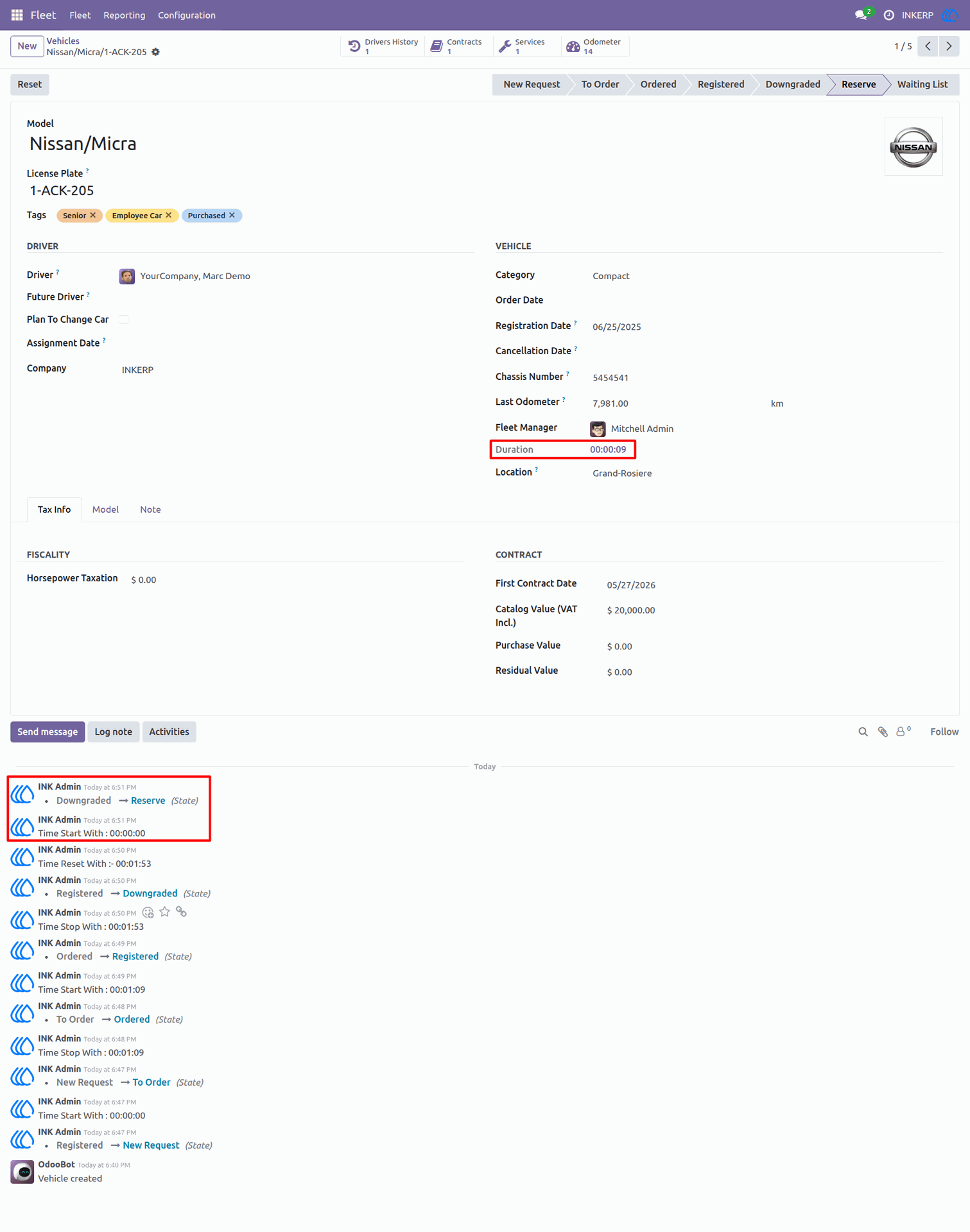
7.) Vehicle Reserve Stage
The vehicle transitions to the Reserve stage, restarting the timer automatically. The duration begins counting again, and the log shows the new start event for continued monitoring.
Navigation : Fleet › Fleet
User Guide