


Our Most Suggested Products


Export Repair Order Excel
A core capability of the system is its powerful bulk export functionality, enabling managers to select multiple active work orders simultaneously. With a seamless action, the system compiles these selected records into a comprehensive, standardized spreadsheet document. To ensure maximum clarity for data analysis, the generated report intelligently segregates each individual repair order into its own dedicated tab. This meticulous organization provides immediate access to critical details such as customer information, specific component demands, unit pricing, and warranty coverage.
 Features
 Screenshots
 Support
 Service
Features
Bulk Order Selection
Users can choose multiple repair orders at the same time directly from the main list. This saves time by allowing managers to process large batches of maintenance records in a single action instead of one by one.
Excel Report Generation
The app creates a formatted spreadsheet for any selected repair orders with a single click. It automatically compiles all the necessary customer, product, and timeline details into a clean document for offline review.
Organized Data Sheets
When exporting multiple orders, the system creates a separate tab in the file for each individual repair job. This keeps the information neatly organized, making it simple to find specific part demands and warranty status without confusion.
Screenshot
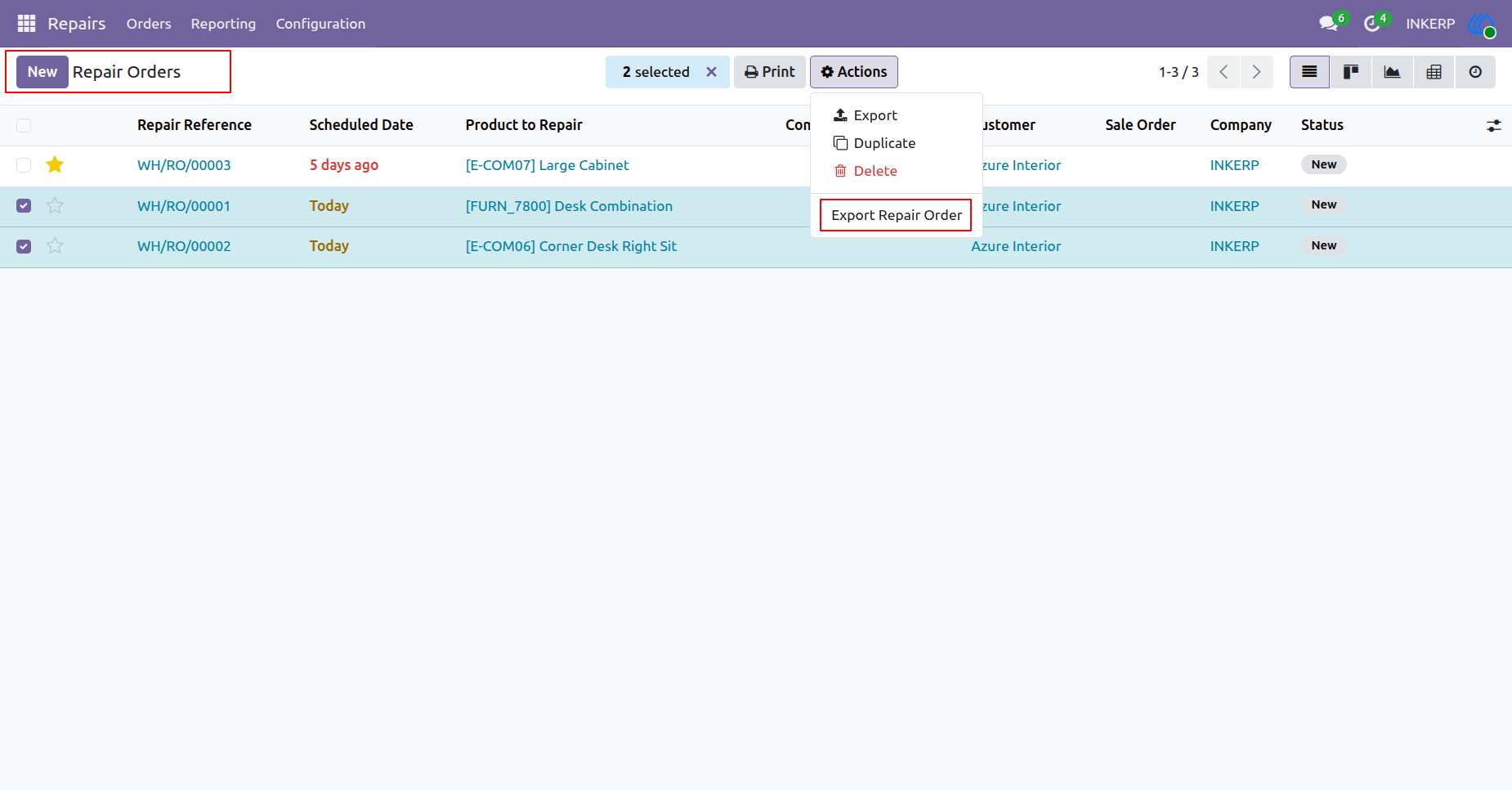
1.) Select Orders
Users identify and designate specific maintenance records for data extraction. The system gathers these chosen entries to prepare them for external processing and spreadsheet conversion.
Navigation : Repairs → Orders → Repair Orders
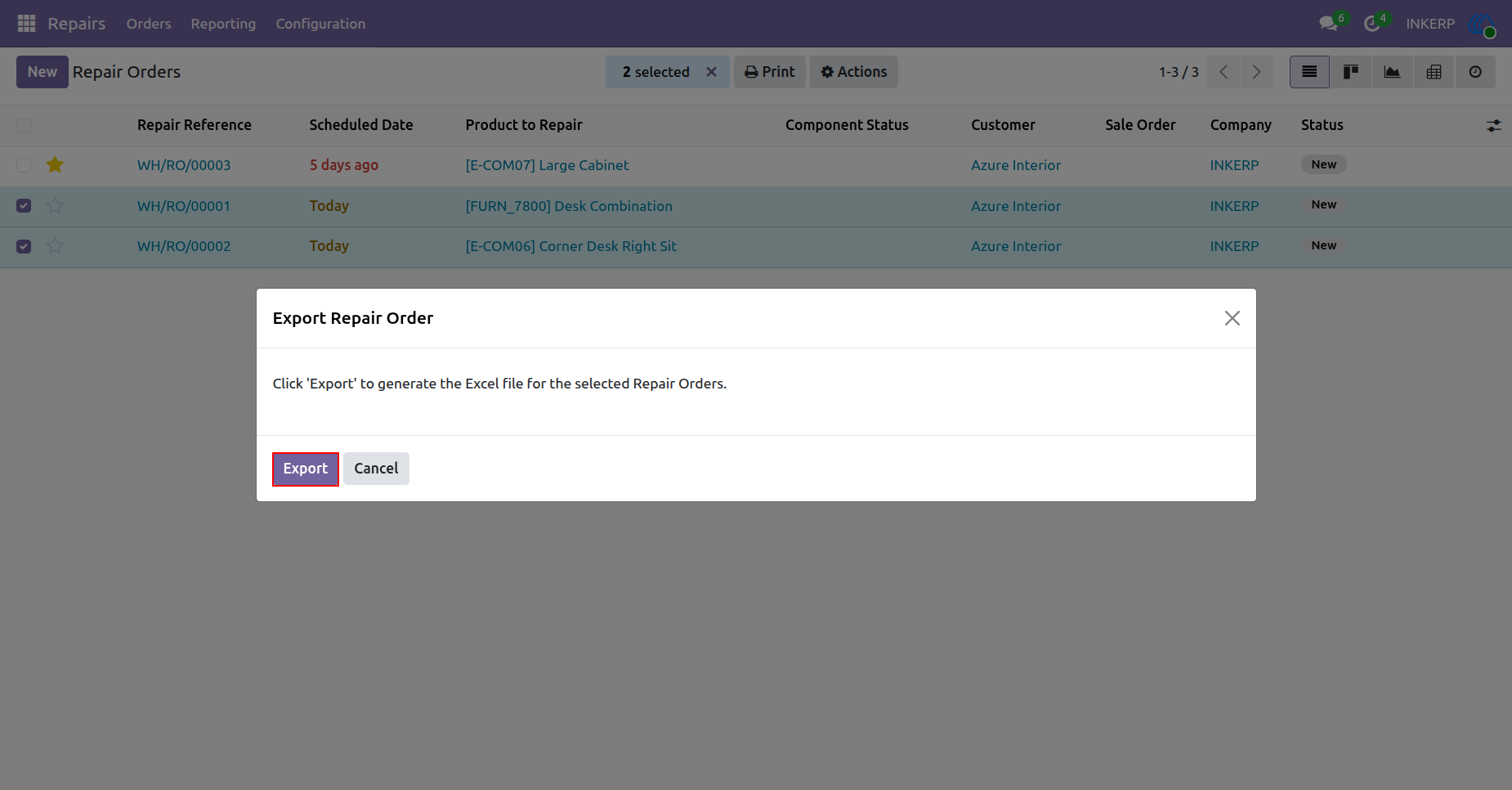
2.) Confirm Export
A final verification step ensures the correct data compilation proceeds. The system processes the designated maintenance records into a standard spreadsheet format for offline review and analysis.
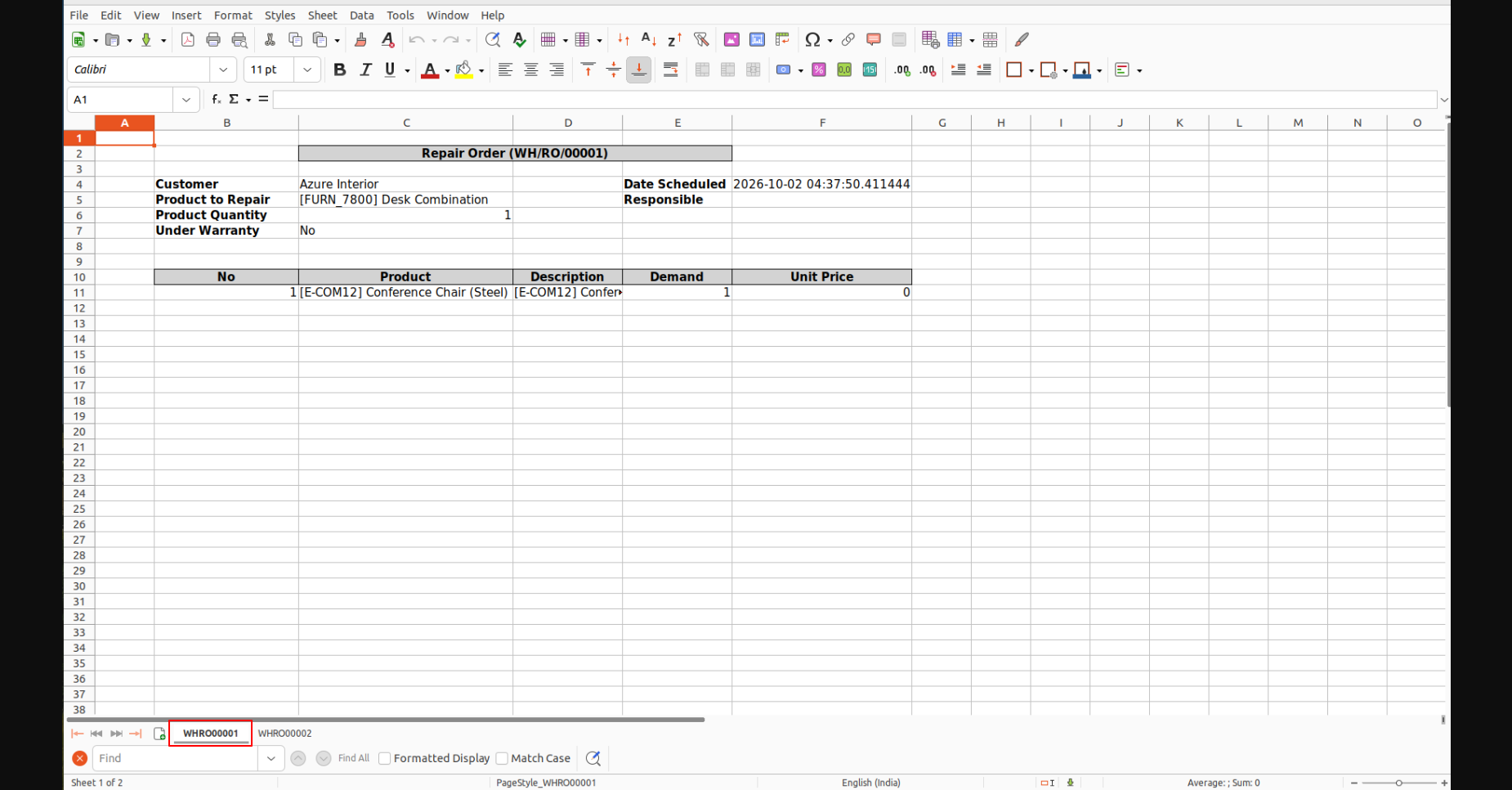
3.) First Order Data
The generated spreadsheet segregates individual maintenance tasks into dedicated organizational areas. This initial area details the customer information, scheduled dates, and specific itemized demands for the first processed record.
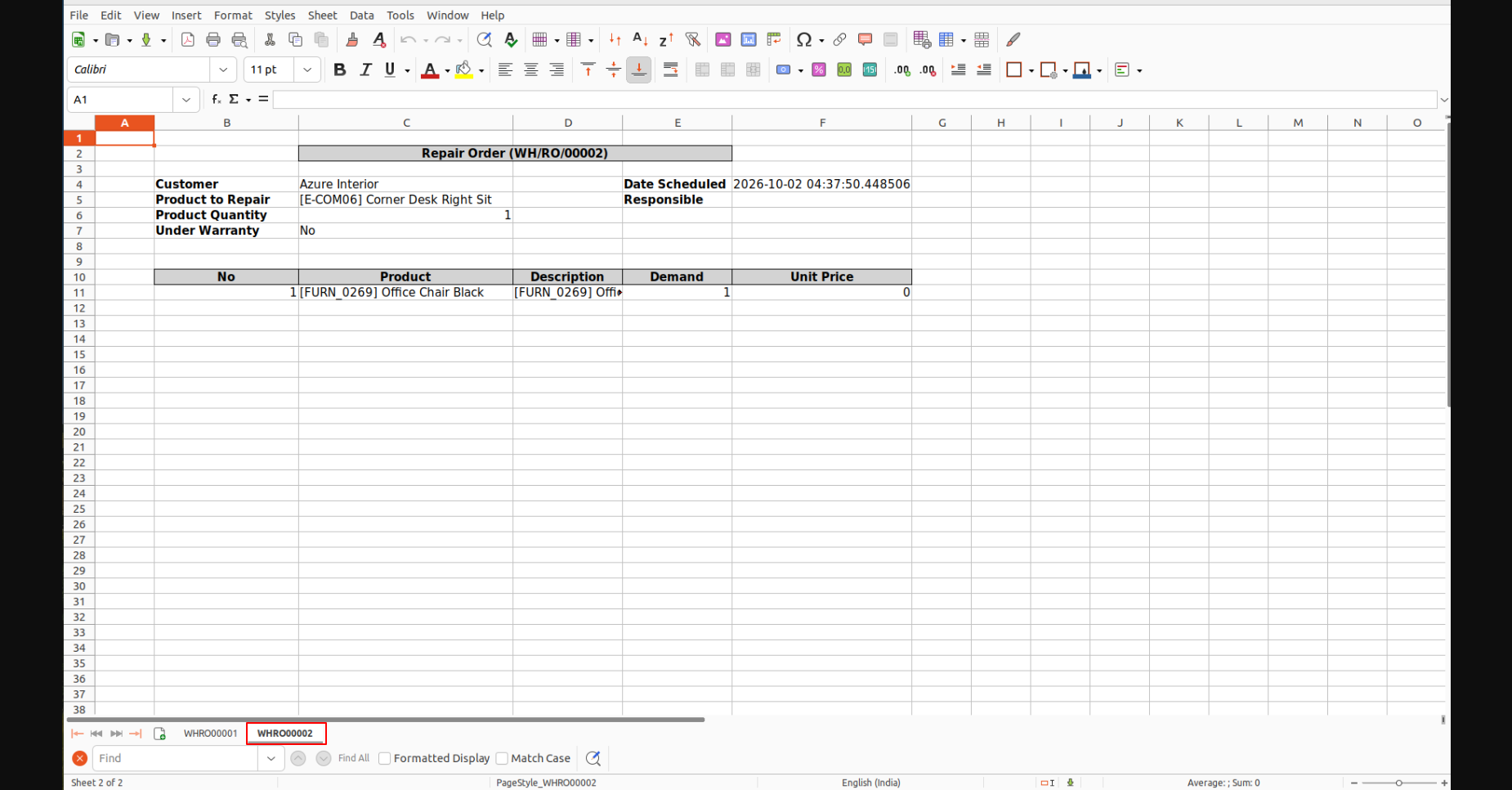
4.) Second Order Data
Subsequent sections in the document continue organizing the extracted maintenance data. Each distinct record occupies its own space, detailing specific product requirements and warranty status for comprehensive offline evaluation.
User Guide





