


Our Most Suggested Products


Event Registration QR Code
Event Registration QR Code streamlines event management by automating attendee registration with unique QR code generation. Each participant receives a scannable badge that acts as a secure entry pass for the event. The system enables quick and contactless check-in through QR scanning, instantly updating attendance status in real time. It also prevents duplicate entries and validates invalid scans to ensure accurate tracking. With integrated badge printing and smart validation, the module enhances operational efficiency and delivers a smooth event experience.
 Features
 Screenshots
 Support
 Service
Features
Automated QR-Based Attendee Registration
Attendee registrations automatically generate a unique QR token and corresponding QR code, ensuring secure and reliable identification for each participant. All event and attendee details are centrally managed within a single record, creating a consistent foundation for badge printing and check-in processes.
QR-Enabled Badge Printing & Access Control
Generate event badges with embedded QR codes that serve as official entry passes for attendees. Each QR code encodes a secure check-in link, allowing quick access and seamless validation during the event. This ensures a smooth entry process and eliminates the need for manual verification.
Smart QR Check-In with Real-Time Validation
Scanning the QR code instantly validates attendees and automatically updates their status to Attended. The system provides real-time feedback with success, warning (already checked-in), and error (invalid QR) messages, ensuring accurate tracking while preventing duplicate or unauthorized entries.
Screenshot
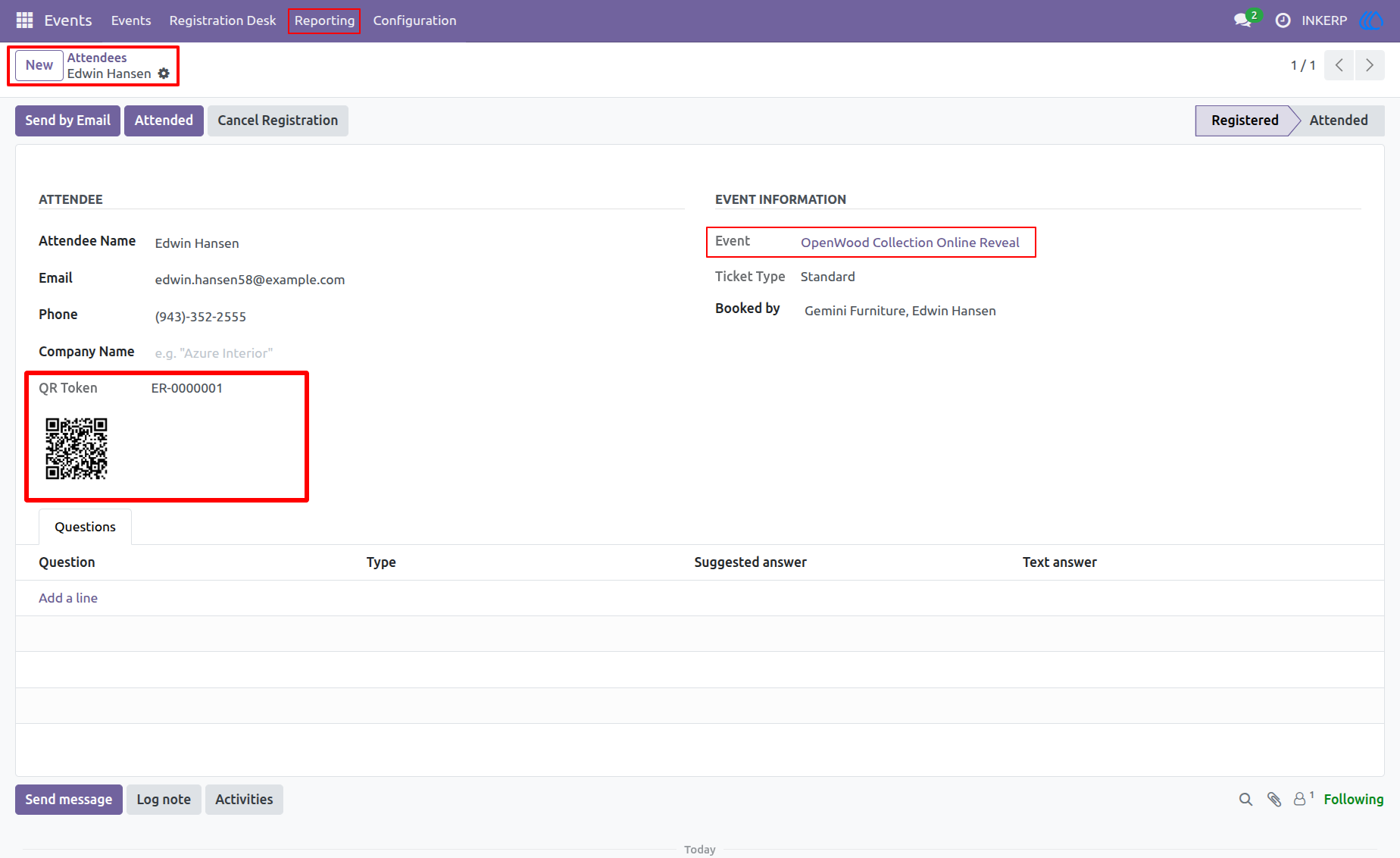
1.) Attendee Registration with Automatic QR Code Generation
Attendee records are created with system-generated QR tokens to enable secure and unique identification for each participant. The QR code is automatically generated and stored within the registration, ensuring readiness for downstream processes such as badge printing and check-in validation. This setup establishes a consistent foundation for QR-based event operations and attendee tracking.
Navigation : Events › Registration Desk › Attendees
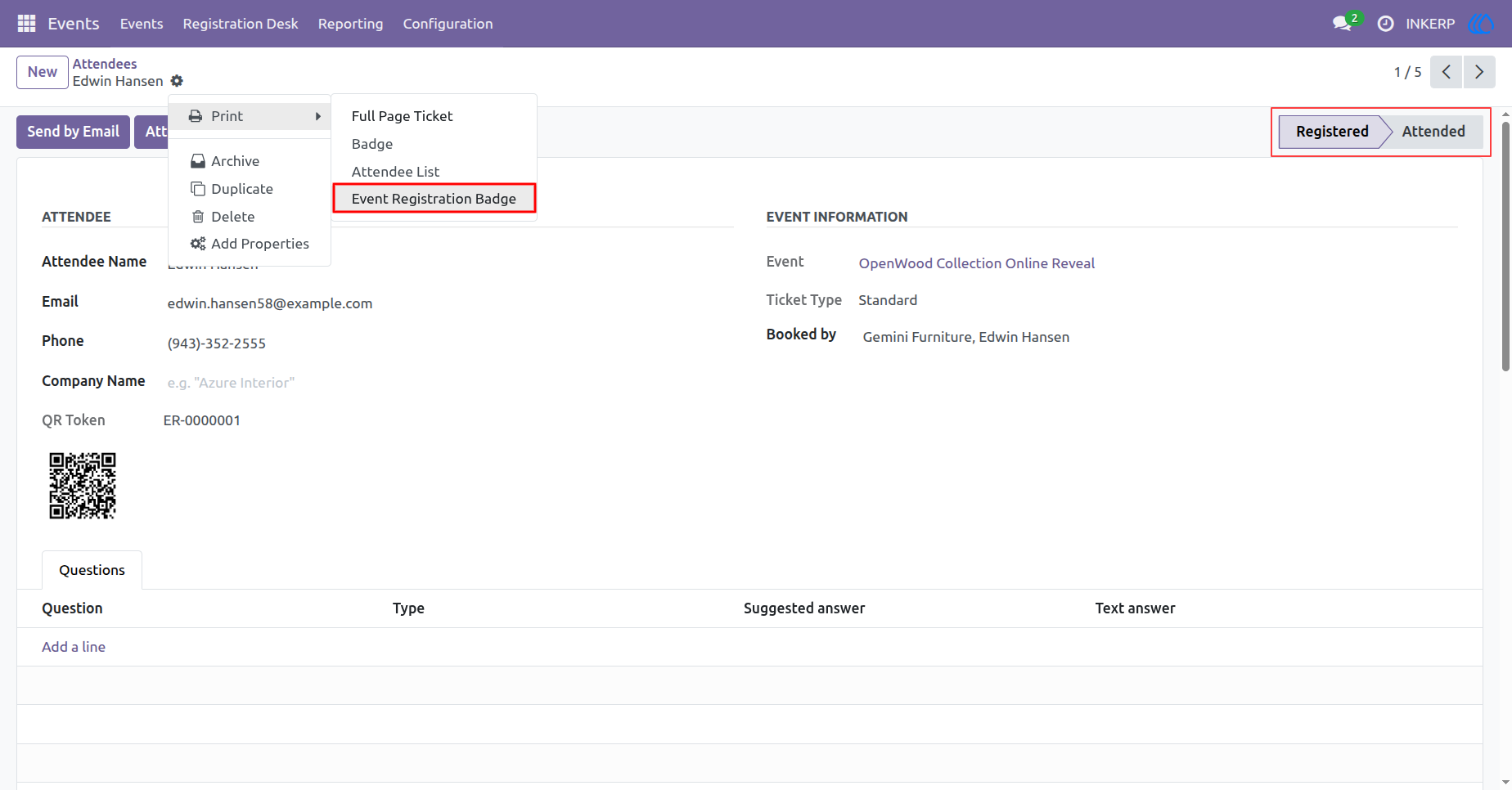
2.) Attendee Record Management with Embedded QR Code
Each attendee record maintains a unique QR code linked to the registration token, supporting quick access for validation and operational use. Event and participant details are centrally managed alongside the QR code to ensure data consistency. This structure enables seamless integration with printing and scanning workflows for efficient event handling.
Navigation : Events › Registration Desk › Attendees
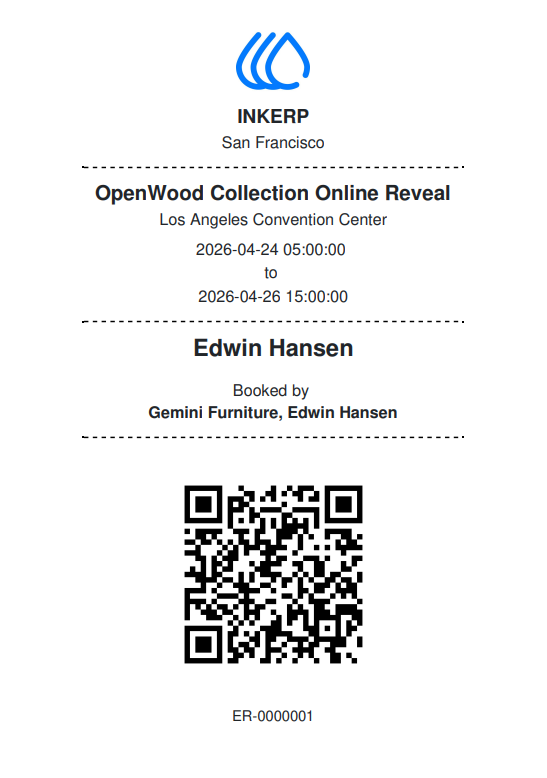
3.) Event Registration Badge Printing with QR Code
Attendee badges are generated with embedded QR codes, consolidating event details and participant information into a standardized printable format. The badge serves as the primary identification medium for attendees during the event. This process ensures quick distribution of scannable passes and supports efficient entry management.
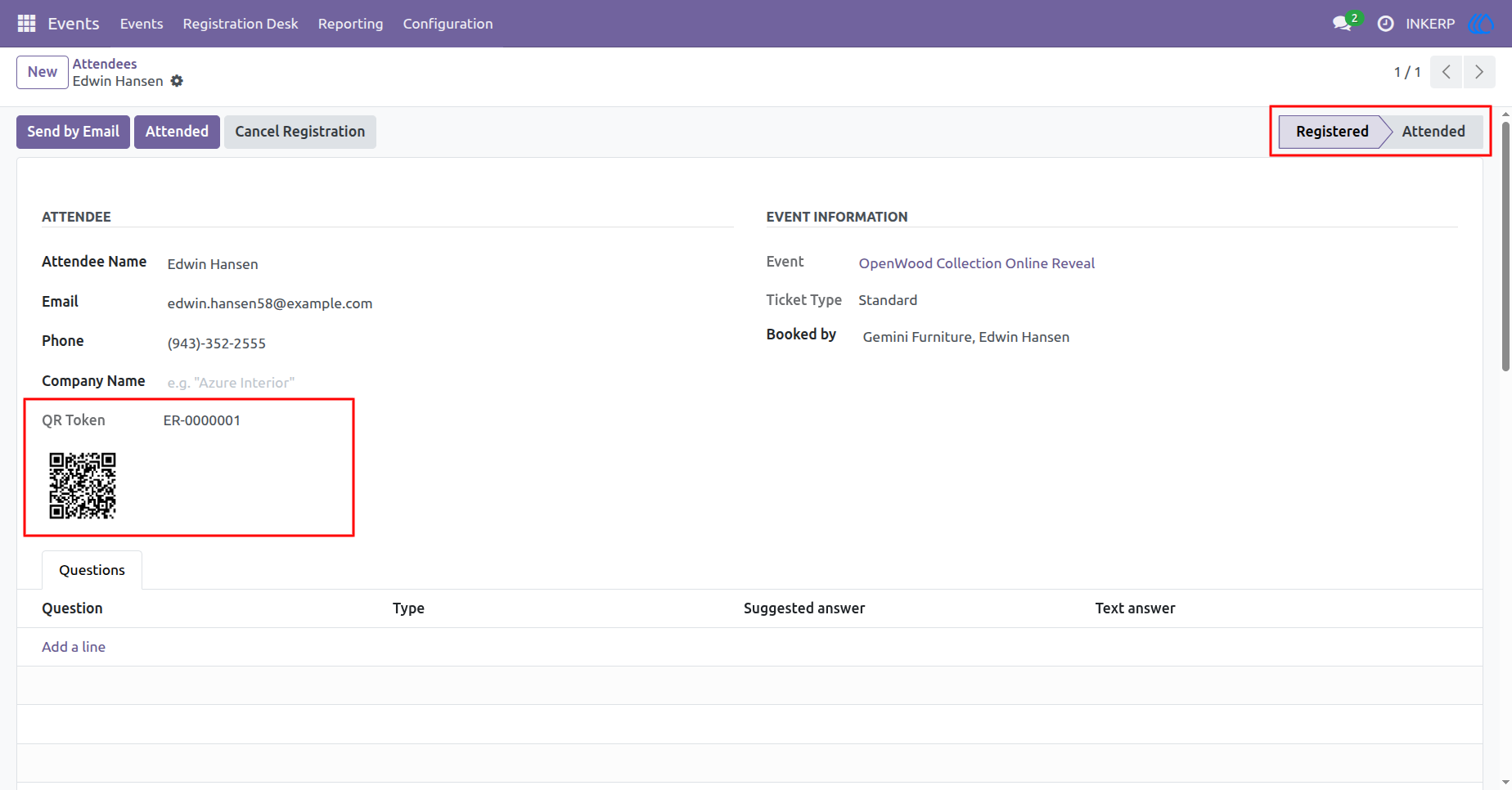
4.) QR Code Scanning for Automated Attendance Update
QR code scanning enables instant validation of attendees and automatic transition of registration status to attended. The scanning process eliminates manual verification and ensures real-time accuracy in attendance tracking. This workflow enhances operational efficiency and provides a reliable mechanism for managing event check-ins.
Navigation : Events › Registration Desk › Attendees
5.) QR Code Access via Printed Badge
After generating the attendee registration, users can print the event badge containing the embedded QR code. This printed badge acts as the attendee’s entry pass and can be scanned directly using a QR scanner device. The QR code securely encodes the check-in URL, ensuring fast and reliable identification during event entry.
Navigation : QR Scan › Browser Redirect › Check-In Success Page

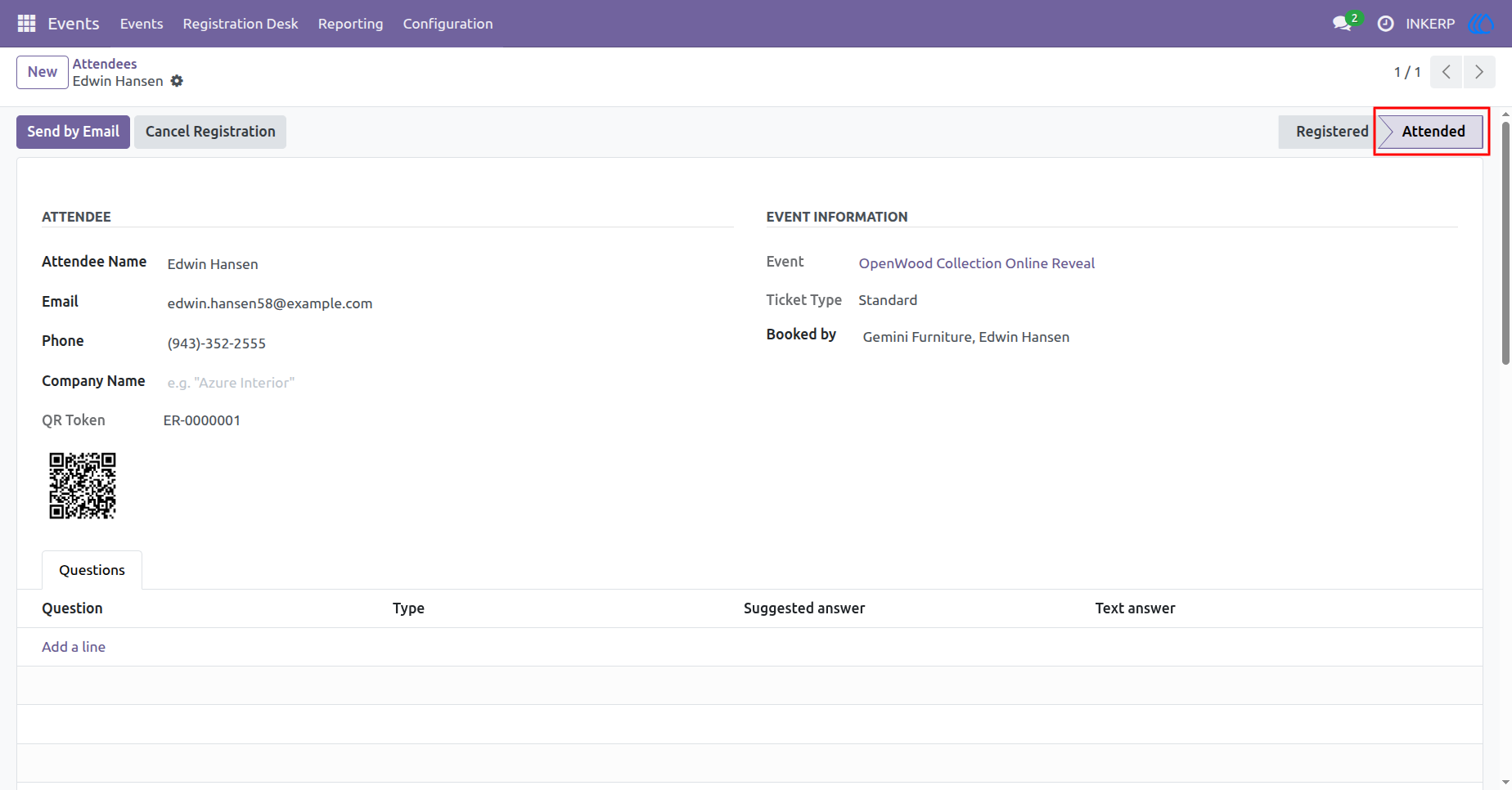
6.) QR Scan Redirect to Check-In Page
When the QR code is scanned, the system automatically redirects to a check-in page. If the attendee is valid and not yet checked in, a success message is displayed confirming the check-in. The attendee’s status is instantly updated to Attended, ensuring real-time tracking and eliminating manual intervention.
Navigation : Events › Registration Desk › Attendees
7.) QR Scan Handling for Already Checked-In Attendees
If an attendee’s QR code is scanned after they have already been checked in, the system prevents duplicate entries and displays a warning message. This ensures data integrity and avoids multiple attendance markings for the same participant while maintaining a smooth validation flow.
Navigation : QR Scan › Browser Redirect › Warning (Already Checked-In)

8.) QR Scan Validation for Invalid Codes
In cases where an invalid or unrecognized QR code is scanned, the system displays an error message indicating that the QR code is not valid. This safeguards the event check-in process by ensuring that only registered attendees with valid QR tokens can gain access.
Navigation : QR Scan › Browser Redirect › Error (Invalid QR Code)

User Guide