

Our Most Suggested Products


Employee Maximum Leave Alert
The Employee Maximum Leave Alert module enhances Odoo Time Off management by enforcing configurable leave limits for employees. It allows organizations to define restrictions on continuous leave days and total monthly leave usage. The system automatically validates leave requests and prevents submissions that exceed defined limits, ensuring better workforce planning and policy compliance.
 Features
 Screenshots
 Support
 Service
Features
1. Continuous Leave Limit Control
Define a maximum number of consecutive leave days allowed for each Time Off Type. If an employee submits a request exceeding the allowed continuous days, the system blocks the request and displays a clear validation message.
2. Monthly Leave Limit Restriction
Set a monthly limit for total leave days per employee. The system tracks all approved and requested leaves within the same month and prevents exceeding the defined limit.
3. Smart Validation Messages
When a limit is exceeded, the system shows detailed validation messages including: Requested leave days Maximum allowed days Remaining balance Exceeded days This helps employees understand the restriction clearly.
4. Flexible Configuration per Leave Type
Each Time Off Type can have different rules: Some leave types can allow long leaves Others can be strictly controlled This provides flexibility for HR policies.
5. Seamless Integration with Odoo Time Off
Fully integrated with the existing Time Off module: Works with standard leave workflows No changes required in employee interface Automatic validation during leave request submission
Screenshot
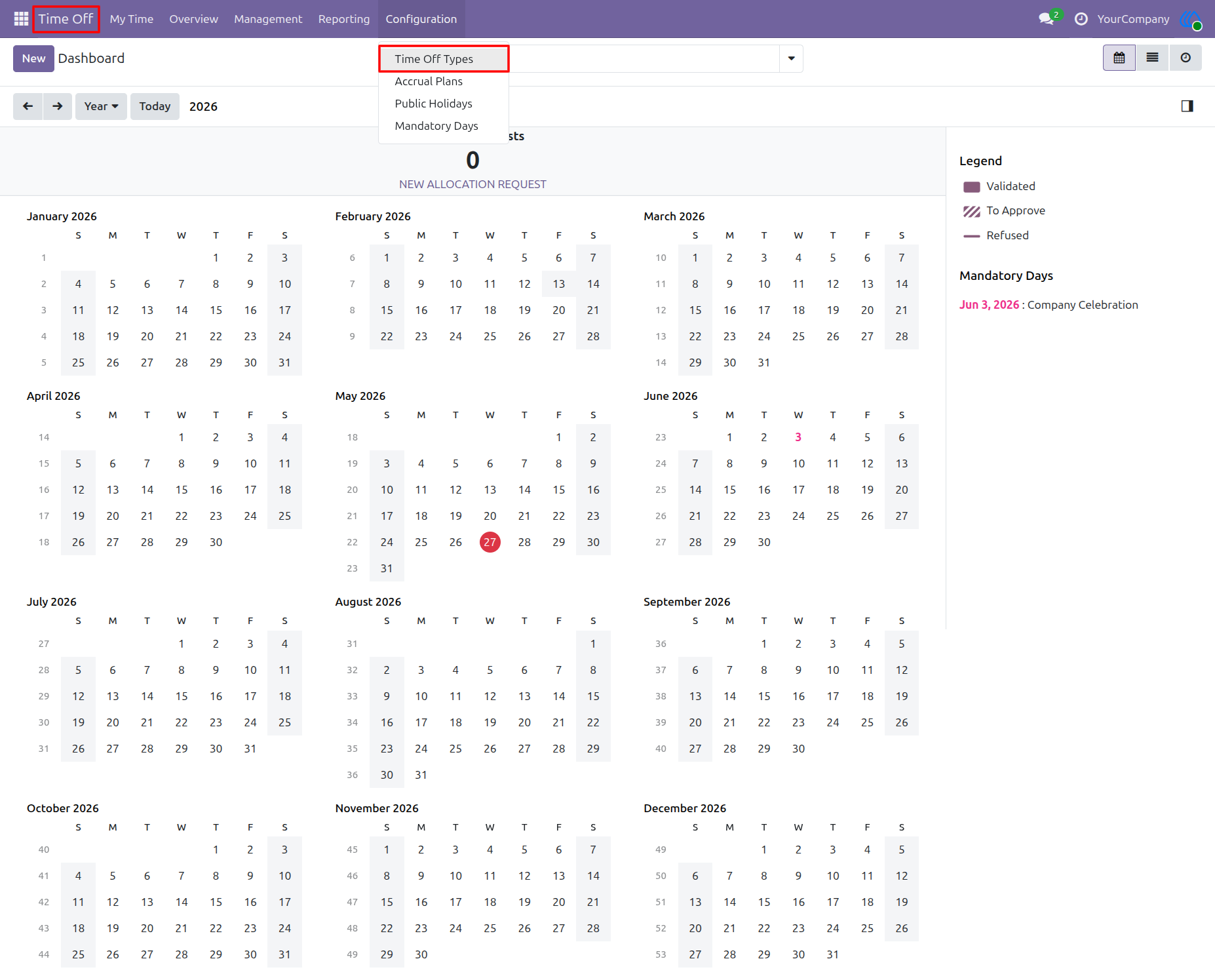
Navigate to Time Off Types
From the Time Off dashboard, open the Configuration menu and select Time Off Types. This is where HR/Admin users can manage leave types and configure maximum leave alert rules.
Navigation : Time Off → Configuration → Time Off Types
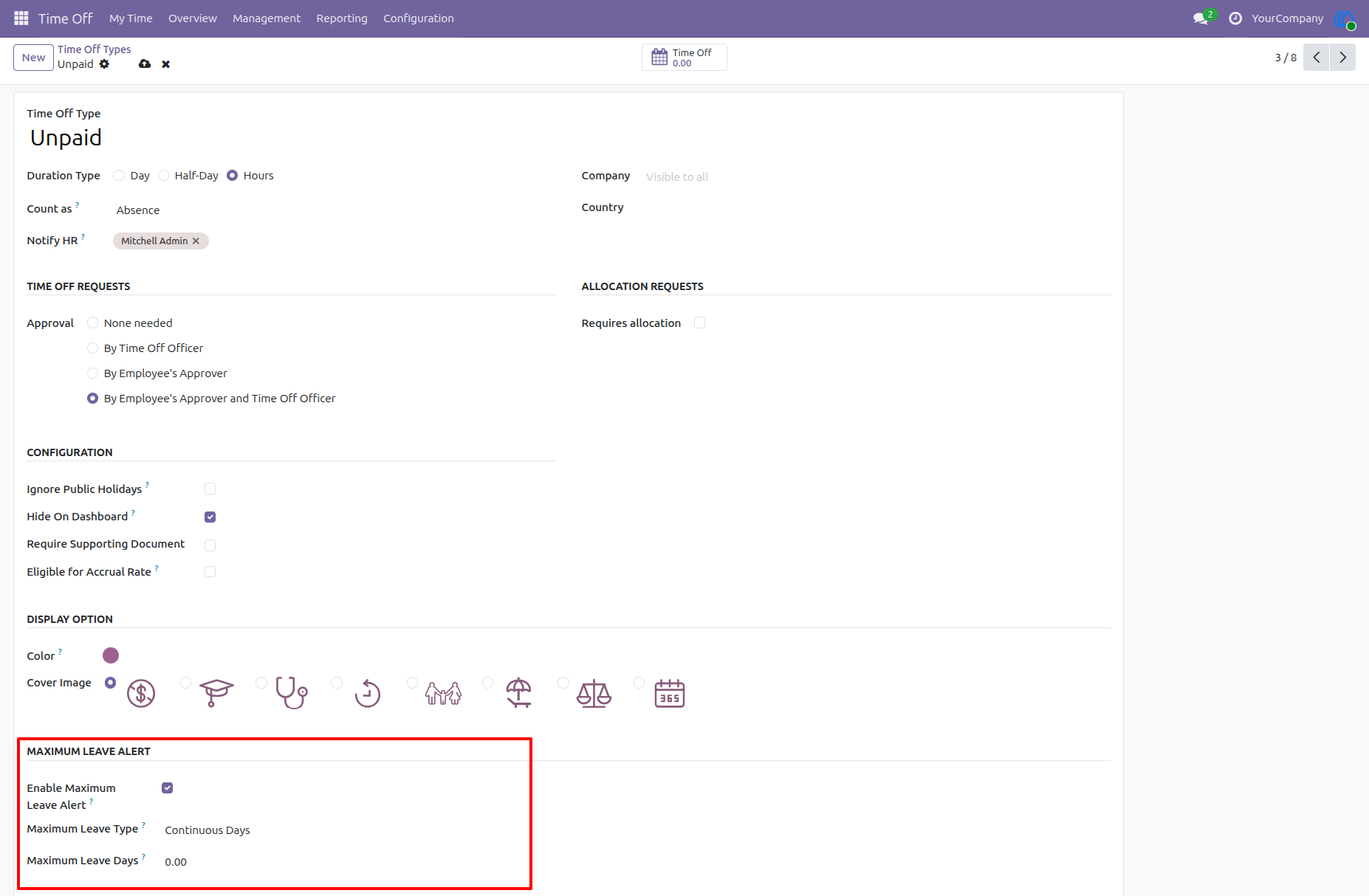
Maximum Leave Alert Configuration Section
A new Maximum Leave Alert section is available on the Time Off Type form. Here, users can activate the feature, choose the limit calculation method, and define the maximum allowed leave days.
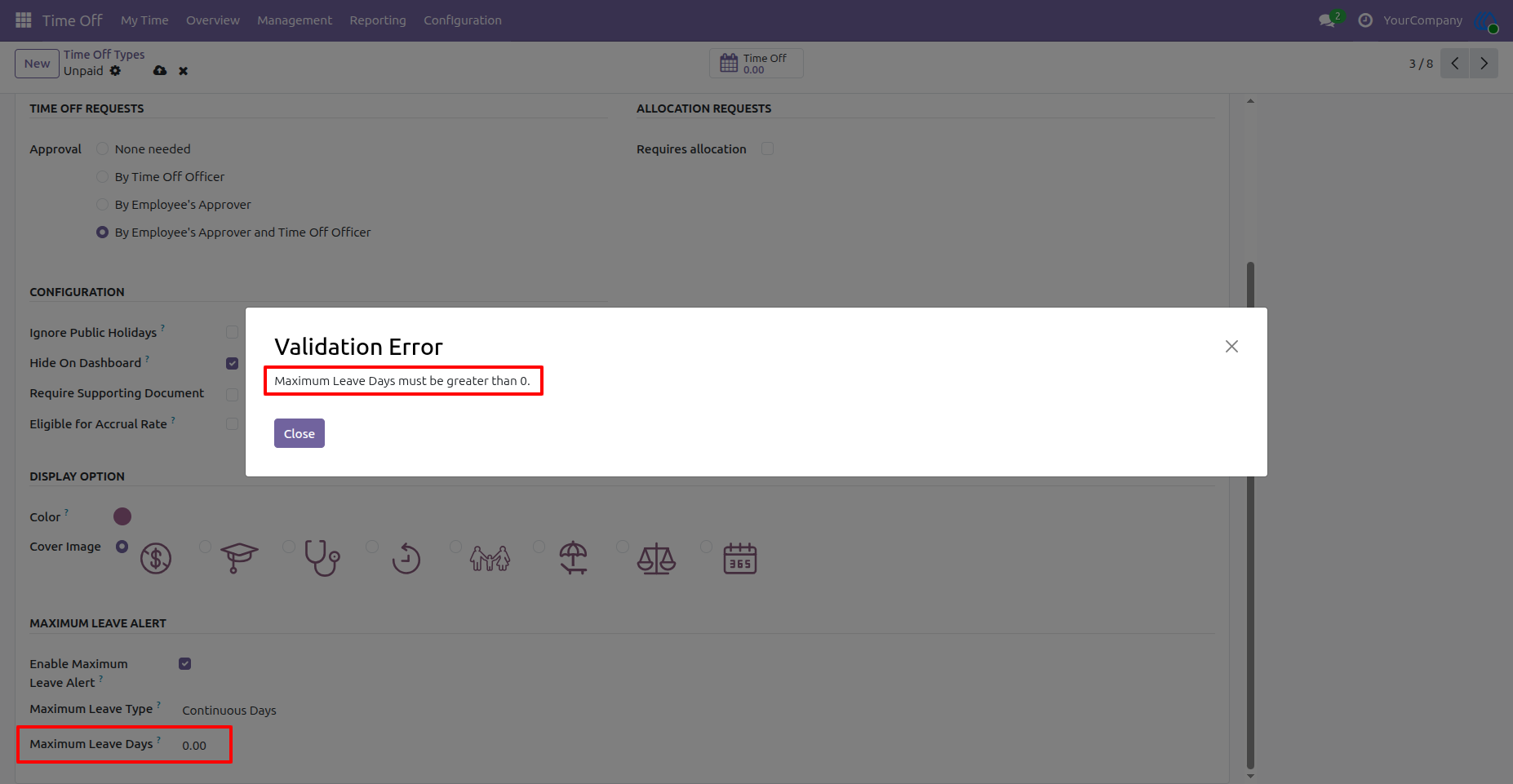
Validation for Invalid Maximum Leave Days
When the alert is enabled, the maximum leave value must be greater than zero. If the value is left as 0.00, Odoo displays a validation message and prevents saving the configuration.
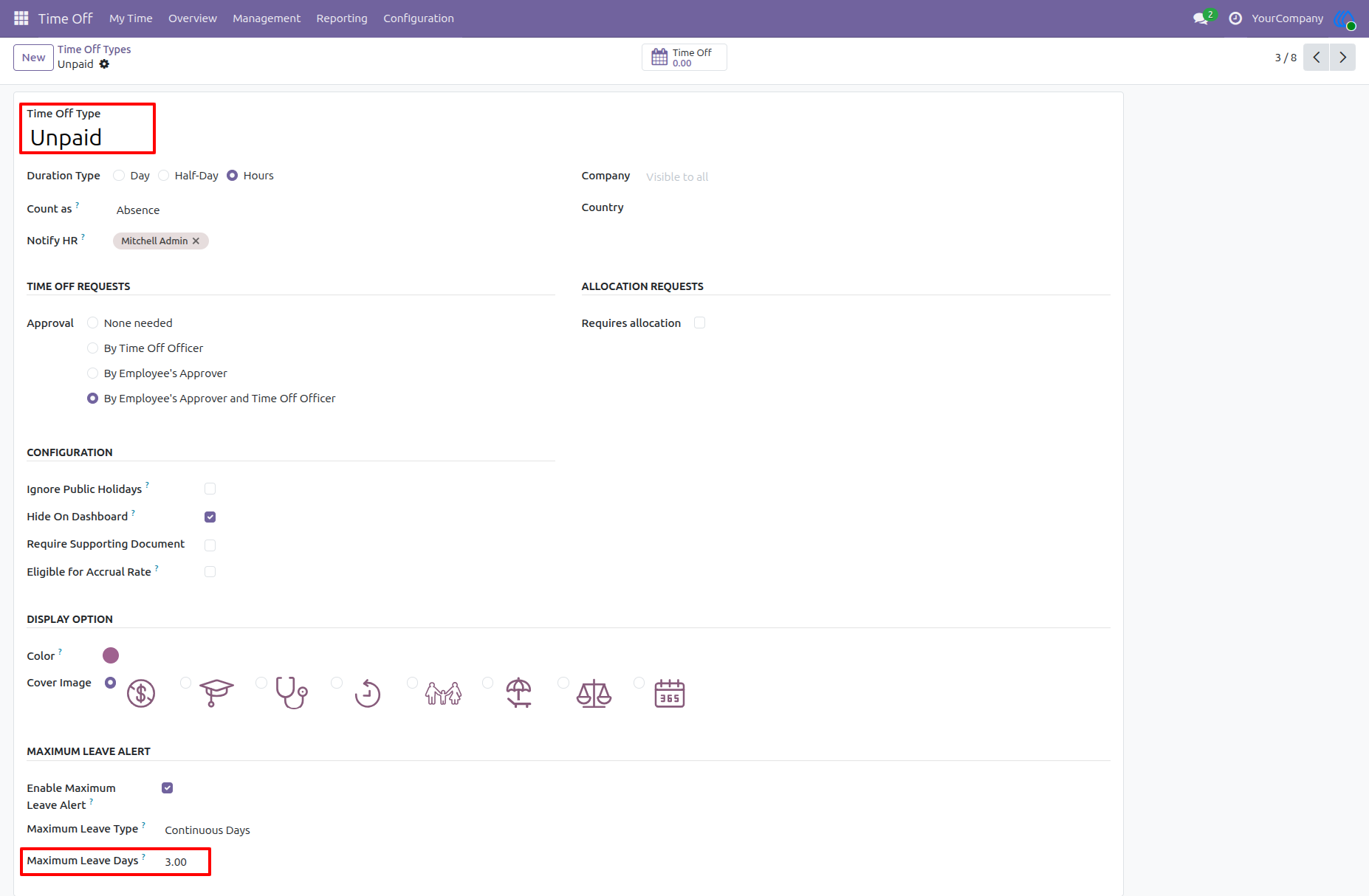
Configure Continuous Days Limit for Unpaid Leave
The Unpaid leave type is configured with a continuous leave limit of 3 days. Employees will not be allowed to submit an unpaid leave request longer than the configured continuous limit.
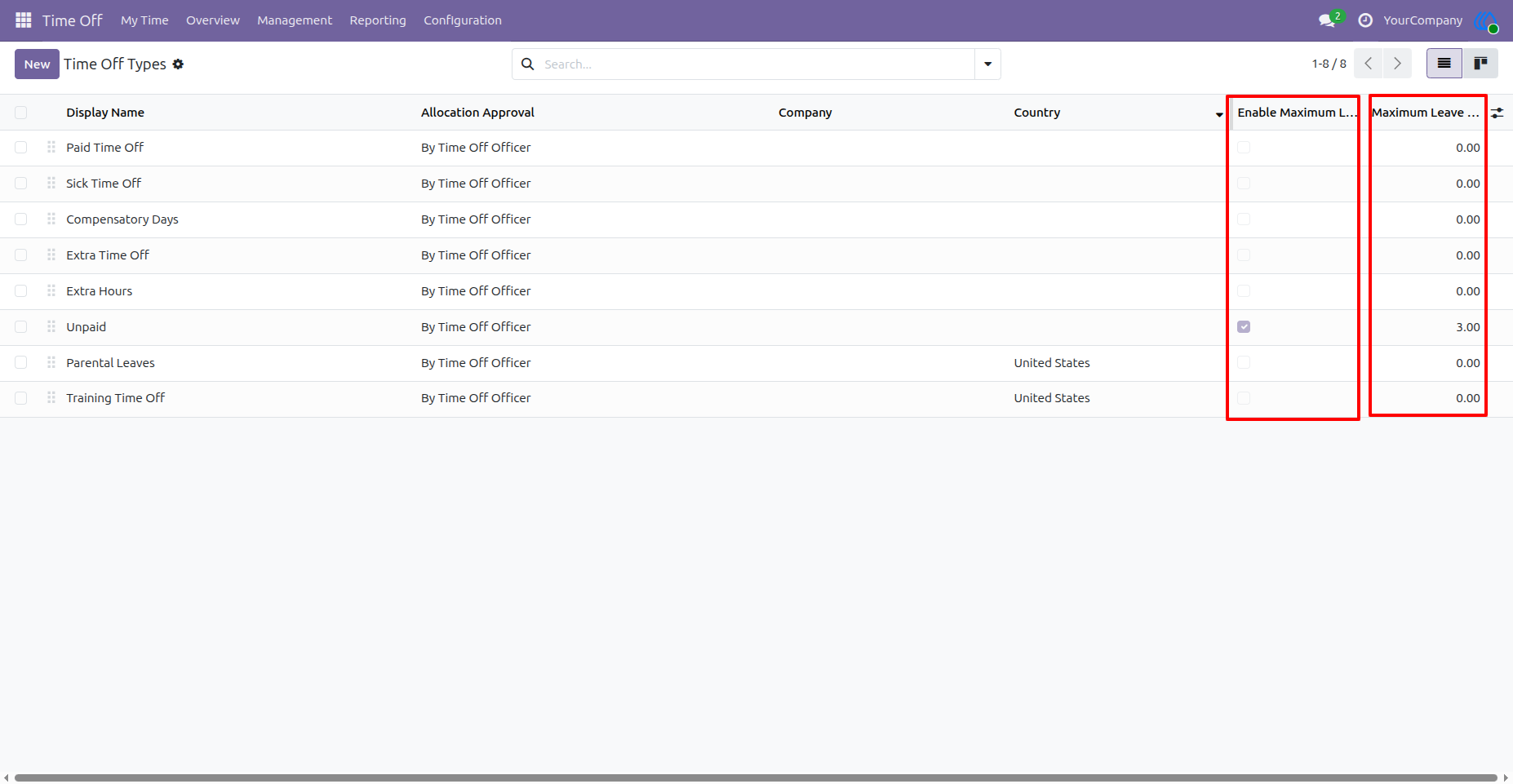
Maximum Leave Alert Fields in List View
The Time Off Types list includes additional columns for quick review. HR/Admin users can easily see which leave types have the alert enabled and what maximum leave days are configured.
Apply Leave Exceeding Continuous Limit
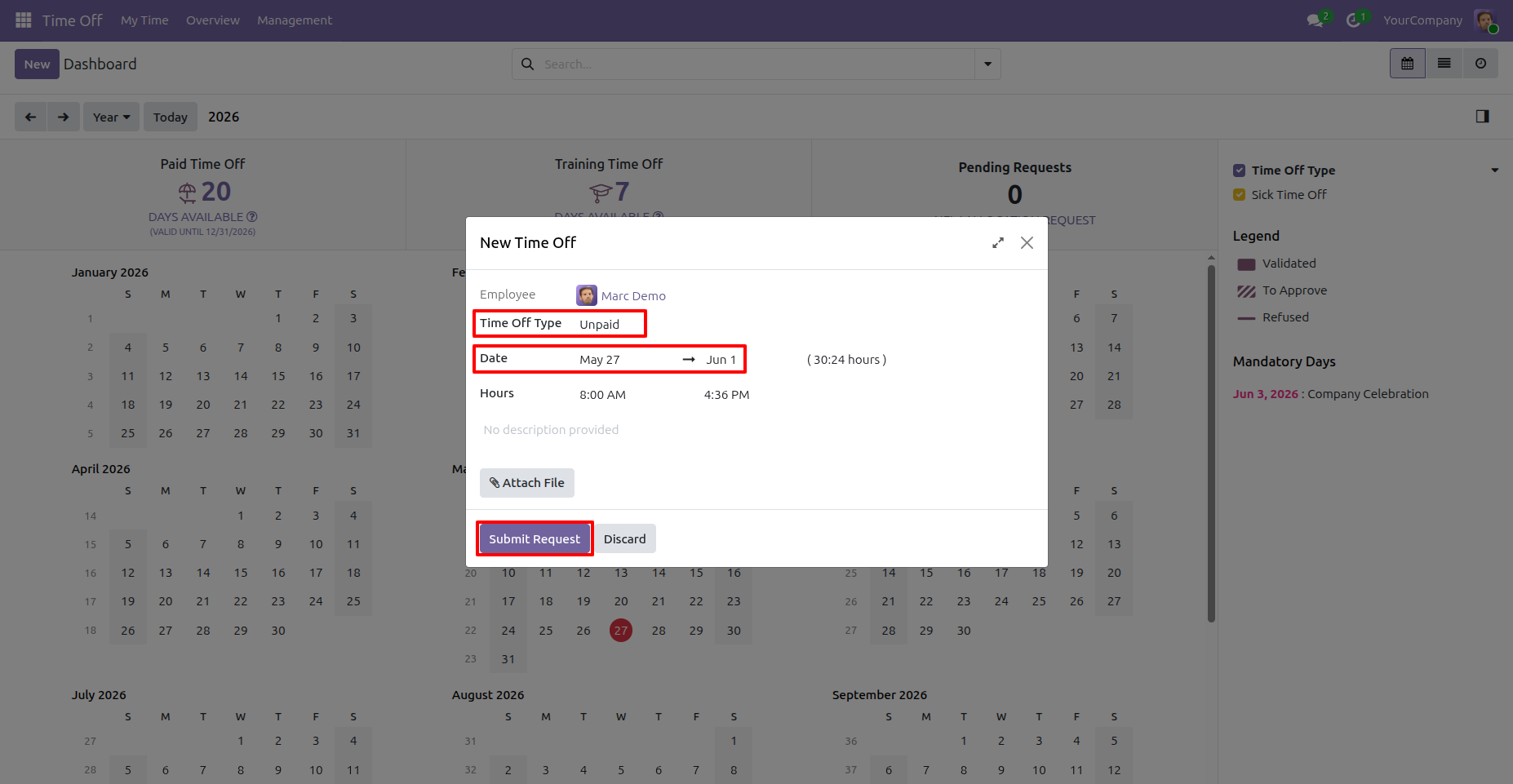
Marc Demo applies for Unpaid leave from May 27 to Jun 1. Since this request is longer than the configured 3-day continuous limit, the system checks the rule before allowing submission.
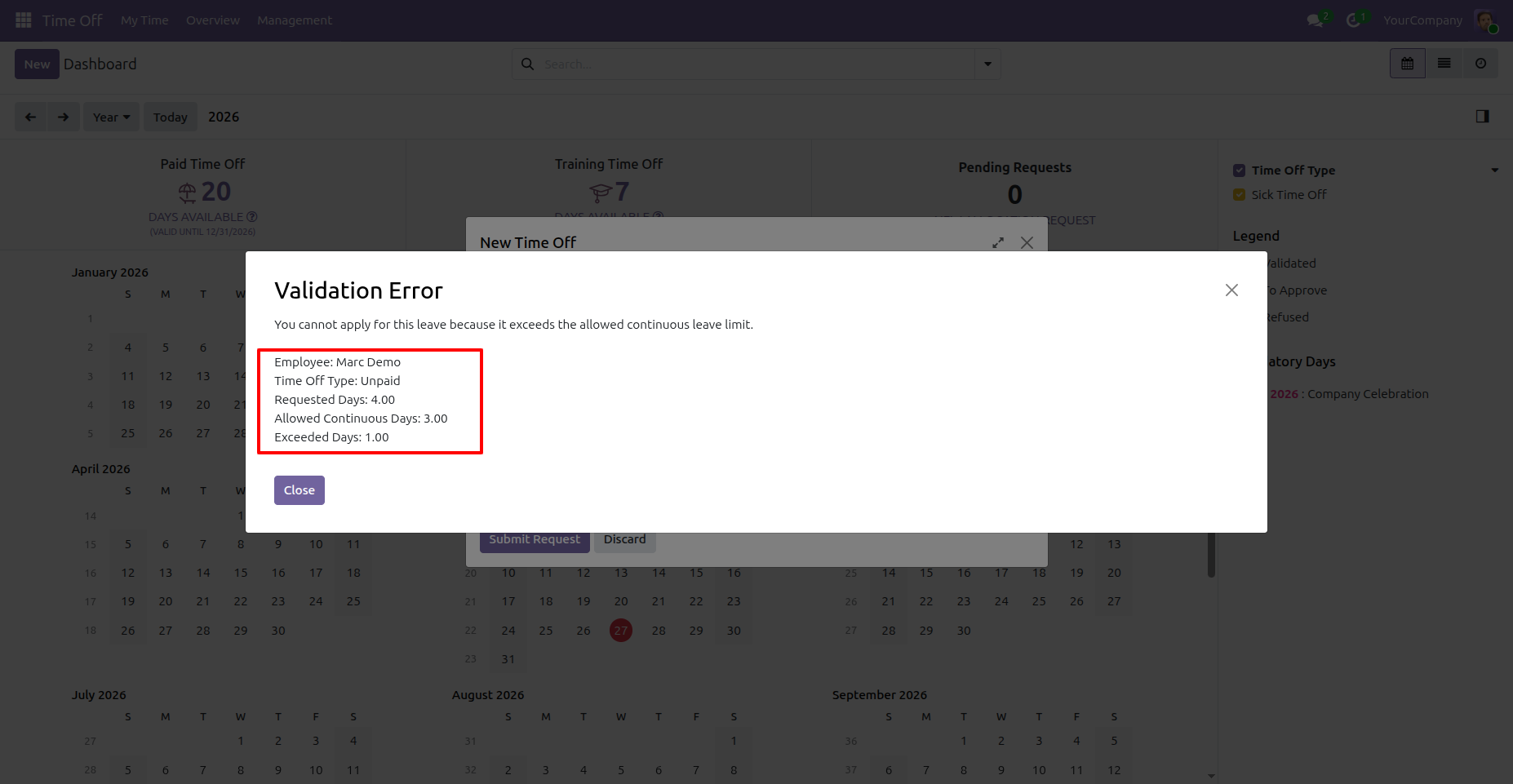
Continuous Leave Limit Validation Error
The request is blocked because it exceeds the allowed continuous leave limit. The validation message explains the employee name, leave type, requested days, allowed days, and exceeded days.
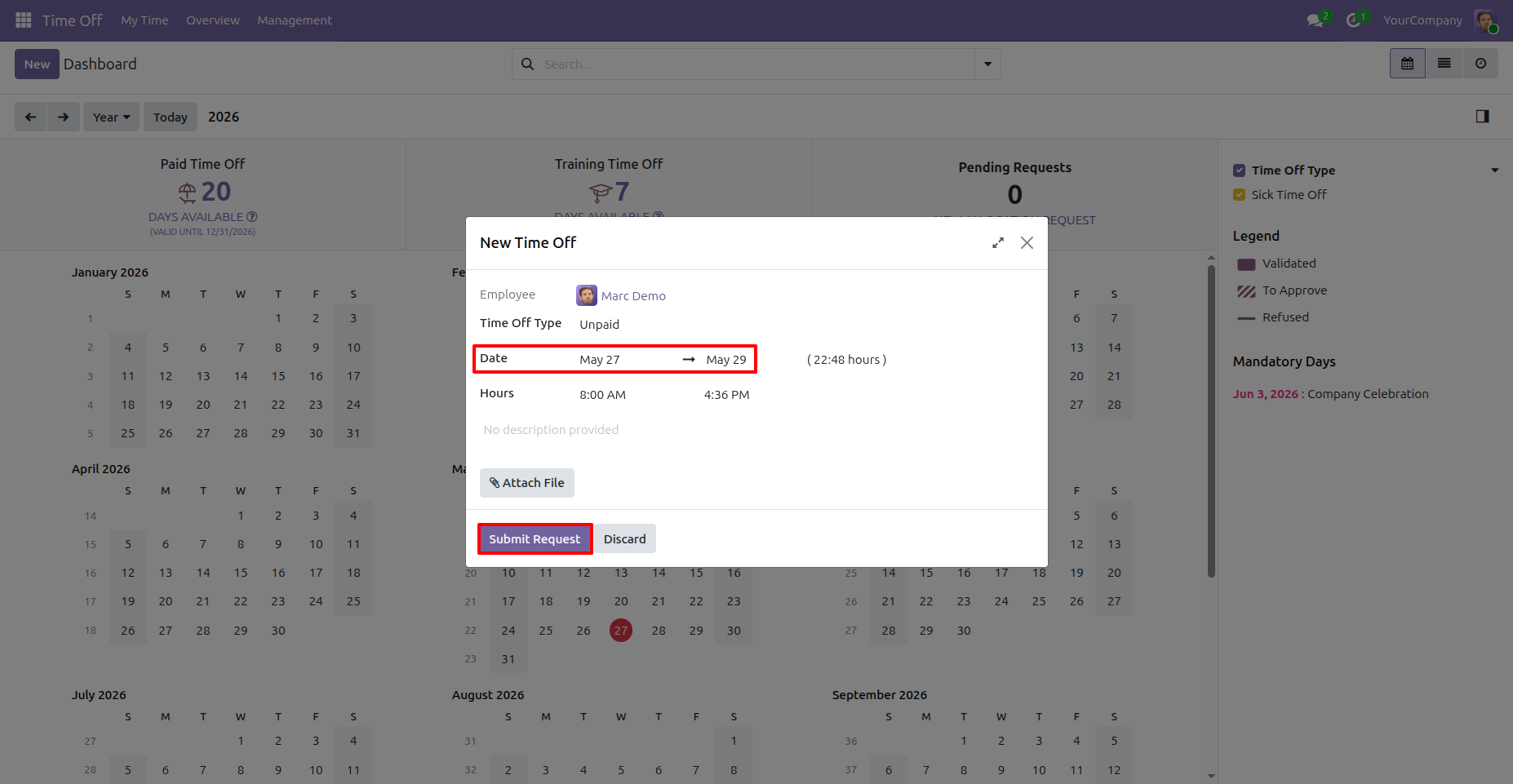
Apply Leave Within Continuous Limit
Marc Demo applies for Unpaid leave from May 27 to May 29. The duration is within the allowed 3-day continuous limit, so the request can be submitted successfully.
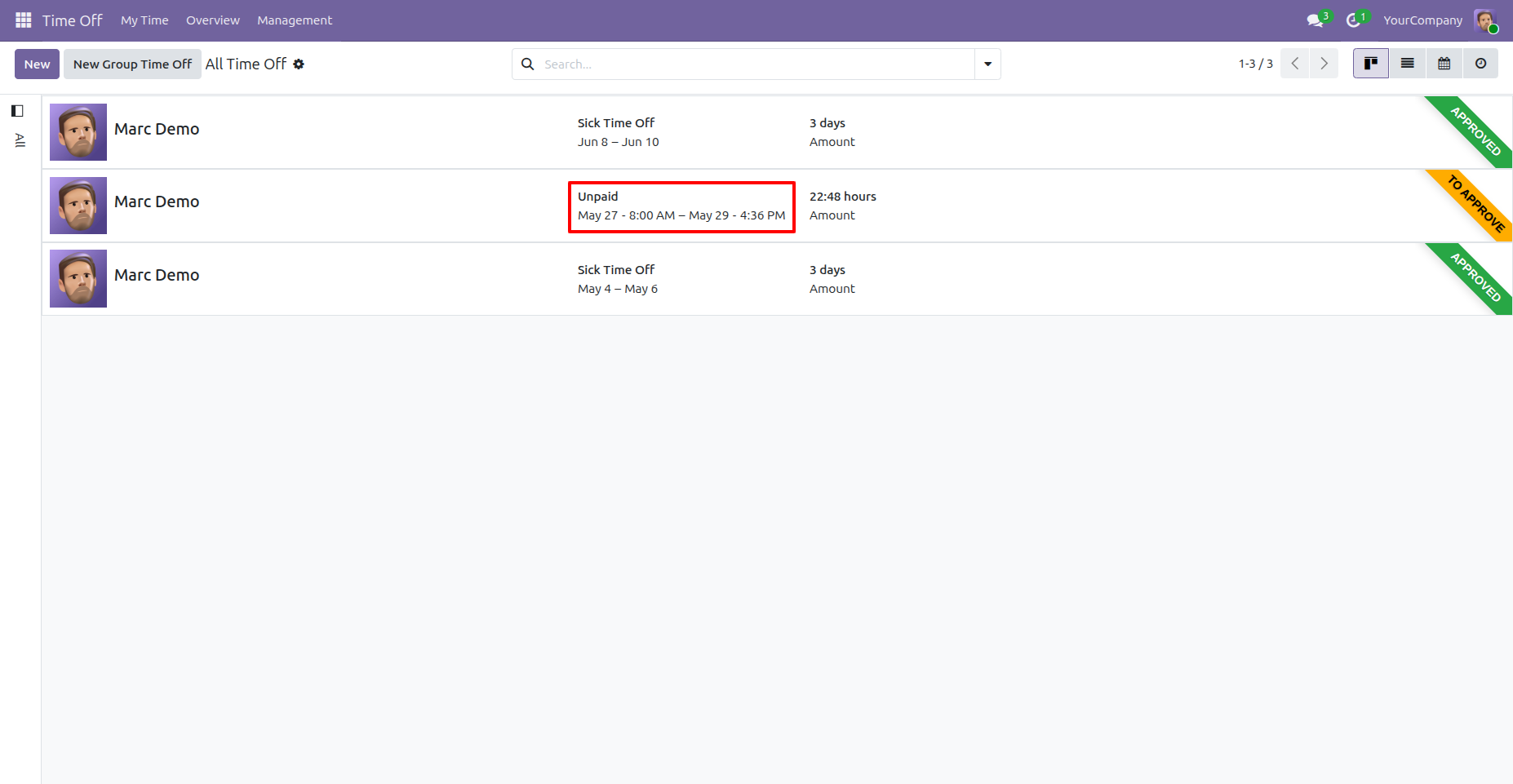
Submitted Leave Request Awaiting Approval
The valid unpaid leave request is now listed in the Time Off records with the status To Approve. This confirms that requests within the configured limit continue through the normal approval flow.
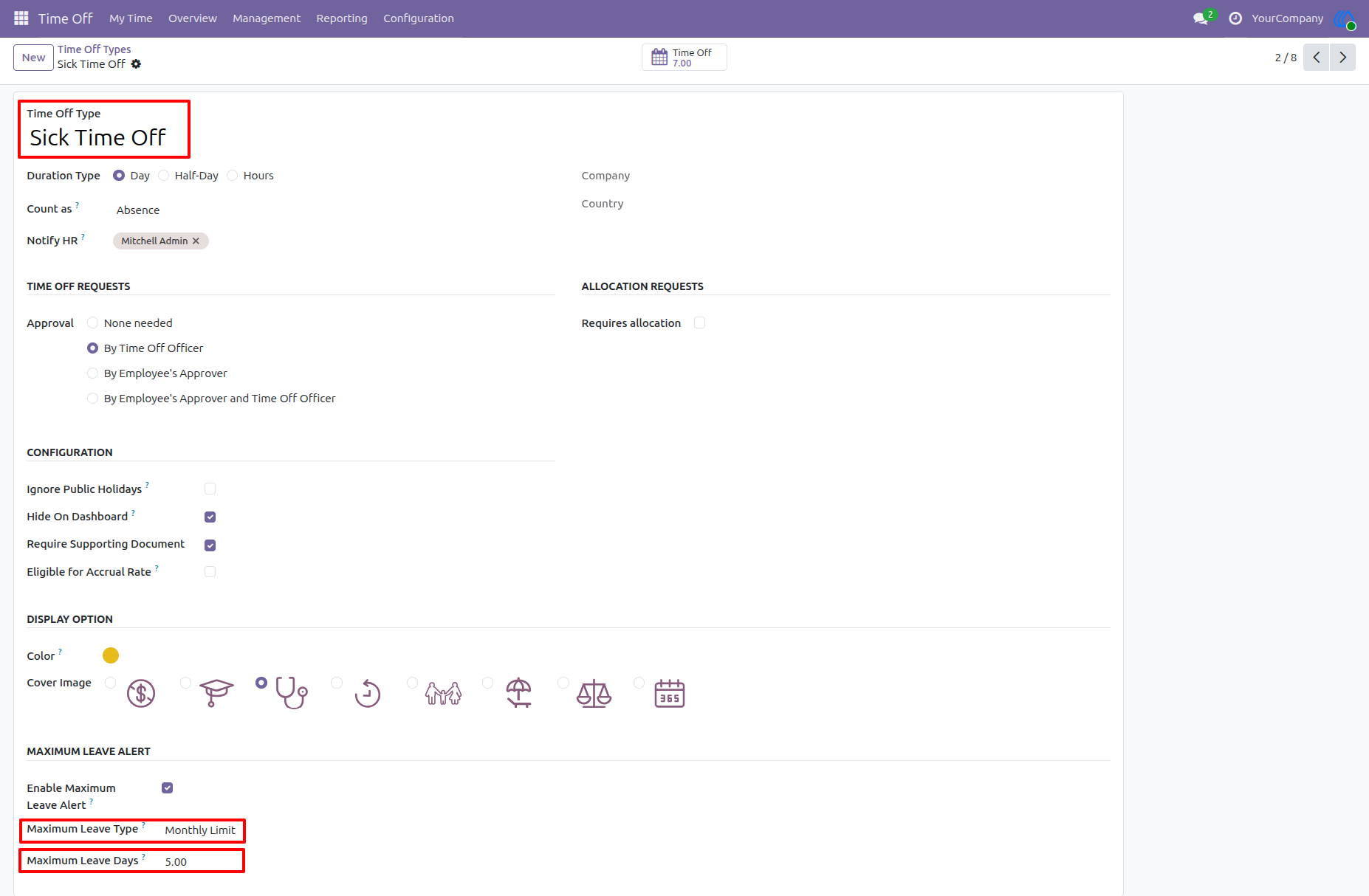
Configure Monthly Limit for Sick Time Off
The Sick Time Off type is configured with a monthly limit of 5 days. This means each employee can use up to 5 sick leave days within the same month.
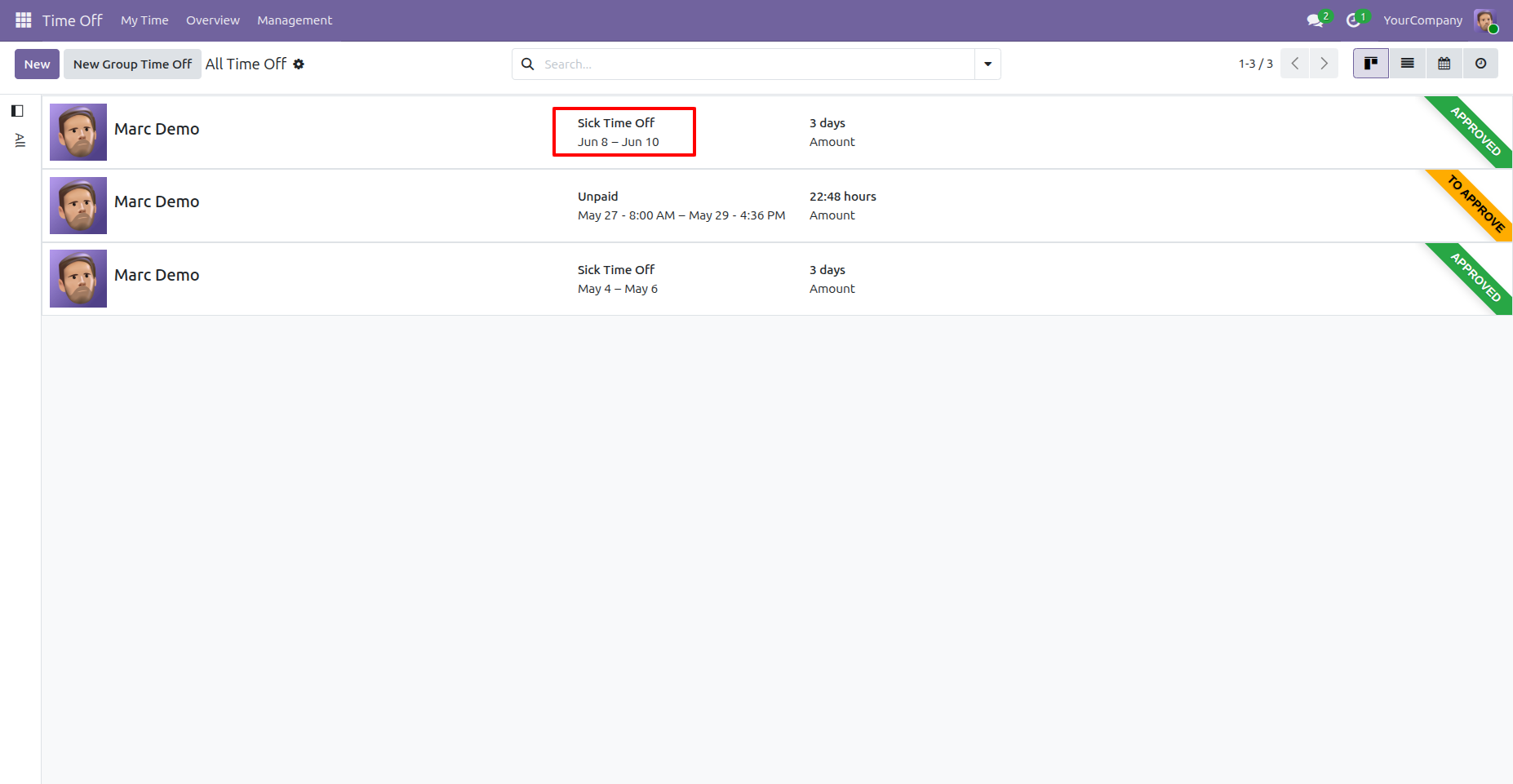
Existing Sick Leave Usage in the Month
Marc Demo already has an approved Sick Time Off request from Jun 8 to Jun 10, totaling 3 days. These days are counted as used leave for the June monthly limit.
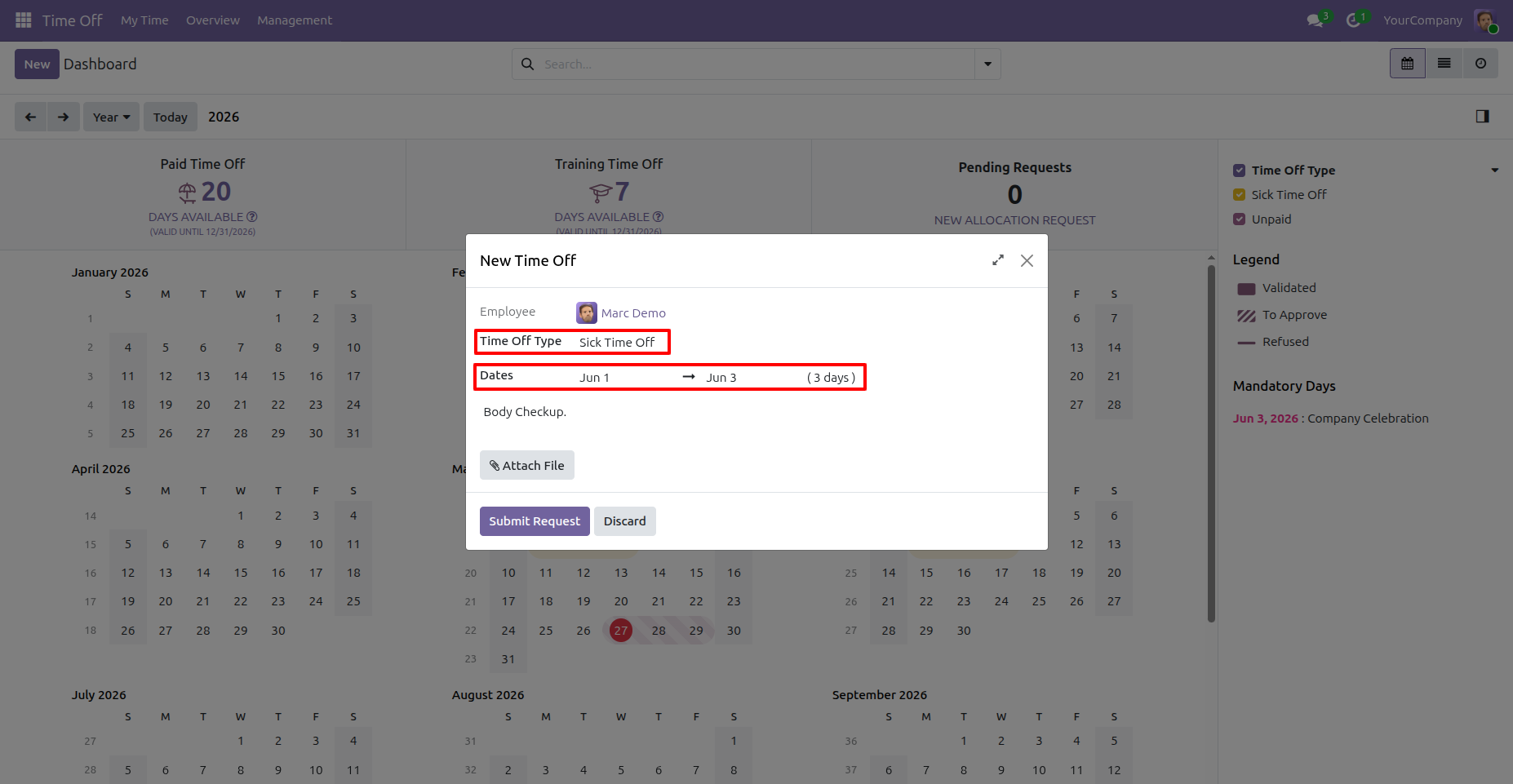
Apply Sick Leave Exceeding Monthly Limit
Marc Demo applies for another Sick Time Off request from Jun 1 to Jun 3. Because 3 days are already used in June, adding another 3 days would exceed the allowed monthly limit.
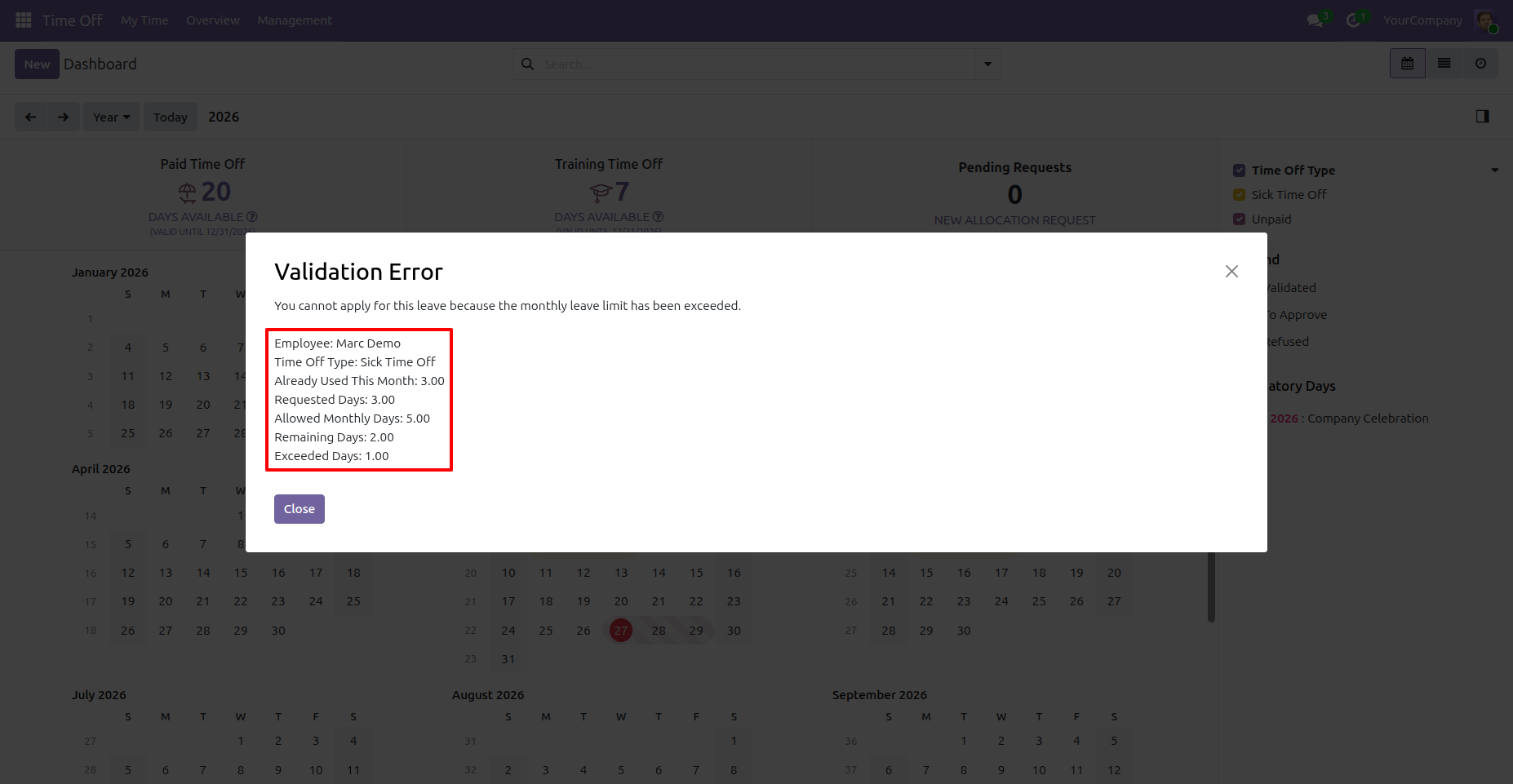
Monthly Leave Limit Validation Error
The system blocks the sick leave request because the monthly limit has been exceeded. The message clearly shows already used days, requested days, allowed monthly days, remaining days, and exceeded days.
User Guide