

Our Most Suggested Products


Email CC BCC
Enhance your Odoo email system by adding default CC & BCC recipients to all outgoing emails.Easily configure them from settings and have them applied automatically when sending emails.You can edit or remove recipients while composing emails for flexibility.All sent emails, including CC & BCC details, are visible in chatter and technical email logs.
Video Tutorial
 Features
 Screenshots
 Support
 Service
Features
Default CC & BCC Configuration
Set default CC and BCC recipients directly from the settings menu. Automatically apply these contacts when sending any outgoing email. Save time and ensure consistent communication with every message.
Smart Email Composition
When composing or sending emails, default CC & BCC appear automatically. Easily edit or remove recipients before sending. Enhance control while maintaining efficiency in your workflow.
Track Sent Emails in Chatter
View sent emails along with CC & BCC details inside the chatter. Ensure transparency and easy reference for every communication. Keep your team aligned with clear visibility of shared messages.
Screenshot
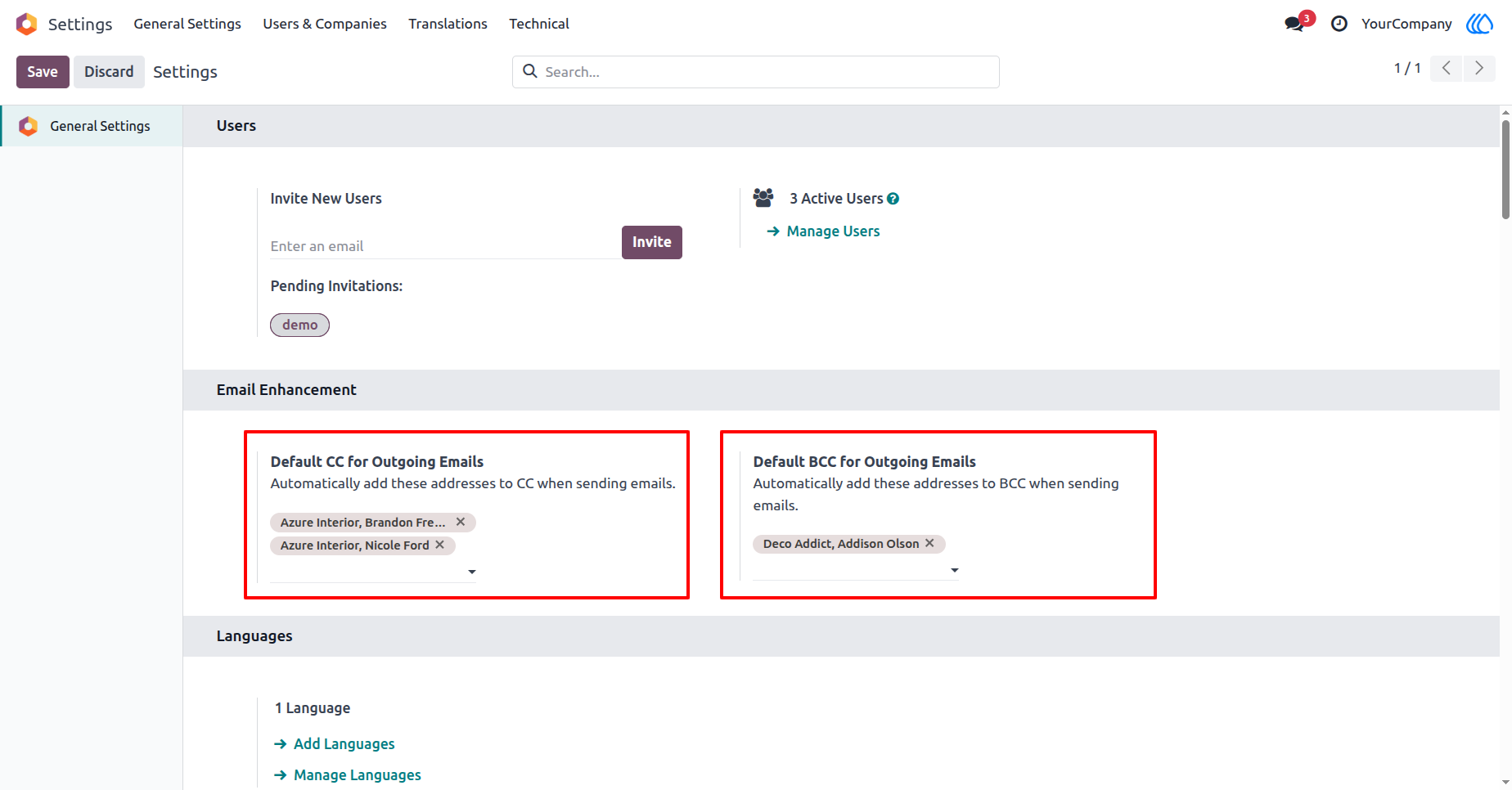
1.) Configure Default CC & BCC
Set up default CC and BCC recipients for all outgoing emails in Odoo. This helps ensure that specific users or partners always receive email copies automatically.
Navigation : Settings › General Settings › Email Enhancement
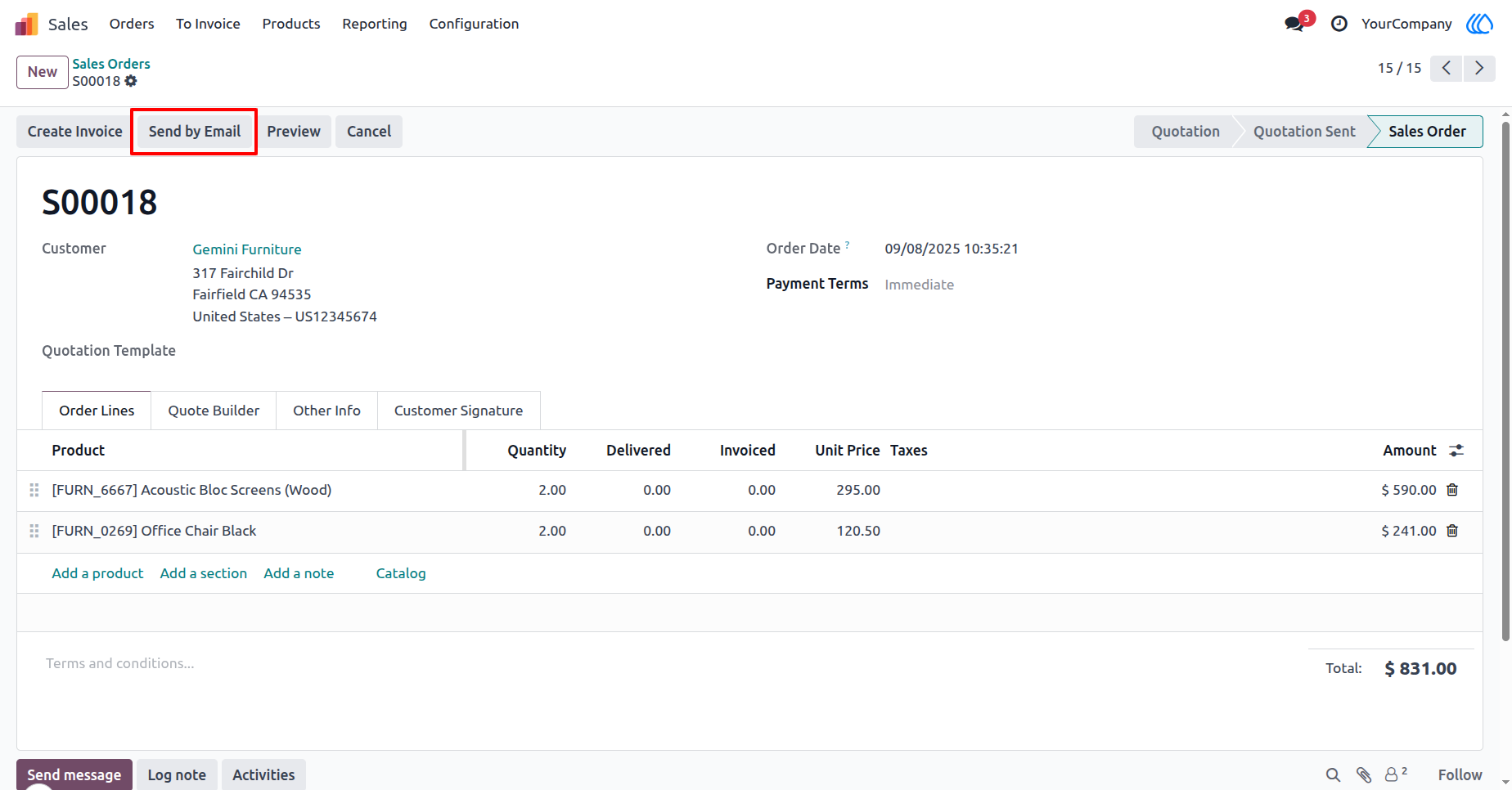
2.) Send by Email Option
Quickly send quotations, invoices, or any document by email directly from Odoo. The system will automatically include the preconfigured CC and BCC recipients.
Navigation : Sales › Sales Orders › Send by Email
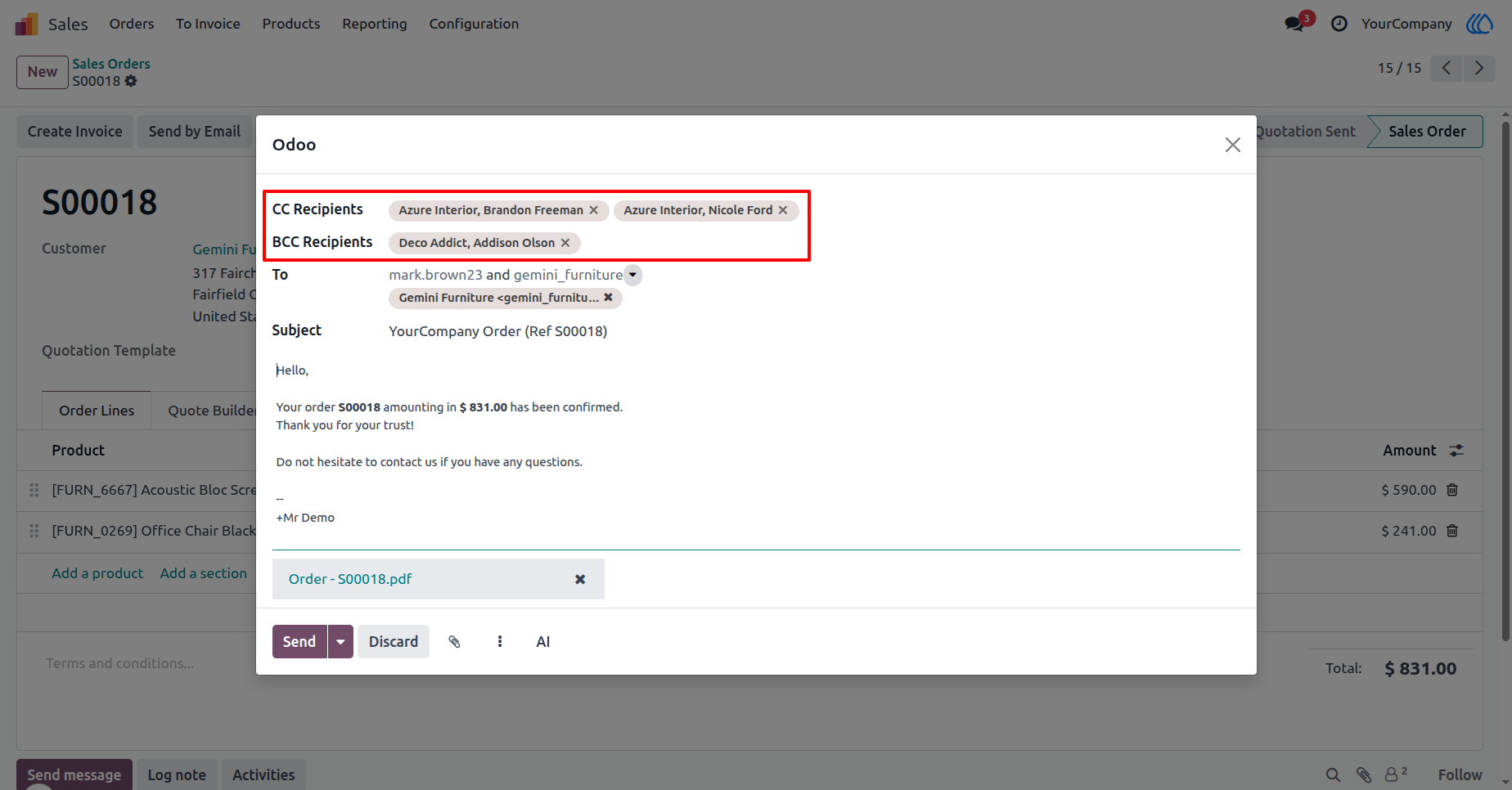
3.) Default CC & BCC in Email Composer
When composing an email, default CC and BCC recipients appear automatically. You can edit or remove them before sending if needed for flexibility.
Navigation : Sales › Sales Orders › Send by Email
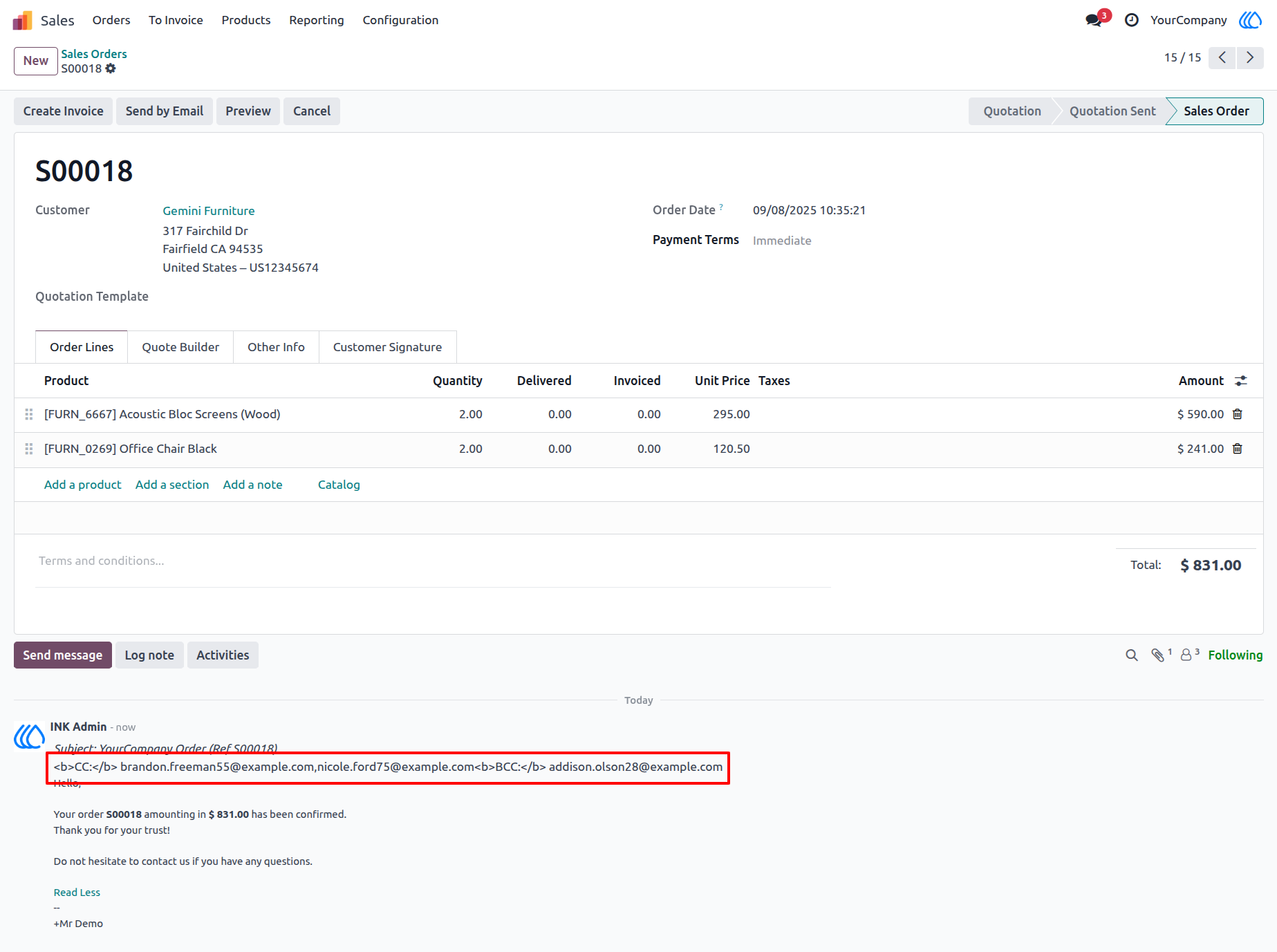
4.) View Sent Email in Chatter
View sent emails directly in the chatter section with full CC & BCC details. Easily track who received the message for transparency and follow-up.
Navigation : Sales › Sales Orders › Chatter Section (Sent Email)
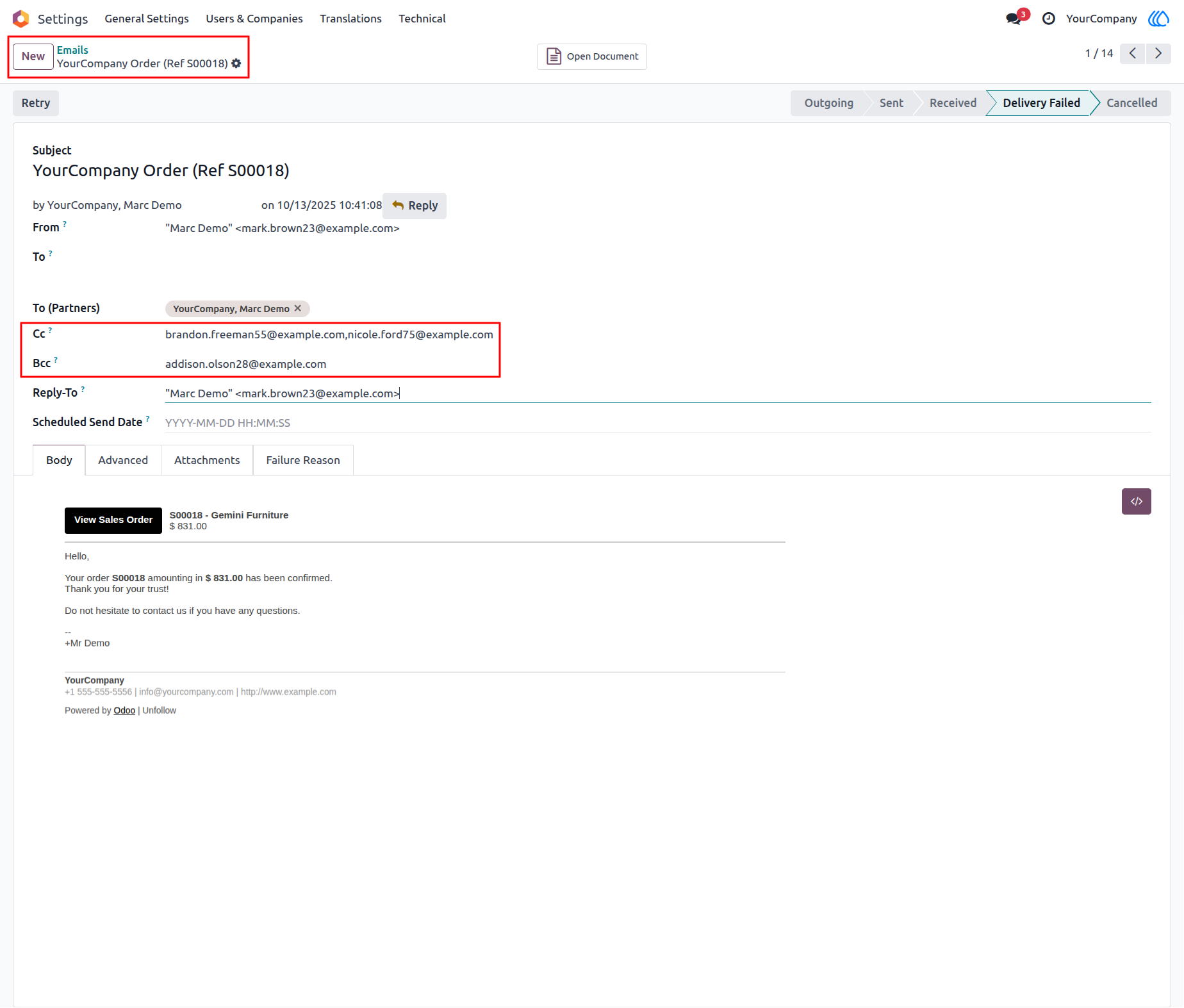
5.) Email Record with CC & BCC
Check email records in the Emails menu, including CC & BCC recipients. Monitor delivery status and access full message content for reference.
Navigation : Settings › Technical › Email
User Guide