

Our Most Suggested Products


Track Selected Fields in Chatter For Enterprise
Track Fields in Chatter allows you to monitor changes in specific fields directly within Odoo's chatter. Every update is automatically logged as a message, giving you clear visibility of modifications without needing to dig into technical logs. This makes collaboration smoother and ensures accountability across your team.
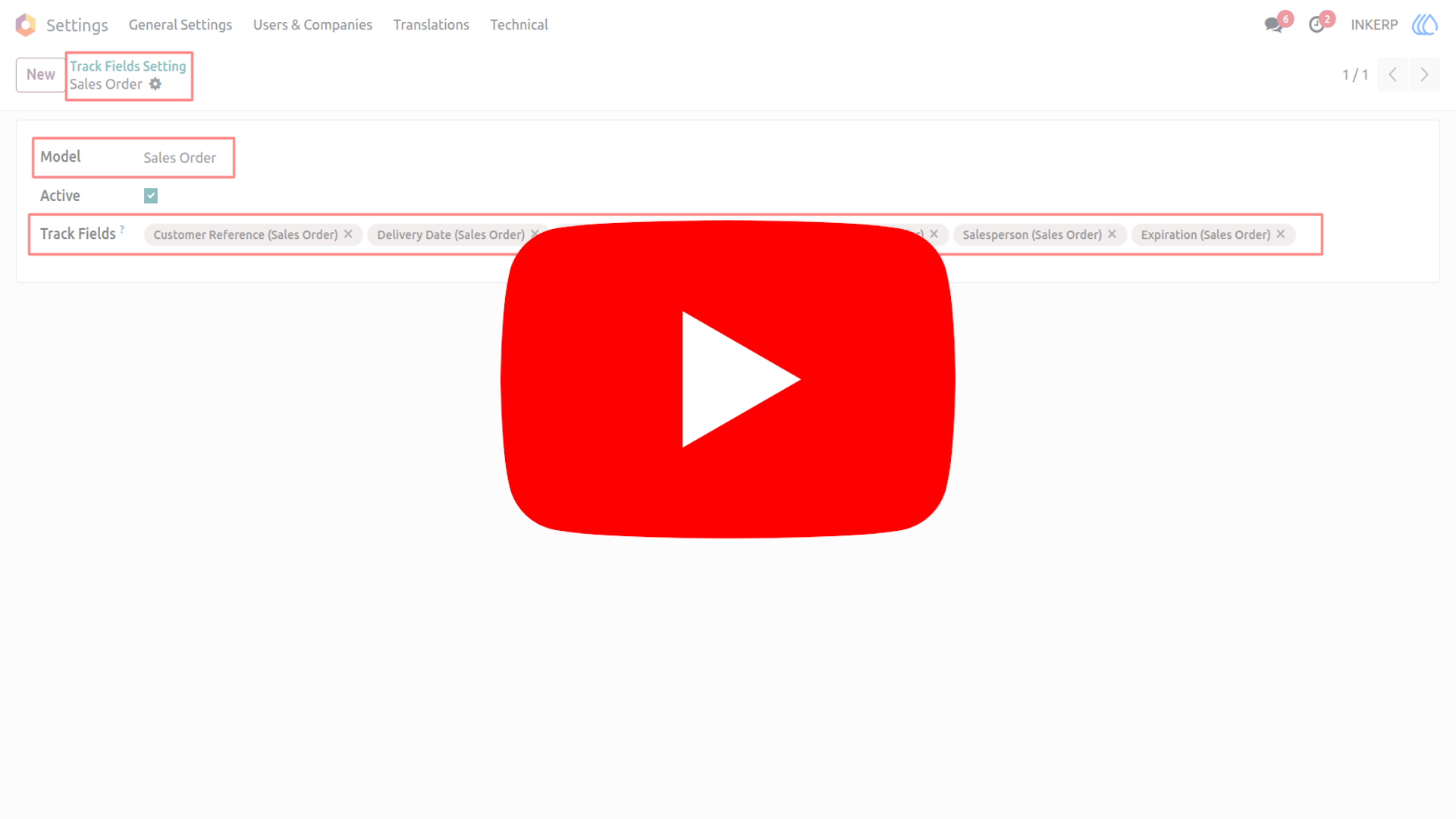
Video Tutorial
 Features
 Screenshots
 Support
 Service
Features
Field Change Tracking :
Keep an eye on important fields in your records. Whenever someone updates a tracked field, the change is shown in the chatter. You don’t need to search logs or history it's right there in the conversation. This makes it simple to know what changed and when.
Enhanced Collaboration :
Your team can instantly see updates without asking around. Changes appear as messages, so everyone stays on the same page. It reduces confusion and keeps communication clear. Perfect for teamwork across departments.
Easy Configuration :
You decide which fields should be tracked. No coding or technical setup is needed just select and save. Quick to set up, easy to manage.
Audit-Friendly Logs :
Every tracked change is recorded in chatter for future reference. The app works directly with Odoo's chatter system. This creates a reliable history of updates. It helps with compliance, reviews, and accountability. You'll always have proof of what was changed.Smooth experience for both admins and users.
Screenshot
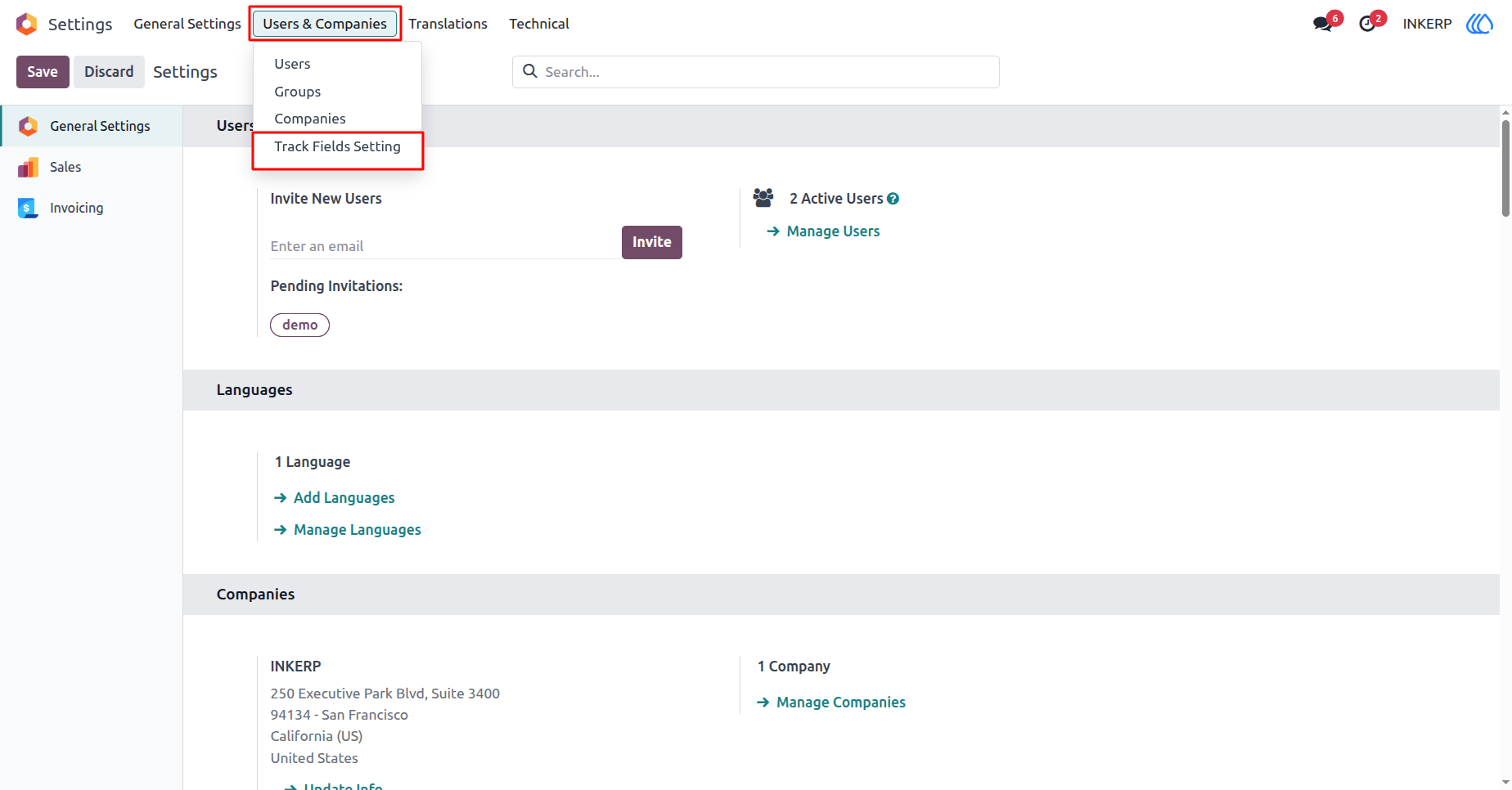
1) Settings View
Navigation : Settings › Users & Companies › Track Fields Setting
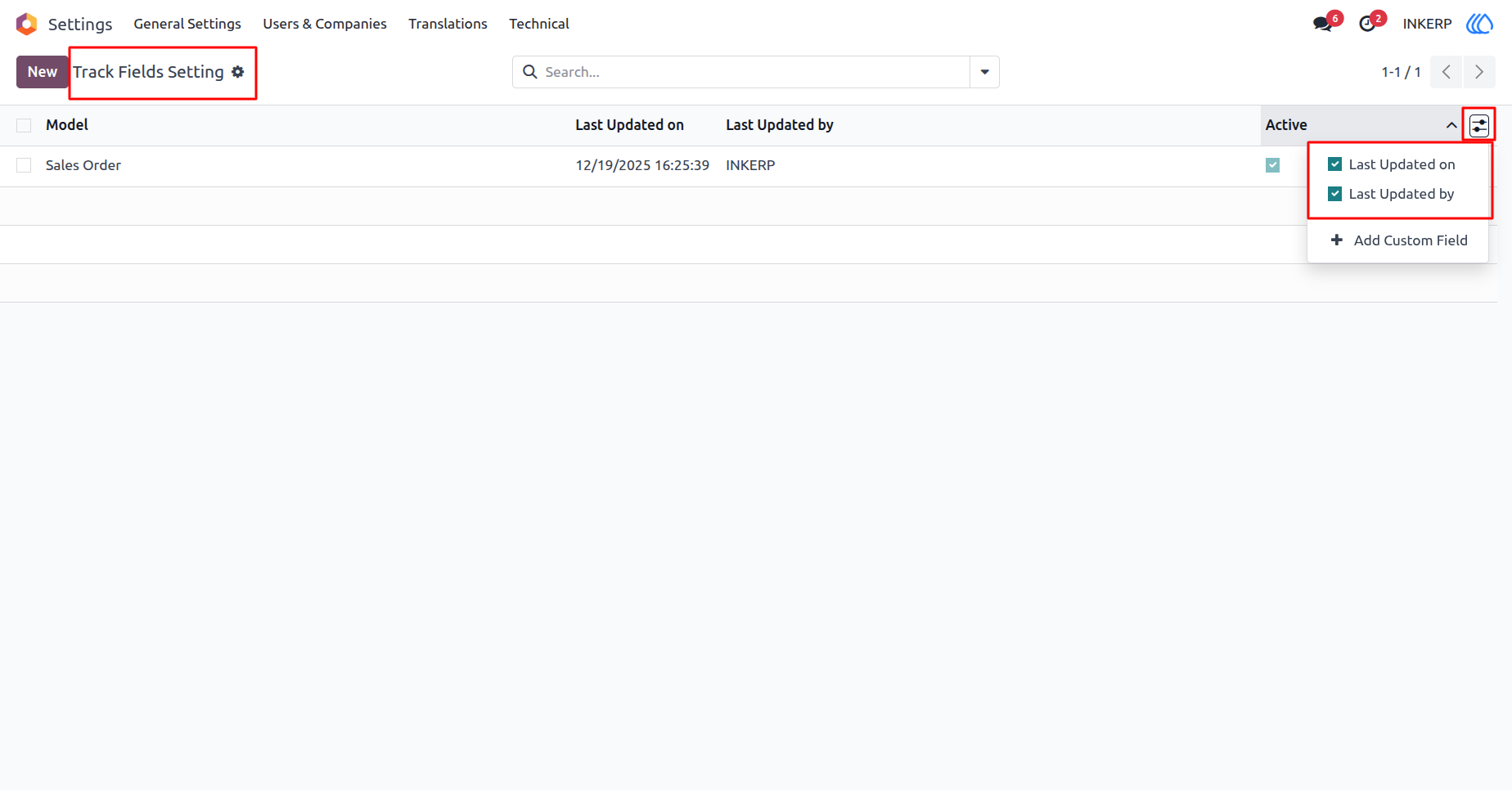
2) Track Fields Settings List View
Here, user can see all records and hide/show last updated on and last updated by field
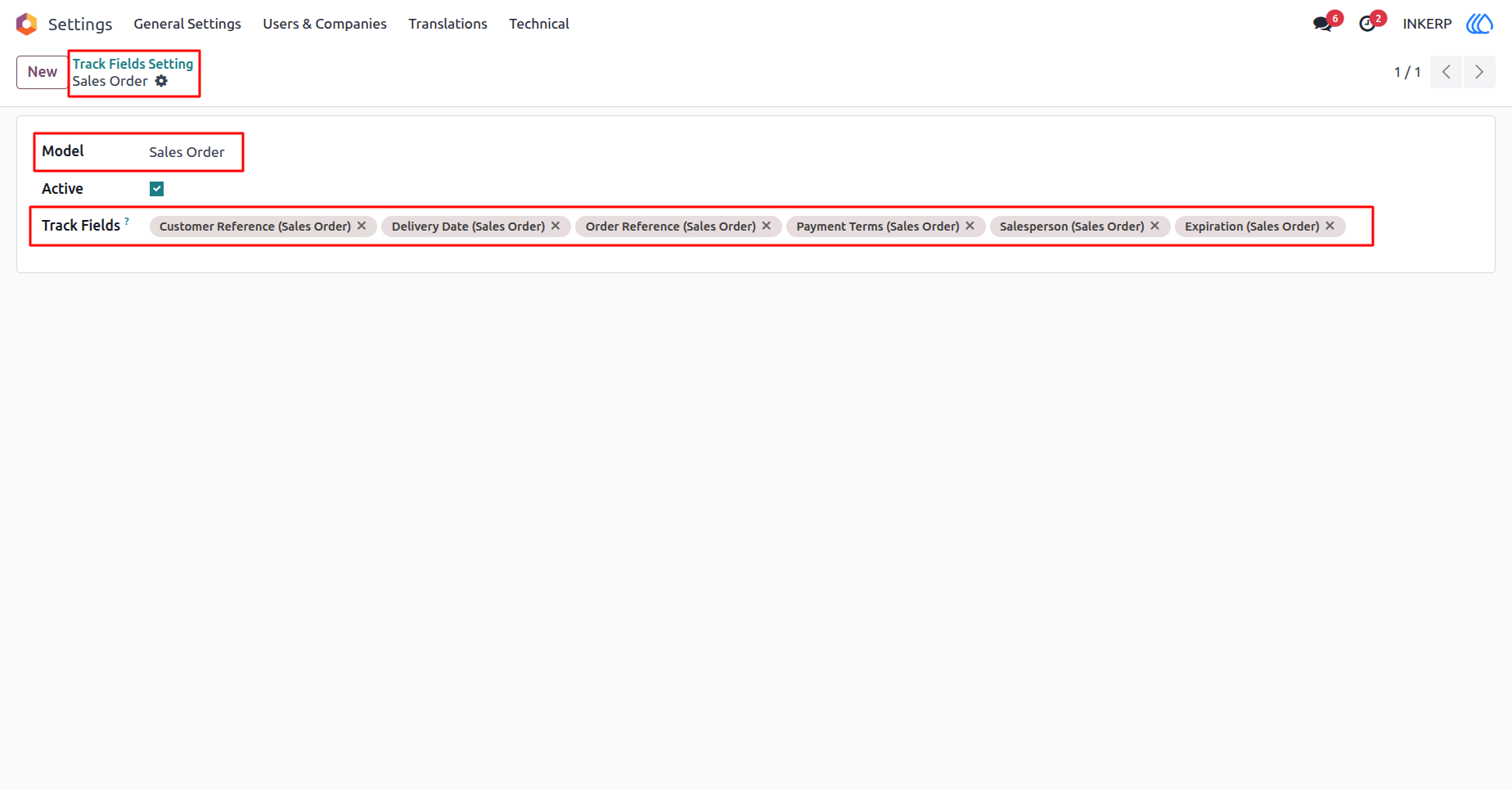
3) Track Fields Settings Form View
Select model and fields you want to track
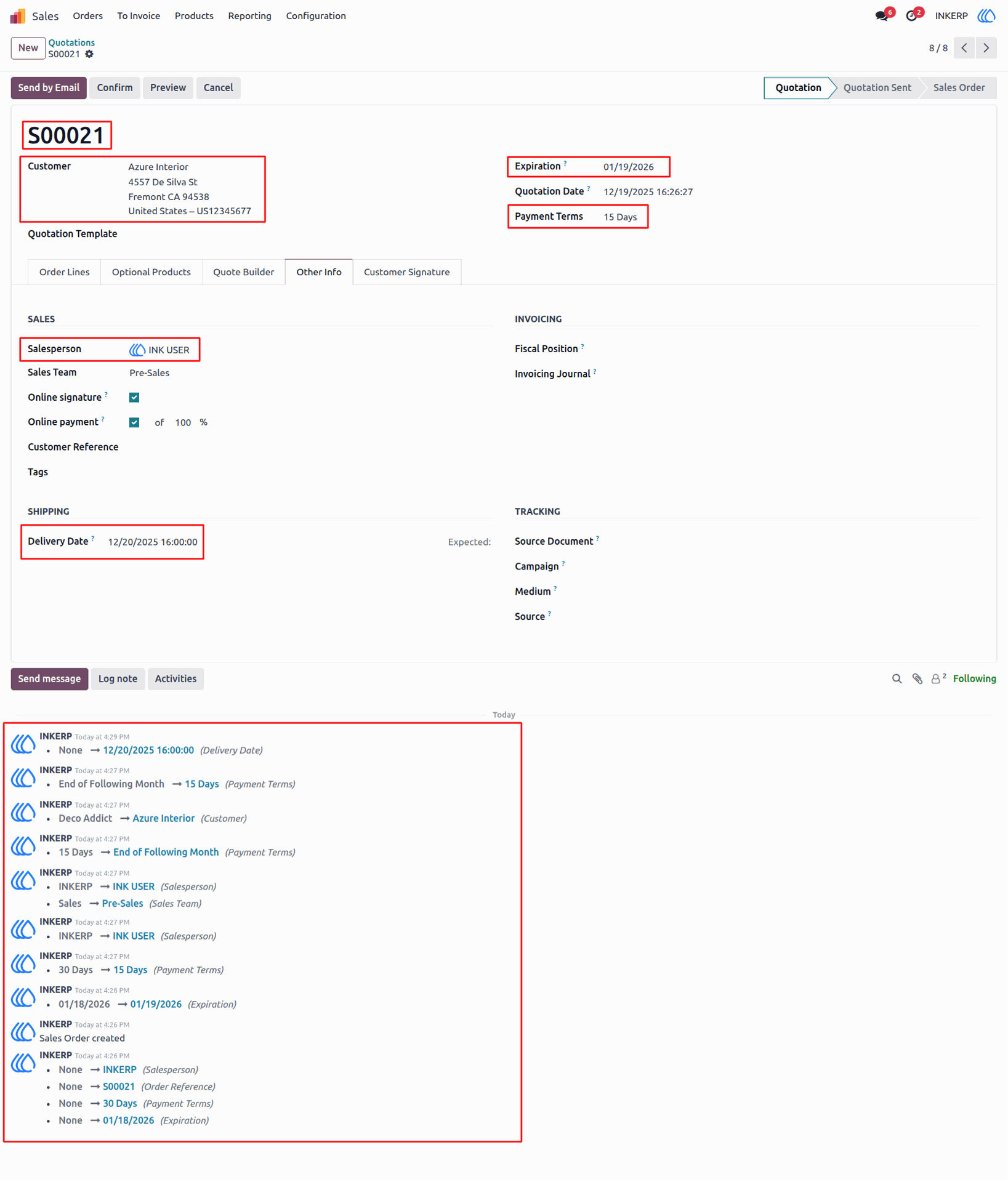
4) Sale Order Form View
Users can view all the fields selected in the Track Fields settings, and each change is automatically logged in the chatter.
User Guide