

Our Most Suggested Products


Renewable Energy Management
The Renewable Energy Management application provides a complete, centralized solution for overseeing solar and battery installation projects from initial inquiry to final handover. It captures customer requests through a dedicated web portal, instantly converting them into actionable CRM leads and dispatching teams for pre-installation site surveys. Project managers can direct the entire deployment lifecycle by coordinating internal crews, assigning subcontractors, and tracking material procurement through integrated Bills of Materials. Built-in quality assurance checklists and automated PDF reporting enforce strict safety compliance across all field operations. Furthermore, the system supports long-term equipment viability by managing post-installation warranties and tracking ongoing maintenance requests within a single, unified environment.
 Features
 Screenshots
 Support
 Service

Features
End-to-End Renewable Deployment Pipeline
Transition customer inquiries from initial web requests into qualified CRM leads. Automatically dispatch internal or external field teams for pre-installation site surveys, and convert approved inspections directly into active deployment orders without repetitive manual data entry.
Dynamic Quality Assurance & Safety Checklists
Enforce rigorous compliance standards using highly configurable, color-coded QA templates. Automatically generate specialized inspection tasks for designated QA teams to verify structural integrity, electrical safety, and system performance before finalizing the project handover.
Integrated Sub-Contractor & Material Logistics
Manage third-party installations by auto-generating sub-contracts and vendor bills directly from the primary project order. Track comprehensive Bills of Materials (BOM) and incoming warehouse purchase receipts, and issue precise delivery orders to ensure field crews have the exact hardware they need on schedule.
Post-Installation Warranty & Maintenance Tracking
Maintain long-term customer relationships by attaching standardized, predefined warranty templates to completed deployments. Rapidly process inbound maintenance requests, track replacement parts consumption, and generate accurate service invoices from a unified, post-installation dashboard.
Automated Field Documentation & Reporting
Equip clients and internal stakeholders with professional, auditable PDF reports aggregating complete project data. Instantly generate comprehensive documents detailing site feasibility imagery, verified electrical configurations, assigned personnel, and signed-off compliance checklists.
Screenshot
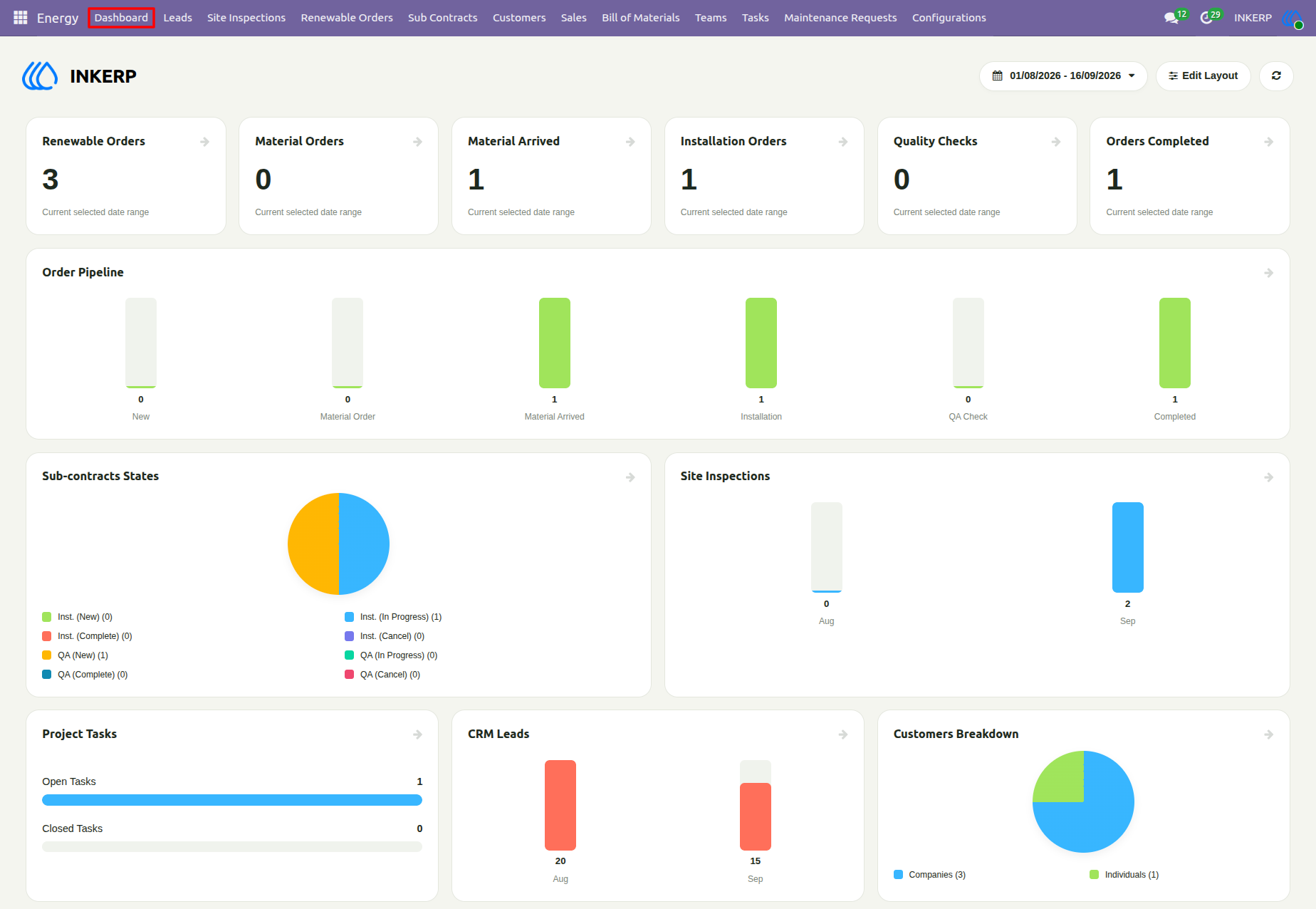
1.) Renewable Energy Dashboard
The dashboard provides a comprehensive, centralized overview of all renewable energy operations and key performance indicators (KPIs). Users can track the real-time status of orders, sub-contracts, site inspections, project tasks, and CRM leads using various interactive charts and summary cards. By adjusting the date range filter at the top, managers can easily monitor workflow progress from initial leads to final quality checks and completed orders.
Navigation : Energy › Dashboard
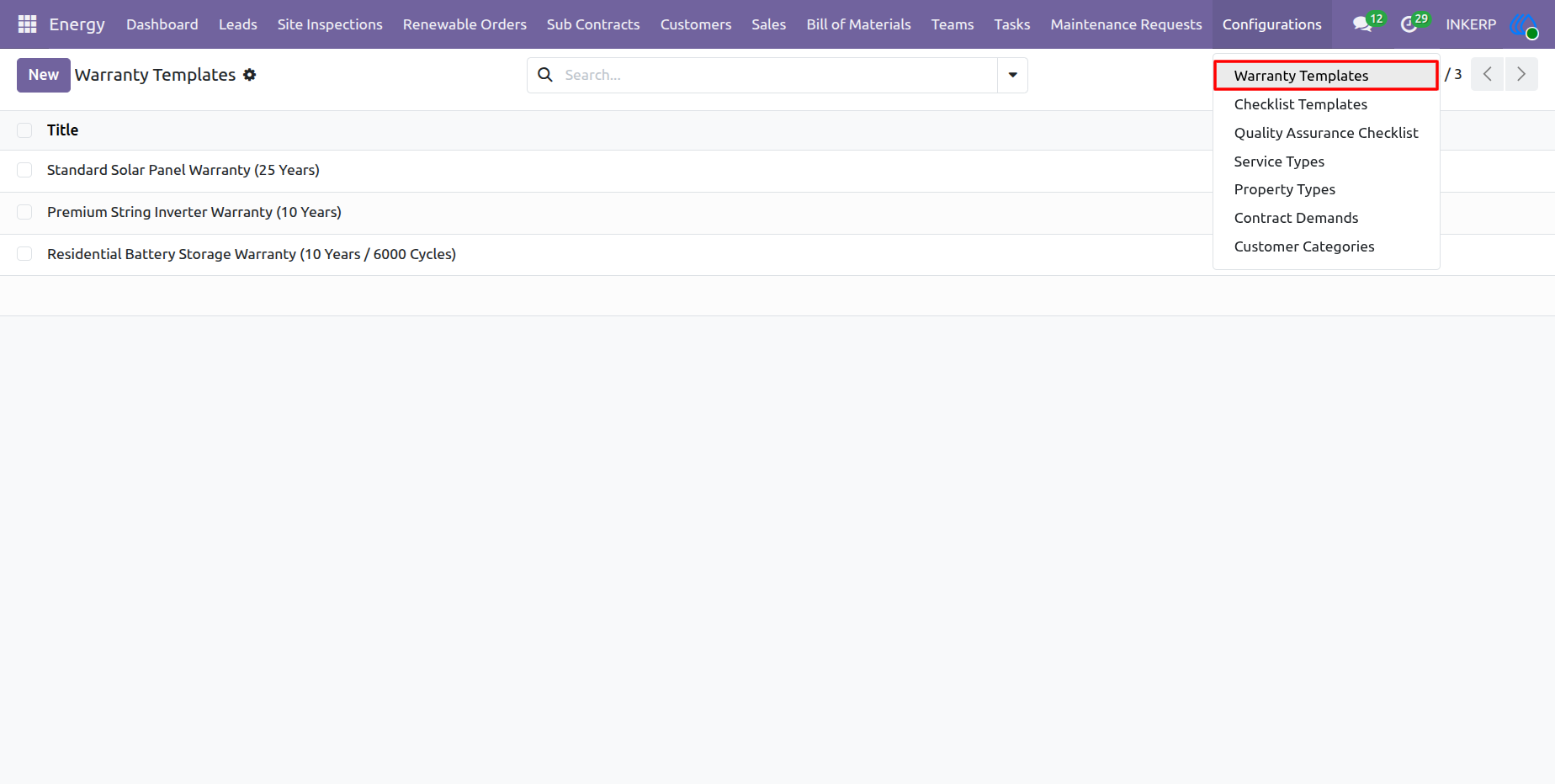
2.) Warranty Templates Configuration
This interface allows users to define and manage standardized warranty terms for various renewable energy components, such as solar panels, inverters, and battery storage. By pre-configuring these templates, administrators can easily and consistently apply accurate warranty coverage to customer orders and maintenance workflows throughout the installation's lifecycle.
Navigation : Energy › Configurations › Warranty Templates
3.) Warranty Template Details Form
This form allows administrators to define the specific details of a single warranty template, explicitly outlining the inclusions and exclusions for a product like solar panels. By documenting these terms here, the system ensures that future maintenance requests and customer inquiries are handled according to standardized, pre-approved coverage rules.
Navigation : Energy › Configurations › Warranty Templates
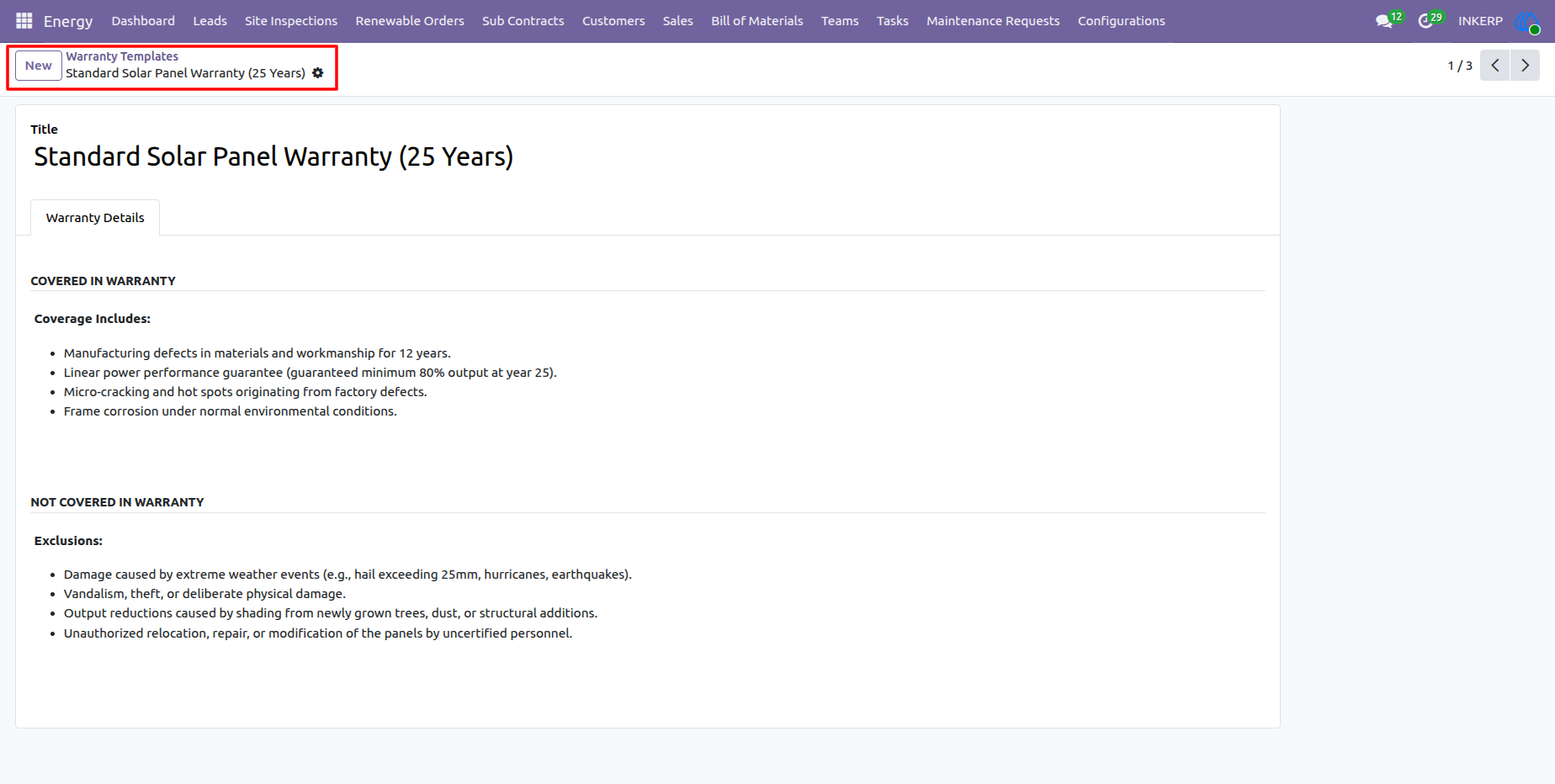
4.) Checklist Templates Configuration
Predefined Checklist Templates standardize operational procedures across project stages, including pre-installation site surveys and final safety inspections. Managers configure these templates with specific, color-coded items to establish consistent protocols for field teams during installation and quality assurance. Applying these structured checklists ensures compliance and maintains high operational standards throughout the renewable energy workflow.
Navigation : Energy › Configurations › Checklist Templates
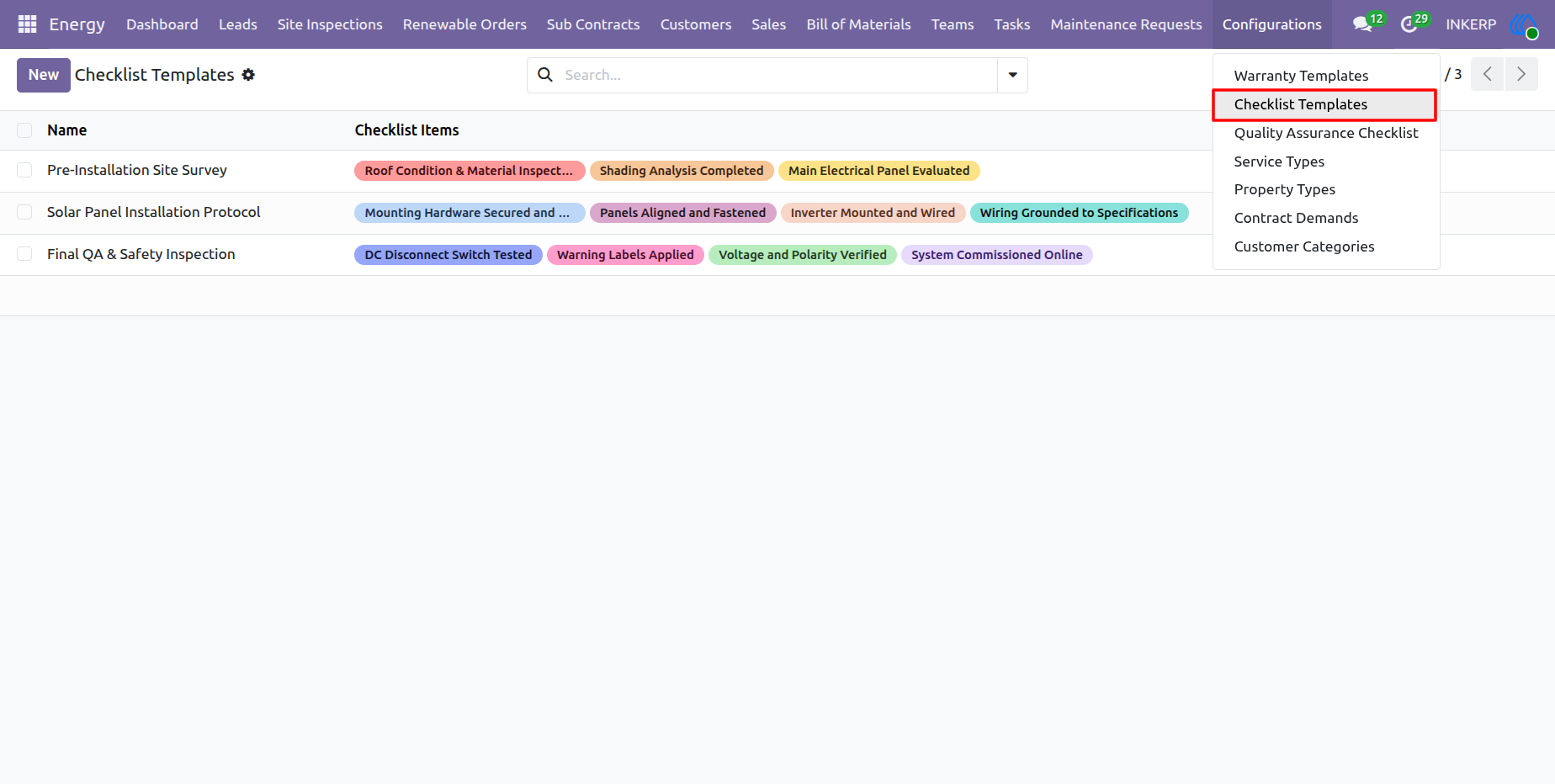
5.) Checklist Template Detail View
Individual Checklist Templates are configured here with specific, actionable steps required for particular operational stages, such as a Pre-Installation Site Survey. Users add checklist items and assign colors to visually organize tasks like roof condition checks and shading analysis. This detailed configuration establishes the exact protocol teams must execute and verify in the field.
Navigation : Energy › Configurations › Checklist Templates
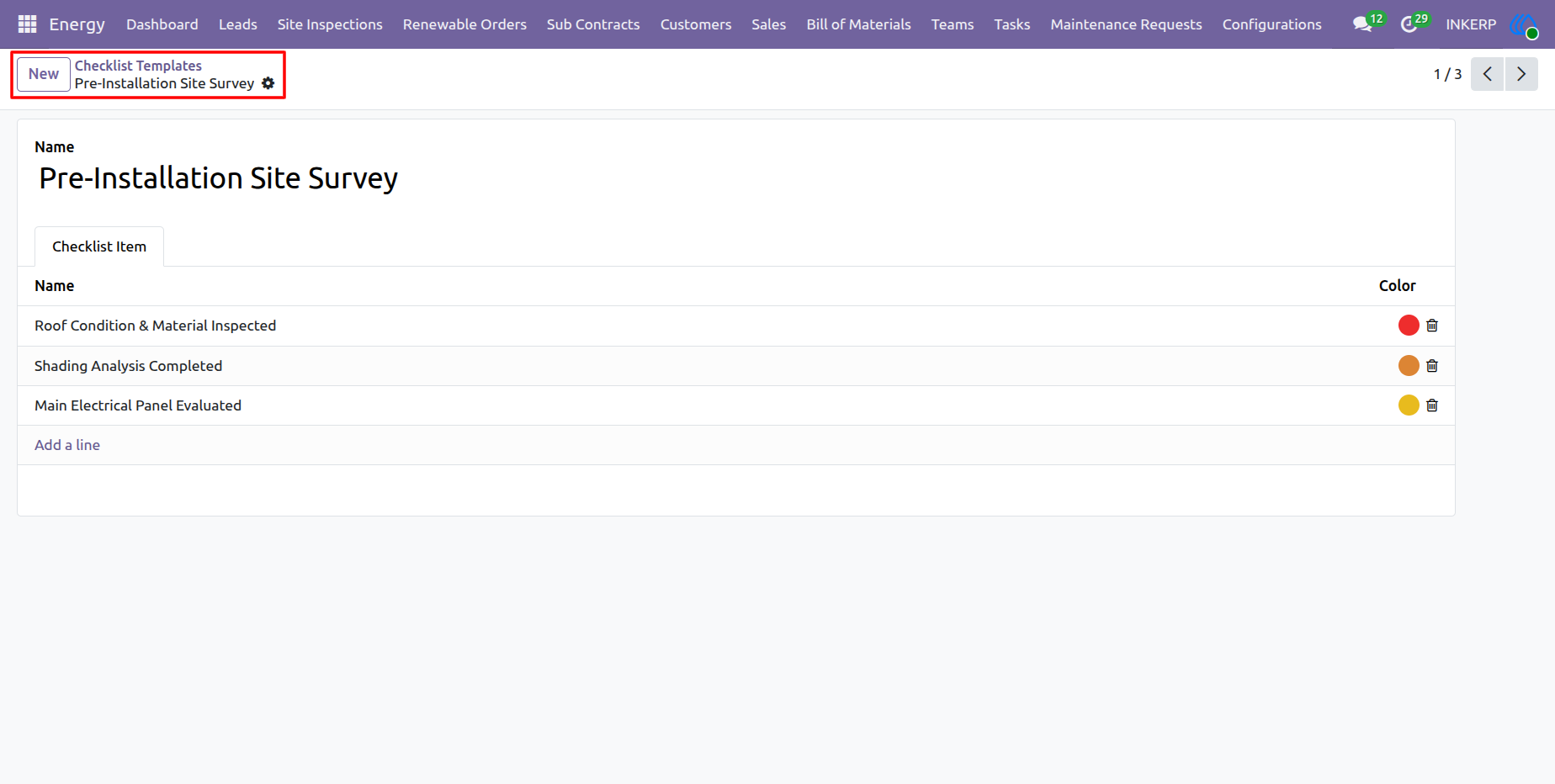
6.) Quality Assurance Checklist Templates
Preconfigured Quality Assurance (QA) Checklists establish strict safety, structural, and performance standards for post-installation verification. Managers create and organize these templates with specific, color-coded verification items—such as electrical wiring checks or system commissioning steps—to ensure every installation meets regulatory and company quality benchmarks before project closure.
Navigation : Energy › Configurations › Quality Assurance Checklist
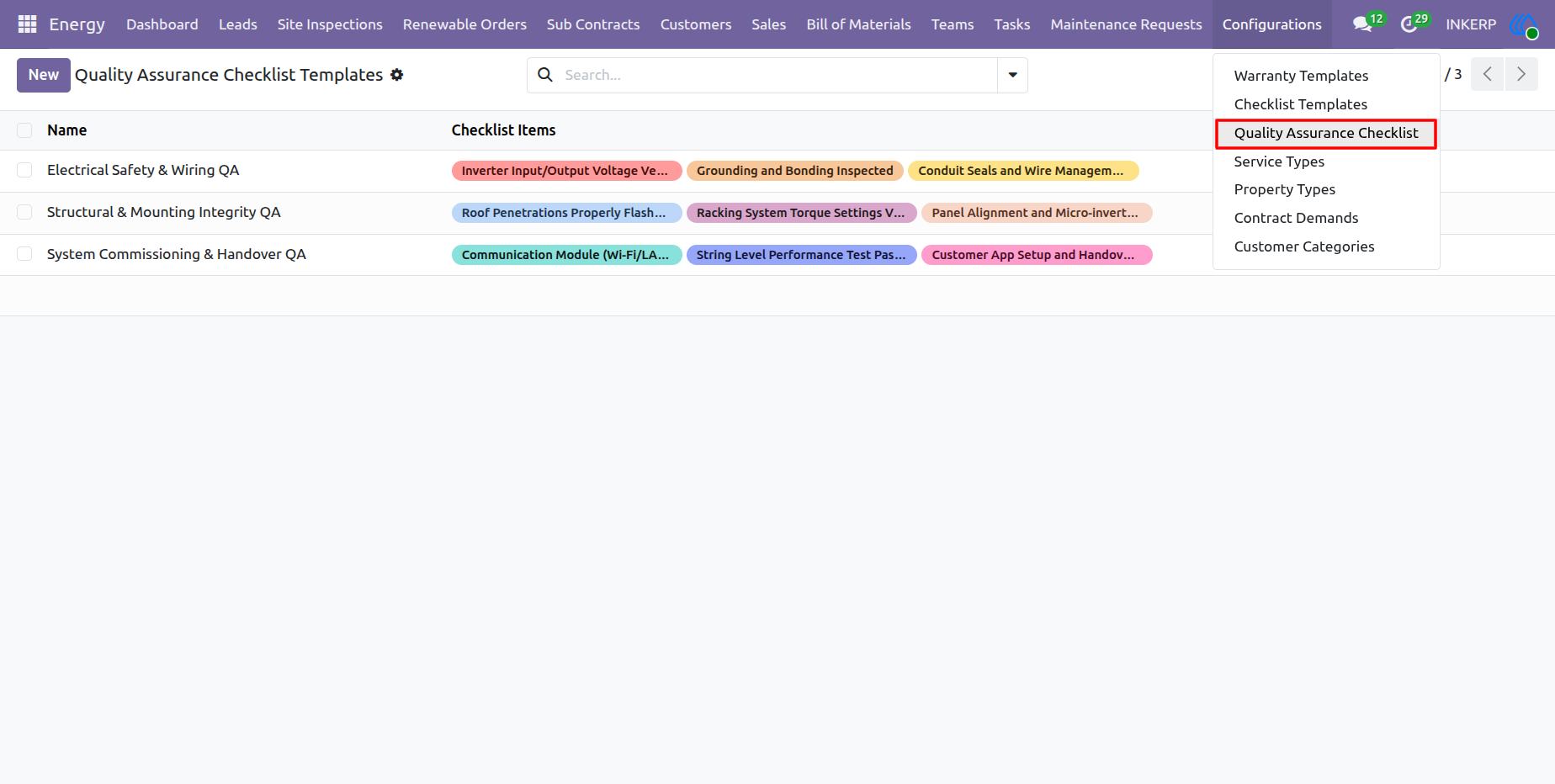
7.) Quality Assurance Checklist Template Detail View
Individual Quality Assurance templates dictate the exact validation steps required to confirm installation integrity. Managers define specific QA tasks, such as verifying inverter voltage or inspecting grounding bonds, and assign color codes for visual tracking. These granular checklists ensure field technicians rigorously validate safety and operational standards before finalizing a project.
Navigation : Energy › Configurations › Quality Assurance Checklist
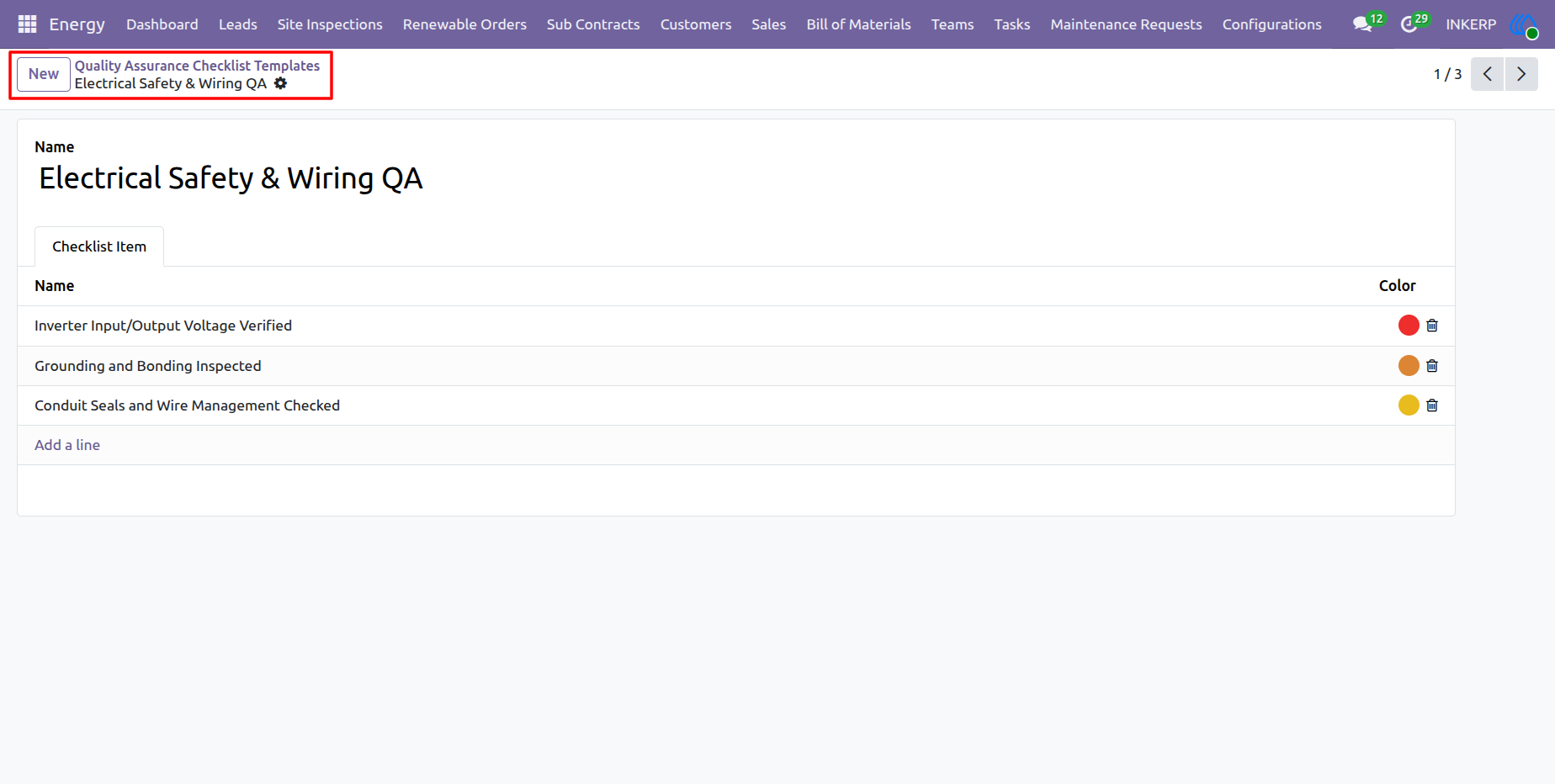
8.) Service Types Configuration
Administrators define the distinct service offerings provided by the company, categorizing operational activities such as residential installations, commercial setups, or diagnostic maintenance. Establishing these core service categories enables accurate tracking, reporting, and targeted resource allocation across different renewable energy projects and customer requests.
Navigation : Energy › Configurations › Service Types
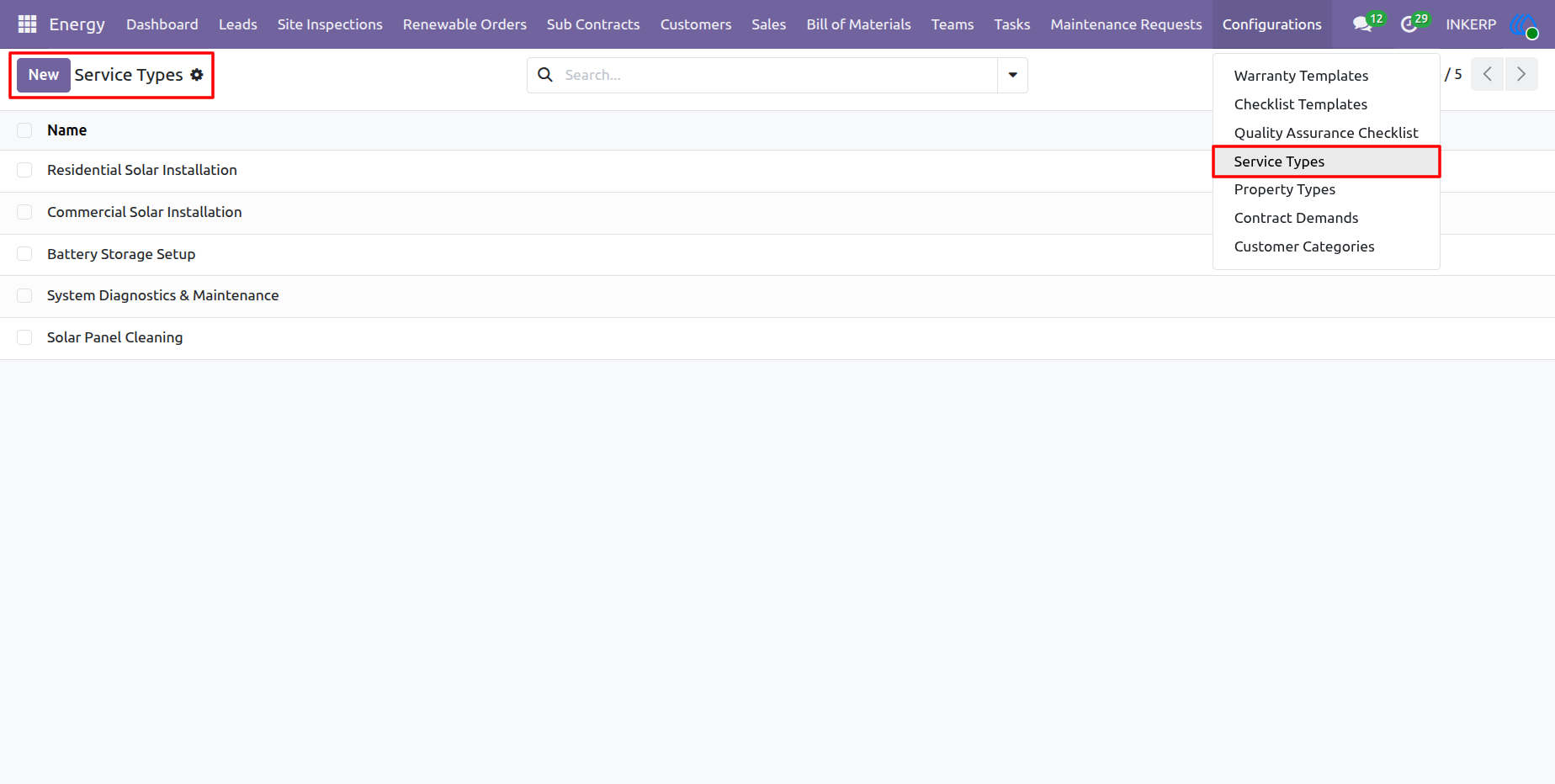
9.) Property Types Configuration
Administrators classify the various architectural structures and facilities serviced by the company, such as single-family homes, commercial buildings, or agricultural facilities. Defining these property categories helps tailor site inspections, material requirements, and safety compliance standards to the specific structural environment of each project.
Navigation : Energy › Configurations › Property Types
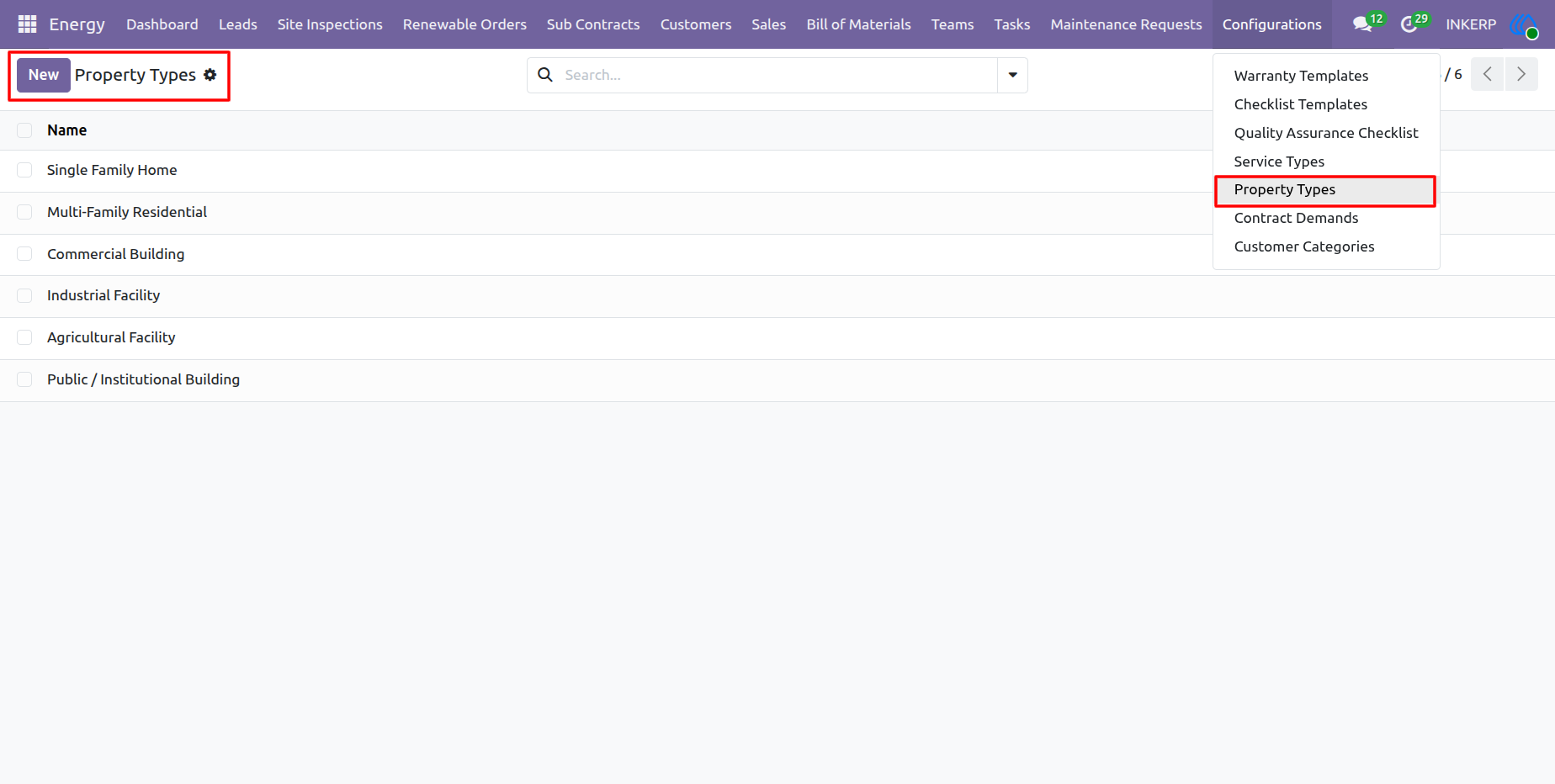
10.) Contract Demands Configuration
Administrators configure standard energy capacity tiers, such as "5 kW to 10 kW" or "Above 500 kW", to categorize project sizes and power requirements. Defining these contract demands streamlines pricing, bill of materials (BOM) generation, and resource allocation by aligning operational workflows with the expected energy output of the customer's installation.
Navigation : Energy › Configurations › Contract Demands
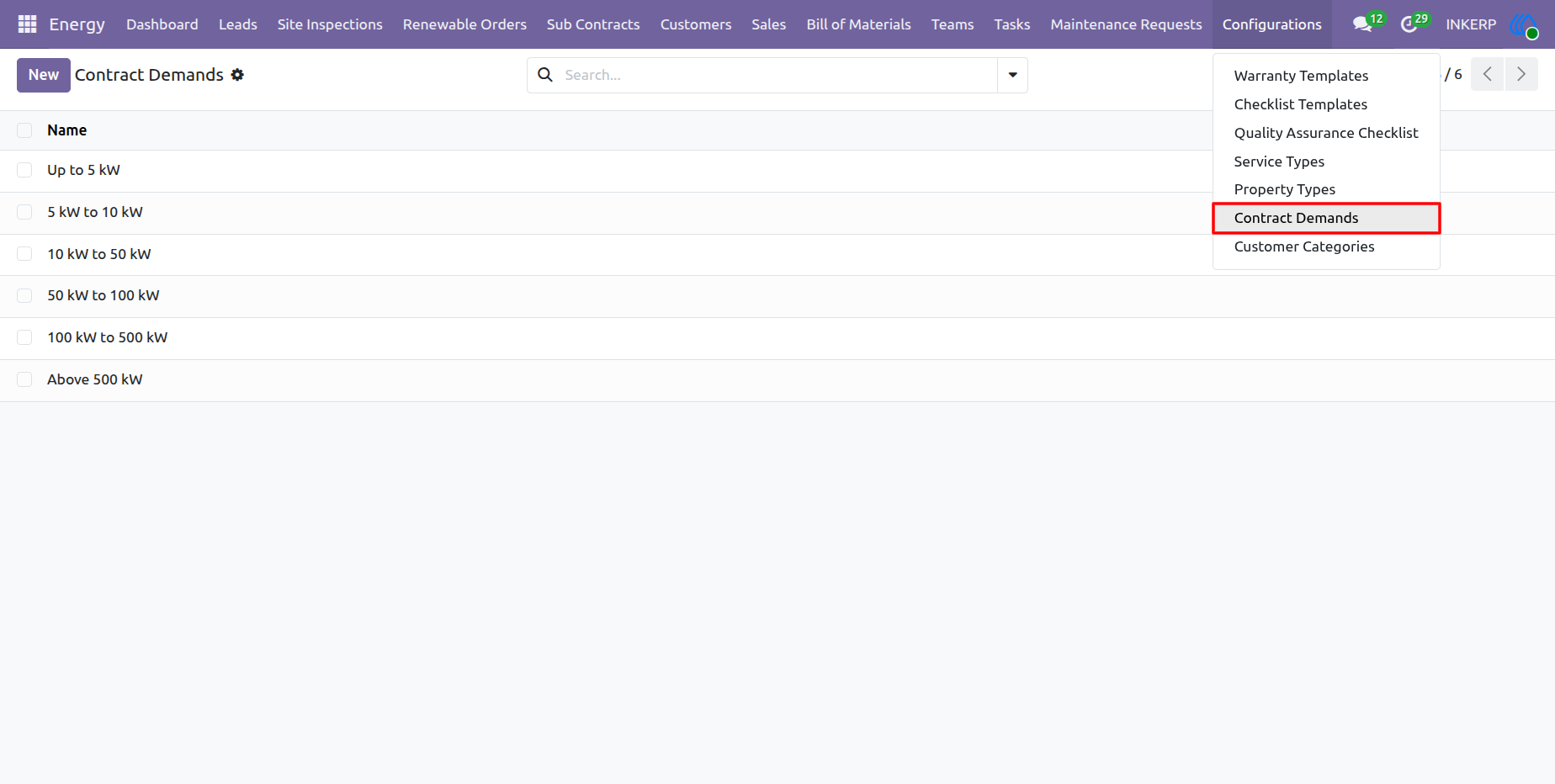
11.) Customer Categories Configuration
Administrators establish distinct customer segments, such as Residential, Commercial, or Government, to effectively organize the client database. Categorizing clients enables targeted marketing, tailored service agreements, and specialized reporting based on the unique compliance and energy requirements of each sector.
Navigation : Energy › Configurations › Customer Categories
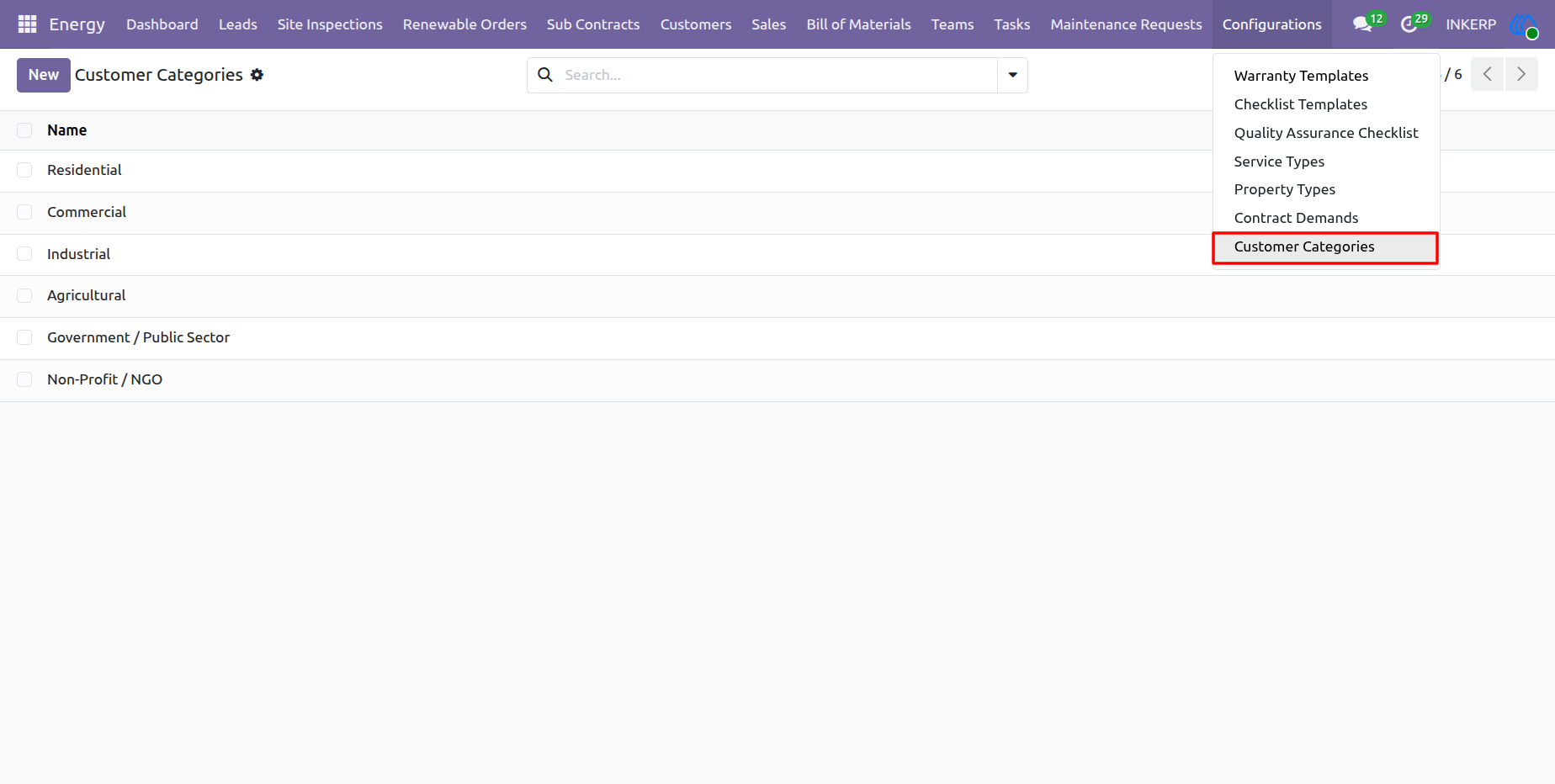
12.) Survey Teams Management
Managers organize personnel into specialized units, such as Survey Teams, to conduct initial site evaluations and feasibility studies. By linking these teams to specific projects and assigning project managers, administrators ensure clear accountability and streamlined field dispatching for all pre-installation assessments.
Navigation : Energy › Teams › Survey Teams
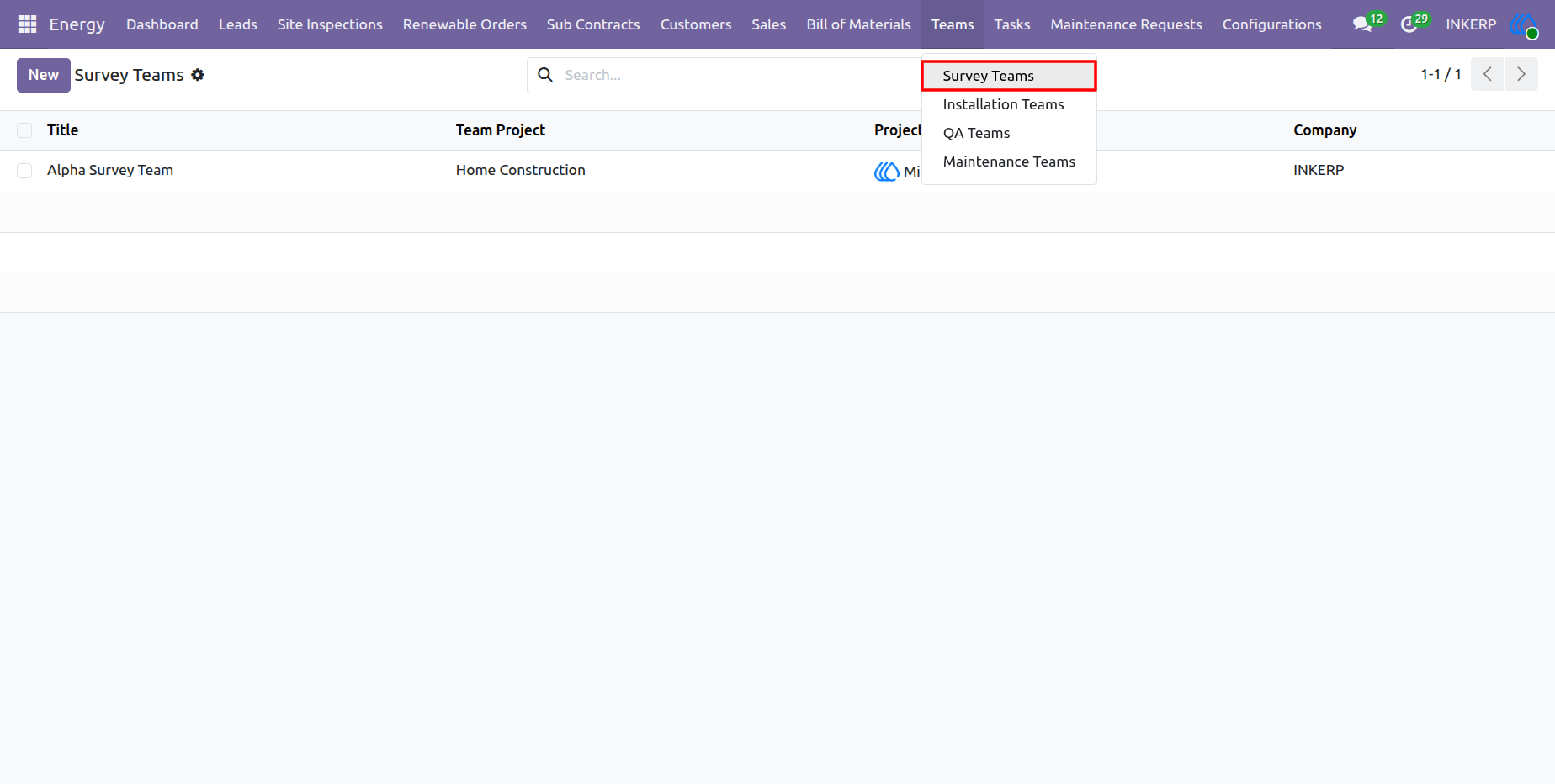
13.) Survey Team Detail View
Managers configure specific details for individual survey units, such as assigning a designated project manager and linking the team to a broader operational project. By directly adding personnel as team members within this profile, administrators maintain clear visibility over field resources and immediate access to contact information. This centralized team structure ensures efficient resource allocation, direct communication, and strict accountability for upcoming site assessments.
Navigation : Energy › Teams › Survey Teams
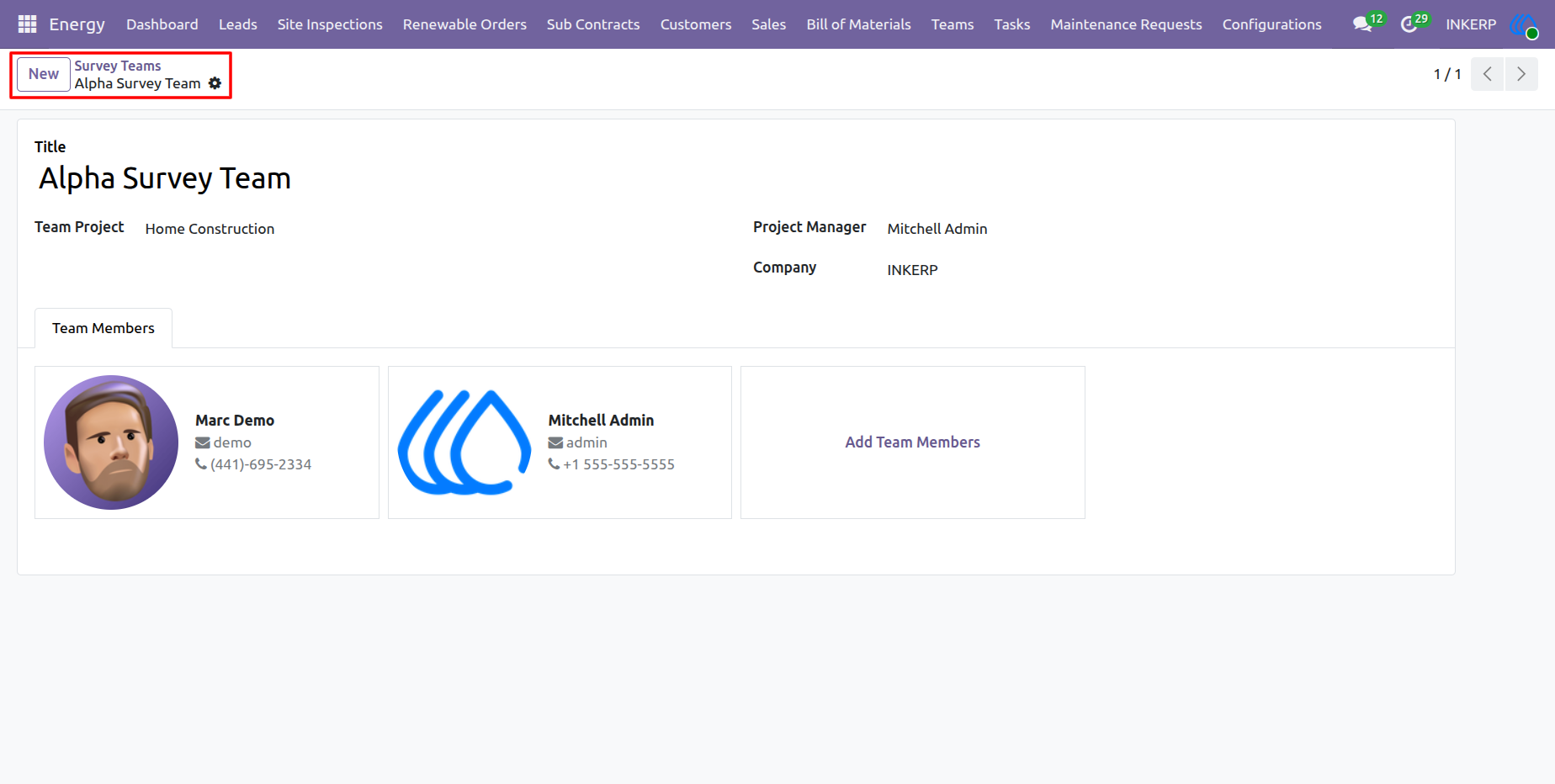
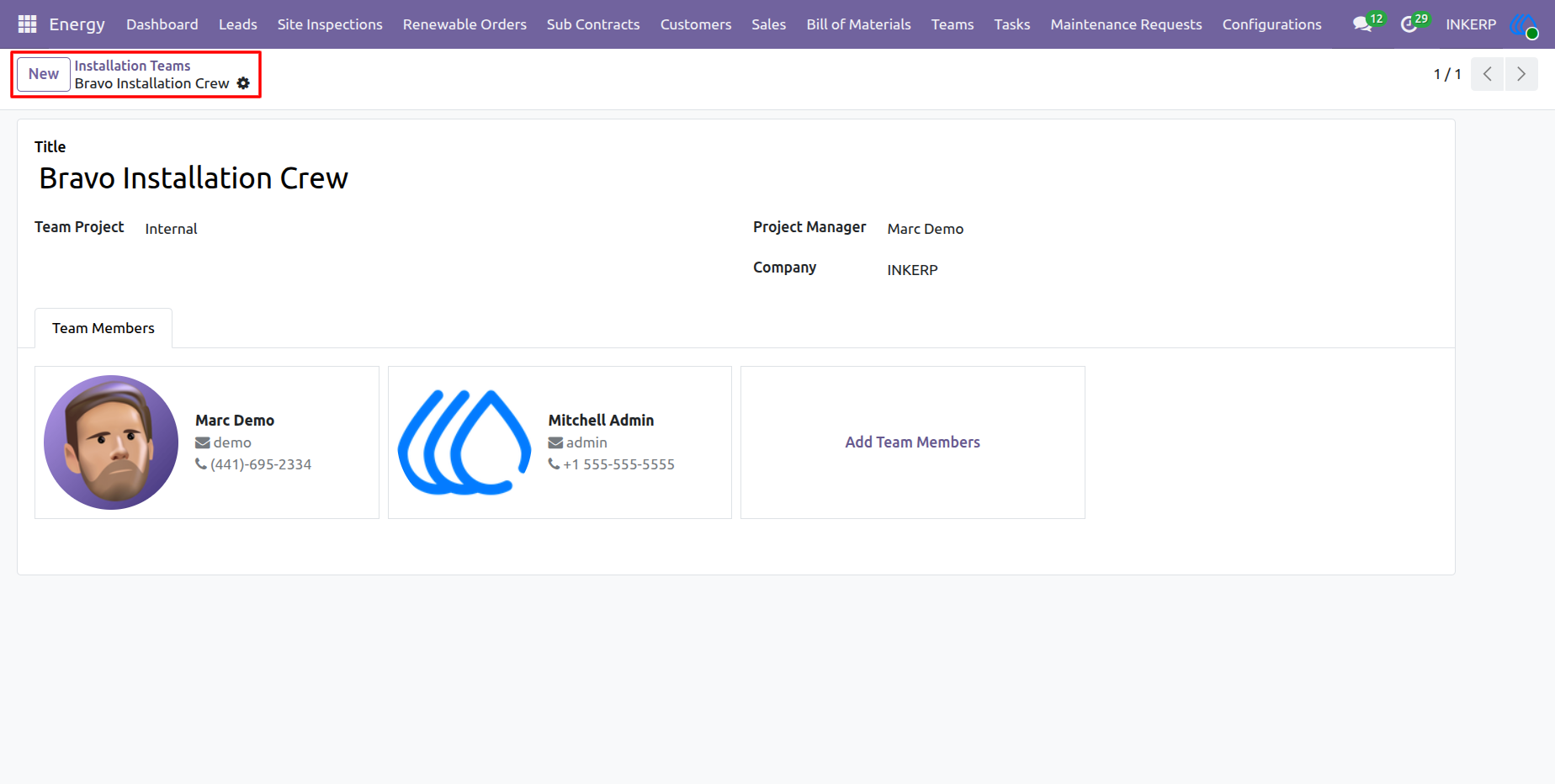
14.) Installation Teams Management
Managers organize specialized field crews responsible for the physical deployment of renewable energy systems. Grouping technicians into specific Installation Teams and assigning them to active projects enables efficient resource dispatching, clear task delegation, and streamlined monitoring of on-site construction progress.
Navigation : Energy › Teams › Installation Teams
15.) Installation Team Detail View
Managers configure the operational structure of individual installation crews by assigning a dedicated project manager and linking the unit to specific projects. Directly adding personnel to the team roster establishes clear field resource allocation and provides immediate access to contact details, ensuring smooth on-site coordination during system deployments.
Navigation : Energy › Teams › Installation Teams
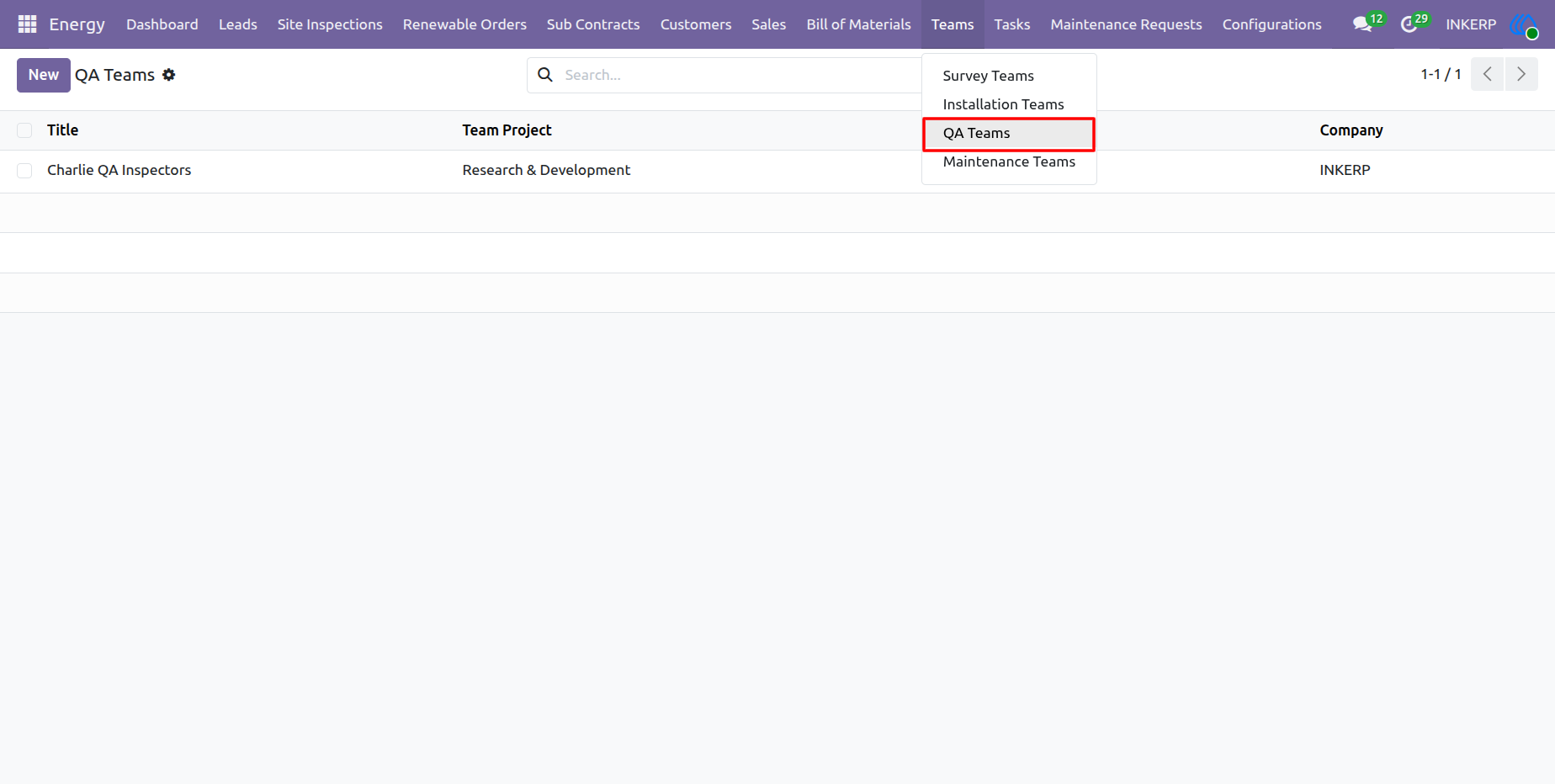
16.) QA Teams Management
Managers designate specialized quality assurance personnel responsible for inspecting and verifying completed renewable energy installations. By grouping these inspectors into dedicated QA Teams and linking them to specific projects, administrators ensure that rigorous safety and performance compliance checks are consistently executed before final project handover.
Navigation : Energy › Teams › QA Teams
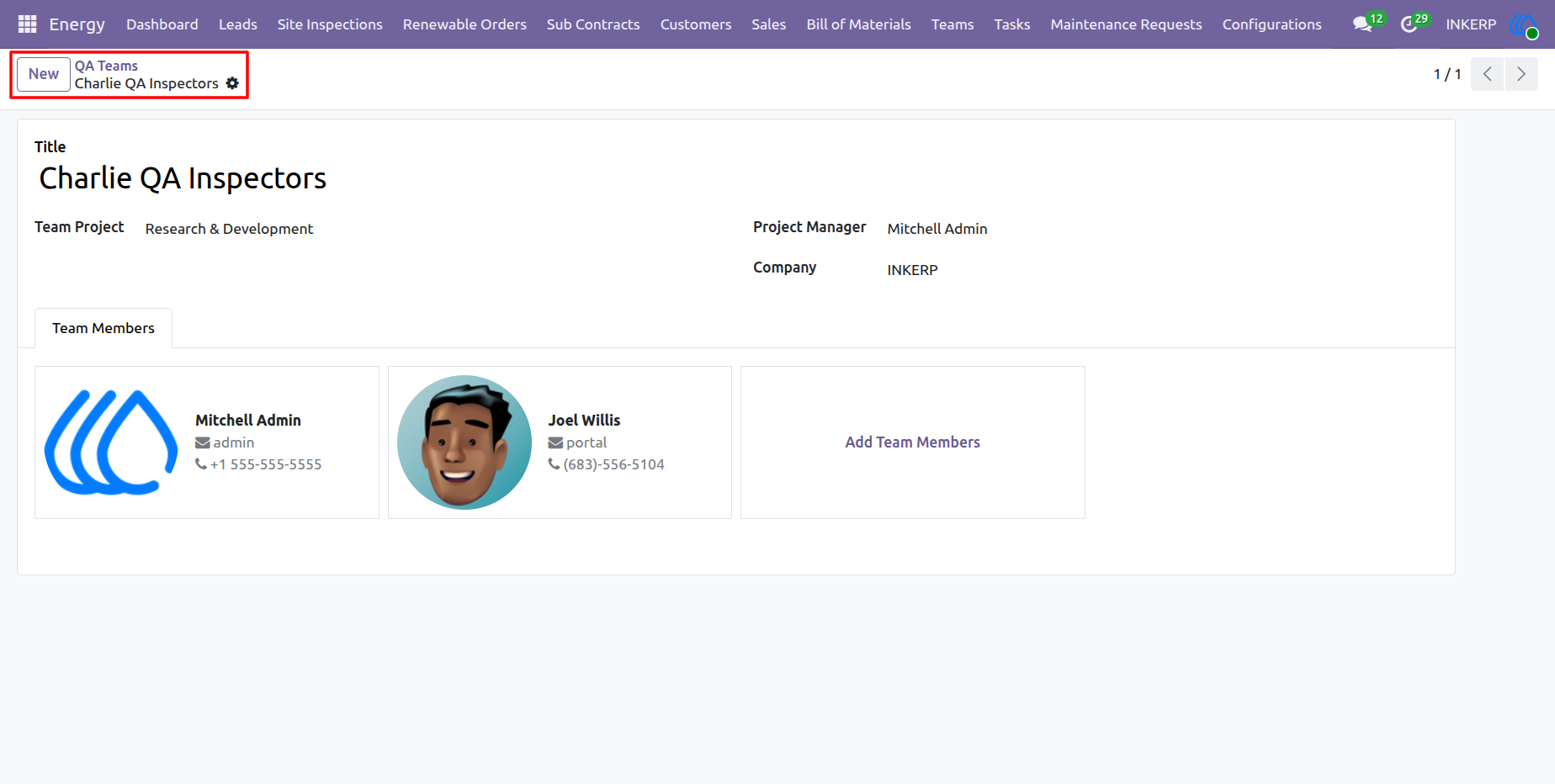
17.) QA Team Detail View
Managers configure the specific personnel and leadership structure for individual quality assurance units by assigning a project manager and linking the team to relevant operational projects. Directly adding inspectors to this roster establishes clear accountability and provides immediate contact details, ensuring coordinated and rigorous post-installation compliance checks in the field.
Navigation : Energy › Teams › QA Teams
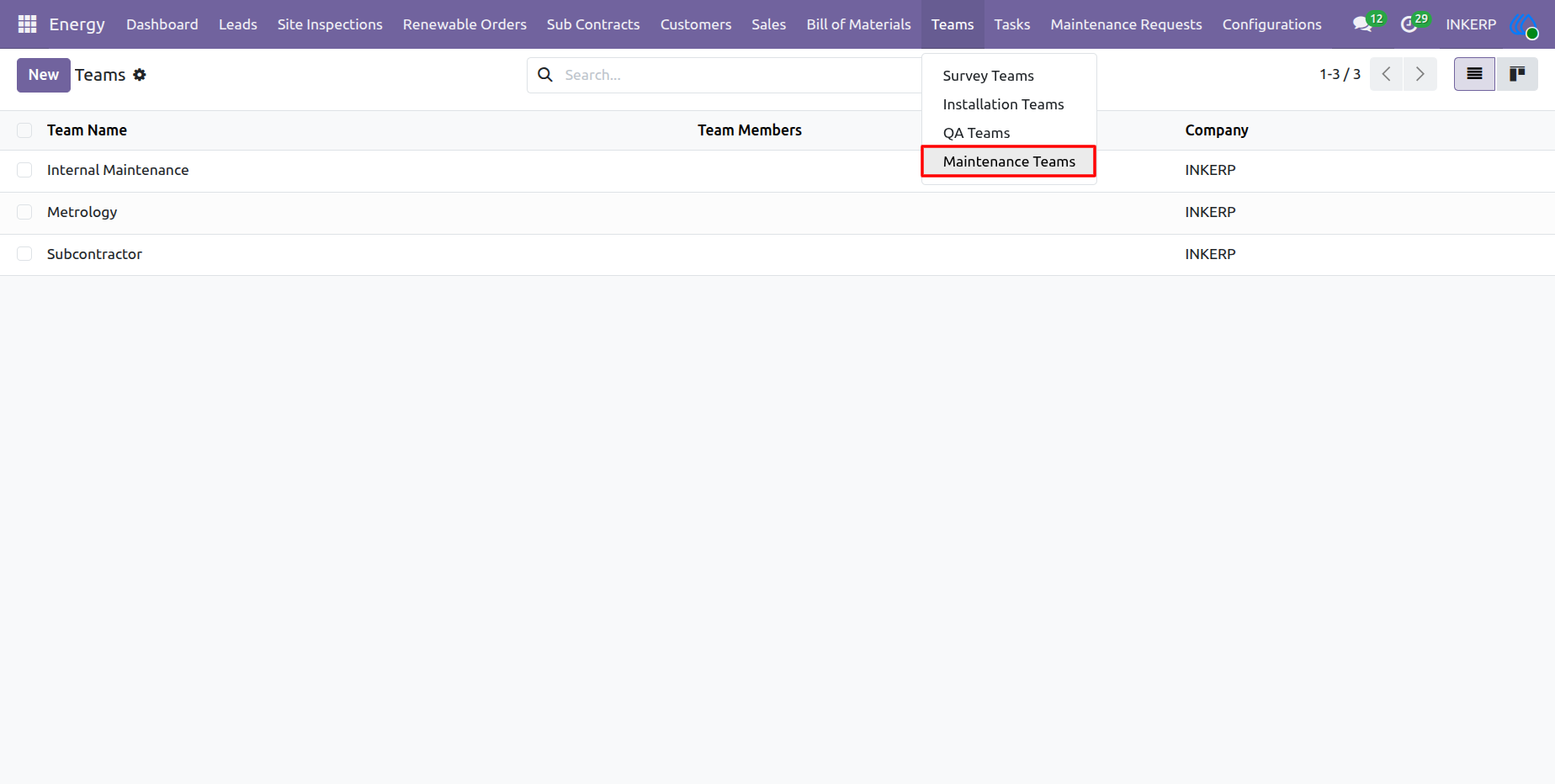
18.) Maintenance Teams Management
Managers organize specialized personnel into dedicated maintenance units responsible for ongoing system upkeep, diagnostics, and post-installation repairs. Structuring internal crews and subcontractor teams here ensures rapid dispatching and efficient resolution of customer maintenance requests throughout the equipment's lifecycle.
Navigation : Energy › Teams › Maintenance Teams
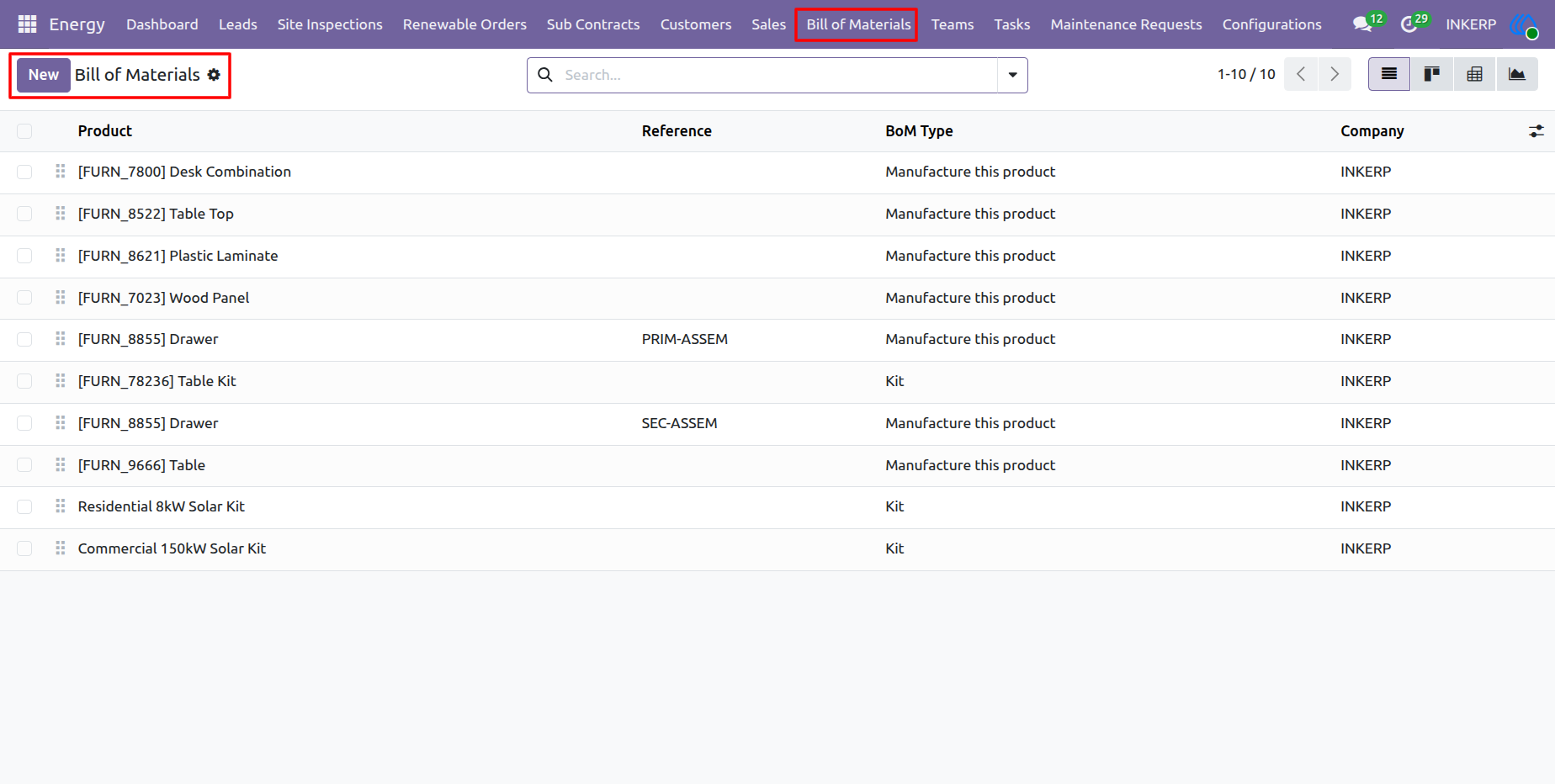
19.) Bill of Materials (BOM) Management
Managers define the precise components, kits, and manufacturing instructions required for various renewable energy systems, such as residential or commercial solar setups. Configuring accurate Bills of Materials ensures precise inventory forecasting, automated procurement routing, and correct material consumption during the execution of renewable orders.
Navigation : Energy › Bill of Materials
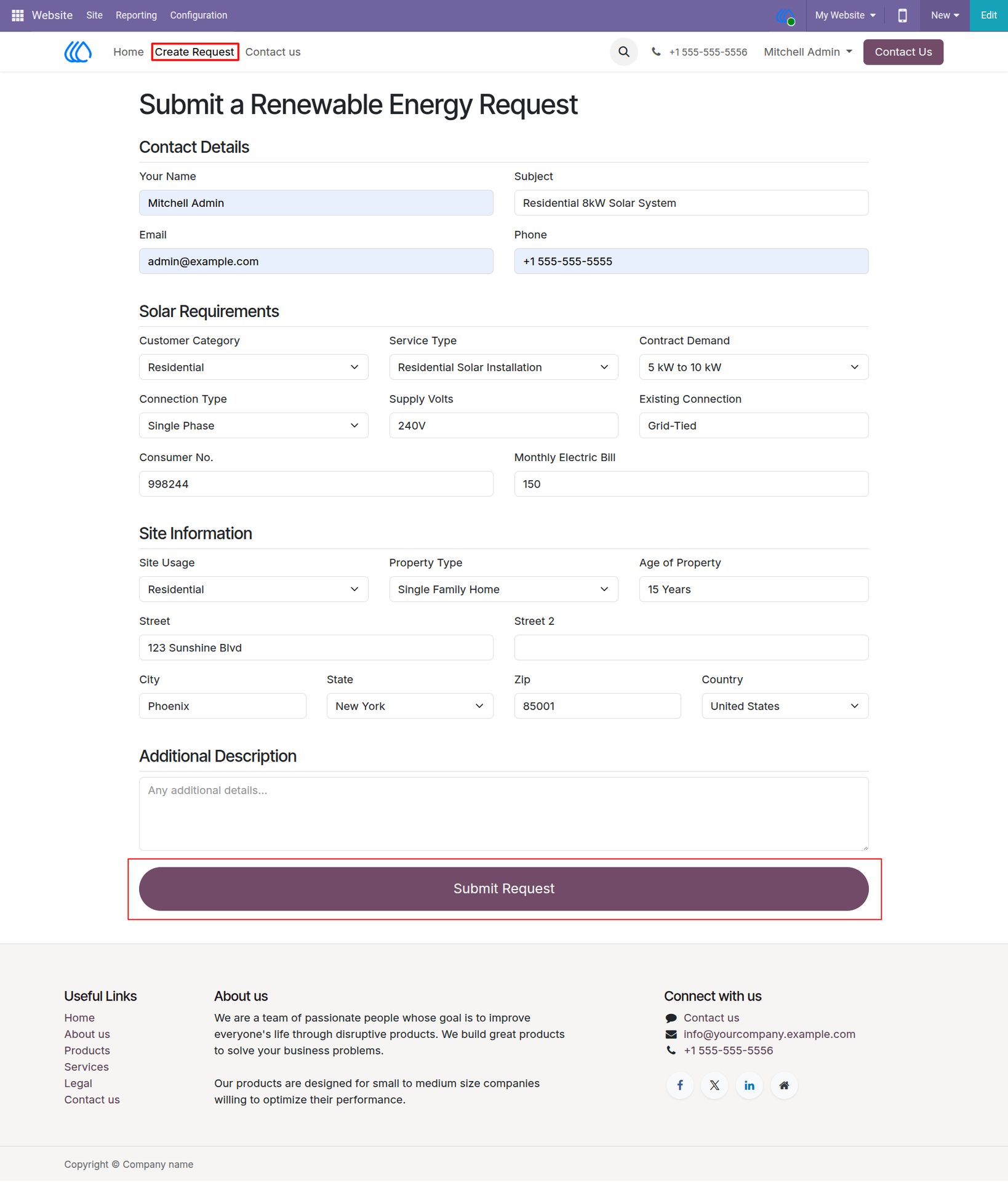
20.) Renewable Energy Request Portal
Customers submit initial renewable energy inquiries directly through this integrated web form. Capturing critical requirements upfront such as contract demands, property types, and existing electrical configurations—automatically generates qualified CRM leads in the backend system. This seamless data capture accelerates the sales pipeline and equips survey teams with accurate site context prior to their first assessment.
Navigation : Website › Create Request
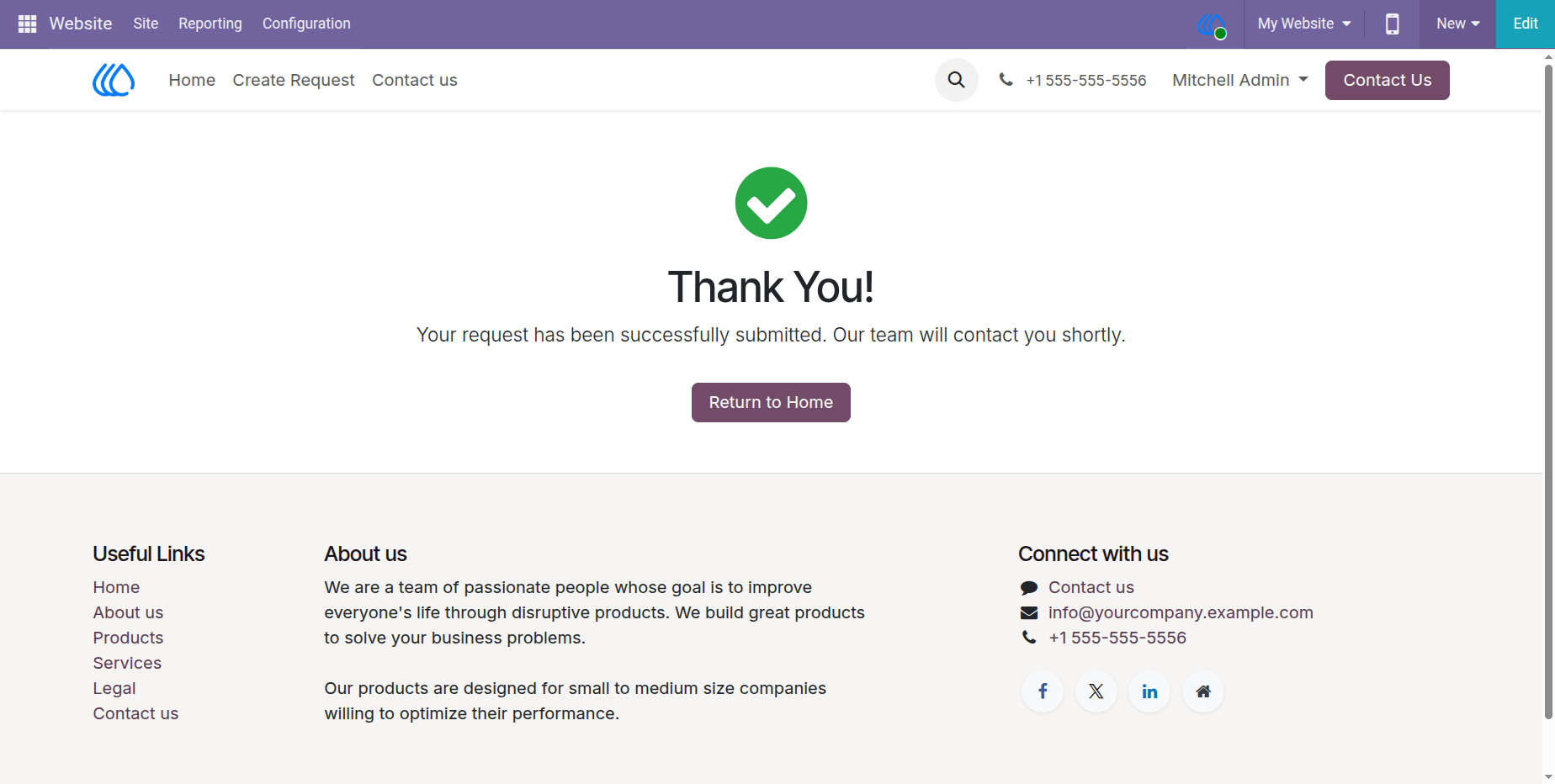
21.) Request Submission Confirmation
Customers receive immediate visual confirmation upon successfully submitting their renewable energy inquiry through the web portal. This confirmation assures the user that their details have been securely routed to the internal CRM system for prompt follow-up by the sales and survey teams.
Navigation : Website › Create Request › Submit
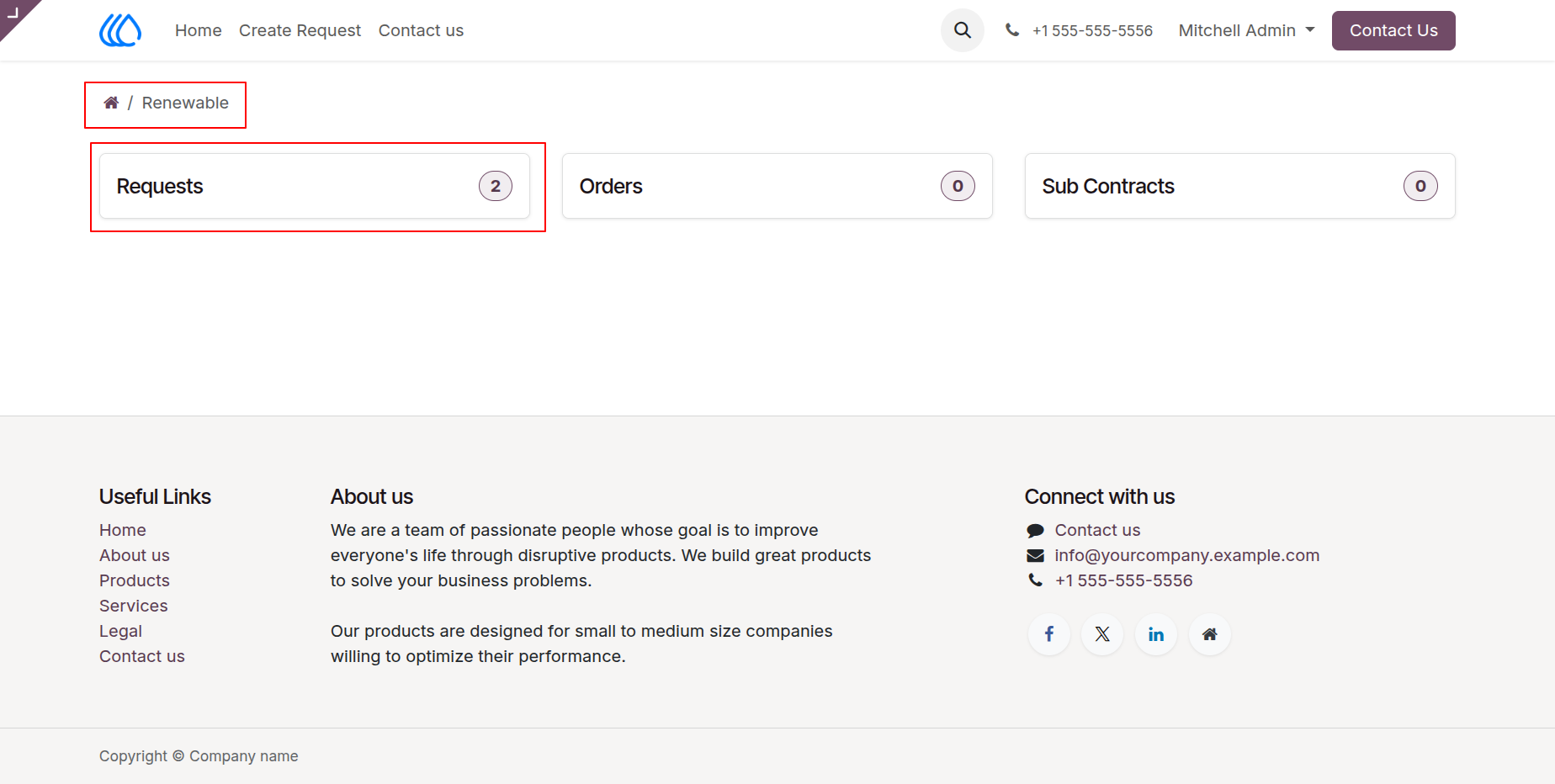
22.) Customer Portal Dashboard
Customers access a secure, personalized online portal to independently track their renewable energy interactions. Navigating through specific categories such as Requests, Orders, or Sub Contracts grants clients immediate, real-time visibility into the status of their submitted inquiries and active installation projects. Providing this self-service dashboard enhances transparency and streamlines communication between the provider and the end-user.
Navigation : Website › My Account › Renewable
23.) Customer Portal Request Details
Customers review the comprehensive specifications of their submitted renewable energy inquiries directly within their secure portal account. This detailed summary confirms all recorded solar requirements, contact data, and site information, guaranteeing full transparency between the client's original submission and the data actively processed by internal sales teams
Navigation : Website › My Account › Renewable
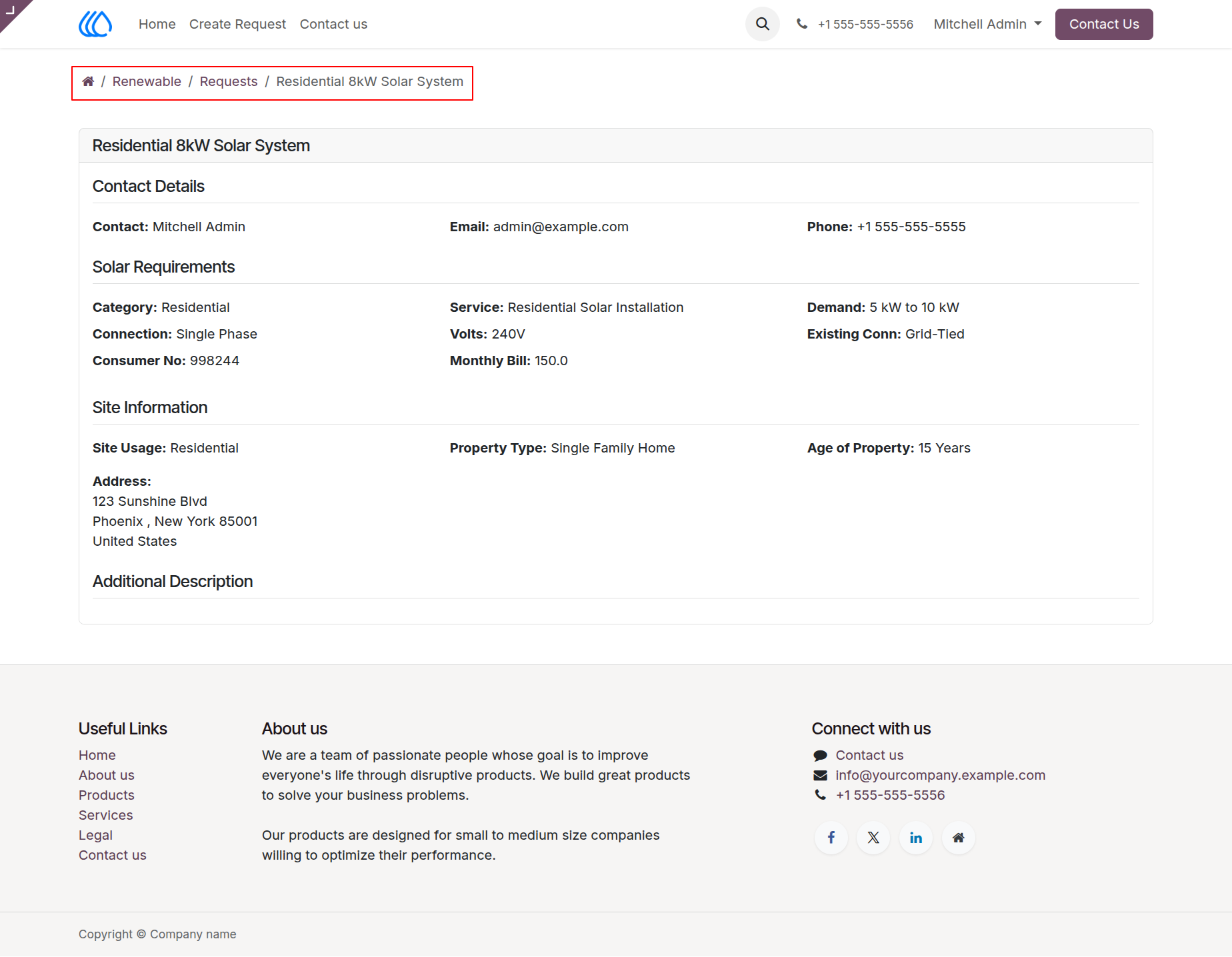
24.) CRM Leads Pipeline
Sales teams manage incoming renewable energy inquiries within an interactive Kanban pipeline, tracking the progression of prospects from initial contact to secured contracts. Customer requests submitted through the web portal automatically populate as new leads here, centralizing prospect data and streamlining the qualification process for solar installations and related services.
Navigation : Energy › Leads › Pipeline
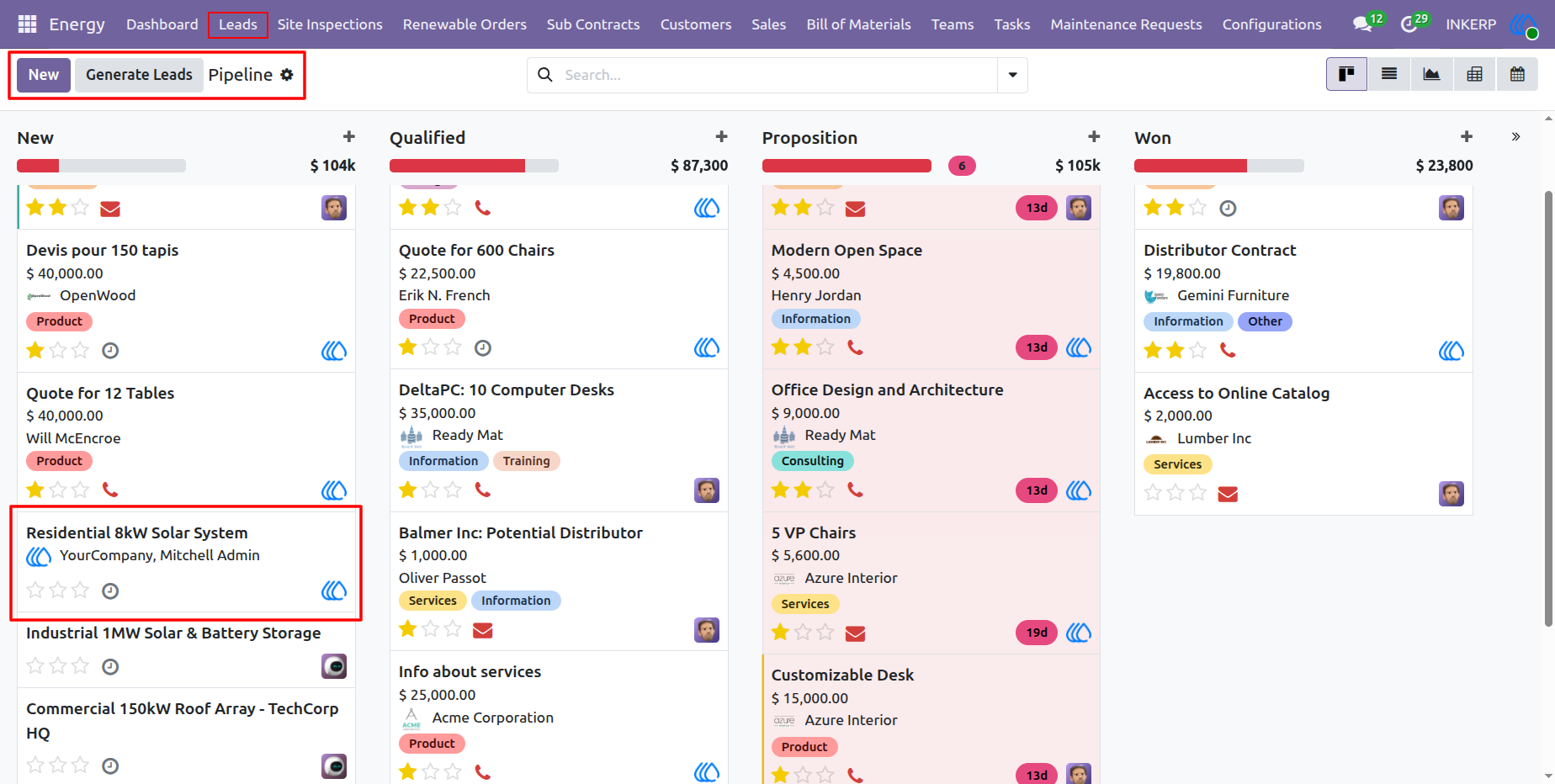
25.) CRM Lead Detail & Solar Requirements
Sales representatives evaluate comprehensive prospect profiles within individual CRM lead records. A dedicated "Solar Requirements" tab automatically consolidates all technical specifications and site data submitted via the web portal, providing the necessary context to accurately qualify the opportunity, generate formal quotations, or instantly dispatch a site inspection team directly from the lead form.
Navigation : Energy › Leads › Pipeline
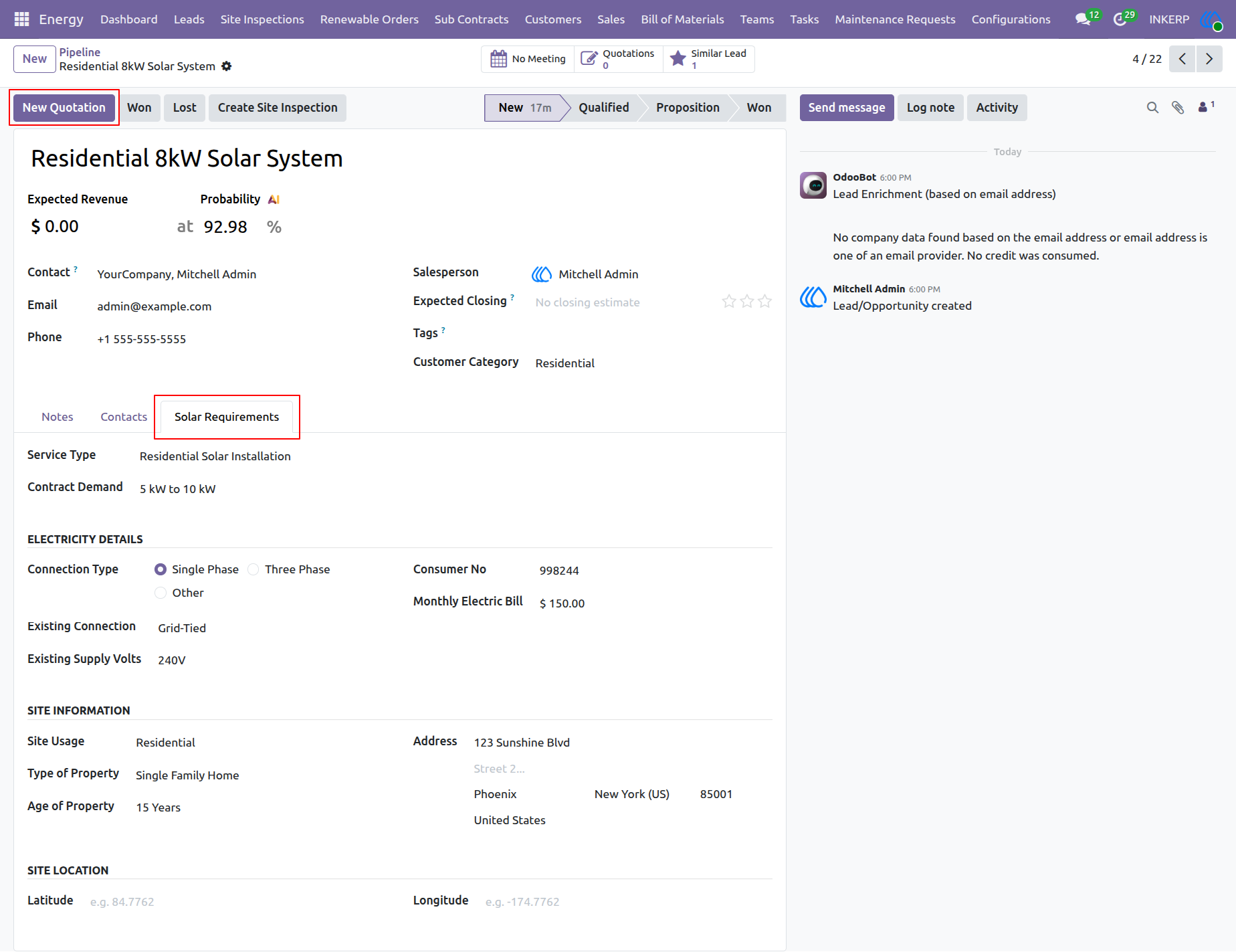
26.) Sales Quotation Generation
Sales representatives generate formal pricing quotations directly from qualified CRM leads. Users compile customer details, configure specific product line items like residential solar kits, and establish payment terms within this structured document. Once finalized, the quotation is sent to the prospect for approval, paving the way to confirm the sale and trigger subsequent installation workflows.
Navigation : Energy › Leads › Pipeline
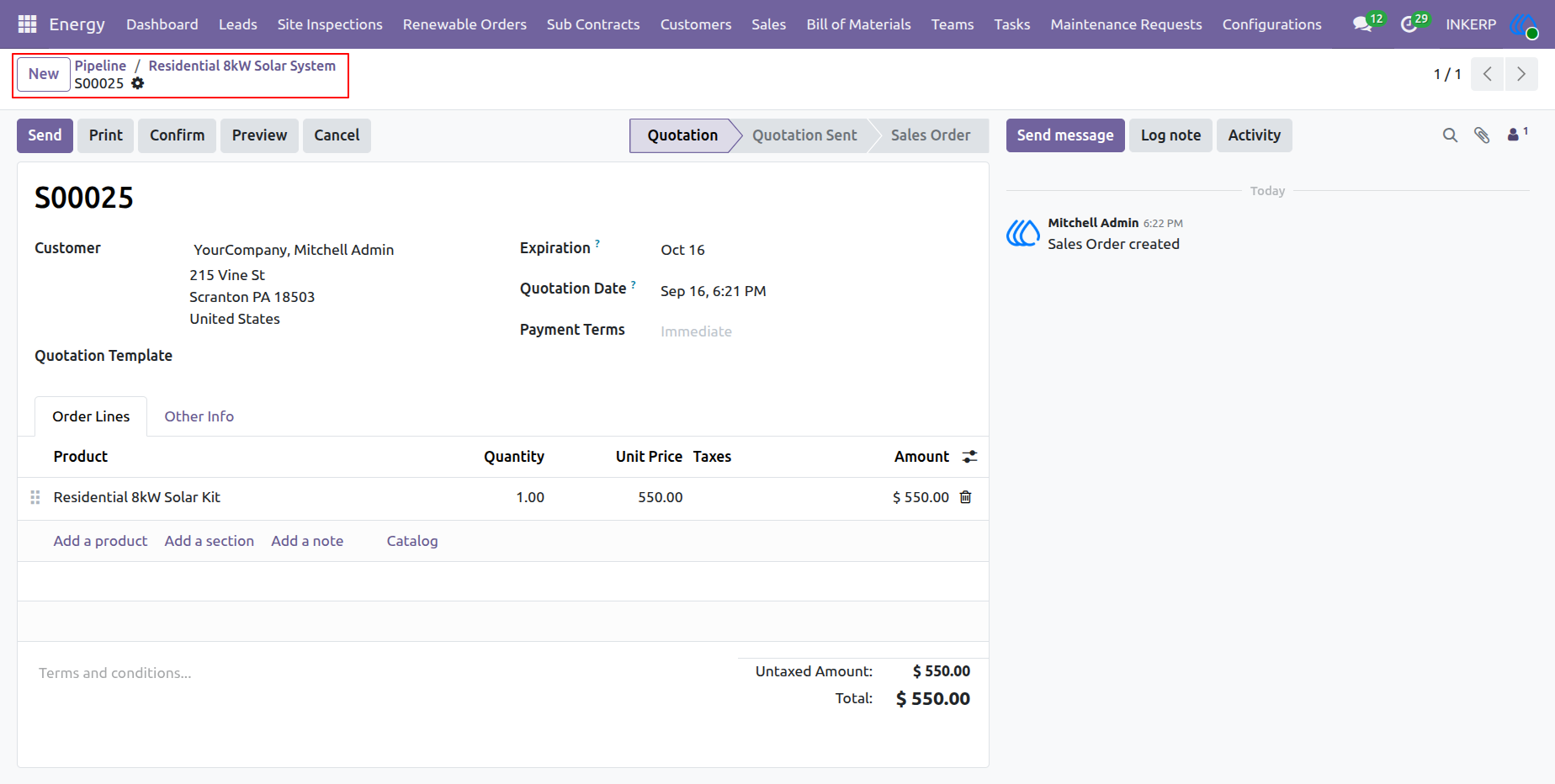
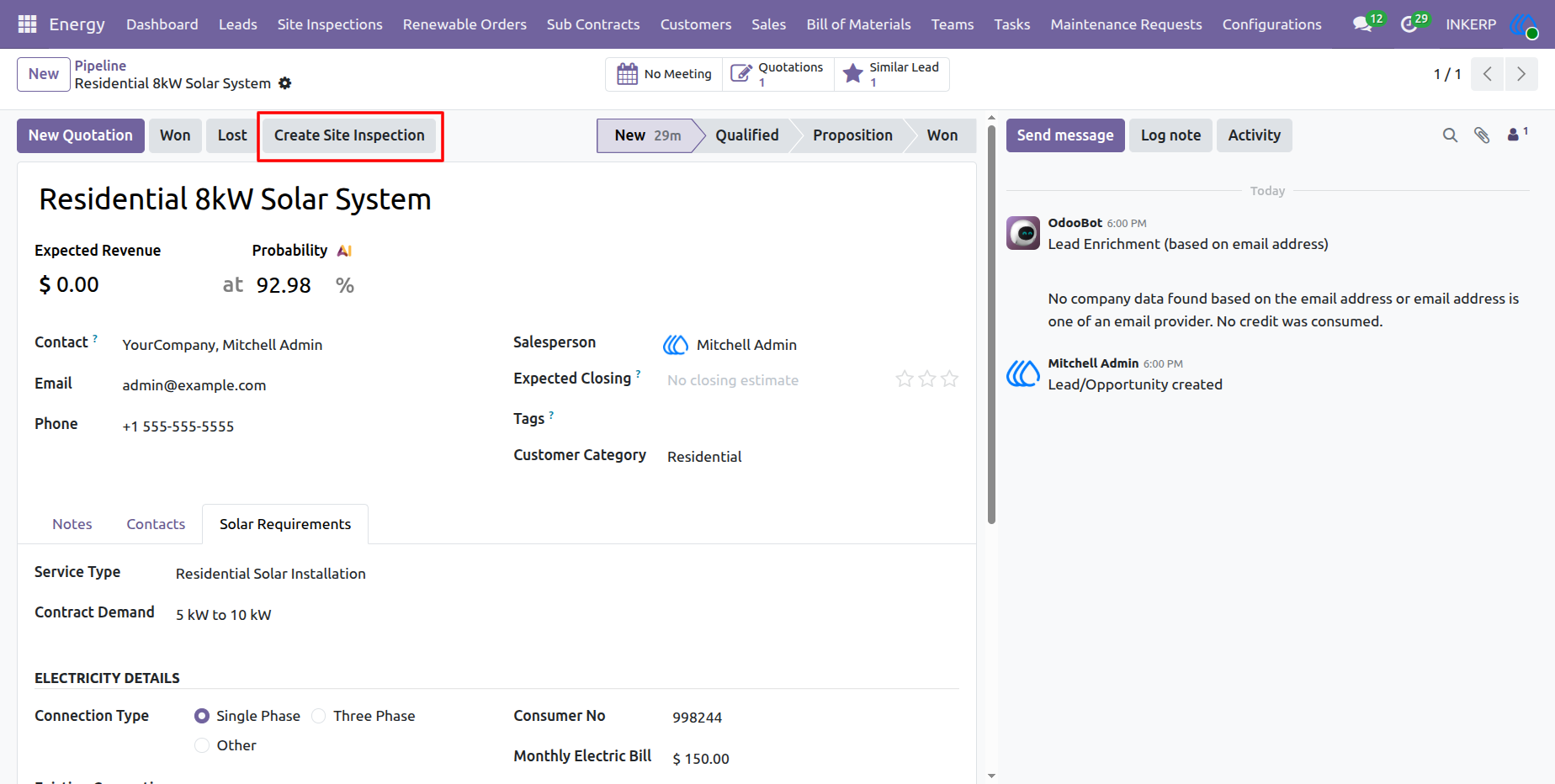
27.) Create Site Inspection from Lead
Sales representatives seamlessly transition a qualified lead into the operational phase by initiating a site inspection directly from the prospect's profile. Clicking this action button generates a dispatch order for the survey team, automatically transferring the customer's recorded technical specifications and site data to facilitate an accurate field assessment.
Navigation : Energy › Leads › Pipeline
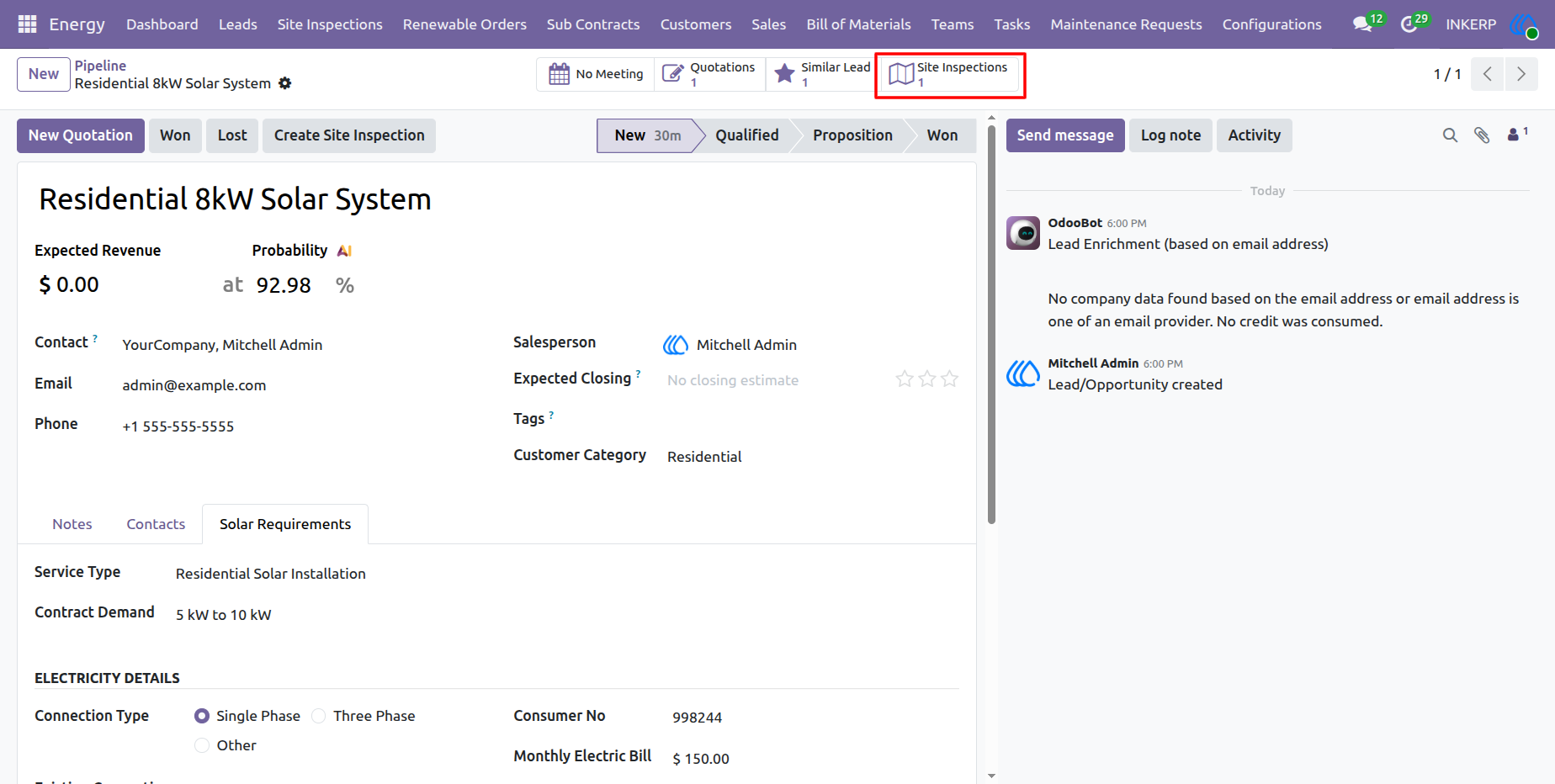
28.) Lead Site Inspections Access
Sales teams track the status of dispatched field assessments by utilizing the Site Inspections smart button located within the prospect's profile. Accessing this metric provides immediate visibility into all associated survey records, ensuring seamless coordination between initial sales qualification and ongoing technical evaluations.
Navigation : Energy › Leads › Pipeline
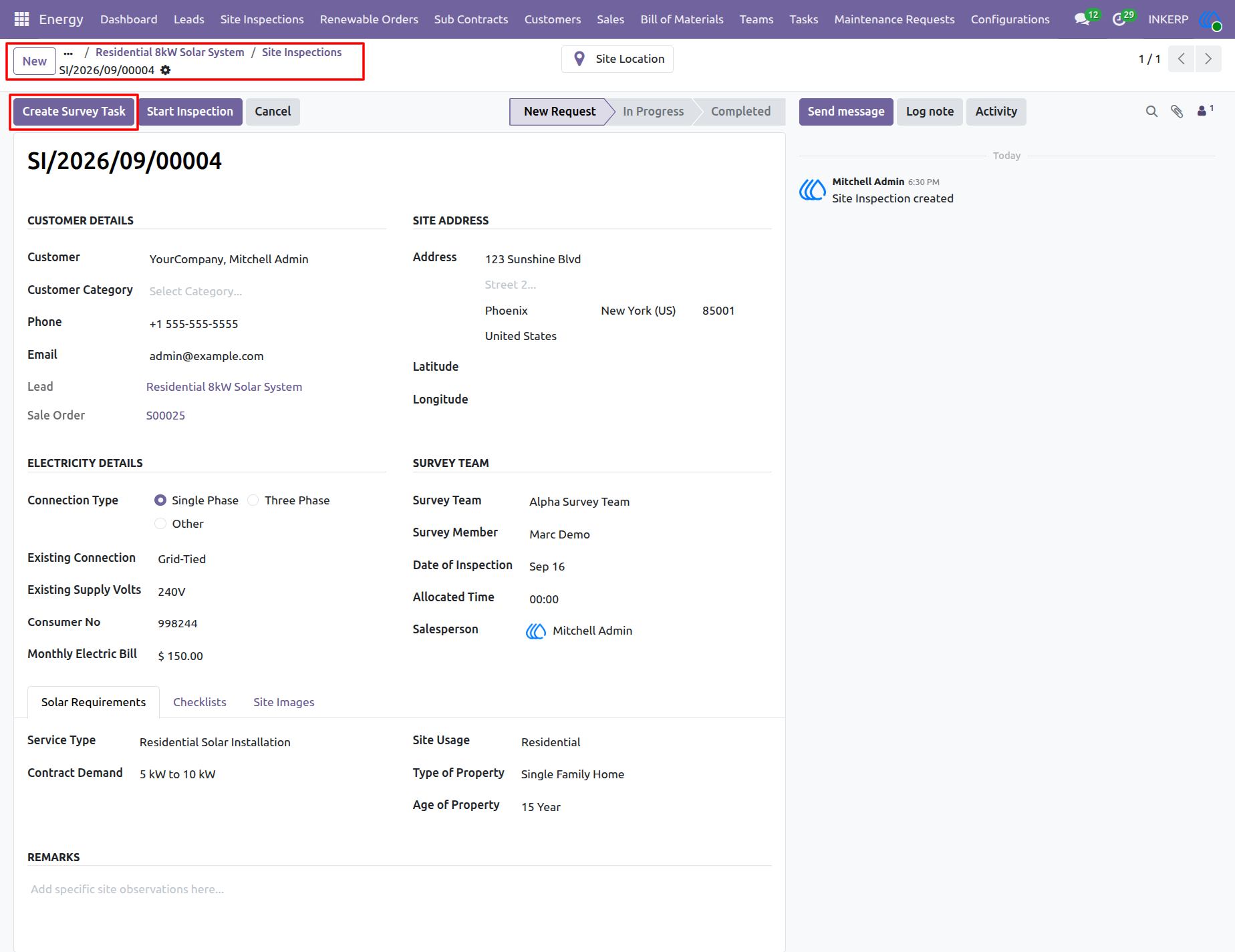
29.) Site Inspection Task Creation
Managers evaluate consolidated customer and technical data within dedicated site inspection records before dispatching field crews. Triggering the "Create Survey Task" action generates a scheduled work order for the assigned survey team, ensuring all necessary site context is transferred directly to the technicians conducting the physical assessment.
Navigation : Energy › Site Inspections
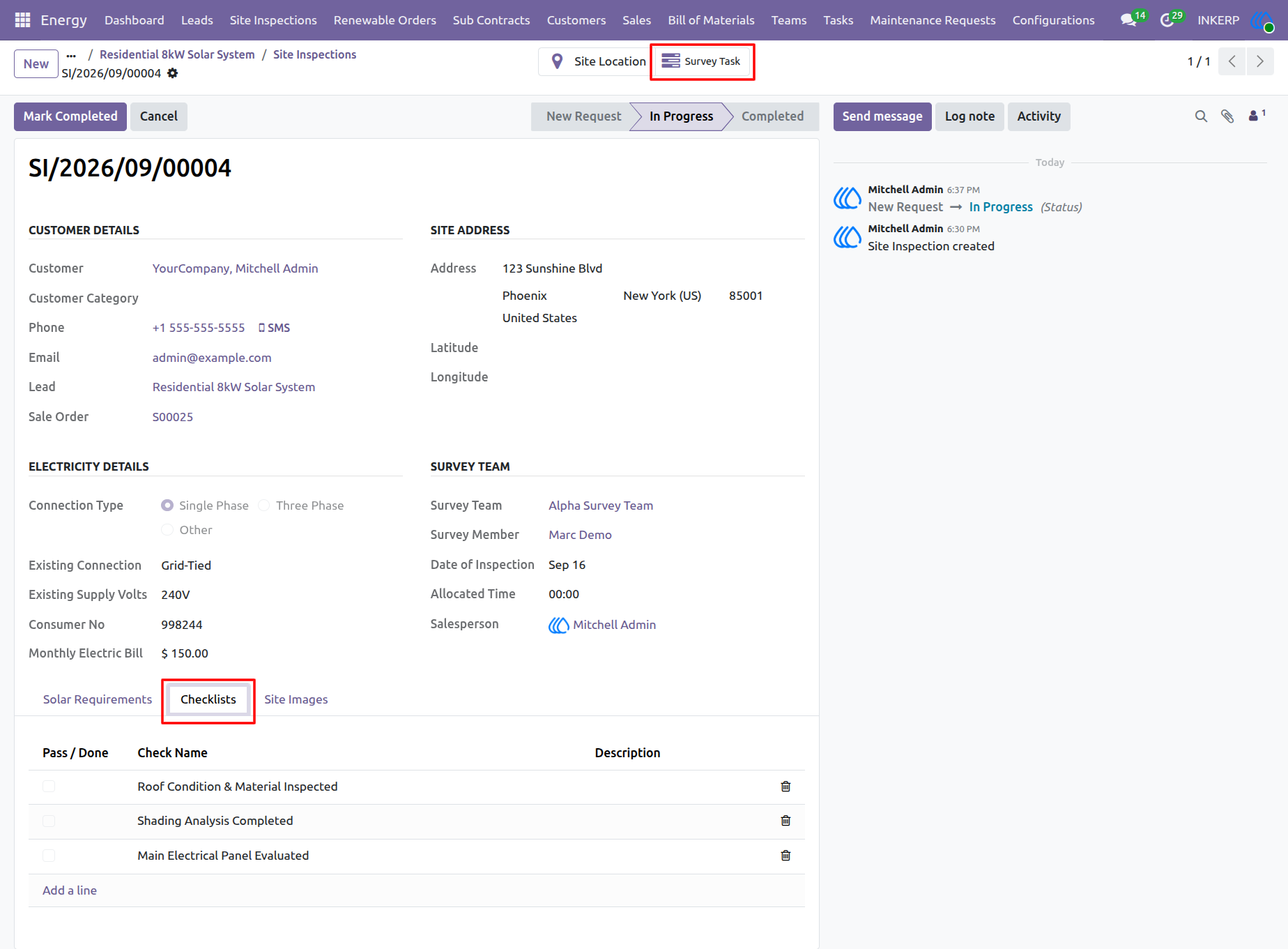
30.) Active Site Inspection & Survey Checklists
Managers and field teams track in-progress site evaluations using dedicated inspection records equipped with standardized operational checklists. Accessing the "Survey Task" smart button links directly to the actionable field work order, while the "Checklists" tab enforces mandatory feasibility criteria such as roof condition and shading analysis. This centralized view ensures all technical and safety requirements are systematically verified before finalizing the physical assessment.
Navigation : Energy › Site Inspections
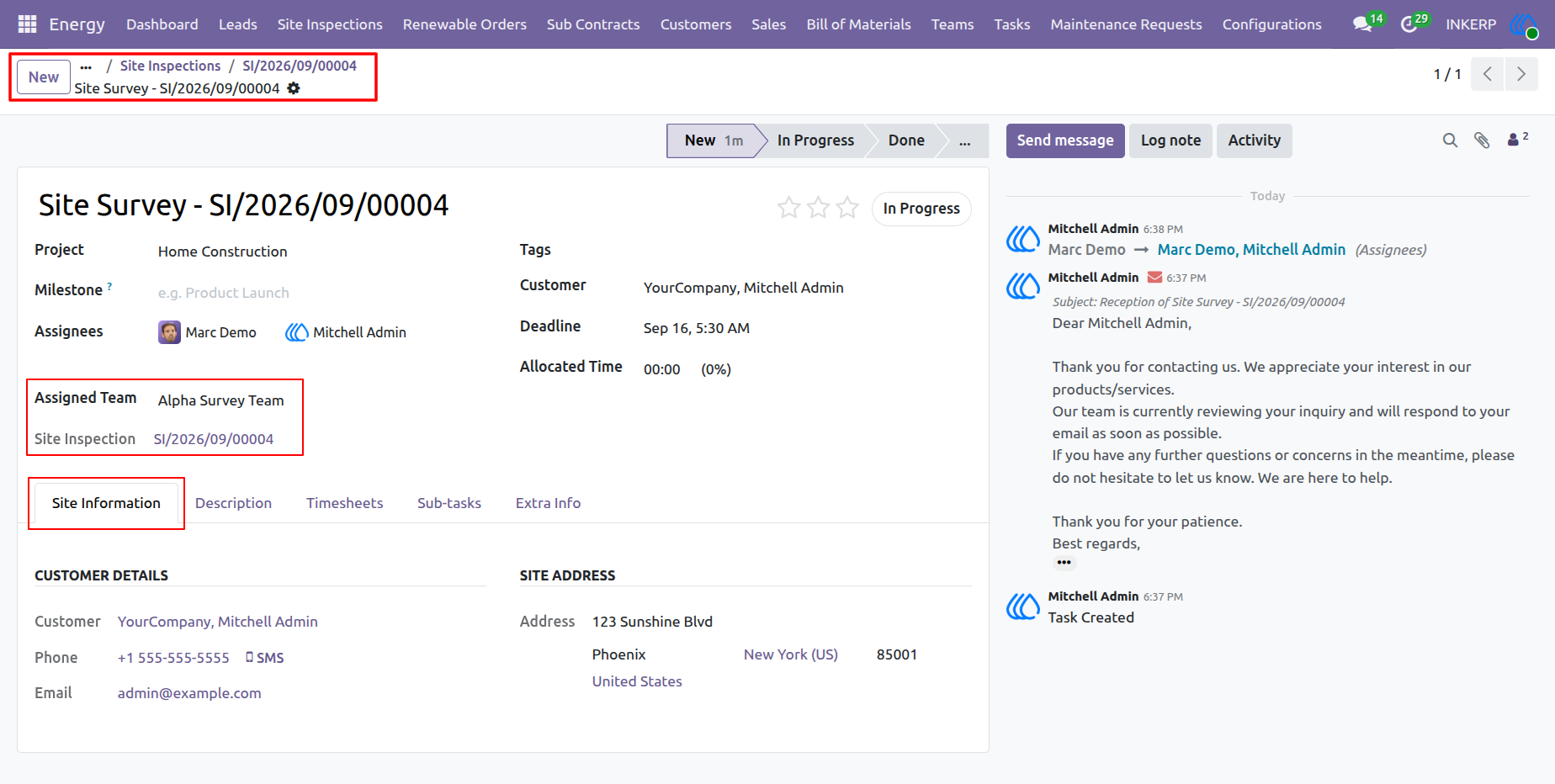
31.) Site Survey Task Execution
Field technicians manage their assigned feasibility assessments through dedicated survey task records. These actionable work orders consolidate critical site information, customer details, and team assignments to guide on-site evaluations. Integrating these tasks directly with the parent site inspection record ensures synchronized progress tracking and immediate data access for deployed crews.
Navigation : Energy › Site Inspections › Tasks
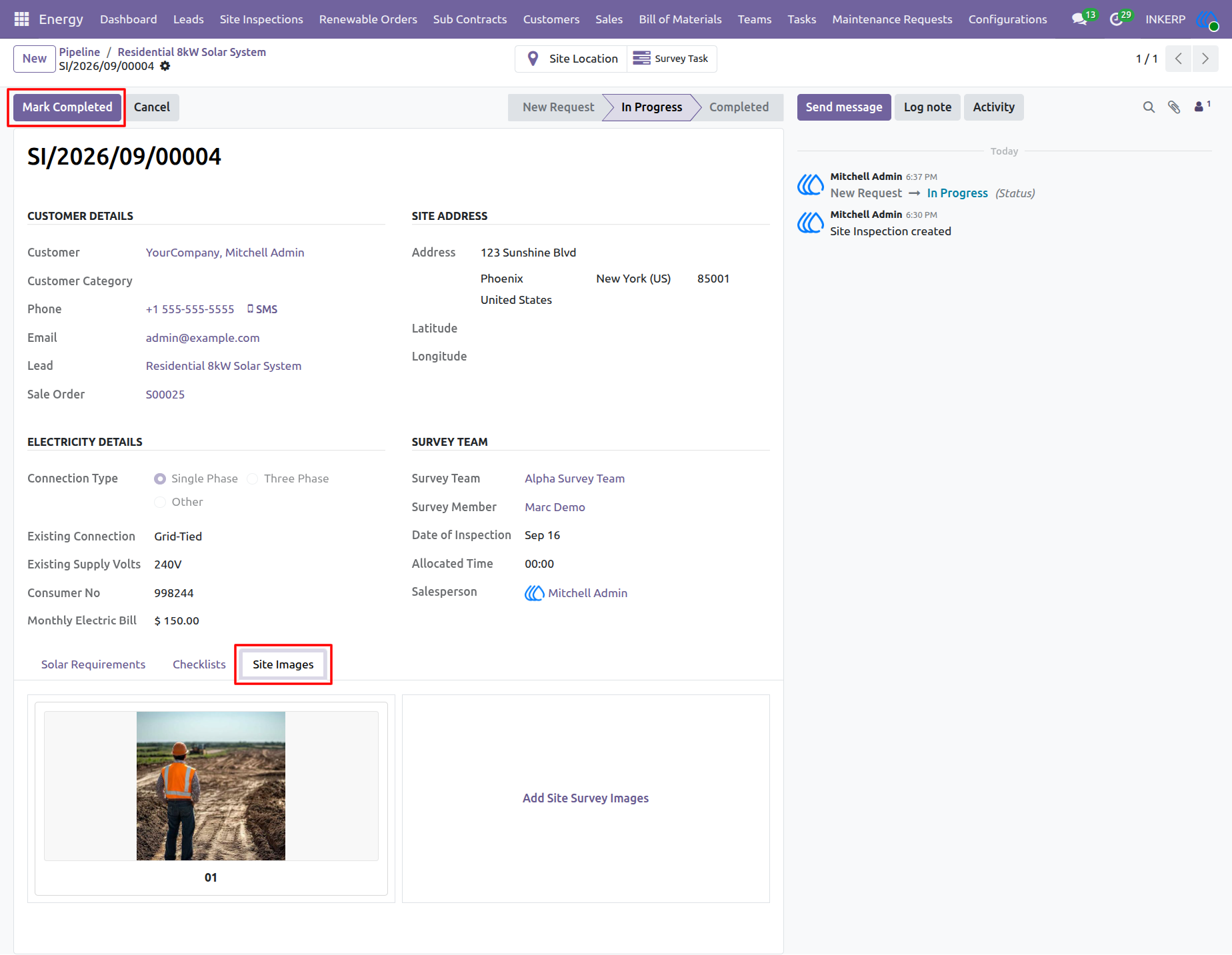
32.) Site Inspection Completion & Documentation
Field technicians upload necessary photographic evidence of property conditions directly to the "Site Images" tab during their physical evaluations. Once all checklists are passed and visual documentation is secured, managers use the "Mark Completed" button to finalize the assessment record. Concluding this inspection formally validates site feasibility and clears the project to advance toward sales confirmation and system installation.
Navigation : Energy › Site Inspections
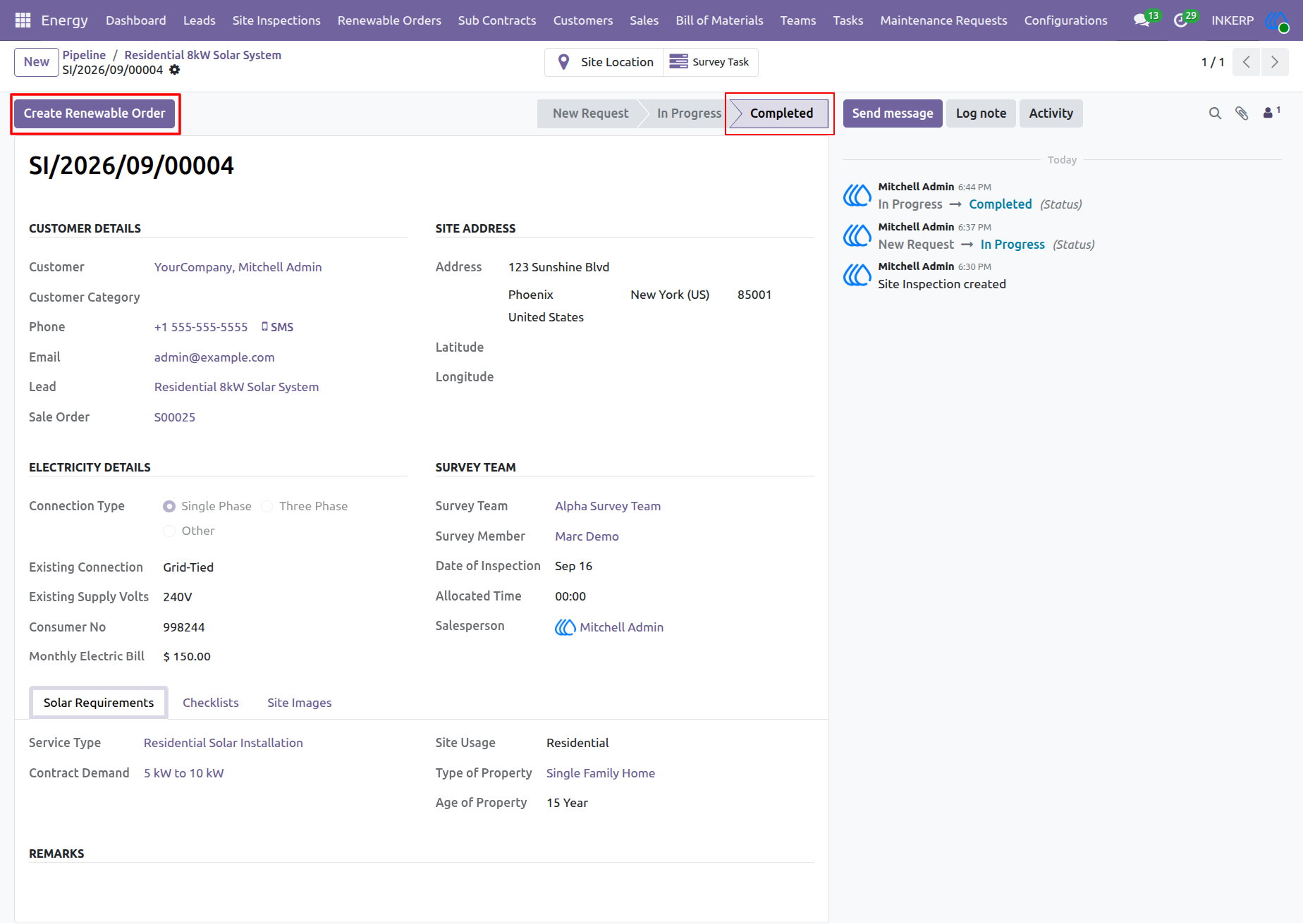
33.) Renewable Order Generation
Upon successful finalization of a site assessment, project managers transition the workflow to the deployment phase by generating a formal renewable order directly from the completed inspection record. Executing the "Create Renewable Order" action automatically transfers verified site data and technical specifications into the active installation pipeline, ensuring a seamless operational handover from field evaluation to system construction.
Navigation : Energy › Site Inspections
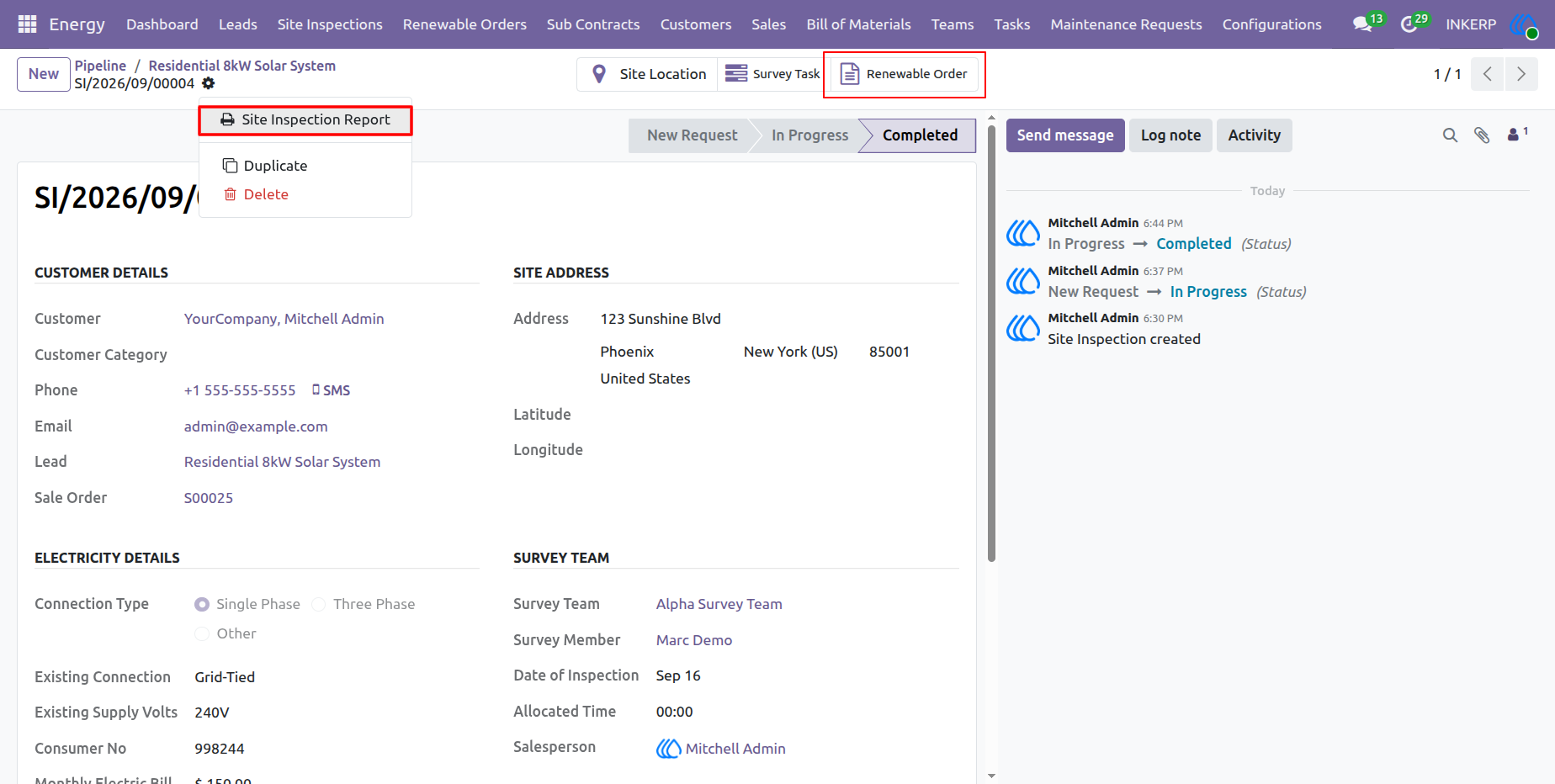
34.) Site Inspection Report Generation
Managers generate comprehensive, formal summaries of finalized field evaluations by executing the Site Inspection Report action. This document aggregates all verified property specifications, completed checklist criteria, and uploaded site imagery into a standardized format for client review or internal archiving. Additionally, users can navigate directly to the subsequent installation phase using the linked Renewable Order smart button.
Navigation : Energy › Site Inspections
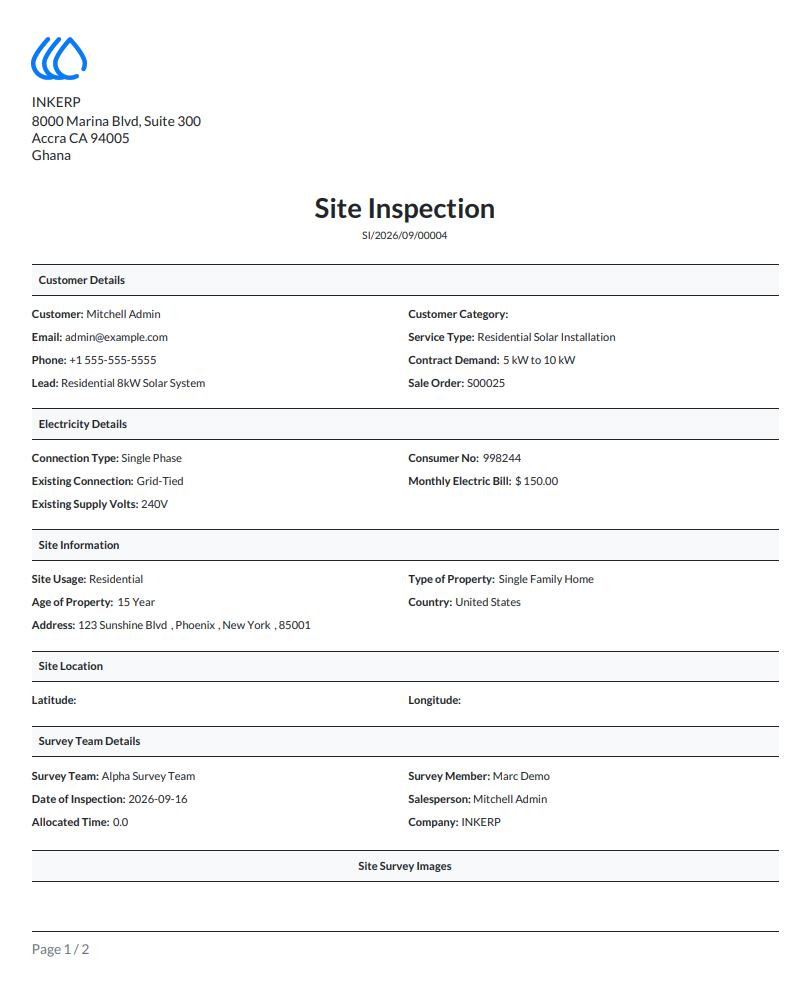
35.) Site Inspection PDF Report
The system generates a formal PDF document summarizing the finalized site assessment for client distribution or internal records. This comprehensive report aggregates all verified customer details, existing electrical configurations, property specifications, and survey team information into a standardized, professional layout.
Navigation : Energy › Site Inspections
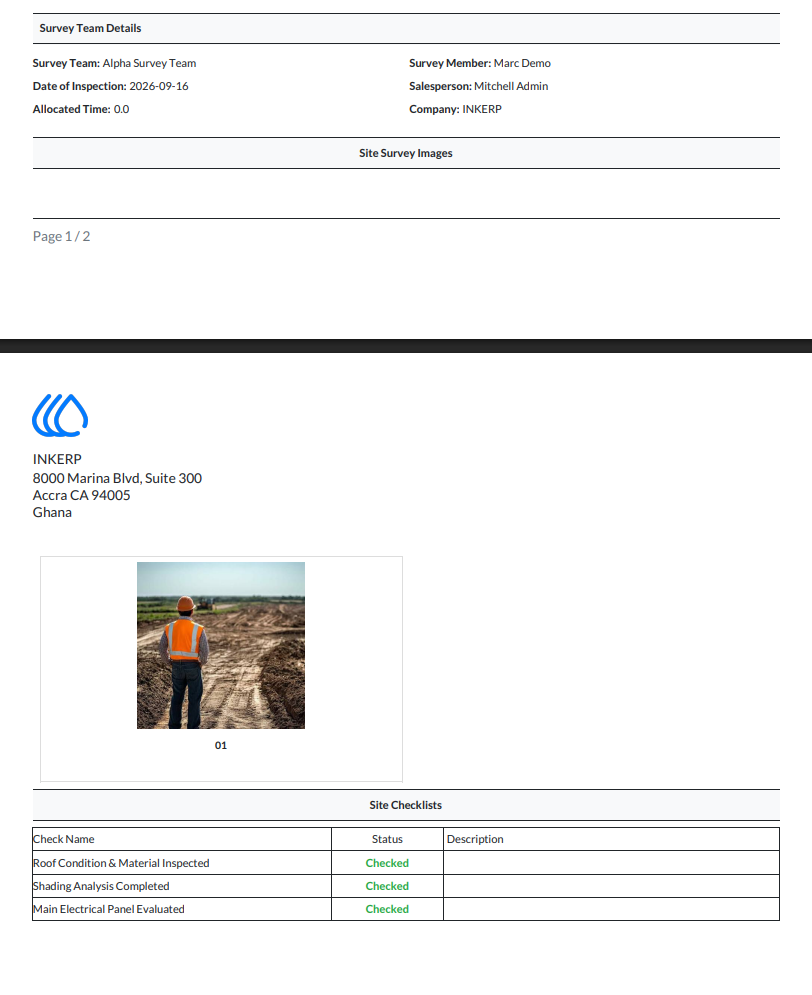
36.) Site Inspection Report
The generated PDF report appends all visual evidence and completed compliance criteria directly to the final document. Presenting the uploaded site imagery alongside the finalized operational checklists provides stakeholders with a clear, auditable record confirming that all structural and electrical feasibility requirements were successfully met during the field assessment.
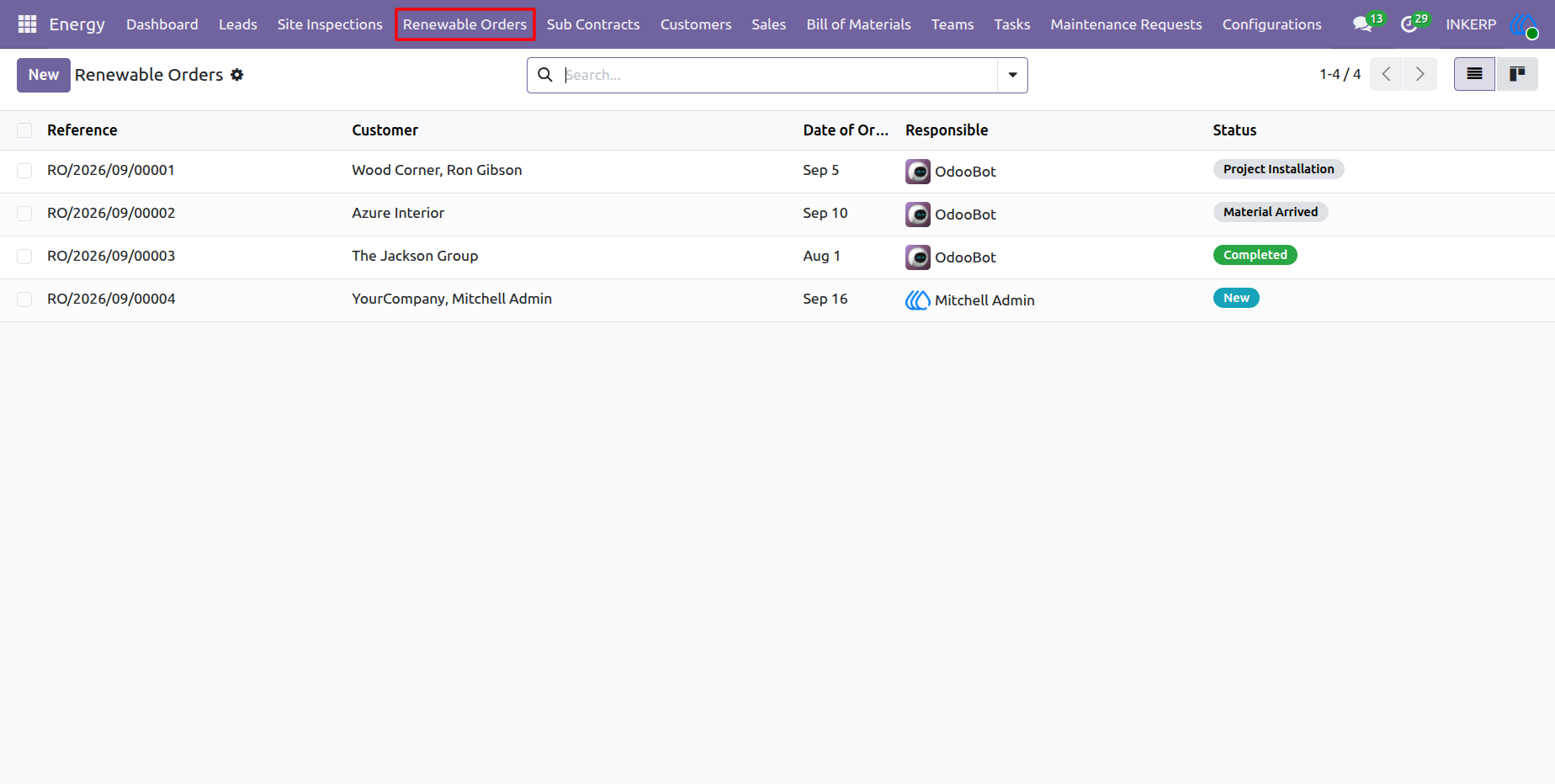
37.) Renewable Orders Overview
Project managers utilize this centralized list view to oversee the operational status of all active renewable energy deployments. Tracking critical lifecycle stages from newly generated orders to material arrival and ongoing installation provides comprehensive visibility to ensure projects remain on schedule and resources are efficiently allocated across various customer sites.
Navigation : Energy › Renewable Orders
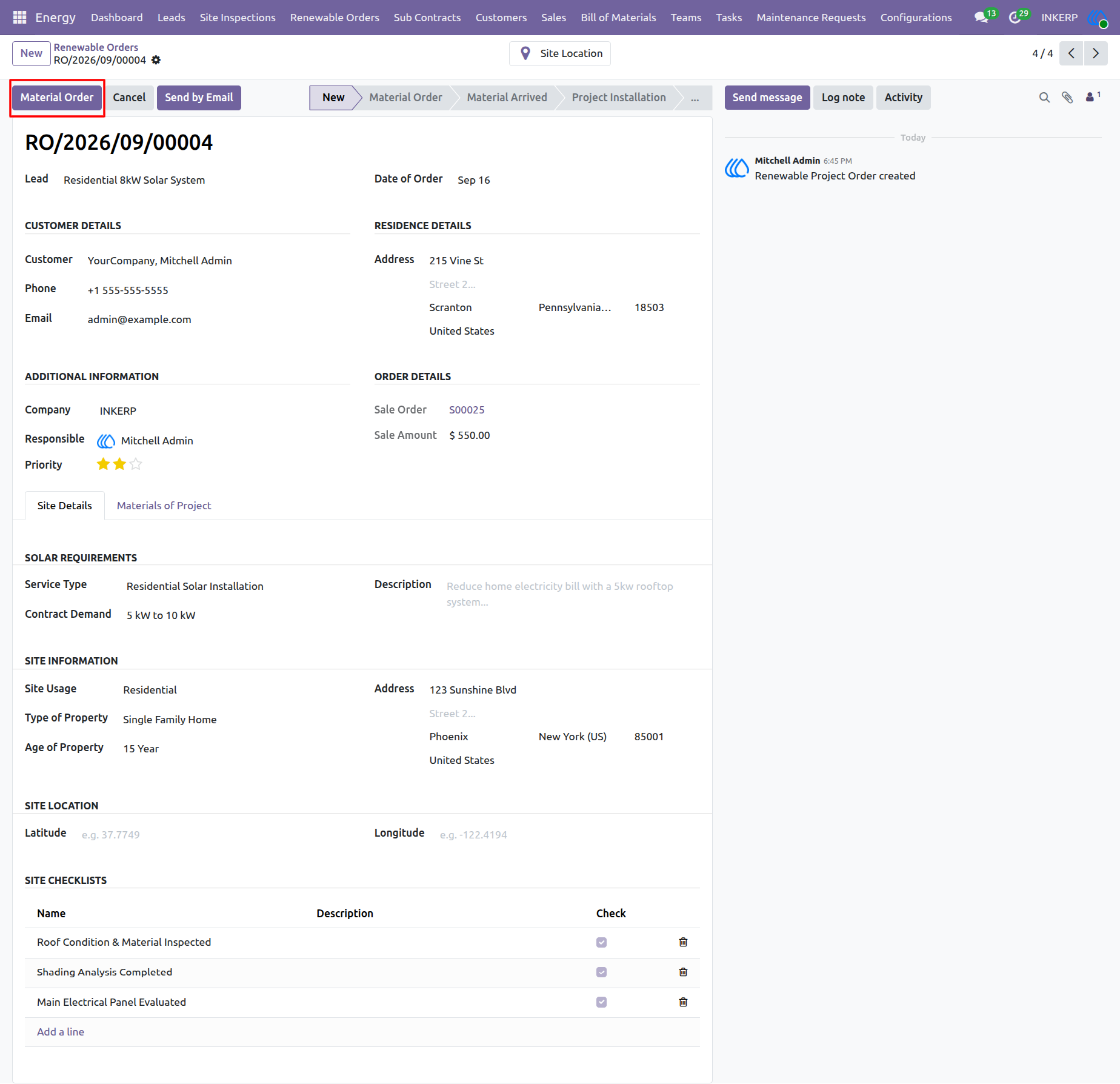
38.) Material Order Initiation
Project managers consolidate finalized site data, verified checklists, and solar requirements within individual renewable order records to orchestrate active deployments. Triggering the "Material Order" action advances the project workflow from initial planning to procurement, generating the necessary inventory requests for all required system components. This synchronization ensures physical hardware is properly staged before progressing to the on-site installation phase.
Navigation : Energy › Renewable Orders
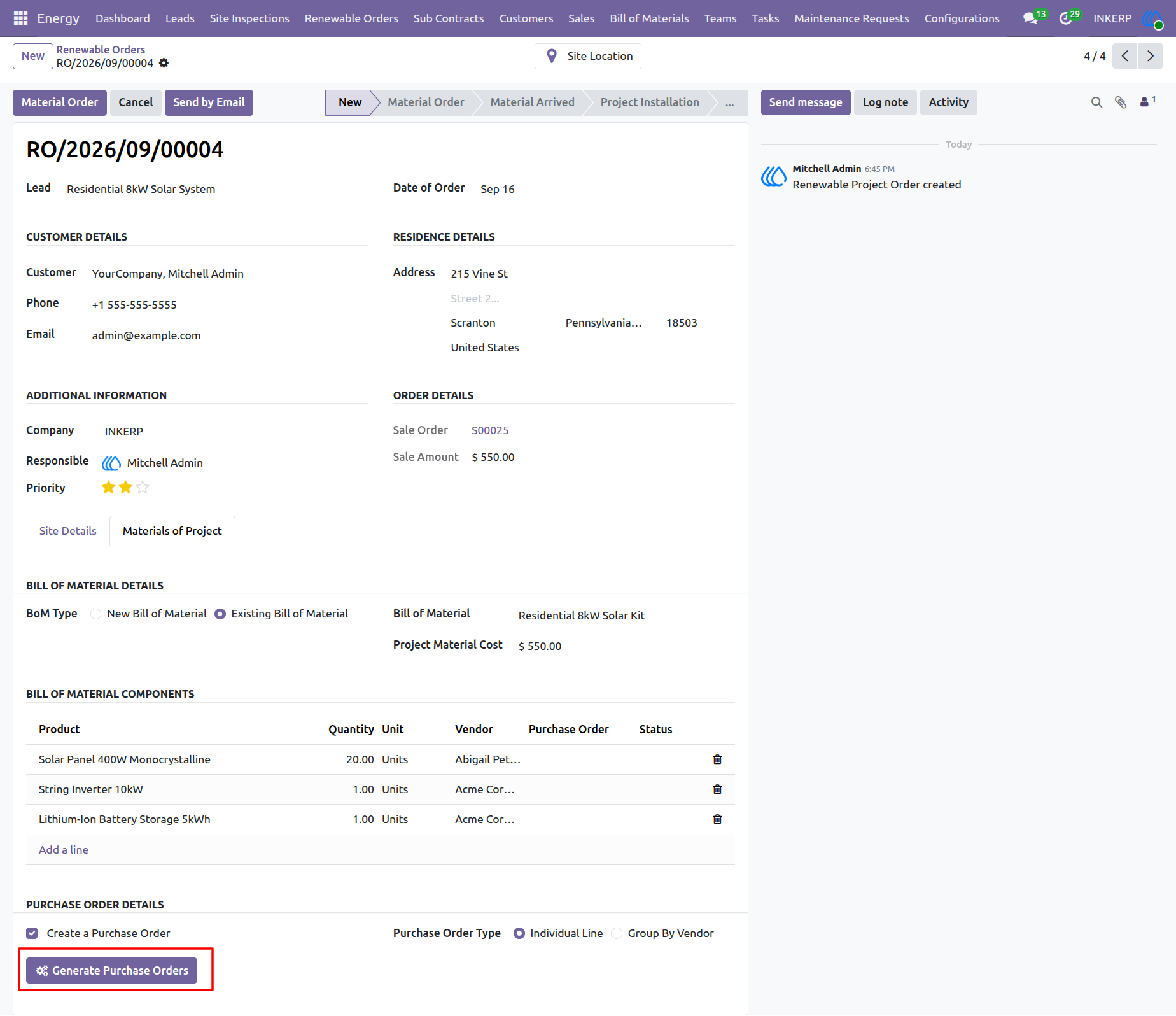
39.) Project Materials & Purchase Order Generation
Project managers coordinate equipment procurement by accessing the "Materials of Project" tab within an active renewable order. By applying a predefined Bill of Material, the system automatically populates the required hardware components such as solar panels, string inverters, and battery storage. Triggering the "Generate Purchase Orders" button automates the creation of vendor-specific purchase requests, ensuring all necessary inventory is secured before the physical installation phase begins.
Navigation : Energy › Renewable Orders
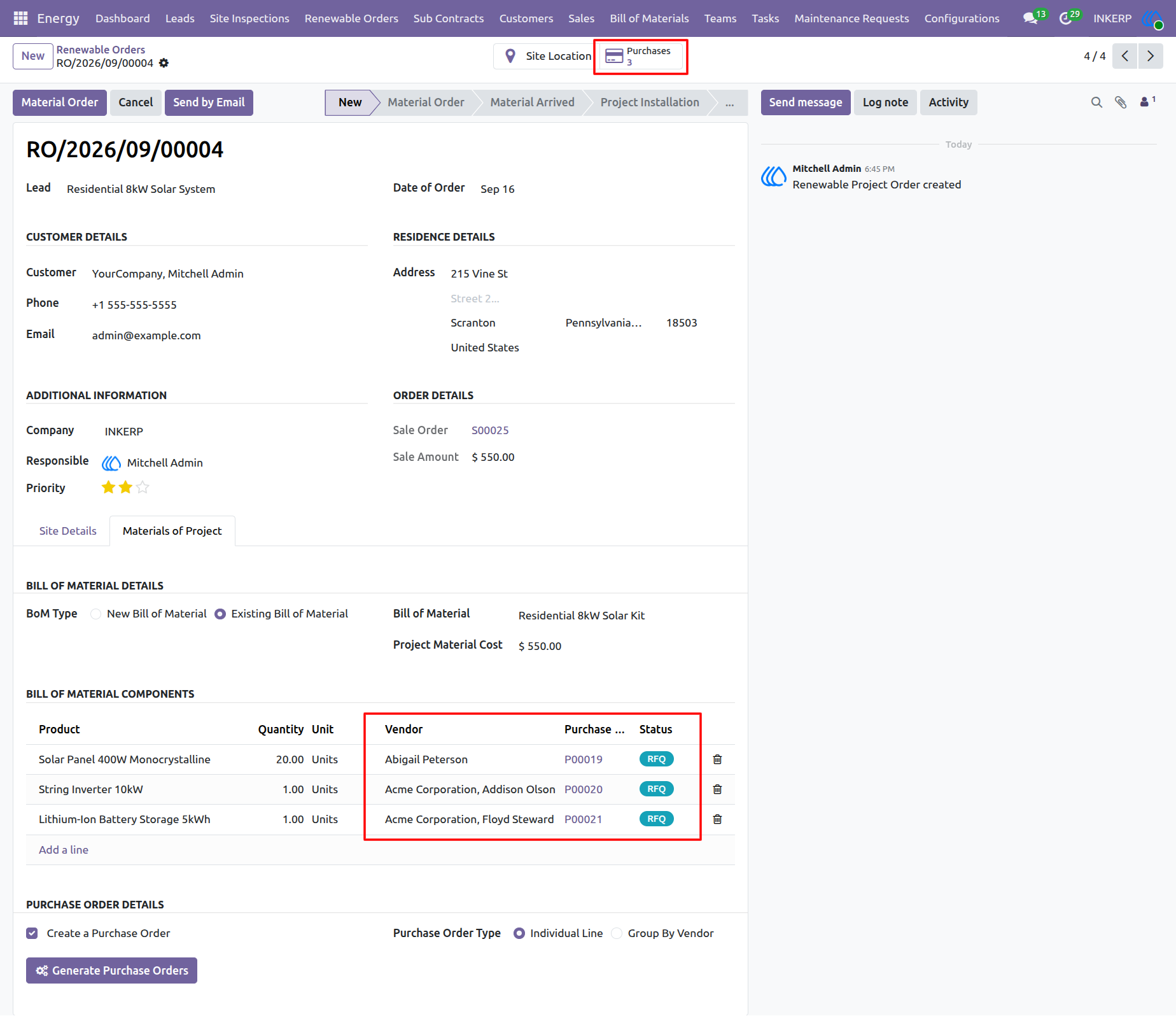
40.) Purchase Order Tracking
Project managers monitor the status of requested materials directly within the active renewable order record. The Bill of Materials section dynamically updates to display the generated Request for Quotation (RFQ) numbers, assigned vendors, and current procurement statuses for each necessary hardware component. Additionally, utilizing the "Purchases" smart button provides centralized, one-click access to all associated purchase documents, ensuring total visibility into the supply chain before scheduling the physical installation.
Navigation : Energy › Renewable Orders
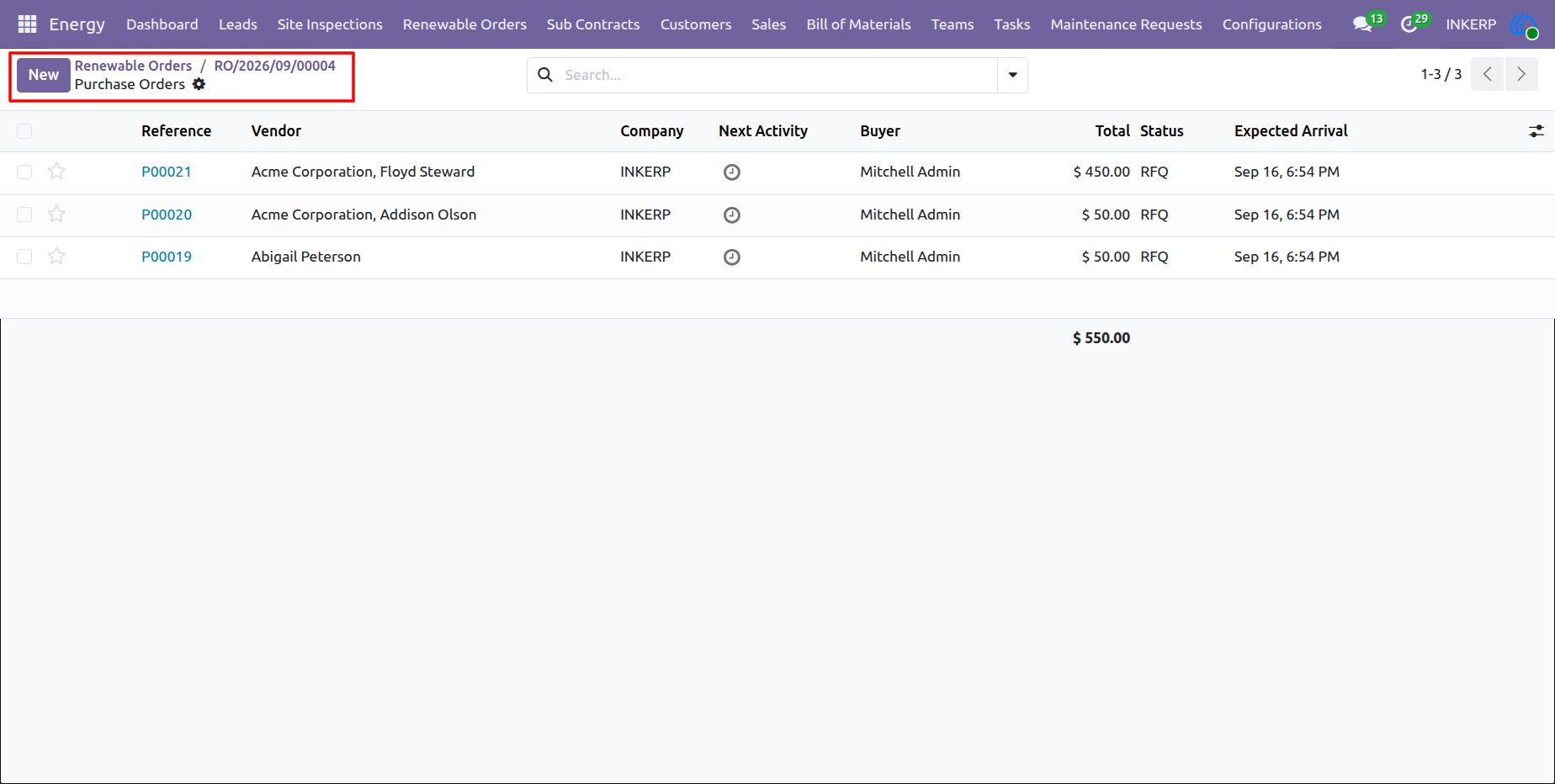
41.) Associated Purchase Orders List
By accessing the Purchases smart button, project managers can review a centralized list of all Requests for Quotation (RFQs) and purchase orders tied to a specific installation. This view consolidates vendor details, expected arrival dates, and procurement statuses, enabling teams to track material costs and delivery timelines effectively before beginning the physical deployment.
Navigation : Energy › Renewable Orders
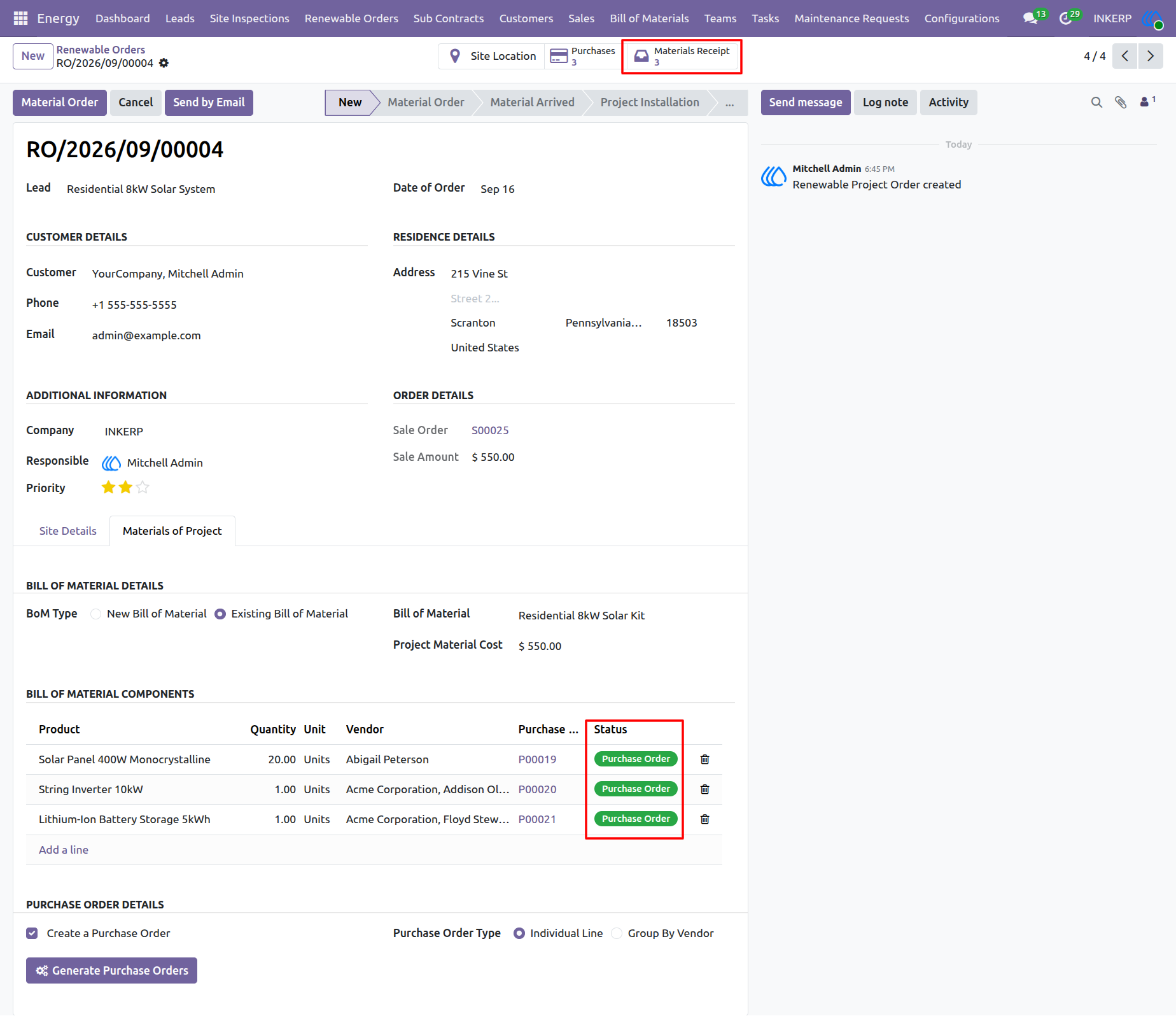
42.) Procurement Status and Material Receipt
Once vendor requests are confirmed, the procurement status for each required component dynamically updates to "Purchase Order" within the active record's Bill of Materials. To manage the physical arrival of these items, project managers utilize the "Materials Receipt" smart button, which provides direct access to incoming shipment records. Tracking these receipts ensures all essential hardware is validated and on-site before the installation phase is authorized to begin.
Navigation : Energy › Renewable Orders
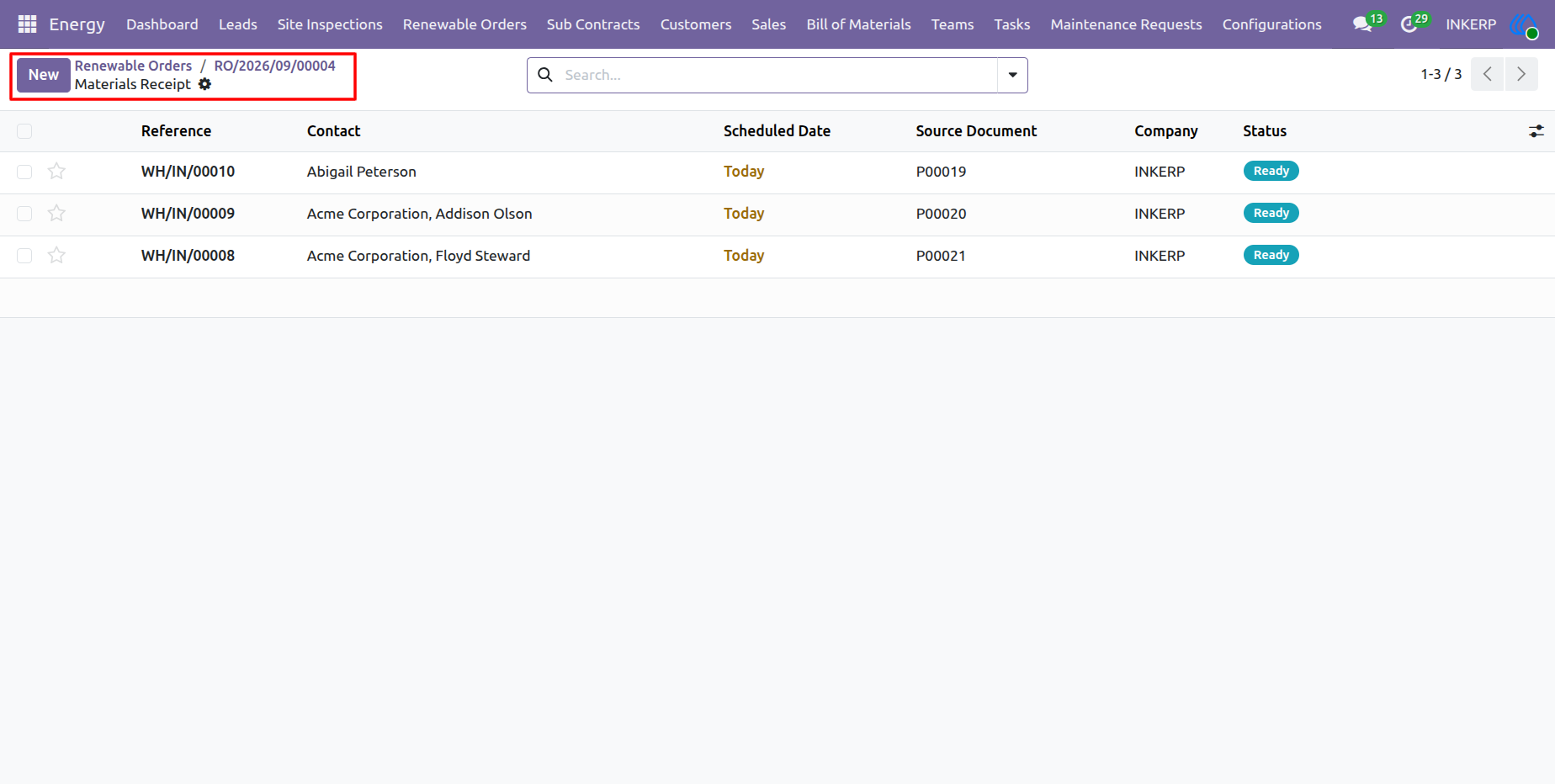
43.) Materials Receipt Overview
Project managers utilize the Materials Receipt view to track all incoming shipments associated with a specific renewable energy deployment. This consolidated list links directly to the source purchase orders, allowing teams to verify scheduled delivery dates and confirm when vendor shipments reach a "Ready" status. Monitoring this inbound inventory ensures all necessary hardware components are physically accounted for before authorizing field teams to commence the installation.
Navigation : Energy › Renewable Orders
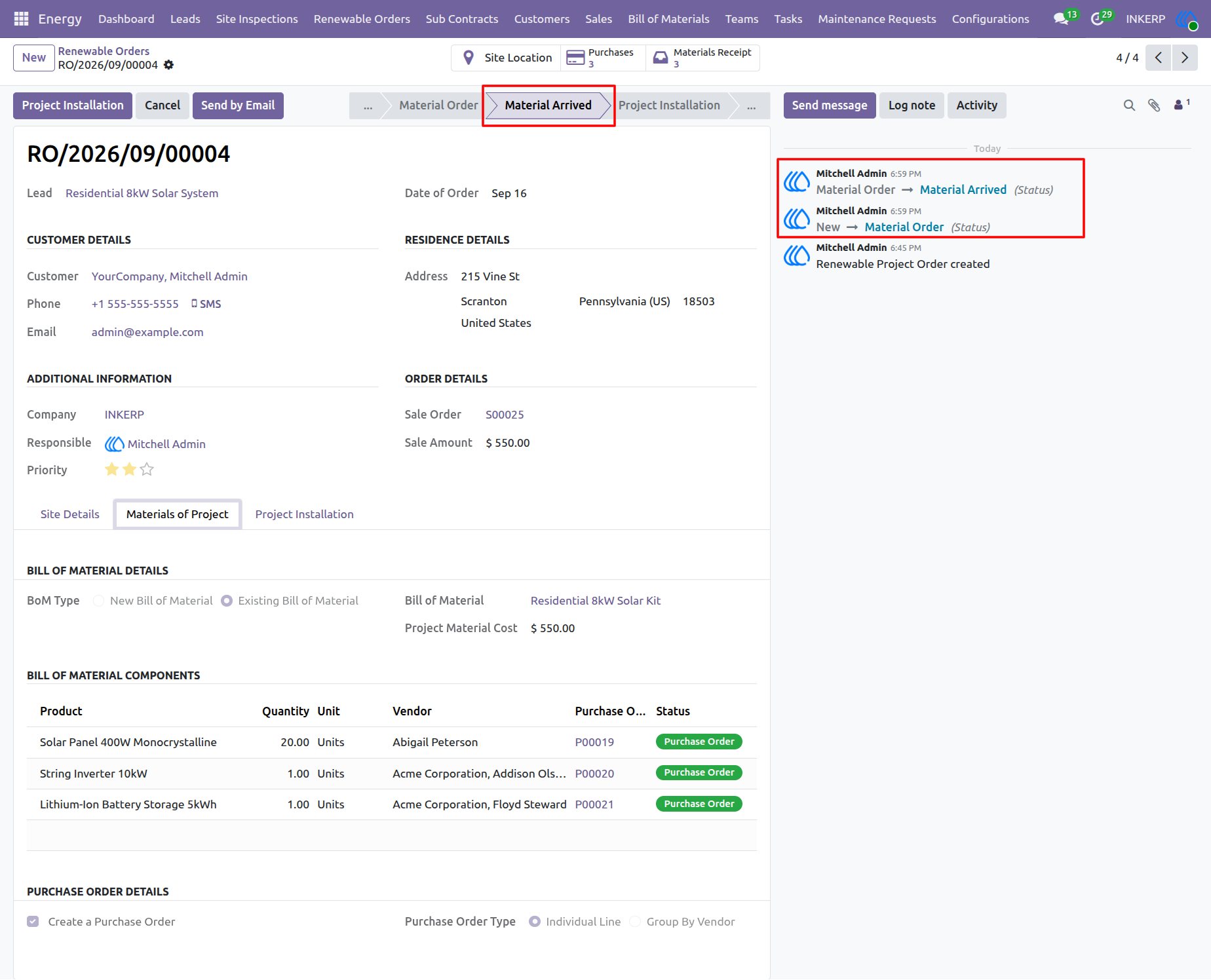
44.) Material Arrived Status Update
Upon successful receipt and verification of all required inventory, project managers advance the renewable order's lifecycle stage to "Material Arrived". This critical status update, prominently tracked within the system's activity log, signals that all procurement is complete and clears the project to transition into the active installation phase.
Navigation : Energy › Renewable Orders
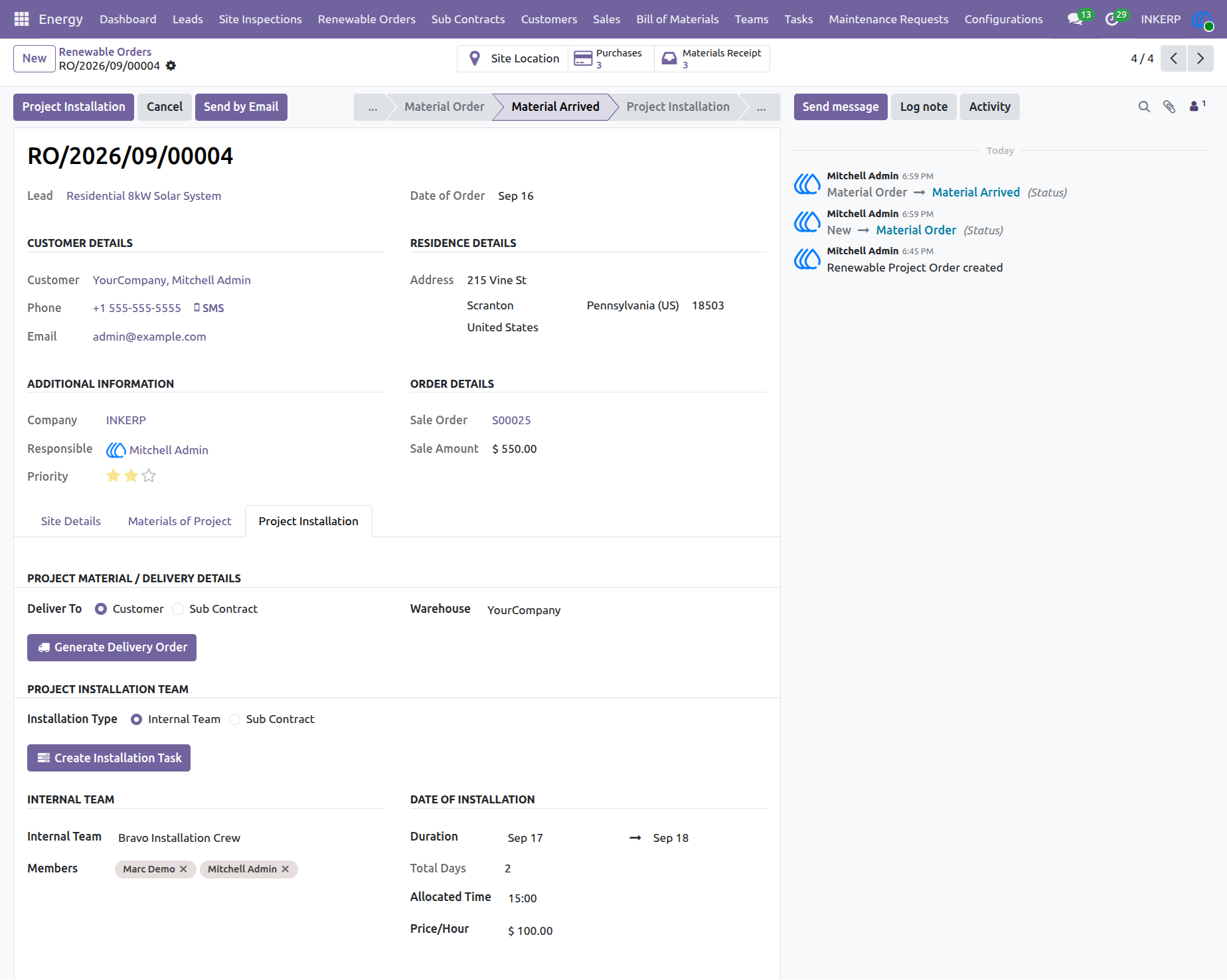
45.) Project Installation Task and Delivery Creation
With materials securely received, project managers access the "Project Installation" tab to coordinate site logistics and field labor. This dedicated section enables users to route hardware directly to the customer site and schedule specific deployment dates with assigned internal crews, such as the Bravo Installation Crew. Executing the "Generate Delivery Order" and "Create Installation Task" actions formalizes the construction schedule and dispatches the necessary resources to commence physical installation.
Navigation : Energy › Renewable Orders
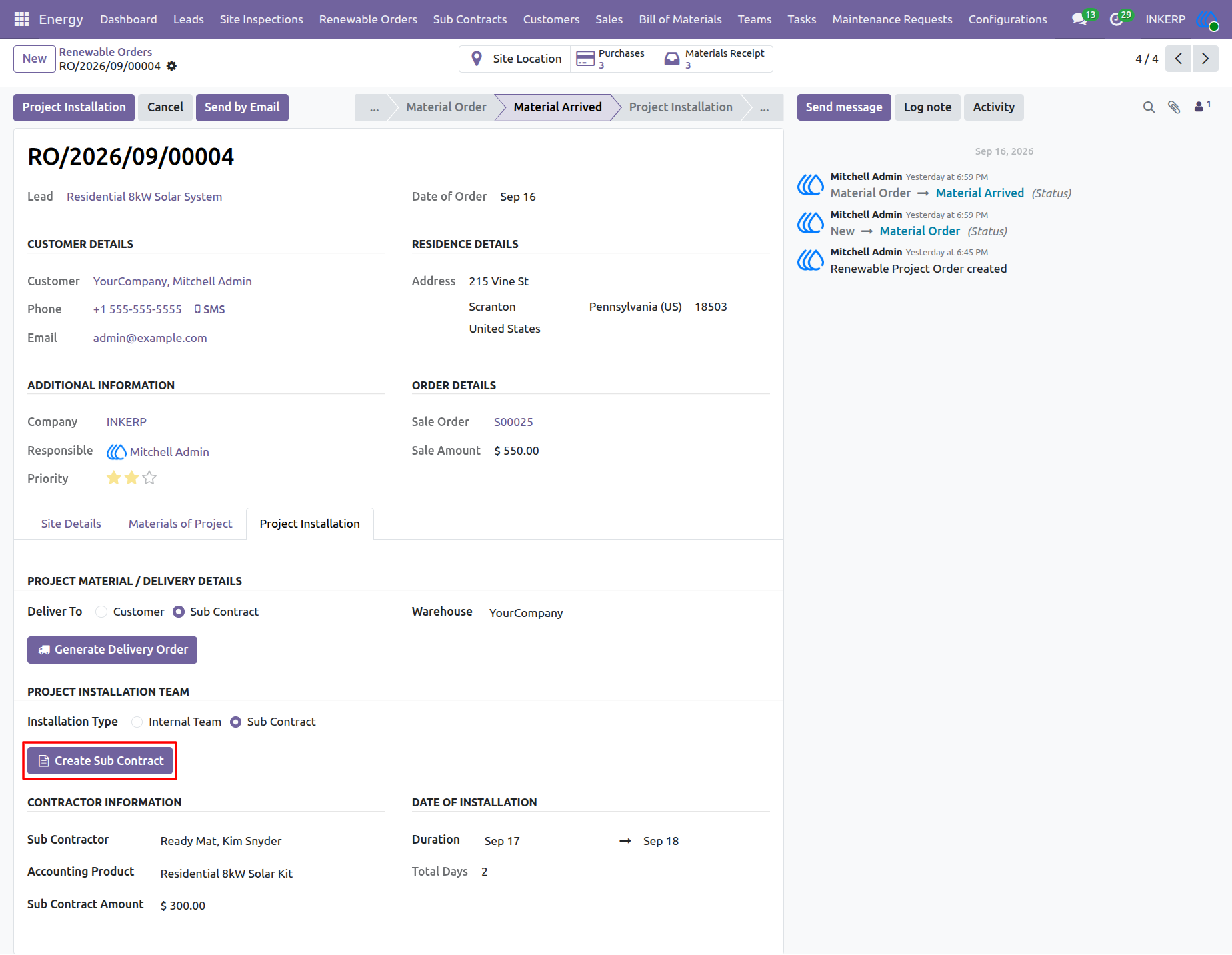
46.) Subcontractor Assignment and Contract Creation
For outsourced deployments, project managers configure the installation type as a "Sub Contract" within the Project Installation tab. After designating an external vendor and specifying the agreed contract amount, users execute the "Create Sub Contract" action to generate formal third-party work orders. Initiating this process on the backend seamlessly provisions the necessary project data for external vendors to track their assigned tasks and layouts through their dedicated sub-contract portal views.
Navigation : Energy › Renewable Orders
47.)Sub Contract Management and Material Allocation
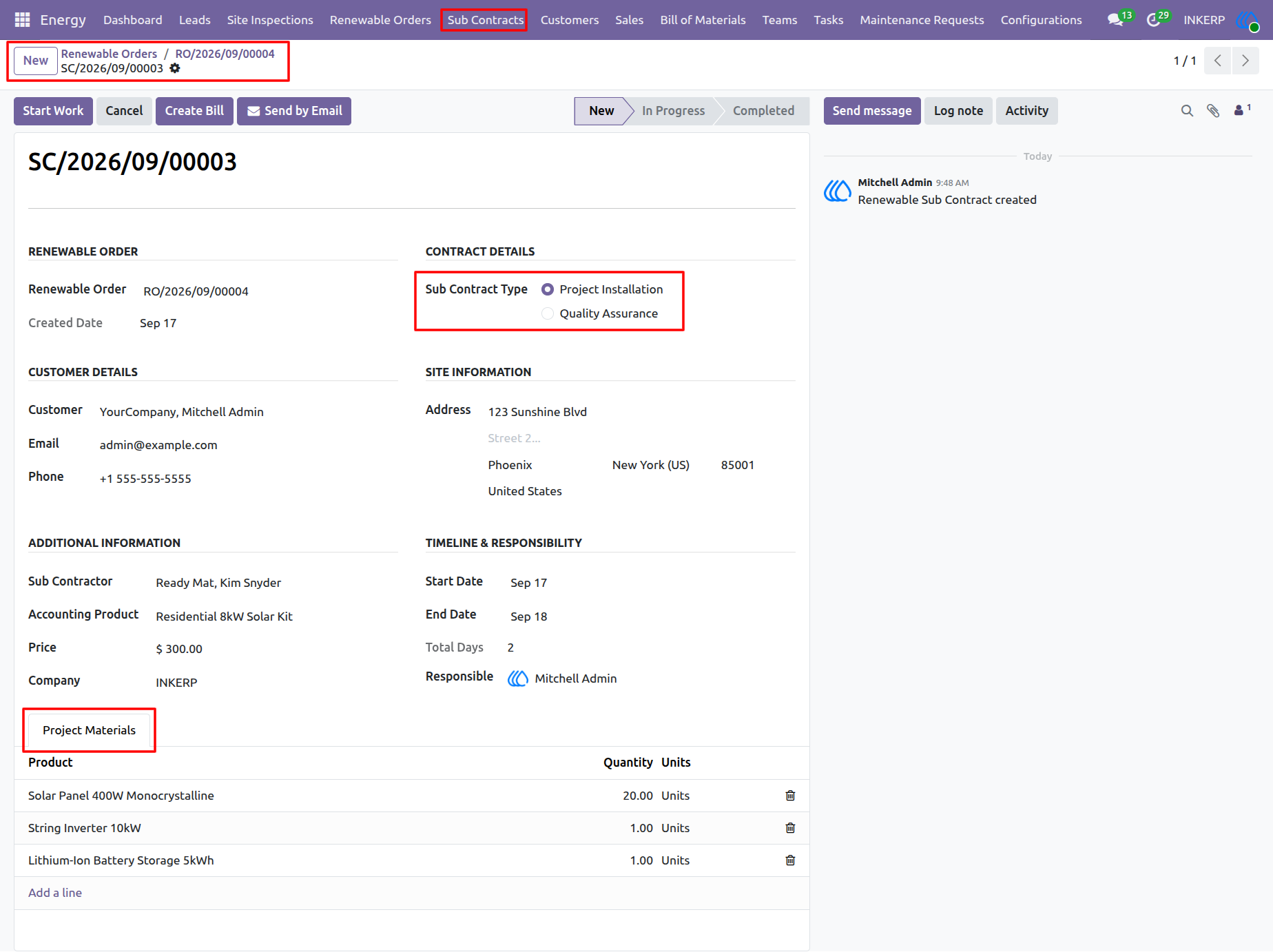
The dedicated Sub Contracts module centralizes the management of outsourced energy deployments Within an individual record project managers define the specific Sub Contract Type such as Project Installation or Quality Assurance and track the exact Project Materials allocated for the job Structuring this data accurately on the backend is critical as it directly populates the corresponding QWeb portal templates ensuring that external vendors have clear reliable visibility into their assigned material requirements and layout modifications through their dedicated sub contract portal views
Navigation : Energy › Renewable Orders
48.) Project Delivery Order Generation
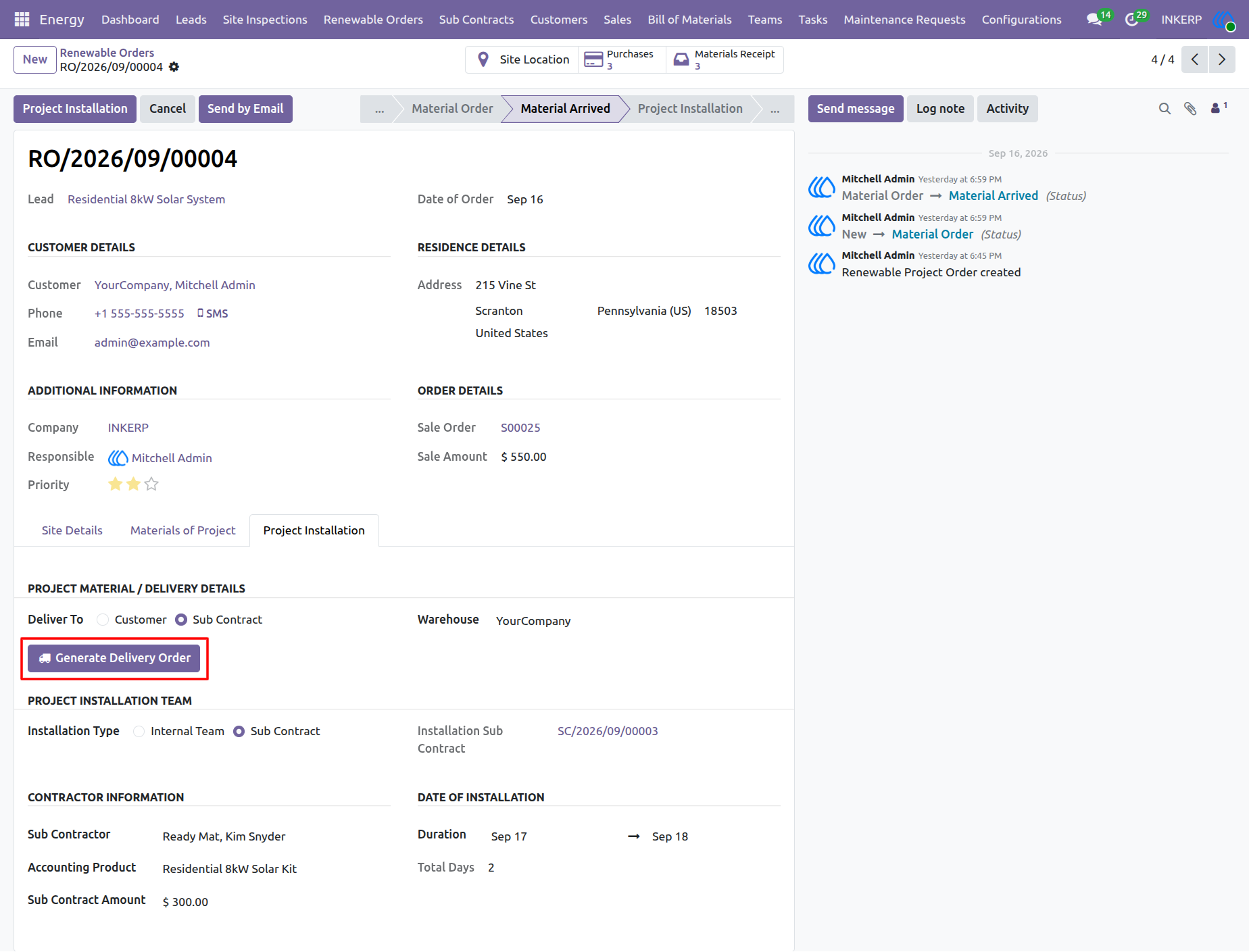
Project managers coordinate outbound hardware logistics for subcontractor deployments by selecting the Sub Contract delivery option under the Project Installation tab Executing the Generate Delivery Order action formalizes the shipment of required components to the designated job site ensuring external installation crews receive all necessary materials on schedule
Navigation : Energy › Renewable Orders
49.) Project Deliveries Tracking
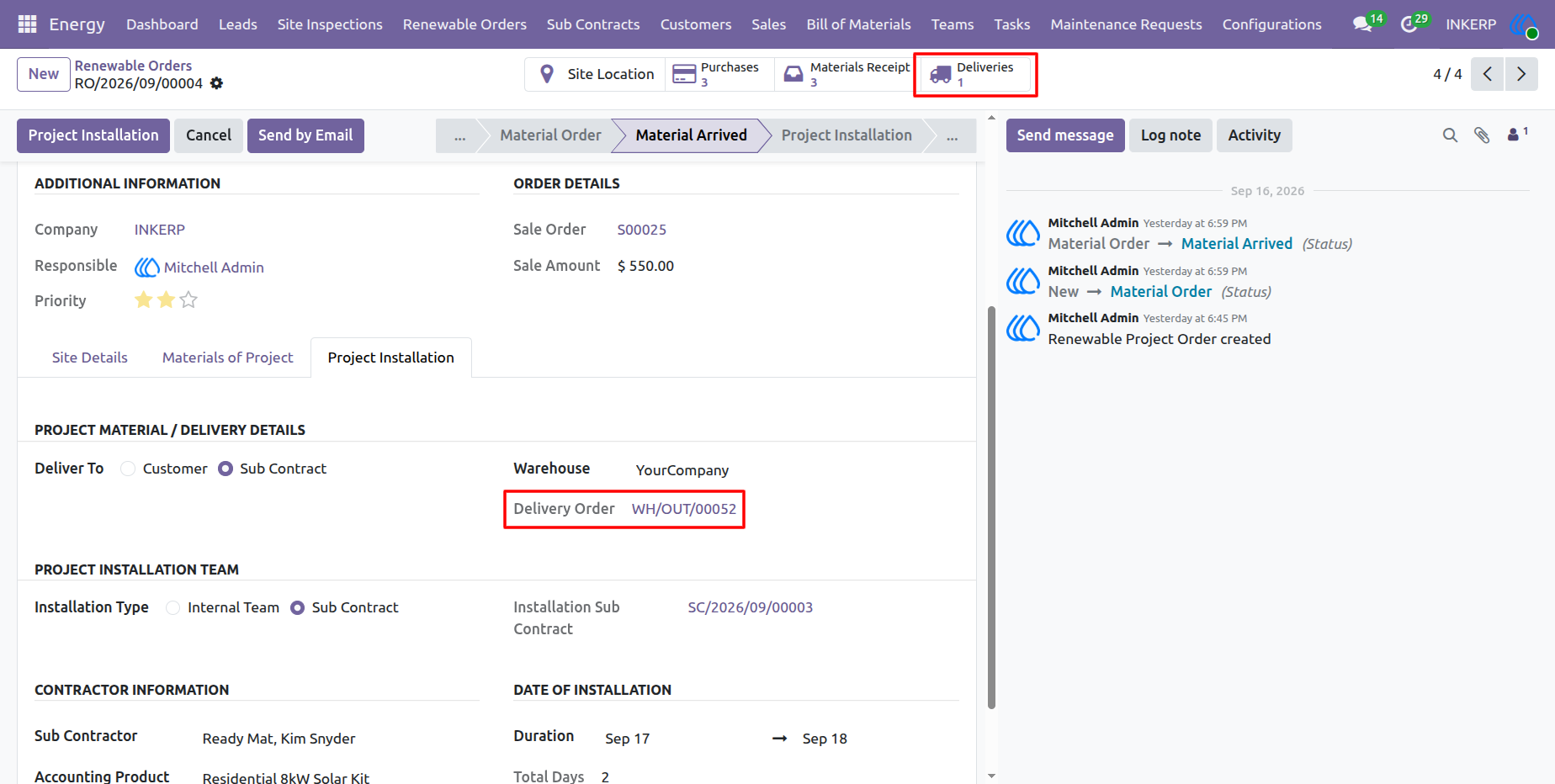
Project managers monitor outbound shipment documentation directly from the renewable order view. Utilizing the Deliveries smart button or the linked Delivery Order reference number provides quick access to warehouse dispatch records ensuring transparency throughout the third party fulfillment process.
Navigation : Energy › Renewable Orders
50.) Delivery Order Processing
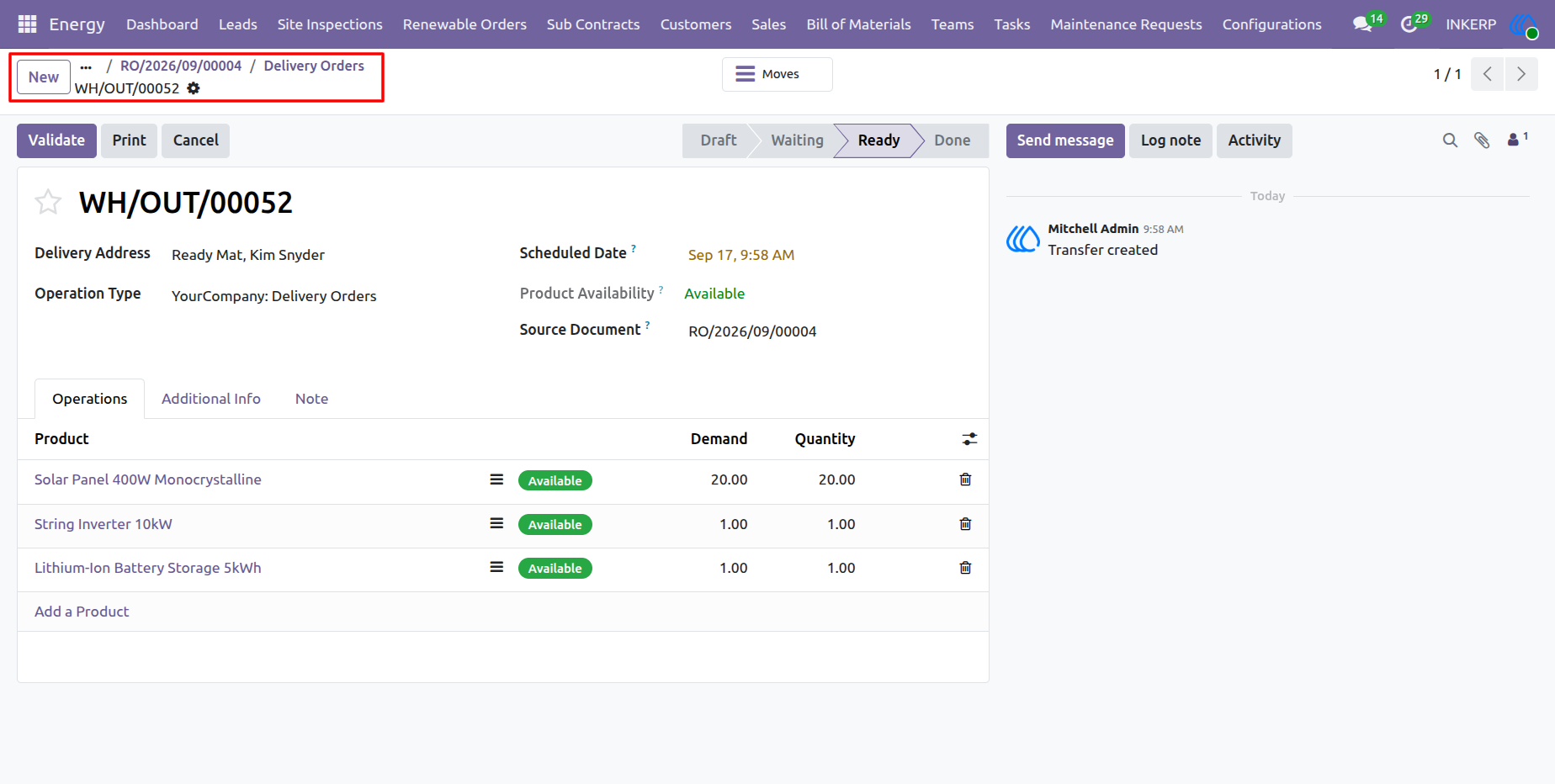
Warehouse personnel and project managers review individual stock transfer records to verify scheduled delivery dates, source documents, and product availability before final dispatch. The operations line items detail exact component quantities such as solar panels, string inverters, and battery storage confirming that all required inventory is ready for transfer to the designated subcontractor or site. Executing the Validate action completes the outbound transfer process
Navigation : Energy › Renewable Orders › Deliveries
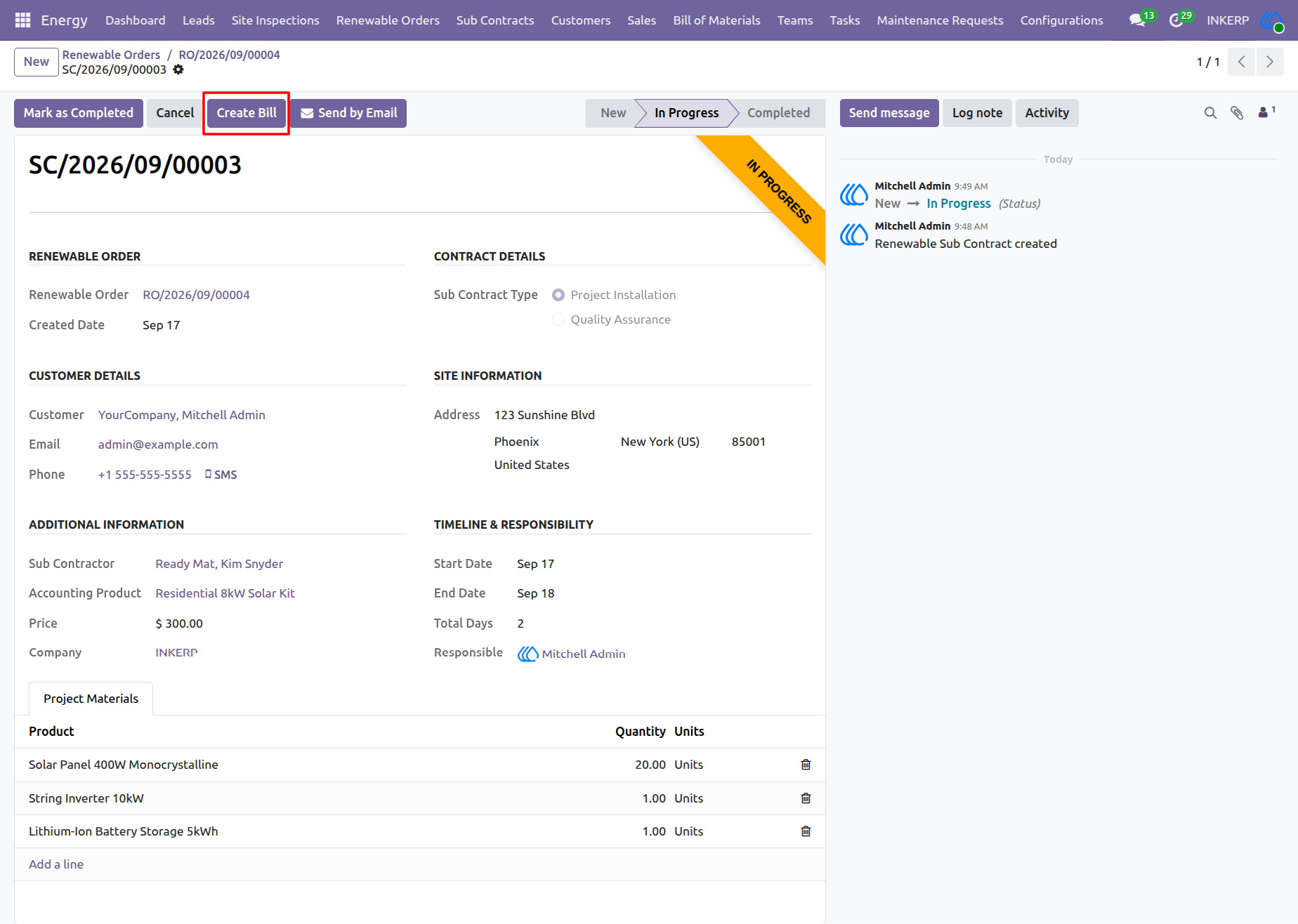
51.) Sub Contract Billing
Project managers manage the active subcontract and its associated project materials from this detailed record. The screen displays the renewable order, subcontract type, customer and site information, subcontractor, pricing, responsible user, timeline, and allocated project materials. The Create Bill action allows users to generate the corresponding billing document for the subcontract, while the status workflow tracks the subcontract from New to In Progress and Completed.
Navigation : Energy › Renewable Orders › Sub Contracts
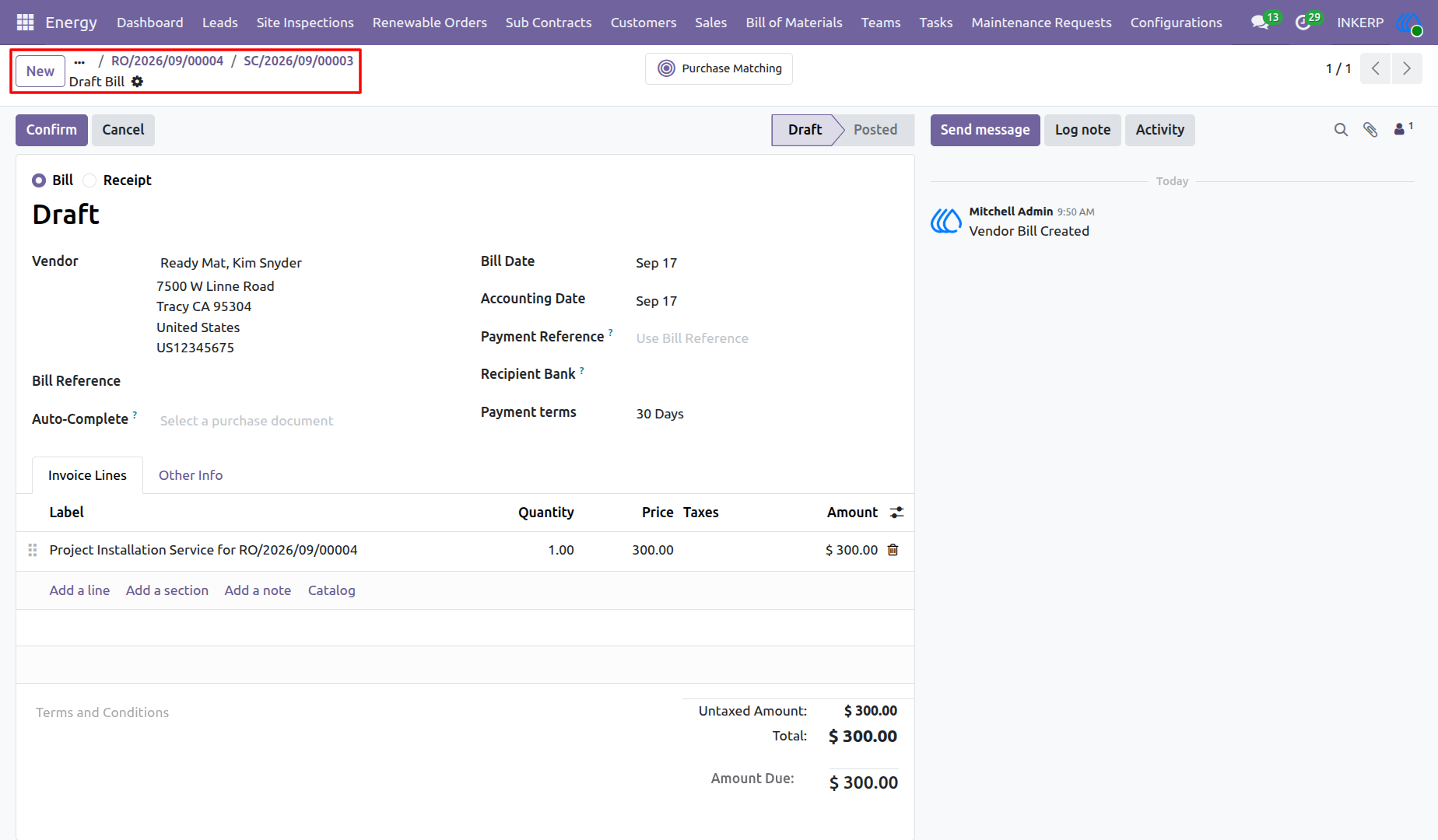
52.) Vendor Bill Creation
the vendor billing document created from the subcontract workflow. Users can review the generated bill, its related renewable order and subcontract references, and the associated invoice lines before confirming the document. The billing record can then progress from Draft to Posted.
Navigation : Energy › Renewable Orders › Sub Contracts
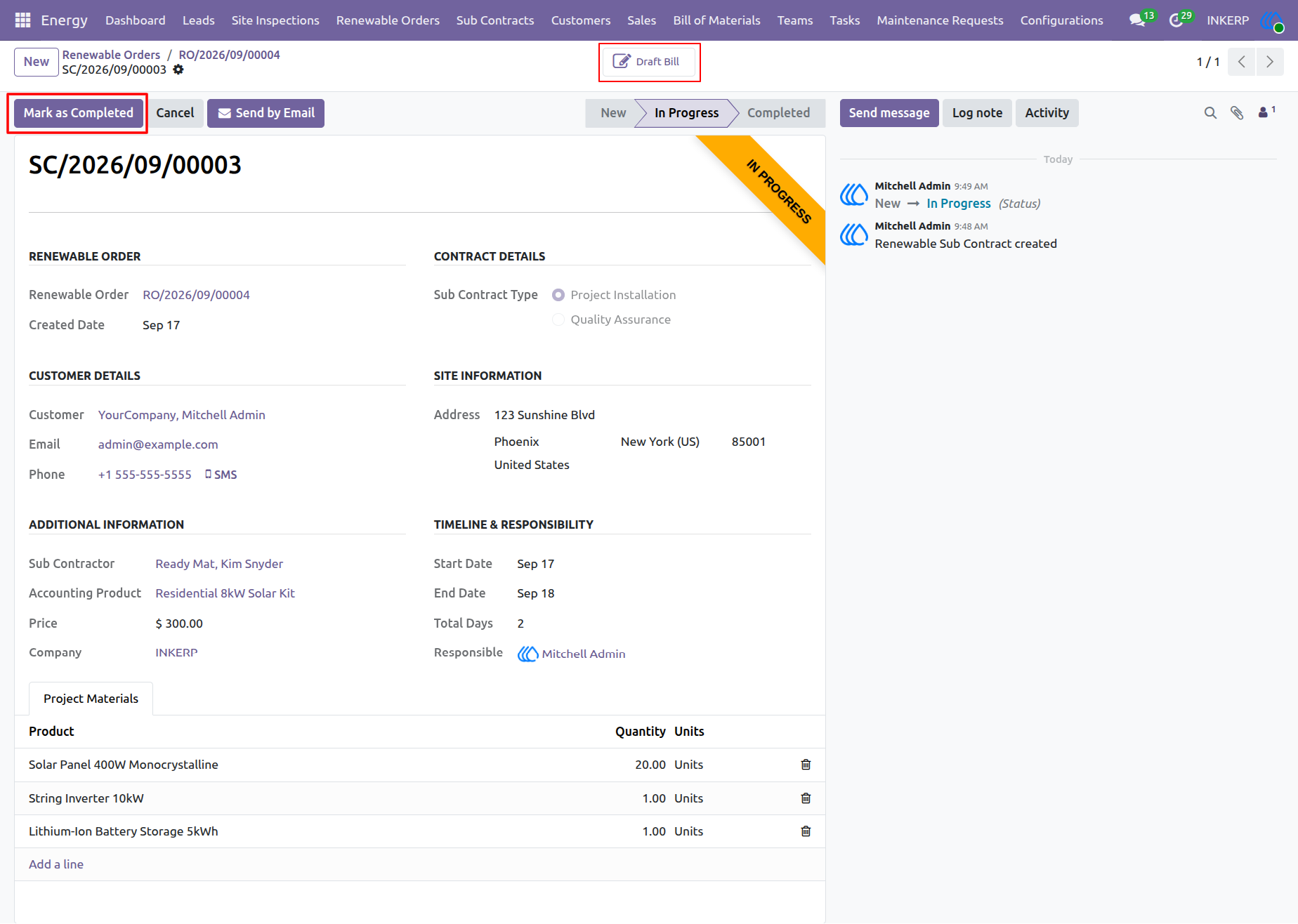
53.) Sub Contract Completion
the subcontract record after the vendor bill has been created. Users can review the subcontract details and associated project materials, access the generated draft bill, and use the Mark as Completed action to move the subcontract through its workflow to completion.
Navigation : Energy › Renewable Orders › Sub Contracts
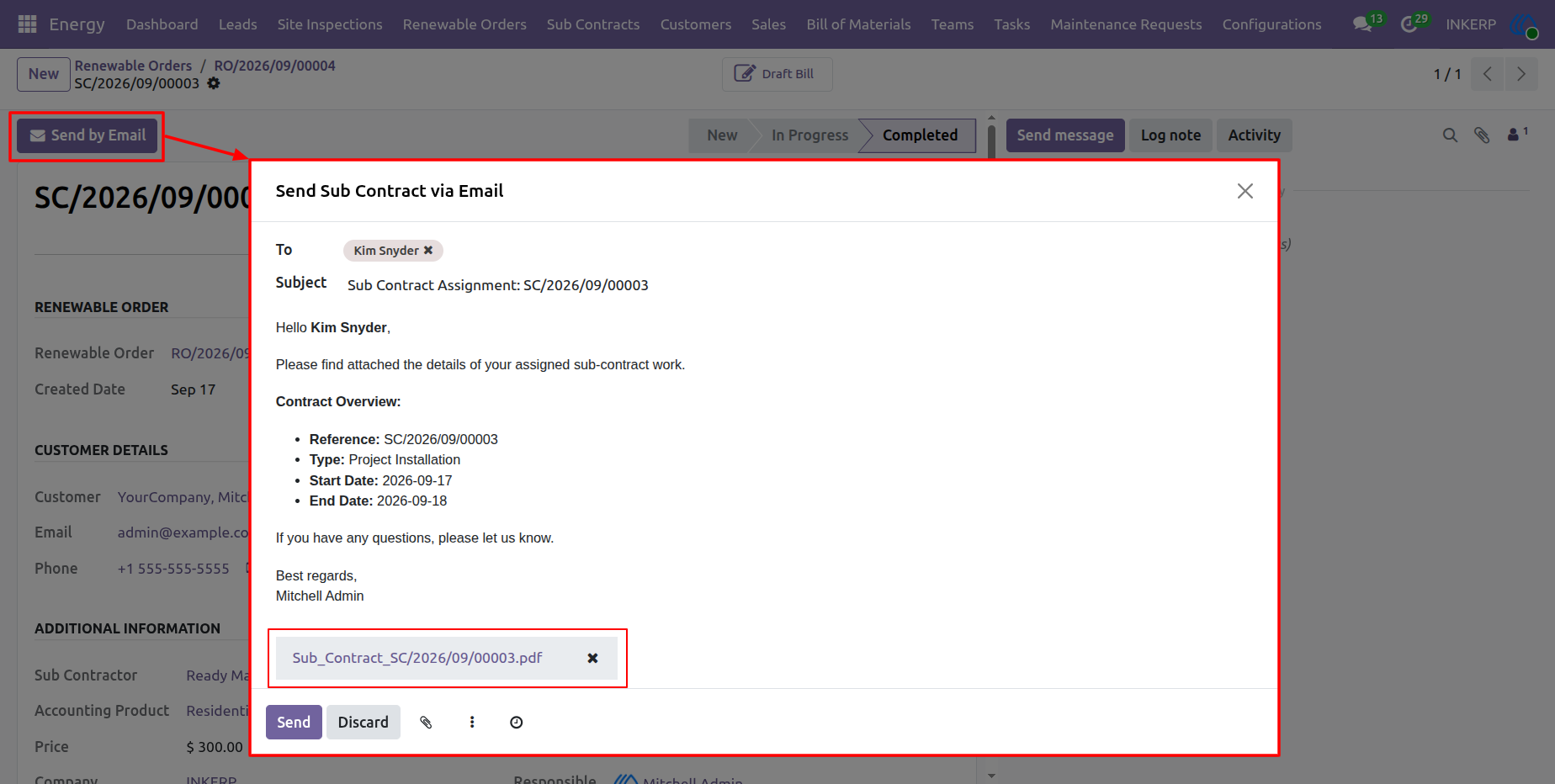
54.) Sub Contract Email Communication
Users can send the subcontract assignment details directly to the assigned subcontractor by email. The email composer provides the recipient, subject, contract information, and the generated subcontract document as an attachment, allowing the assignment details to be communicated and shared directly from the subcontract record.
Navigation : Energy › Renewable Orders › Sub Contracts
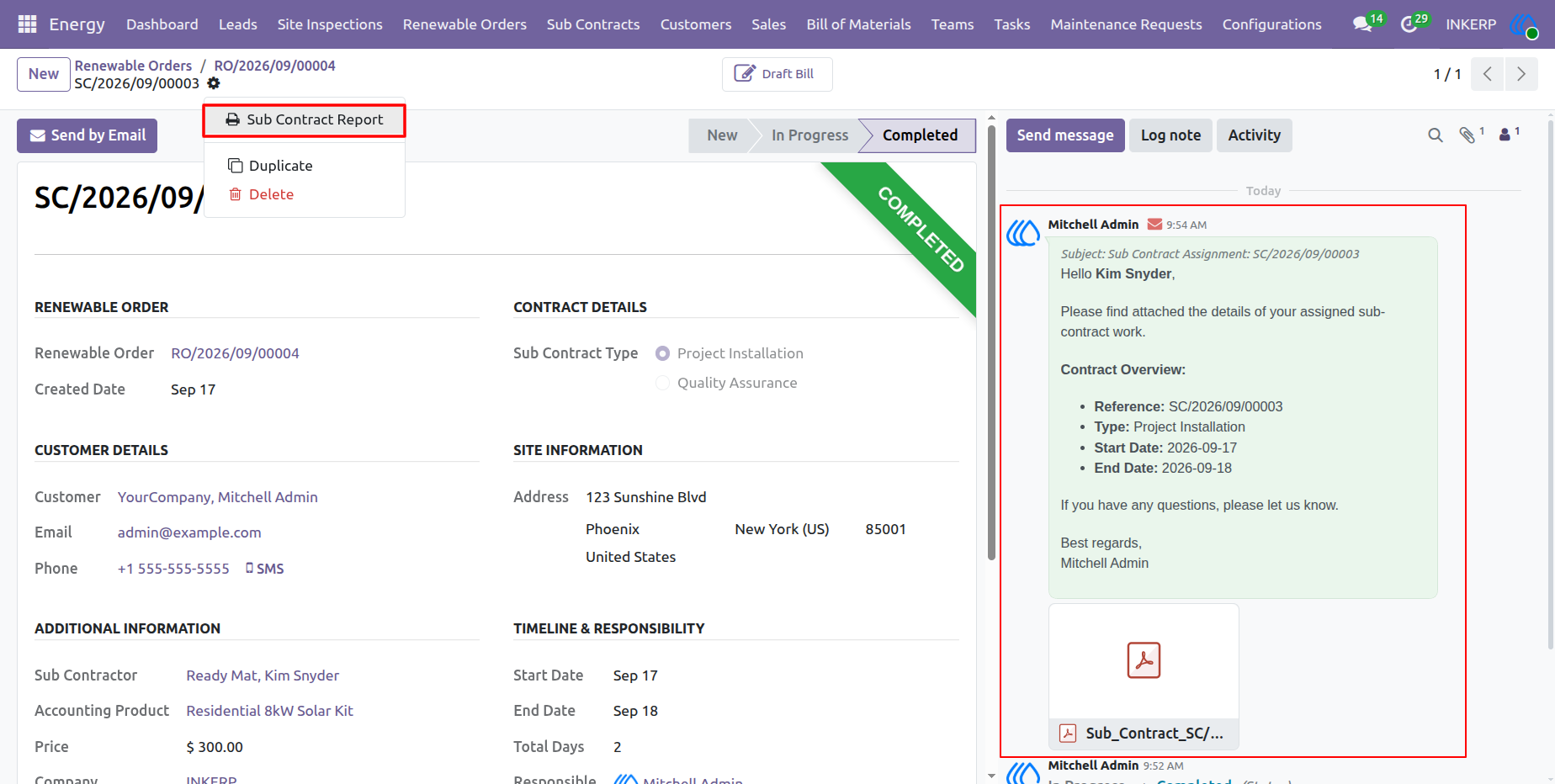
55.) Sub Contract Report and Communication History
Users can generate a formal report for the completed subcontract directly from the action menu. The record also maintains the email communication history, including the subcontract assignment message and its attached report, providing a centralized reference for subcontract documentation and correspondence.
Navigation : Energy › Renewable Orders › Sub Contracts
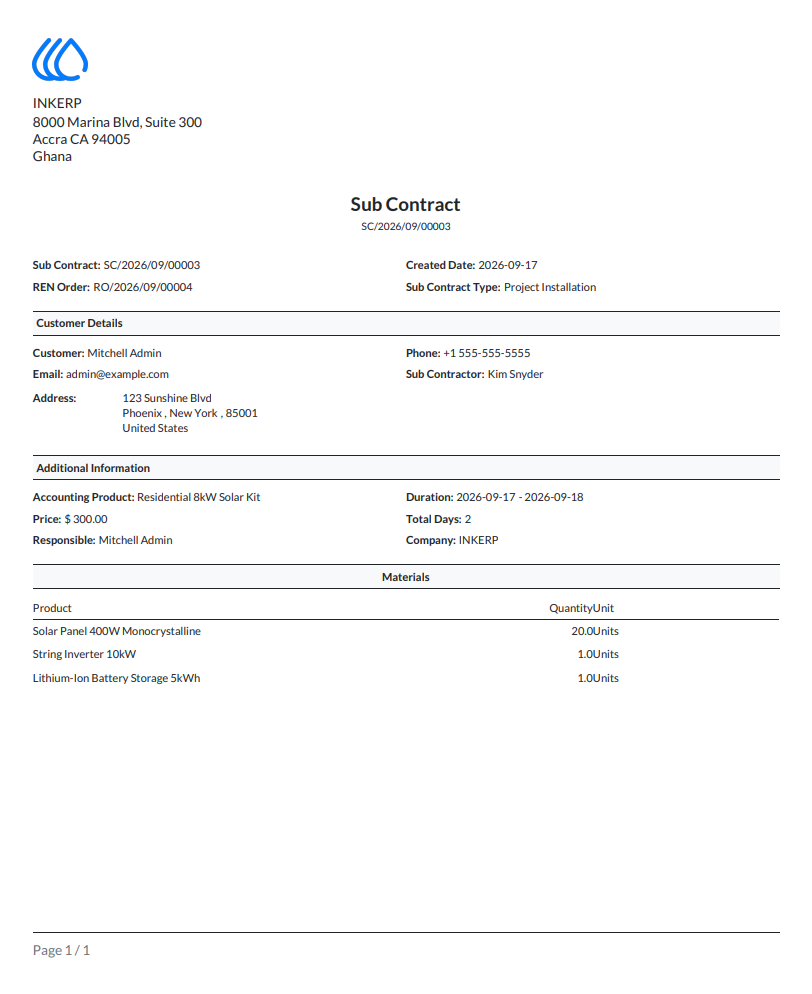
56.) Sub Contract Report
A formal PDF report provides a consolidated record of the subcontract, including the related renewable order, subcontract type, customer information, project details, assigned subcontractor, duration, responsible user, and allocated project materials. The report can be used for documentation, review, and sharing with relevant project stakeholders.
Navigation : Energy › Renewable Orders › Sub Contracts
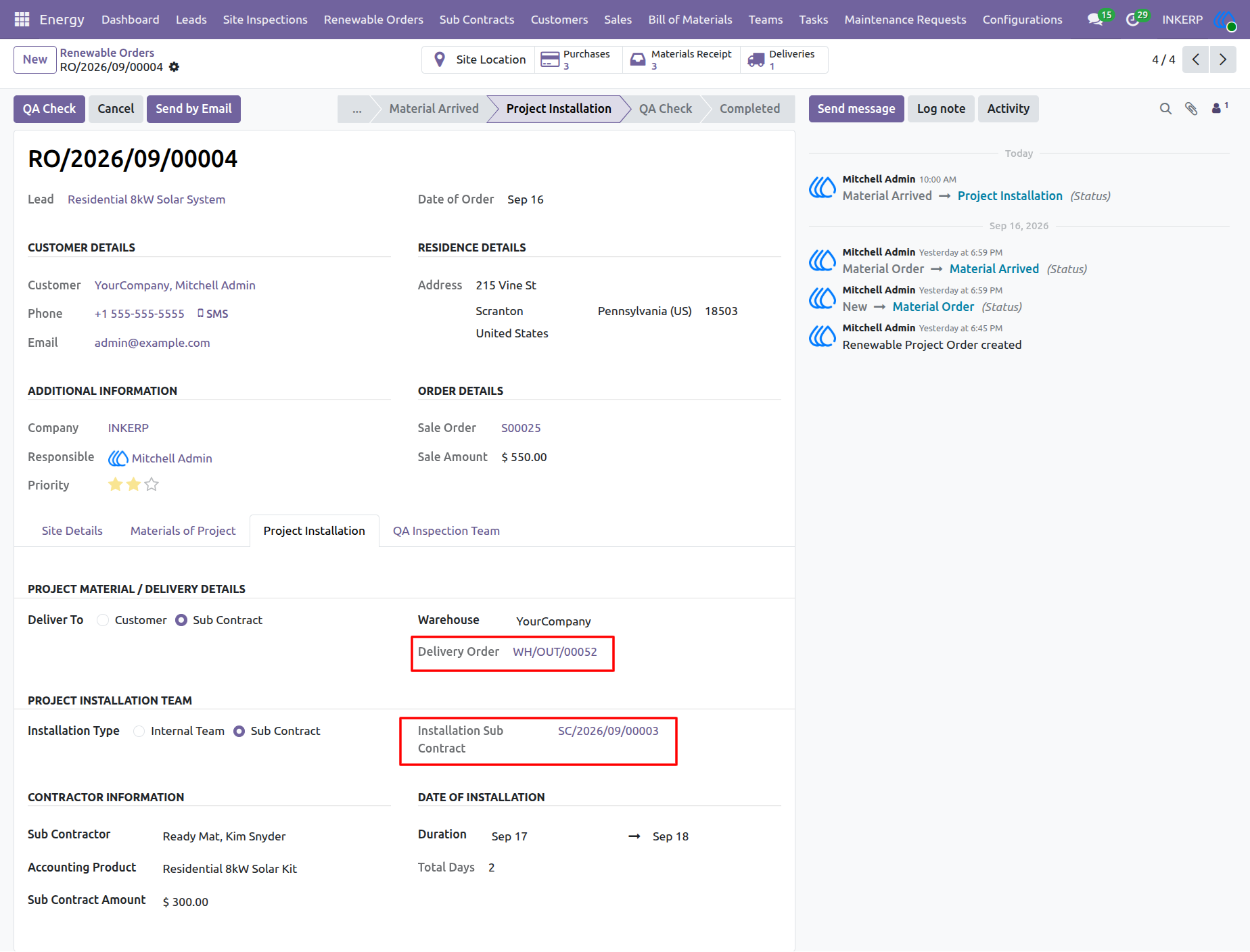
57.) Renewable Order Project Installation
Project managers coordinate the installation phase from the renewable order record. The Project Installation section connects the required delivery order with the selected installation method and associated subcontract, while providing access to contractor information and the planned installation schedule. The workflow can then proceed to QA Check and subsequent completion.
Navigation : Energy › Renewable Orders
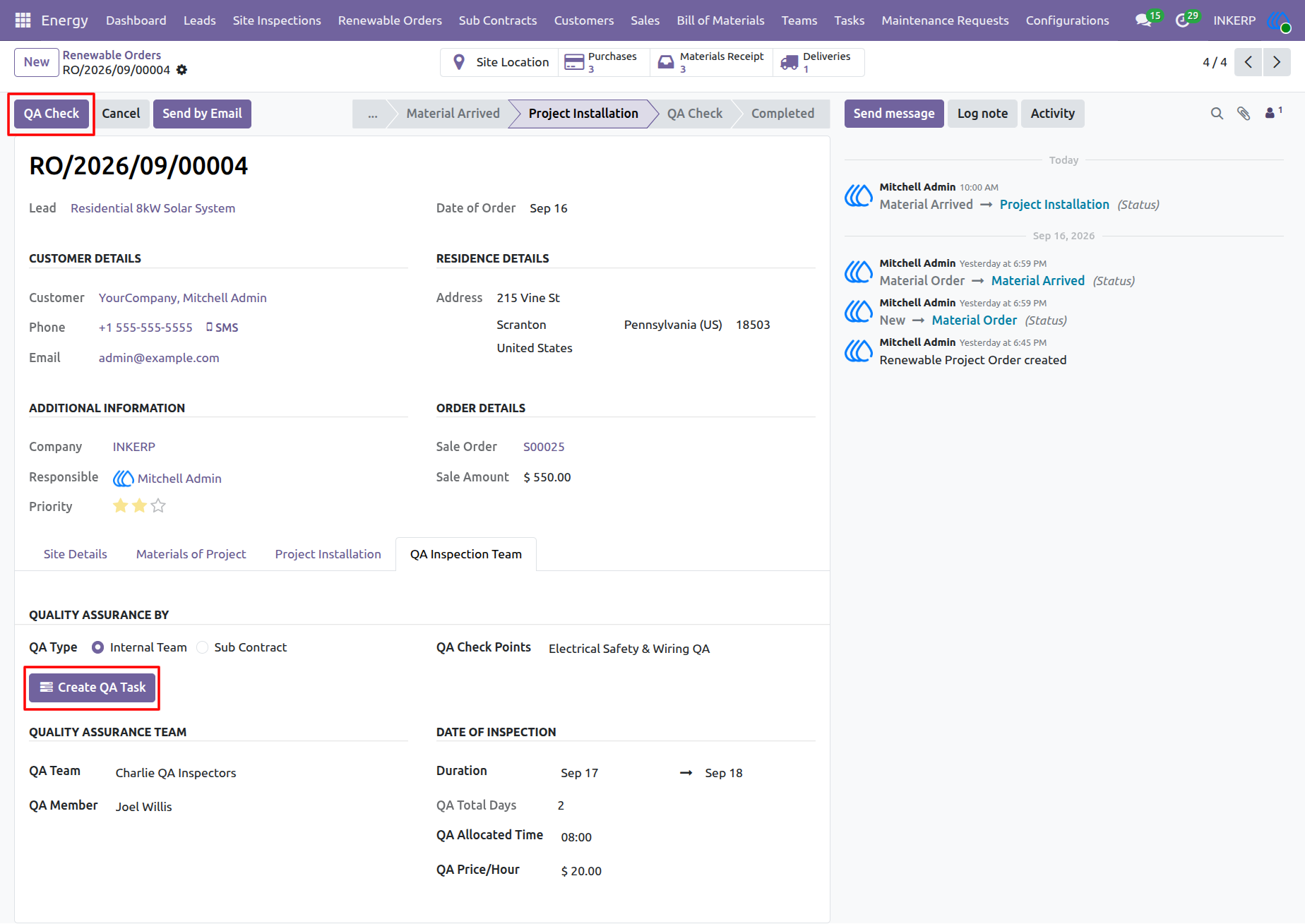
58.) Quality Assurance Task Creation
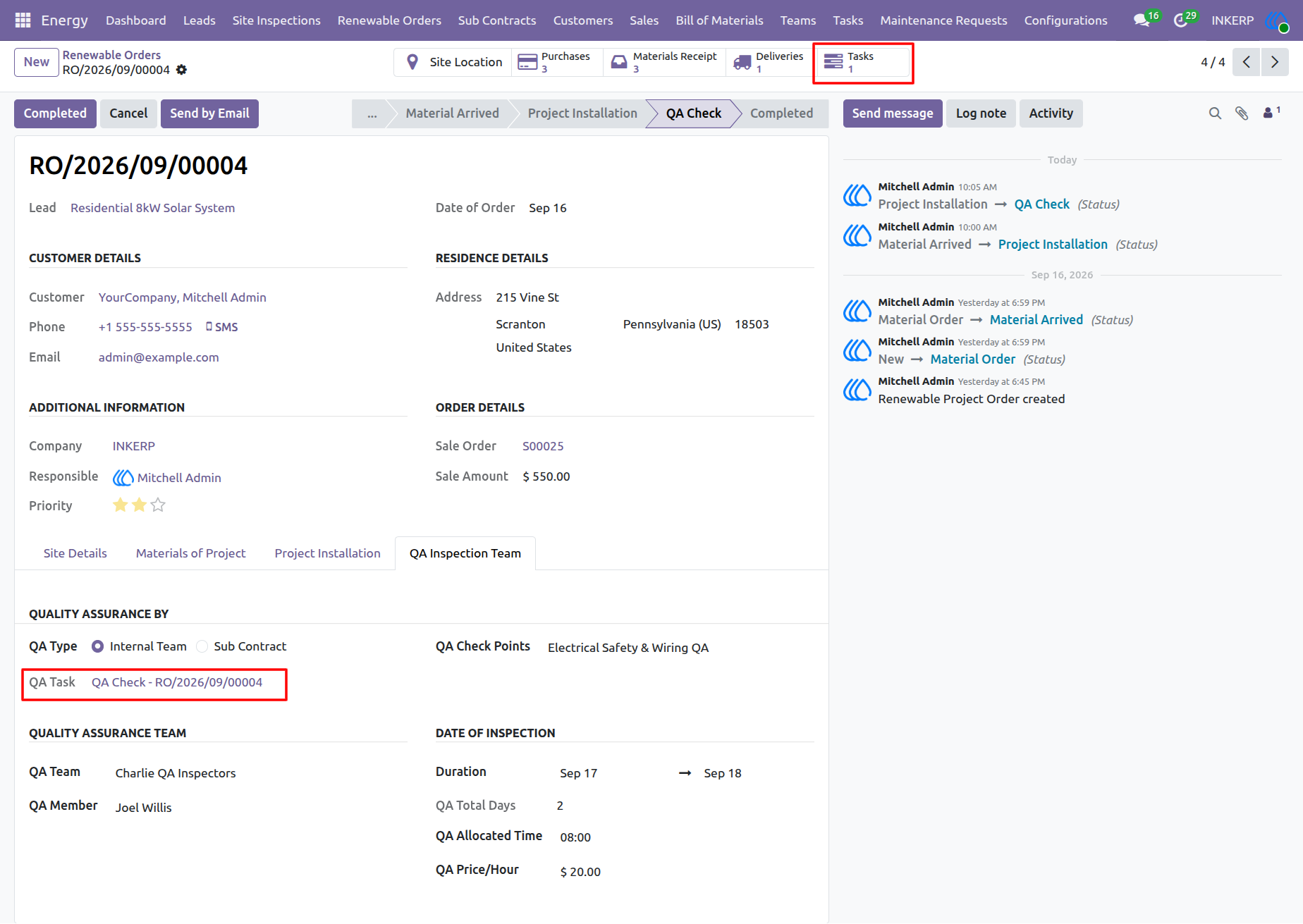
Project managers initiate the quality assurance phase for a renewable order after project installation. The QA Inspection Team section allows users to define the QA method, select the required QA check points, assign the quality assurance team, and schedule the inspection. The Create QA Task action creates the task for the assigned QA team to carry out the required inspection.
Navigation : Energy › Renewable Orders
59.) Quality Assurance Task Access
The QA Check stage provides access to the quality assurance task created for the renewable order. The QA Task reference links the order directly to the assigned inspection task, allowing the responsible QA team to access and manage the inspection work. The workflow also records the transition from Project Installation to QA Check.
Navigation : Energy › Renewable Orders
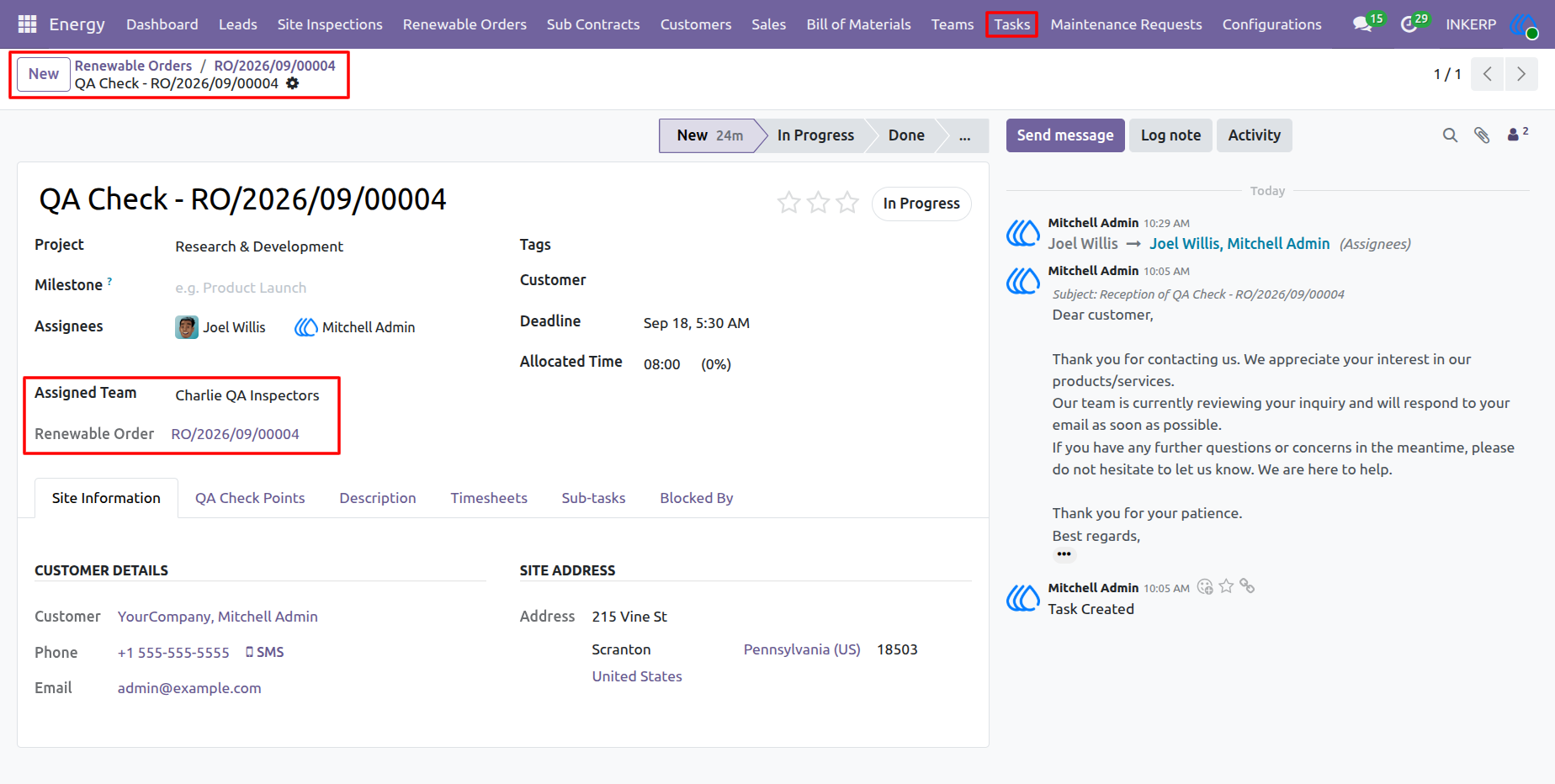
60.) Quality Assurance Task
The QA task provides a dedicated workspace for managing the quality assurance activities associated with a renewable order. The task links the assigned QA team and renewable order with the site information, QA check points, task description, timesheets, sub-tasks, and dependencies. Assignees can update the task through its workflow stages as the inspection progresses.
Navigation : Energy › Tasks
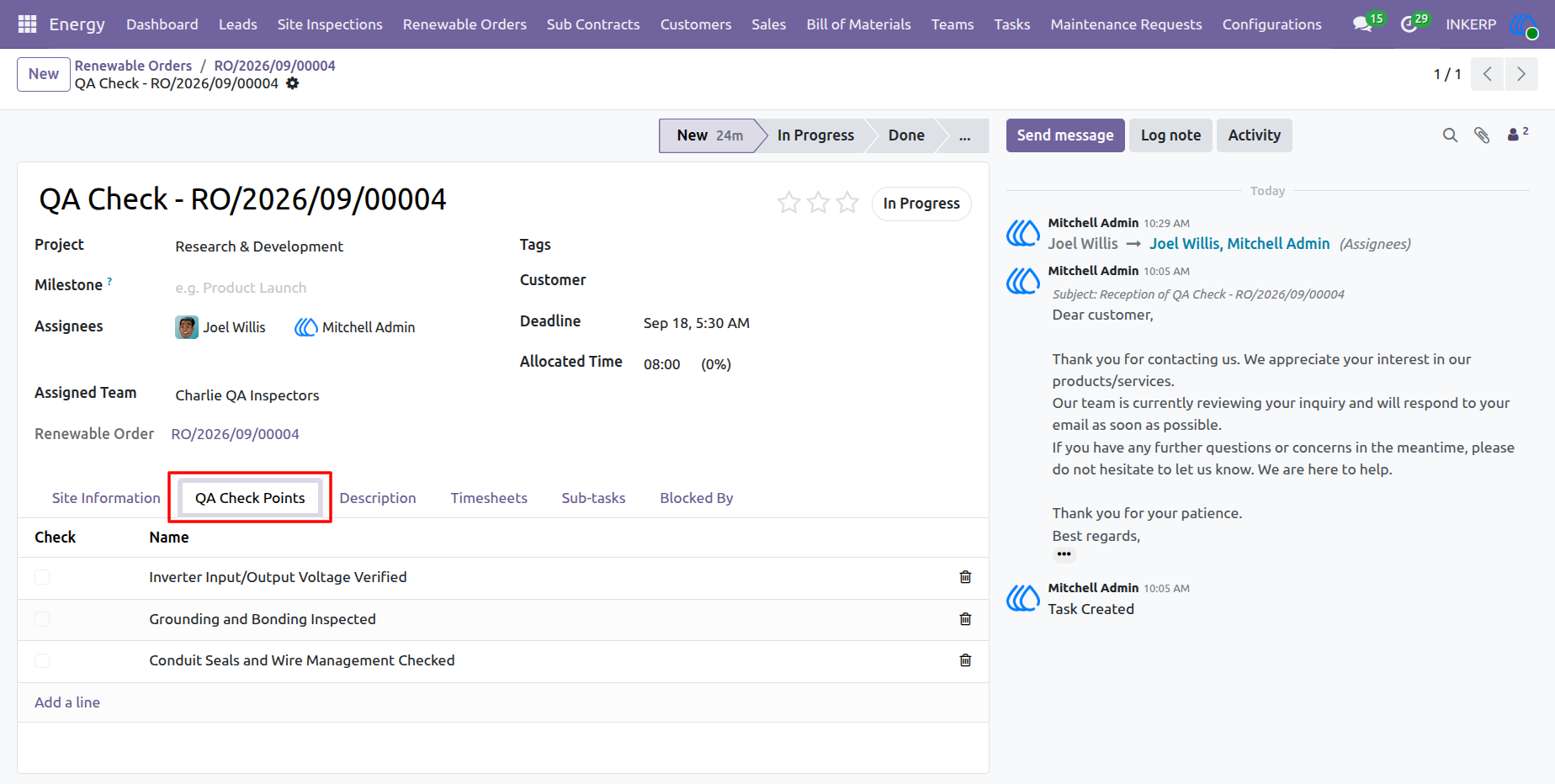
61.) Quality Assurance Task Check Points Detail View
The quality assurance task record displays comprehensive operational tracking details, including assigned project team members, deadlines, and allocated hours. Under the QA Check Points tab, inspectors can review the pre-populated verification items transferred directly from the selected template such as inverter voltage tests, grounding inspections, and conduit seal checks—ensuring all safety and compliance criteria are systematically validated during the field inspection.
Navigation : Energy › Tasks
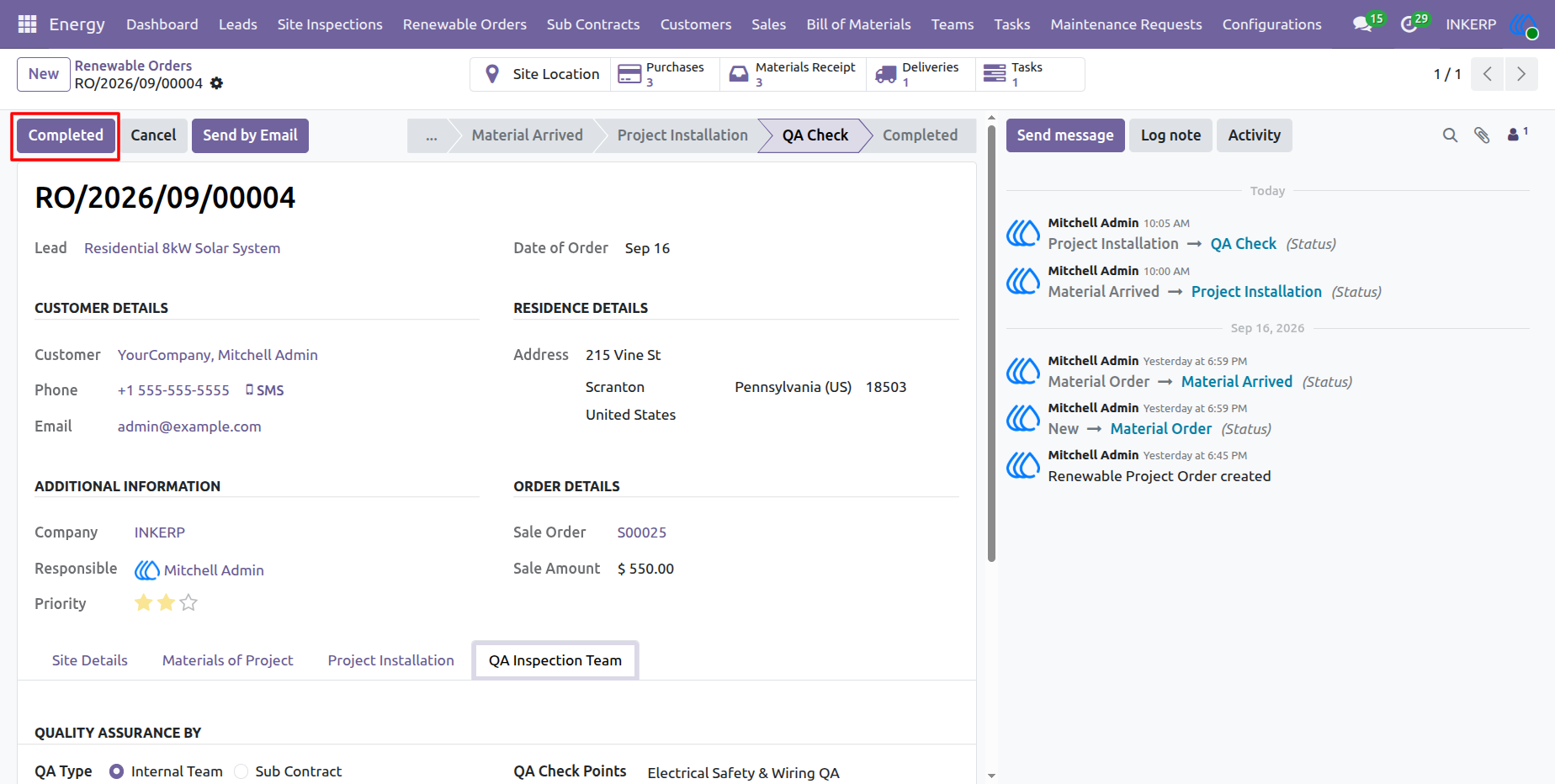
62.) Renewable Order Completed Stage Transition
The renewable order record shows the workflow state advancing through the QA Check stage toward completion. By clicking the "Completed" action button, project managers finalize the lifecycle of the renewable energy project once all quality assurance inspections, customer requirements, and documentation are successfully verified.
Navigation : Energy › Renewable Orders
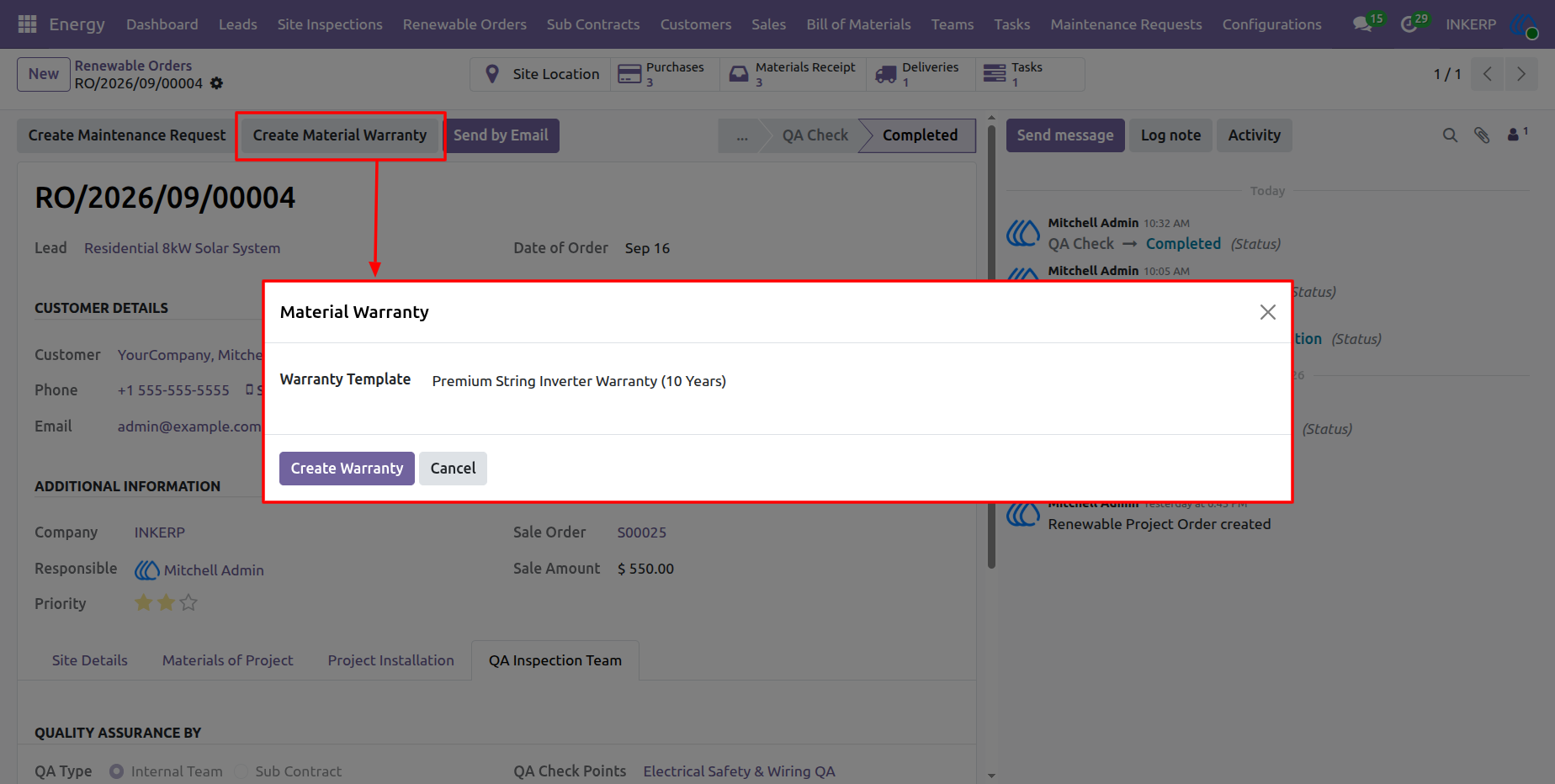
63.) Material Warranty Wizard
The Material Warranty wizard allows project managers to select and apply a preconfigured warranty template such as a premium string inverter warranty directly to a completed renewable order, ensuring standardized coverage terms are formally attached to the deployment.
Navigation : Energy › Renewable Orders
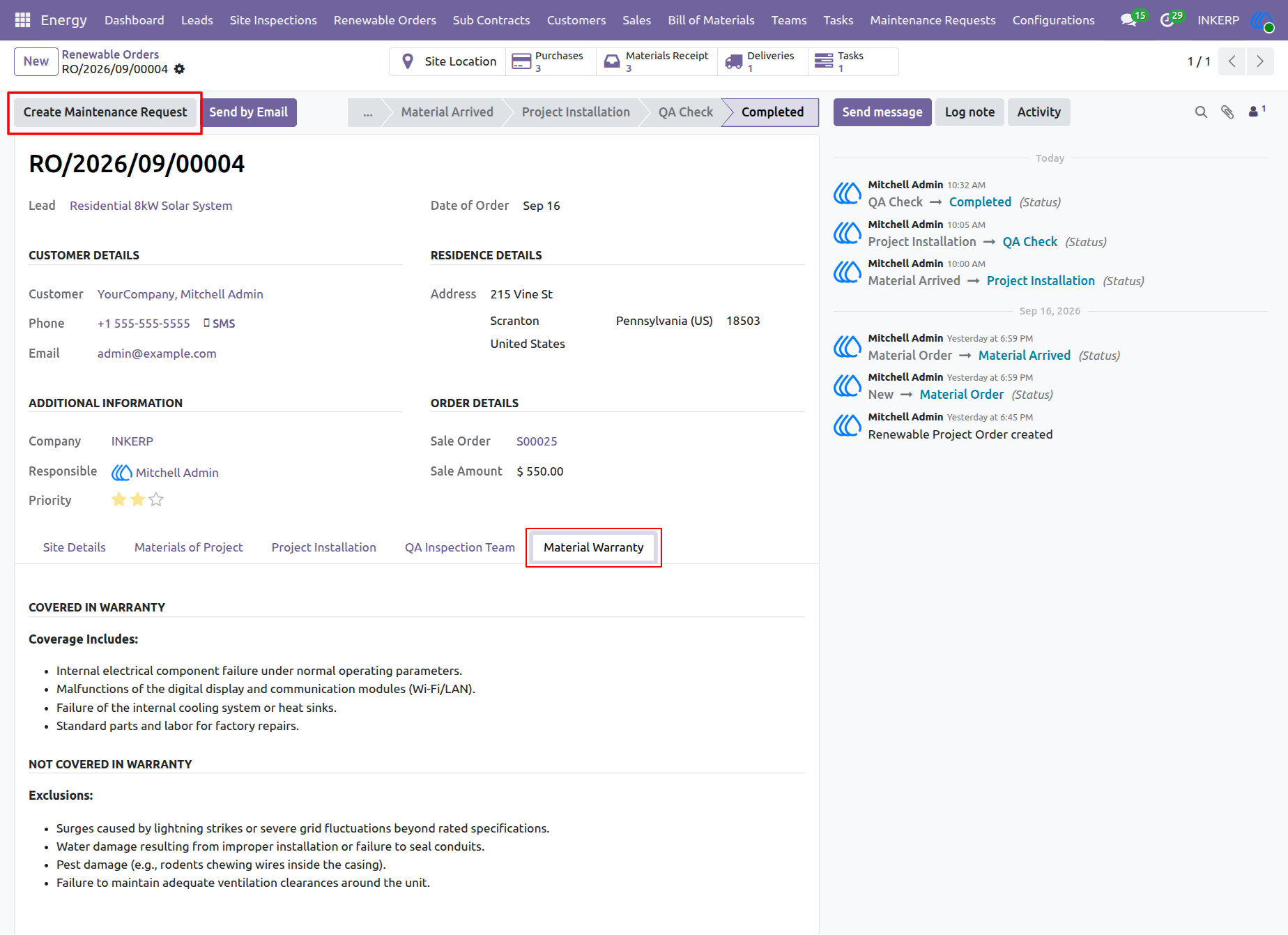
64.) Material Warranty Details View
The renewable order record displays the fully populated Material Warranty tab, highlighting the specific coverage inclusions and exclusions associated with the selected equipment warranty template. This transparent documentation ensures that all future client inquiries and service obligations are governed by established pre-approved terms.
Navigation : Energy › Renewable Orders
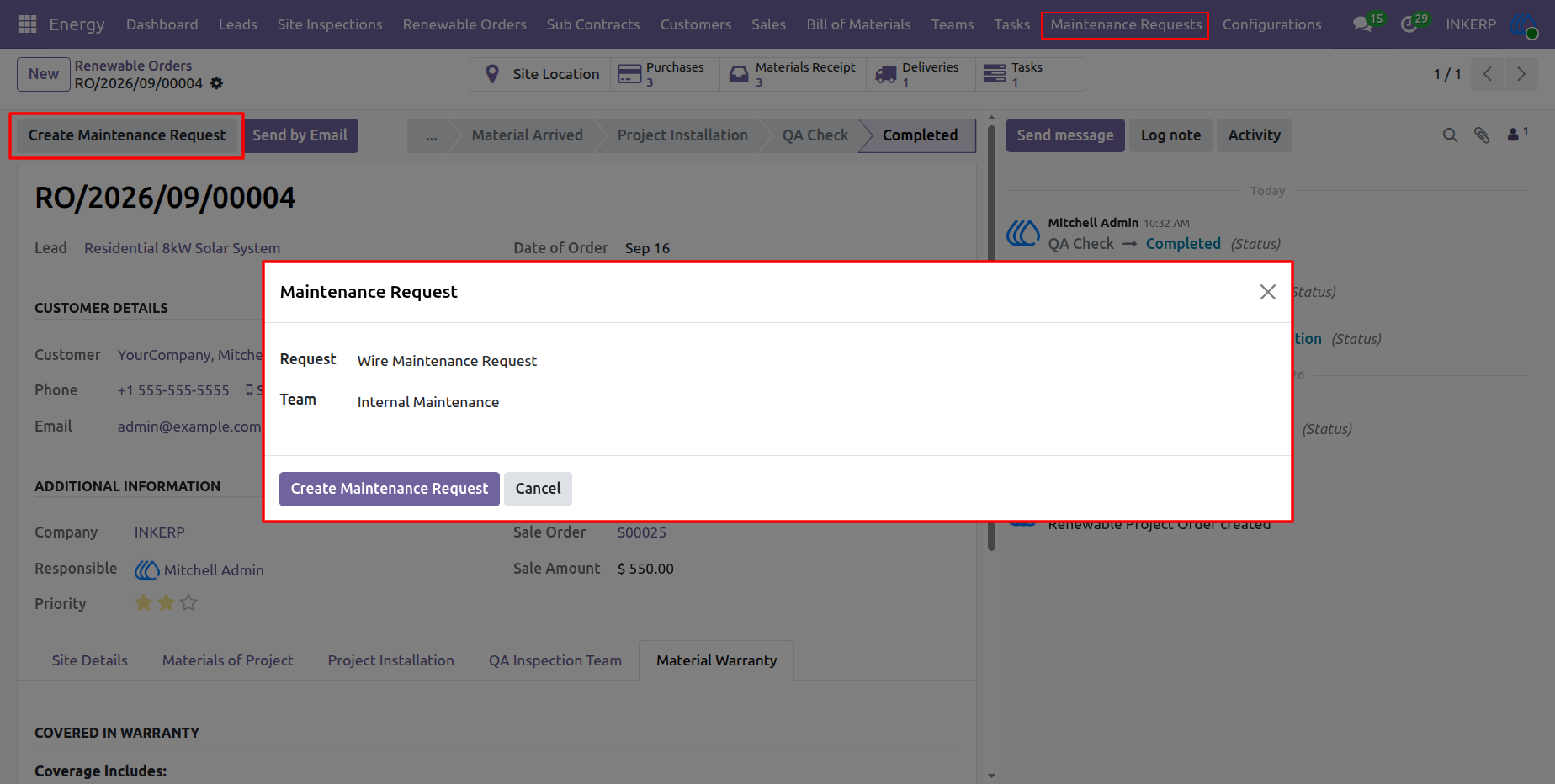
65.) Maintenance Request Wizard
The Maintenance Request wizard enables users to quickly initiate post-installation support by specifying the request title and assigning an internal maintenance team directly from a completed renewable order. This streamlined popup simplifies service intake and ensures maintenance workflows are properly routed for rapid resolution.
Navigation : Energy › Renewable Orders
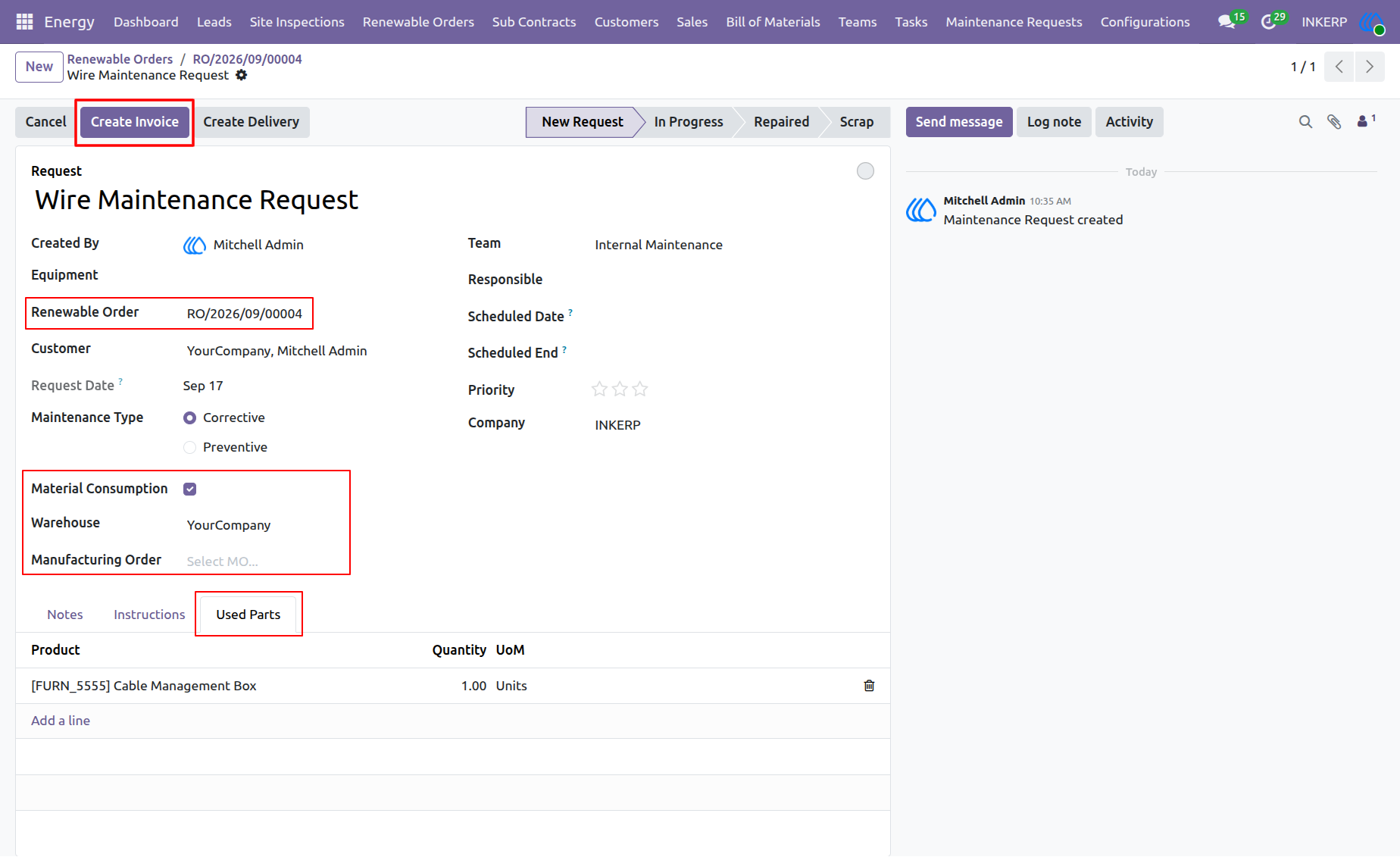
66.) Maintenance Request Form and Used Parts Management
The detailed Maintenance Request form tracks corrective or preventive service work linked to a specific renewable order. Managers can manage equipment usage by enabling material consumption, selecting warehouses, and recording specific replacement components under the Used Parts tab to maintain accurate maintenance histories.
Navigation : Energy › Renewable Orders › Maintenance Requests
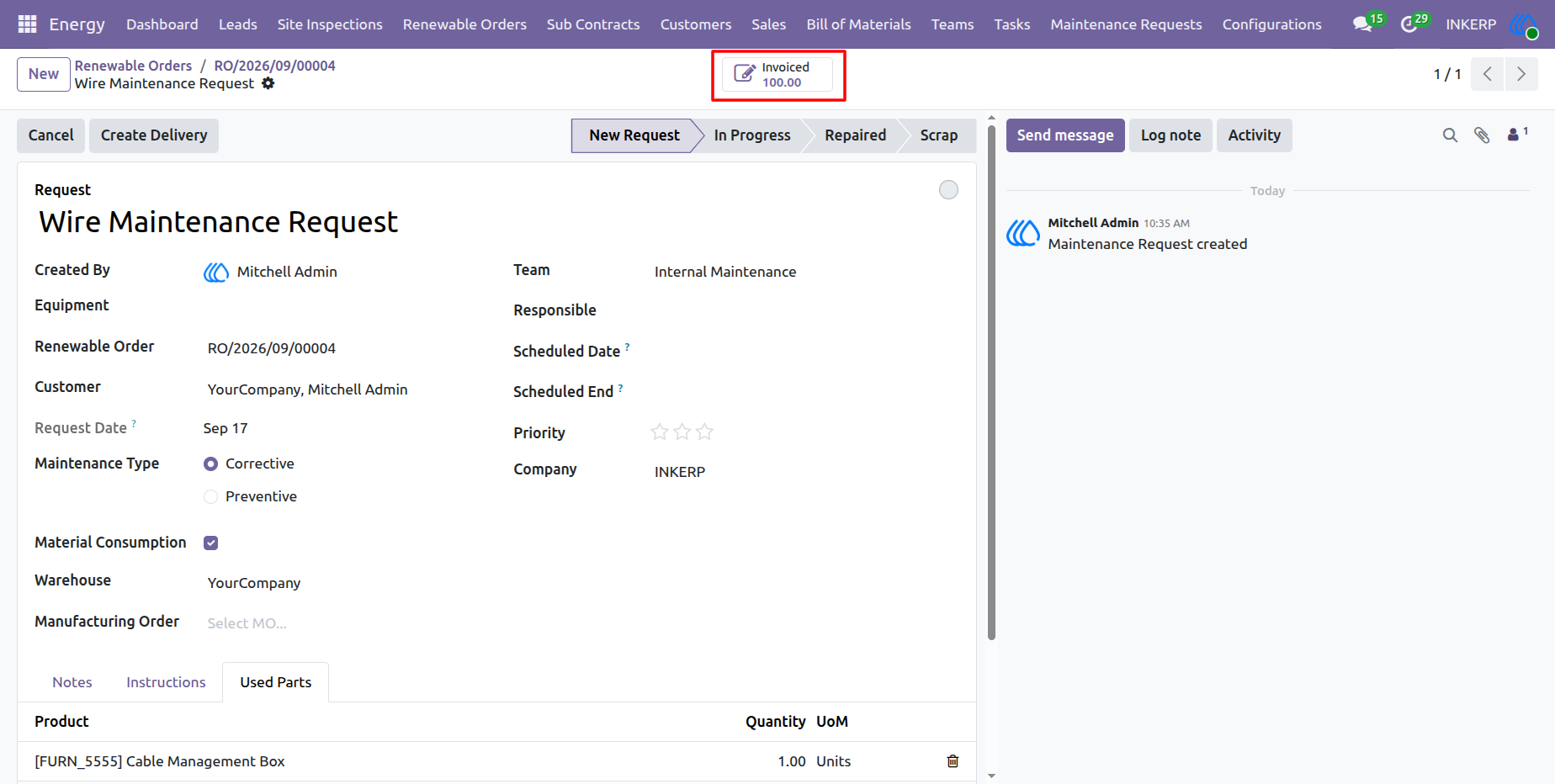
67.) Invoiced Maintenance Request Overview
The Maintenance Request form reflects an updated smart button status indicating that the service parts and labor have been successfully billed to the client. This integration links field maintenance activities directly with accounting documents to ensure seamless financial tracking across the asset lifecycle.
Navigation : Energy › Renewable Orders › Maintenance Requests
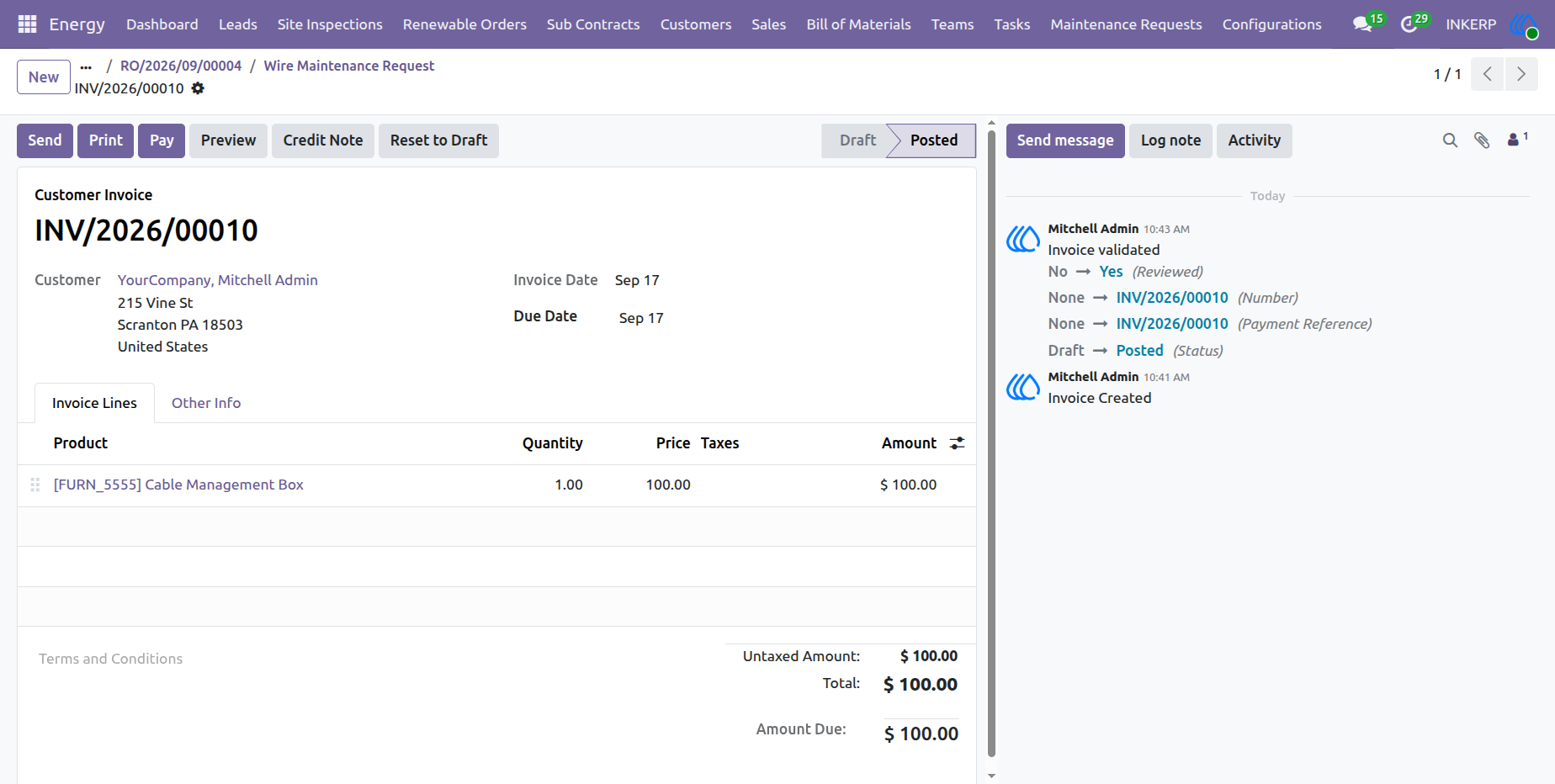
68.) Customer Invoice for Maintenance Services
The Customer Invoice view displays the finalized billing record generated from a maintenance request, detailing the invoiced cable management parts, pricing, taxes, and payment status. This verified document tracks the financial settlement of post-installation maintenance services provided to the client.
Navigation : Energy › Renewable Orders › Maintenance Requests
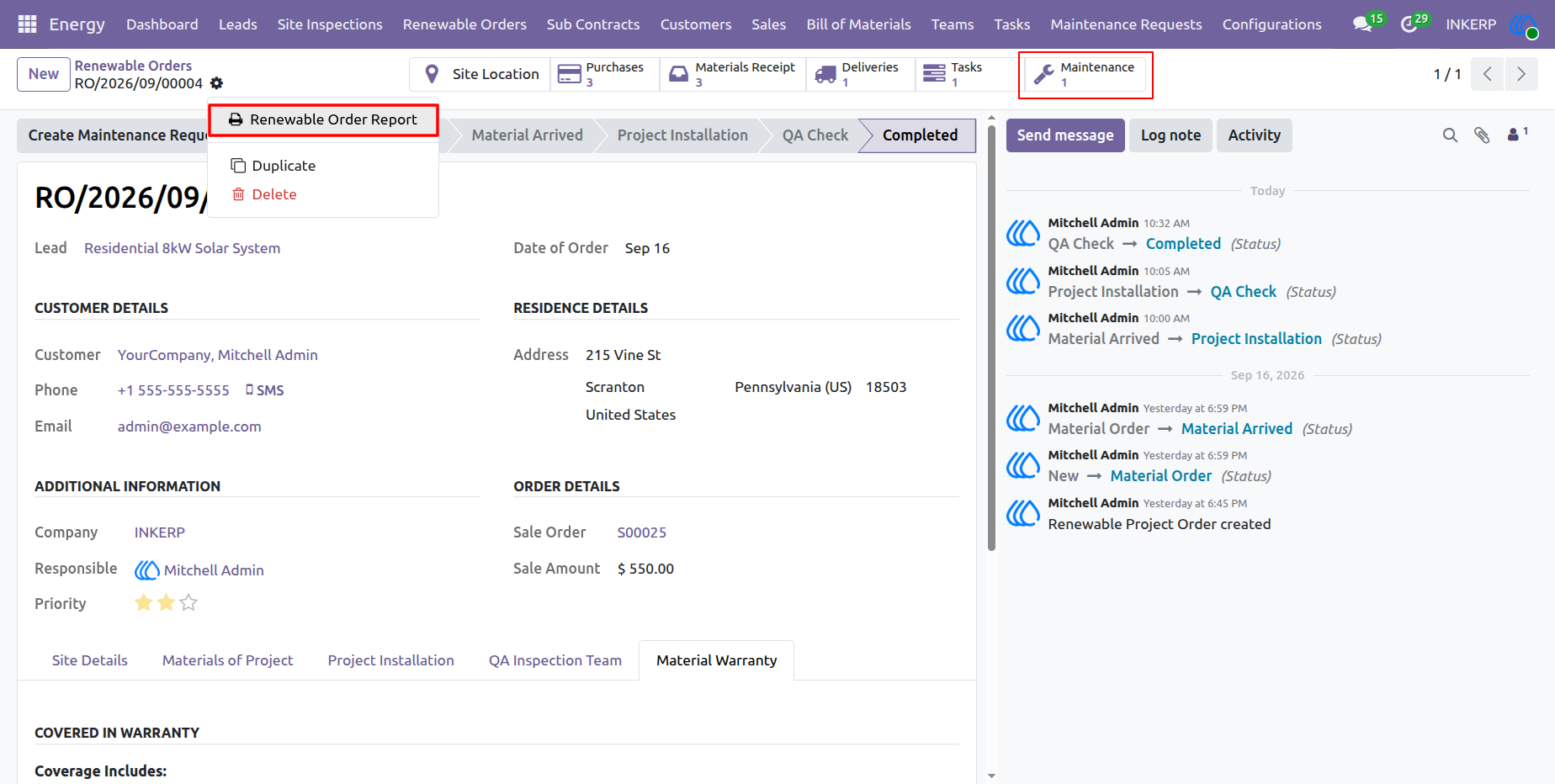
69.) Renewable Order Action Menu and Maintenance Tracking
The renewable order action menu provides direct access to generate formal project reports, duplicate records, or delete entries, while the Maintenance smart button aggregates all post-installation service requests tied to the installation. This centralized interface ensures total lifecycle visibility and straightforward administrative control.
Navigation : Energy › Renewable Orders
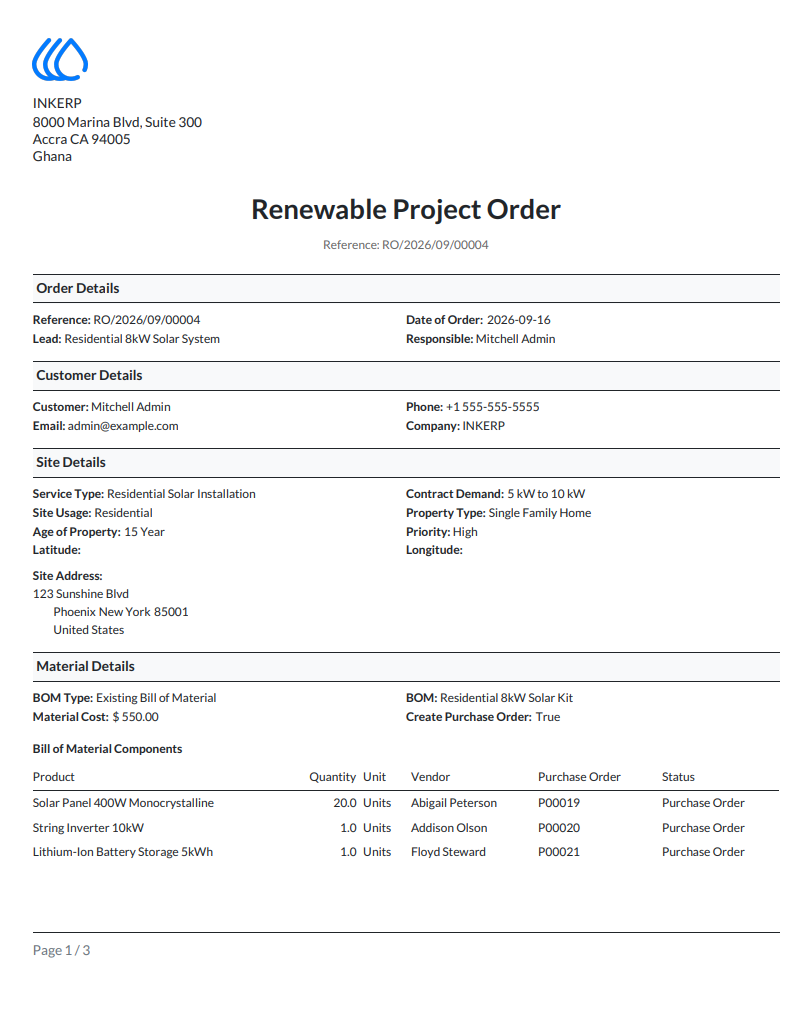
70.) Renewable Project Order PDF Report Page One
The first page of the formal Renewable Project Order PDF report consolidates primary order metadata, customer details, comprehensive site specifications, and bill of material components into a standardized layout. This document serves as the primary technical and commercial summary for stakeholders.
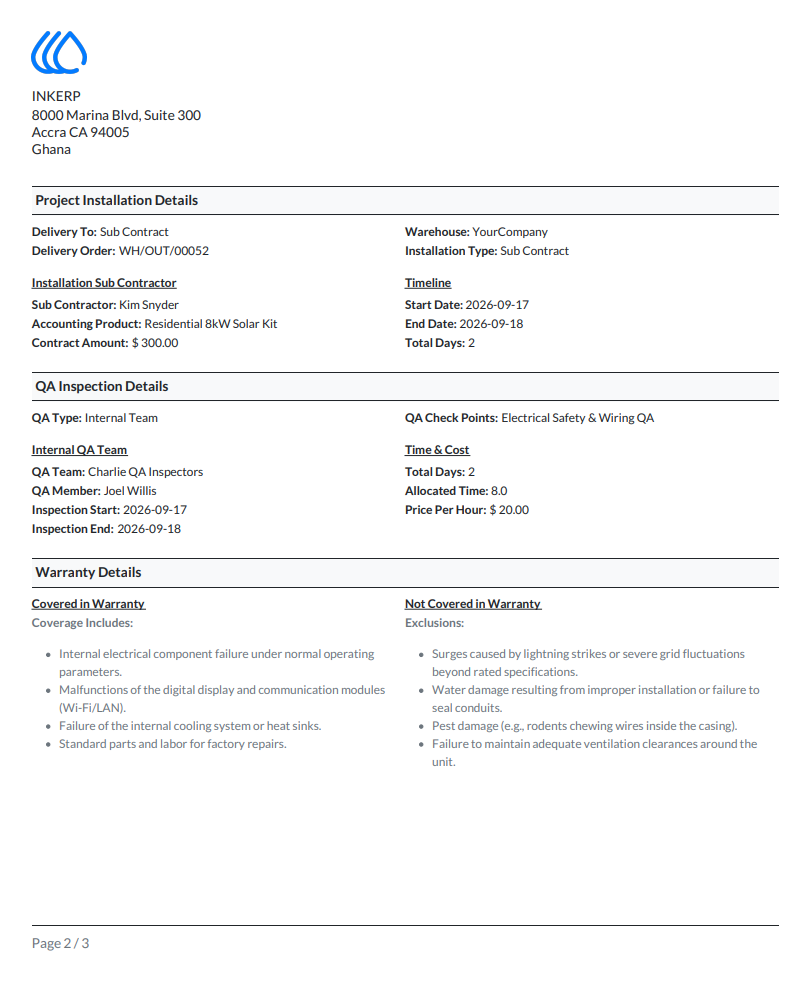
71.) Renewable Project Order PDF Report Page Two
The second page of the renewable order report details project installation logistics, subcontractor assignments, warranty coverage provisions, and quality assurance checkpoints. Providing these structured terms in a portable format ensures clarity regarding technical standards and responsibilities.
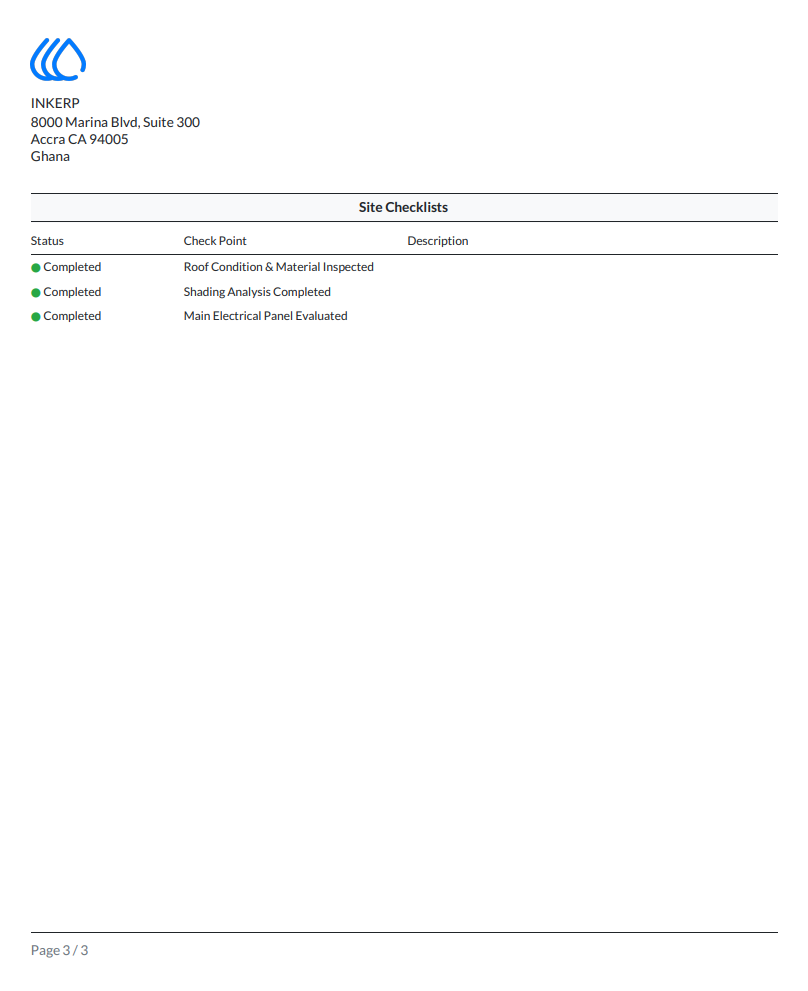
72.) Renewable Project Order PDF Report Page Three
The final page of the PDF report provides an auditable summary of all completed site checklists and verification statuses, confirming that structural and electrical parameters met company benchmarks. This closure page completes the formal documentation package handed over upon project completion.
User Guide