

EXCLUSIVE CUSTOMER BENEFITS
FREE INSTALLATION
& 90 DAYS FREE SUPPORT!
No worries about installation! This module comes with free installation assistance and 90 days of free support, helping you get started smoothly and confidently.
✦ COMPLIMENTARY INSTALLATION & SUPPORT ✦
MORE VALUE • LESS HASSLE • A BETTER START
Our Most Suggested Products


Purchase Order Template Product
This module simplifies the process of adding multiple products to a purchase order. By creating a custom product template, you can include a variety of products and effortlessly load them into a purchase order with a single click. This feature streamlines the purchasing process by automatically populating the purchase order lines with the products specified in the template, saving you the time and effort of adding each product individually.
 Features
 Screenshots
 Support
 Service

Features
Improve Product Templates:
User can add different sections and notes to the product template.
Multi-Product Templates:
Easily define multiple products within a single template.
Perfect for High-Volume Orders:
Very useful for scenarios involving multiple product purchases.
Screenshot
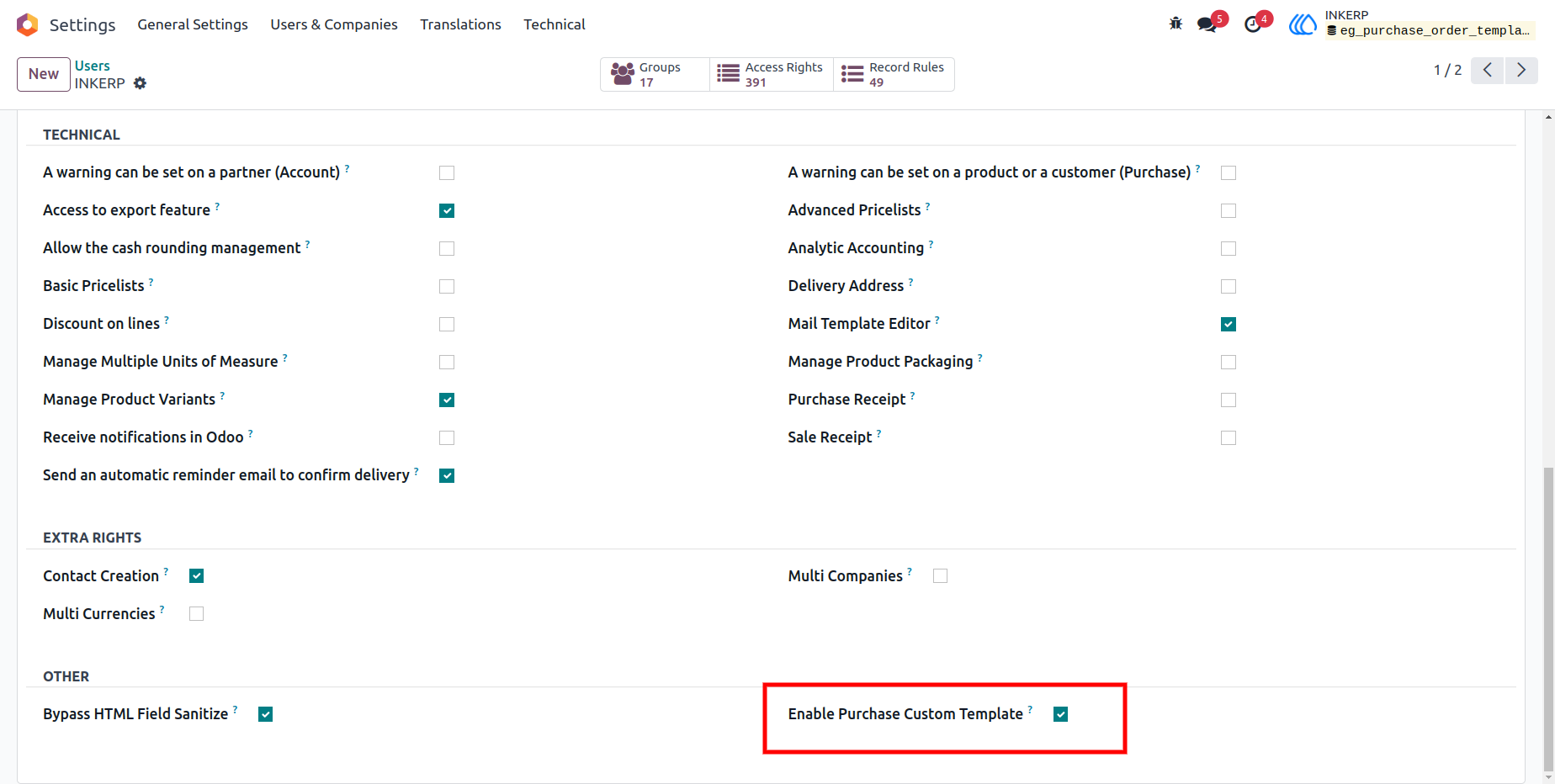
1) Settings view
Go to user settings for the access rights of the product template.
Navigation : Settings › Users
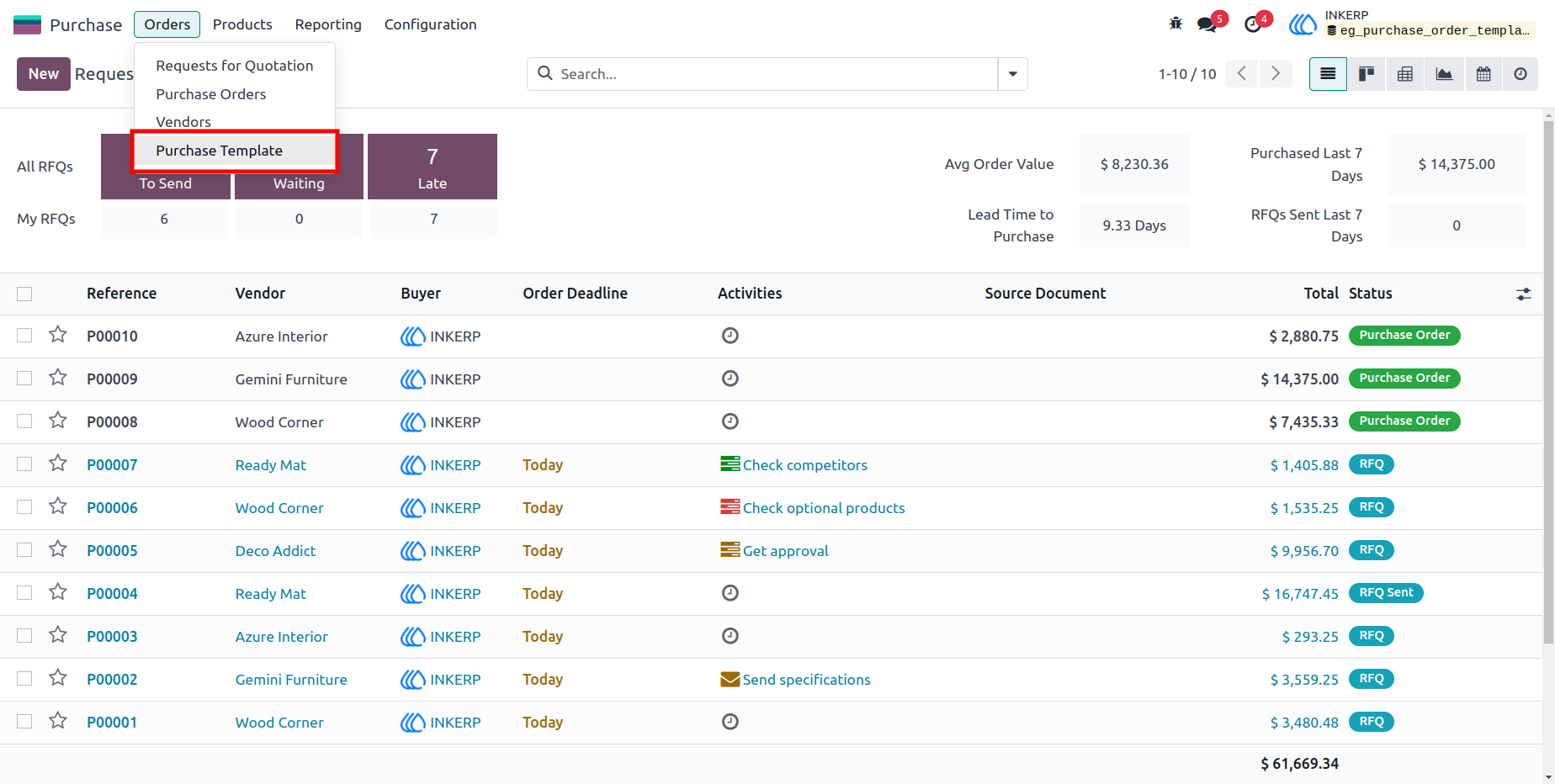
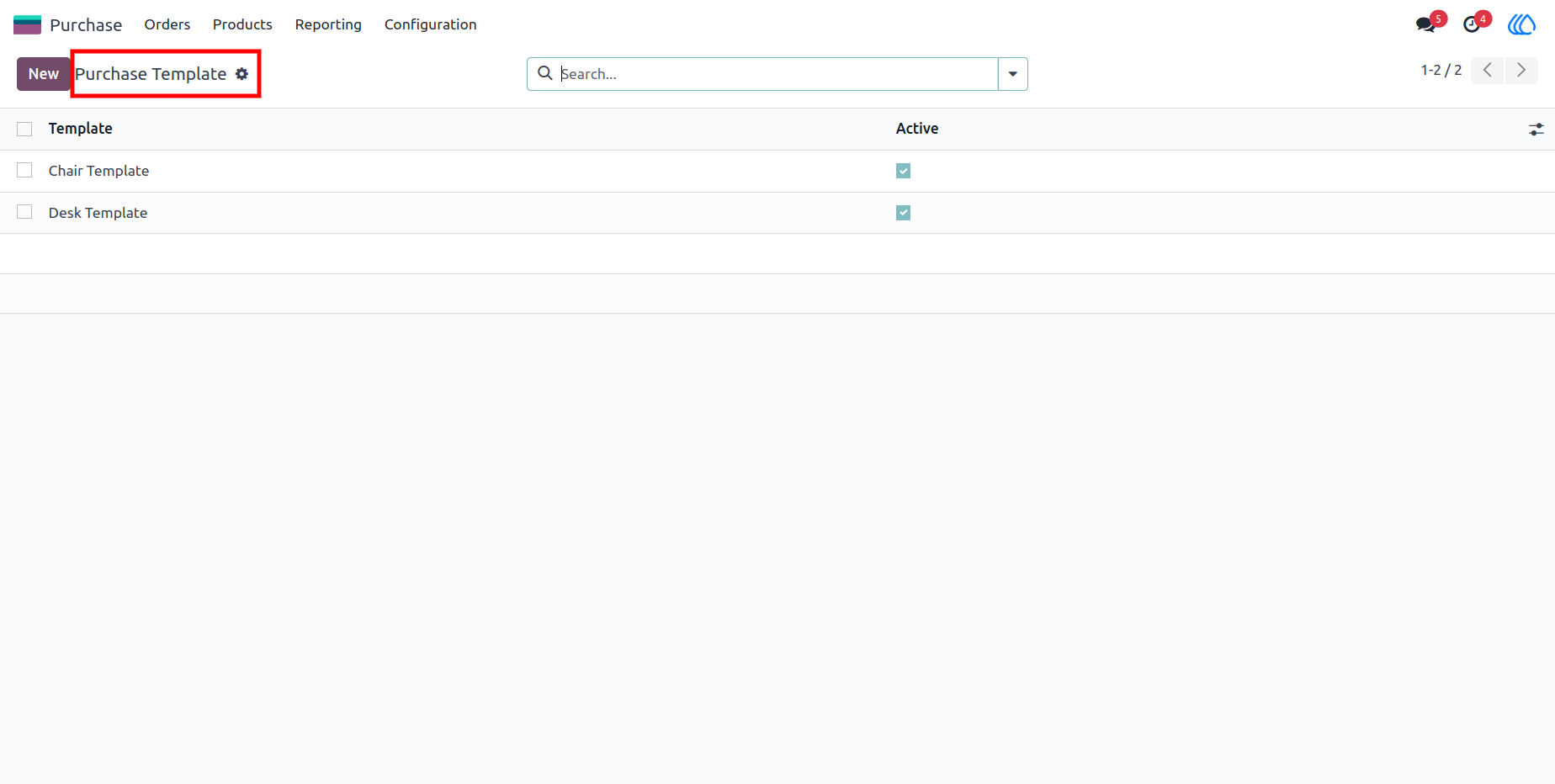
2) Purchase Product Template view
Purchase → Purchase Template
3) Purchase Template
Active Purchase Templates will be visible in the purchase order.
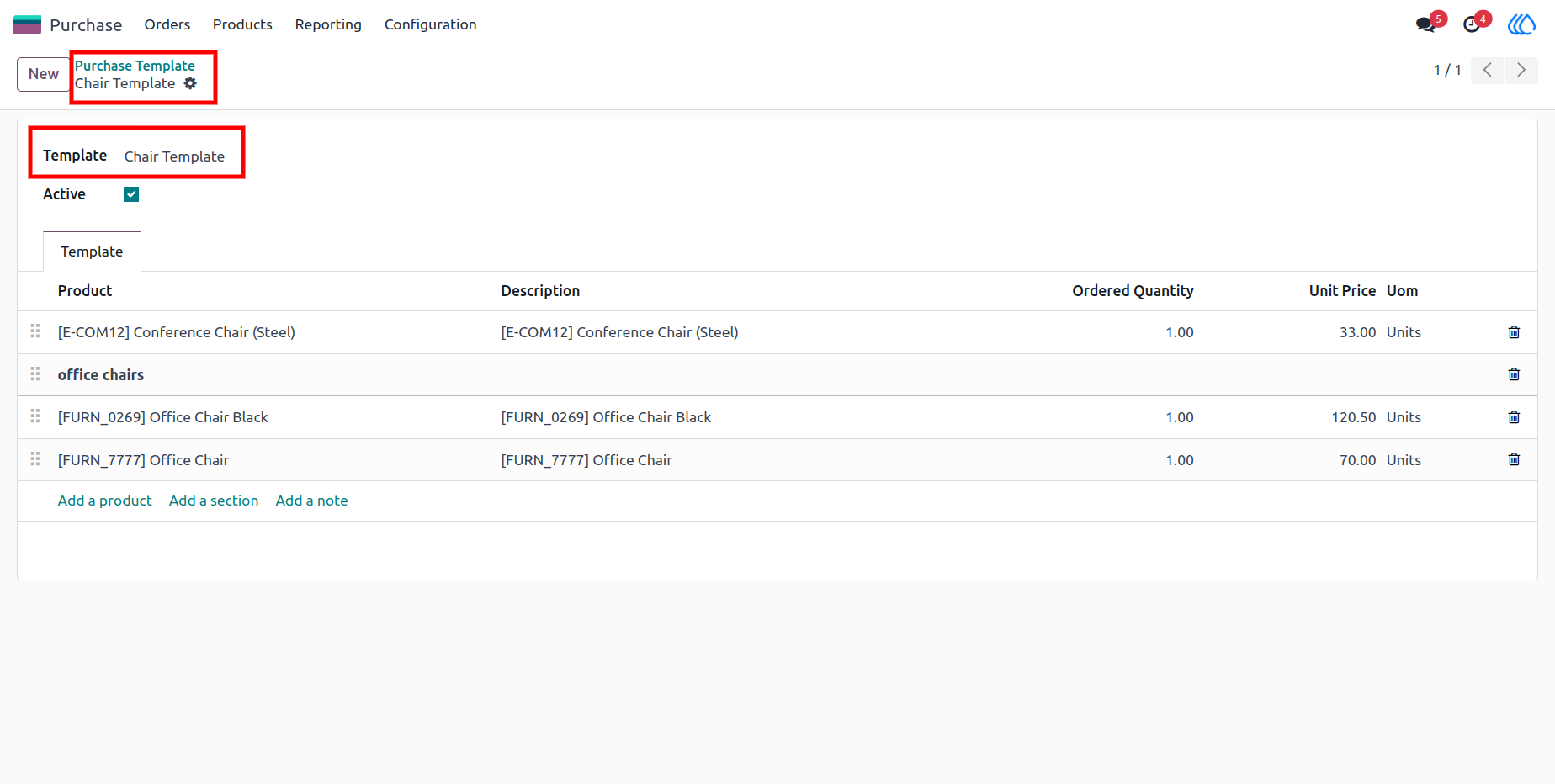
4) Create a Purchase Template
Customize your product and details according to your requirements.
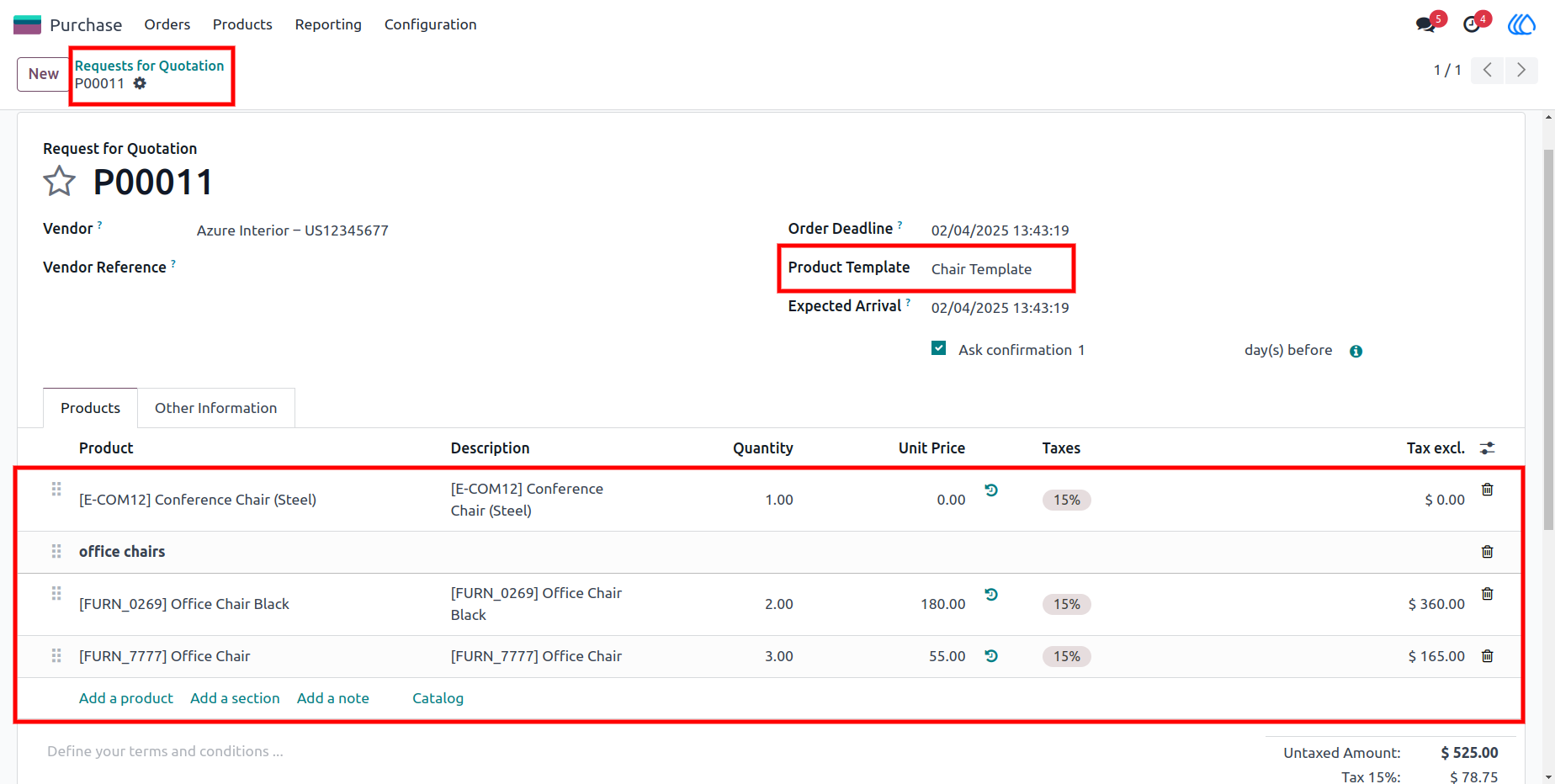
5) Automatic-Add Products from Template
Select a product template set to 'Active'. Products from the selected 'Active' template are automatically added to the order line, including sections and notes.
User Guide