

Our Most Suggested Products


Project Team in Project and Task
The Project Team in Project and Task module for Odoo is a powerful tool designed to optimize team-based project management. It allows users to manage and track their team's projects and tasks with precision, offering tailored visibility and access controls. This ensures that only team members involved in specific projects can view and interact with relevant tasks, improving collaboration and organization.
 Features
 Screenshots
 Support
 Service
Features
Project Team Assignment
Each project is associated with a specific team, ensuring that only members of that team can access project details.
Task Access Management
Team members only see the tasks related to the projects they are assigned to, ensuring that unrelated tasks remain hidden.
Visibility Control
With clearly defined roles, the module ensures that only team members assigned to a project can view its details and associated tasks.
Screenshot
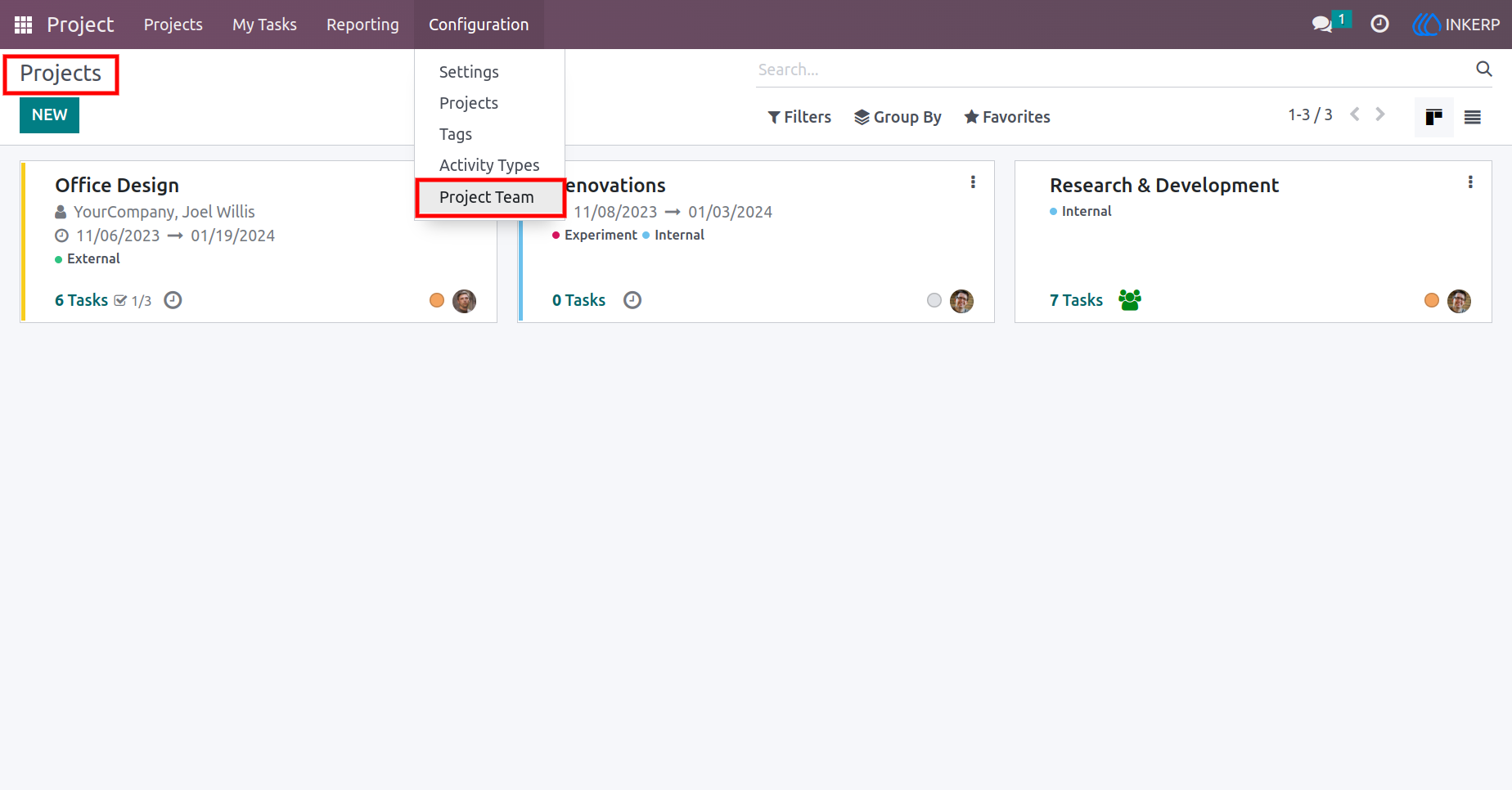
1.) Project Team Menu view
After installing the app User can see Project team menu under the Configuration of Project.
Navigation : Project › Configuration › Project Team
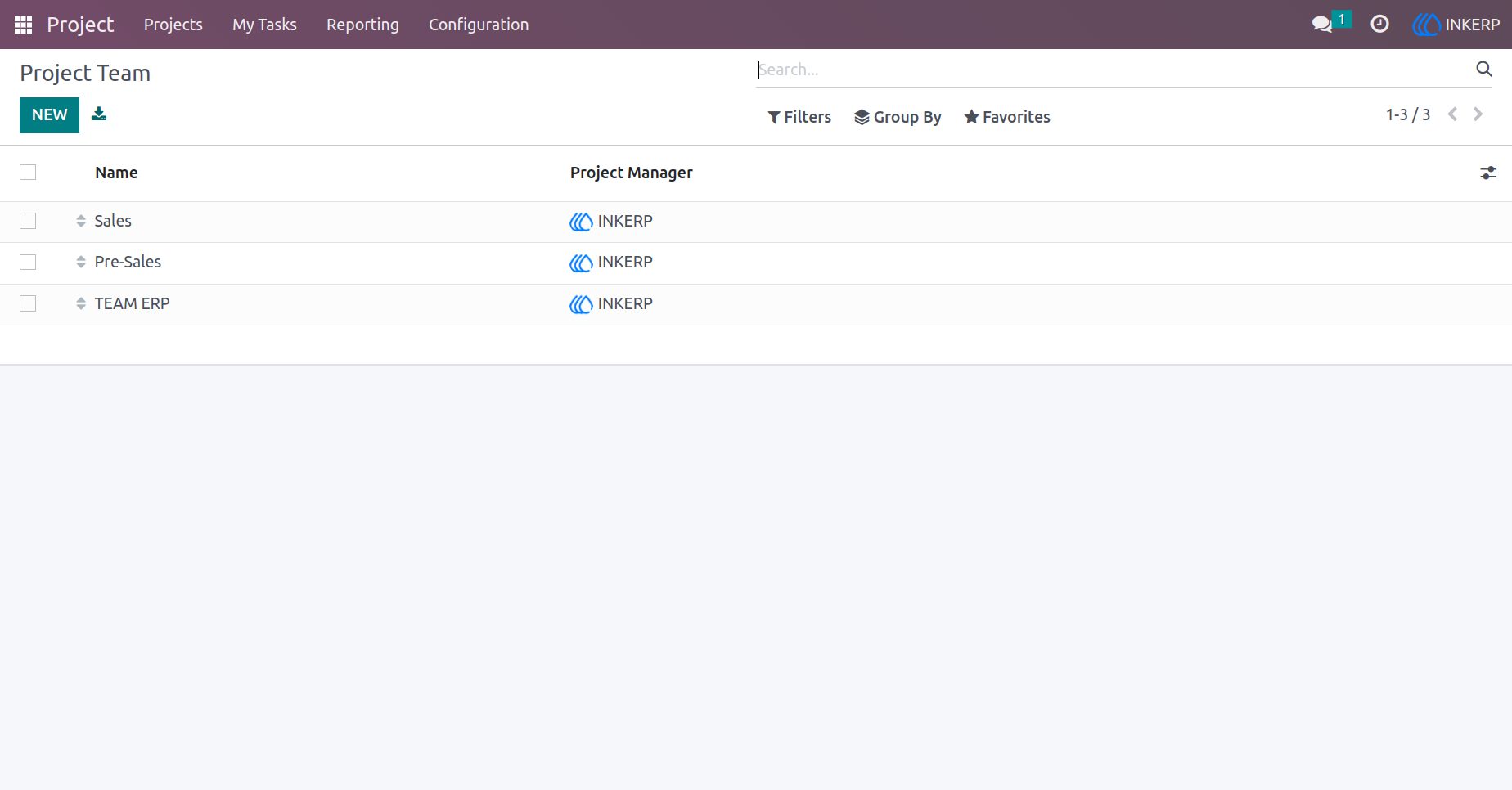
2.) Project Team List View
Displays the list of configured project teams for easy access.
3.) Project Team Form View
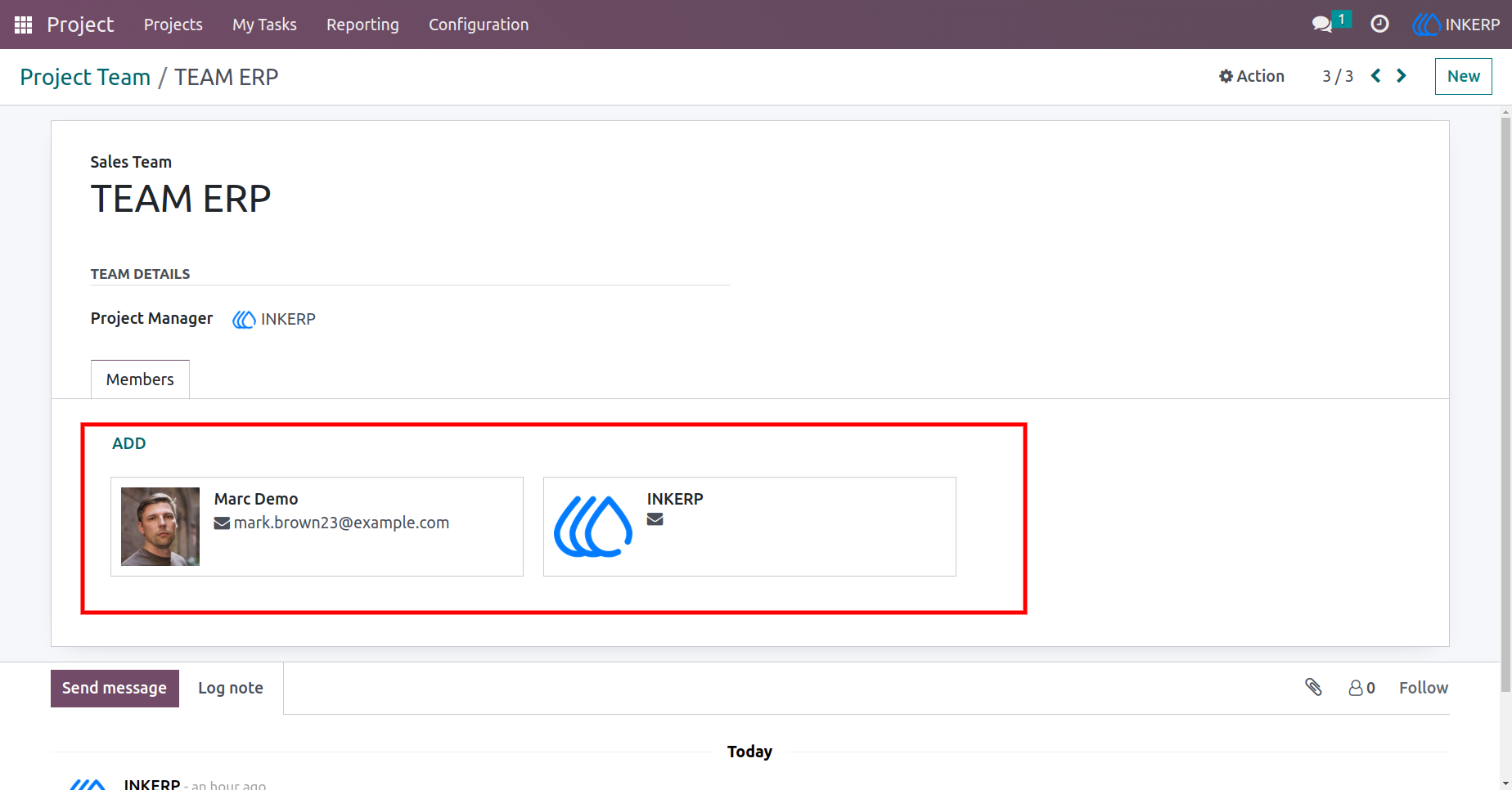
4.) Project Team Form view
Here, the user can Assign team in Project. When you assign team in project their team member list will automatically display in new Tab (Members).only that team members can access that project.
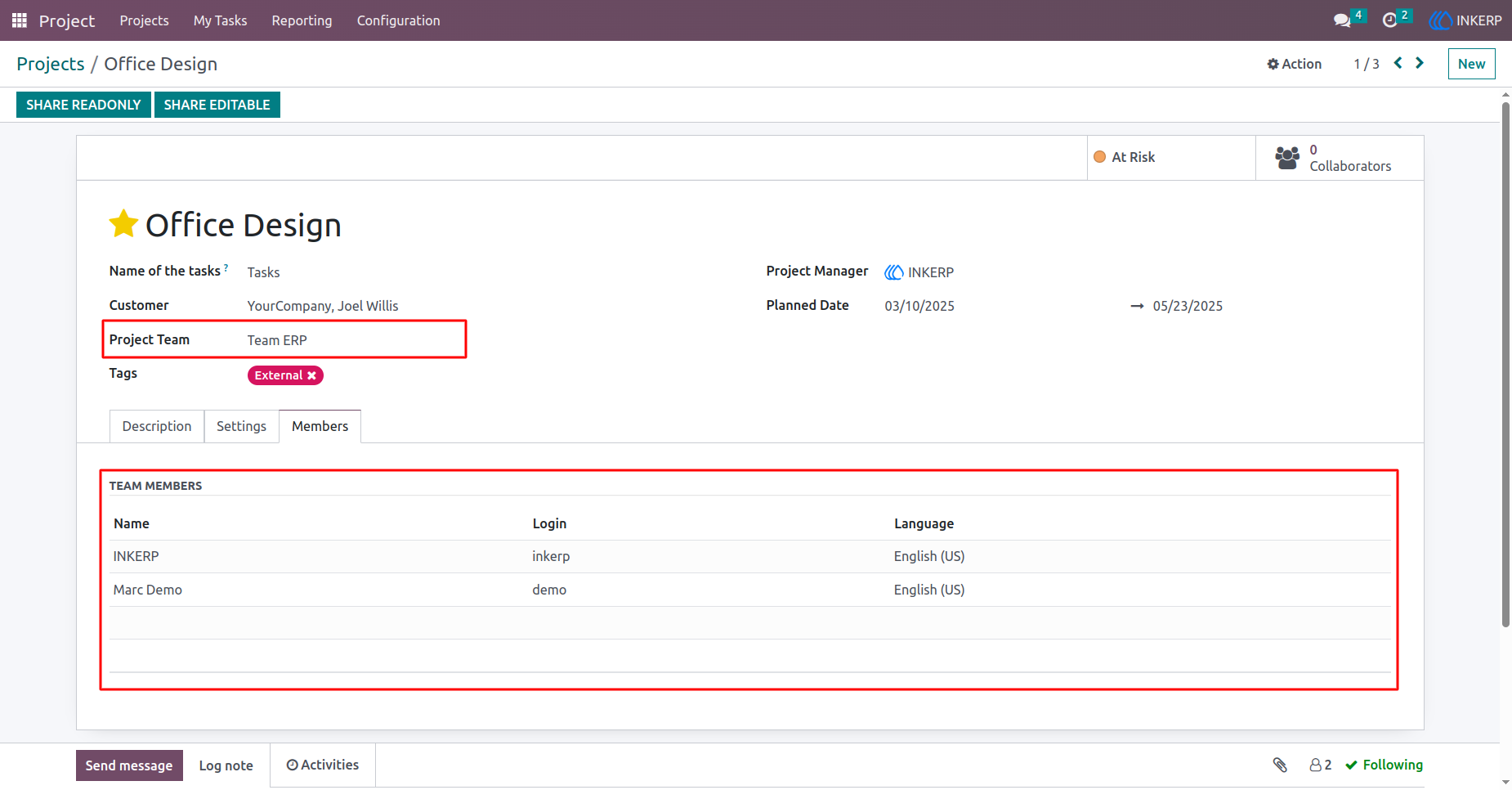
5.) Project Team In Task
Team will be auto assigned in task based on Project team.
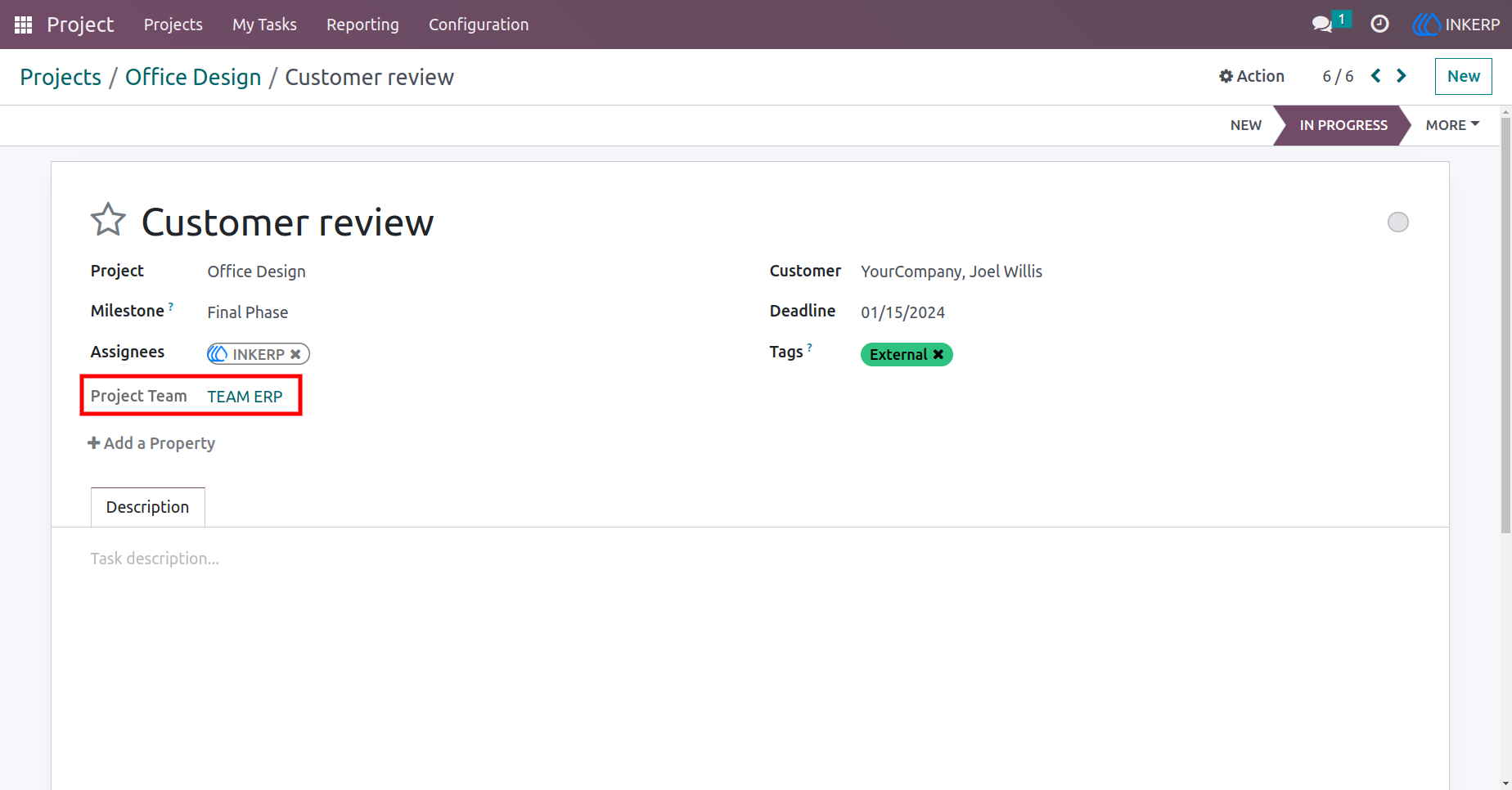
6.) User access view
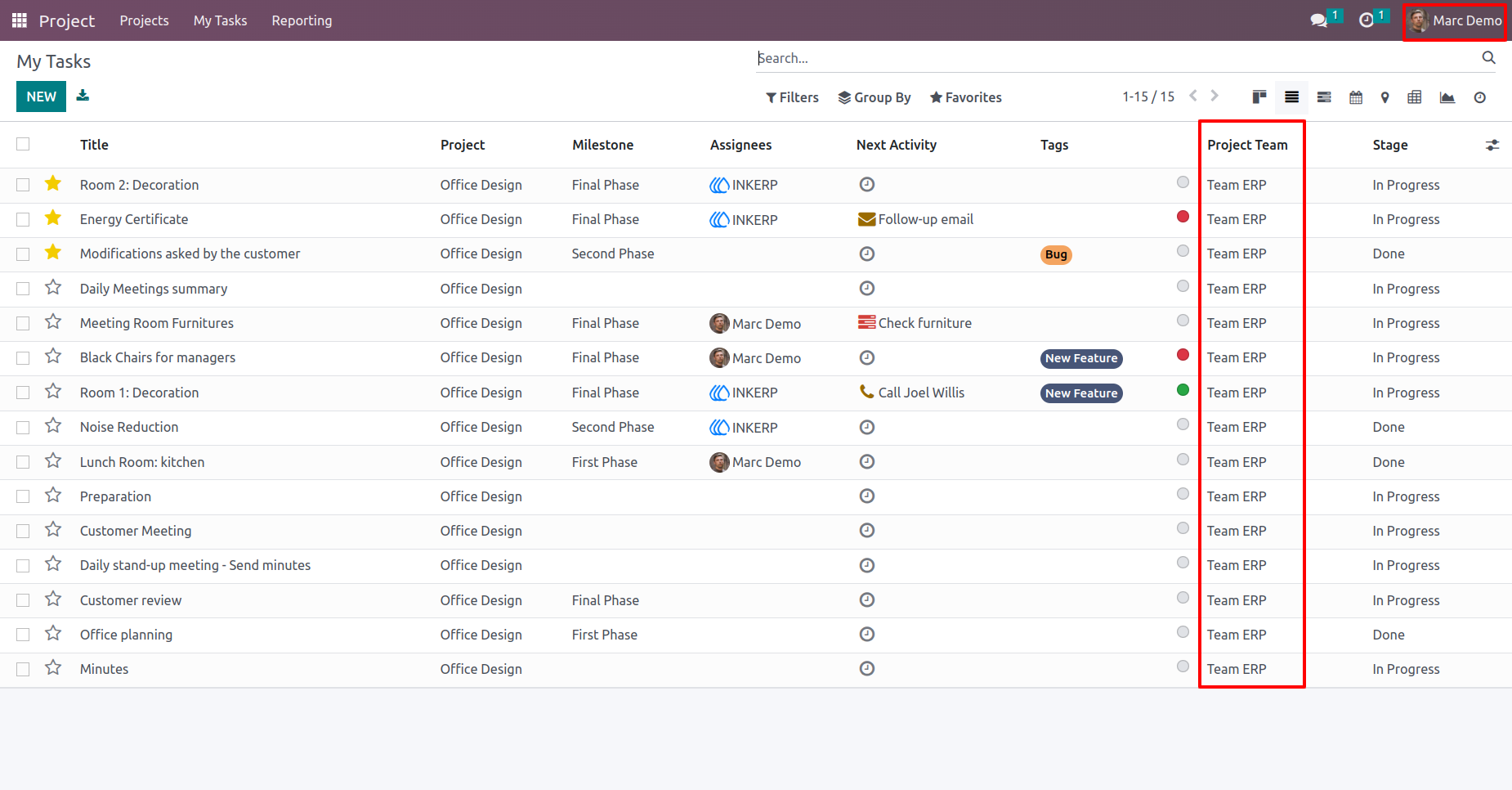
Here Marc Demo user can access only their teams Project. Other teams project will be restricted for Marc Demo.
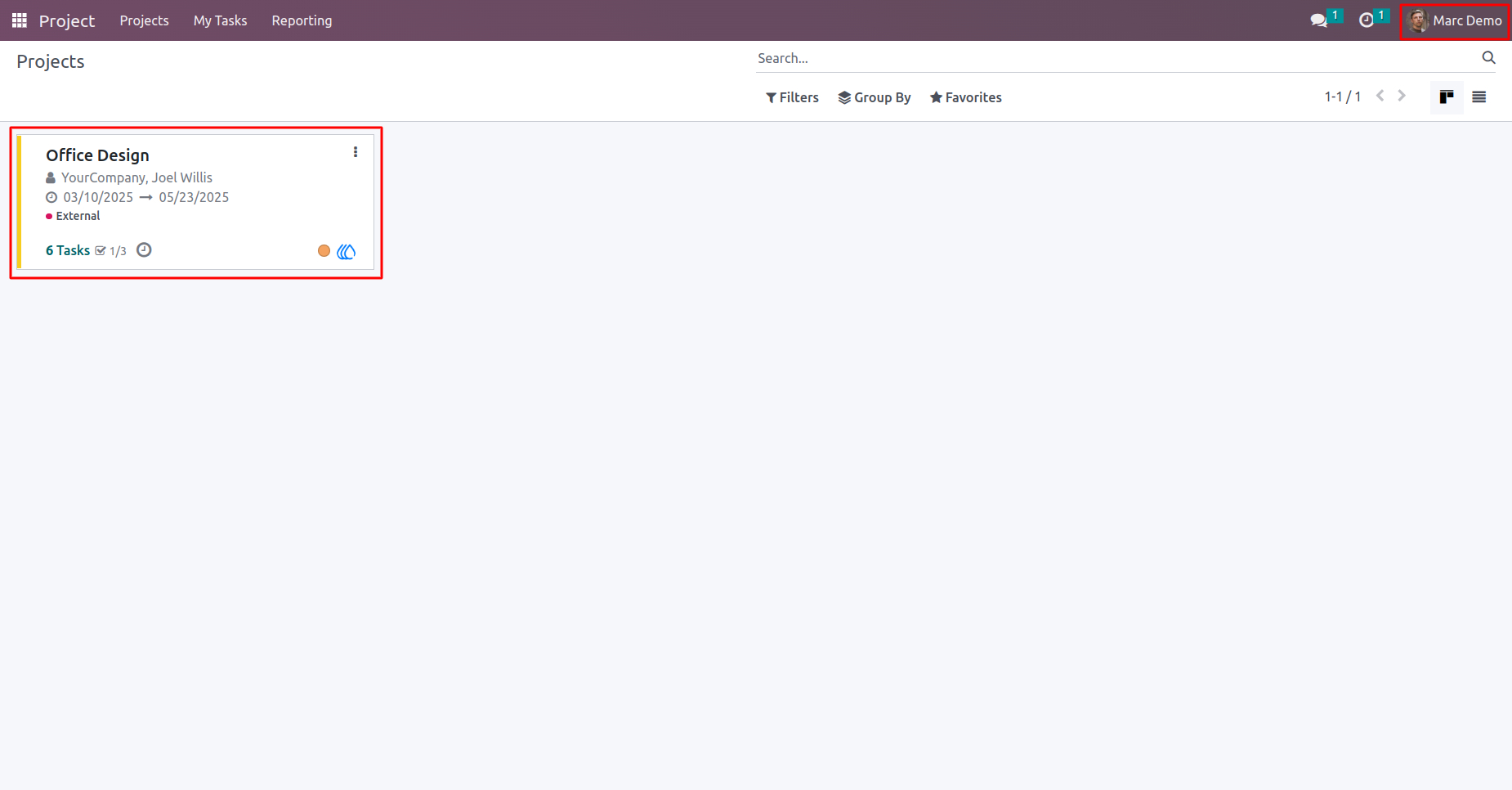
7.) My Tasks view
Here Marc Demo user can access only their teams Task. Other teams Task will be restricted for Marc Demo.
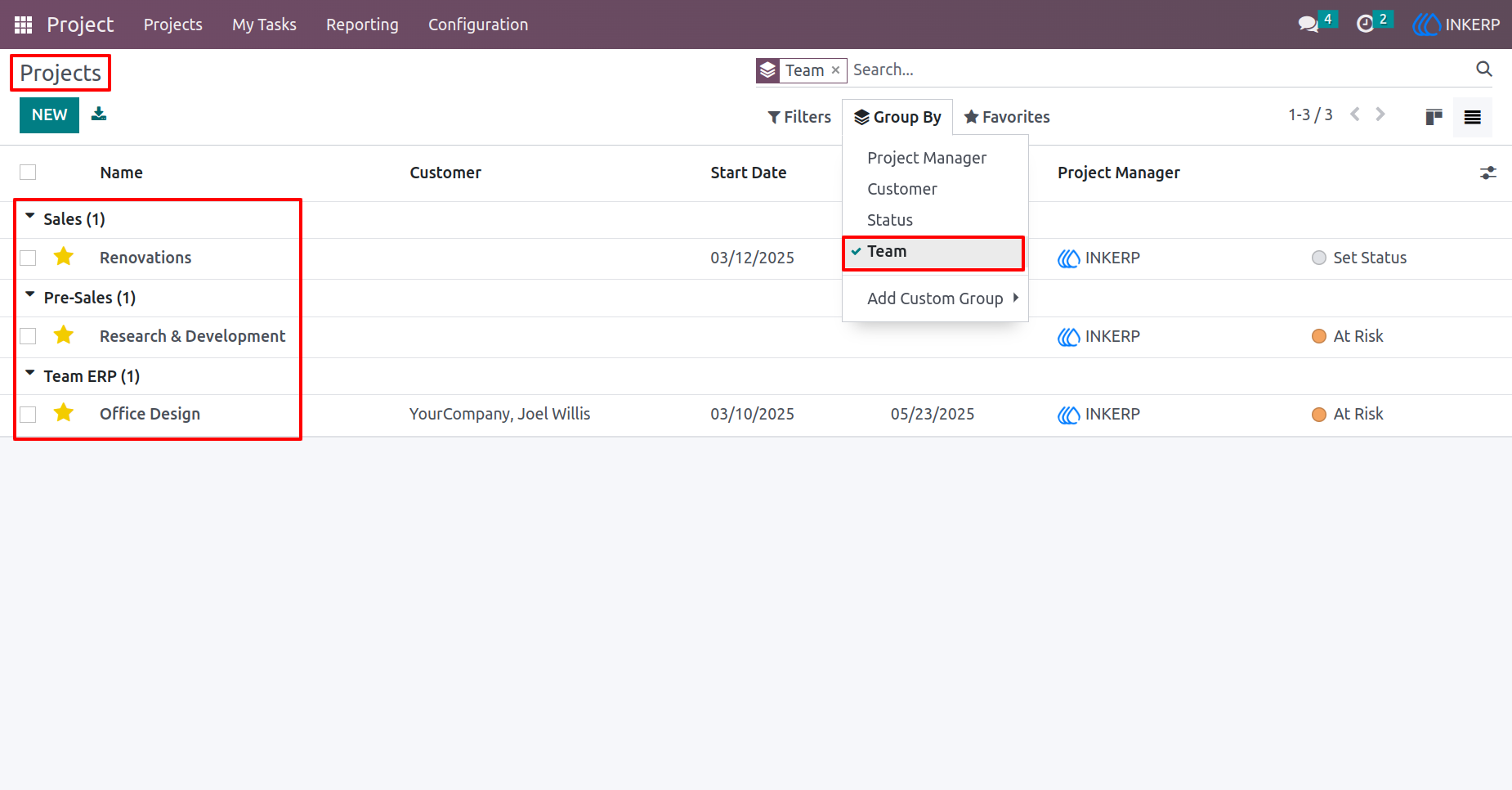
8.) Filtering Option
Team filtration option in Project, Here the user can view their projects in groups by team option.
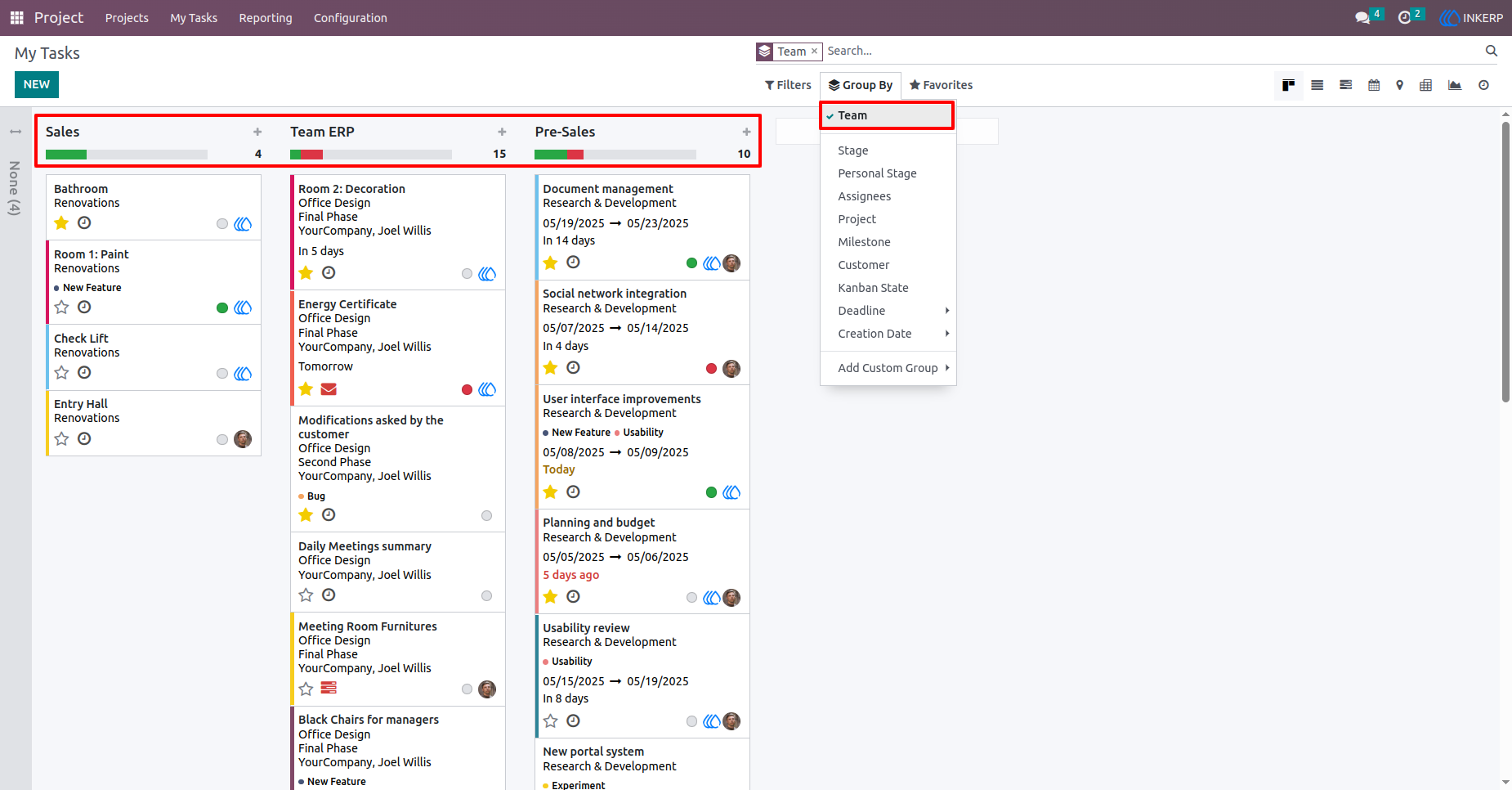
9.) Team filtration option in Task
Here, the user can view their Task in groups by team option.
User Guide