

Our Most Suggested Products


Product Brand in Odoo
Product Brand in Odoo enables streamlined management and filtering of products by brand. With its user-friendly interface, it allows businesses to easily create, assign, and filter product brands. Users can create brands and associate them with specific products within the product form view. The app enhances product navigation by providing options to filter and view products based on their respective brands. This feature is particularly useful for organizing products in various views such as the Kanban and product list views, making it easier to manage and categorize products by brand. Additionally, the app simplifies brand-specific product organization, improving visibility and enhancing usability within the Odoo system.
 Features
 Screenshots
 Support
 Service
Features
Effortless Brand Creation and Assignment
This feature allows users to easily create new product brands within Odoo, providing a streamlined process for businesses to manage and categorize their products. Once a brand is created, it can be quickly assigned to individual products in the product form view.
Brand-Based Product Filtering
With this feature, users can filter products based on their assigned brands across different views such as Kanban and product lists. This makes navigating large product catalogs much more efficient by grouping products by brand. Users can quickly access all products from a specific brand, ensuring a smoother workflow and faster decision-making when managing inventory, pricing, and sales operations.
Brand Display in Kanban and Product Views
This functionality displays the product brand directly in both the Kanban and product list views, allowing users to see brand information at a glance. It enhances visual clarity and simplifies product sorting and comparison.
Screenshot
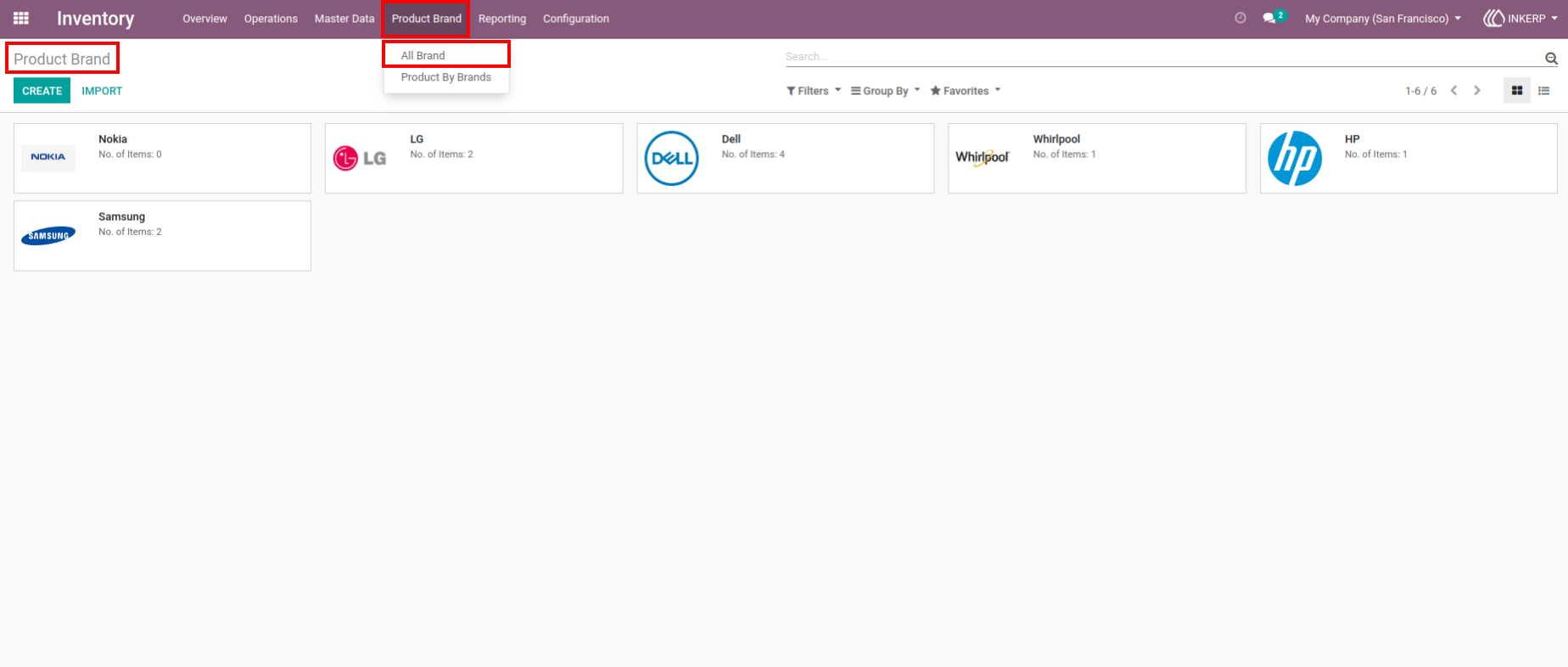
1.) Product Brand Overview
This section displays all the product brands registered in the system, such as Nokia, LG, Samsung, and Dell, along with the number of items associated with each brand. The option to create new brands and import brands is available, streamlining the process of managing products by brand. The "Product By Brands" view provides quick access to products grouped by their respective brands, making it easier to organize and filter products based on their brand.
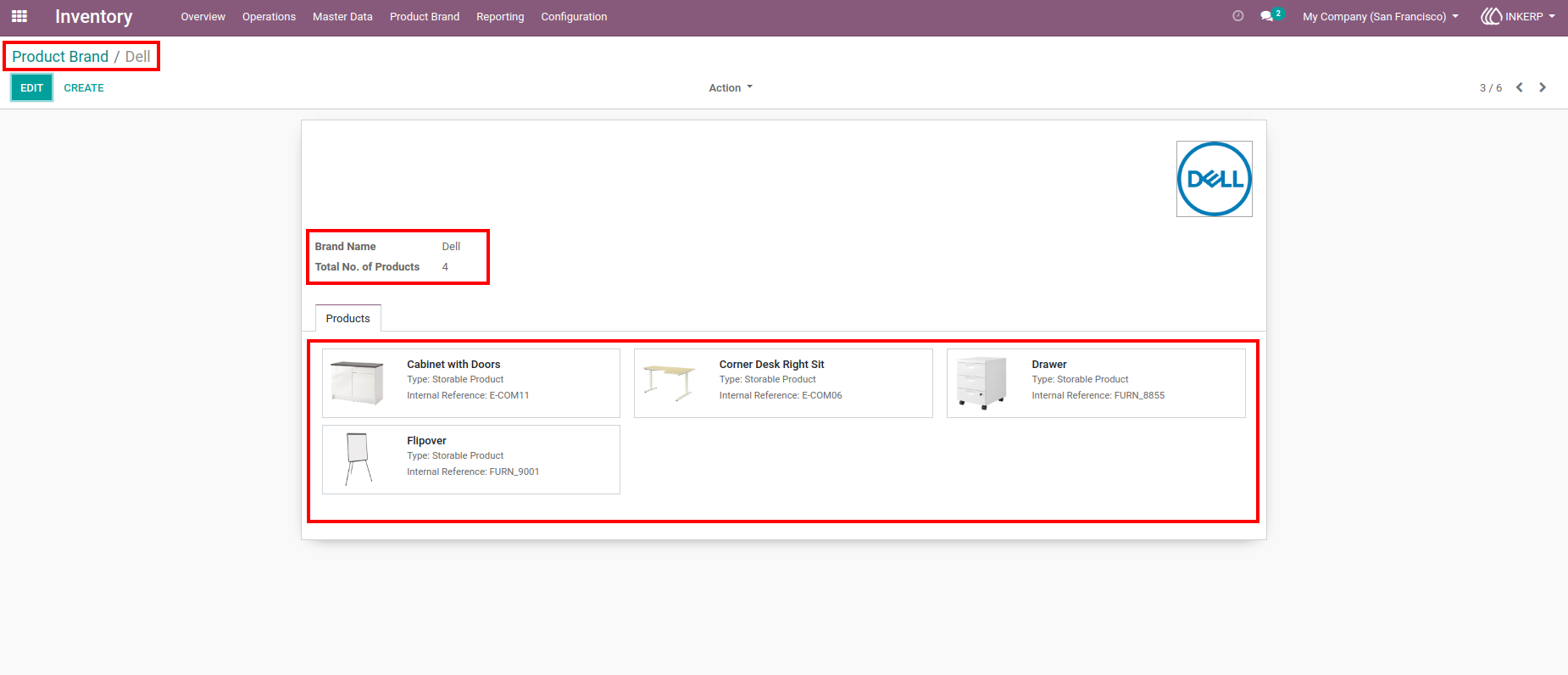
2.) Brand-Specific Product View
the detailed view of the "Dell" brand is displayed. The user can view the number of products associated with the Dell brand, and below, the products linked to Dell, such as "Cabinet with Doors" and "Drawer," are listed. This view allows users to track the specific products that belong to the selected brand and easily manage product-related data, ensuring efficient inventory management.
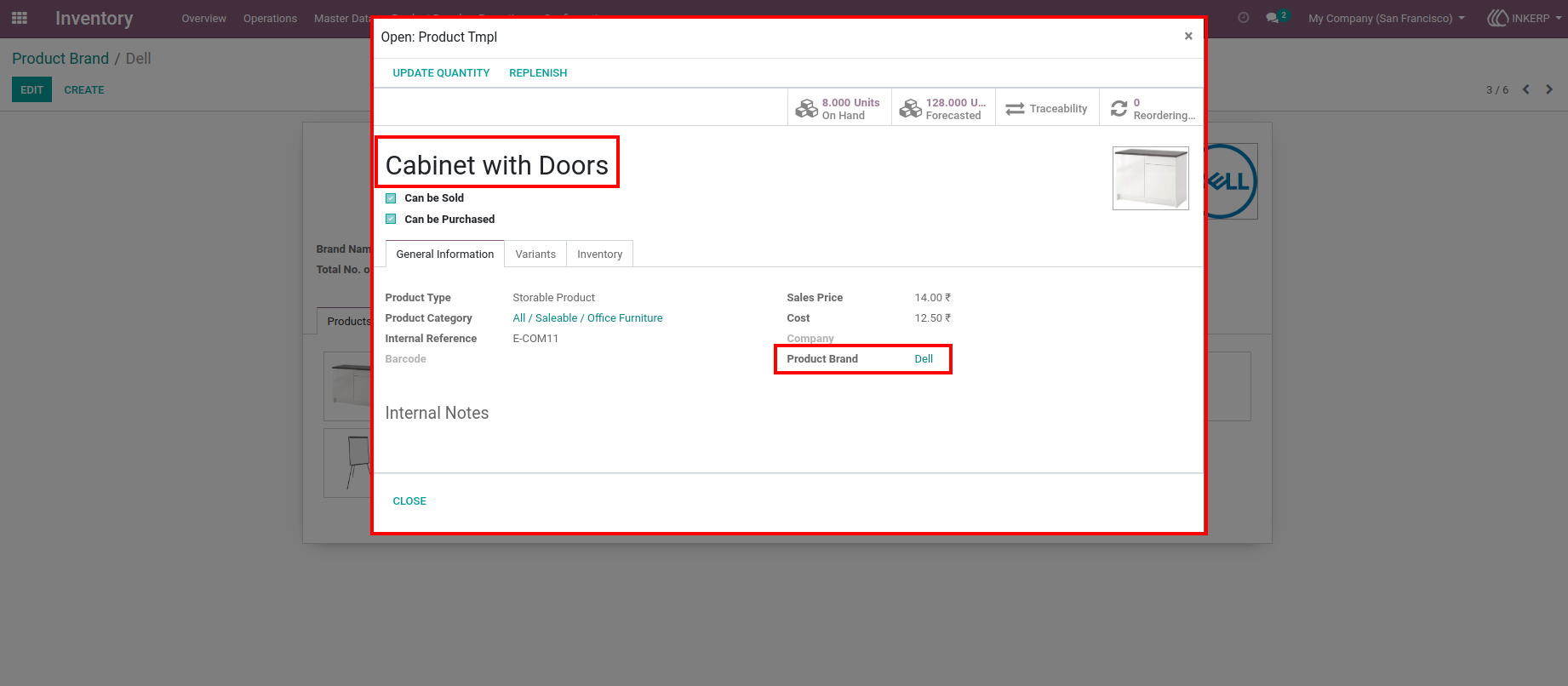
3.) Product Details with Brand Information
the detailed product view for the "Cabinet with Doors" item under the Dell brand. In this view, users can see detailed information about the product, such as type, cost, and price, along with the brand name. The integration of the product brand within the product page ensures that all relevant product information, including the brand association, is clearly visible.
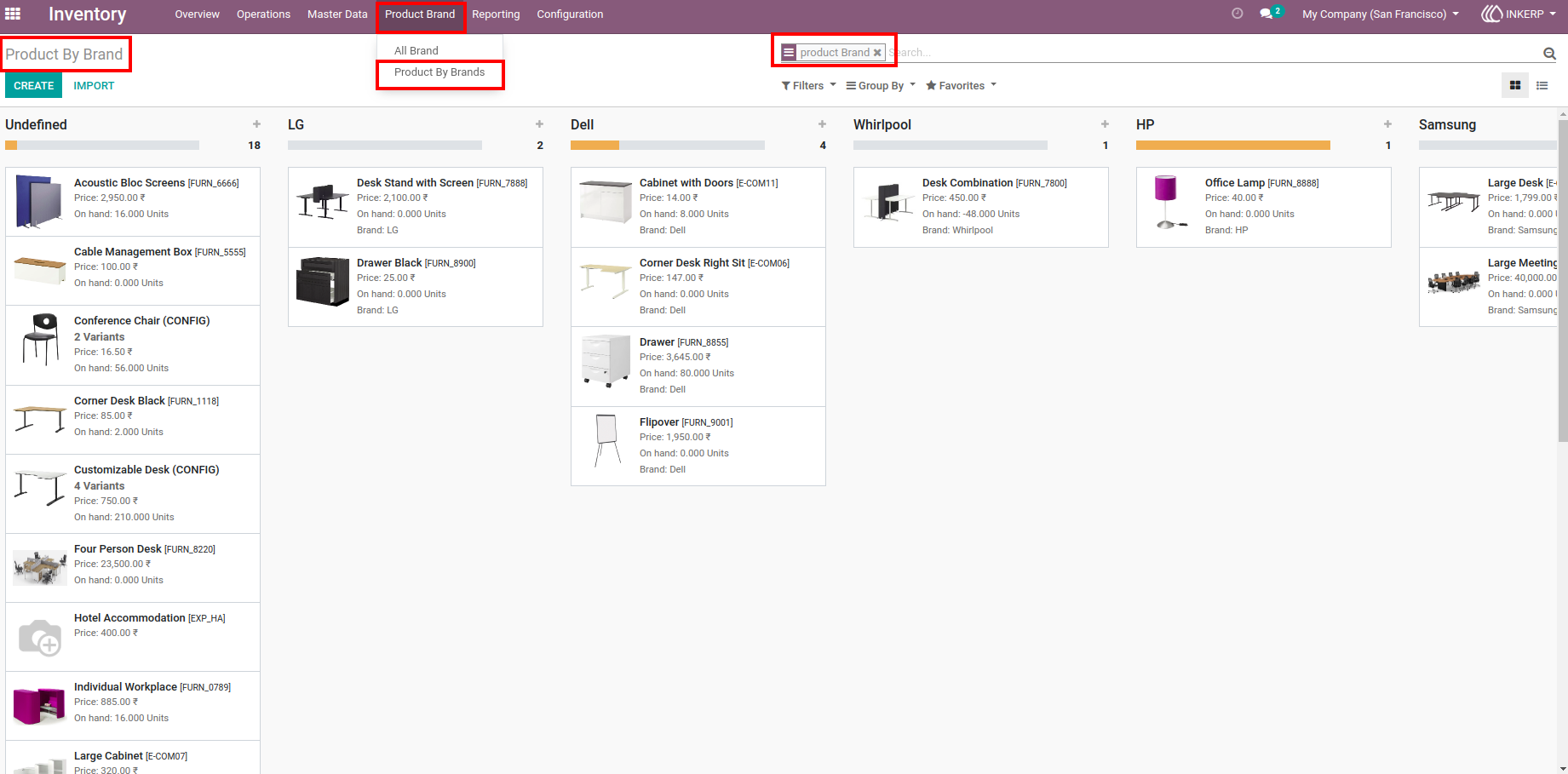
4.) Product Filtering by Brand
This feature enables users to filter and view products categorized by their respective brands, such as LG, Dell, Whirlpool, and HP. The products are displayed in a grid format, and each product is linked to its specific brand, along with relevant details like price and available units.
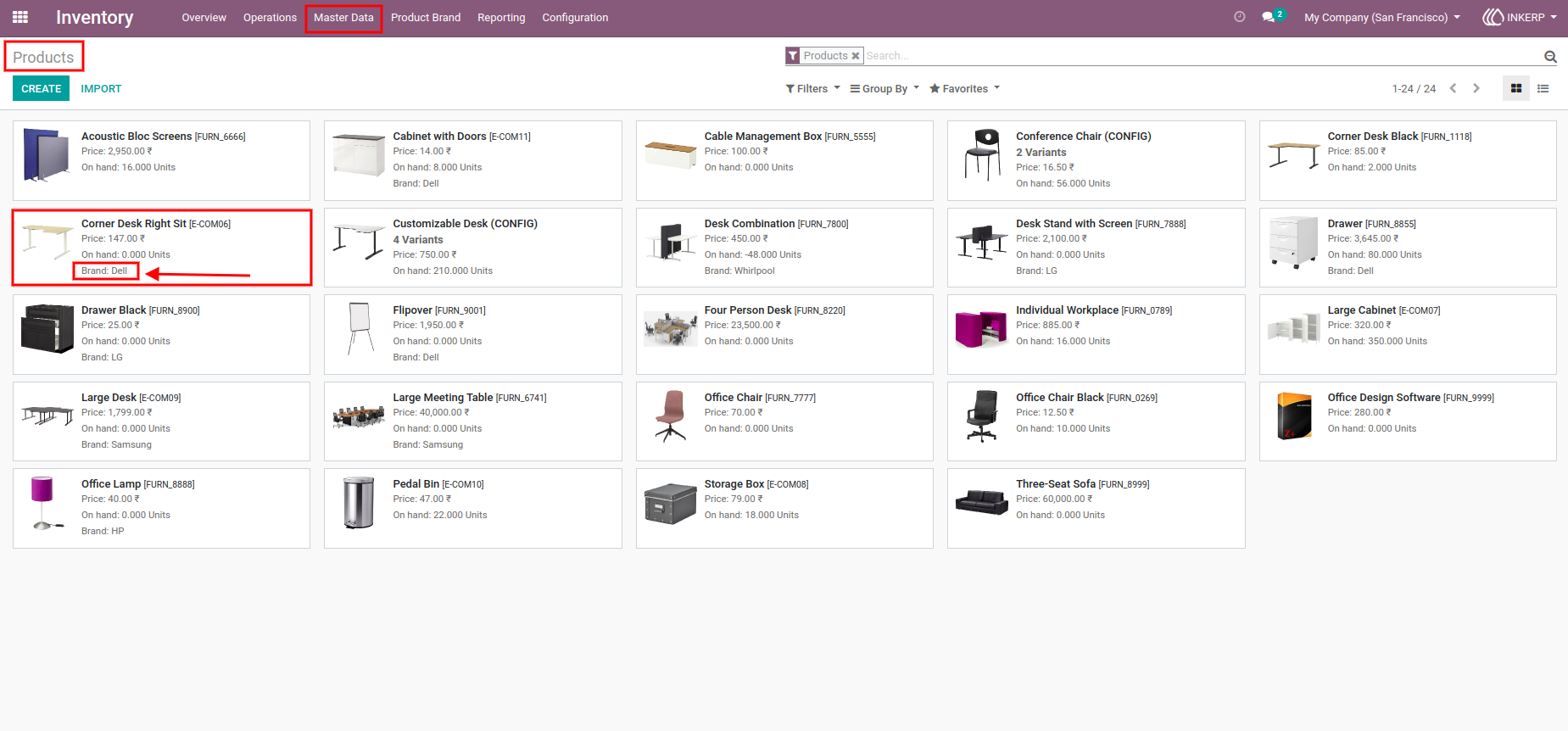
5.) Master Data - Product and Brand Association
This view consolidates product information in one place, making it easy to see which brand each product belongs to, and manage product details. The option to edit or update product details and their brand associations is available here, helping businesses keep their product catalogs up to date and organized. This feature supports efficient brand-based product management and inventory tracking across the system.
User Guide