

Our Most Suggested Products


POS Weekly Report / Dynamic Hourly Custom POS Report
The Dynamic Hourly POS Sector Report module allows you to analyze POS performance based on custom time sectors such as Morning, Afternoon, and Evening. You can define each sector by selecting a time range, and the system automatically categorizes POS orders within those time slots. This helps you monitor sales activity throughout the day and identify peak-performing hours or shifts. A weekly reporting wizard enables you to generate sector-wise reports for any date range and POS configuration. Reports can be exported to XLS format for easy sharing, comparison, and data analysis.
 Features
 Screenshots
 Support
 Service
Features
Define Time-Based POS Sectors
Create custom sectors like Morning, Afternoon, or Evening by selecting a time range (From–To). Each sector can represent a business shift or time slot of your choice. Allows accurate grouping of POS orders based on the selected time durations.
Hourly & Sector-Wise POS Reporting
Automatically categorize POS orders into defined time sectors. Analyze how different hours or shifts perform during the day. Helps identify peak hours and better understand customer flow.
Weekly Report Generation
Generate weekly reports for any selected date range. Review sector performance across multiple weeks in one view. Quickly track business trends and compare performance week to week.
One-Click XLS Export
Export sector-wise POS reports directly into Excel format. Ideal for sharing, presentations, or further data analysis. Ready-to-print report output improves decision-making efficiency.
Screenshot
1.) POS Orders Overview and Reporting Menu
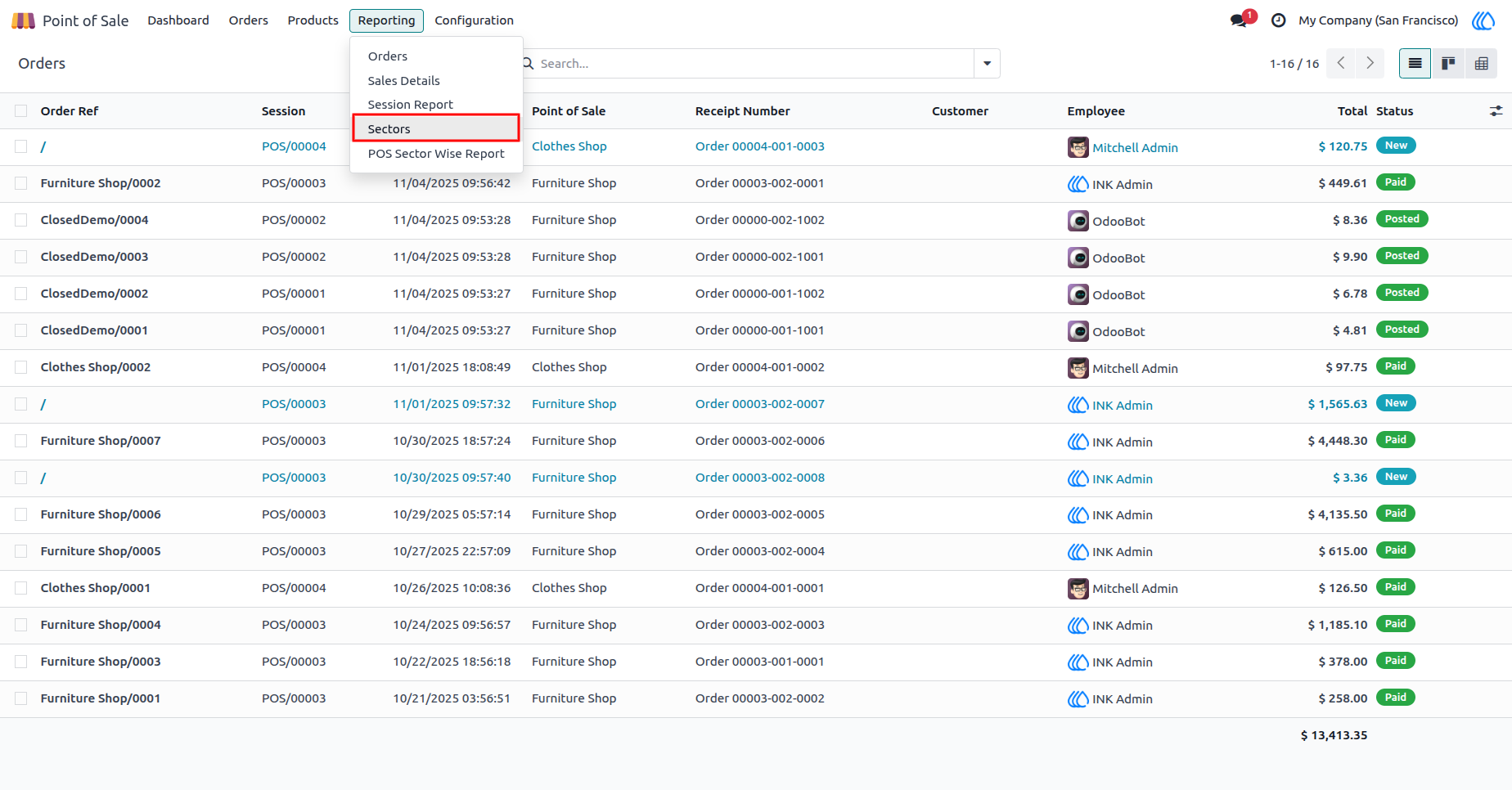
This interface provides an overview of all Point of Sale (POS) orders, displaying key information such as order reference, session, order date, point of sale, receipt number, customer, employee, total amount, and order status. The Reporting dropdown menu is expanded, presenting options such as Orders, Sales Details, Session Report, Sectors, and POS Sector Wise Report.
Navigation : Point of Sale › Reporting › Sectors
2.) POS Sector Configuration
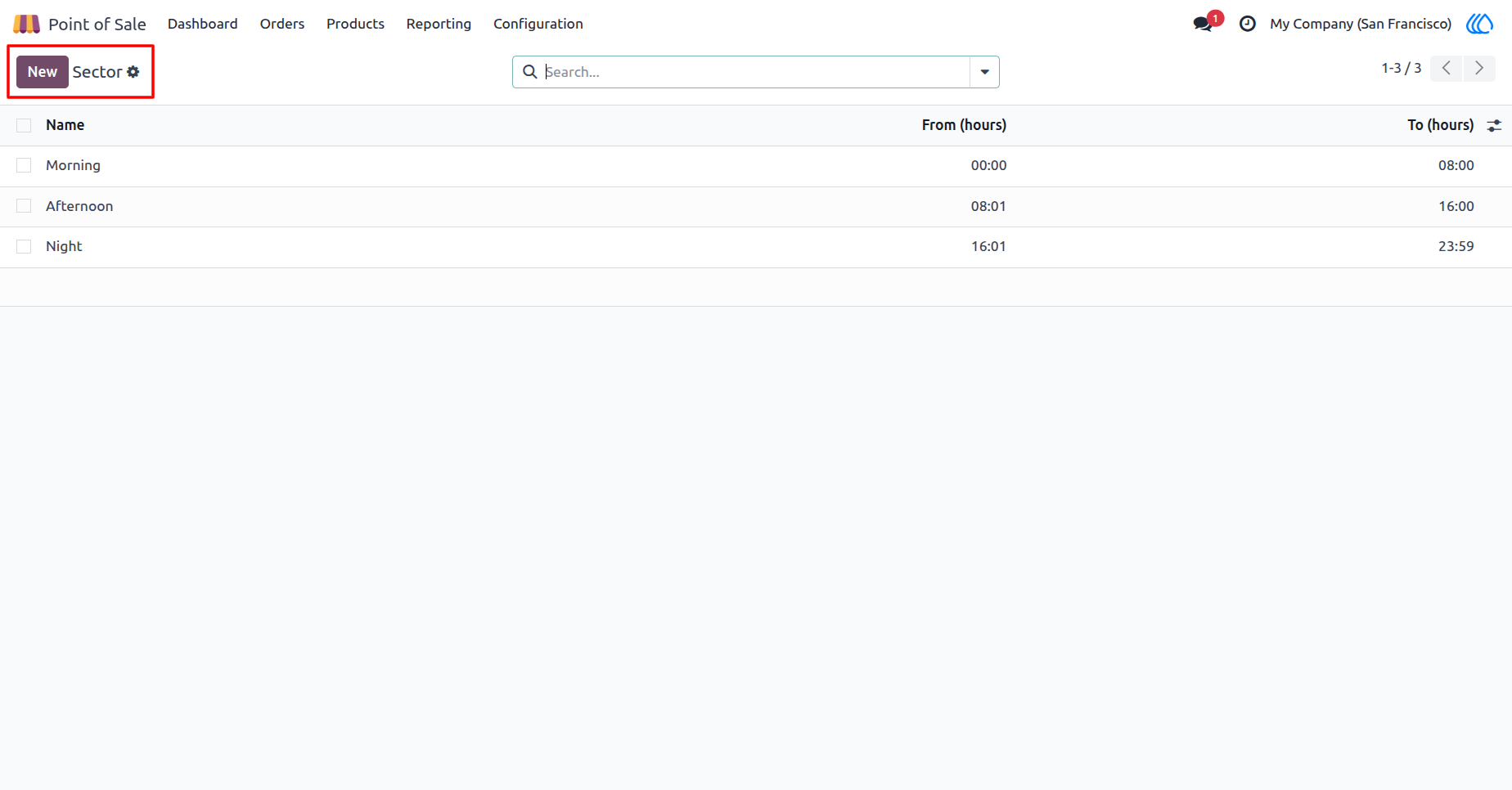
This interface displays the configuration of POS sectors, where each sector represents a specific time range within a day. The list includes predefined sectors such as Morning, Afternoon, and Night, along with their respective start and end times.
Navigation : Point of Sale › Reporting › Sectors
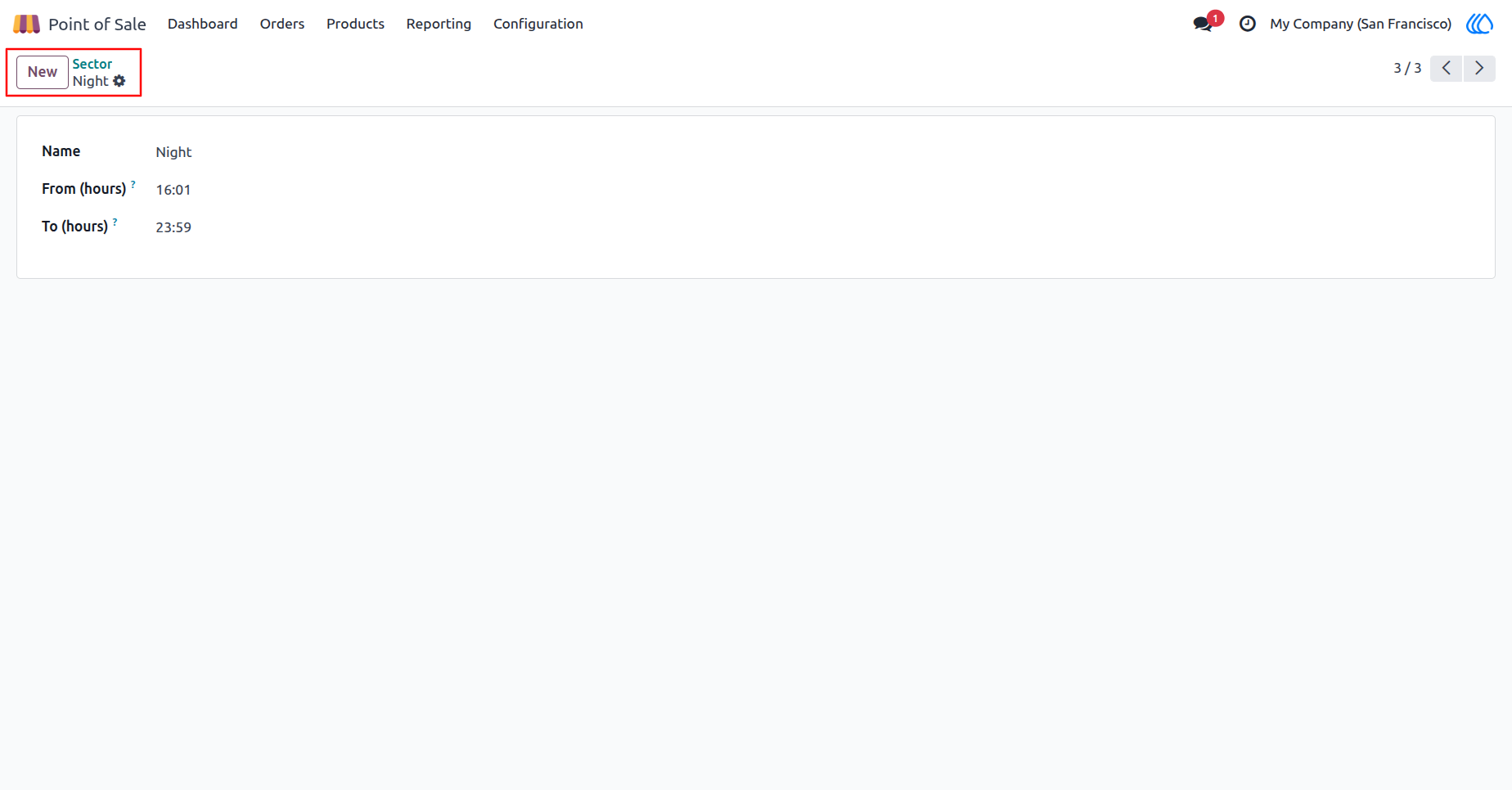
3.) POS Sector Detail View
This interface provides a detailed view of a specific POS sector configuration. In this example, the Night sector is defined with a start time of 16:01 and an end time of 23:59. Users can adjust these time values or create new sectors using the New button, ensuring accurate time-based segmentation for hourly or sector-wise POS reporting.
Navigation : Point of Sale › Reporting › Sectors
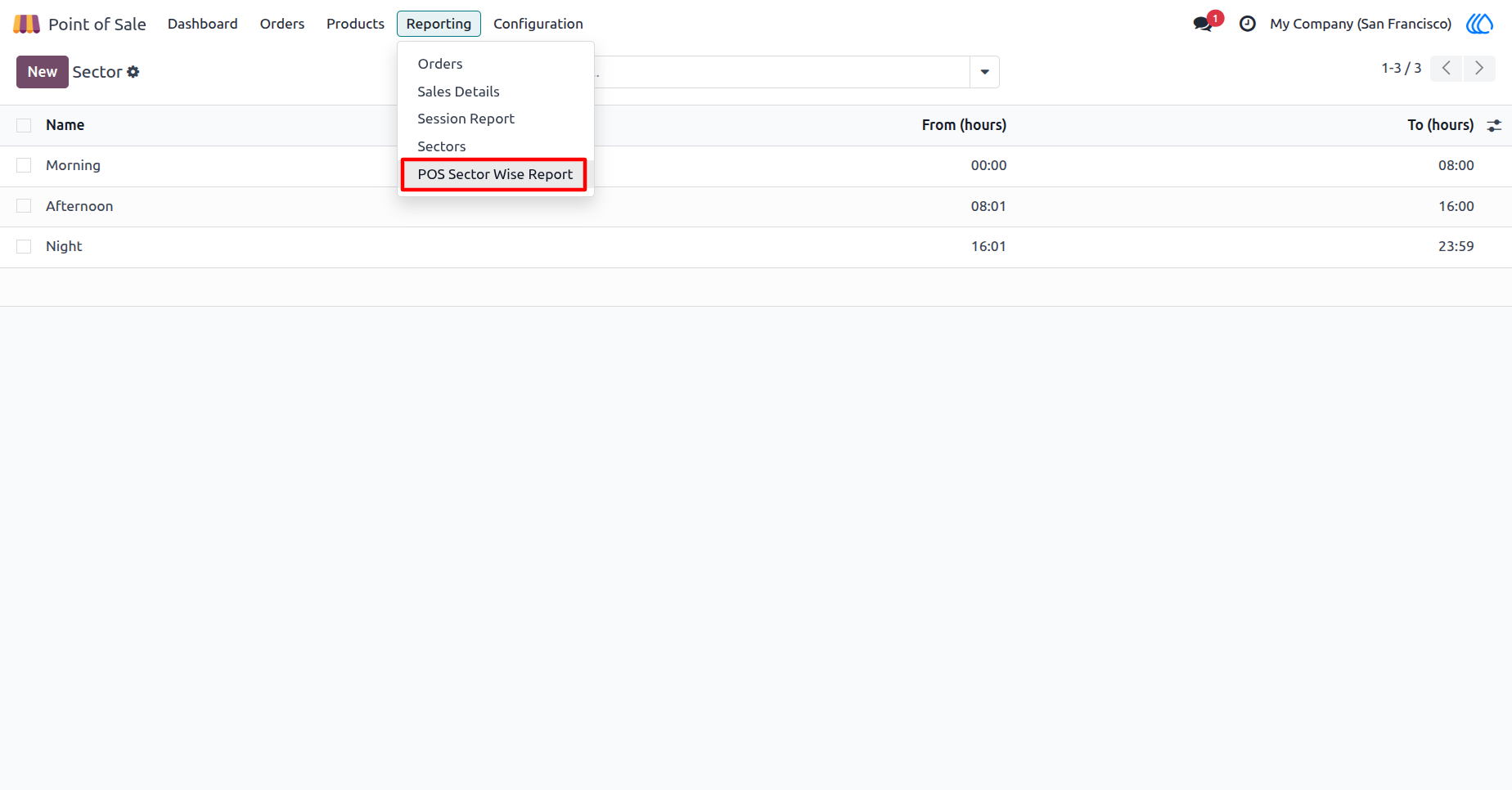
4.) POS Sector Wise Report
This interface displays the Reporting dropdown menu within the POS module. From this menu, users can access various analytical reports such as Orders, Sales Details, Session Report, Sectors, and the highlighted POS Sector Wise Report option. Selecting POS Sector Wise Report allows users to generate detailed reports segmented by time-based sectors, providing insights into sales performance across specific hourly intervals.
Navigation : Point of Sale › Reporting › POS Sector Wise Report
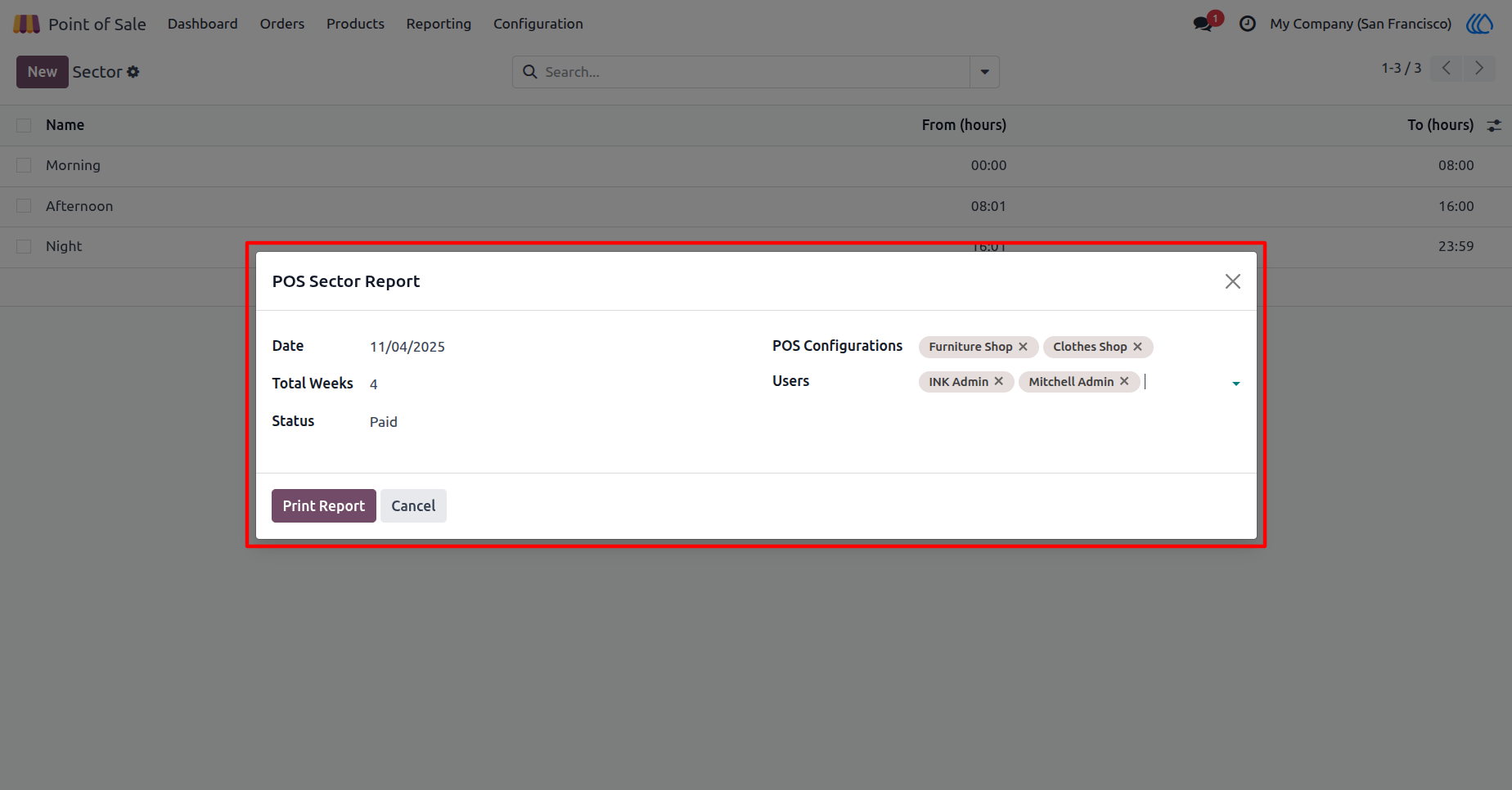
5.) POS Sector Report Wizard
This interface displays the POS Sector Report wizard, where users can define parameters for generating a sector-wise POS report. The configuration options include selecting a Date, specifying the number of Total Weeks, choosing the Status (e.g., Paid), selecting one or more POS Configurations (e.g., Furniture Shop, Clothes Shop), and filtering by Users. After configuring these options, the user can click Print Report to generate the POS Sector Wise Report in XLS format or Cancel to exit the wizard.
Navigation : Point of Sale › Reporting › POS Sector Wise Report
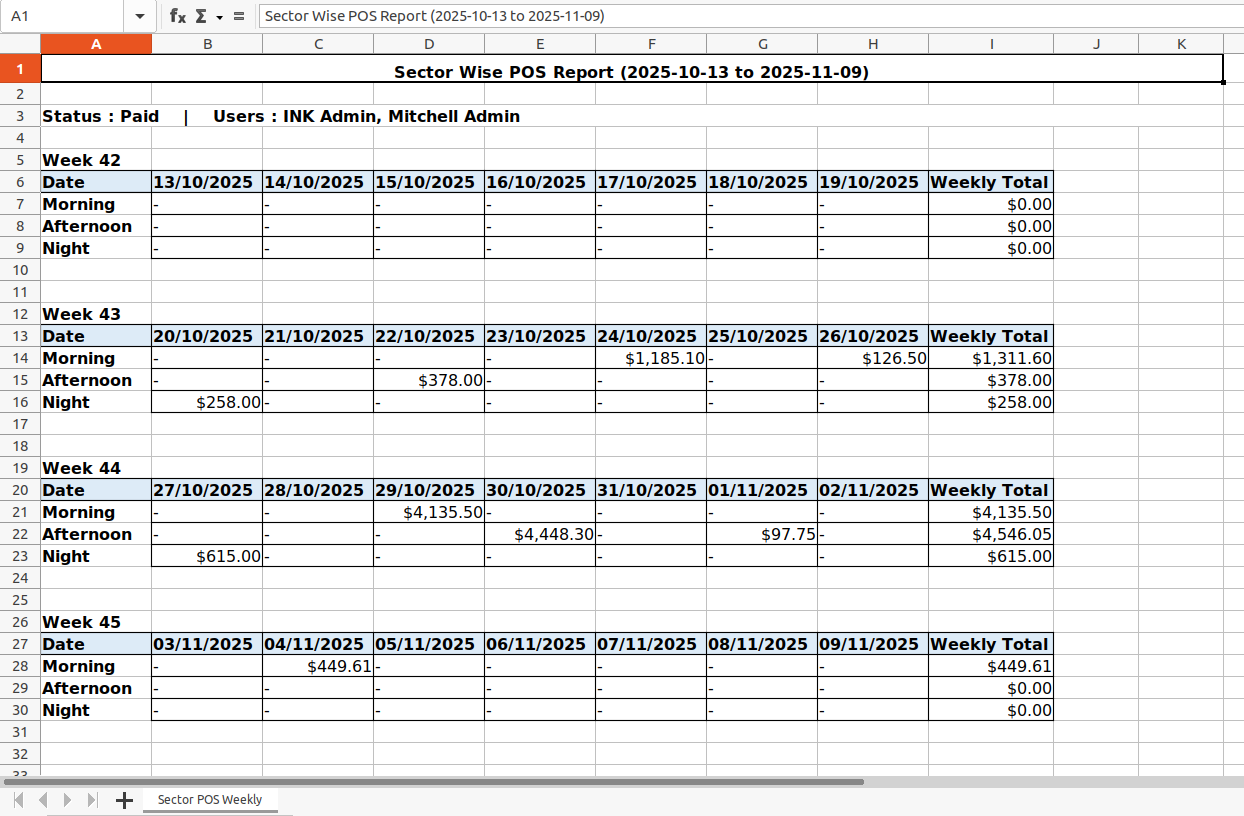
6.) Sector Wise POS Report (Excel Output)
This exported Excel sheet presents the Sector Wise POS Report for the specified date range (2025-10-13 to 2025-11-09). The report summarizes sales performance by time sector (Morning, Afternoon, Night) and weekly totals.
It includes details such as:
Status: Paid
Users: INK Admin, Mitchell Admin
Weekly breakdowns for each sector, displaying daily sales amounts and weekly totals. This report provides clear visibility into sales distribution across different time sectors, helping managers analyze performance patterns.
User Guide