

Our Most Suggested Products


Enlarge image in Point of Sale
Some time due to variants and similar product availability it is hard for the user to choose the exact product. With the help of this app, users can enlarge the product image just by clicking enlarge button near to product image.
Video Tutorial
 Features
 Screenshots
 Support
 Service
Features
Instant Product Image Zoom
Tap the "enlarge" icon next to any product in the POS interface to view a prominently enlarged popup of the item image. This brings clarity and confidence in selecting the correct variant or similar-looking products-especially useful in fast-paced retail environments.
Contextual Product Details
The enlarged image popup can also display a tailored description or sales note for the product. This provides crucial context-like ingredient warnings, size specifics, or promotional info-right when it's needed most.
Screenshot
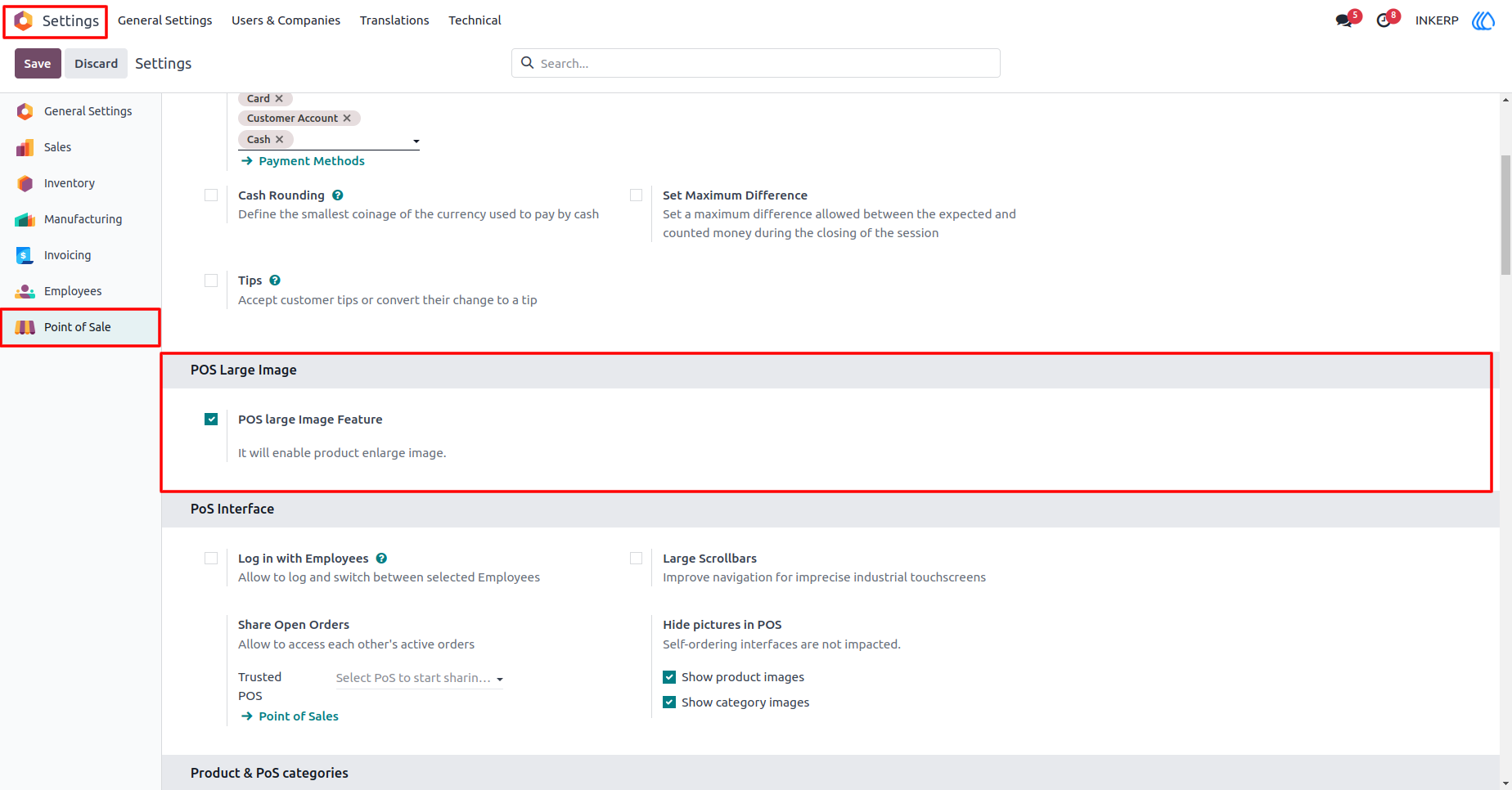
1.) Enable Enlarge Image
Enable Enlarge Image in Setting
Navigation : Setting → Point of Sale → POS large image in Features
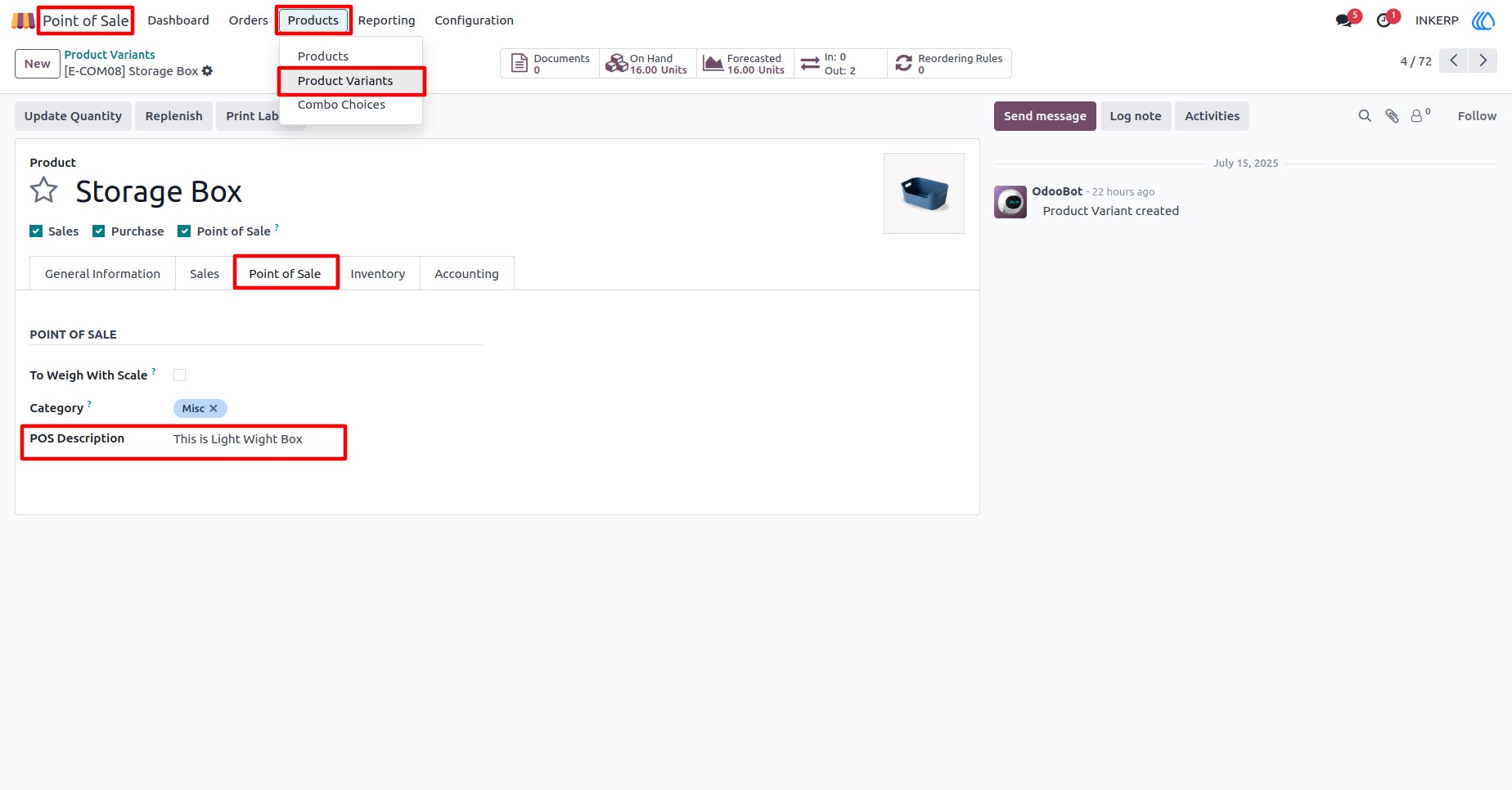
2.) Sale Description in Product
Product Variant in add Description
Navigation : Point of Sale → Product Variants → Product
3.) POS Store in icon
POS store in show icon for Large Image
Navigation : Point of Sale → Shop → Product
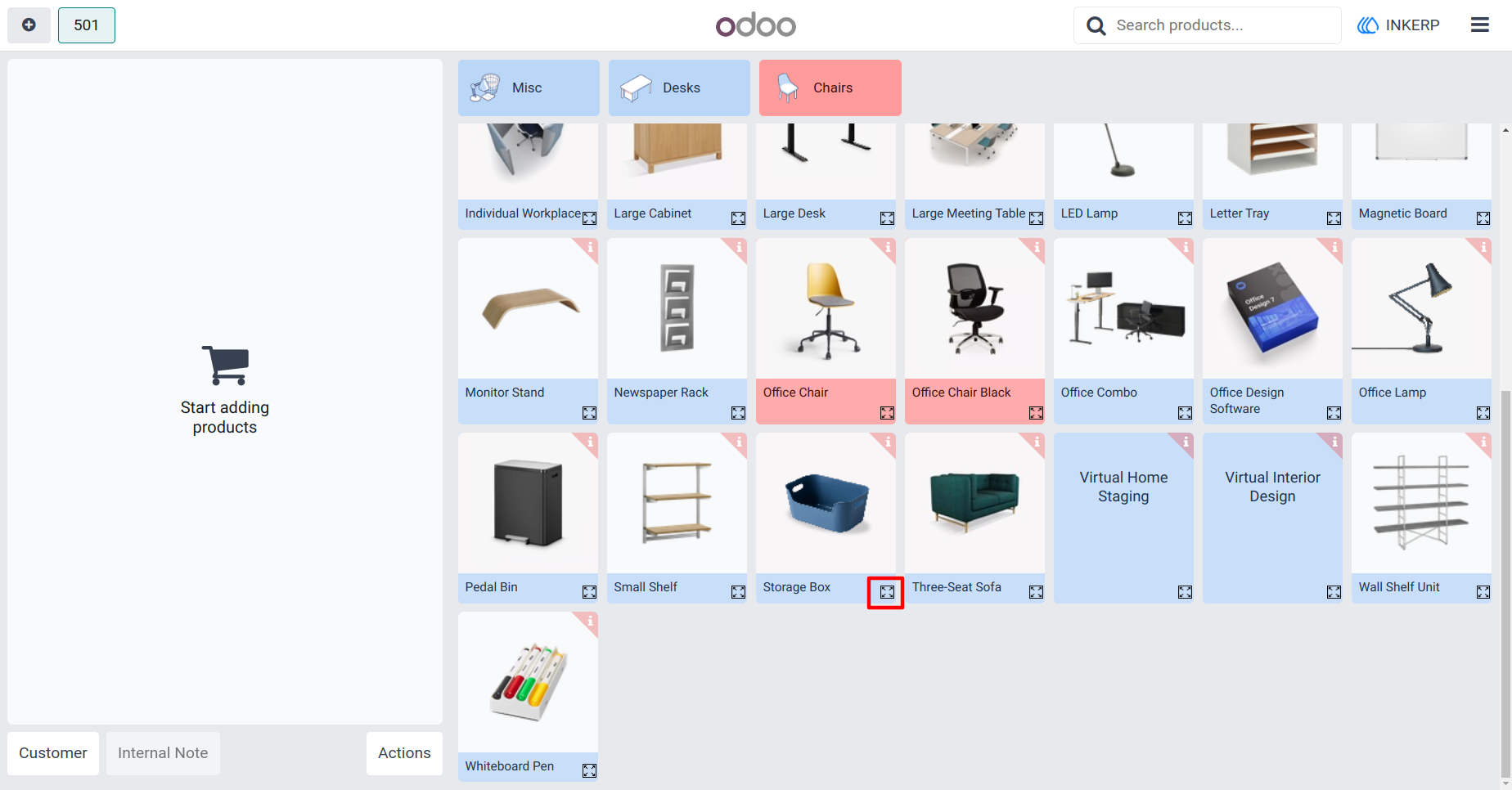
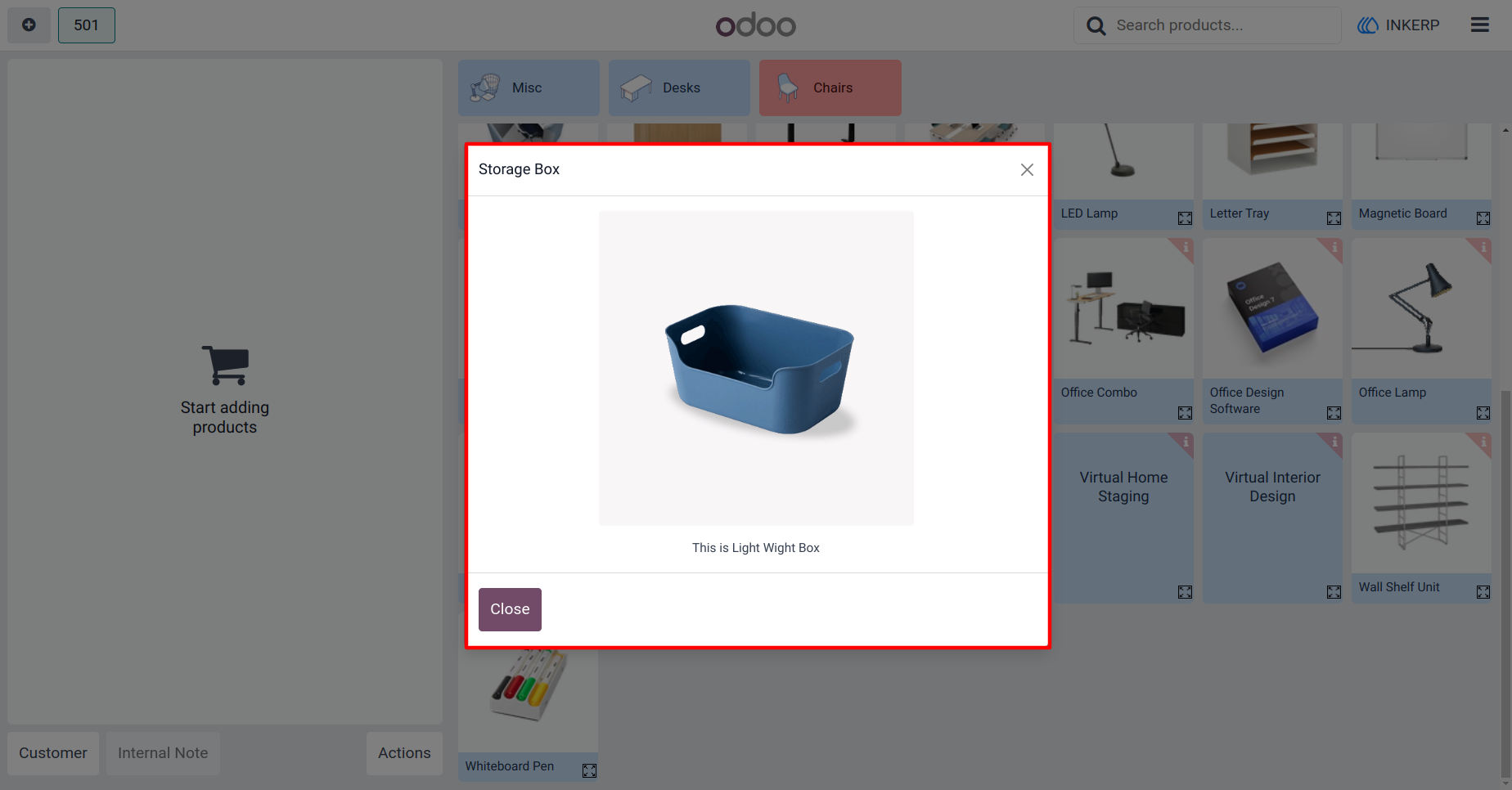
4.) Open Large image of product.
On click icon to open Popup With Large image of Product and Description
User Guide





