

Our Most Suggested Products


Product Vendor Code
The PO Vendor Code module for Odoo adds a feature that displays the vendor's product code in the purchase order (PO) and request for quotation (RFQ) lines. This helps to manage product information more efficiently, especially when working with multiple suppliers. It also updates the vendor product code automatically when the vendor is changed and shows the product code in PO and RFQ reports.
 Features
 Screenshots
 Support
 Service

Features
Display Vendor Product Codes in PO and RFQ Lines:
View the vendor-specific product code in the purchase order or request for quotation (RFQ) lines.
Automatic Update of Product Codes:
When you change the vendor, the related product code is automatically updated for that vendor's product.
Include Product Codes in PO and RFQ PDF Reports:
The product code is included in the printed reports for both purchase orders (PO) and RFQs.
Screenshot
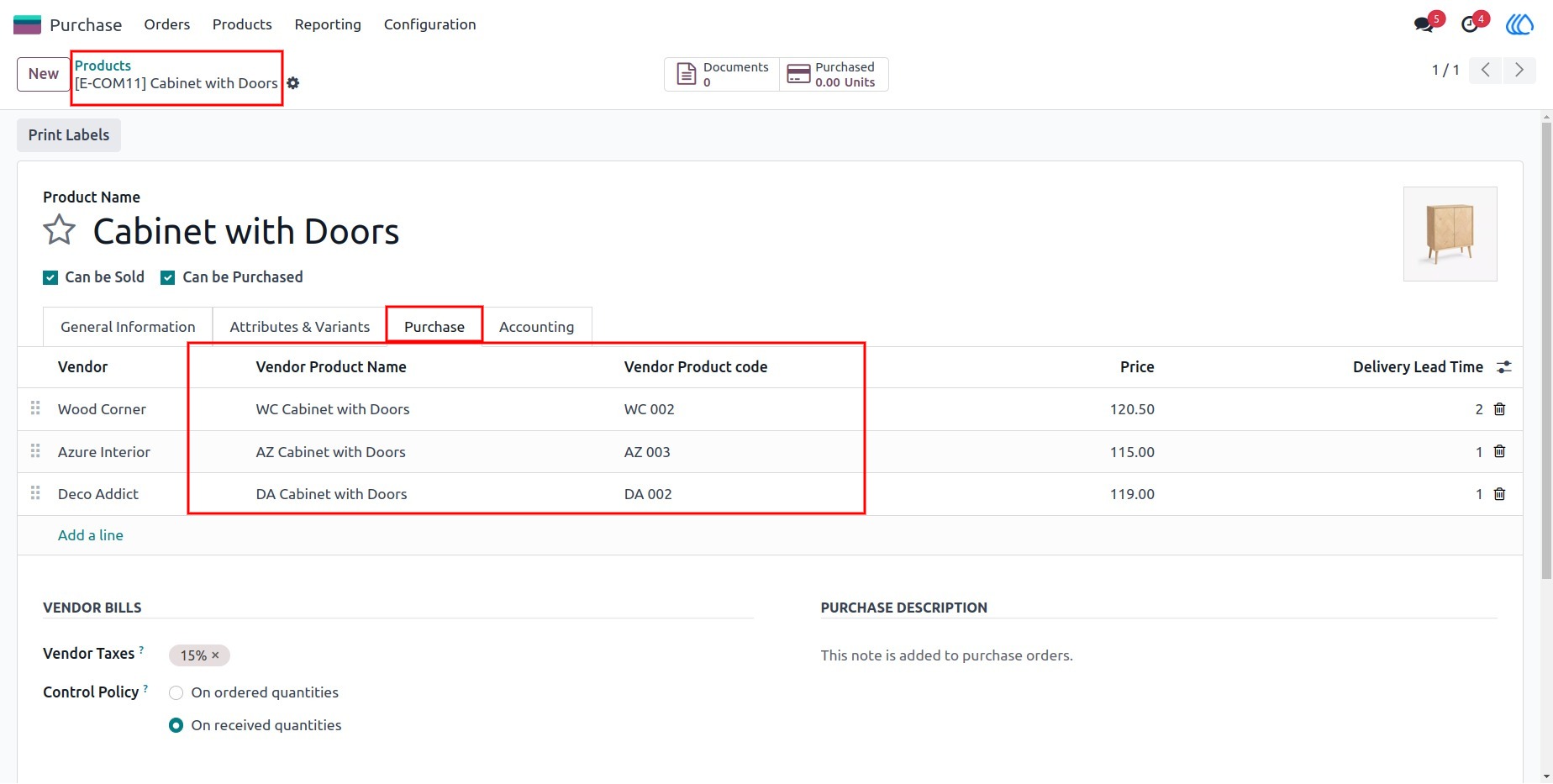
1) Product with Vendor Product Code
This view shows the product with the associated vendor product code in the product form.
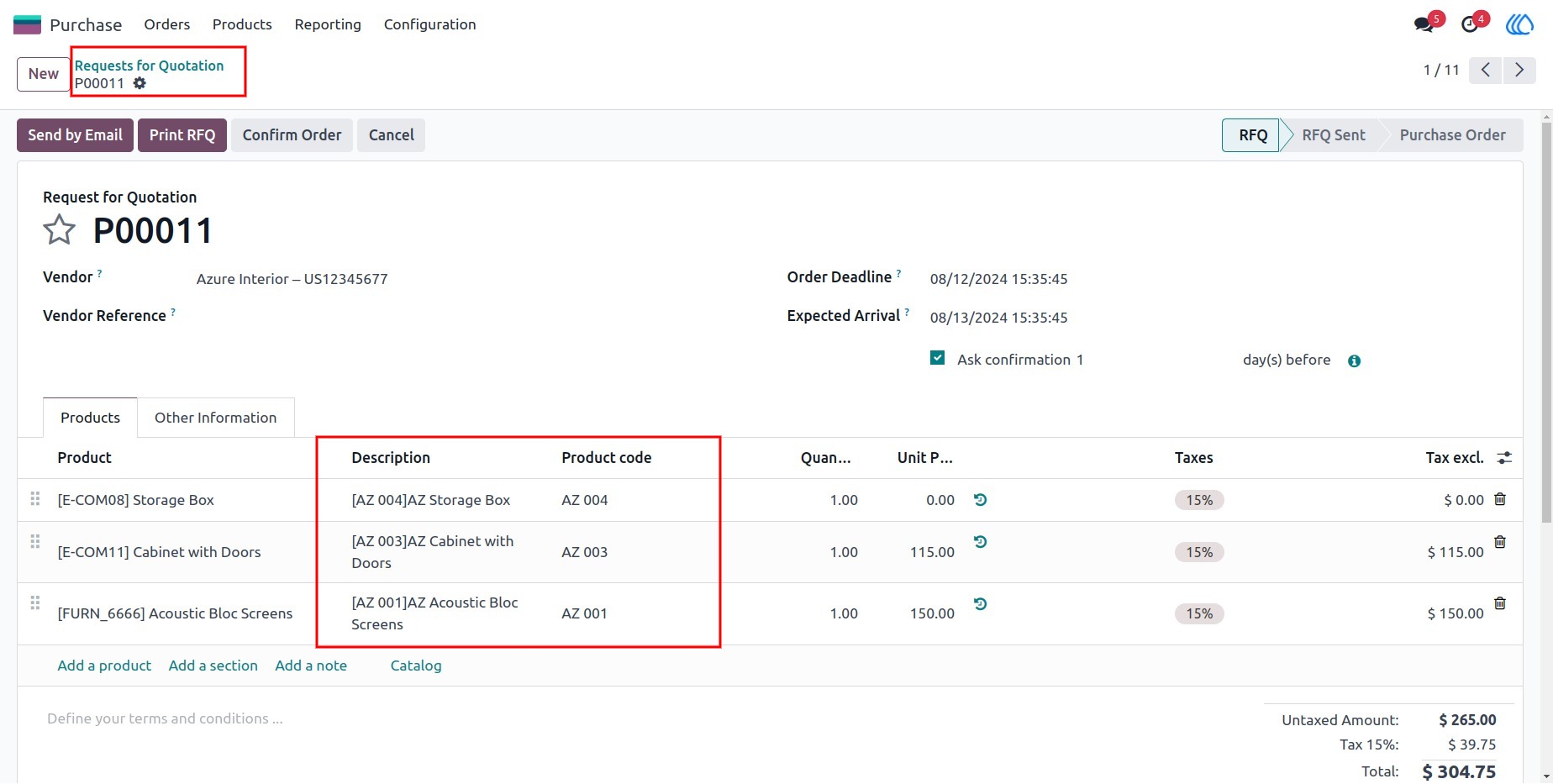
2) Request for Quotation (RFQ) Line
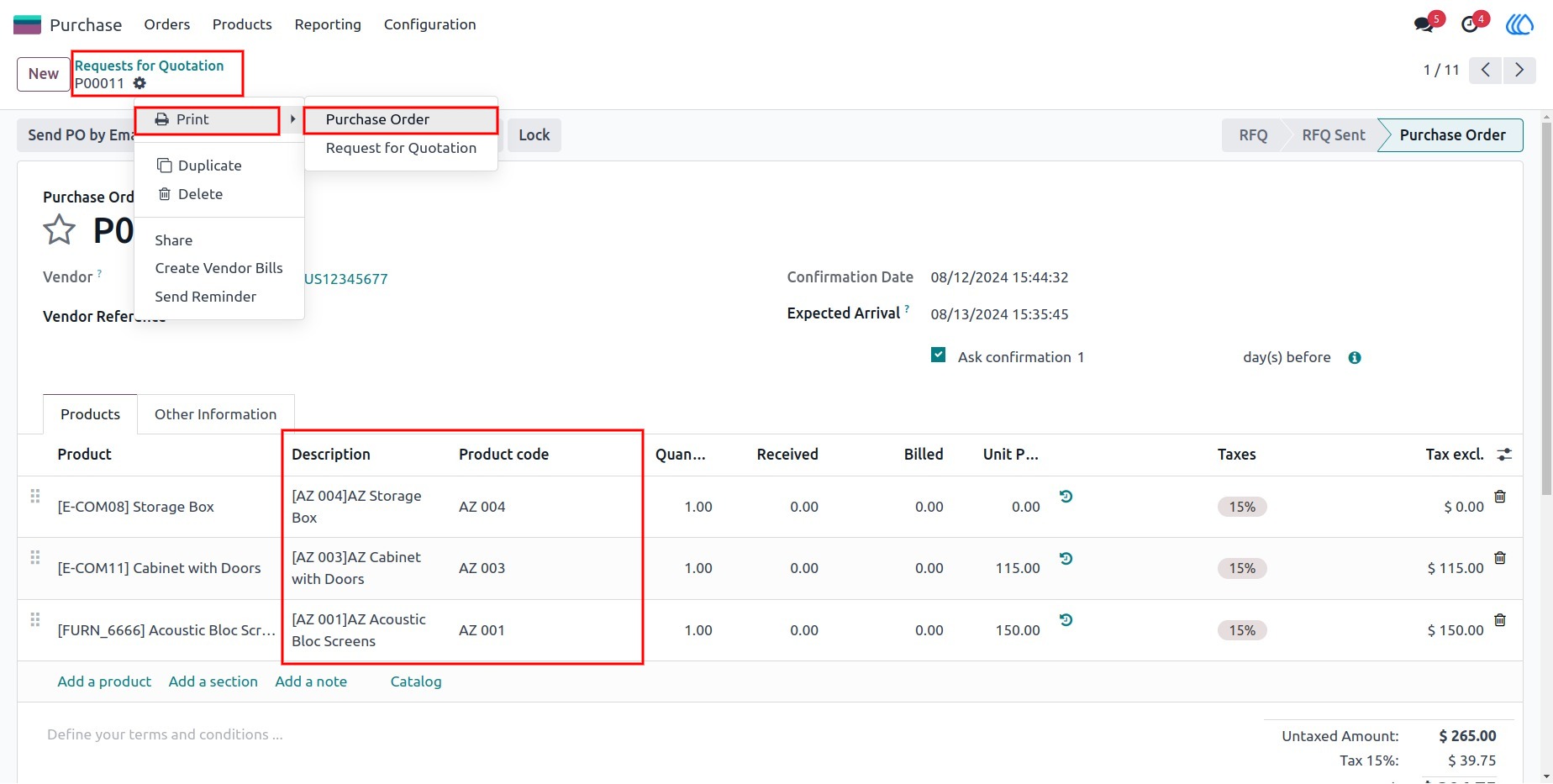
The product code field is visible in the purchase order line or request for quotation line, showing the vendor's product code.
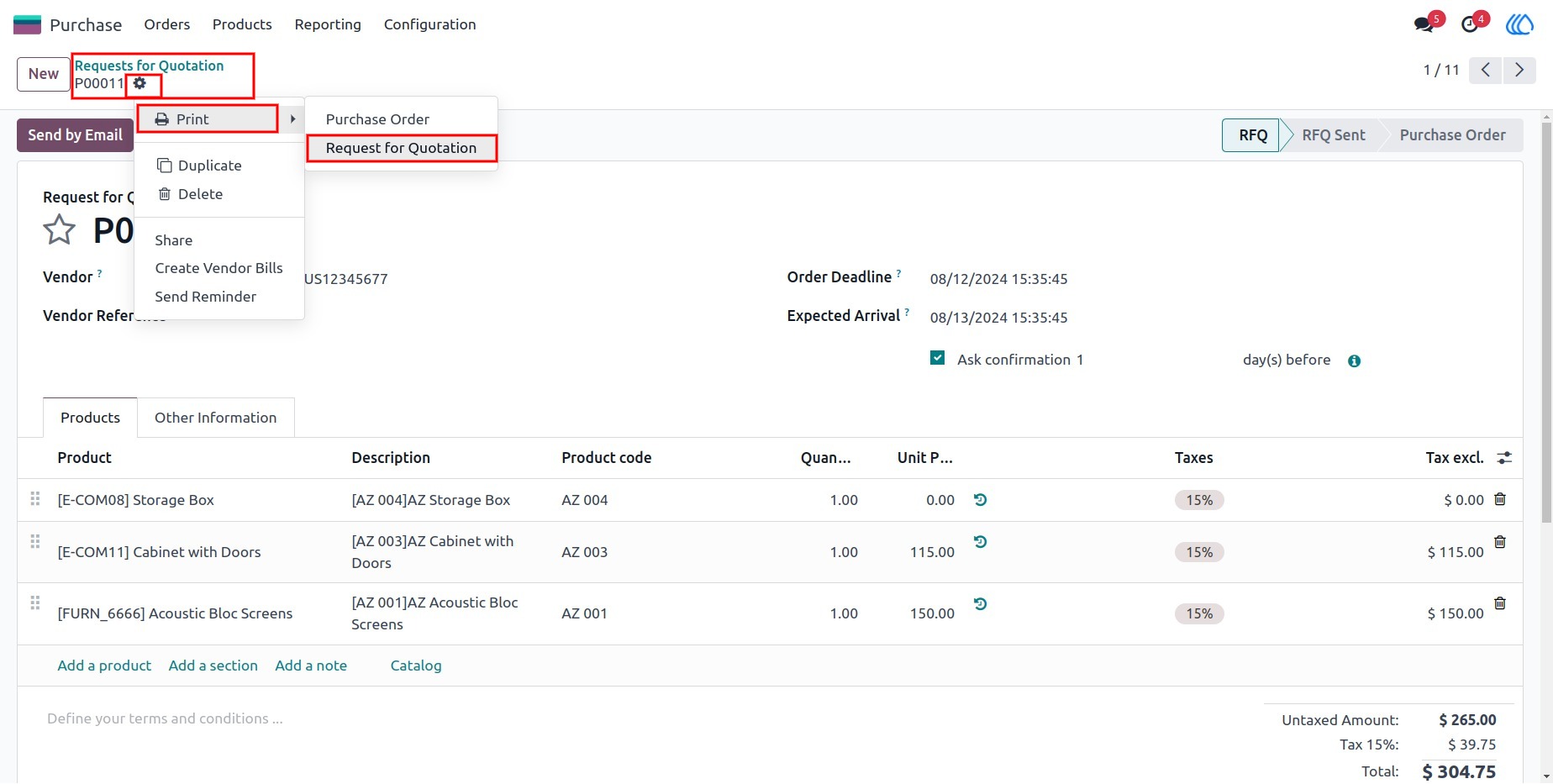
3) Request for Quotation Action
To print the RFQ, click on the "Request For Quotation" action.
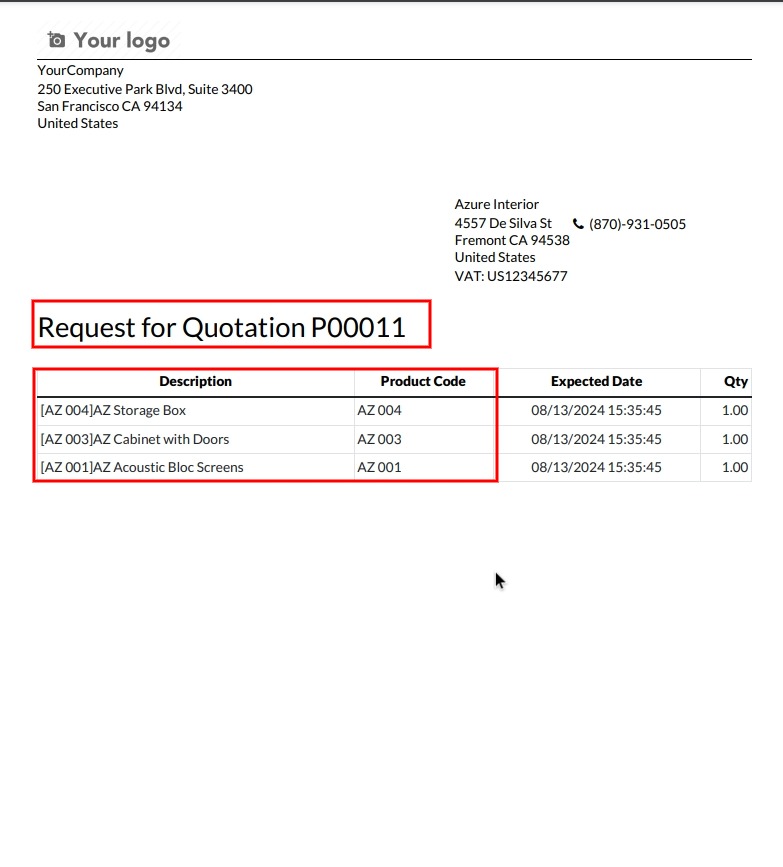
4) Request for Quotation PDF
The product code field is included in the printed RFQ report, making it easier to reference vendor codes.
5) Purchase Order (PO) Action
To print the PO, click on the "Purchase Order" action.
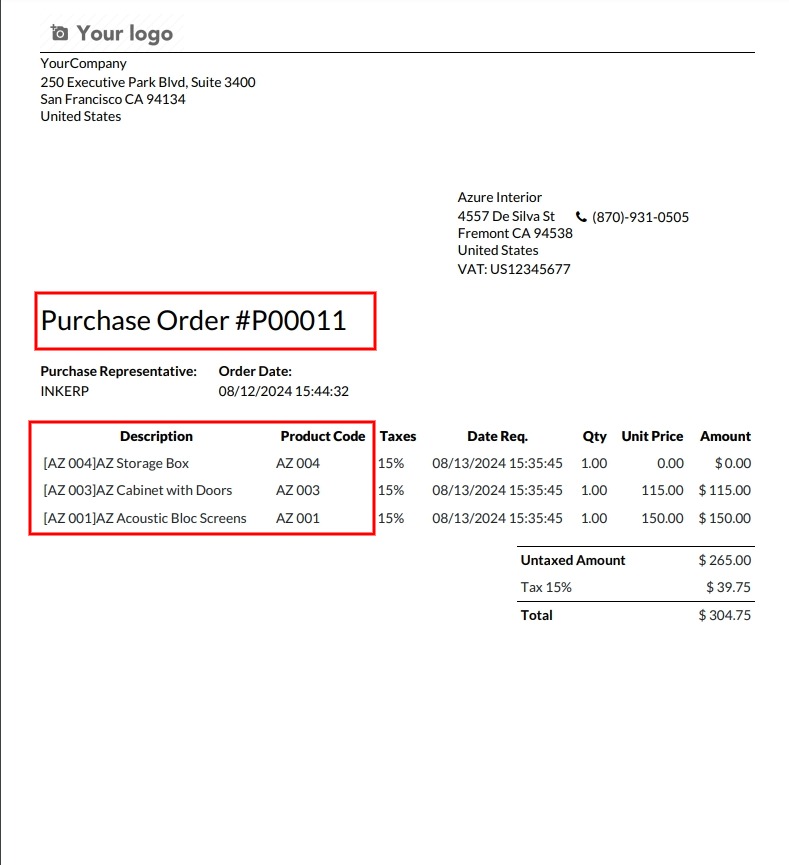
6) Purchase Order PDF
The product code field is included in the printed purchase order report.
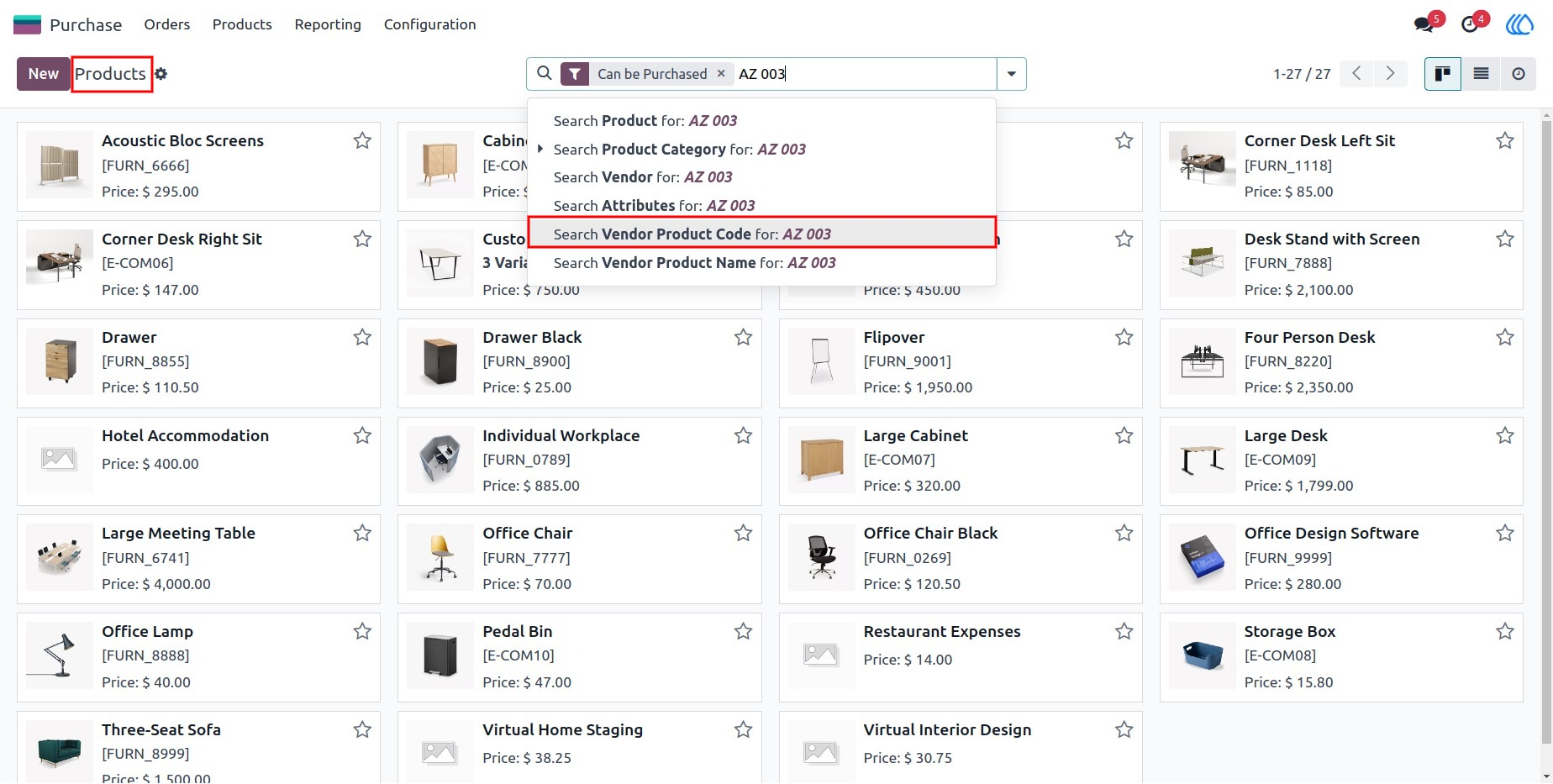
7) Product Search by Vendor Code
User can search products by their vendor product code in the product search field.
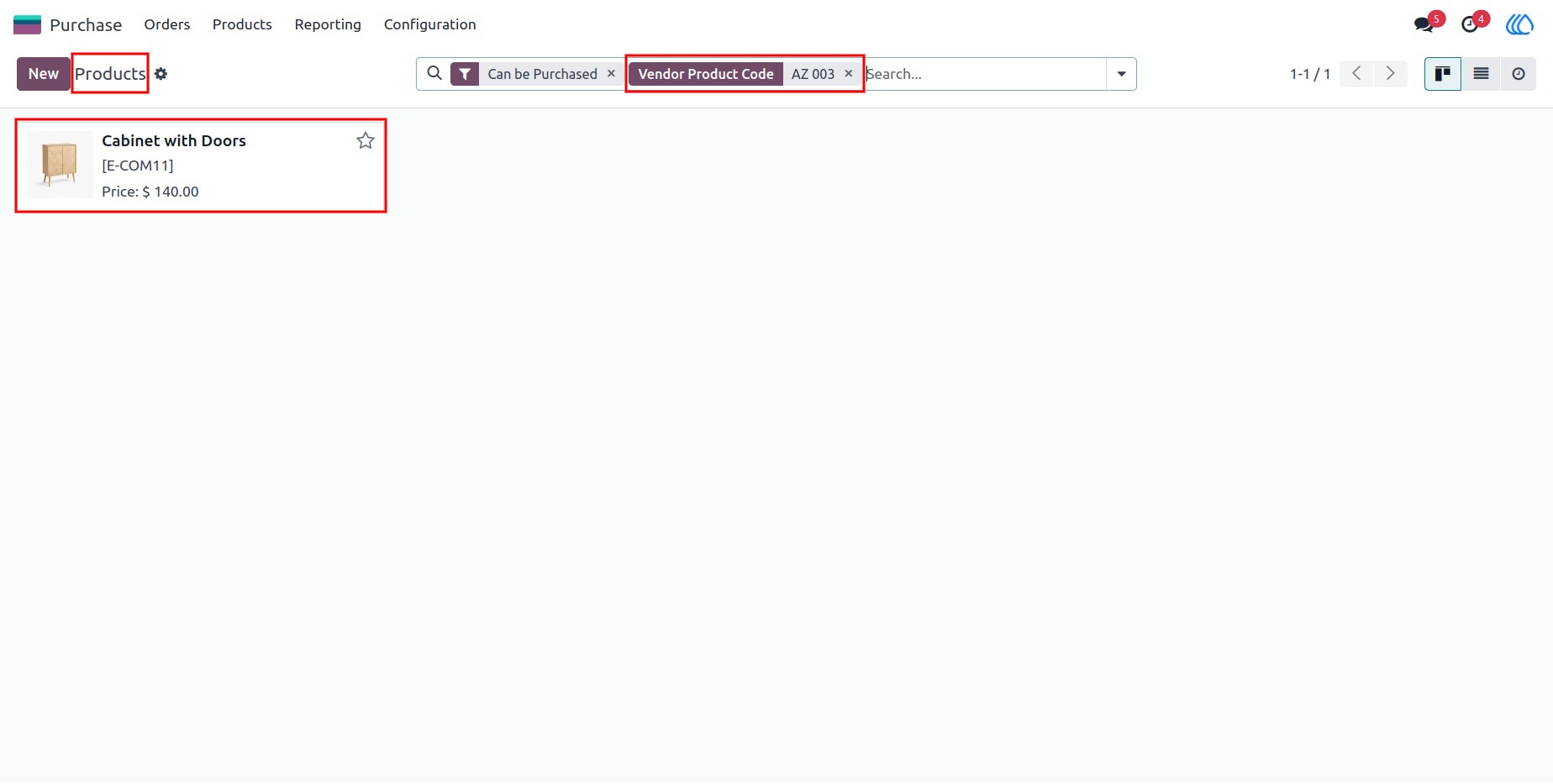
8) Product Search Results by Vendor Code
This is the search result showing products filtered by their vendor product codes.
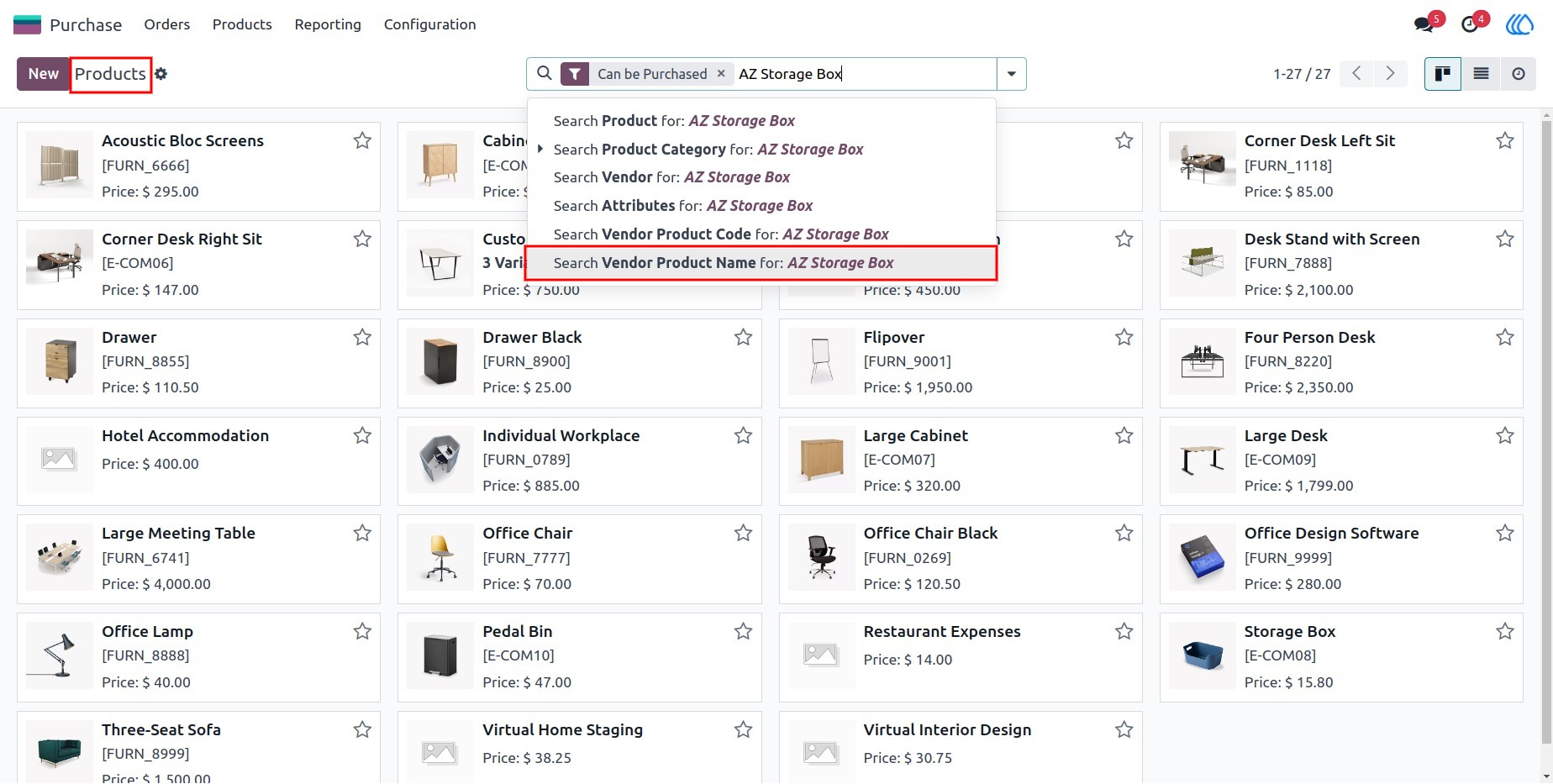
9) Product Search by Vendor Product Name
User can also search for product using the vendor product name in the search bar.
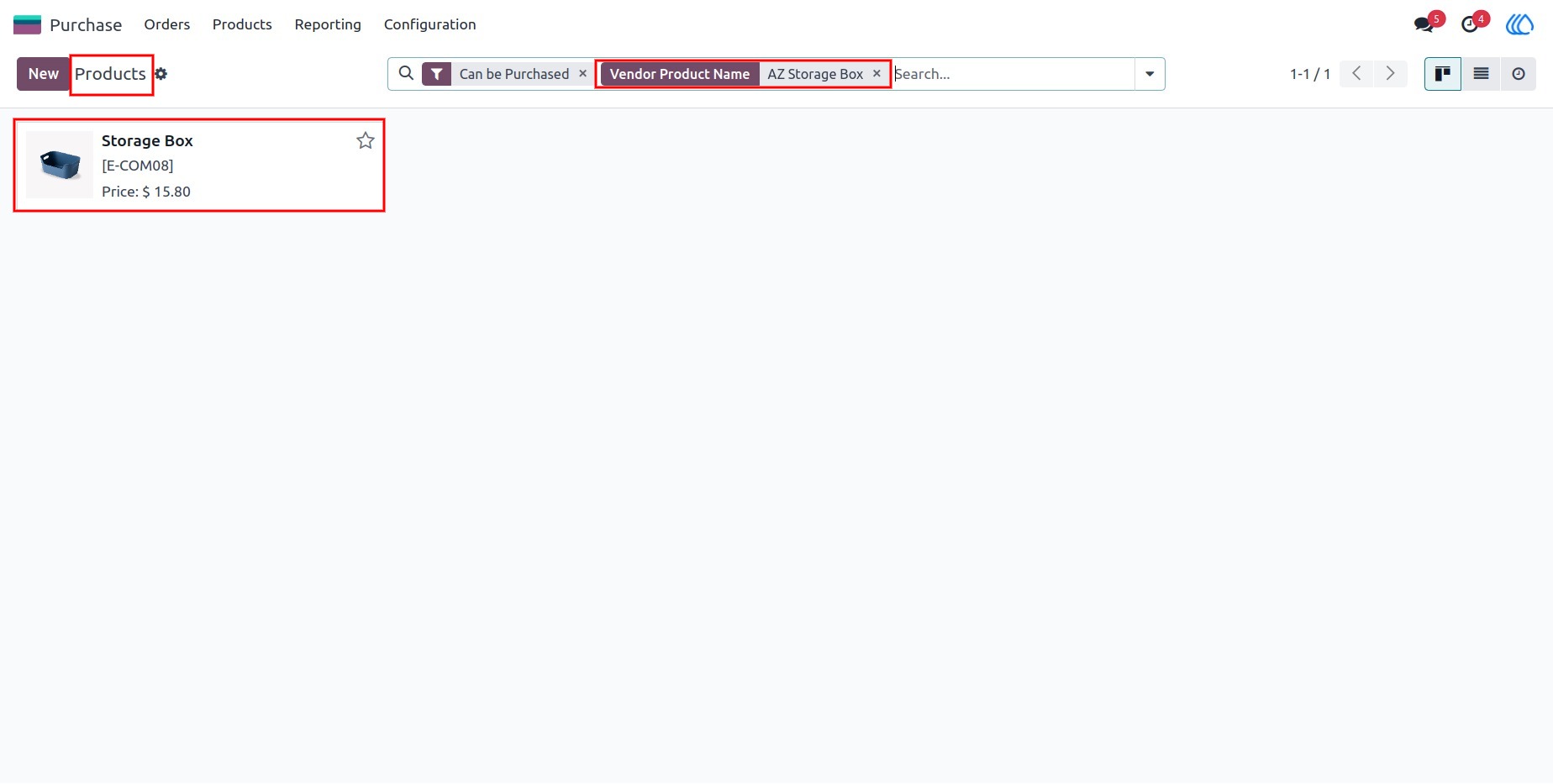
10) Product Search Results by Vendor Product Name
The search results showing product filtered by vendor product name.
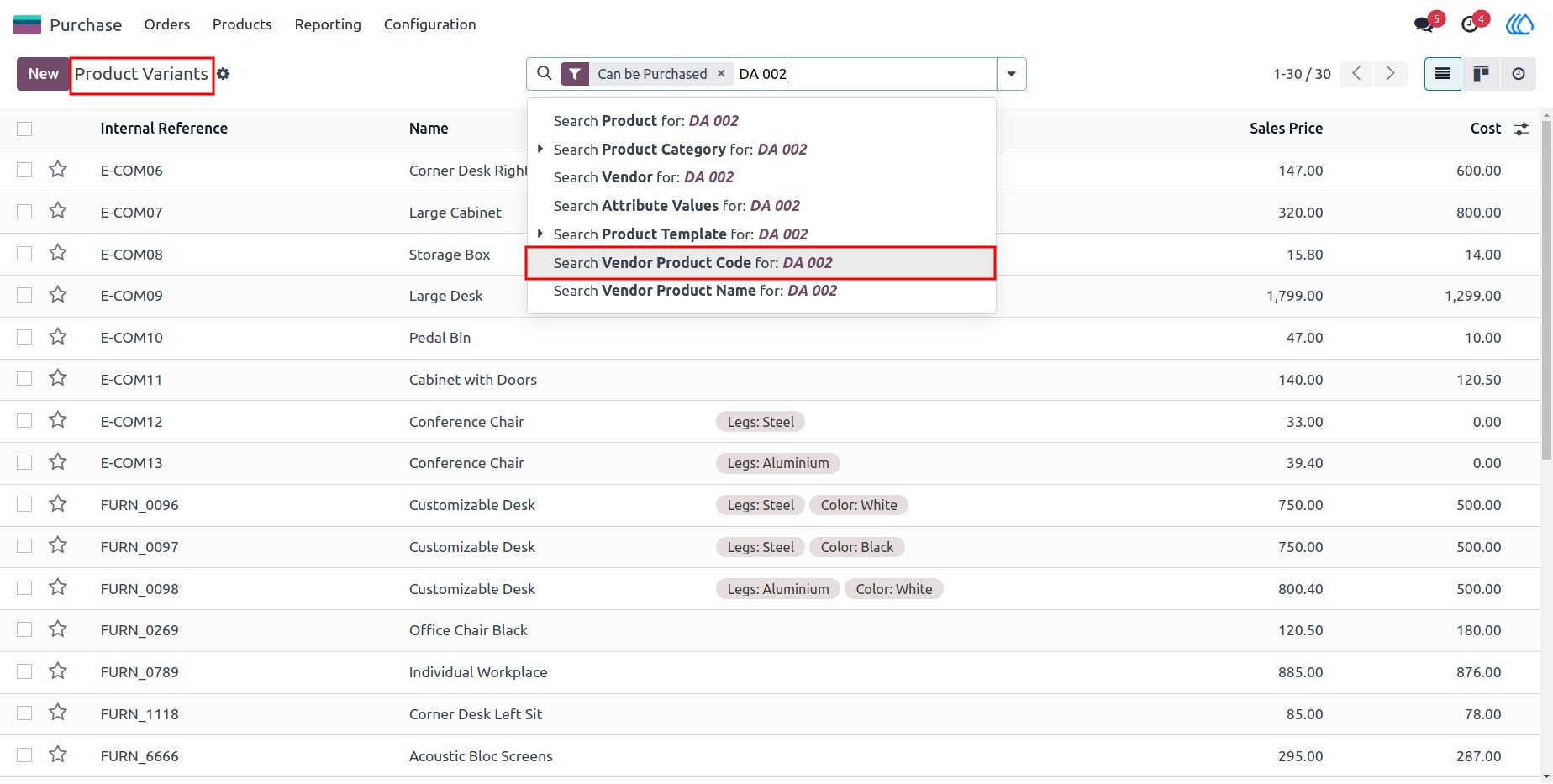
11) Product Variants Search
Search product variants quickly using the vendor's product code.
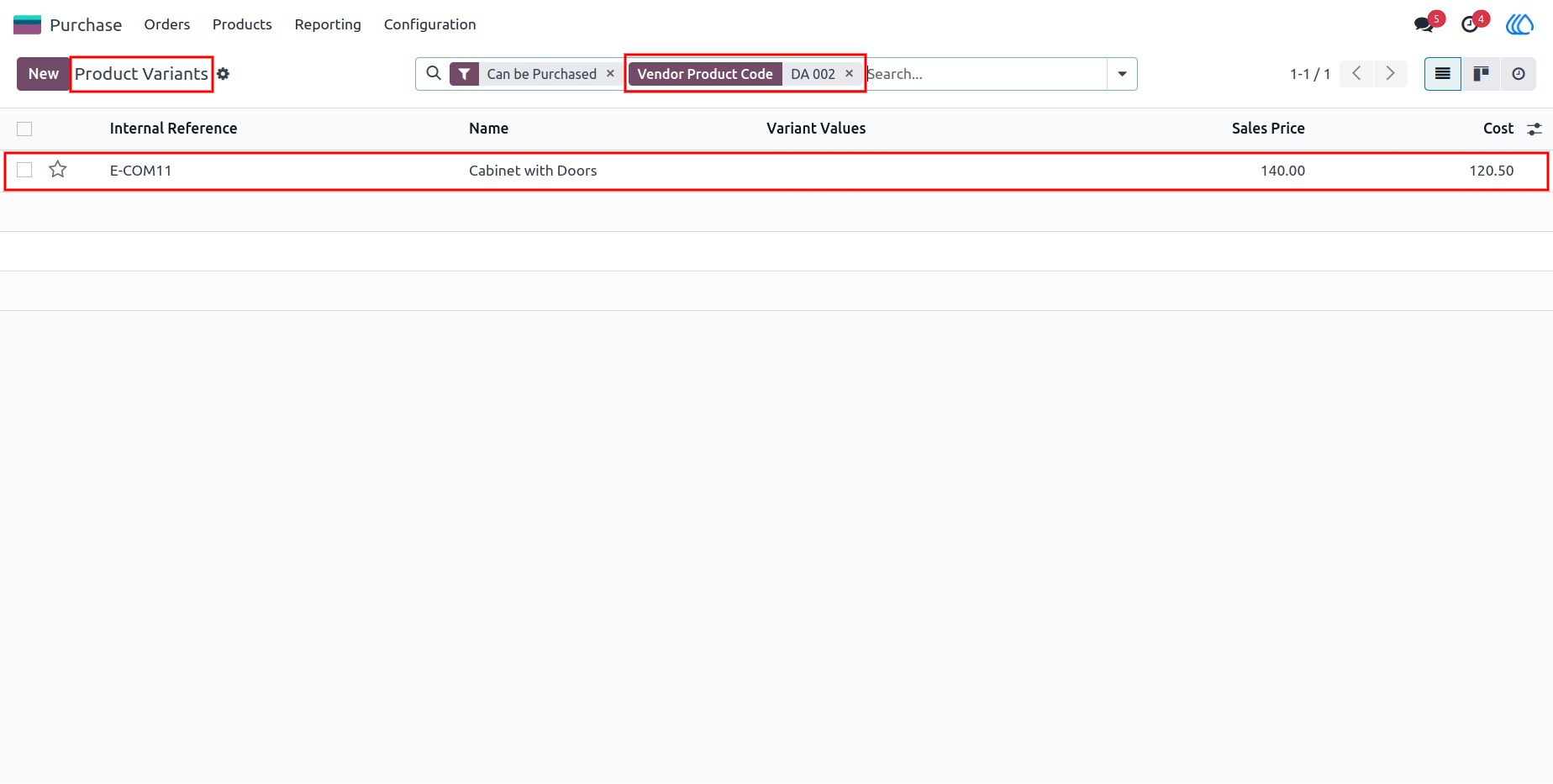
12) Product Variants Search Results
View search results for product variants based on the vendor's product code.
User Guide