

Our Most Suggested Products


Product Low Stock Notification / Excel Report
This Odoo module simplifies inventory management by automating low stock monitoring and reporting. It continuously tracks product quantities and alerts designated users via email whenever stock levels fall below predefined thresholds. With flexible configuration options for both global and individual products, along with downloadable Excel reports, the module ensures businesses can proactively manage inventory, prevent stockouts, and maintain smooth sales and manufacturing operations.
 Features
 Screenshots
 Support
 Service
Features
Automated Low Stock Email Notifications
The module automatically sends email alerts to selected users when product quantities drop below the defined minimum levels. Notifications can be configured globally for all products or individually for specific items, ensuring flexibility based on business needs.
Flexible Configuration for Global and Individual Products
Users can configure minimum stock levels either globally across all products or individually for each product variant. This allows businesses to apply uniform rules where needed while maintaining granular control for critical or high-demand items.
Excel-Based Low Stock Reporting
The module provides the ability to generate and download detailed low stock reports in Excel format. These reports offer clear visibility into inventory shortages at both global and product-specific levels.
Screenshot
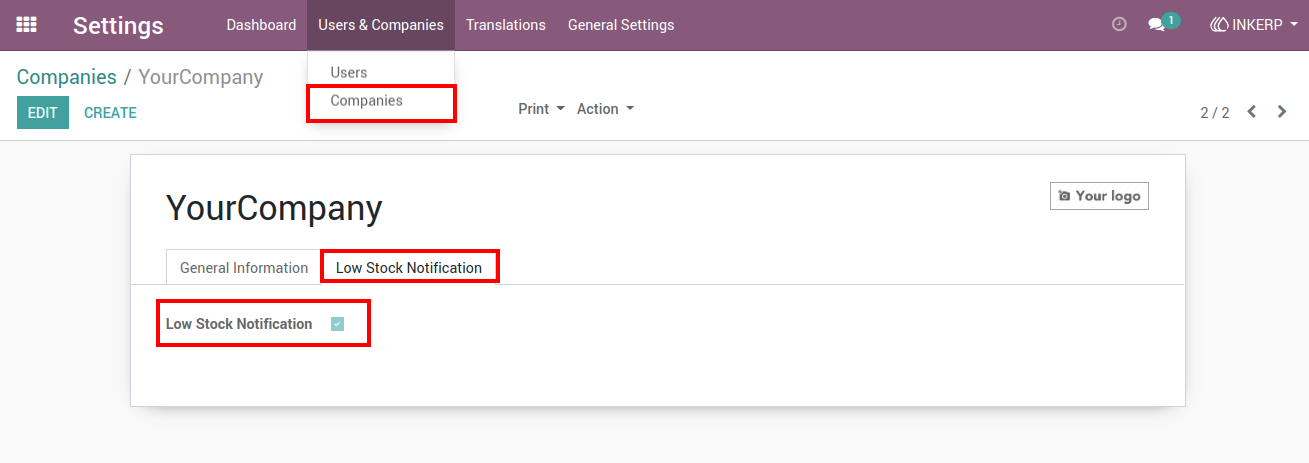
1.) Low Stock Notification Settings (Company Level)
A dedicated configuration section within company settings allows enabling or disabling low stock notifications. Once activated, the system begins monitoring inventory levels and prepares to notify relevant users when thresholds are breached.
Navigation : Settings › Users & Companies › Companies
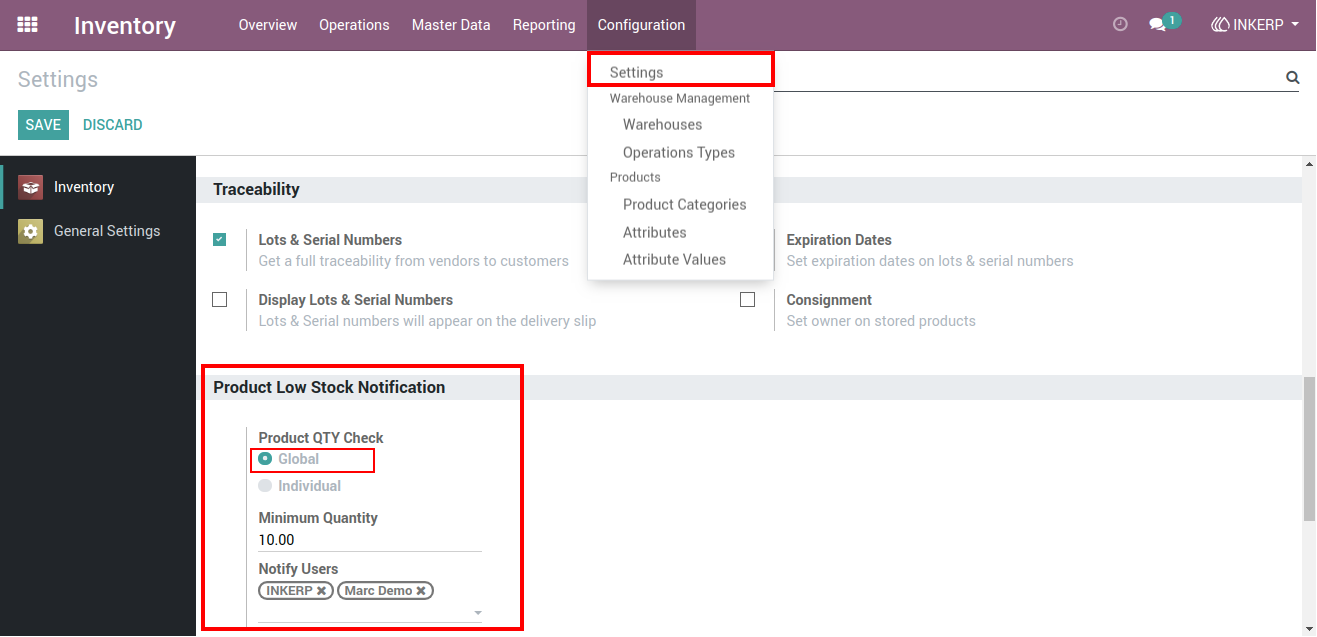
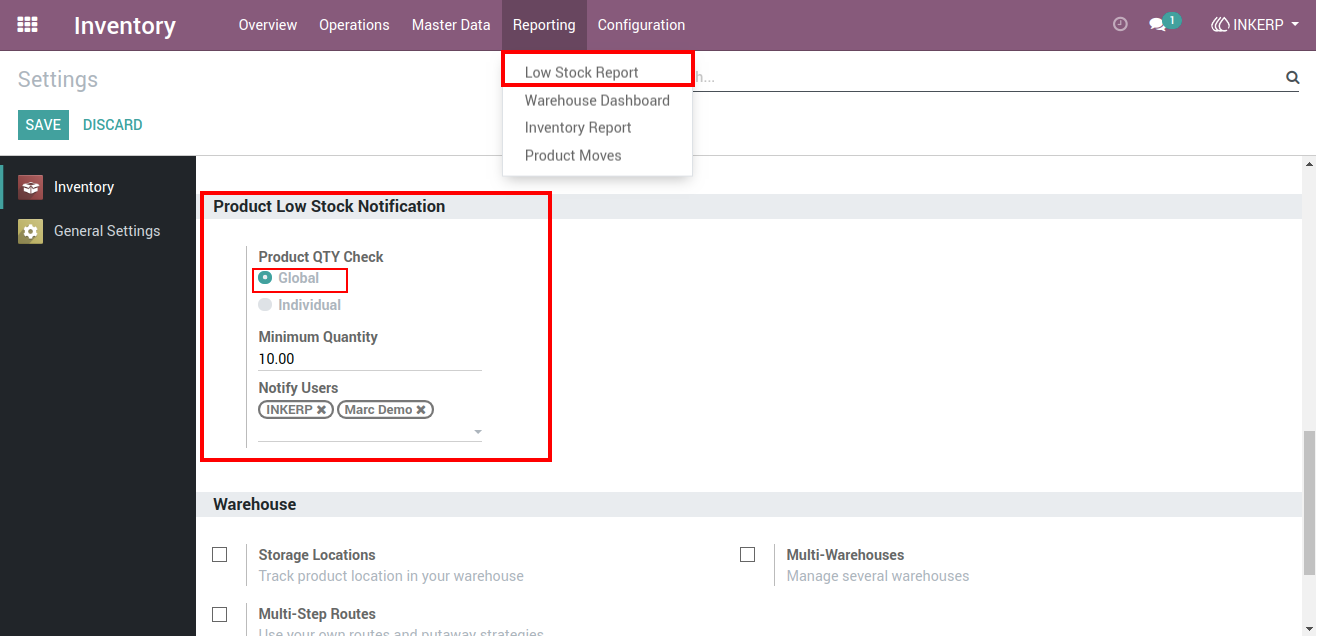
2.) Global Low Stock Configuration
Global settings make it possible to define a universal minimum quantity for all products. Users can also select recipients for notifications, ensuring that responsible team members are informed whenever any product falls below the set limit.
Navigation : Inventory › Configuration › Settings
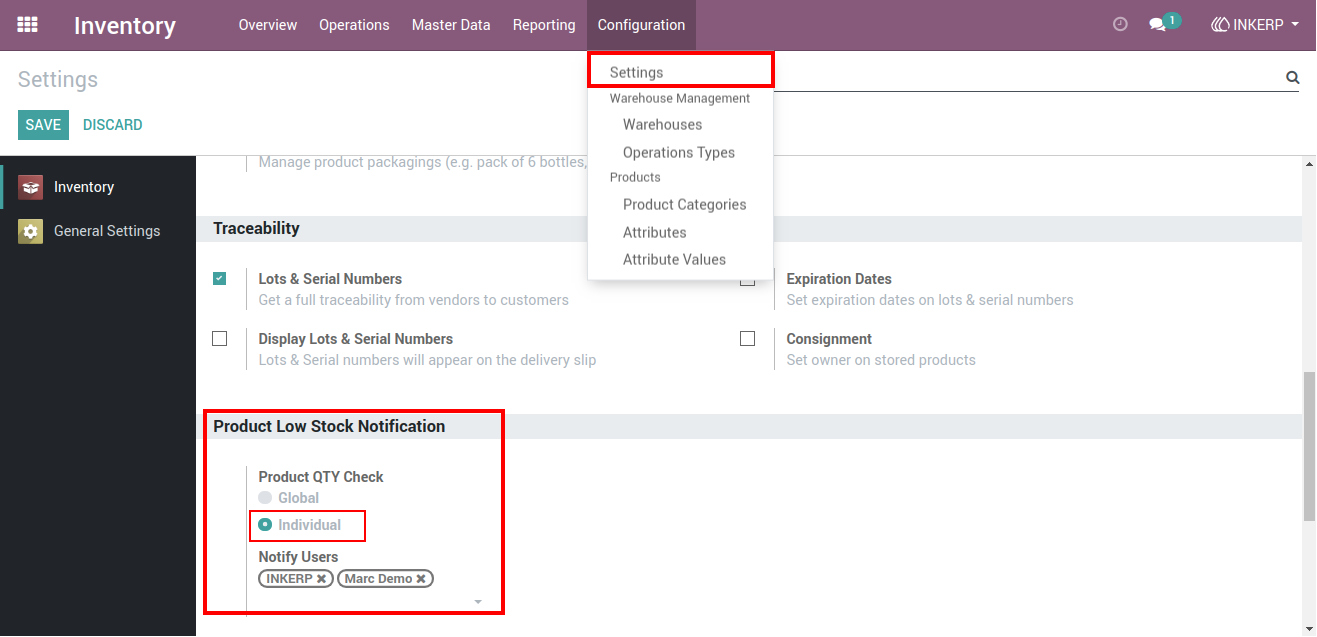
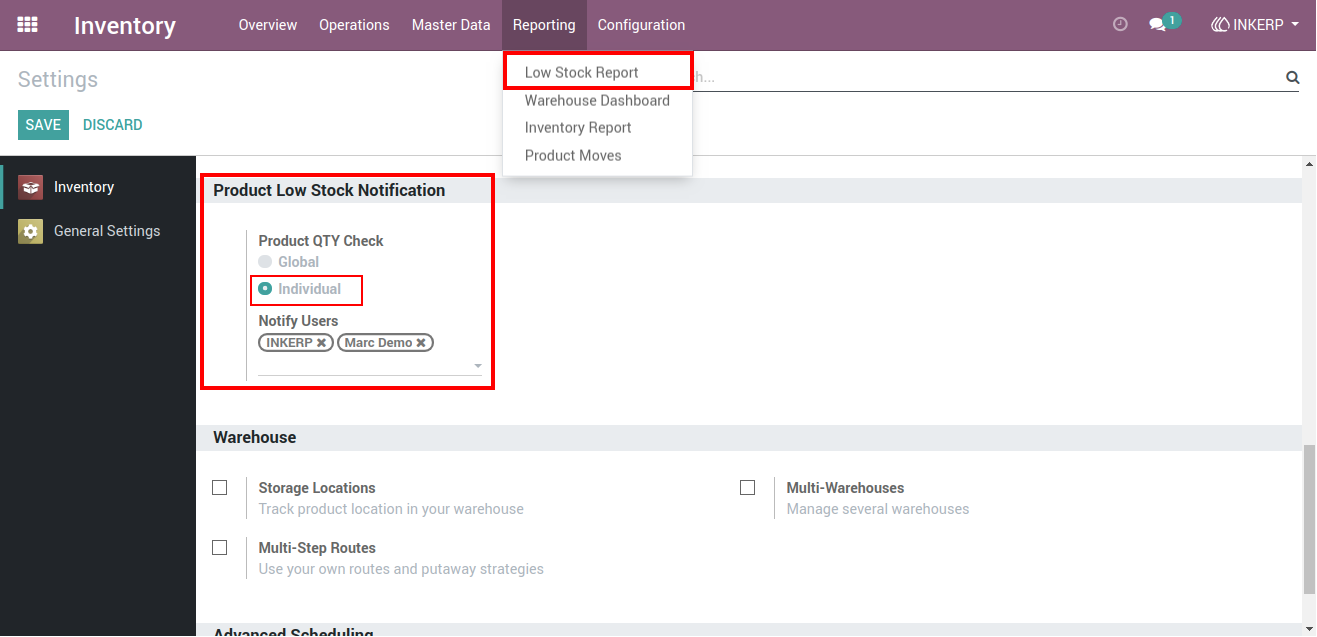
3.) Individual Product Notification Configuration
`An alternative setup option enables product-specific monitoring. This approach is ideal for businesses that require different minimum stock levels for different items, offering more precise control over inventory management.
Navigation : Inventory › Configuration › Settings
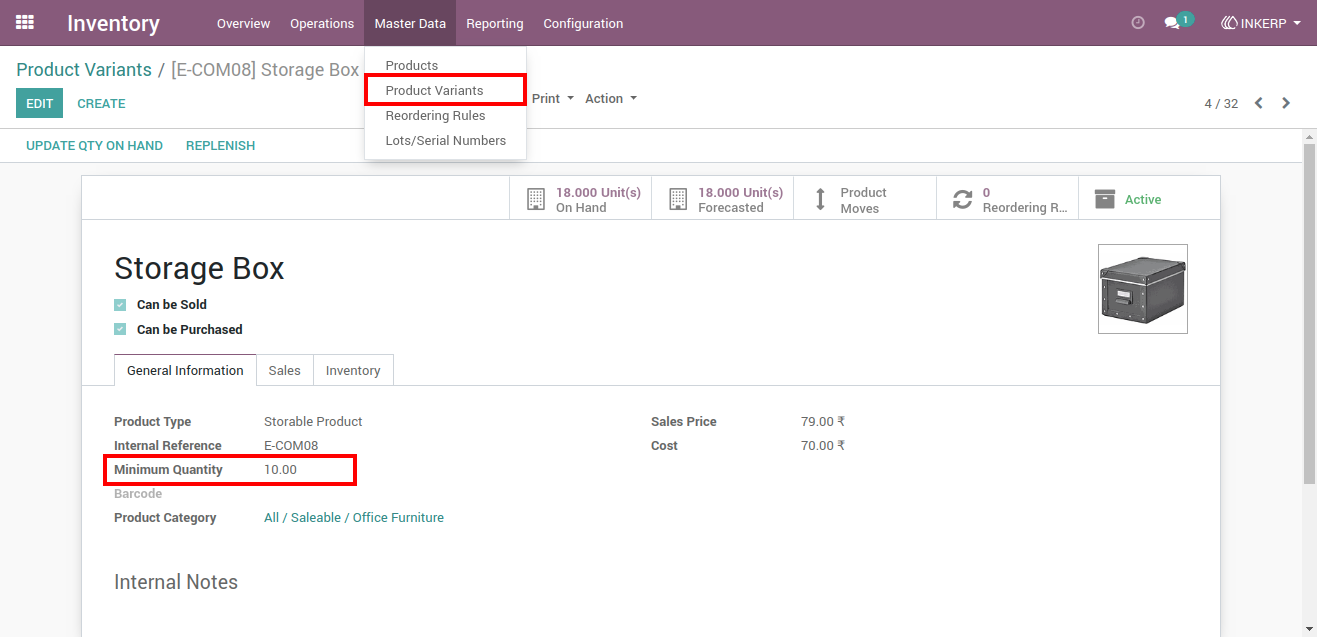
4.) Product Variant Minimum Quantity Setup
Each product variant can have its own minimum quantity defined. This ensures that critical or fast-moving products are closely monitored, allowing timely restocking based on individual demand patterns.
Navigation : Inventory › Master Data › Product Variants
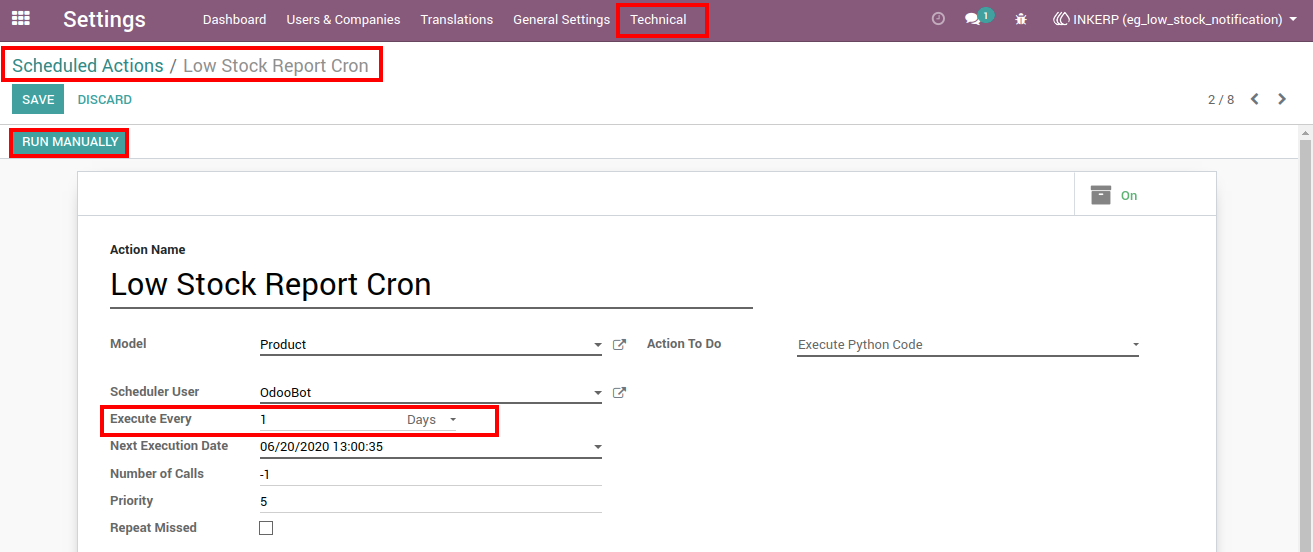
5.) Scheduled Low Stock Notification (Cron Job)
A scheduling feature allows automatic execution of stock checks at defined intervals such as hourly, daily, or monthly. This ensures consistent monitoring without manual intervention and keeps notifications timely and reliable.
Navigation : Settings › Technical › Schedule Action
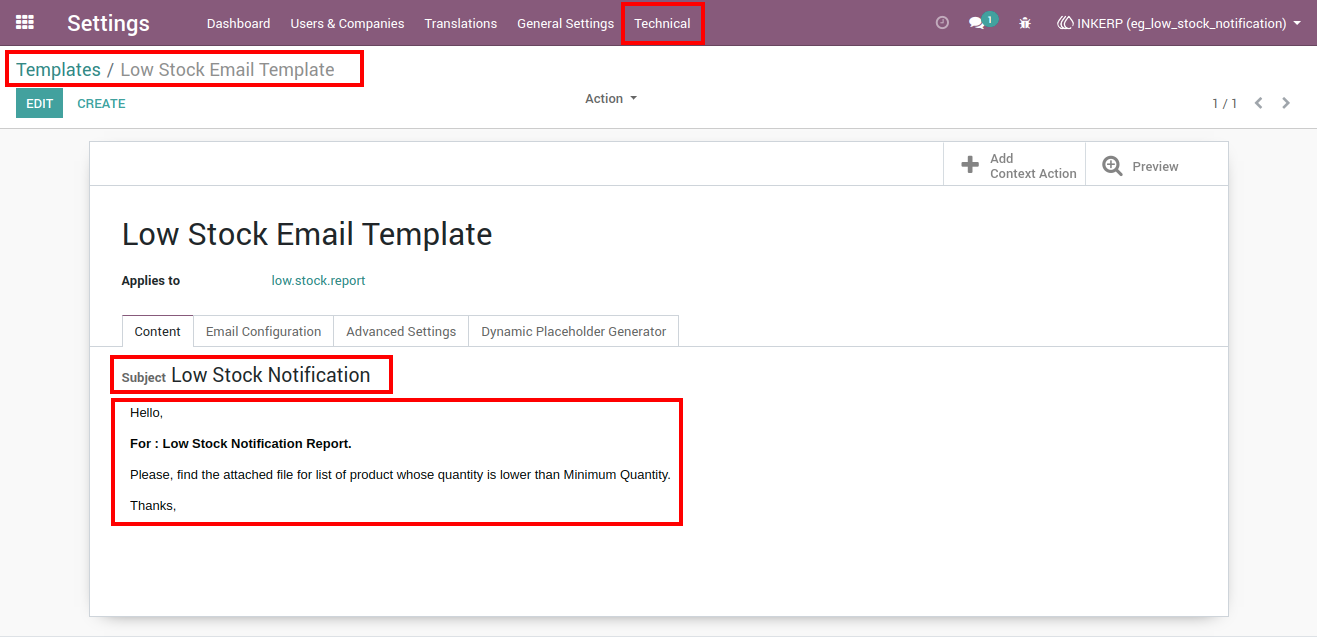
6.) Customizable Email Template
Users can modify the email template used for low stock alerts. This includes editing the subject and message content, allowing businesses to align notifications with their communication style and include relevant details.
Navigation : Settings › Technical › Templates
7.) Low Stock Report Menu Access
A dedicated reporting menu provides quick access to low stock data. This makes it easy for users to review inventory shortages at any time without navigating through multiple sections.
Navigation : Inventory › Reporting › Low Stock Report
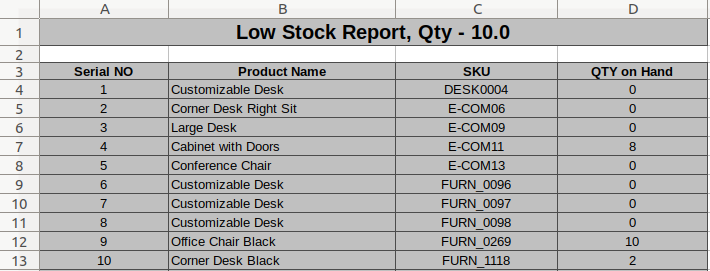
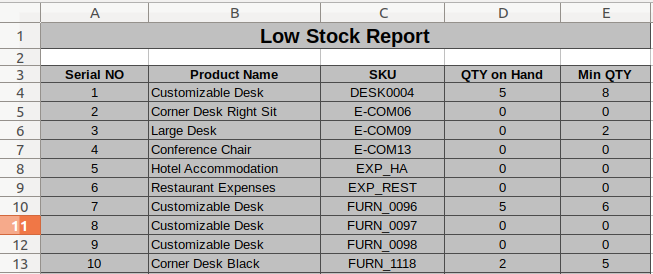
8.) Global Low Stock Report Output
Reports for globally monitored products highlight all items falling below the defined minimum quantity. The structured format ensures clarity and helps teams quickly identify and prioritize restocking needs.
9.) Individual Product Low Stock Report
Separate reporting for individually configured products provides a focused view of specific inventory items. This is especially useful for tracking high-priority or sensitive stock categories.
10.) Excel Report Download
The system enables exporting low stock data into Excel format for further analysis, sharing, or record-keeping. This enhances reporting flexibility and supports better decision-making through organized data.
User Guide