

Our Most Suggested Products


Hospital Management
The Hospital Management module for Odoo is a comprehensive solution designed to streamline and digitize hospital operations. It enables administrators and medical staff to efficiently manage hospital infrastructure, staff, patient records, medicine inventory, and operation theater scheduling within a single platform.
 Features
 Screenshots
 Support
 Service
Features
Hospital Infrastructure Management
This feature allows users to create and manage complete hospital structures, including buildings, floors, rooms, and beds. It ensures that every physical resource is properly organized and easily accessible within the system.With detailed tracking of room types and bed availability, hospital staff can efficiently allocate space to patients without confusion or overlap.
Staff & Role Management
The module provides a robust system for registering doctors, nurses, and other hospital staff while assigning them specific roles and permissions. This ensures that each user has access only to the information relevant to their responsibilities.
Patient & Medical Records Management
This feature enables comprehensive tracking of patient information, including clinical assessments, care plans, treatment details, and discharge summaries. It ensures that all patient-related data is stored in a centralized and organized manner.
Screenshot
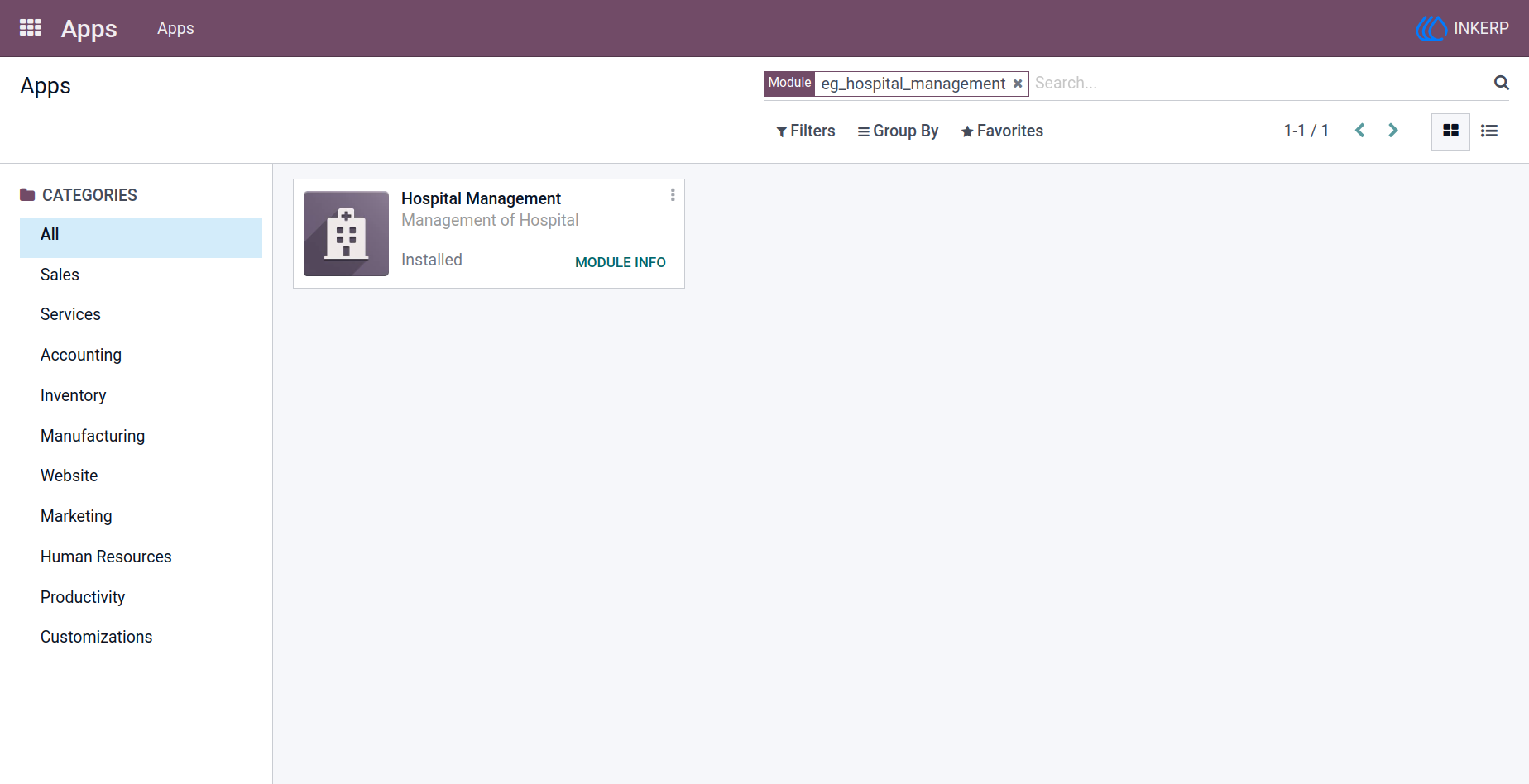
1.) App Installation
Quickly get started by installing the eg_hospital_management module from the Apps menu, making all hospital management features available in your Odoo environment.
Navigation : Apps → Apps → Search for "eg_hospital_management"
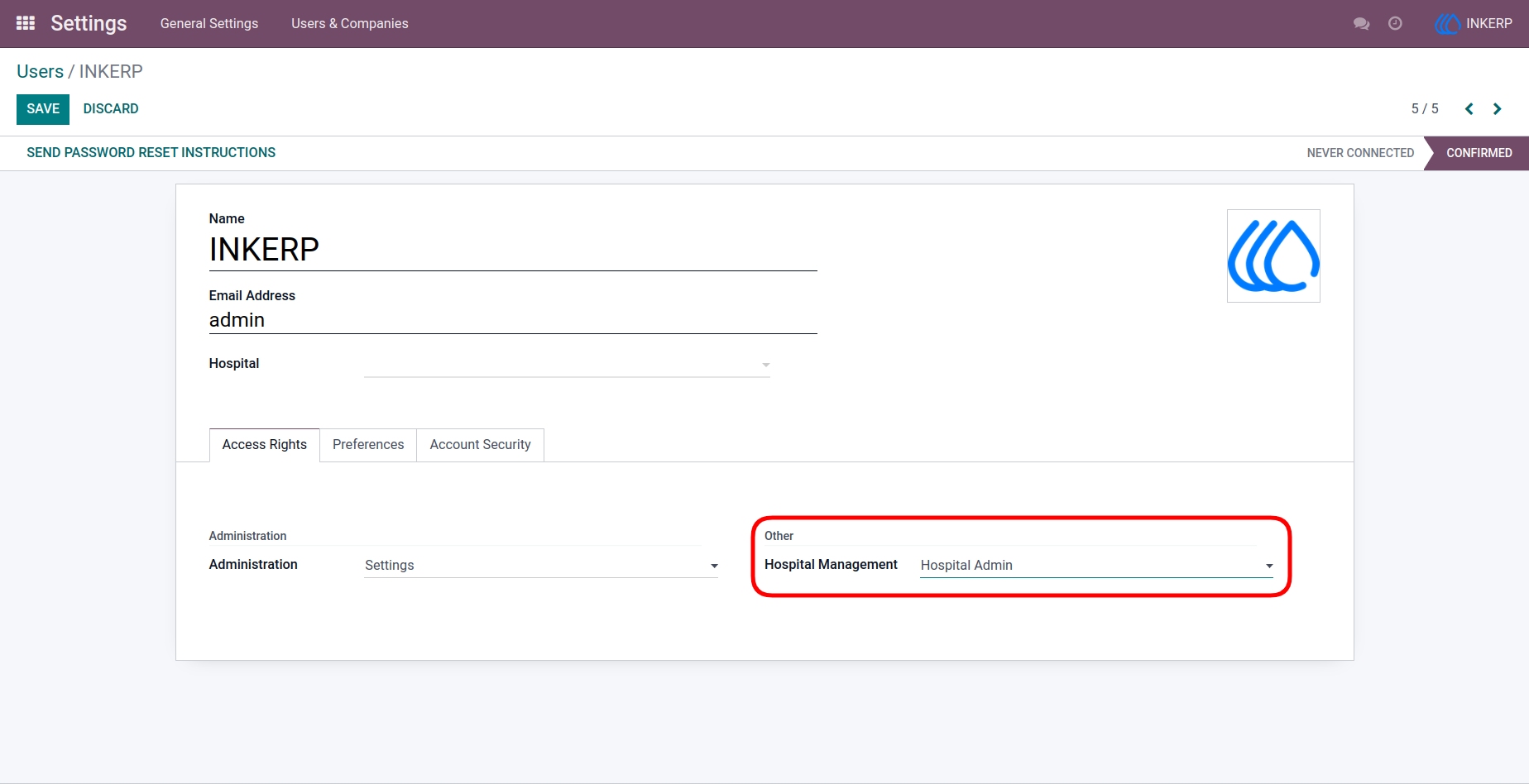
2.) Access Settings
Control user permissions by assigning appropriate access rights, ensuring each role can interact with the hospital system securely and efficiently.
Navigation : Settings → Users & Companies → User → Access Rights
3.) Hospital Building Overview
Organize and manage hospital infrastructure with complete visibility of buildings, including details such as codes, floors, rooms, and bed capacity.
Navigation : Hospital Management → Hospital
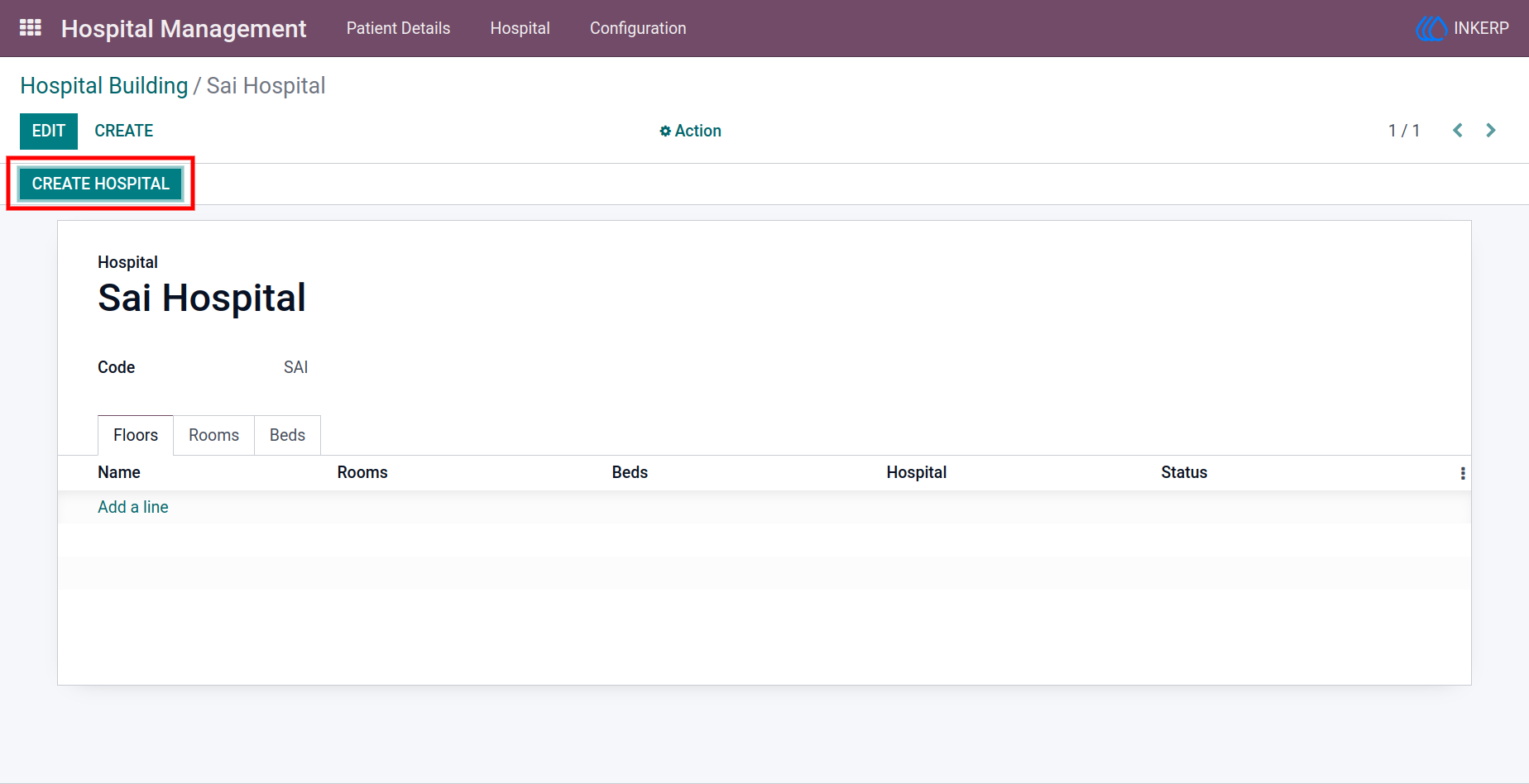
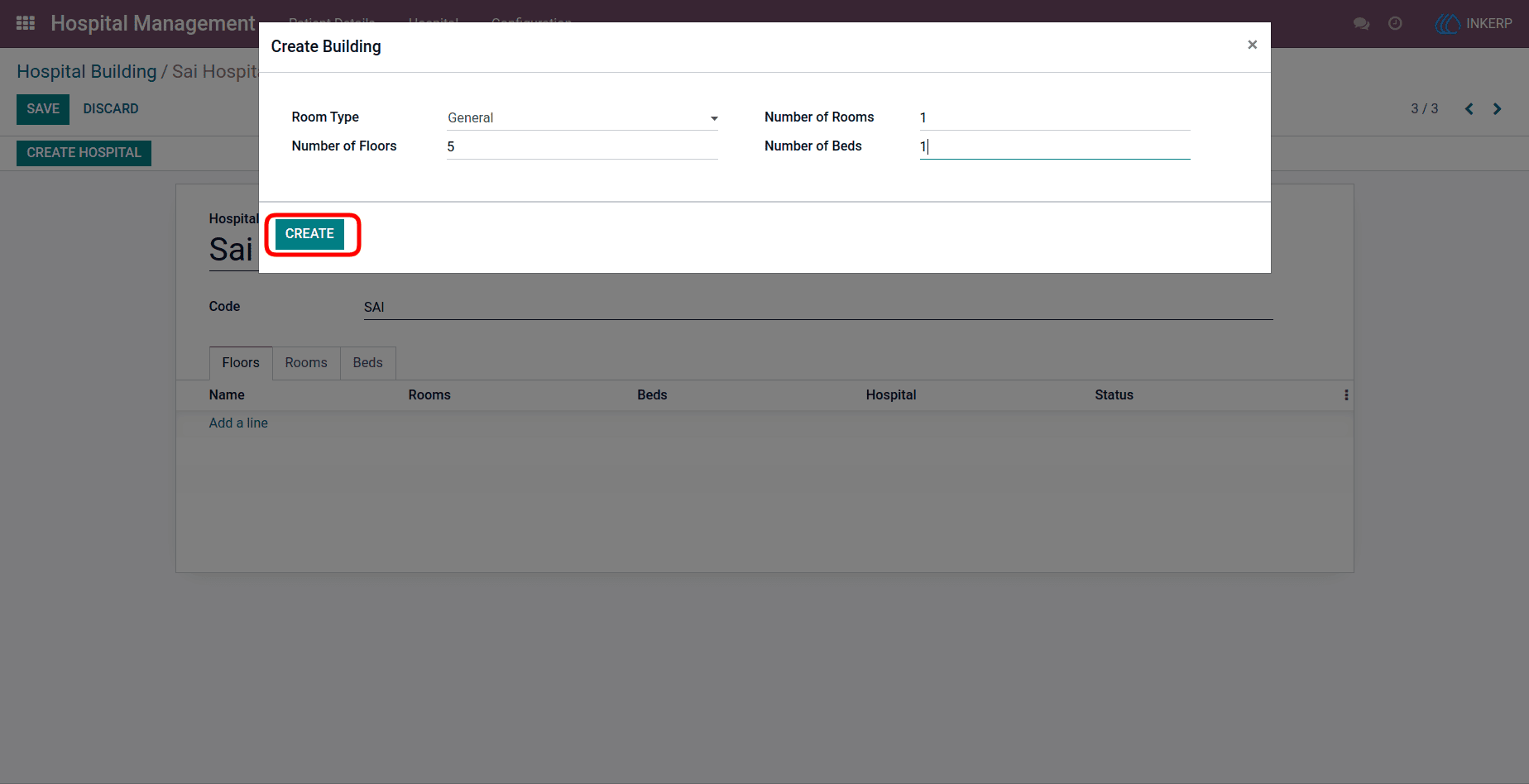
4.) Create Building Setup
Easily configure hospital layouts by adding room types, floor numbers, room details, and bed allocations through a guided creation interface.
Navigation : Hospital Management → Hospital → Create Hospital
5.) User Assignment to Hospital
Ensure users access only relevant hospital data by assigning them to specific hospitals, with flexible access for administrators and restricted access for other roles.
Navigation : Settings → Users & Companies → User → Access Rights
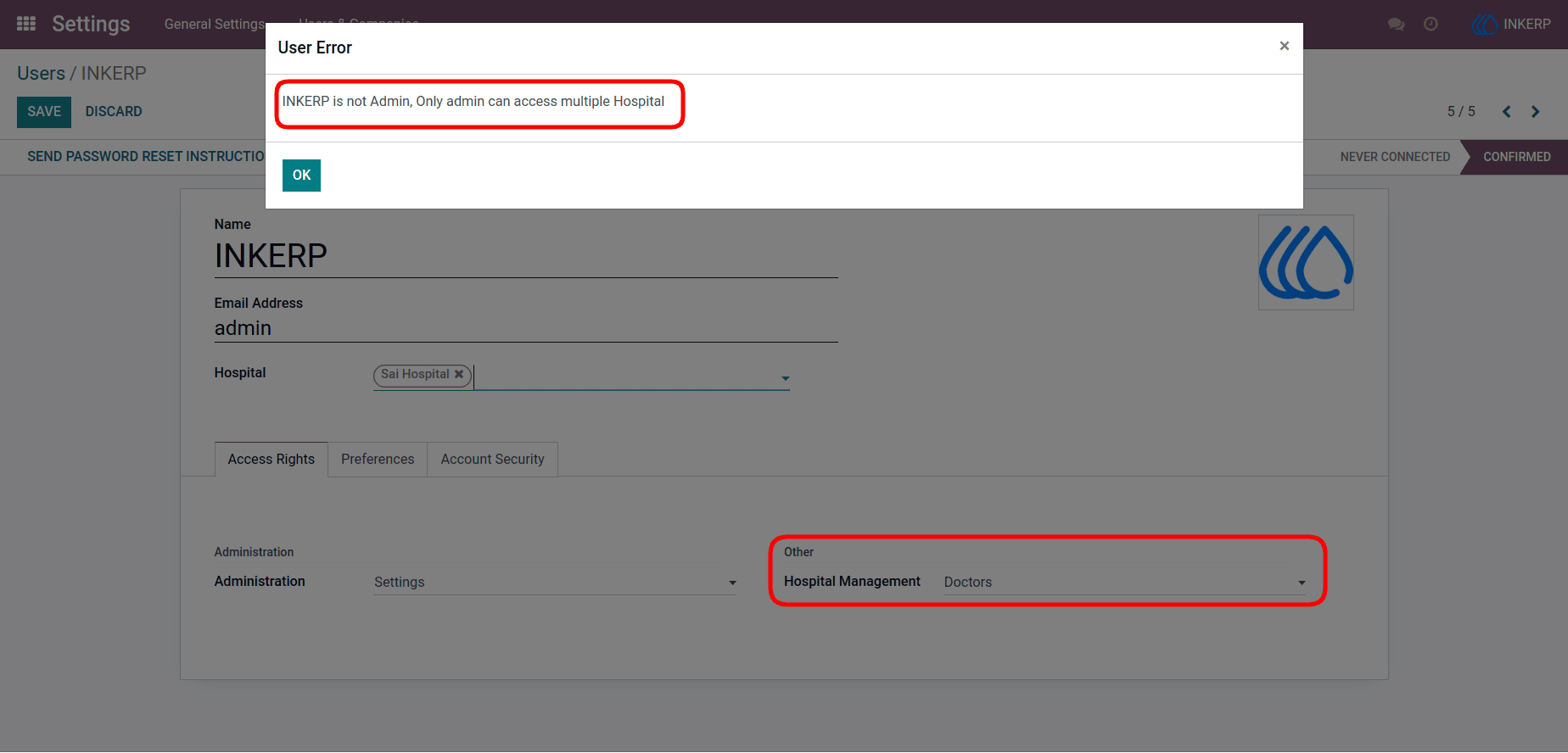
6.) User Assignment Validation
Maintain system integrity by preventing unauthorized multi-hospital assignments for non-admin users, ensuring proper role-based access control.
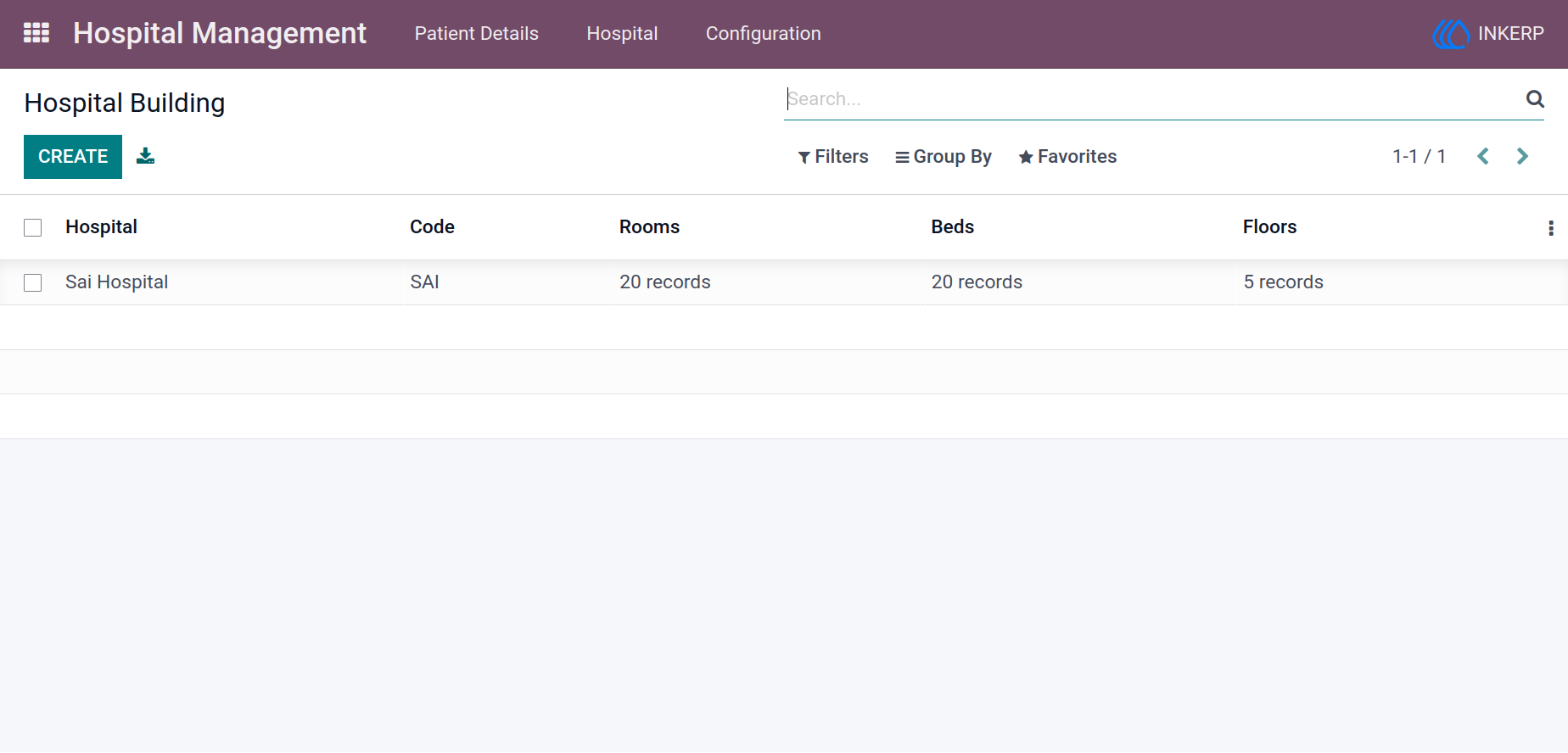
7.) Hospital Building Records
Keep a structured record of all hospital buildings with essential details such as codes, rooms, beds, and floors for better resource tracking.
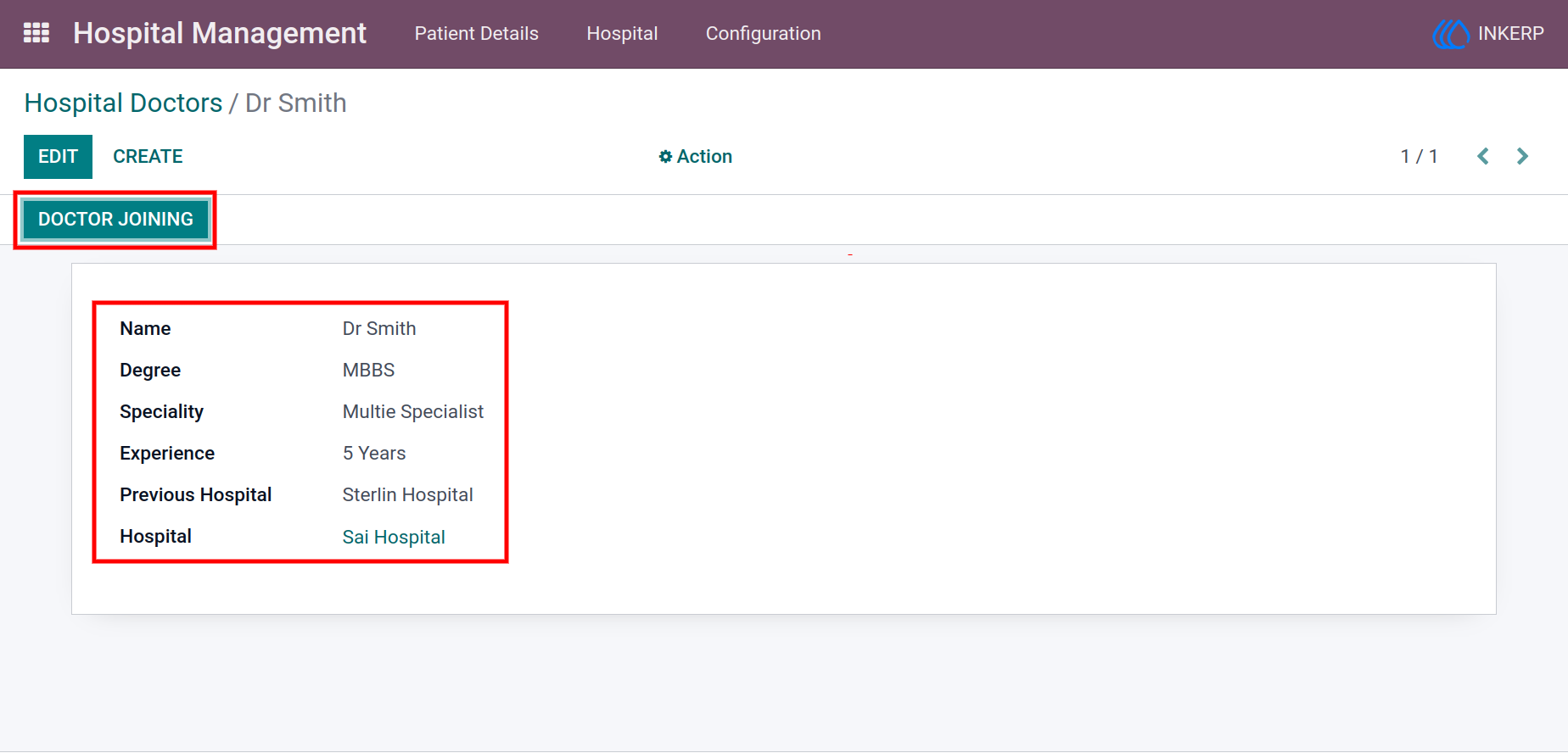
8.) Doctor Management
Register and manage doctor profiles with detailed information, enabling smooth assignment of doctors to patients and hospital operations.
Navigation : Configuration → Hospital Doctors
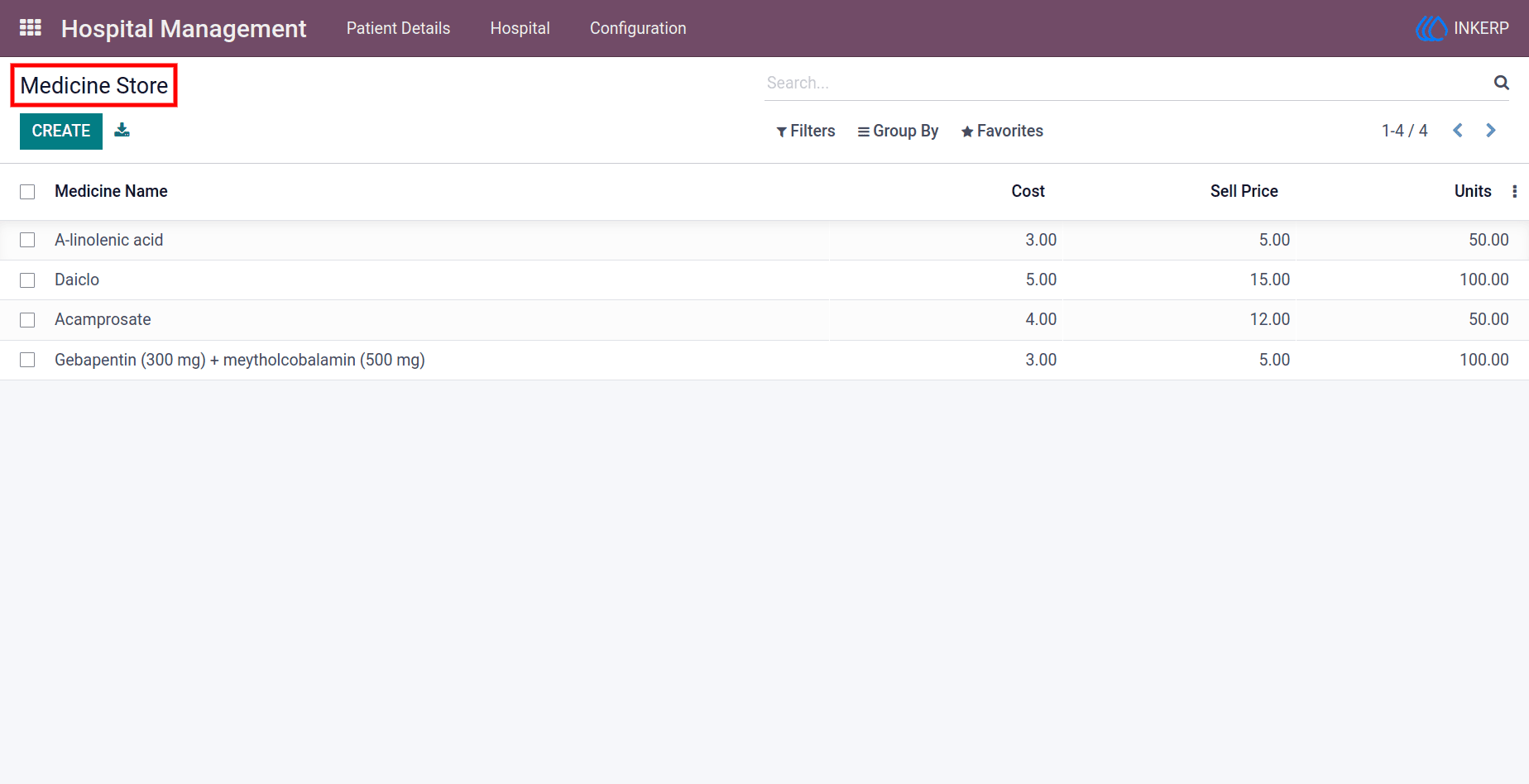
9.) Medicine Store Management
Maintain a centralized list of medicines with complete details, allowing easy selection during patient care planning.
Navigation : Configuration → Medicine Store
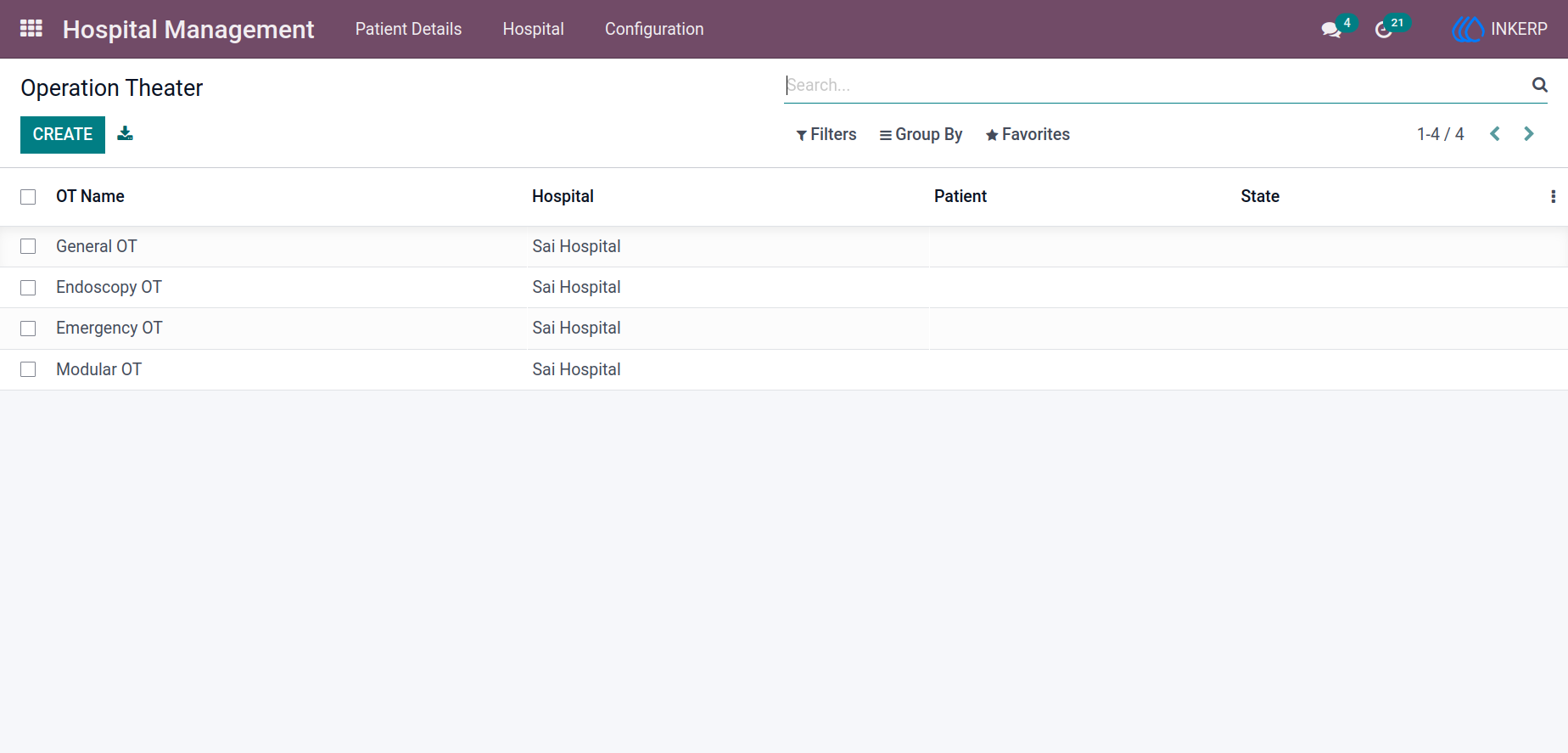
10.) Operation Theater Setup
Create and manage operation theaters while tracking their availability and usage status in real time for better scheduling.
Navigation : Hospital Management → Configuration → Operation Theater
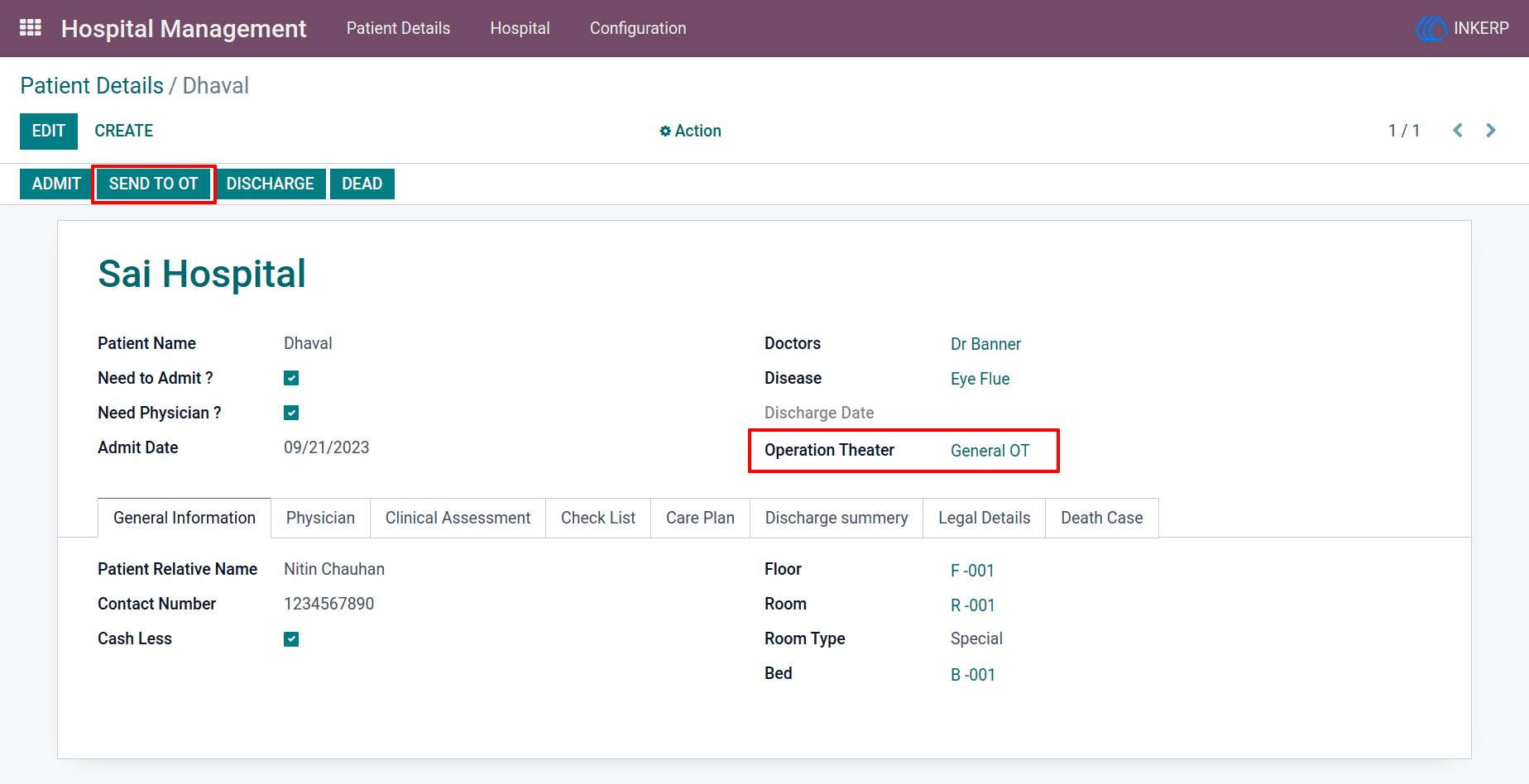
11.) Patient Operation Assignment
Handle surgical workflows efficiently by assigning patients to operation theaters and updating their status during treatment.
Navigation : Hospital Management → Configuration → Operation Theater
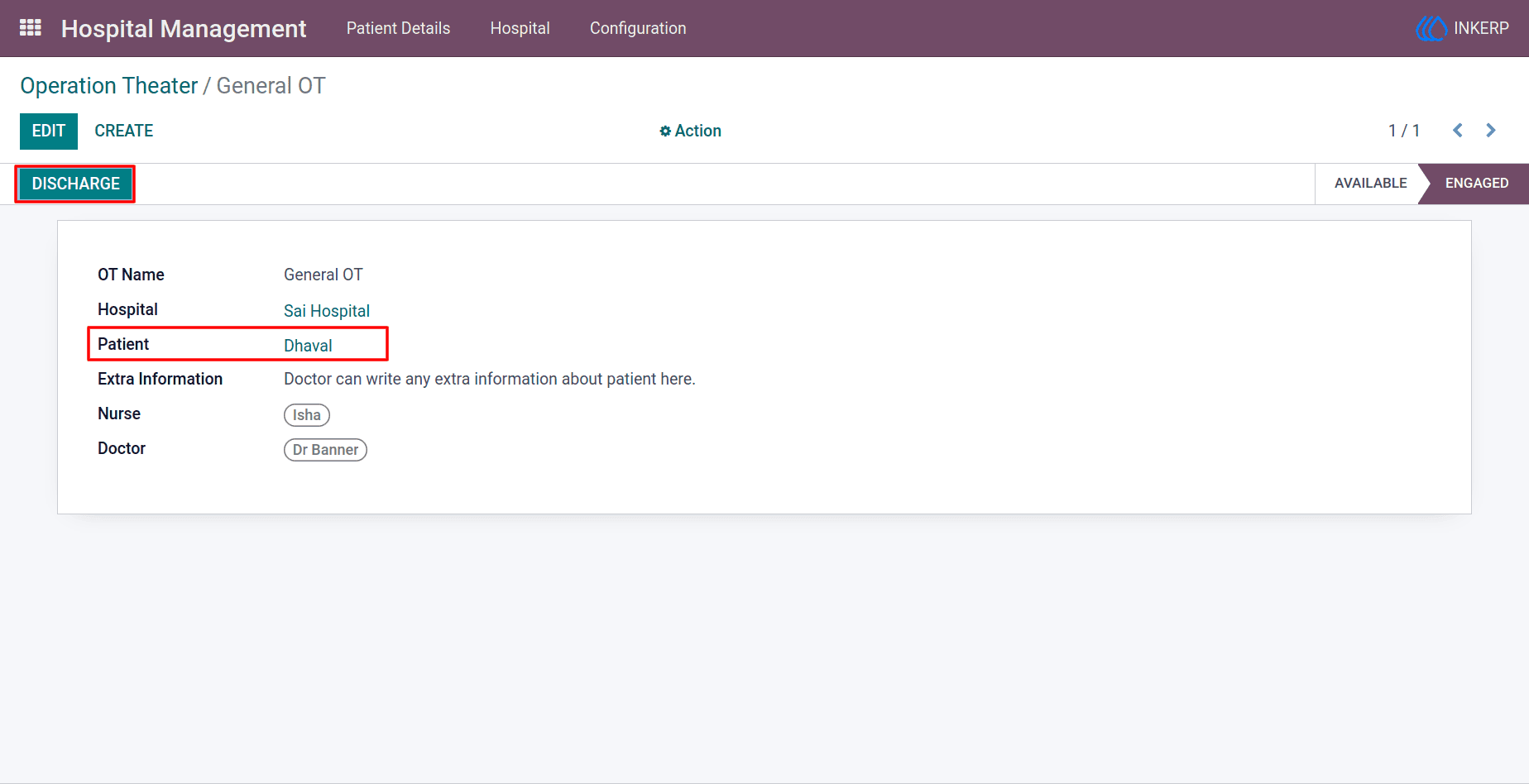
12.) Operation Theater Monitoring
Track ongoing treatments with visibility of assigned doctors and nurses, and update availability once procedures are completed.
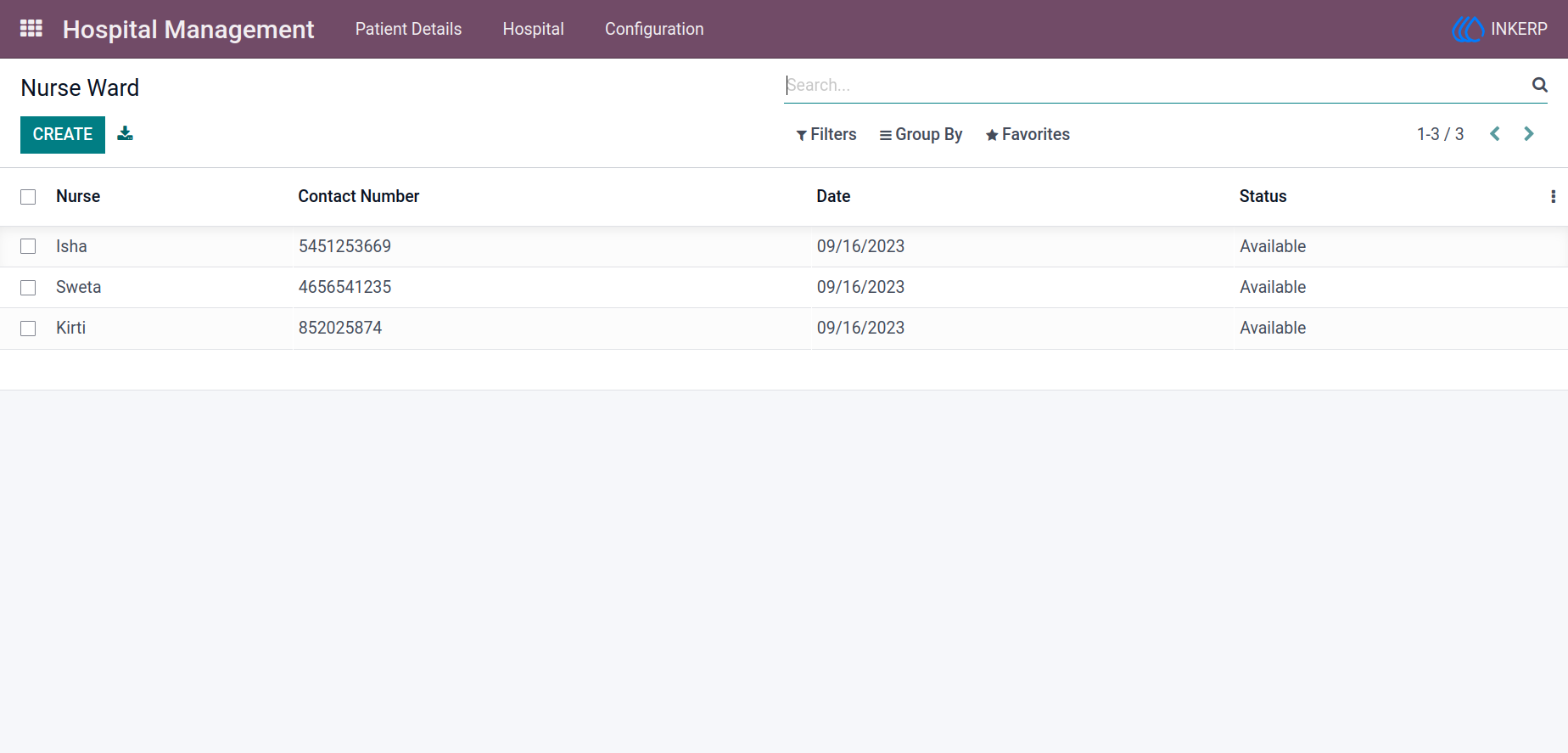
13.) Nurse Ward Management
Manage nurse records and assignments efficiently, ensuring proper staffing and support for patient care.
Navigation : Hospital Management → Configuration → Nurse Ward
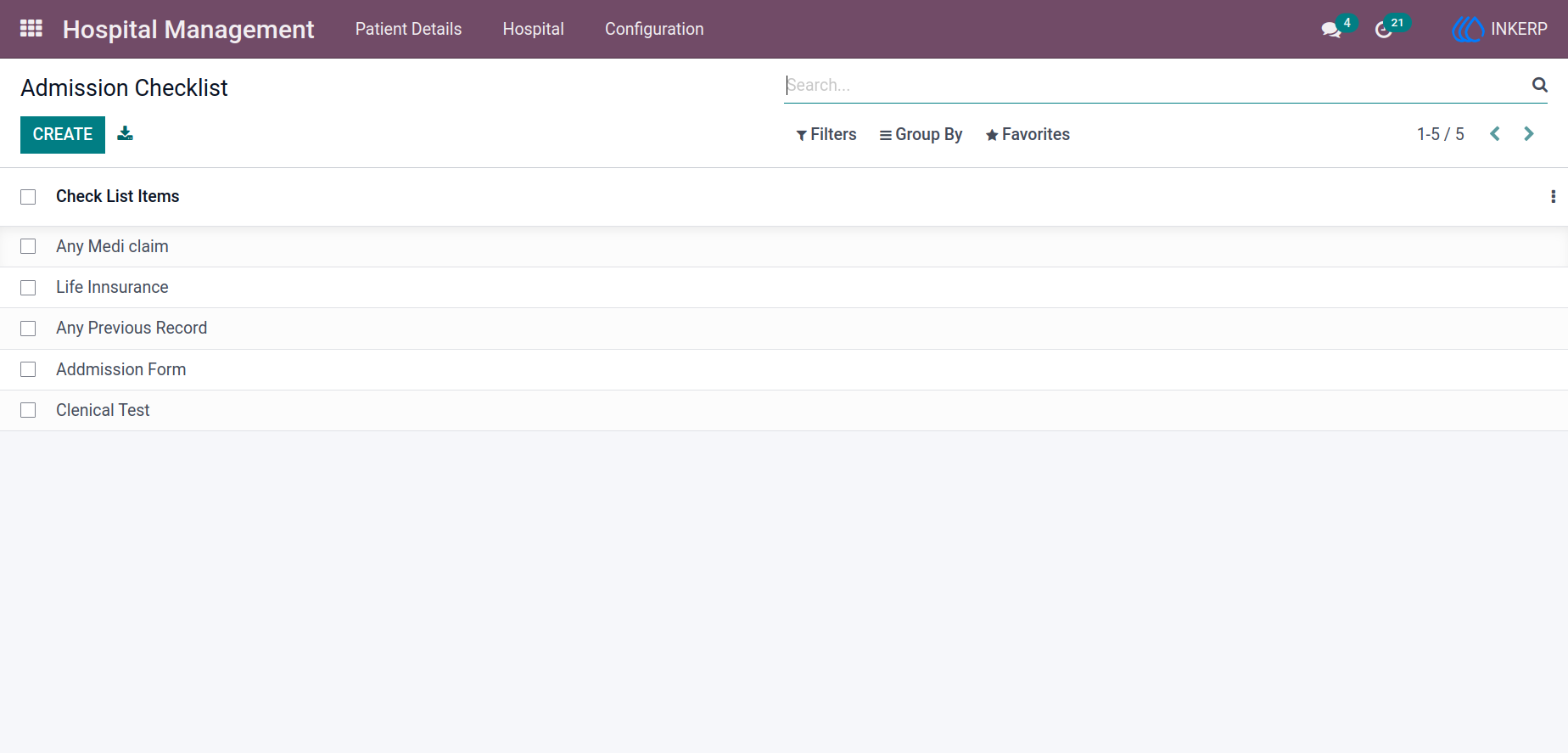
14.) Admission Checklist Configuration
Define pre-admission verification steps to ensure all required conditions are met before admitting a patient.
Navigation : Hospital Management → Configuration → Admission Checklist
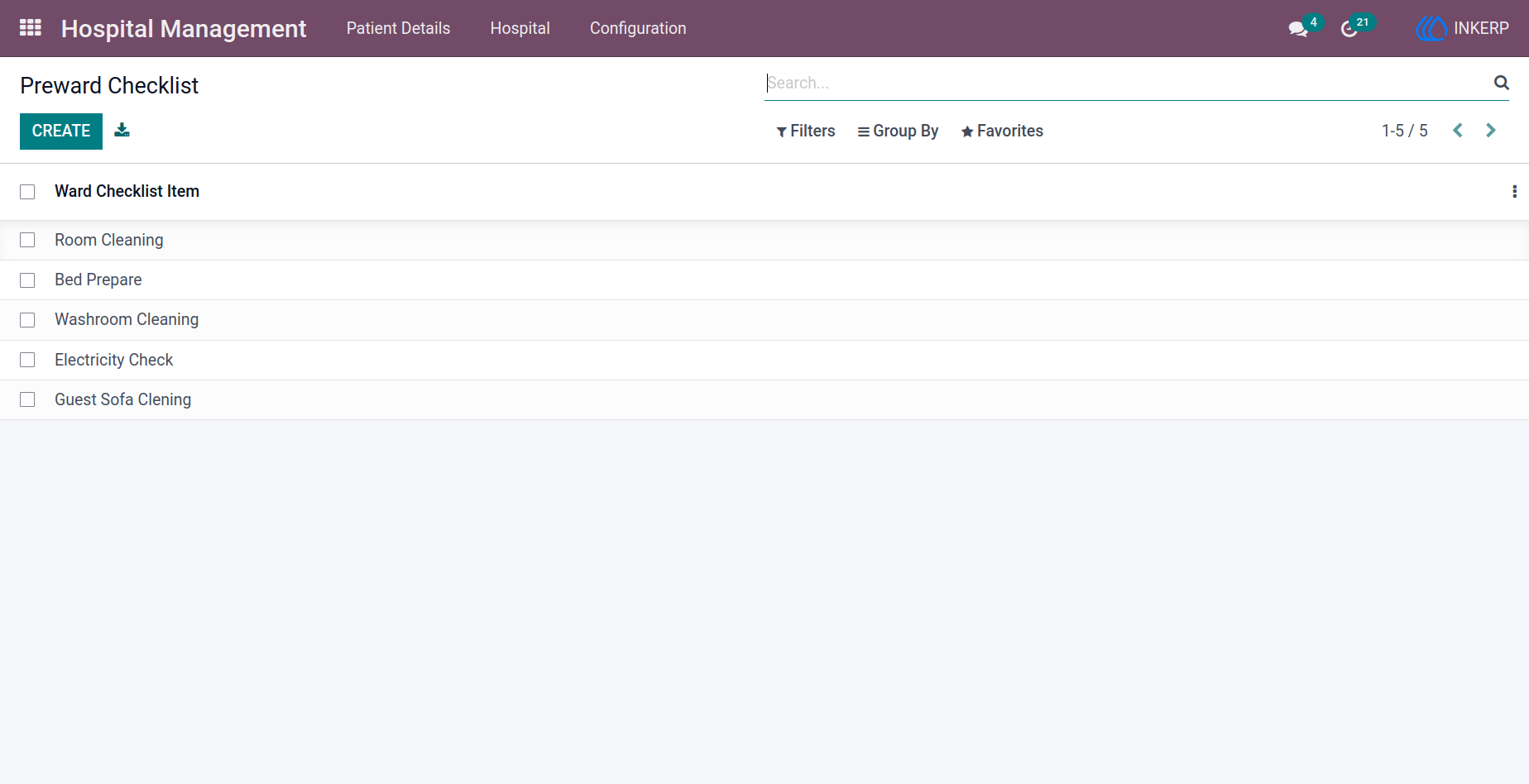
15.) Pre-Ward Checklist
Prepare rooms effectively by defining tasks such as cleaning and setup, ensuring readiness before patient allocation.
Navigation : Hospital Management → Configuration → Pre-ward Checklist
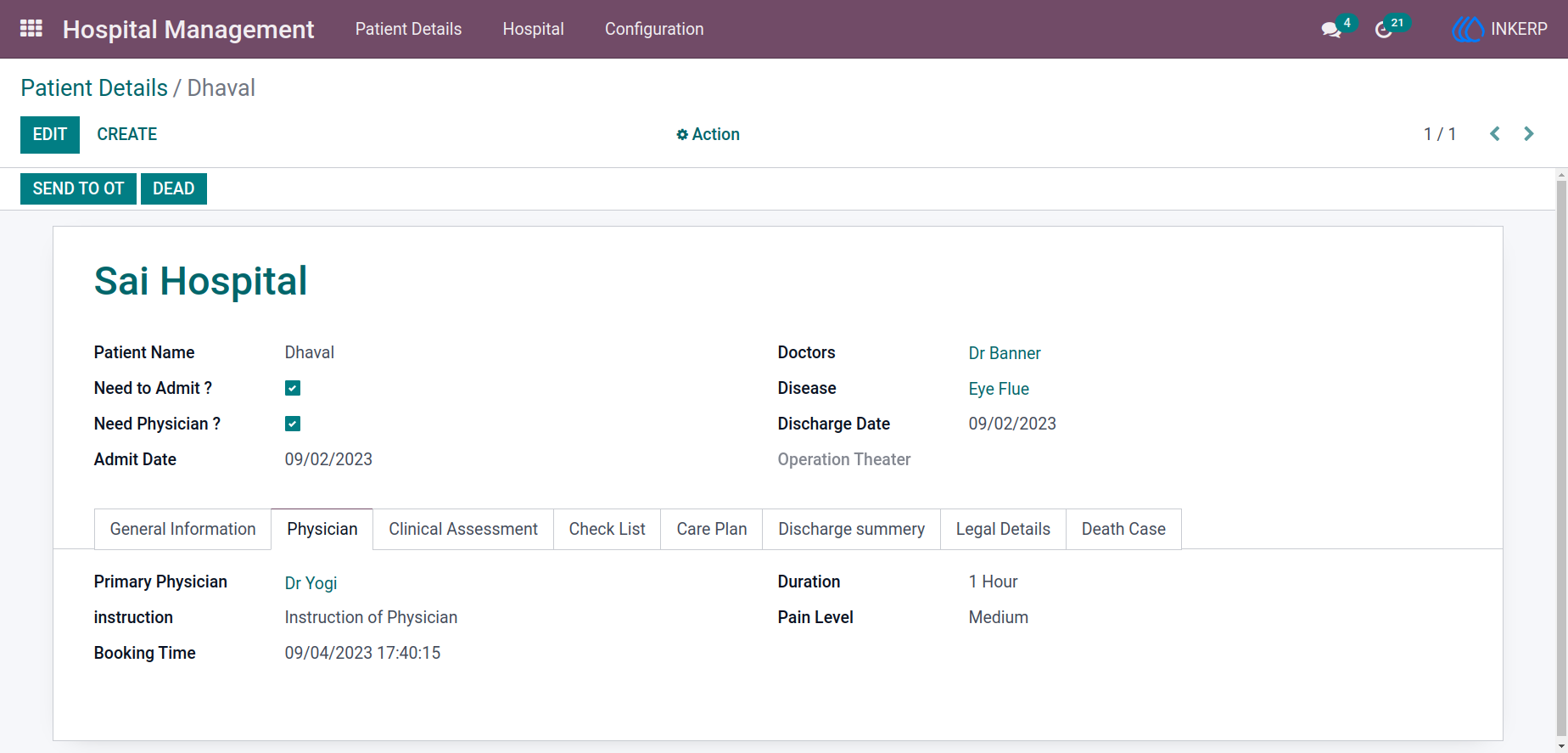
16.) Physician Requirement Option
Enable physician involvement when needed by activating the physician option and assigning the appropriate specialist.
Navigation : Hospital Management → Patient Details → Physician
17.) Patient Record Creation
Create detailed patient records including disease, doctor assignment, and admission details, ensuring smooth onboarding and tracking.
Navigation : Hospital Management → Patient Details
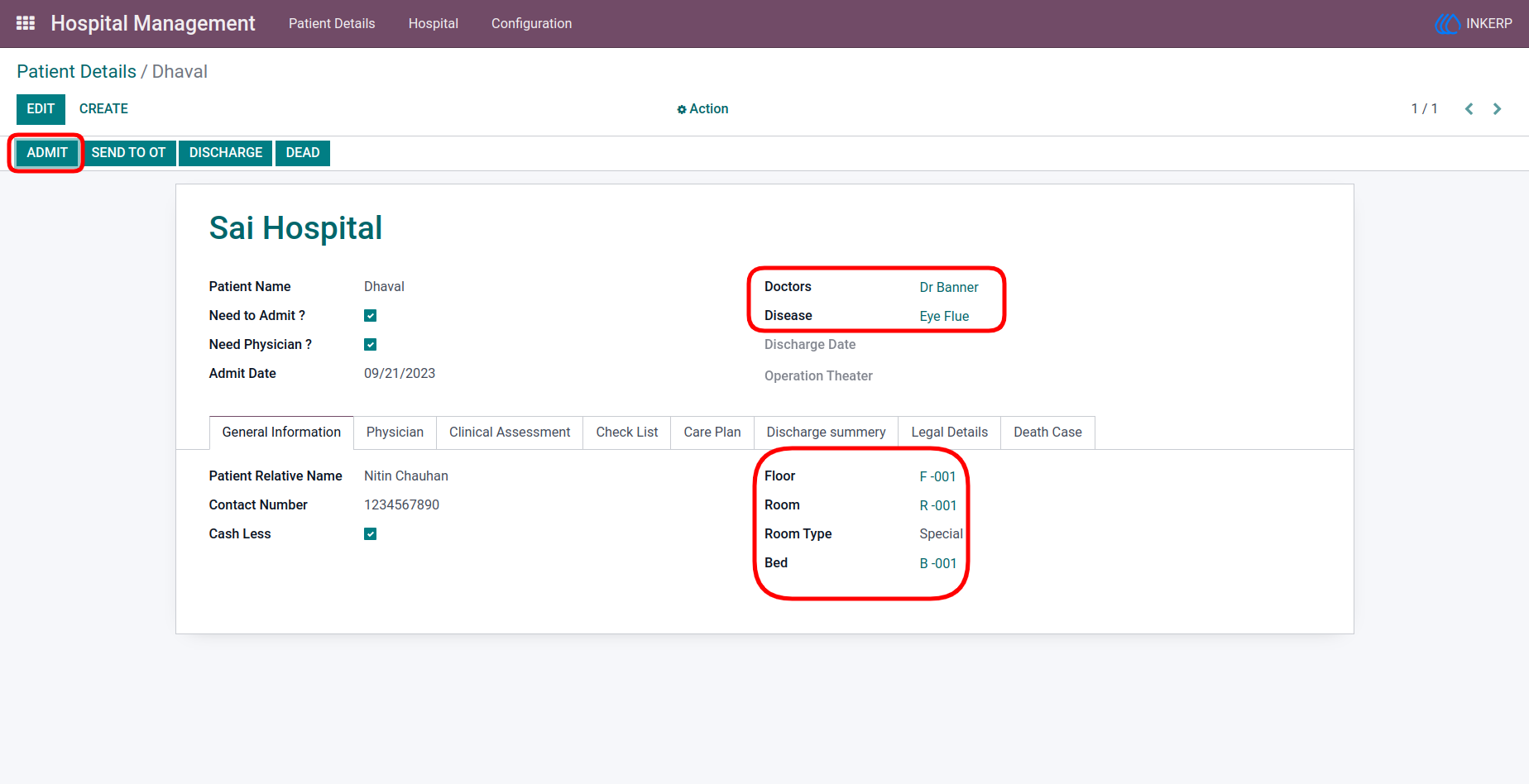
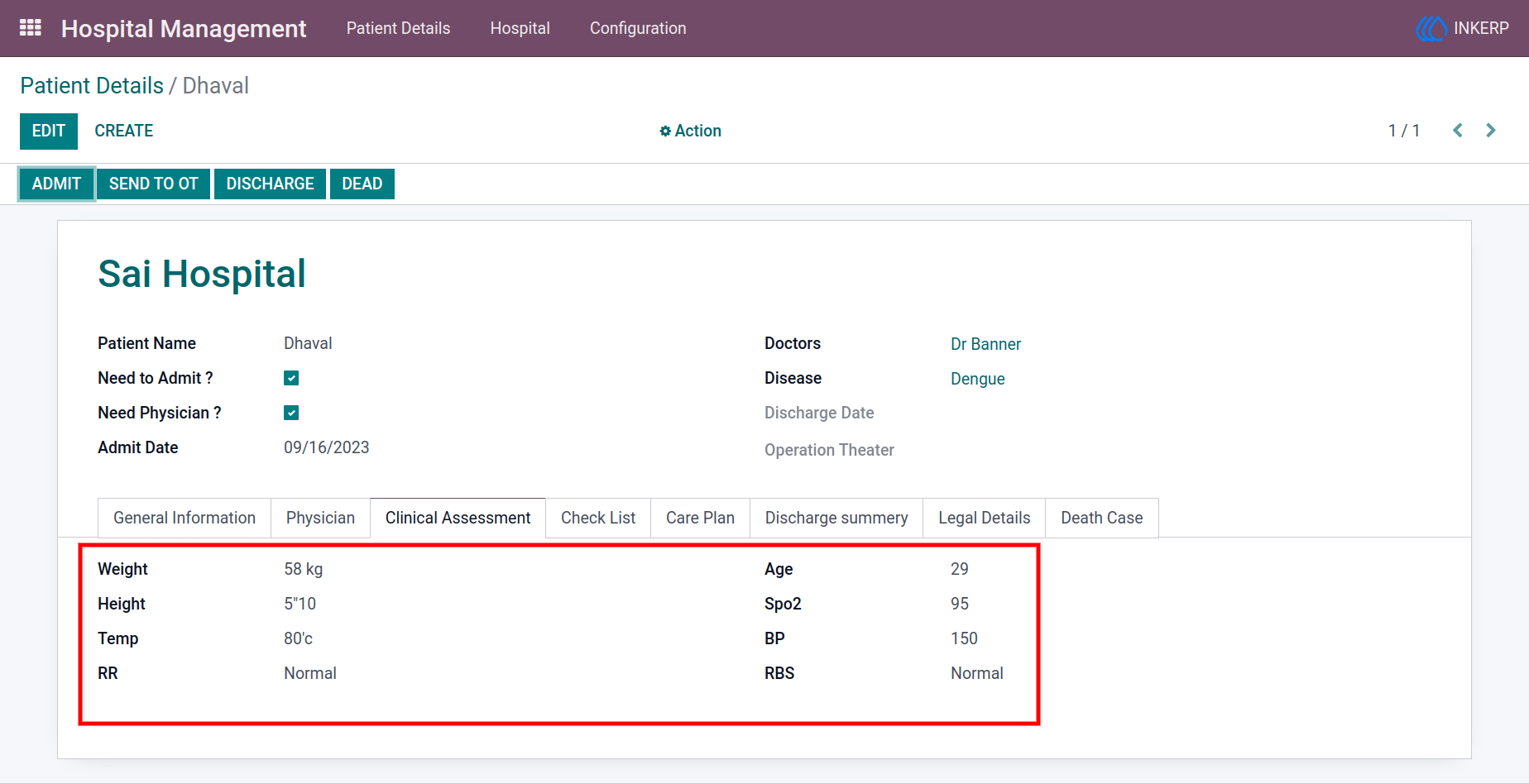
18.) Clinical Assessment Details
Capture essential medical data such as age, weight, height, and blood pressure to support accurate diagnosis and treatment.
Navigation : Hospital Management → Patient Details → Clinical Assessment
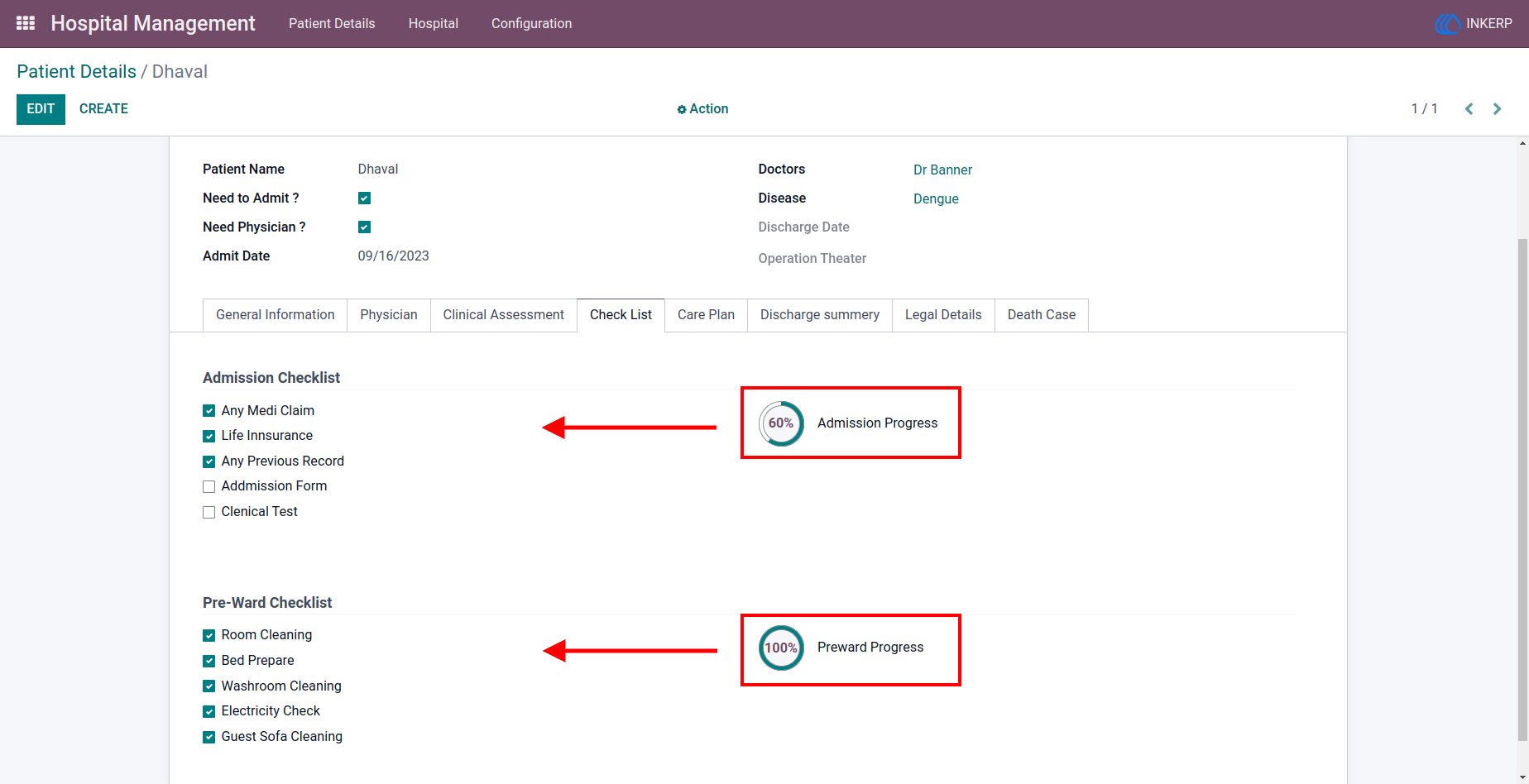
19.) Patient Checklist Tracking
Monitor admission and pre-ward checklist completion with a visual progress indicator to ensure all steps are verified.
Navigation : Hospital Management → Patient Details → Check List
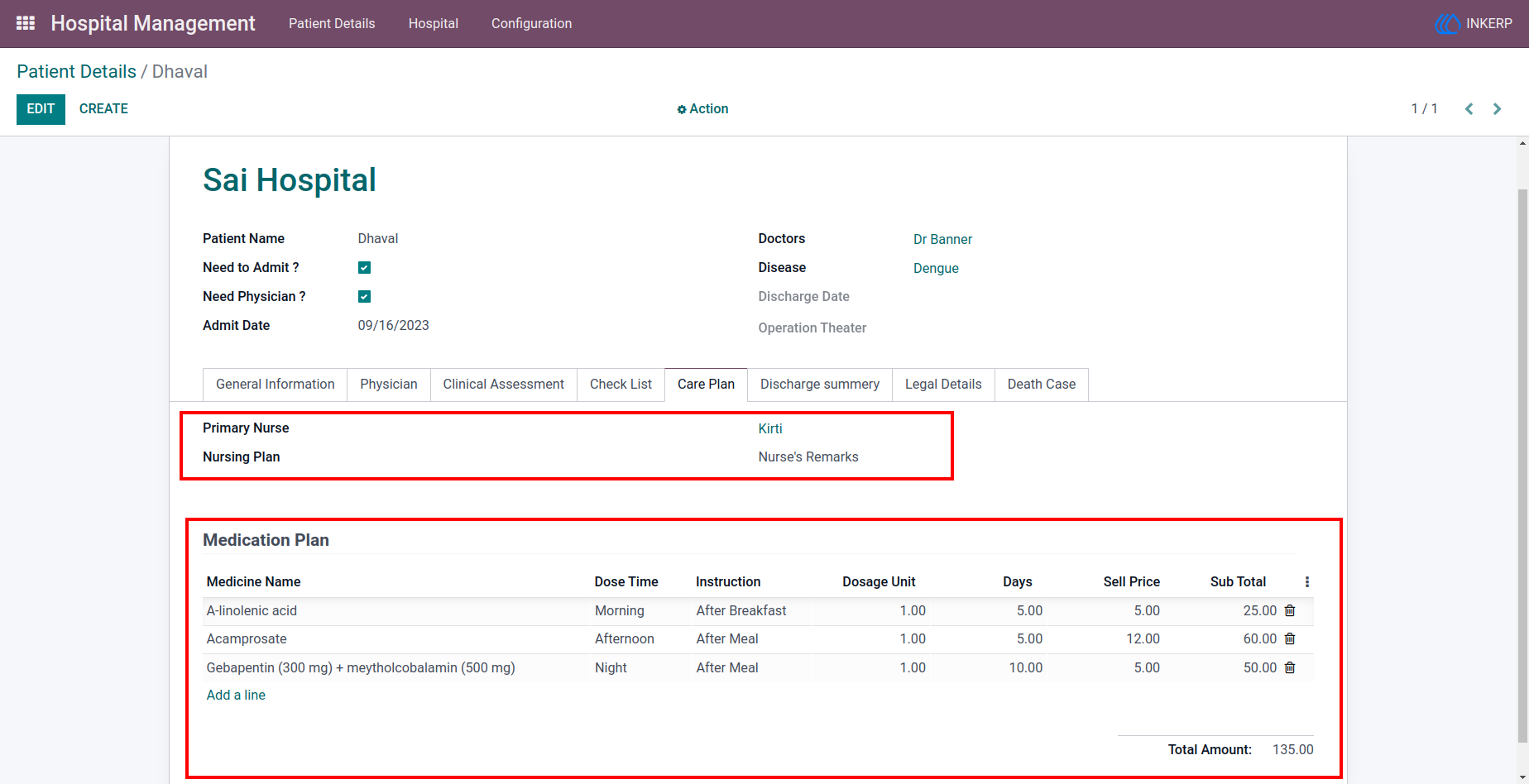
20.) Care Plan Management
Define treatment plans by assigning nurses, medicines, dosages, and schedules, ensuring structured and effective patient care.
Navigation : Hospital Management → Patient Details → Care Plan
21.) Discharge Summary
Document patient outcomes and treatment notes at discharge, maintaining a complete medical history for future reference.
Navigation : Hospital Management → Patient Details → Discharge Summary
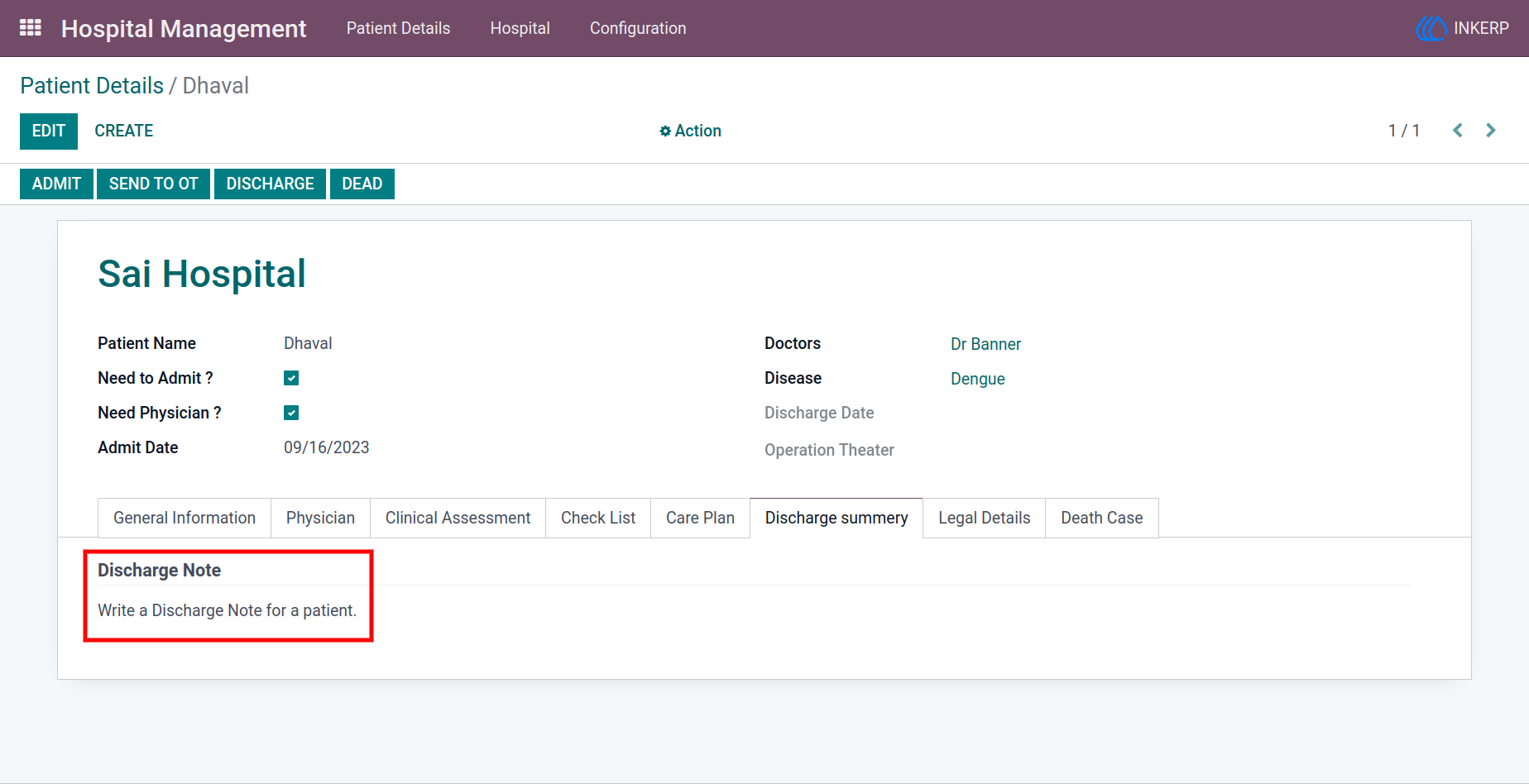
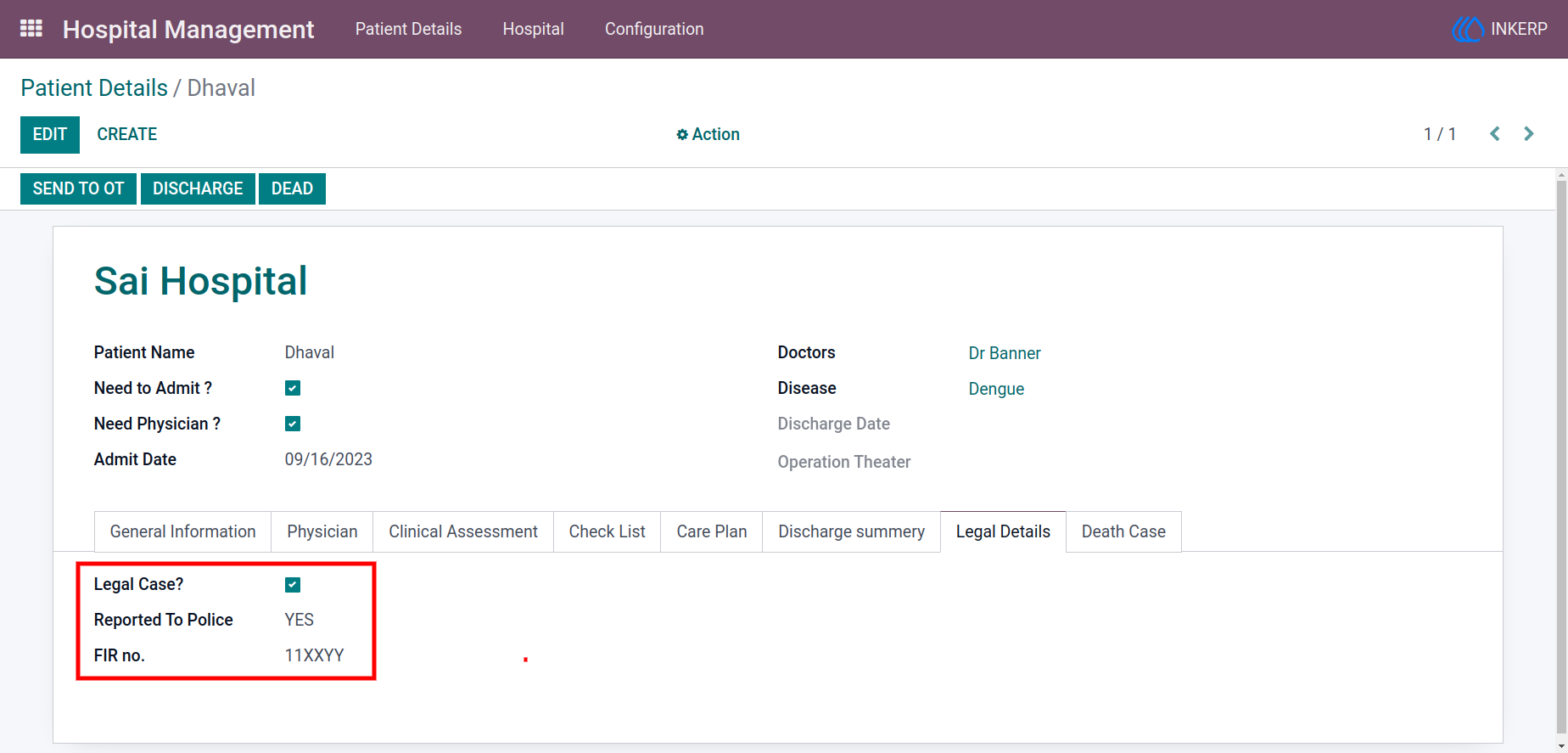
22.) Legal Case Management
Handle legal cases by recording incident details, police reporting status, and FIR information when required.
Navigation : Hospital Management → Patient Details → Legal Details
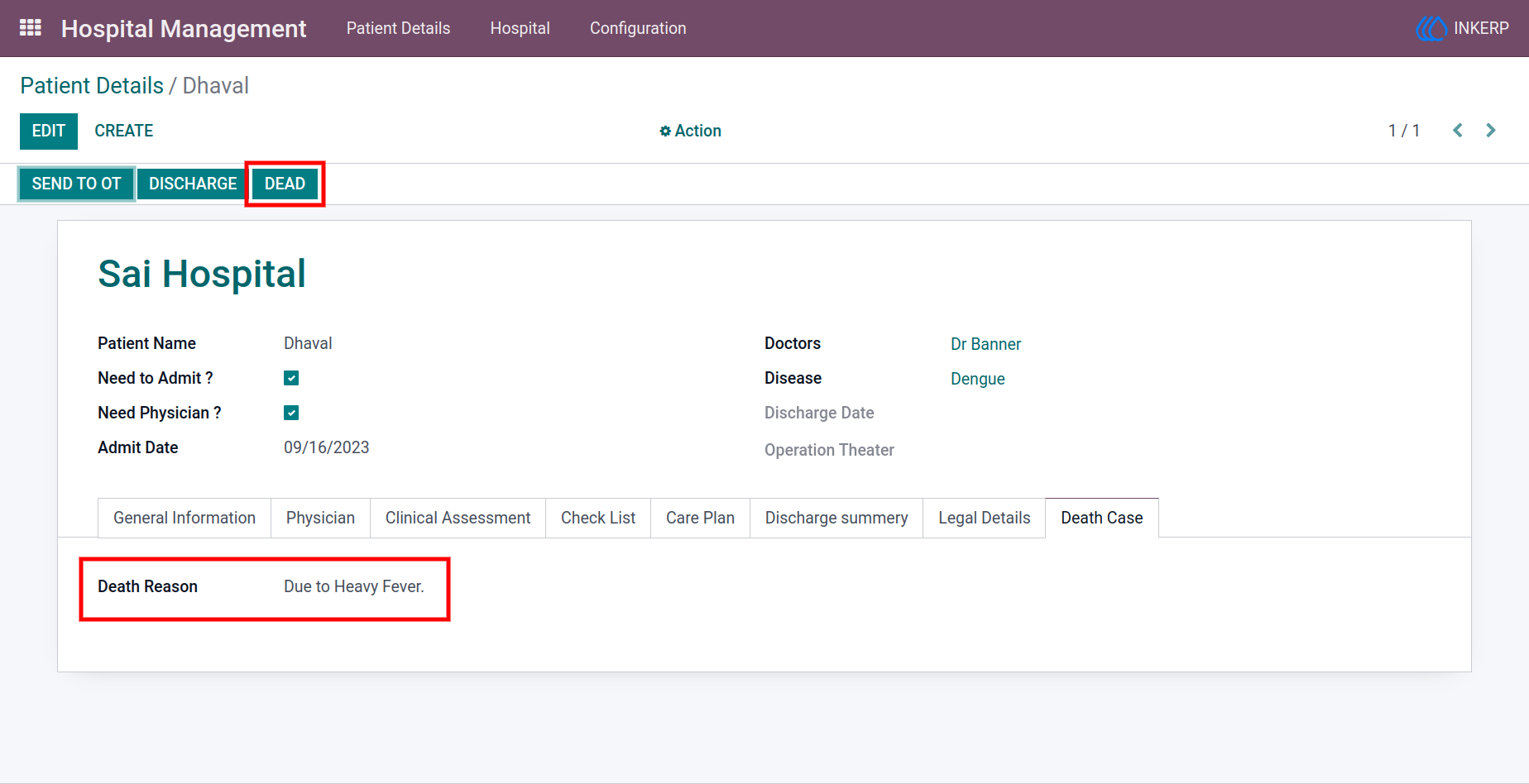
23.) Death Case Handling
Record unfortunate patient deaths with reasons and automatically free up hospital resources such as beds and rooms.
Navigation : Hospital Management → Patient Details → Dead
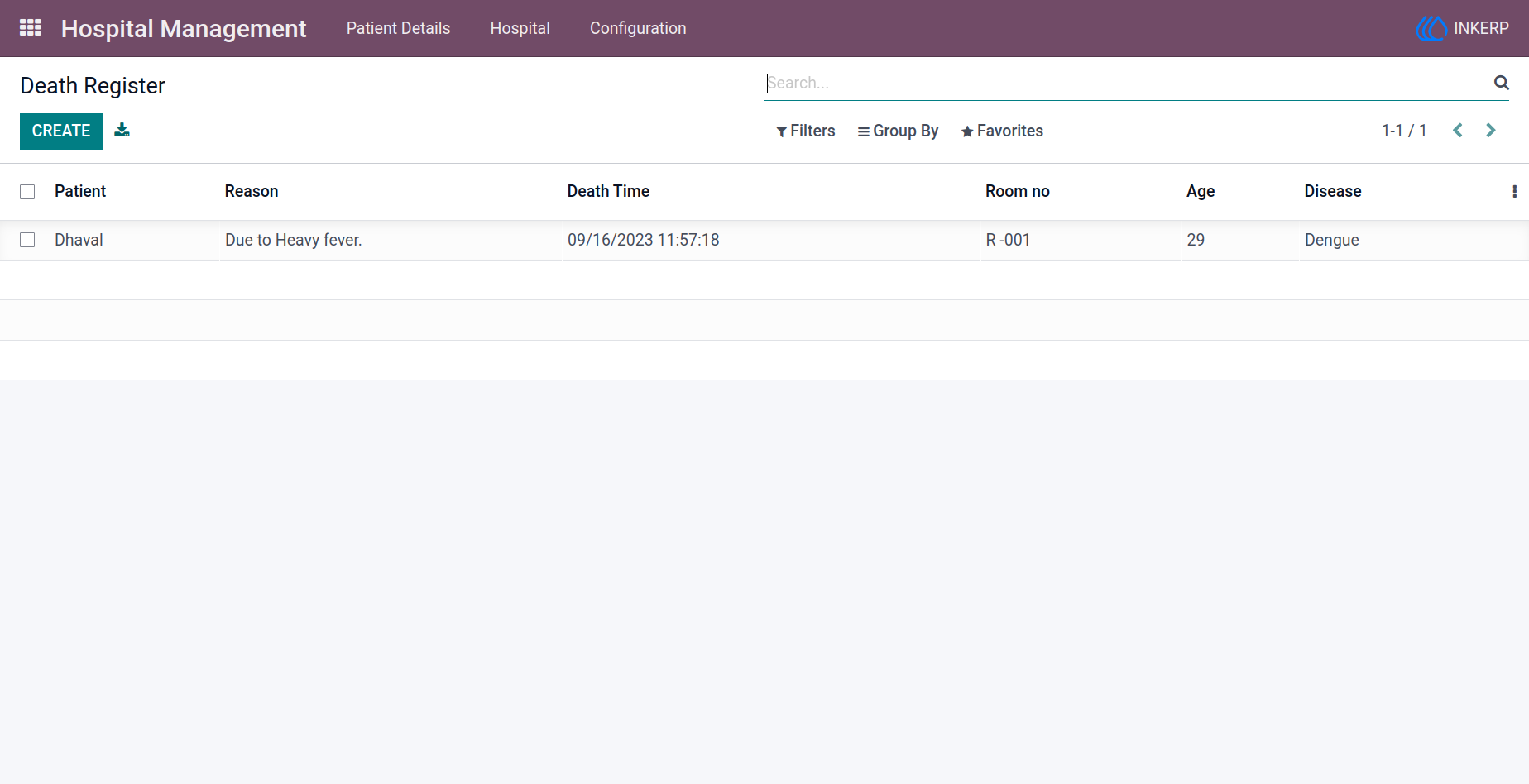
24.) Death Register Records
Maintain a complete log of death records including patient details, cause, time, and hospital allocation for compliance and reporting.
Navigation : Hospital Management → Patient Details → Death Register
User Guide