

Our Most Suggested Products


Courier Management with Website
The Courier Management app provides a complete Odoo solution for efficiently handling your daily logistics and deliveries. It allows customers to easily submit new courier requests and track their packages in real-time through a user-friendly website portal. Your backend team can seamlessly manage the entire delivery process from pickup to drop-off, while the system automatically calculates shipping costs and generates invoices based on package weight and distance.
Video Tutorial

 Features
 Screenshots
 Support
 Service
Features
Website Portal & Live Tracking
Let customers easily create courier requests directly from your website. The user-friendly portal gives them a single place to track real-time delivery updates, check package details, and manage their orders and invoices.
Automated Weight & Distance Billing
Instantly calculate shipping costs based on package size, weight, and delivery distance. The app automatically turns approved requests into clear, itemized sales orders and invoices for accurate and hassle-free billing.
Complete Delivery Management
Give your team the tools to track every package from pickup to final drop-off. Keep your daily operations organized with custom delivery stages, private internal notes, and direct customer messaging on every single record.
Screenshot
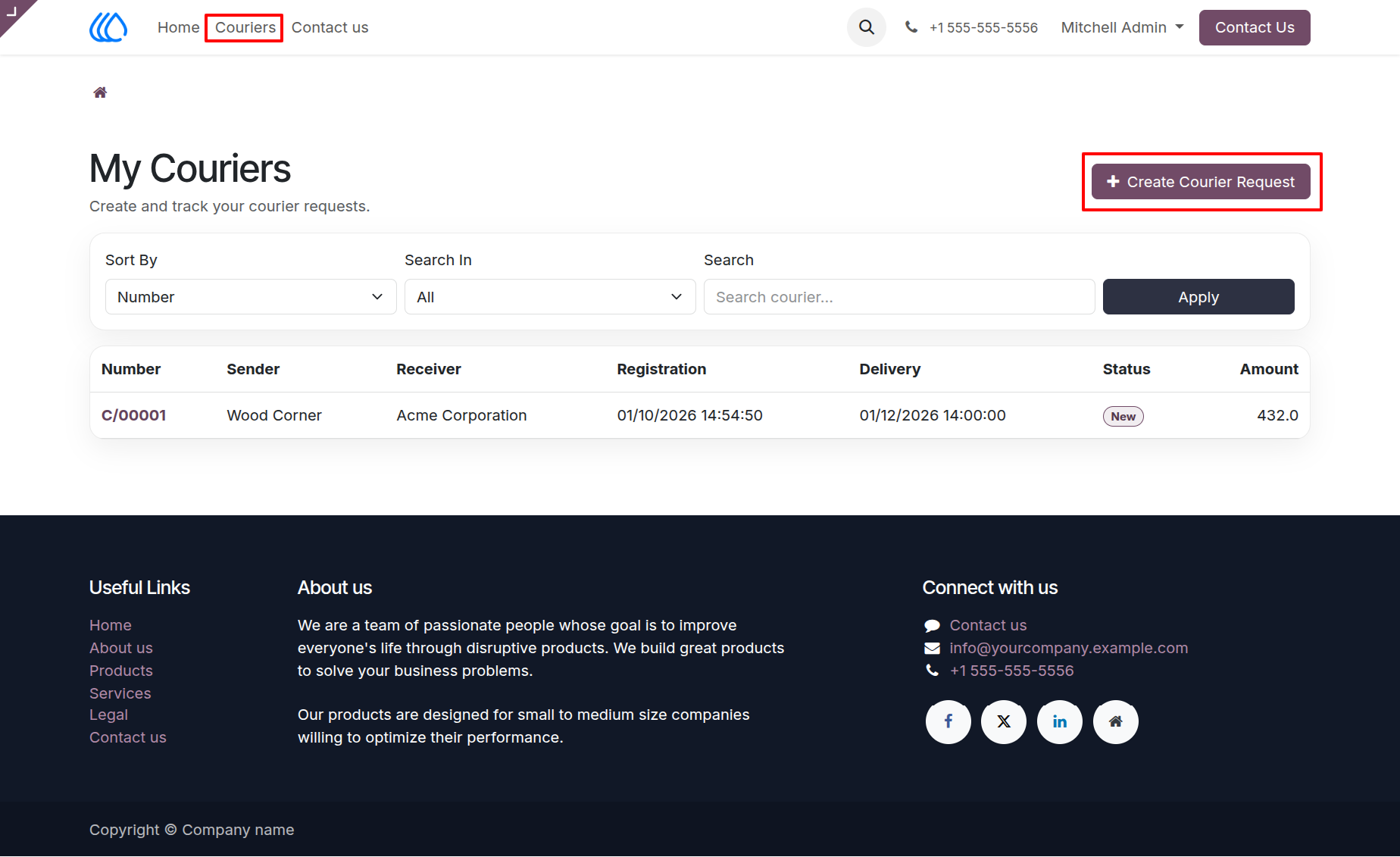
1.) Couriers Portal View
This portal view displays a comprehensive list of all courier requests initiated by the customer. Users can search through their history, filter records, and access the primary button to create a new shipment request.
Navigation : Home › Couriers
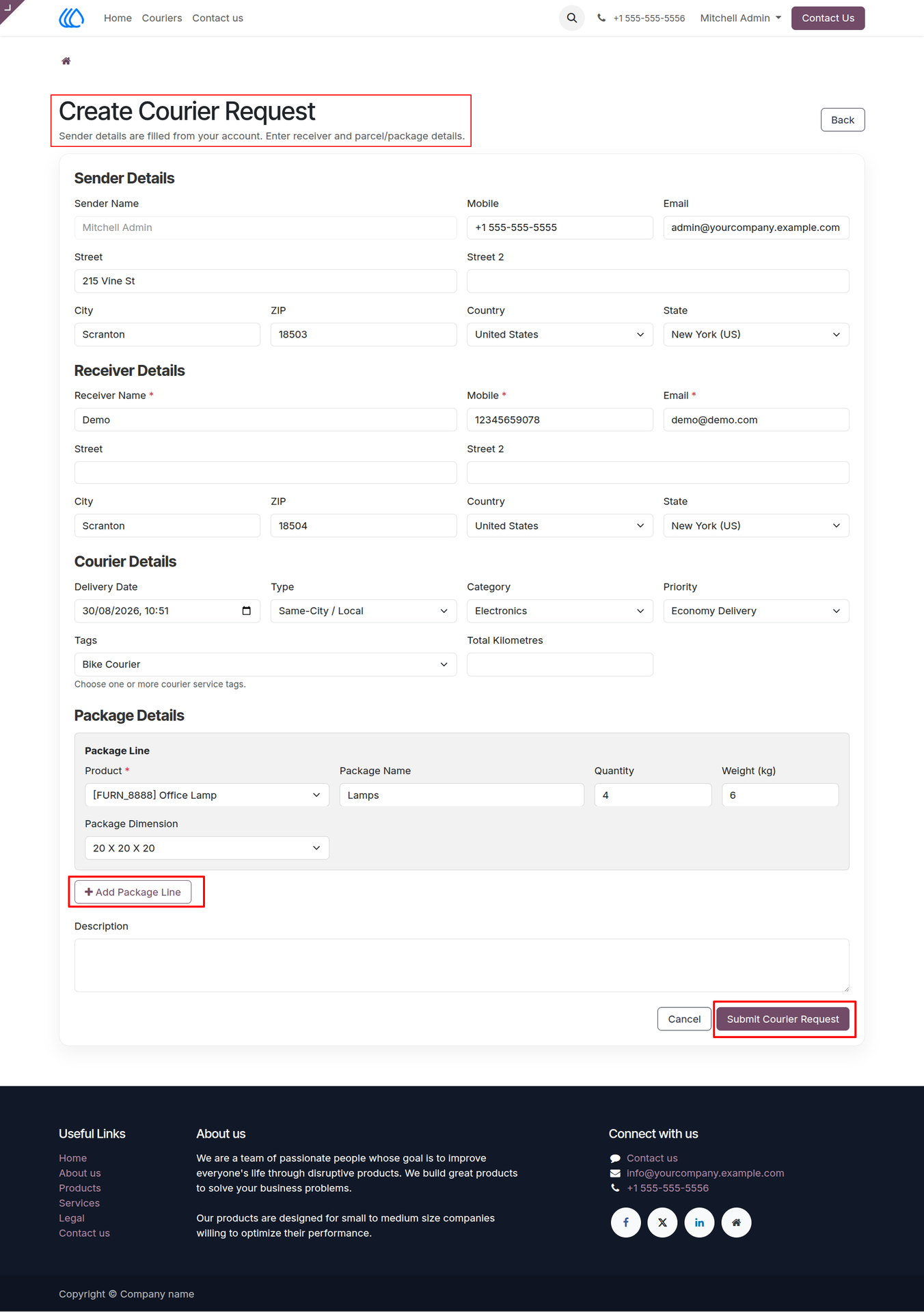
2.) Create Courier Request Form
The submission form allows users to enter detailed information for a new shipment, including sender details, receiver coordinates, and package specifics. Customers can add multiple package lines to a single request before finalizing the form submission.
Navigation : Home › Couriers › Create Courier Request
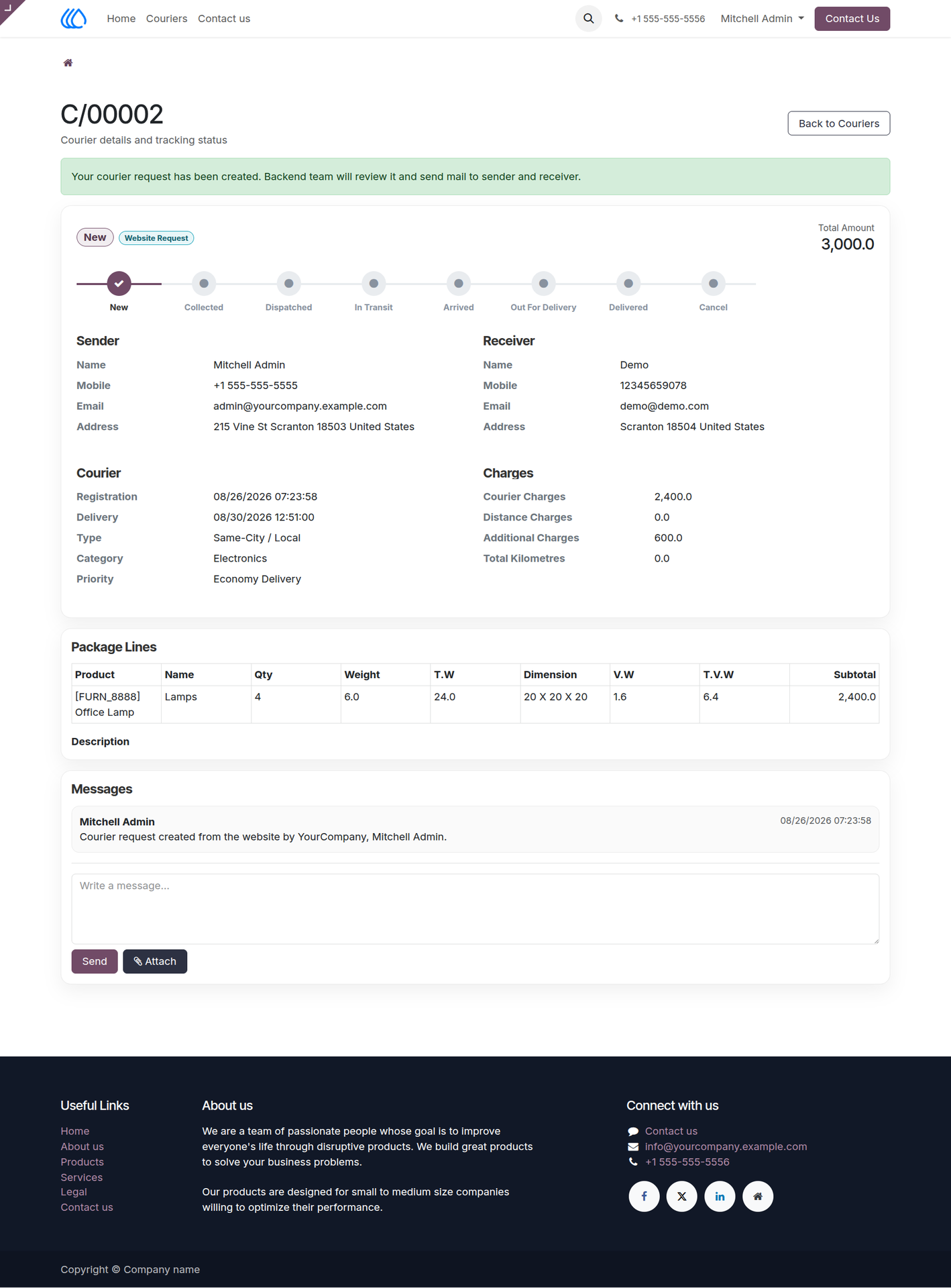
3.) Website Courier Request Details
Following submission, this page provides a detailed overview of the specific courier record alongside a visual status tracking timeline. It displays all entered addresses, calculated charges based on item dimensions, and includes a message board for direct communication with the support team.
Navigation : Home › Couriers
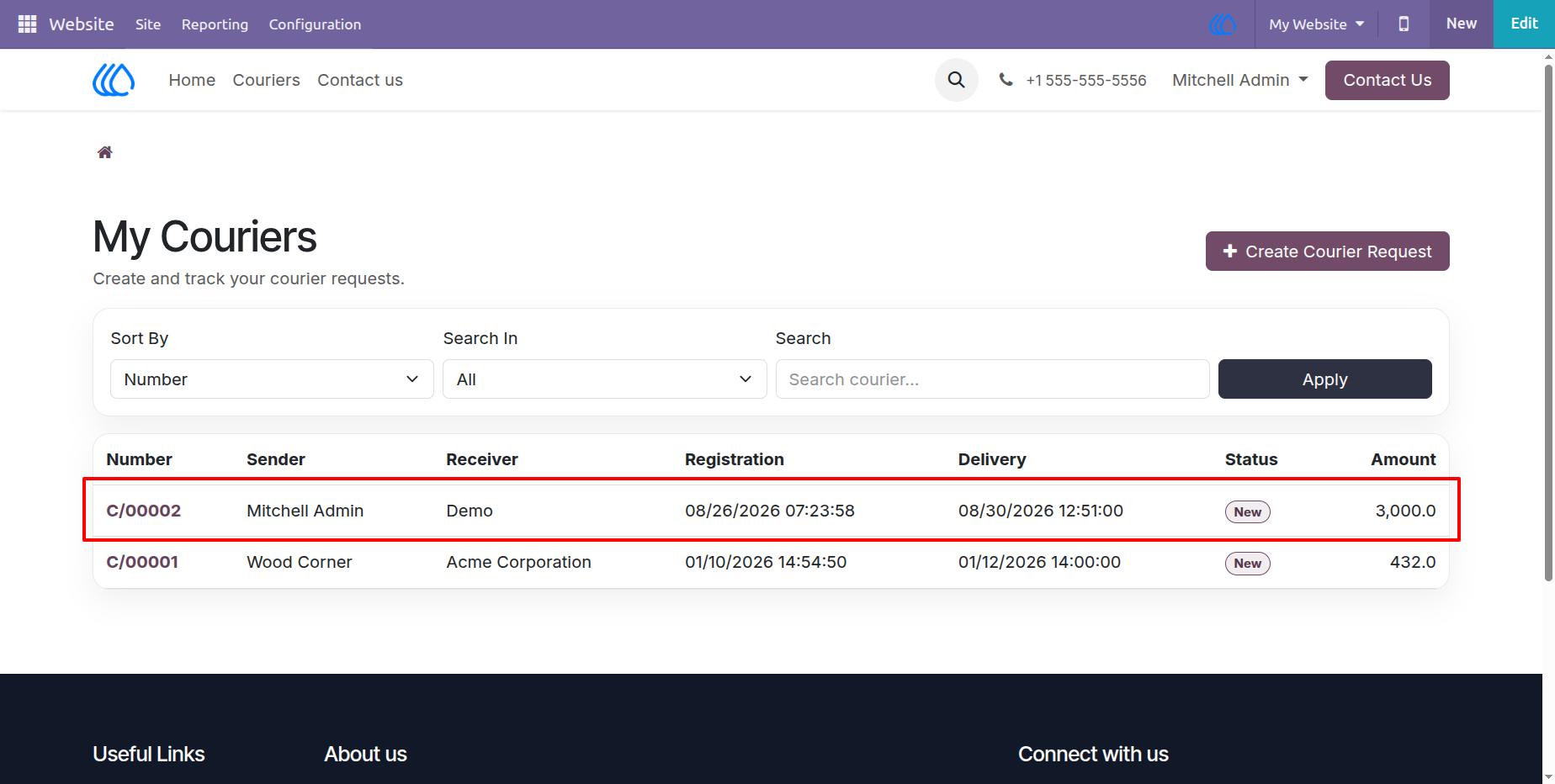
4.) Updated Courier List View
After a successful form submission, the newly generated courier request is immediately appended to the user's portal list. This table provides a quick summary of the registration date, assigned delivery date, current status, and total amount due for the new record.
Navigation : Home › Couriers
5.) Backend Courier Request List
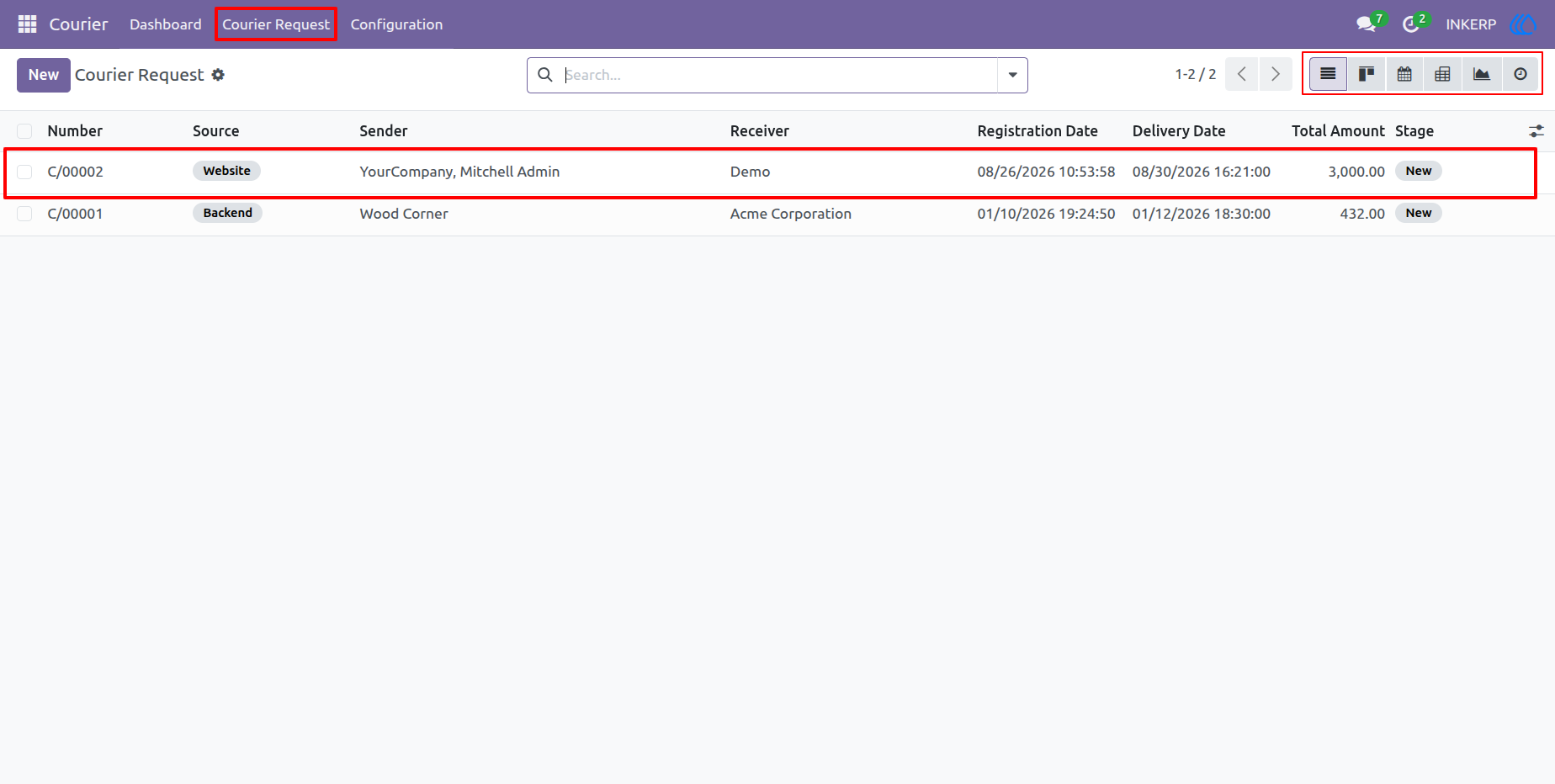
The internal backend interface equips administrators to manage all incoming courier requests sourced from the website or entered manually. This comprehensive list view offers advanced sorting, filtering, and multiple visualization toggles to oversee all active deliveries across the system.
Navigation : Courier › Couriers
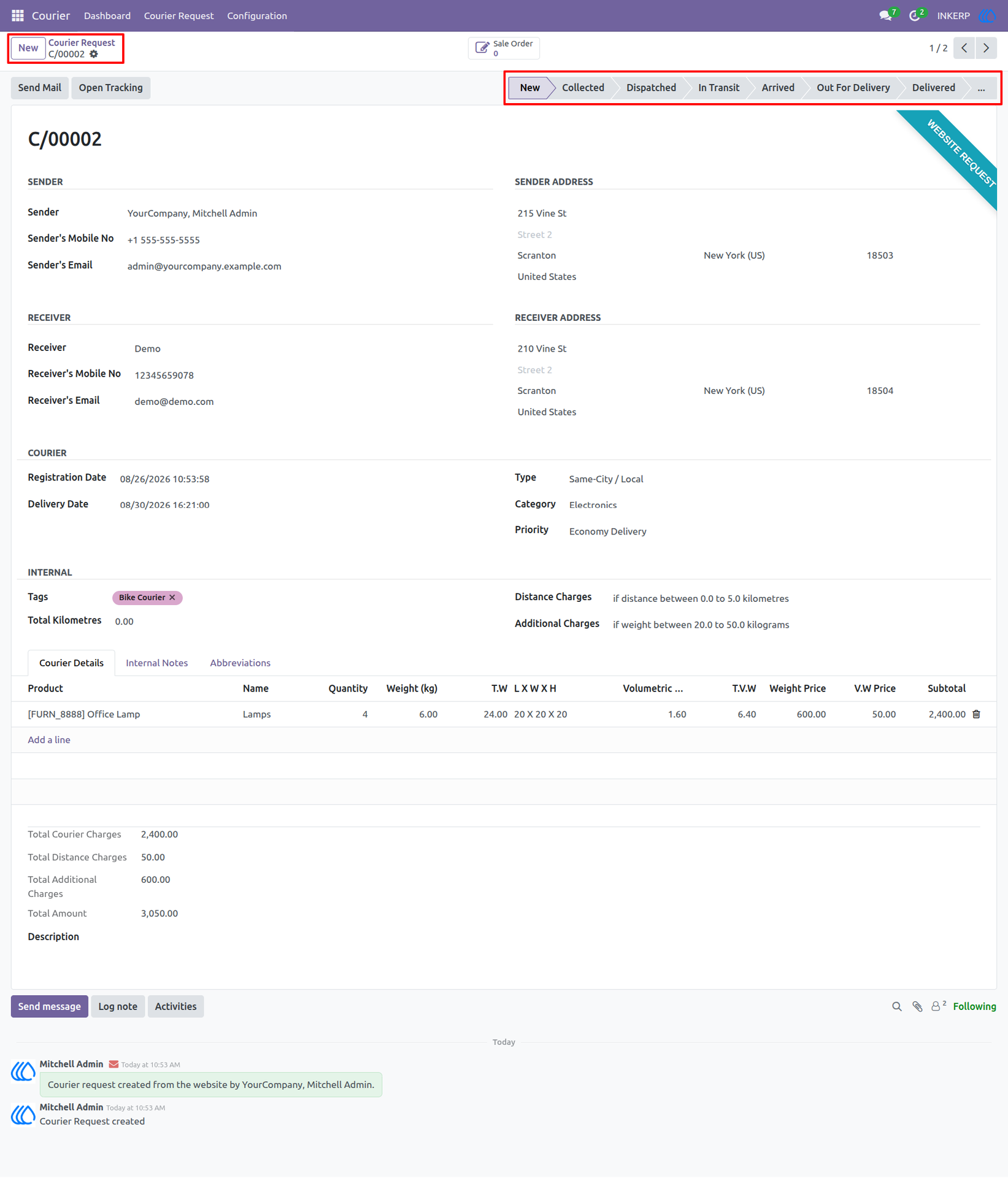
6.) Backend Courier Request Management
This detailed backend form empowers staff to review individual courier requests and manually advance their progress through a designated status pipeline. It displays granular cost breakdowns, volumetric weight calculations, and an internal log note section to maintain operational transparency.
Navigation : Courier › Couriers Request
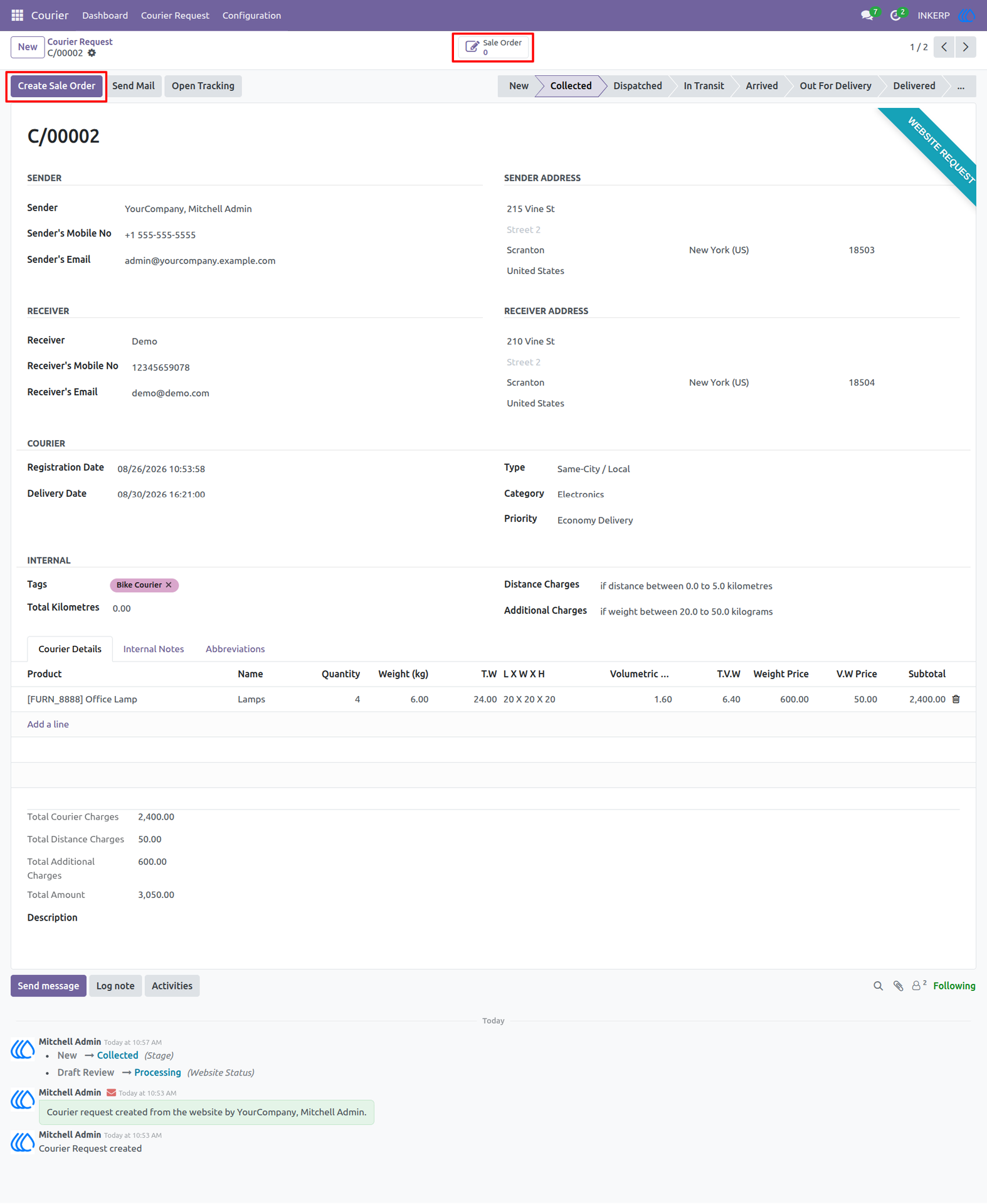
7.) Initiating a Sale Order
Once a courier request is validated, administrators can utilize the top action buttons to generate a commercial document for the transaction. Clicking the action button creates a direct link between the delivery request and a newly generated sales order for billing.
Navigation : Courier › Couriers Request
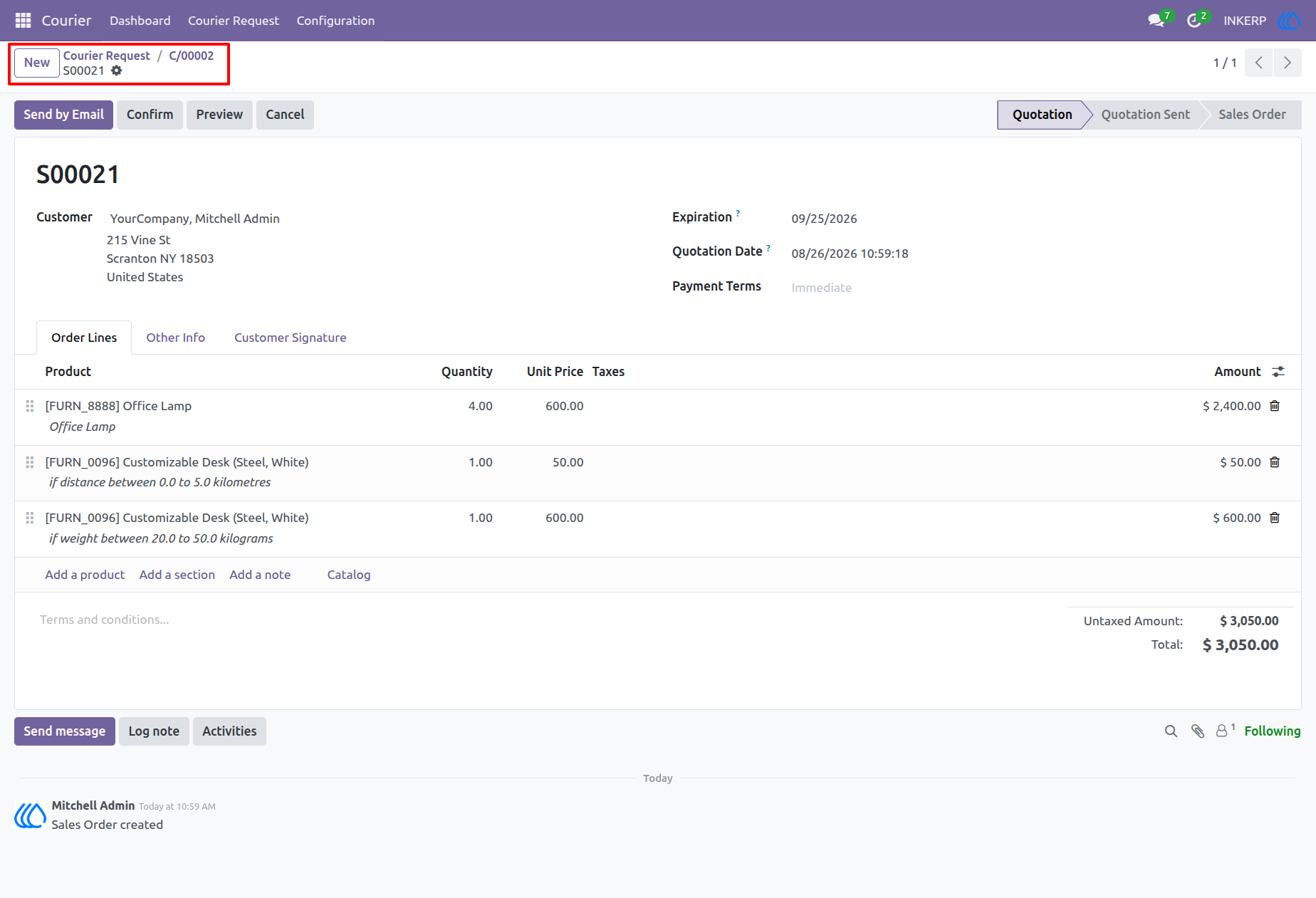
8.) Linked Sales Order View
This interface displays the automatically generated sales order containing itemized billing lines for the courier services, including variable distance and weight charges. The breadcrumb navigation at the top maintains a clear hierarchical link back to the originating courier request.
Navigation : Courier › Couriers Request
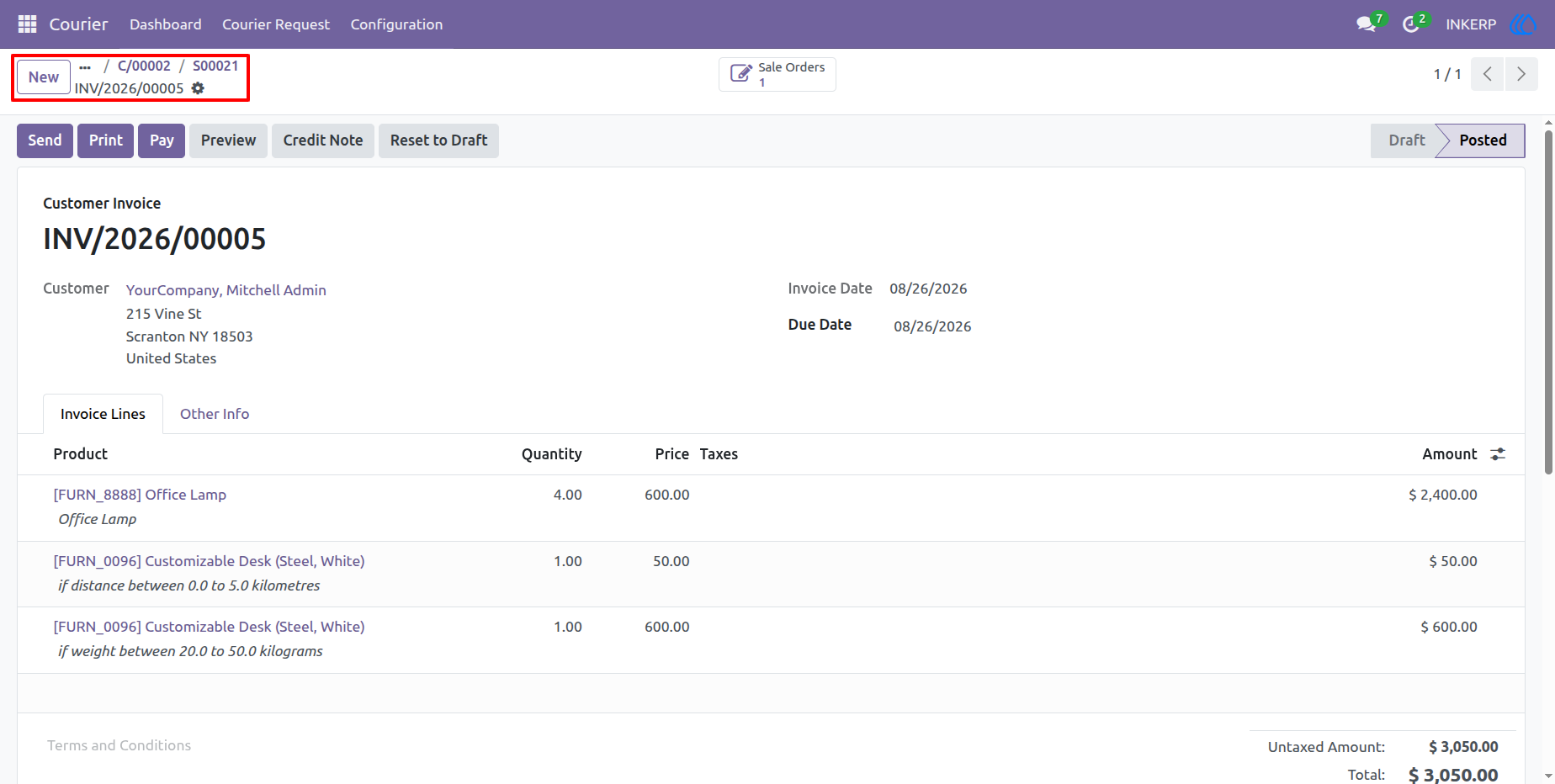
9.) Customer Invoice Generation
Following the sales order confirmation, a formal customer invoice is generated to collect payment for the finalized courier charges. The system accurately maps the billing lines and tracks the complete document flow through the top navigation breadcrumbs.
Navigation : Courier › Couriers Request
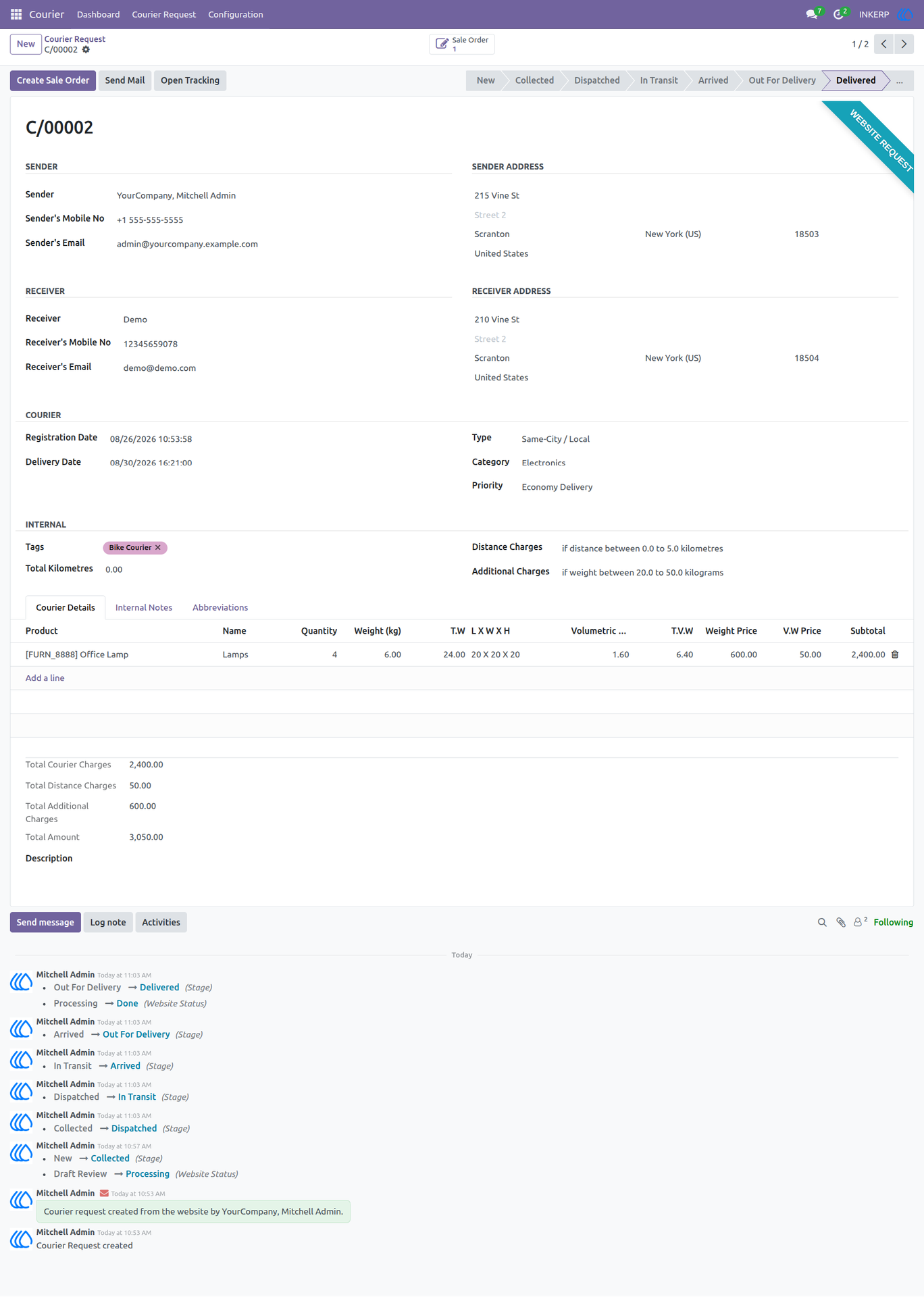
10.) Tracking and Delivery Completion
As the physical package progresses through the delivery network, the backend status pipeline is continuously updated until it reaches the final delivered stage. The chatter log situated at the bottom of the form maintains a precise, time-stamped audit trail of all stage transitions and automated status updates.
Navigation : Courier › Couriers Request
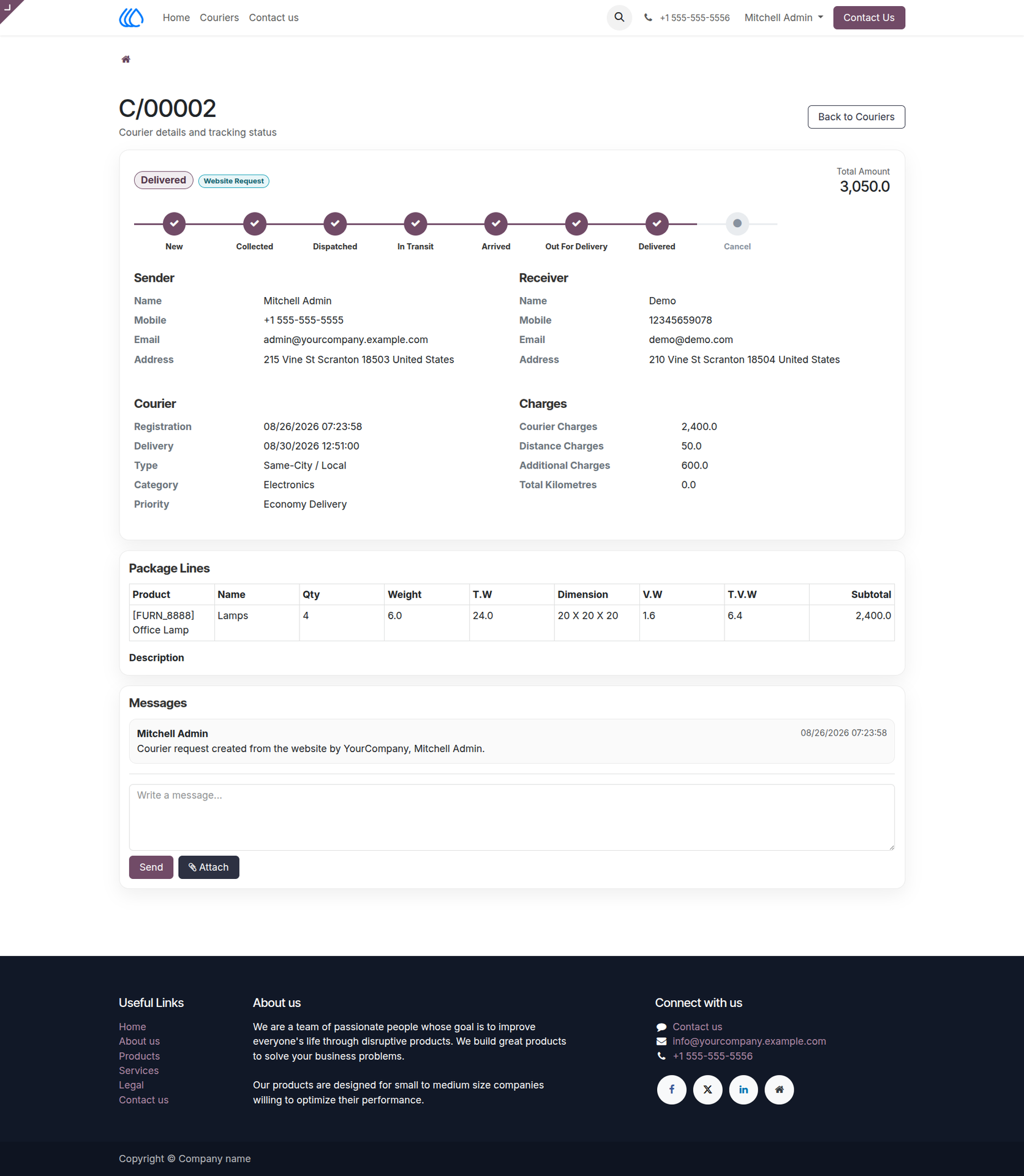
11.) Completed Courier Status View
This portal view displays a finalized courier request where the tracking timeline indicates a "Delivered" status. The page provides a comprehensive summary of sender and receiver information, itemized package lines, calculated charges, and a complete message history.
Navigation : Home › Couriers
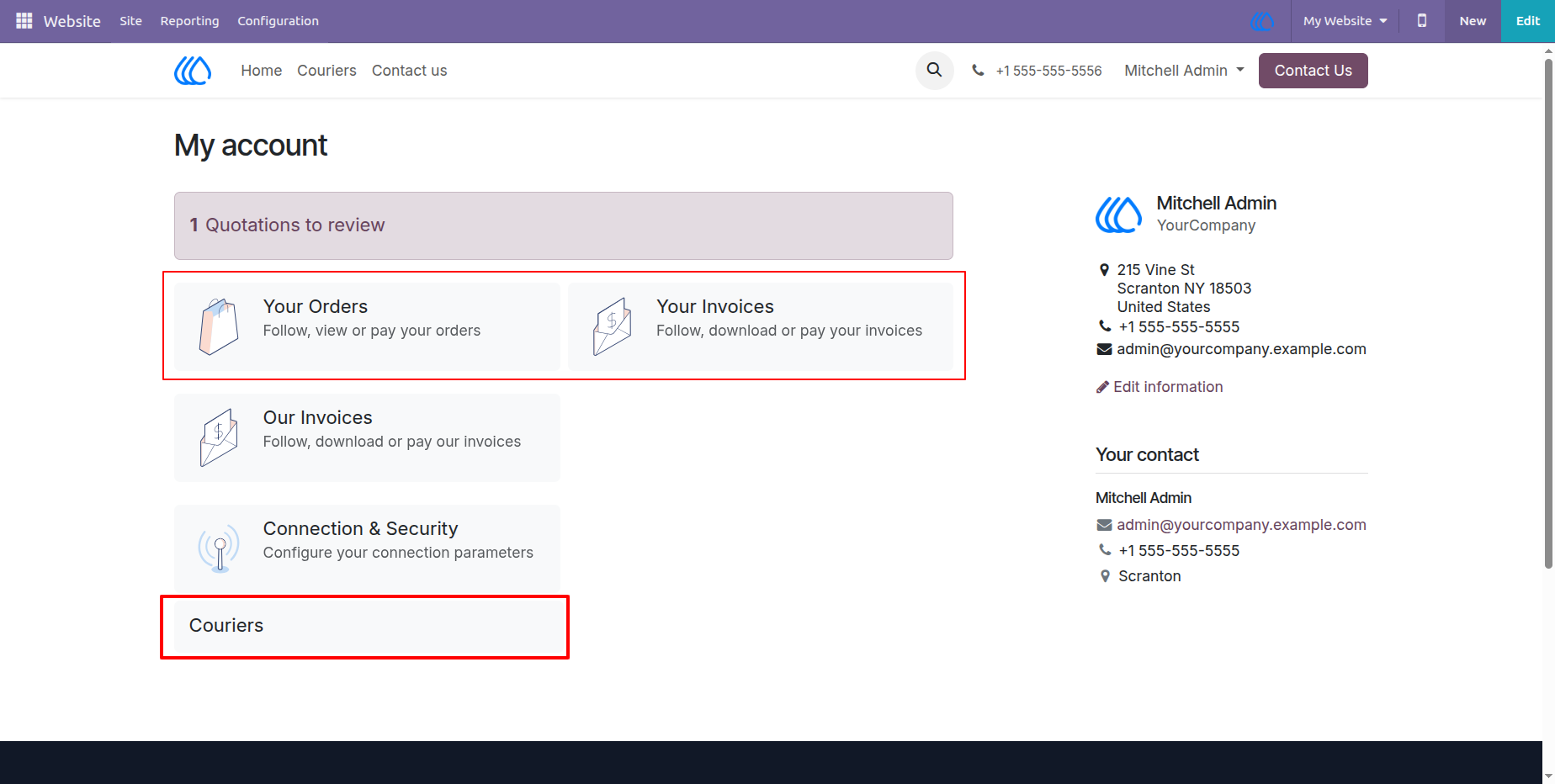
12.) Customer Account
The main customer account portal provides centralized access to various user-specific documents and services. From this dashboard, users can quickly navigate to their sales orders, invoices, and the dedicated section for managing their courier requests.
Navigation : My account
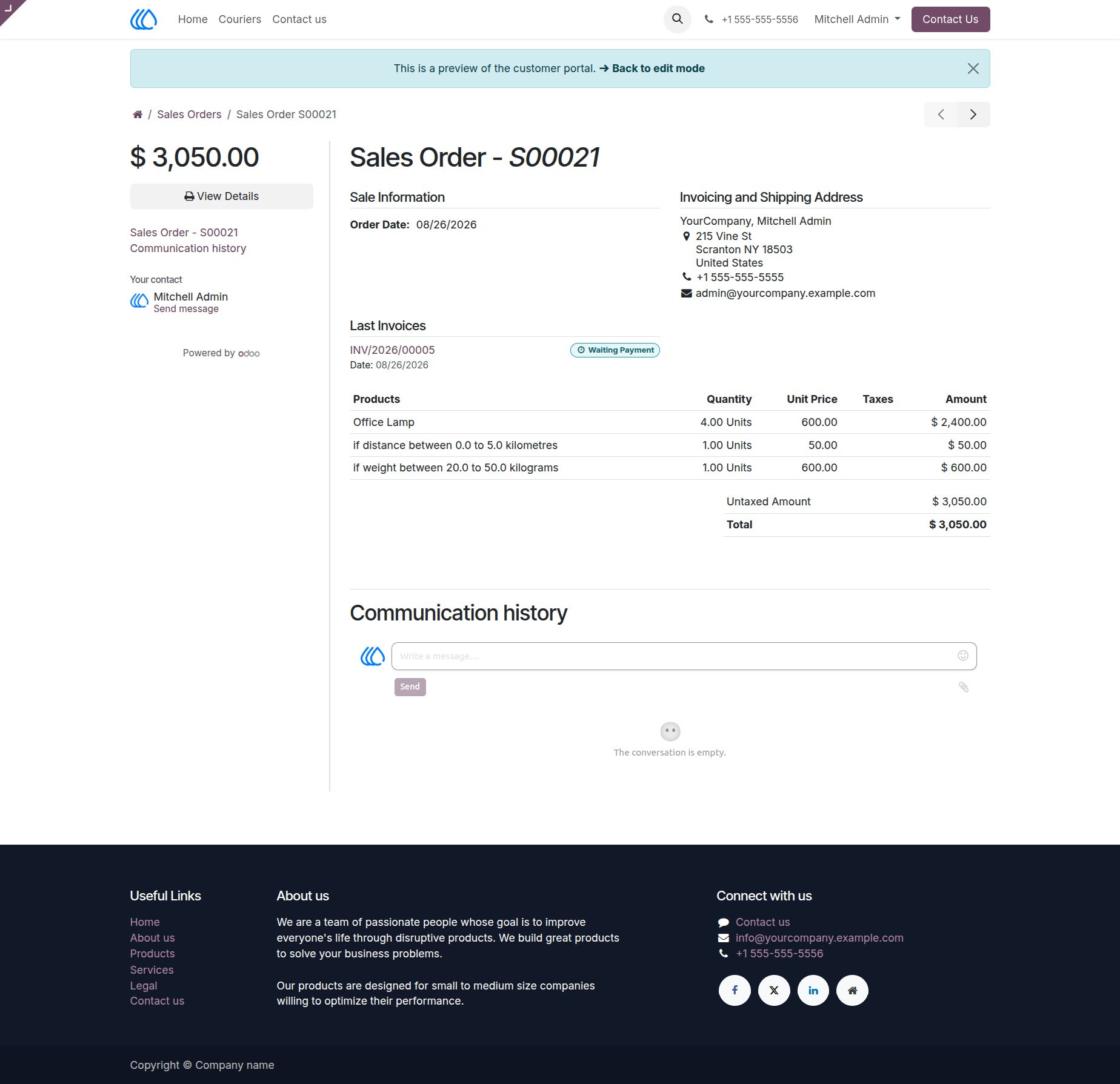
13.) Customer Portal Sales Order
Allows customers to review the details of a specific sales order directly within their web portal. It outlines the sale information, itemized billing lines for products and charges, and displays the linked invoice that is currently awaiting payment.
Navigation : My account › Sales Orders
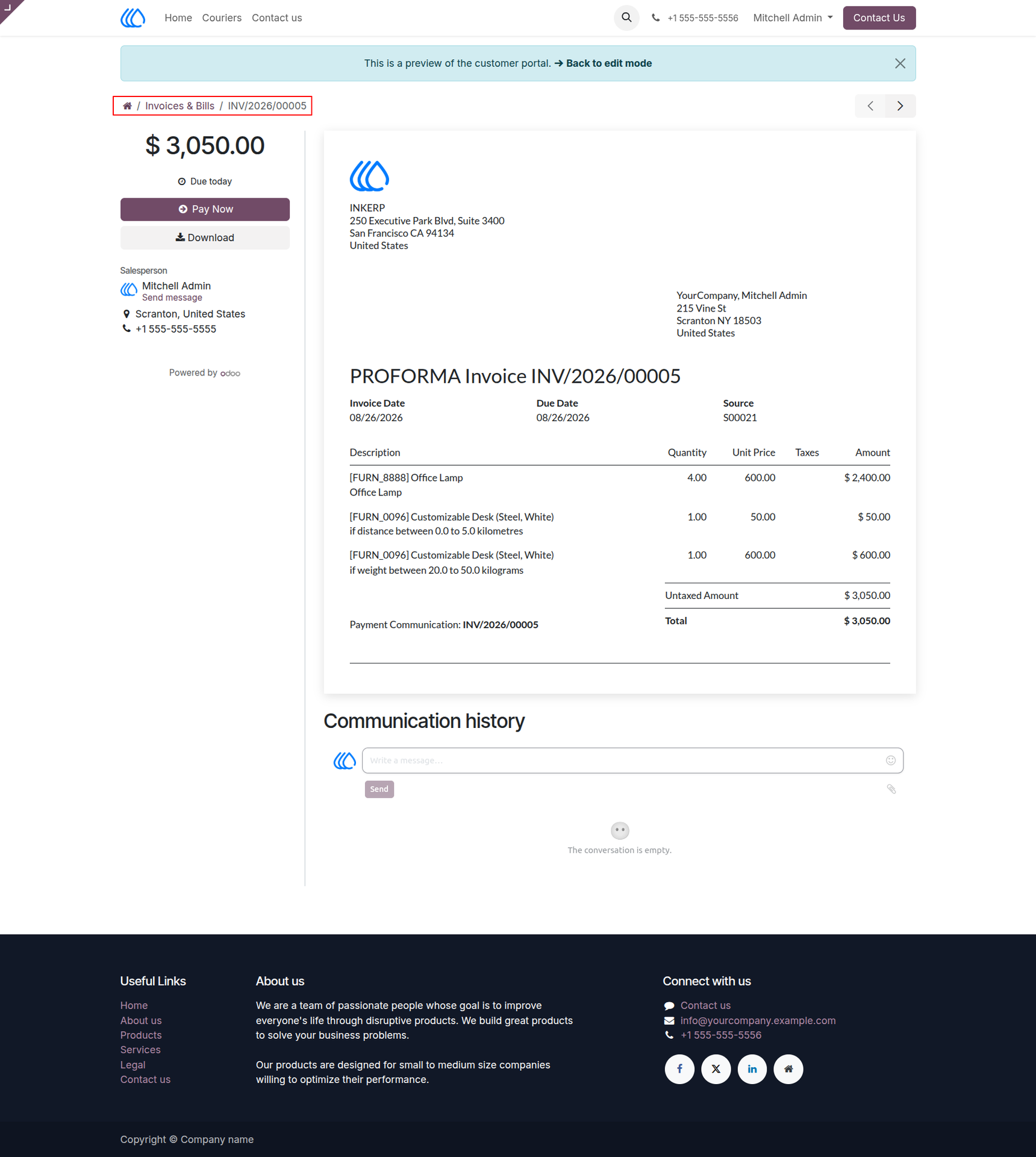
14.) Customer Portal Invoice and Payment
A detailed proforma invoice is provided to the customer, breaking down the final charges for products, distance, and weight fees. Users can utilize the action buttons located on the left sidebar to either download a copy of the document or initiate immediate payment.
Navigation : My account › Invoices & Bills
User Guide