

Our Most Suggested Products


Award Management
Employee Awards Management is a comprehensive solution for organizing and recognizing employee achievements. It enables HR teams to create, assign, and manage awards efficiently with detailed reporting and tracking features. The system supports multiple award and prize types, integrates with employee profiles, and provides advanced filtering and grouping options. This enhances employee engagement, motivation, and recognition transparency across the organization.
Video Tutorial

 Features
 Screenshots
 Support
 Service
Features
Comprehensive Award Management
Easily create, edit, and manage awards for every employee within your organization. You can define award names, types, and assign them to specific employees along with custom descriptions. This ensures every recognition is properly recorded, tracked, and celebrated year after year.
Flexible Award Types & Prizes
Set up different award categories and prize types with customizable amounts and criteria. You can associate each award with a specific value or gift, making the reward process transparent and fair. This flexibility helps HR teams align awards with company goals and employee performance levels.
Automated Award Report in PDF
Generate and print professional-looking award reports directly from the system. Each report includes complete details from employee and award names to amounts and descriptions. The PDF format makes it easy to share, archive, or present awards during ceremonies.
Screenshot
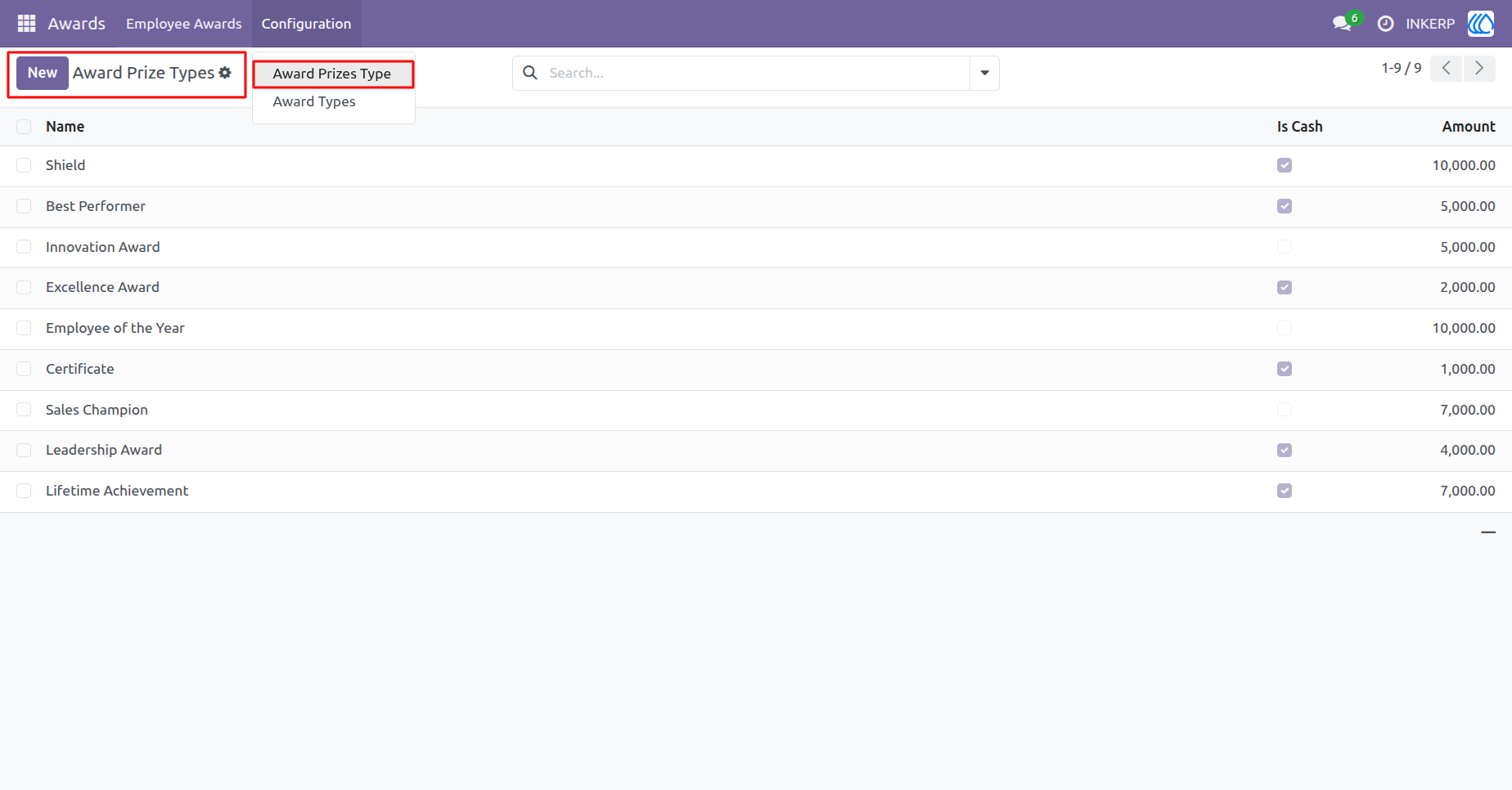
1.) Award Prize Types
The Award Prize Types interface allows administrators to efficiently configure and manage various prize categories within the award system. It displays detailed information such as prize name, amount, and cash eligibility for transparent reward tracking.
Navigation : Award › Configuration › Award Prize Types
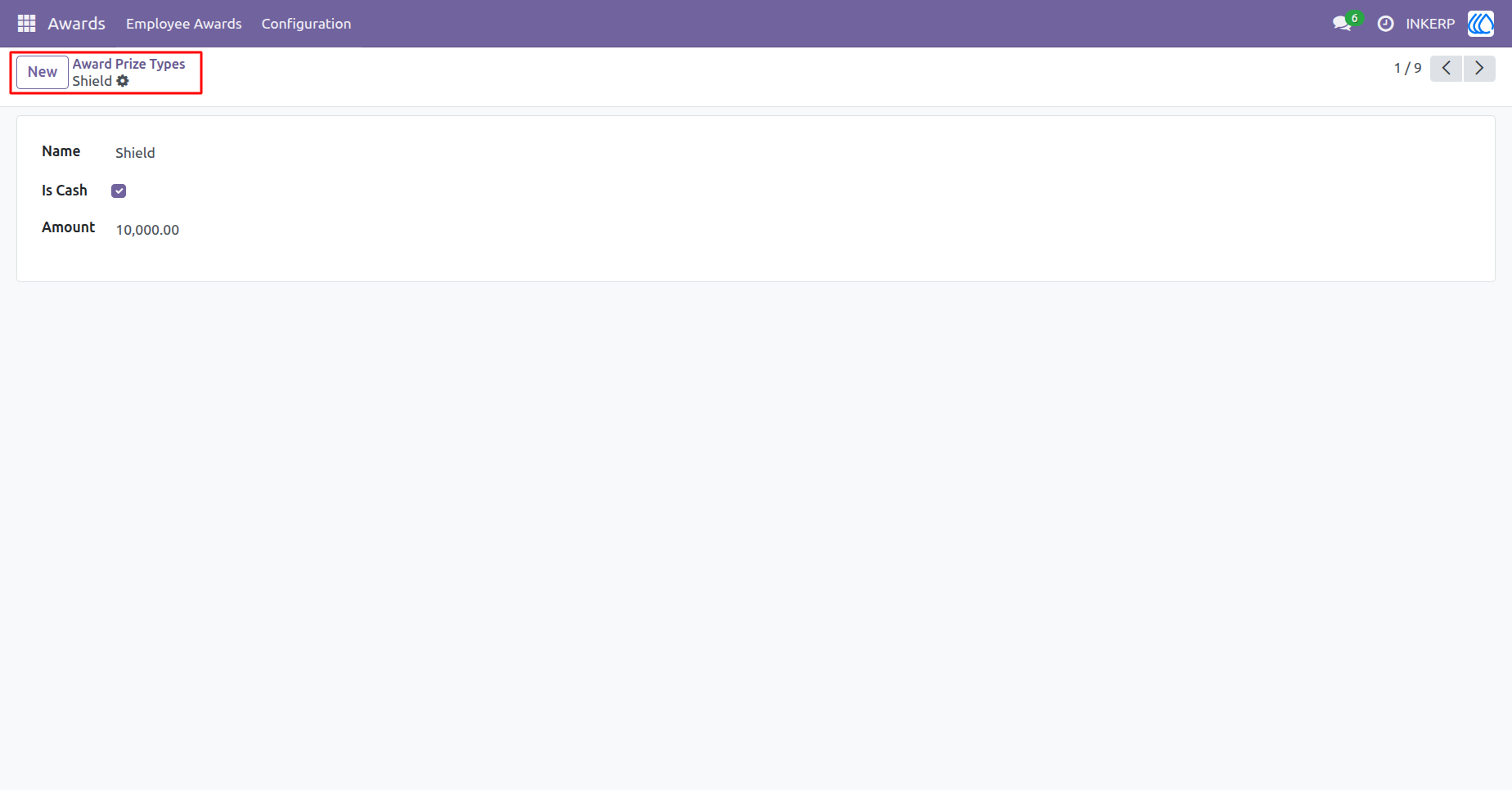
2.) Award Prize Type - Shield
This view displays the detailed configuration for the Shield award prize type, including its cash status and amount.
Navigation : Award › Configuration › Award Prize Types
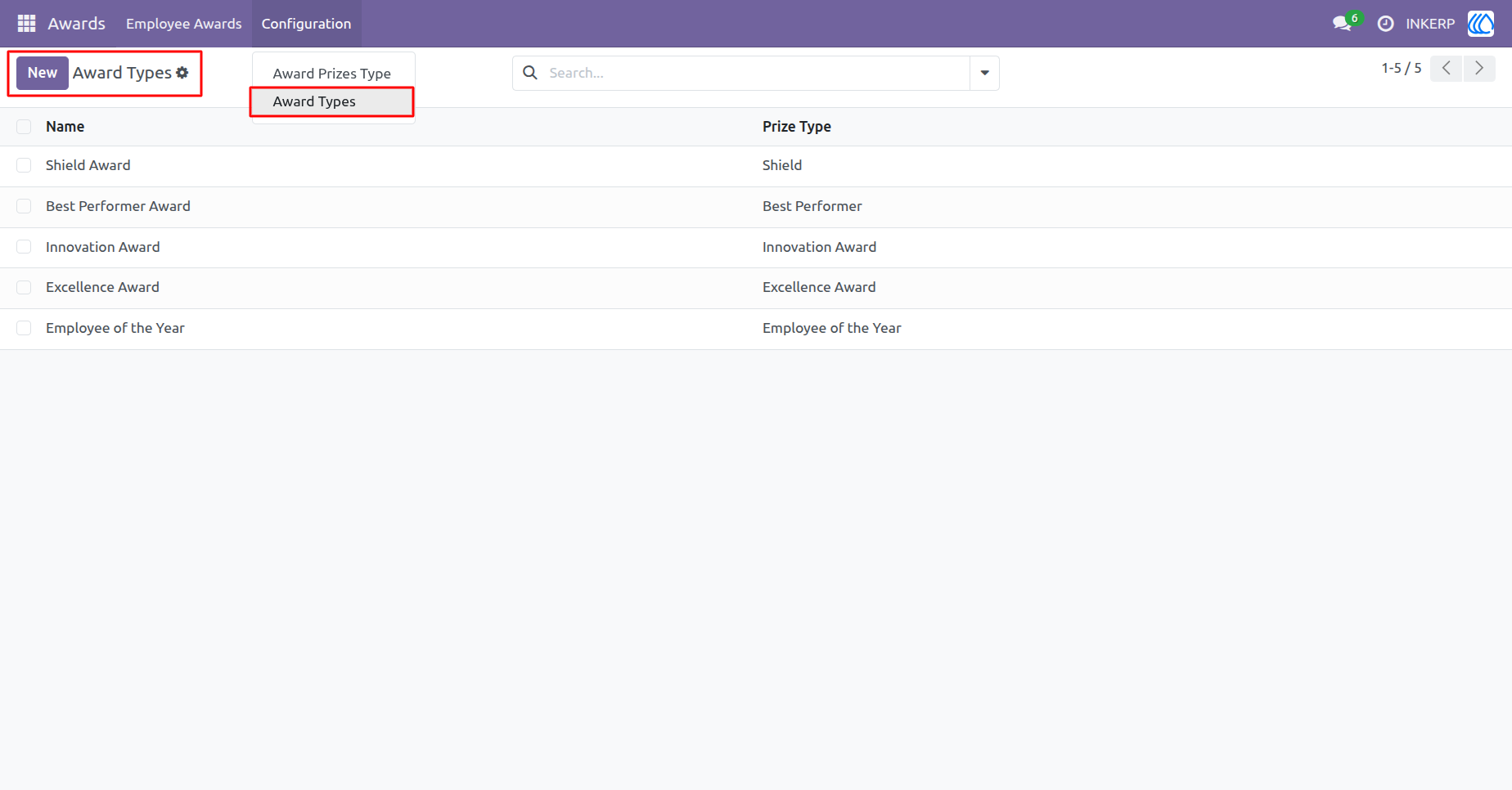
3.) Award Types Configuration
This screen provides a structured view of all available Award Types linked with their respective Prize Types. It enables administrators to manage, categorize, and define various recognition types for employees.
Navigation : Award › Configuration › Award Types
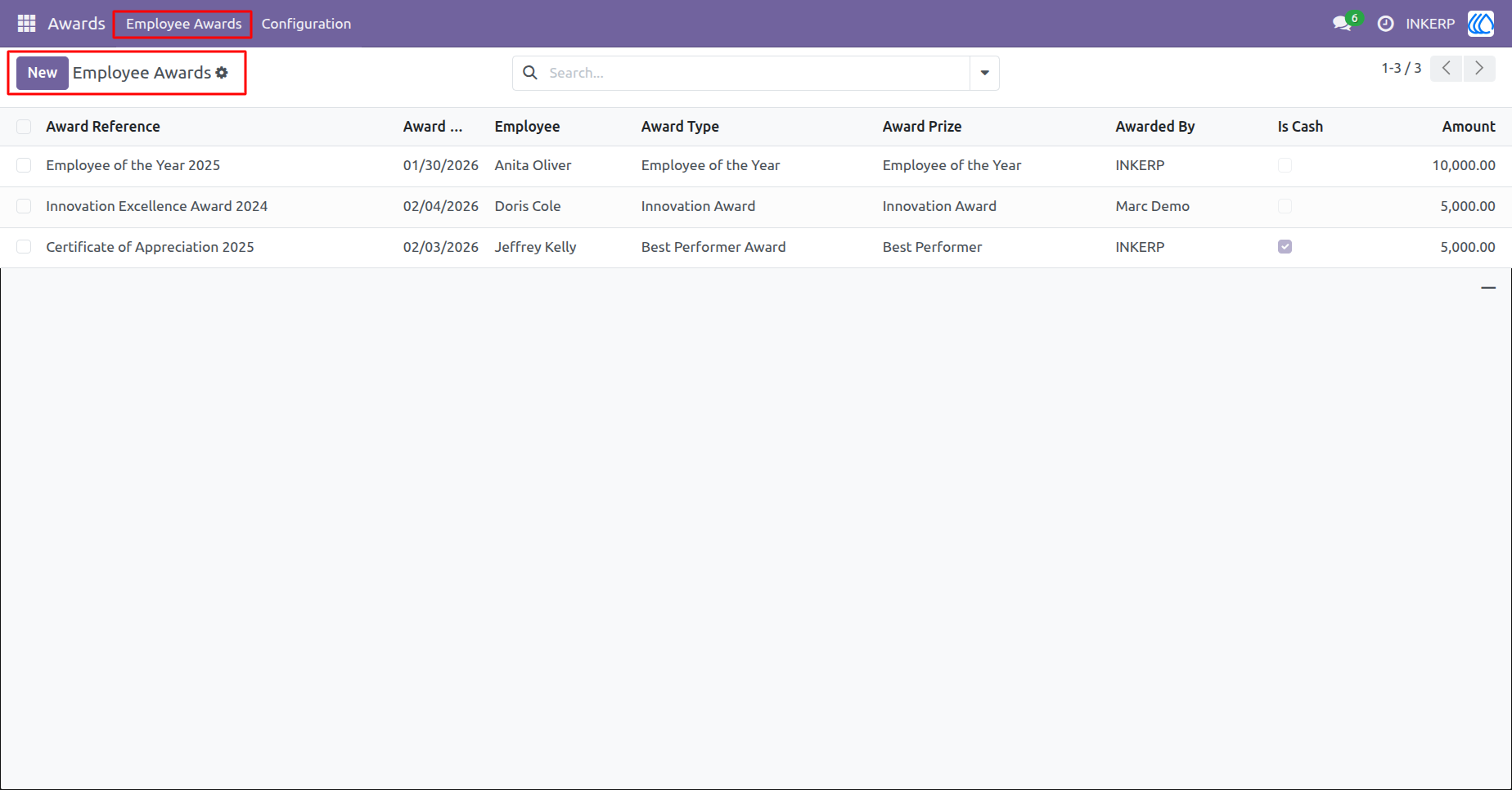
4.) Employee Awards Management
This view displays all Employee Awards with detailed information such as award type, prize, recipient, issuer, and amount.
Navigation : Award › Employee Awards
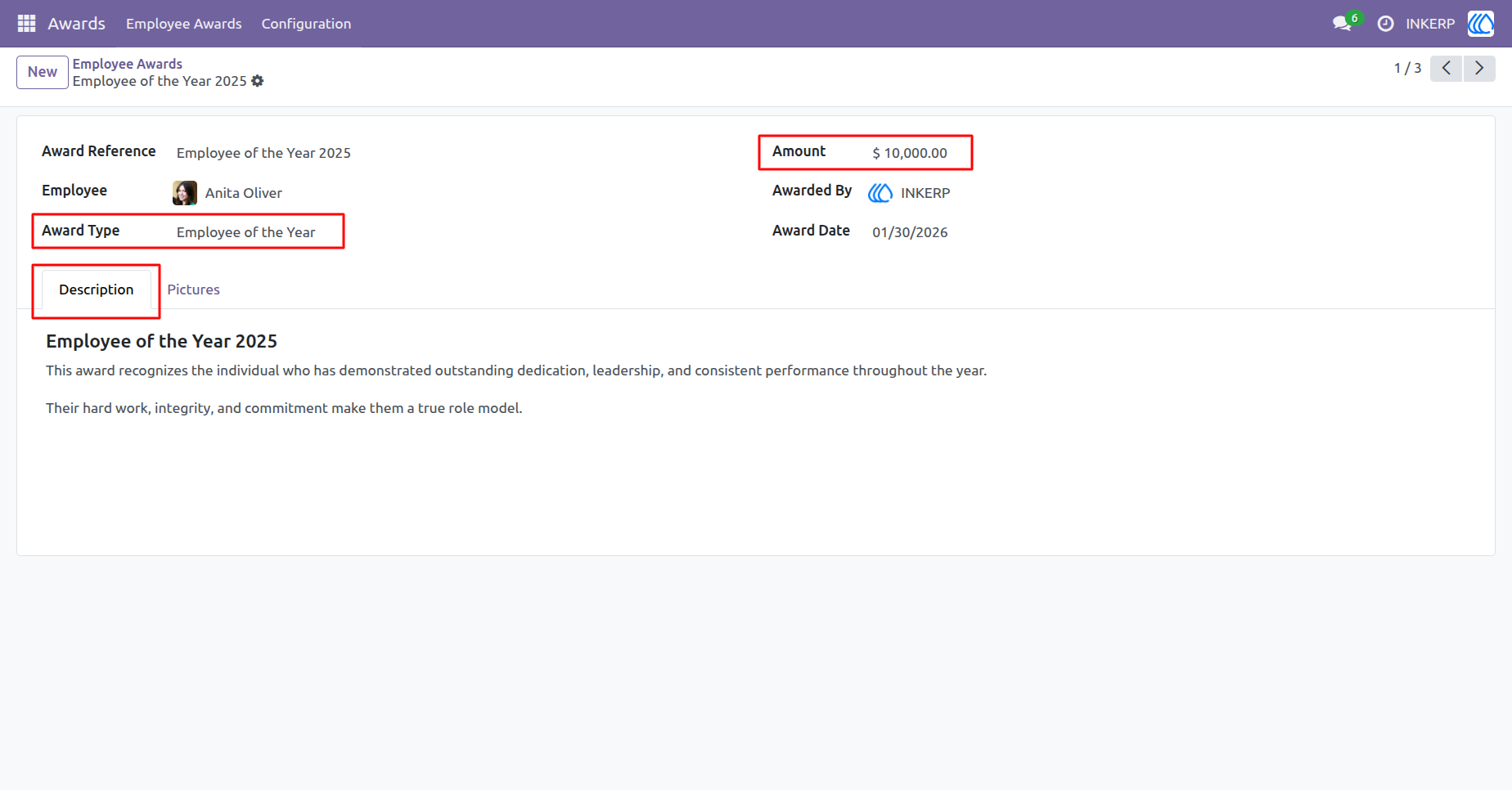
5.) Employee Award Details
This detailed view showcases an employees award record, including award type, amount, award date, and presenter details. It highlights individual achievements with comprehensive descriptions and recognition notes, enhancing employee motivation.
Navigation : Award › Employee Awards › Employee of the Year 2025
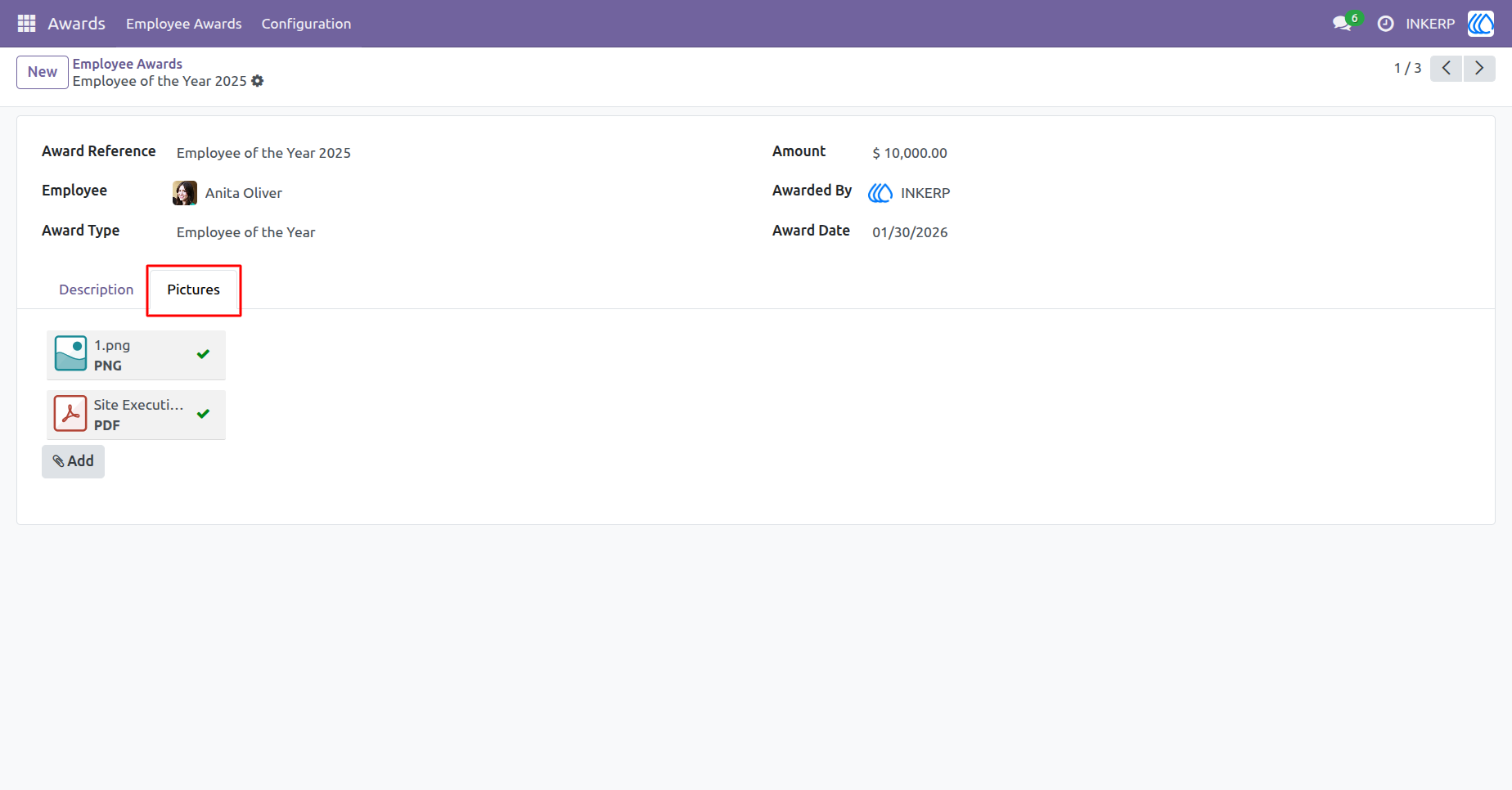
6.) Employee Award Picture Attachments
This feature enables users to attach and manage award-related images for each employee recognition record. It provides a streamlined way to upload supporting visuals such as certificates or event photos, ensuring complete and professional award documentation.
Navigation : Award › Employee Awards › Employee of the Year 2025
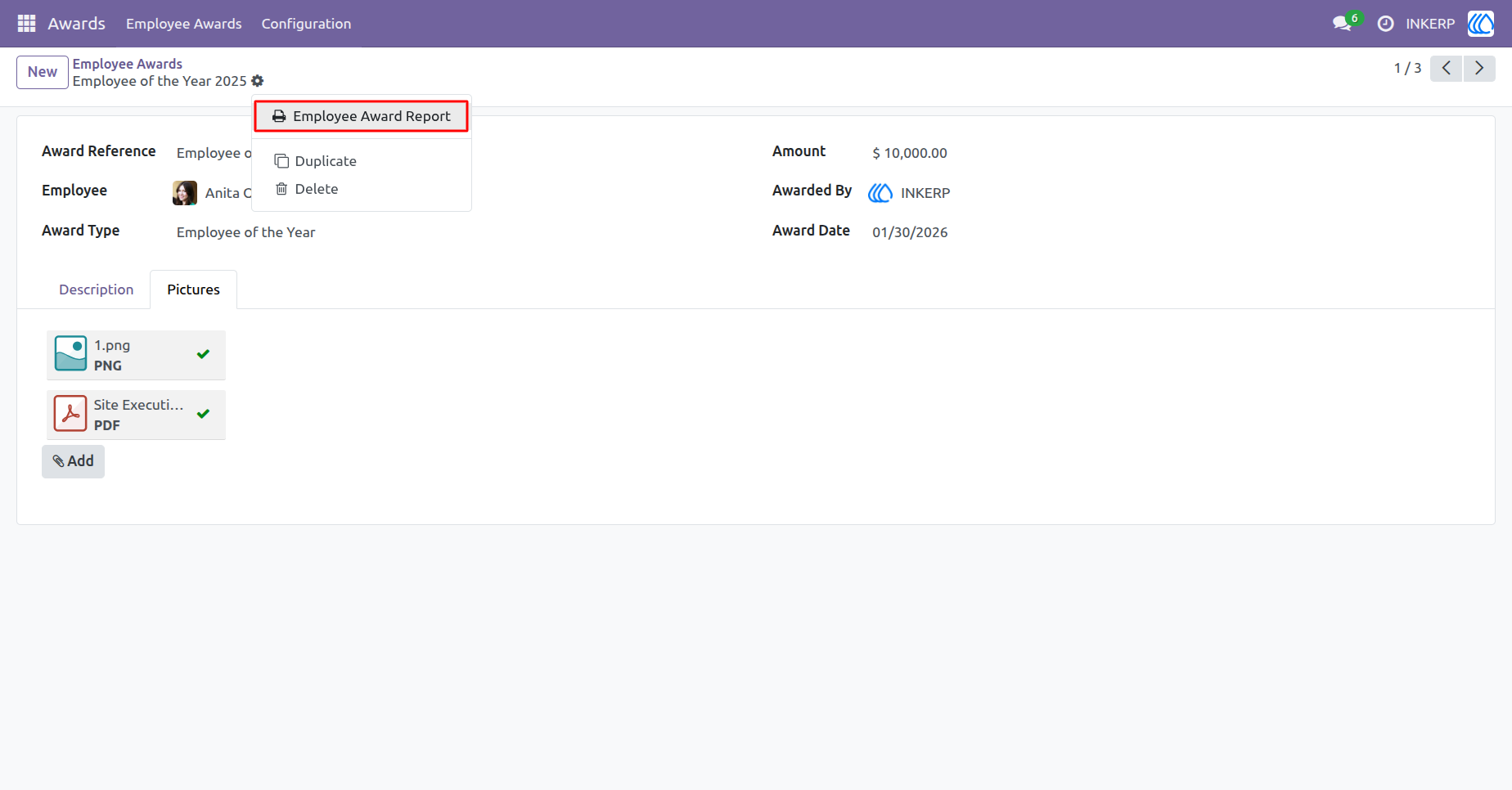
7.) Employee Award Report Generation
This feature allows users to generate a detailed Employee Award Report, providing comprehensive insights into award details, recipients, and recognition data. It streamlines documentation by producing professional, printable reports for HR and management review.
Navigation : Award › Employee Awards › Employee of the Year 2025
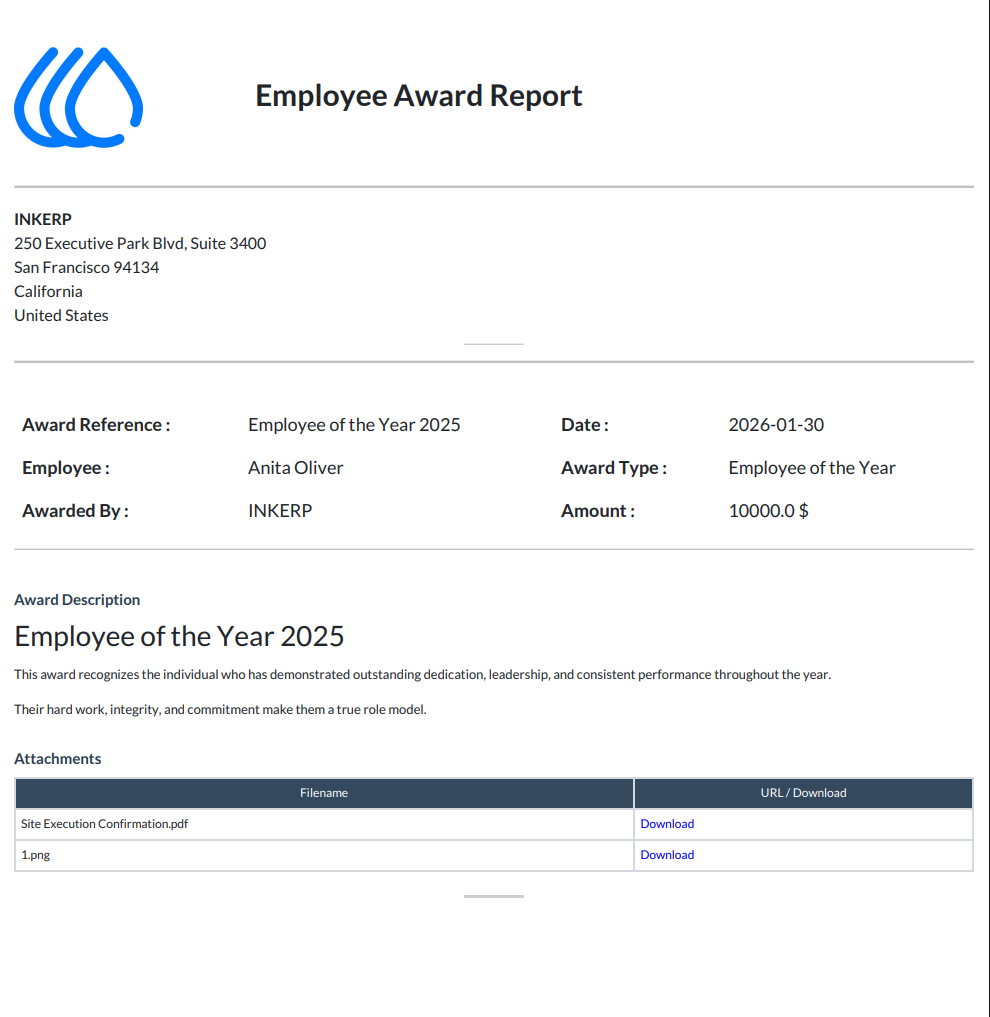
8.) Employee Award Report
This screen presents a professionally formatted report summarizing employee recognition details, including award type, date, recipient, and description. It enables print-ready documentation with company branding and downloadable attachments for HR records.
Navigation : Award › Employee Awards › Employee of the Year 2025 › Employee Award Report
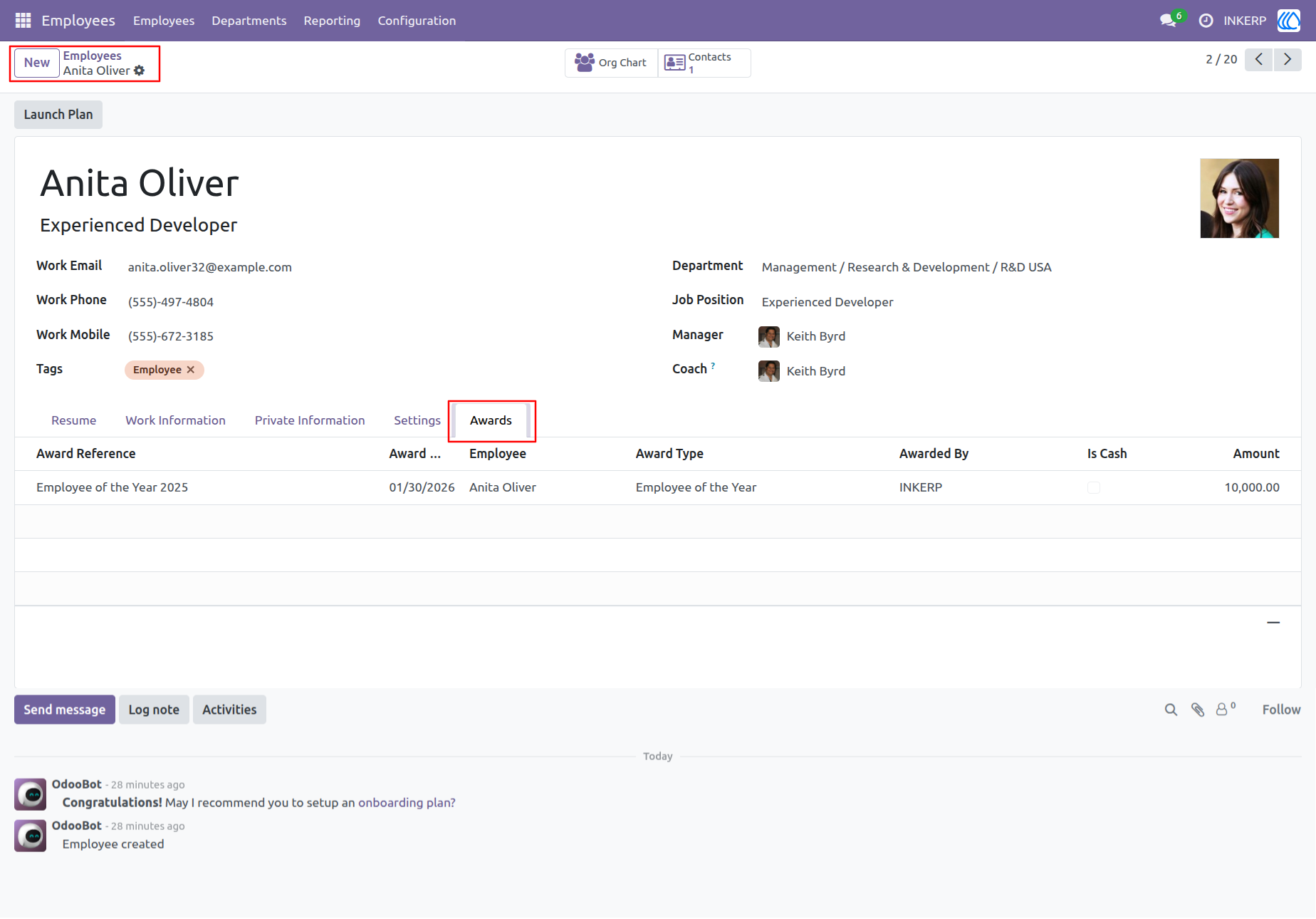
9.) Employee Profile Awards Tab Overview
This view highlights an employees award achievements directly within their profile, providing complete visibility into recognition history. It ensures transparent performance tracking by displaying award type, date, amount, and approver details.
Navigation : Employees › Employees
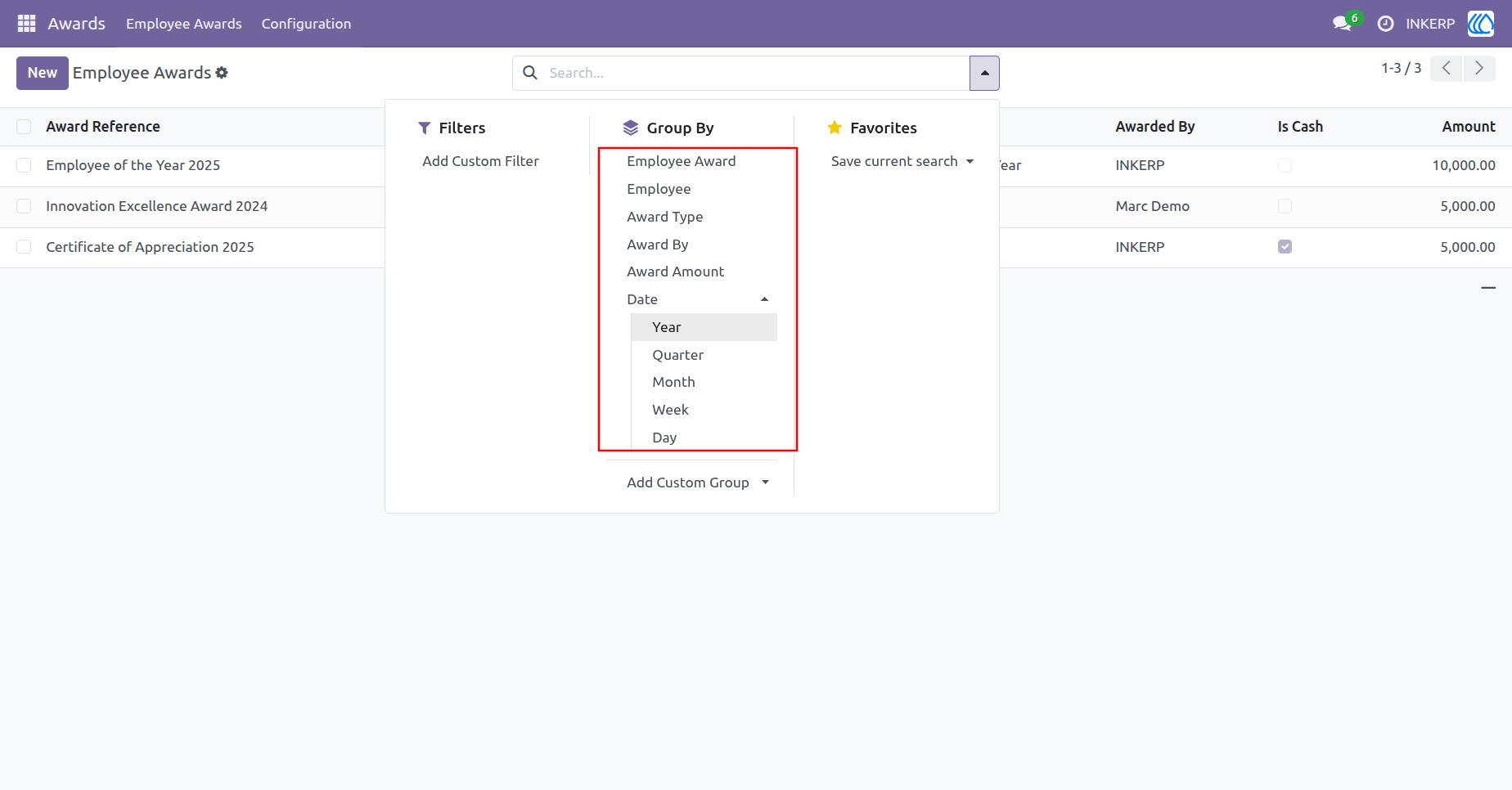
10.) Employee Awards Smart Grouping & Filtering Options
This feature enables advanced data organization through dynamic grouping by award type, employee, date, or award amount. HR teams can instantly filter and segment award records for deeper performance insights and reporting accuracy.
Navigation : Award › Employee Awards › Group By / Filters
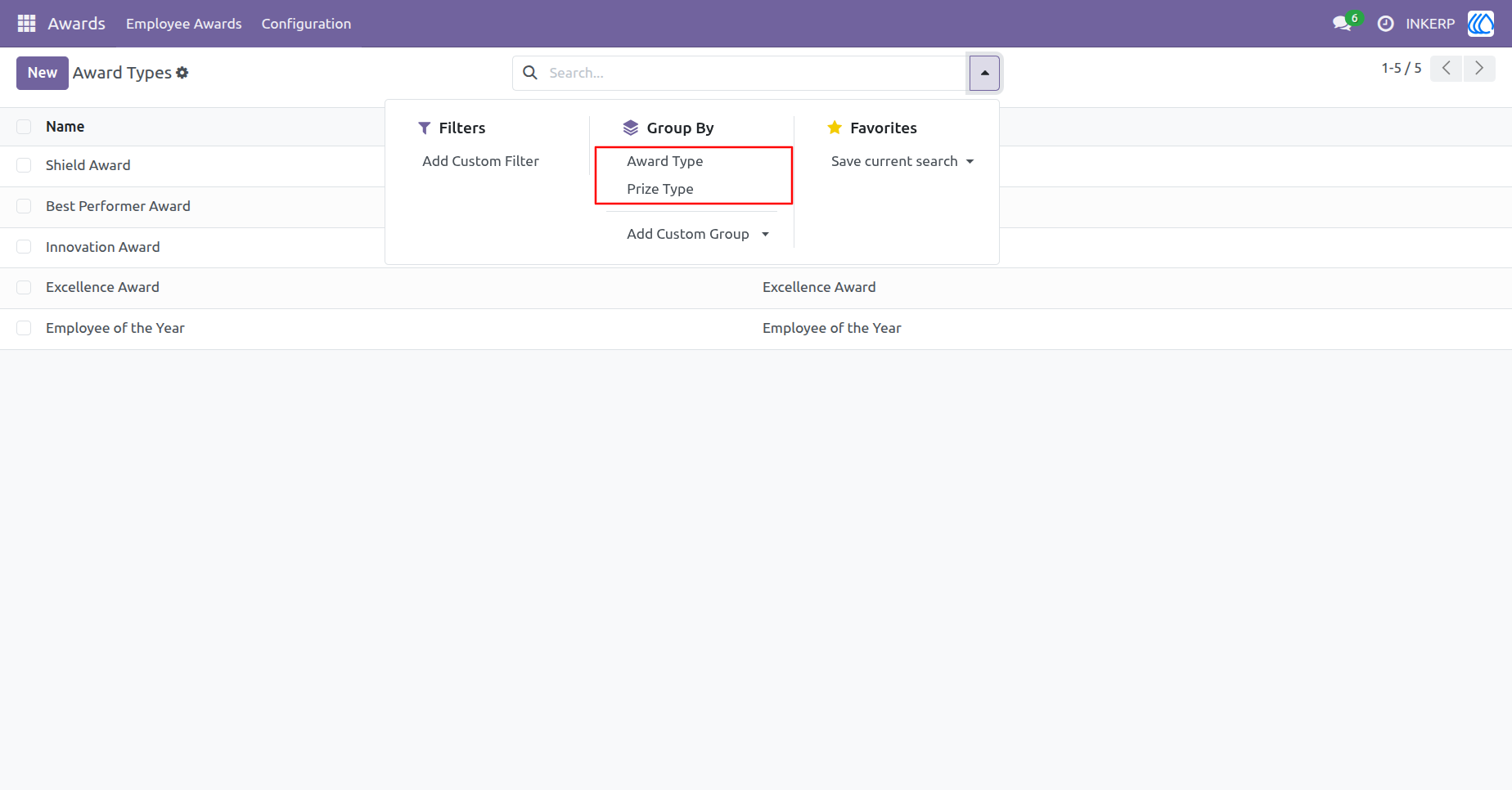
11.) Award Types Classification & Grouping by Prize Type
This view provides a centralized directory of all award categories, enabling HR teams to define and manage award structures efficiently. Users can group awards by type or prize category for better organization and reporting.
Navigation : Award › Configuration › Award Types › Group By / Filters
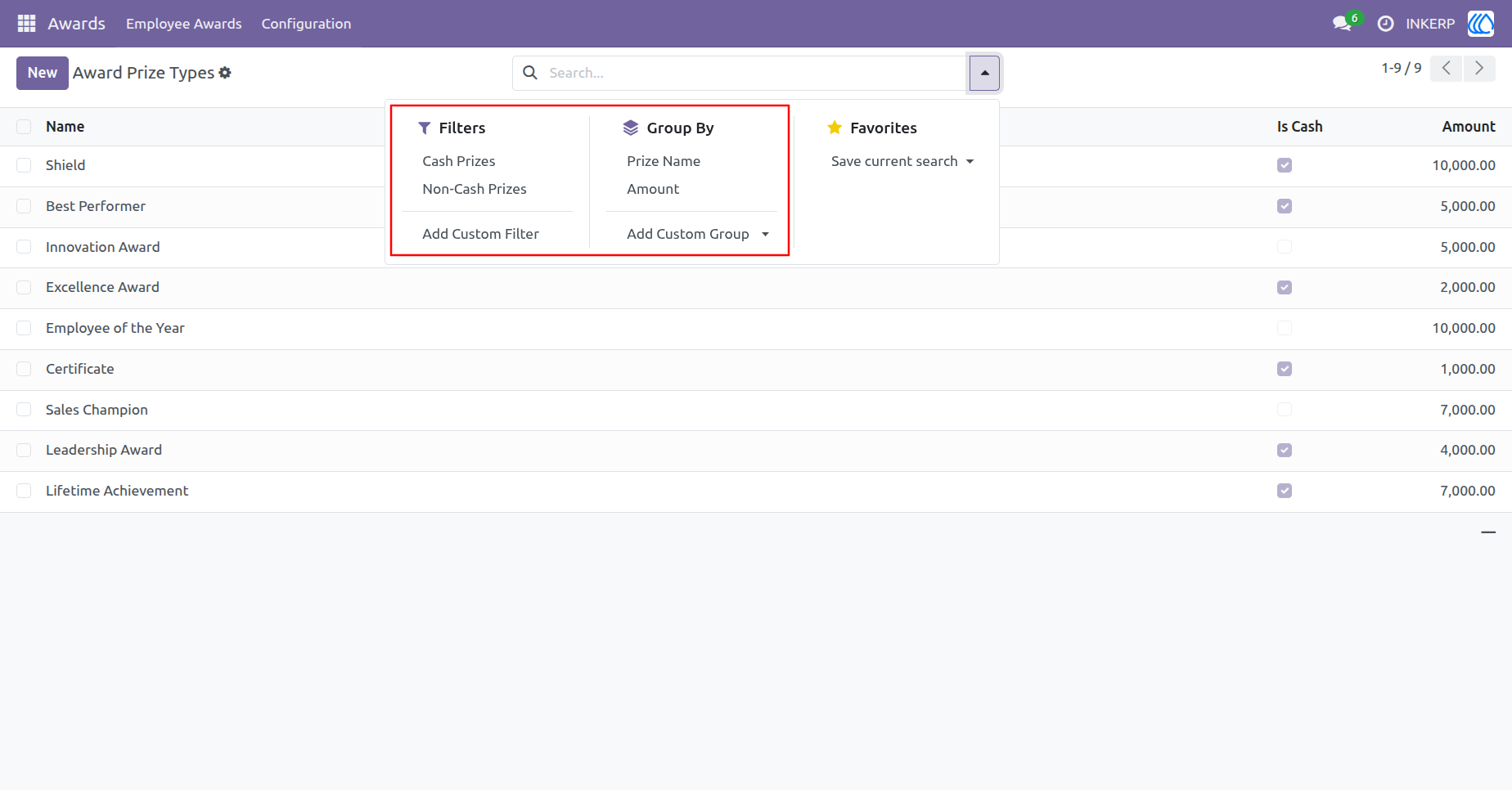
12.) Award Prize Types Managing Cash & Non-Cash Rewards
This screen enables administrators to define and manage prize categories such as cash and non-cash awards with flexible filtering options.
Navigation : Award › Configuration › Award Prize Types › Group By / Filters
User Guide