

Our Most Suggested Products


All In One Digital Signature
The All In One Digital Signature module empowers businesses to seamlessly integrate digital signatures into key Odoo documents such as purchase orders, invoices, and bills. It enhances document security, ensures authenticity, and streamlines approval workflows by eliminating manual signing processes. With easy configuration and built-in support for signed report generation
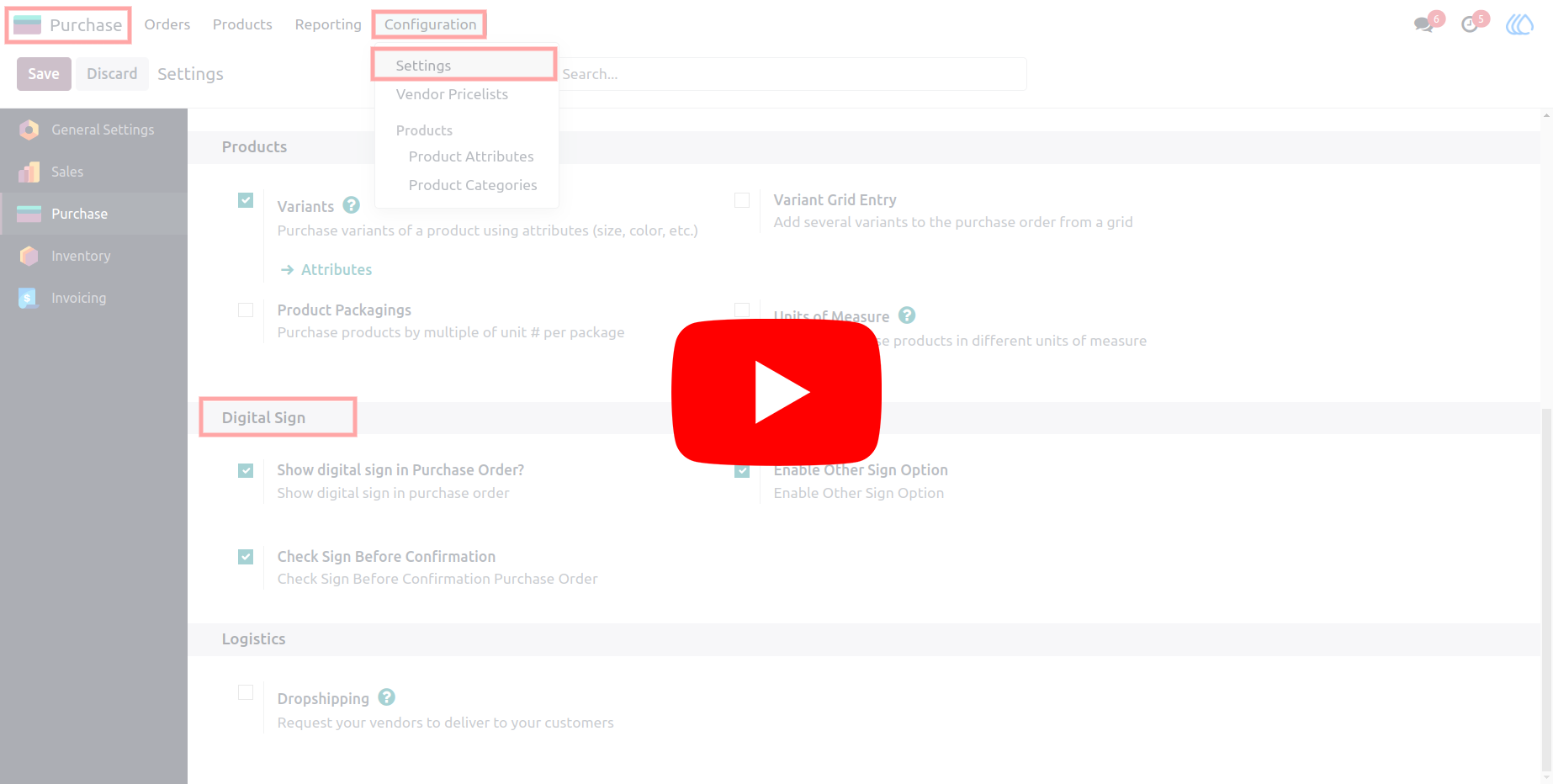
Video Tutorial
 Features
 Screenshots
 Support
 Service
Features
Digital Signatures Across Core Documents
Easily add digital signatures to purchase orders, invoices, and bills directly within Odoo. This ensures that all critical financial and operational documents are authenticated and approved without relying on external tools or manual processes.
Configurable Signature Settings
The module provides flexible configuration options that allow users to define signature details according to their business requirements. From enabling signature functionality to managing relevant input fields, everything can be tailored to match organizational needs.
Secure Approval Workflow with Signed Reports
Strengthen document validation with a secure workflow that incorporates digital signatures at key stages of approval. The module also enables the generation of reports with embedded signatures, ensuring documents are ready for sharing or record-keeping.
Screenshot
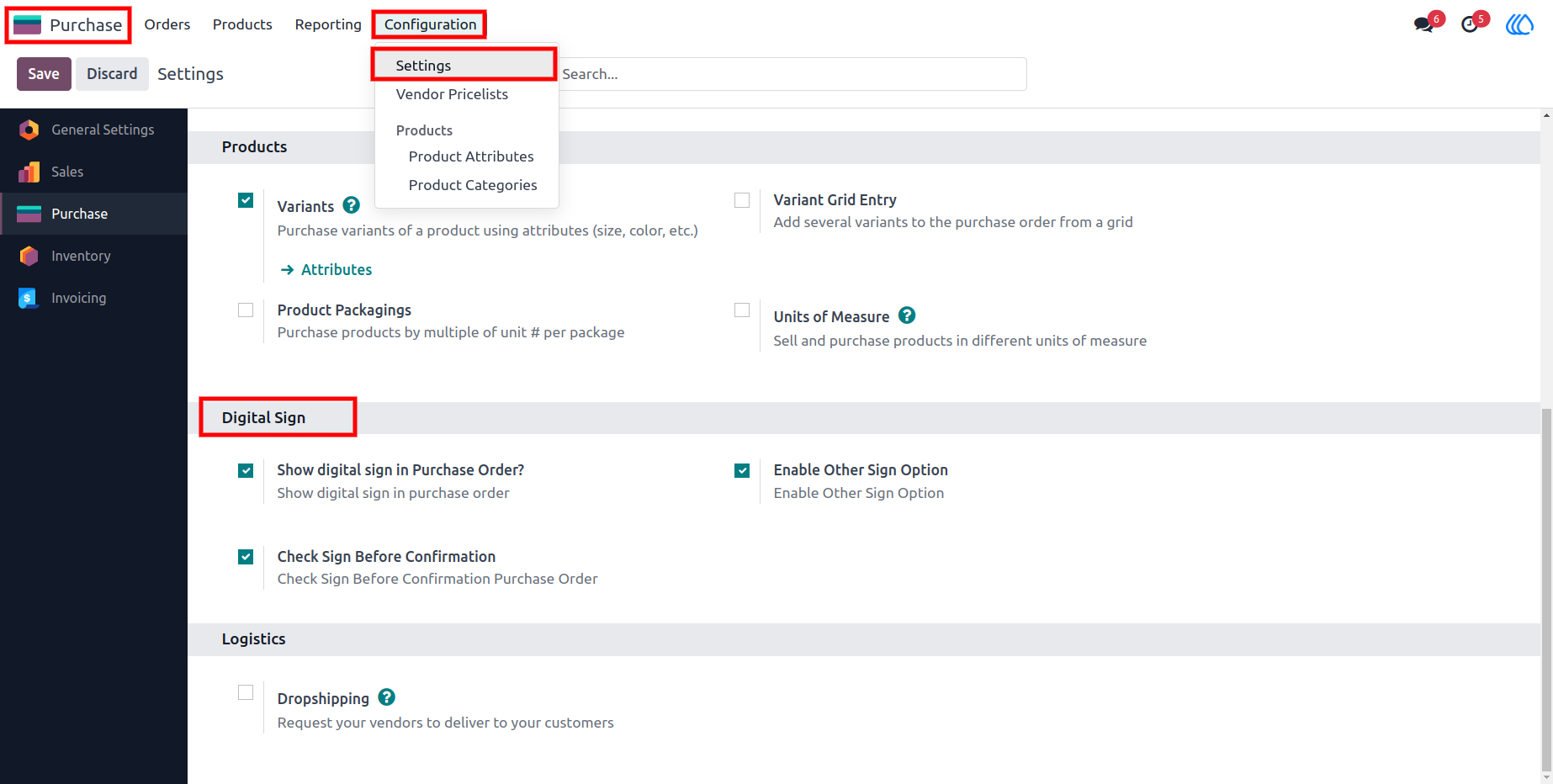
1.) Purchase Order Form View
The purchase order form view where users can input and manage digital signature details. It shows how to enable the digital signature configuration and add pertinent information for signing.
Navigation : Purchase › Configuration › Settings › Digital Sign
2.) Purchase Order Signature Details Input
This screenshot illustrates a printed purchase order report featuring a digital signature, demonstrating how the signature integrates into official documents.
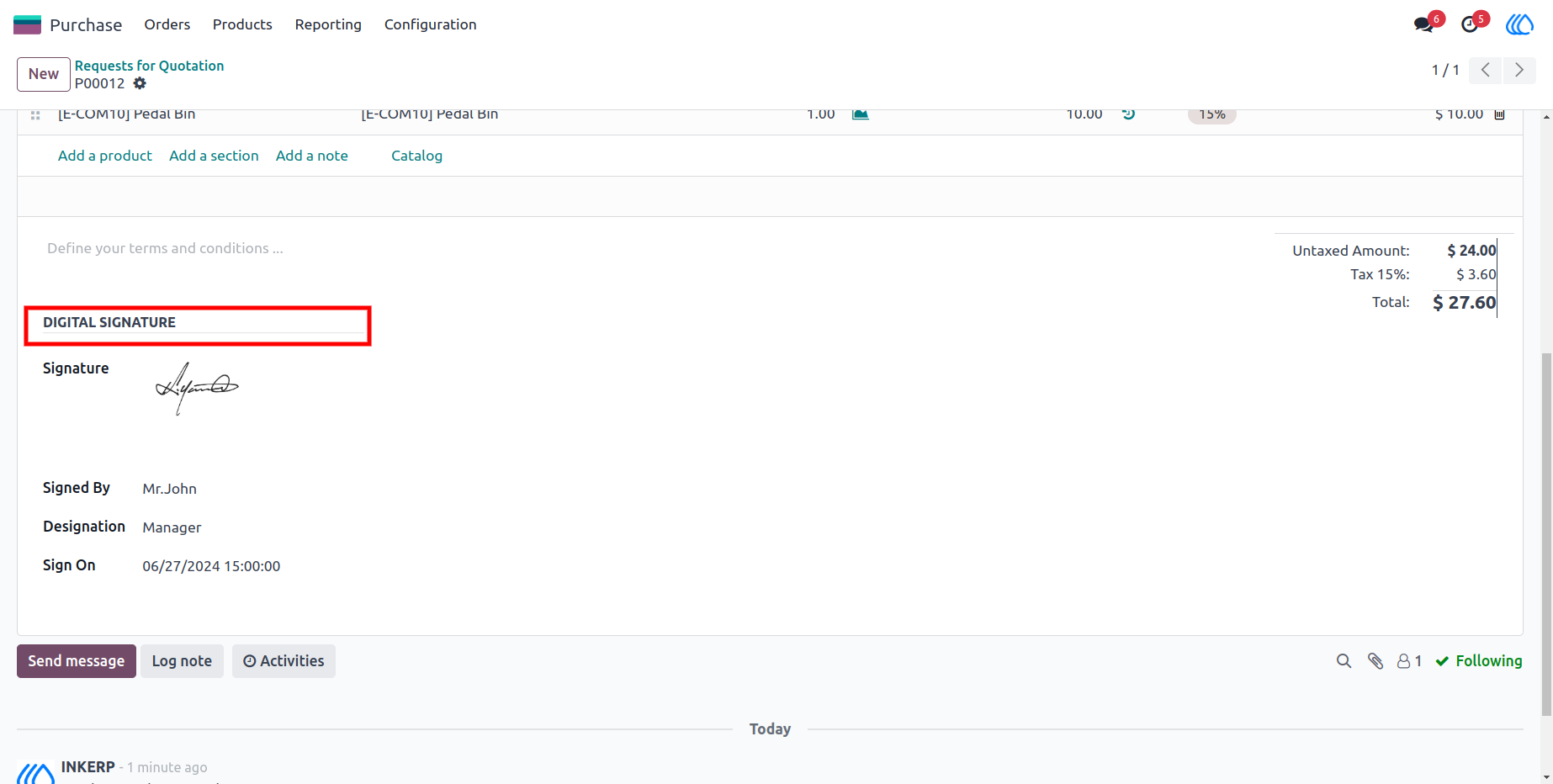
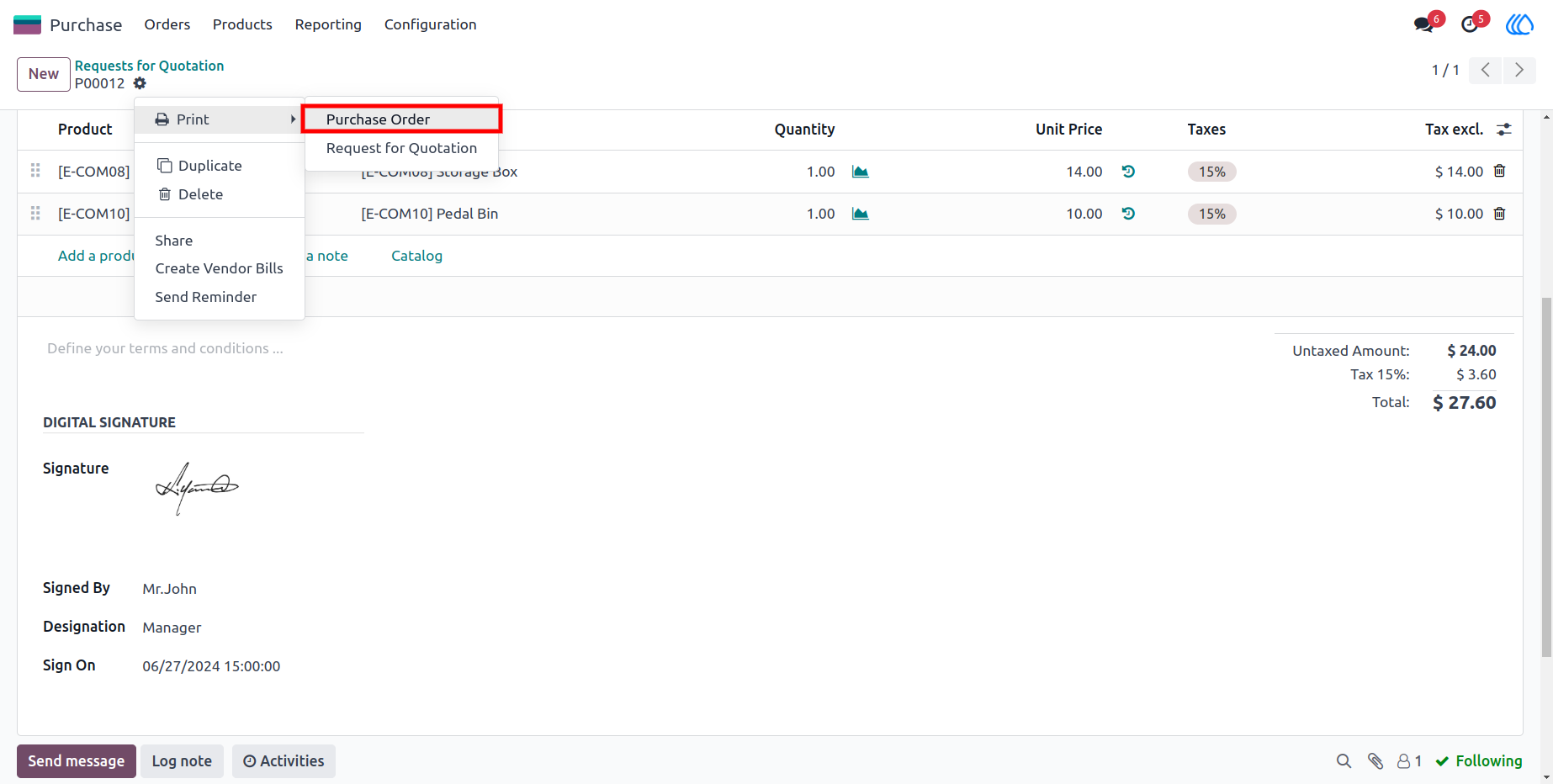
3.) Purchase order form view
You can print the report from this screen, and it will include the signature in the PDF report as well.
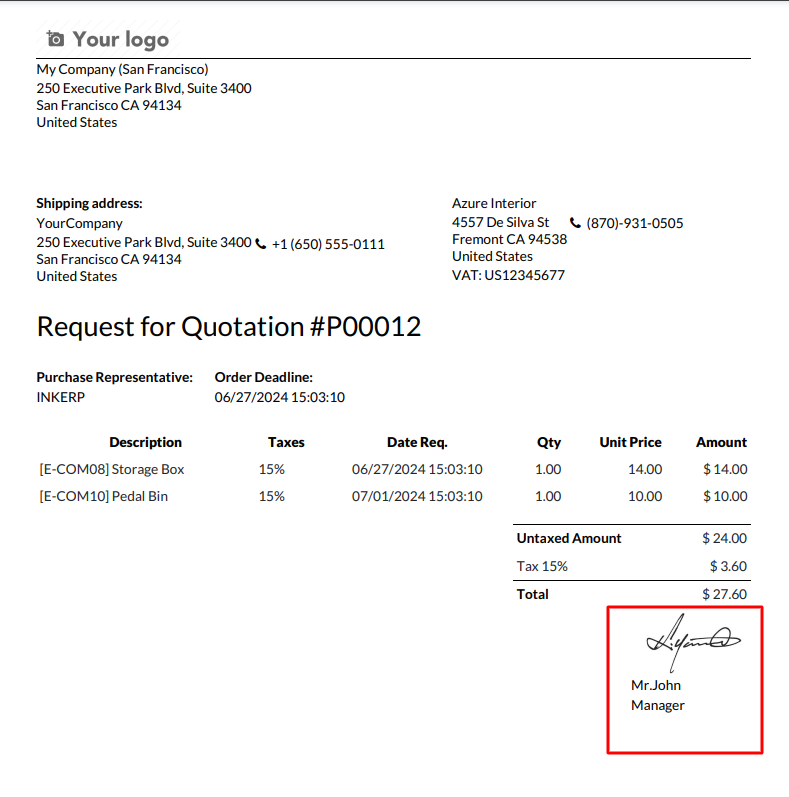
4.) Purchase order Report
Purchase order report featuring a digital signature and relevant signatory details for document security.
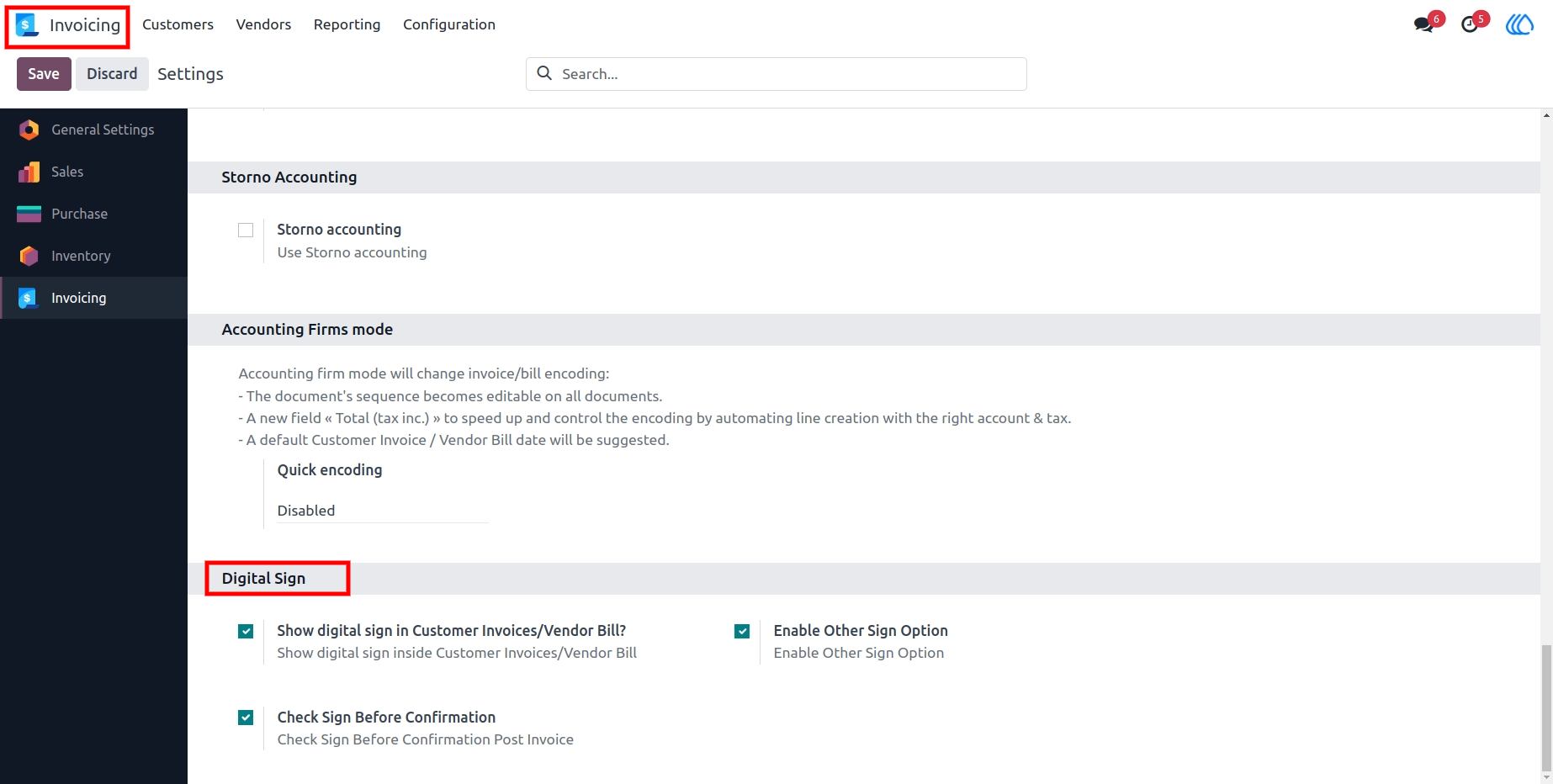
5.) Invoice Form View
The invoice form view with digital signature configuration options. Users can enter signature details similar to those in the purchase order.
Navigation : Invoicing › Configuration › Settings › Digital Sign
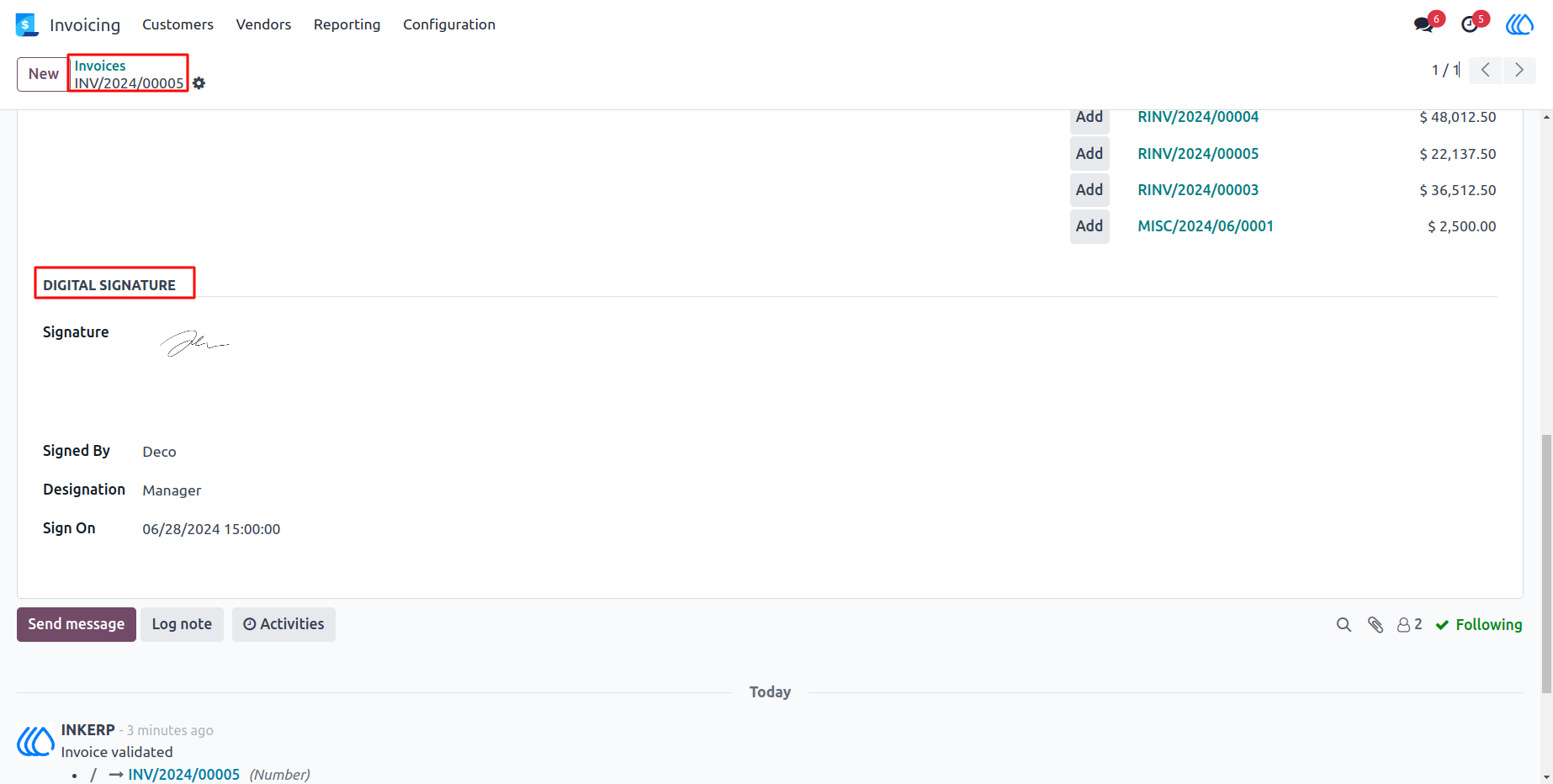
6.) Invoice Signature Details Input
where you can add signature details, such as the signatory's name, designation, and date-time.
7.) Invoice Form View
The invoice form, where you can print the report, including the digital signature.
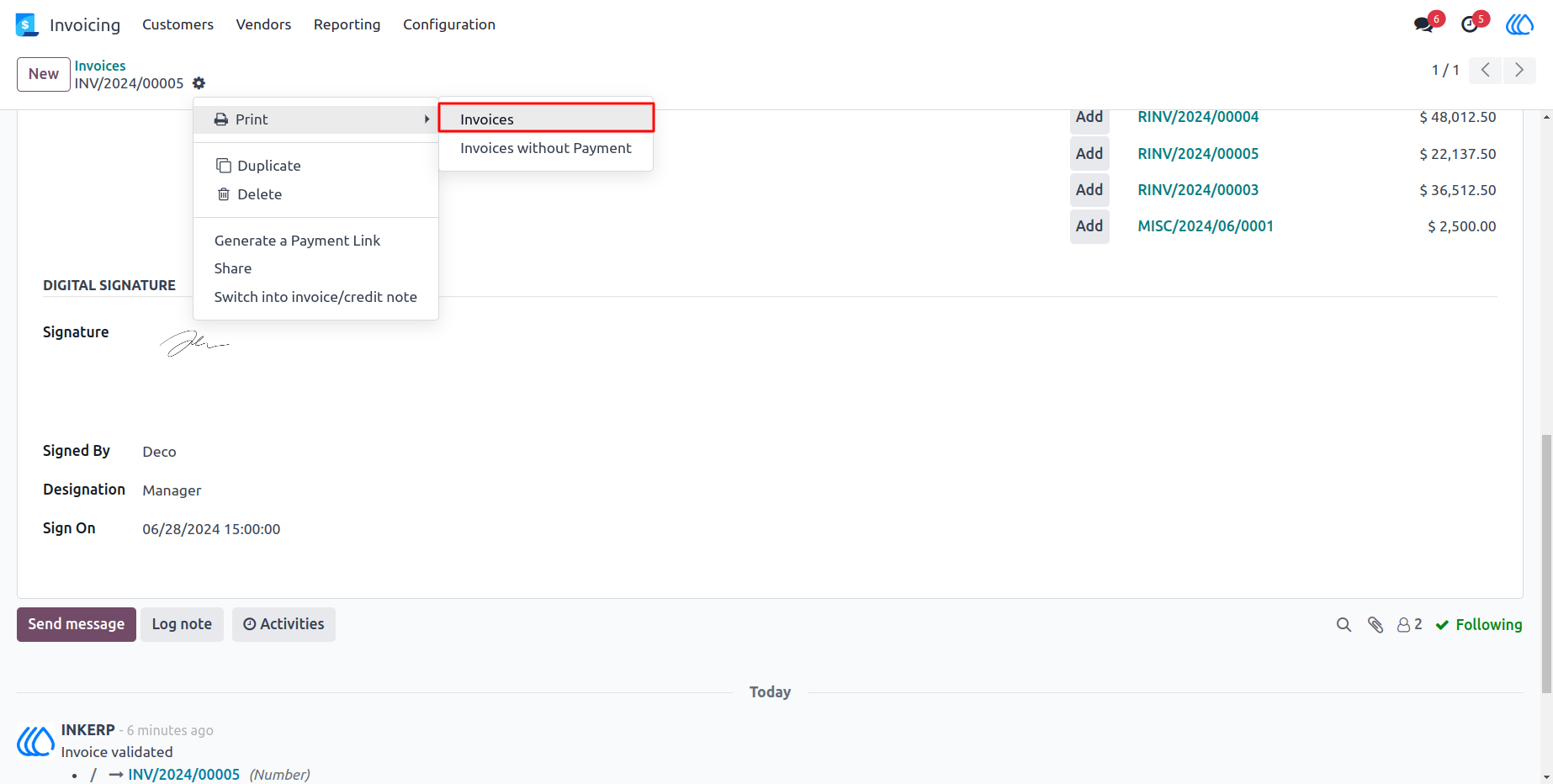
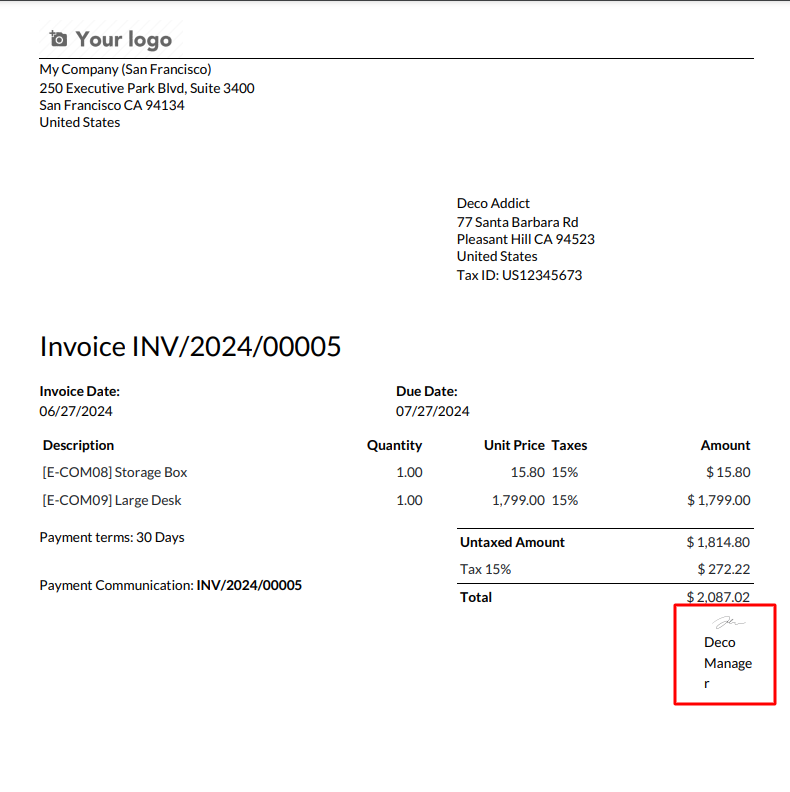
8.) Invoice Report
invoice report that includes a digital signature and additional signatory details for document ve-rification.
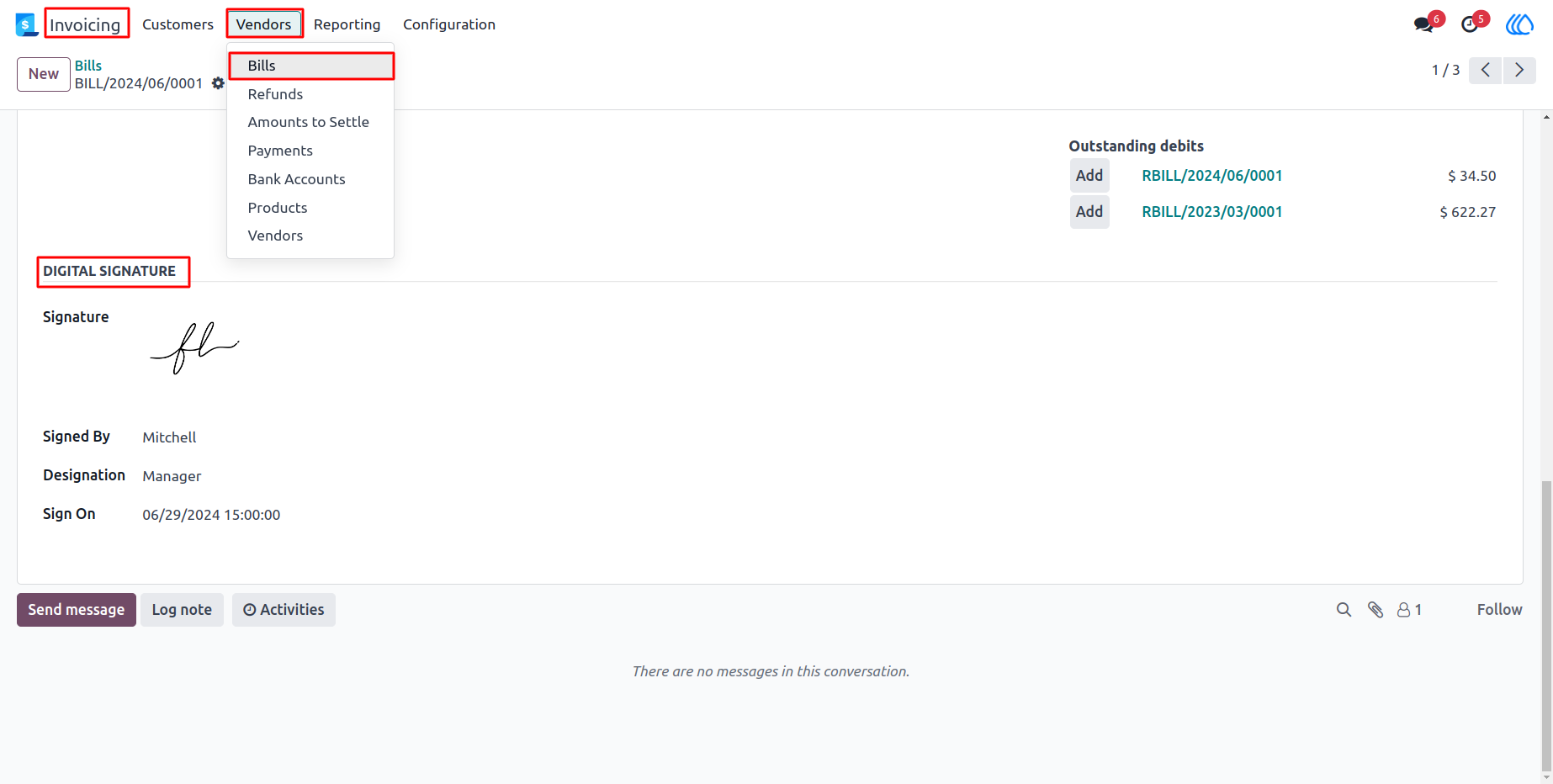
9.) Bill Signature Details Input
The bill form view where users can add digital signature details. It highlights the ease of integrating signatures into bill documentation.
Navigation : Invoicing › Vendors › Bills › Digital Signature
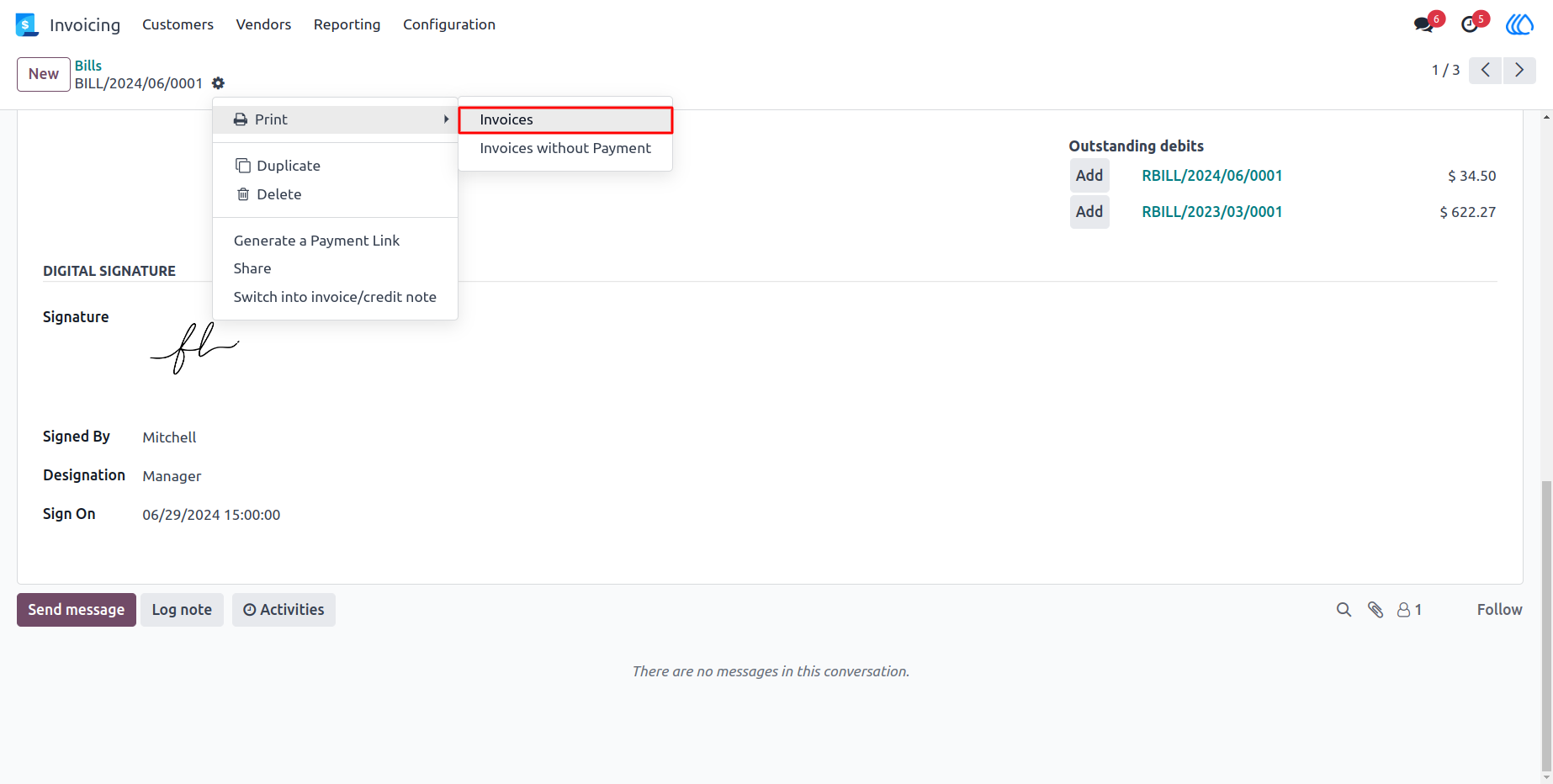
10.) Bill Form View
The bill form, where you can print the report, including any digital signature details.
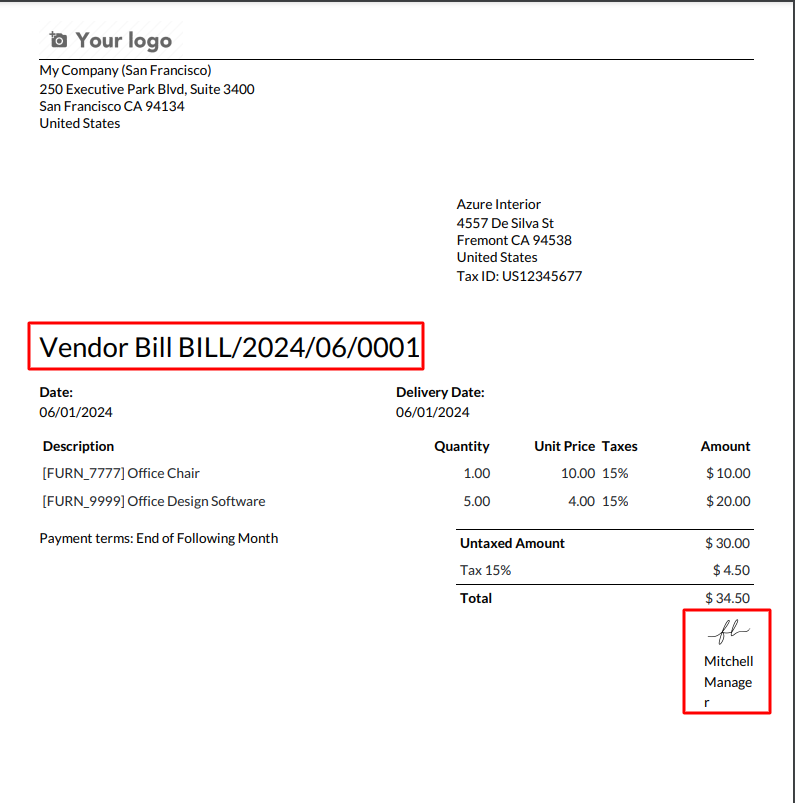
11.) Bill Report
printed bill report with a digital signature, ensuring all bills are securely signed and documented.
User Guide