

Our Most Suggested Products


Dynamic Fields for Task
Dynamic Fields for Task is a lightweight yet powerful module designed to simplify the creation and management of custom fields directly within the task view in Odoo. It enables users to customize task forms without requiring technical expertise or backend access, making it ideal for functional users and project managers.
Video Tutorial
 Features
 Screenshots
 Support
 Service
Features
Create Custom Fields Instantly from Task View
This feature allows users to add custom fields directly from the task interface without navigating to technical settings or developer mode. It significantly reduces the time and complexity typically involved in customizing forms.
Configure Field Widgets and Attributes Easily
The module provides the ability to assign appropriate widgets and define field attributes during field creation. This ensures that each field behaves exactly as required, whether it’s a text input, selection, date, or other field types.
Place Fields at Desired Locations in the Form
Users can choose exactly where new fields should appear within the task form, giving full control over layout and structure. This flexibility helps maintain a clean and organized interface tailored to specific workflows.
Simplified Customization Without Technical Dependency
The module eliminates the need for developer intervention when making common customizations. Functional users can handle changes independently, reducing reliance on technical teams.
Screenshot
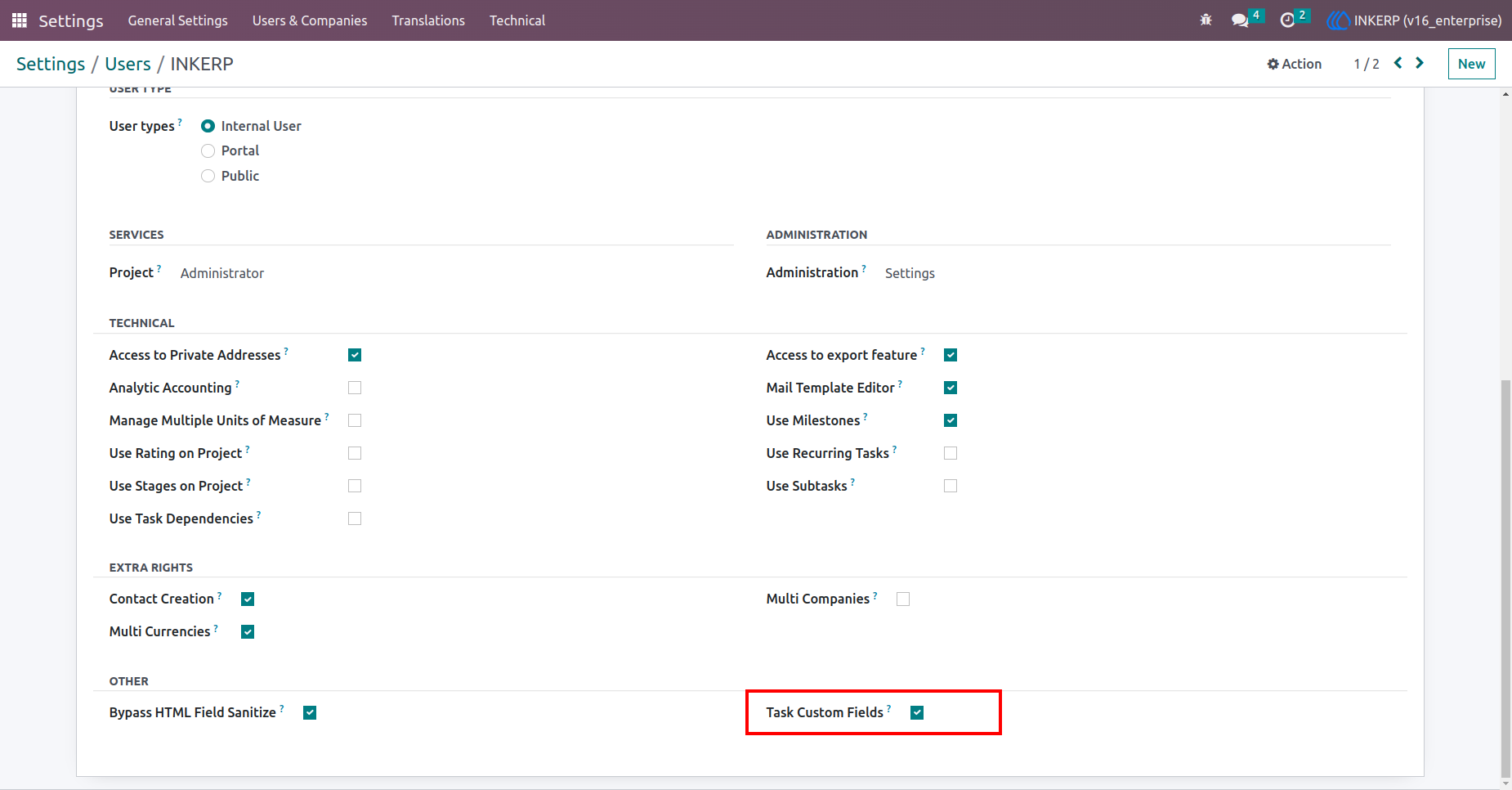
1.) Access Rights for creating a custom field
Users have to assign a group of "Task Custom Field" to create Odoo Studio Lite For Tasks.
Navigation : Settings › Users & companies › User
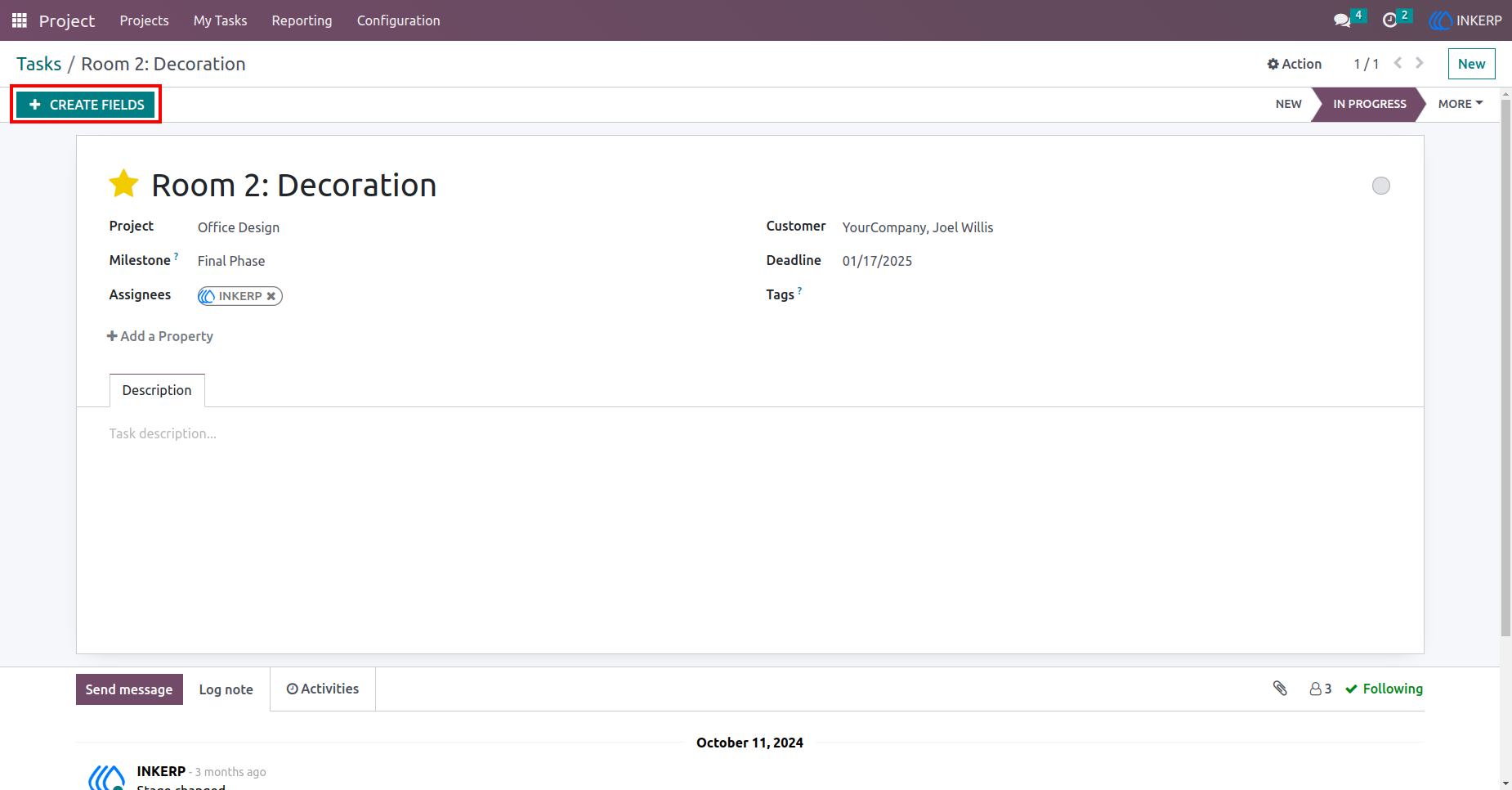
2.) Create Field Button
By clicking this button, the user will see a popup form view for fields detail.
Navigation : Project › Task
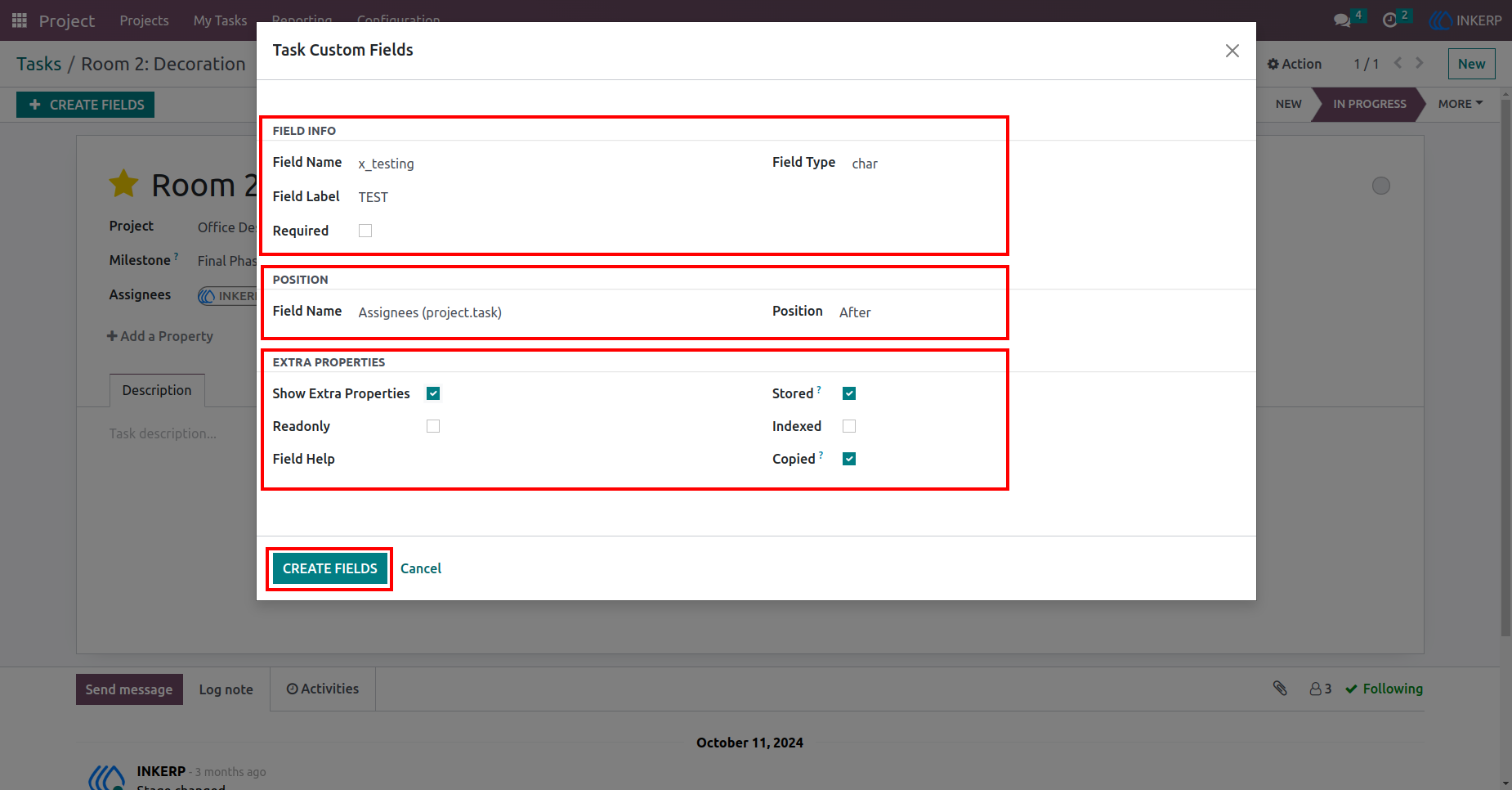
3.) Task Custom Field
Here, the user has to fill all the details of the field. (like : Field name, Field Label, Field Type, Field Position, widget, Extra properties etc..!)
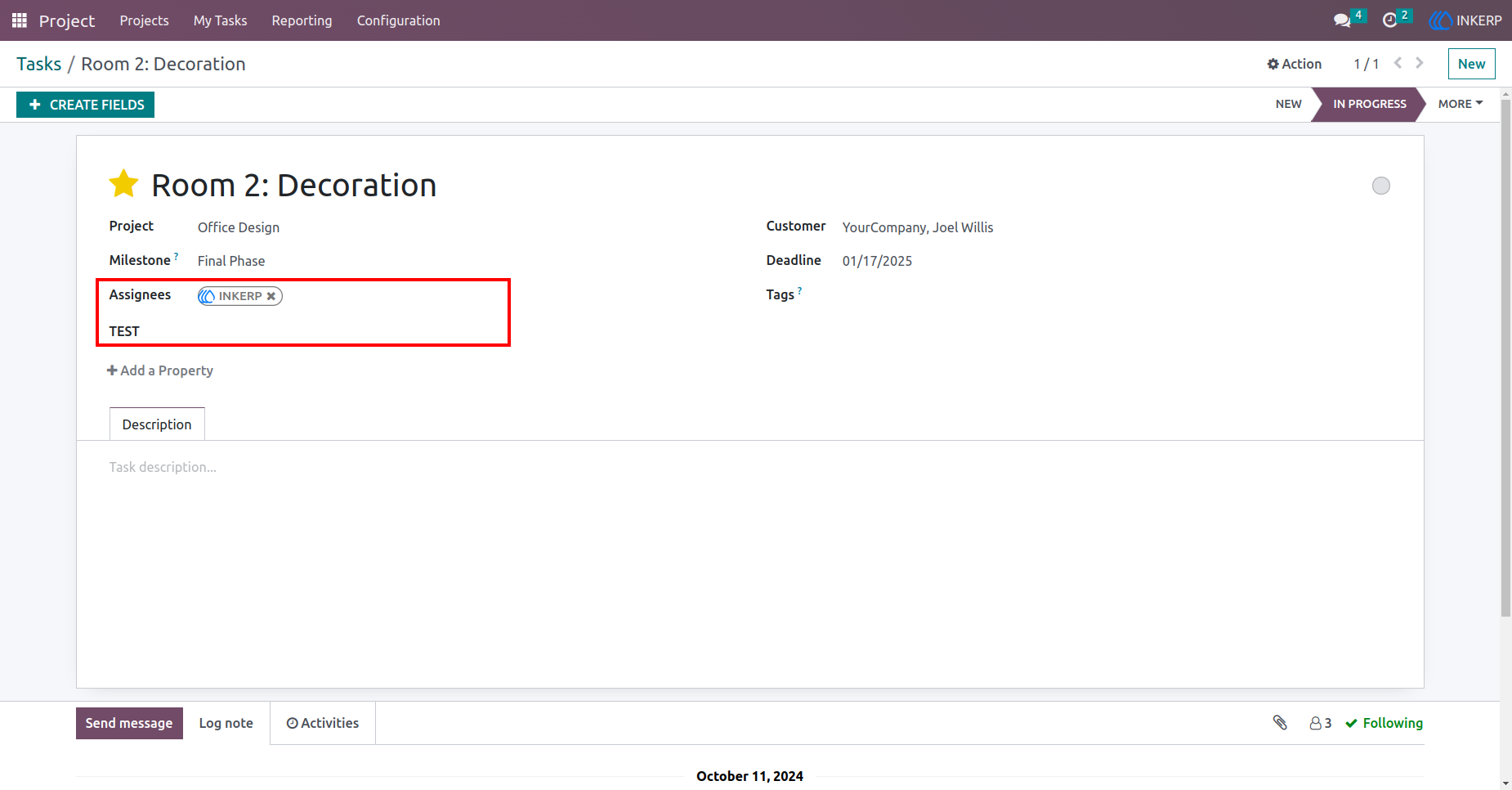
4.) Task Custom Field Created
Here the field Test is created at the position (After Assignees field) we assigned.
Navigation : Project › Task
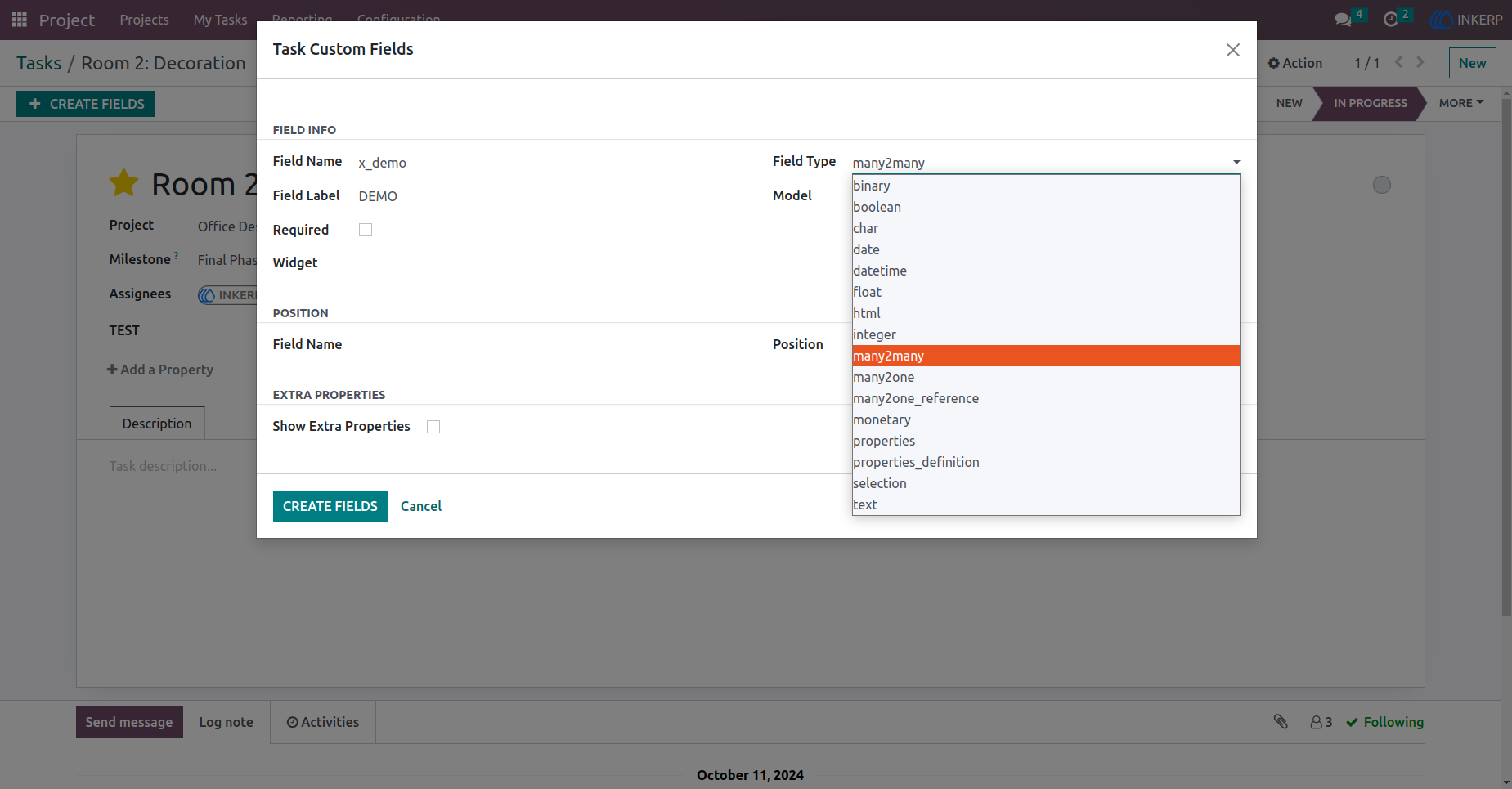
5.) Field Types
There are the types of fields.
Navigation : Project › Task › Task Custom Fields
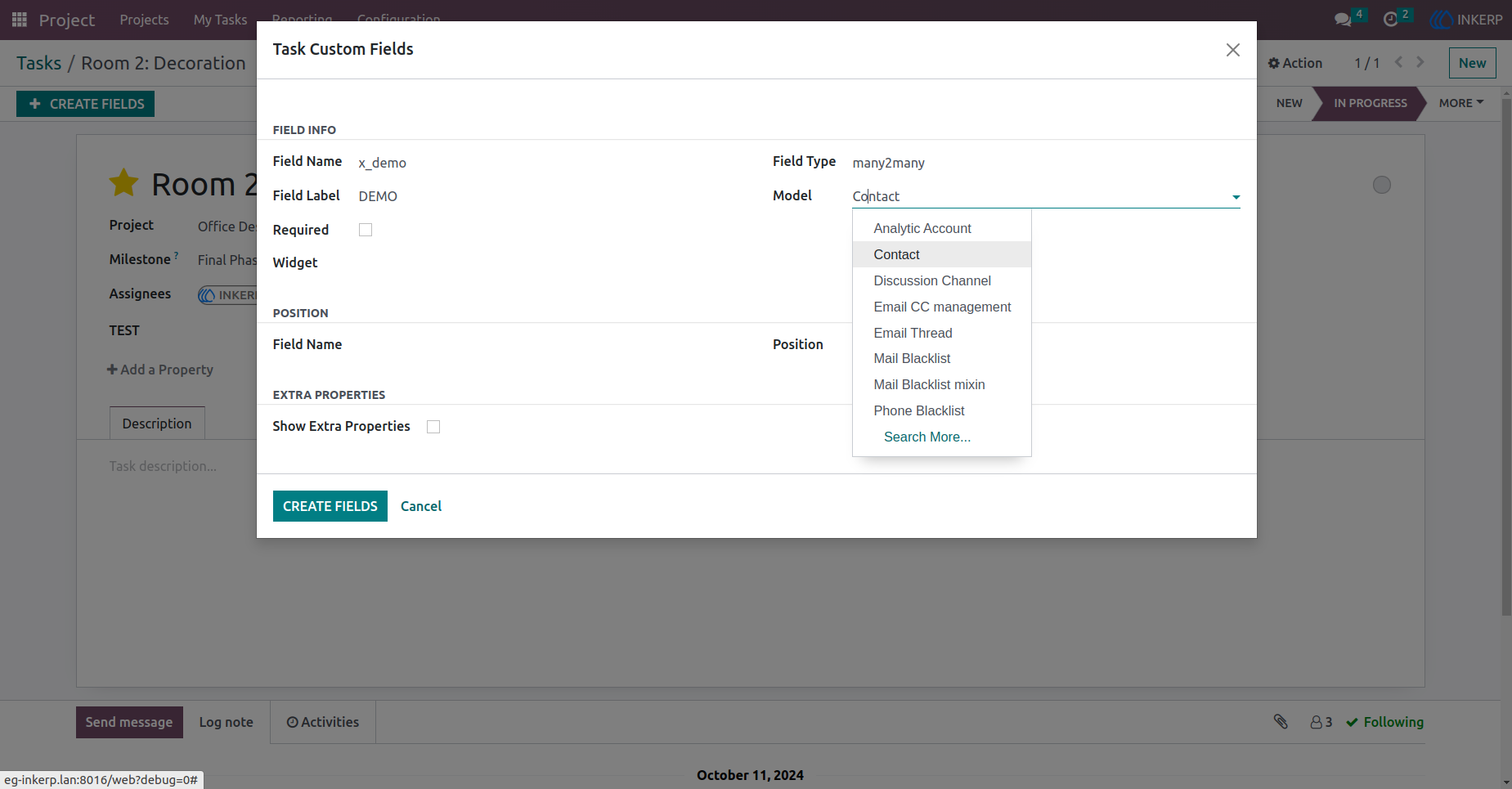
6.) Assign Relation Model
Here, the user is creating a Many2many type field. for the Many2many field, the user has to assign a relation model.
Navigation : Project › Task › Task Custom Fields
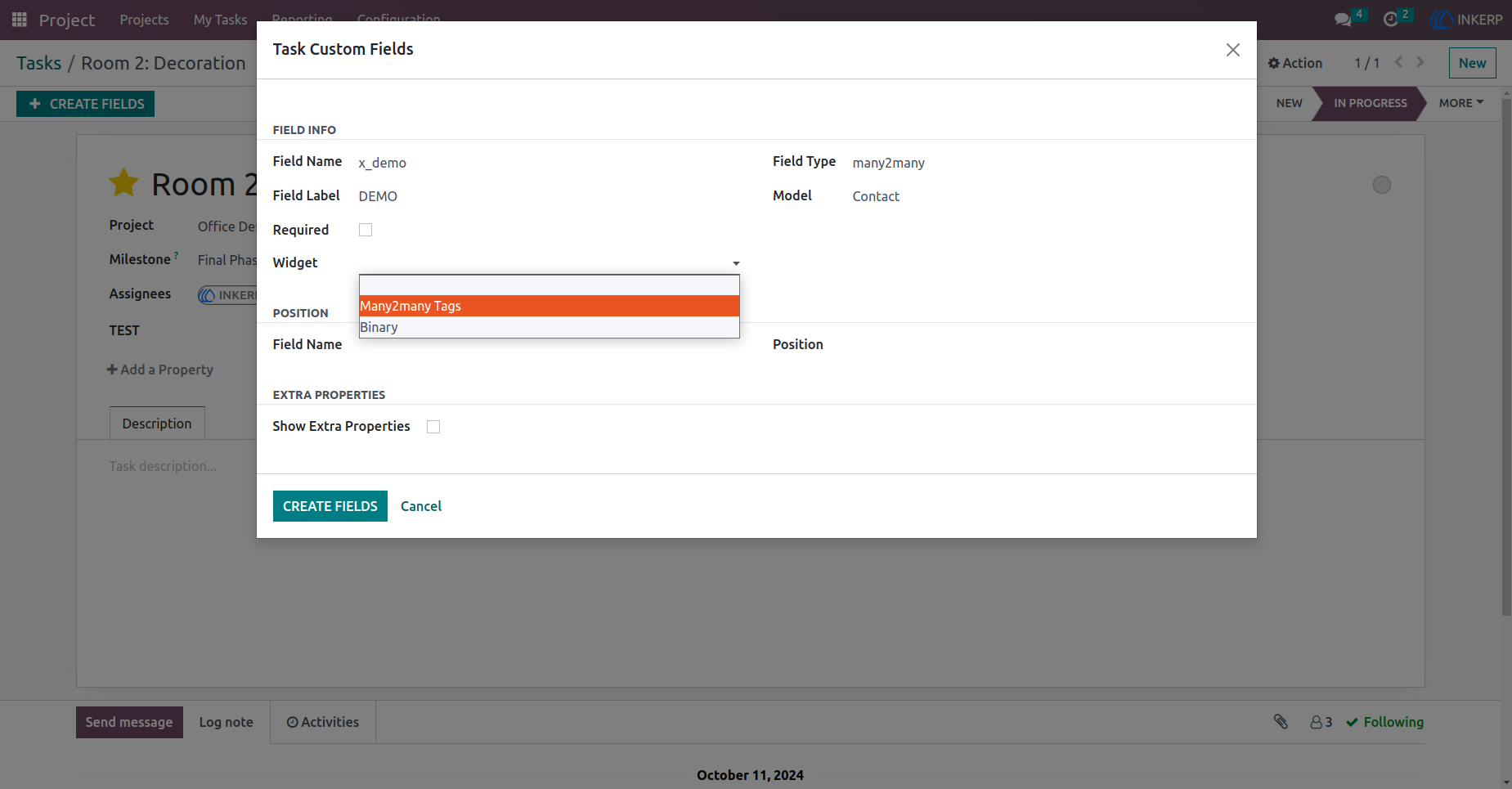
7.) Set Widget
Here, the user set Widget (Many2many_tags) in Many2many type field.
Navigation : Project › Task › Task Custom Fields
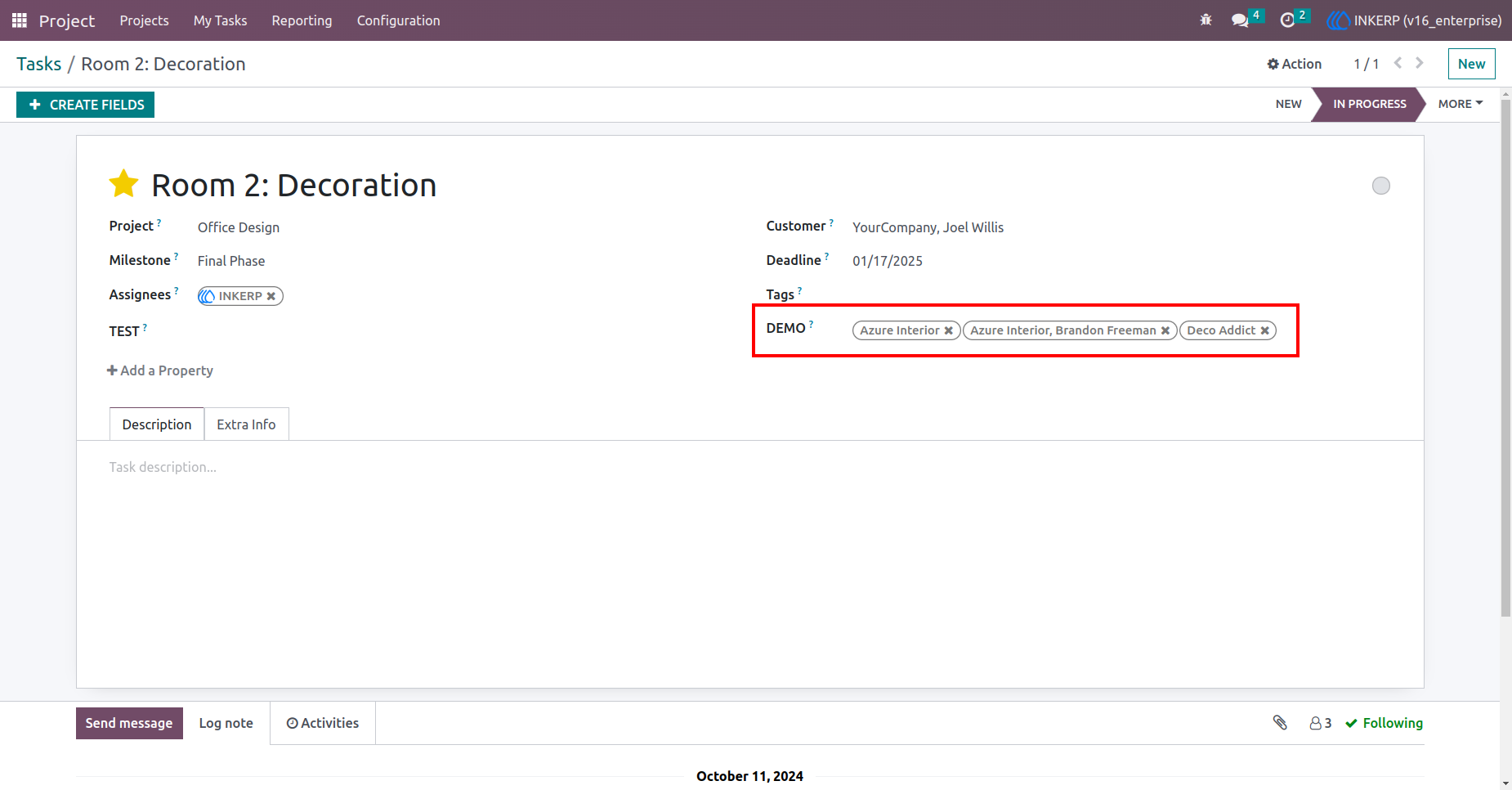
8.) Task Custom Field
Here, Many2many type field is created with widget (Many2many_tags).
Navigation : Project › Task
User Guide