

EXCLUSIVE CUSTOMER BENEFITS
FREE INSTALLATION
& 90 DAYS FREE SUPPORT!
No worries about installation! This module comes with free installation assistance and 90 days of free support, helping you get started smoothly and confidently.
✦ COMPLIMENTARY INSTALLATION & SUPPORT ✦
MORE VALUE • LESS HASSLE • A BETTER START
Our Most Suggested Products


Delete Multiple lines on Sale, Purchase, Invoice and Picking
Delete Multiple lines on Sale, Purchase, Invoice and Picking streamlines data management by enabling the bulk deletion of multiple document lines. Designed to save time and reduce repetitive manual entry, this tool provides a safe and controlled method to clear out unwanted lines across core business documents (Sale, Purchase, Invoice and Picking) .
 Features
 Screenshots
 Support
 Service
Features
Bulk Deletion Capability
This feature enables the simultaneous removal of multiple lines across sales, purchases, invoices, and pickings. Bypassing manual, one by one deletion.
Centralized Settings Configuration
Functionality of whole module can be enable and disable from the settings.
Screenshot
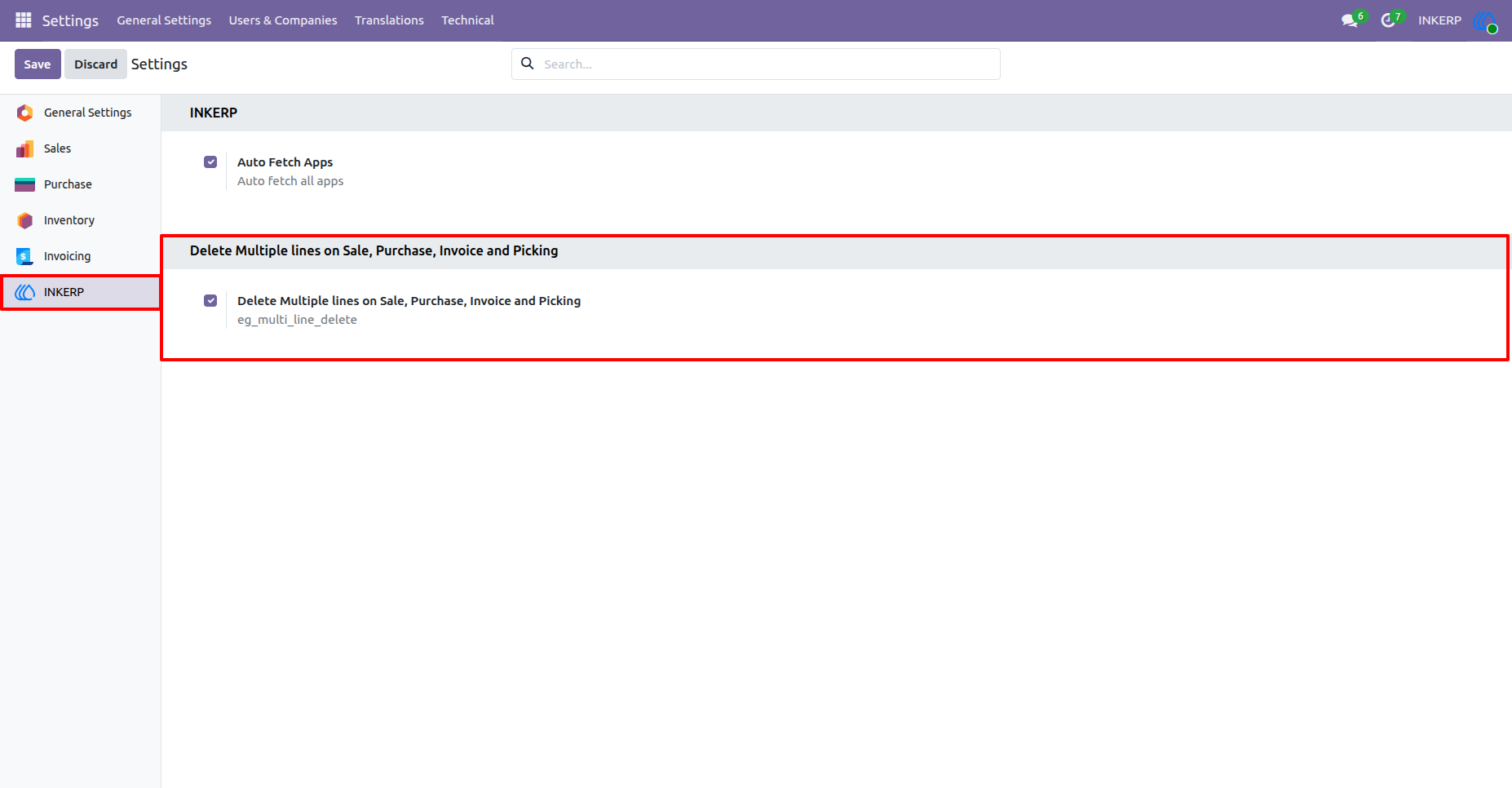
1.) Enable Delete Multiple lines on Sale, Purchase, Invoice and Picking
By default this setting is enabled at the installation time of module installation.
Navigation : Settings › INKERP
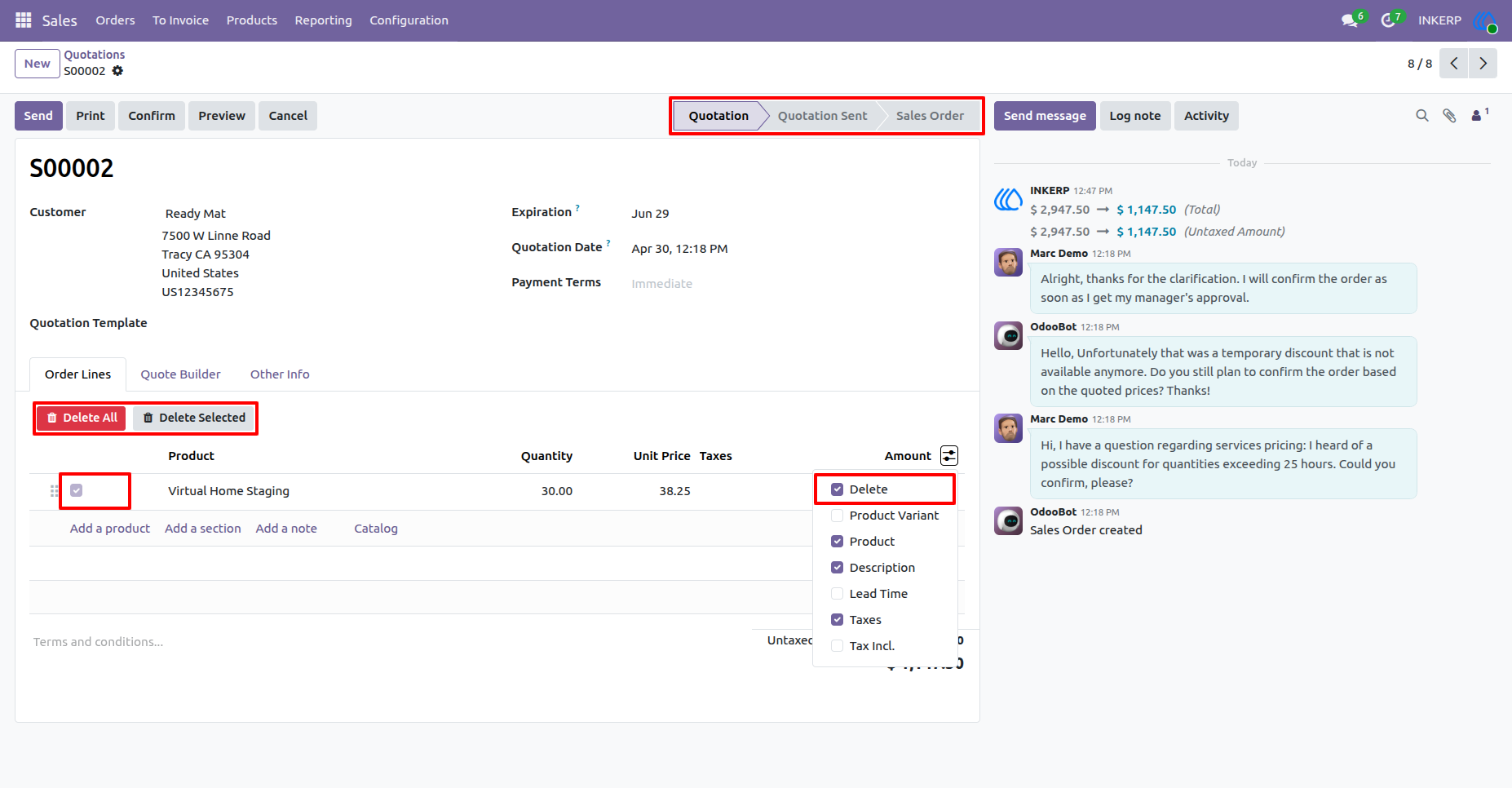
2.) Sales Order Line Delete :
Select and delete multiple sale order lines simultaneously in the draft state
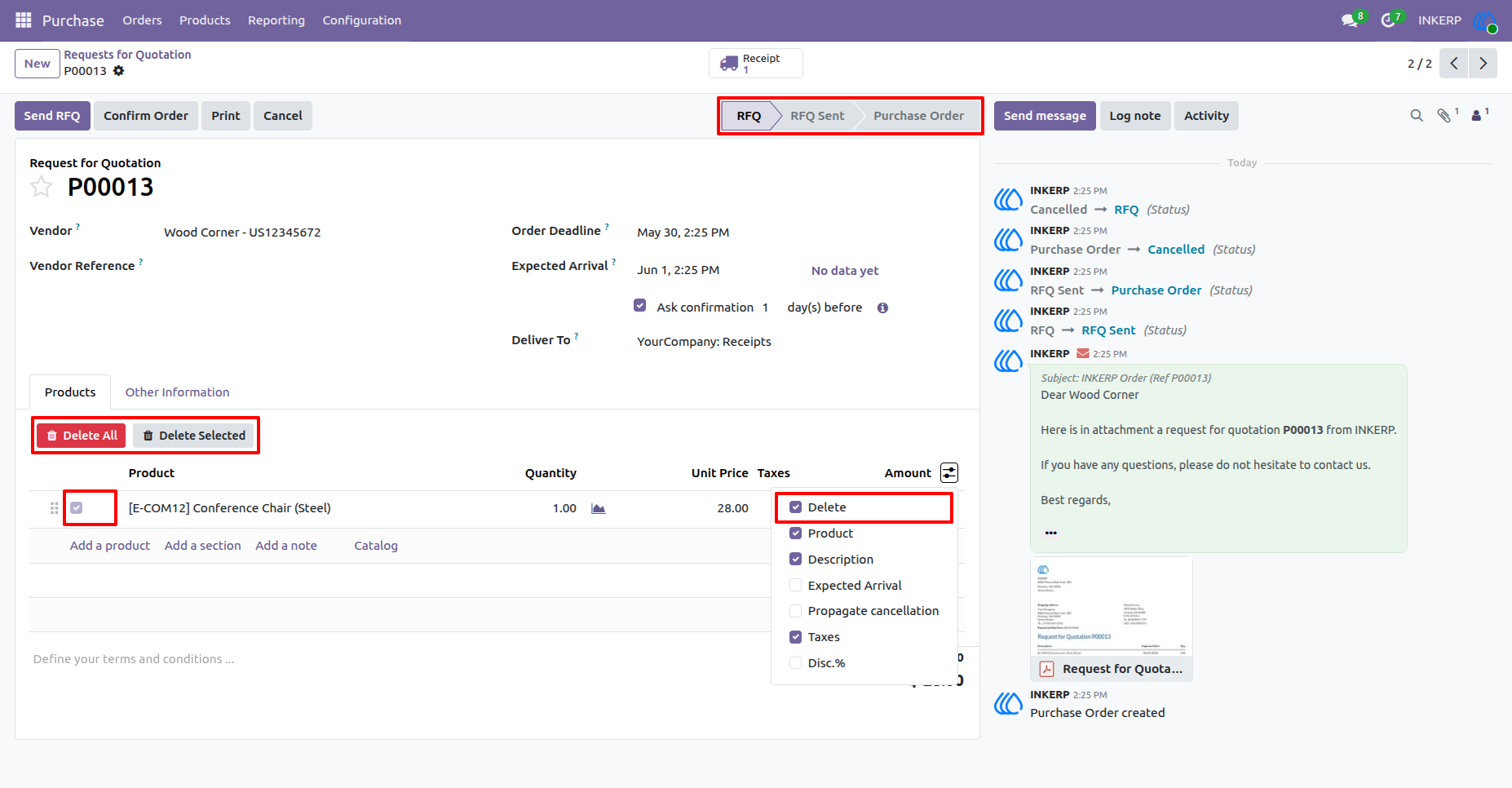
3.) Purchase Order line Delete :
Clear out unwanted purchase order lines in a single action in a draft status.
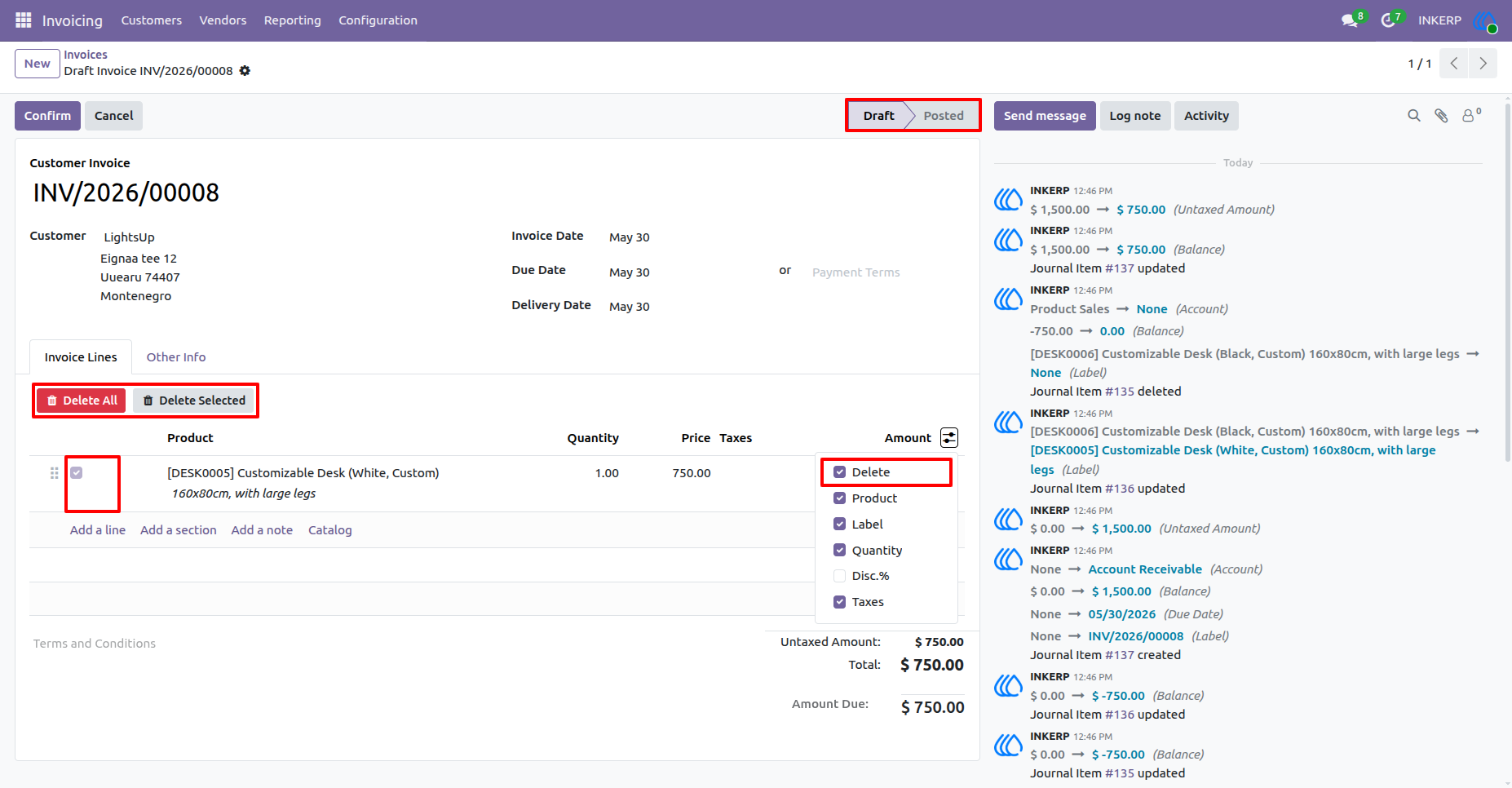
4.) Invoice Line Delete :
Remove multiple invoice lines in bulk n the draft stage.
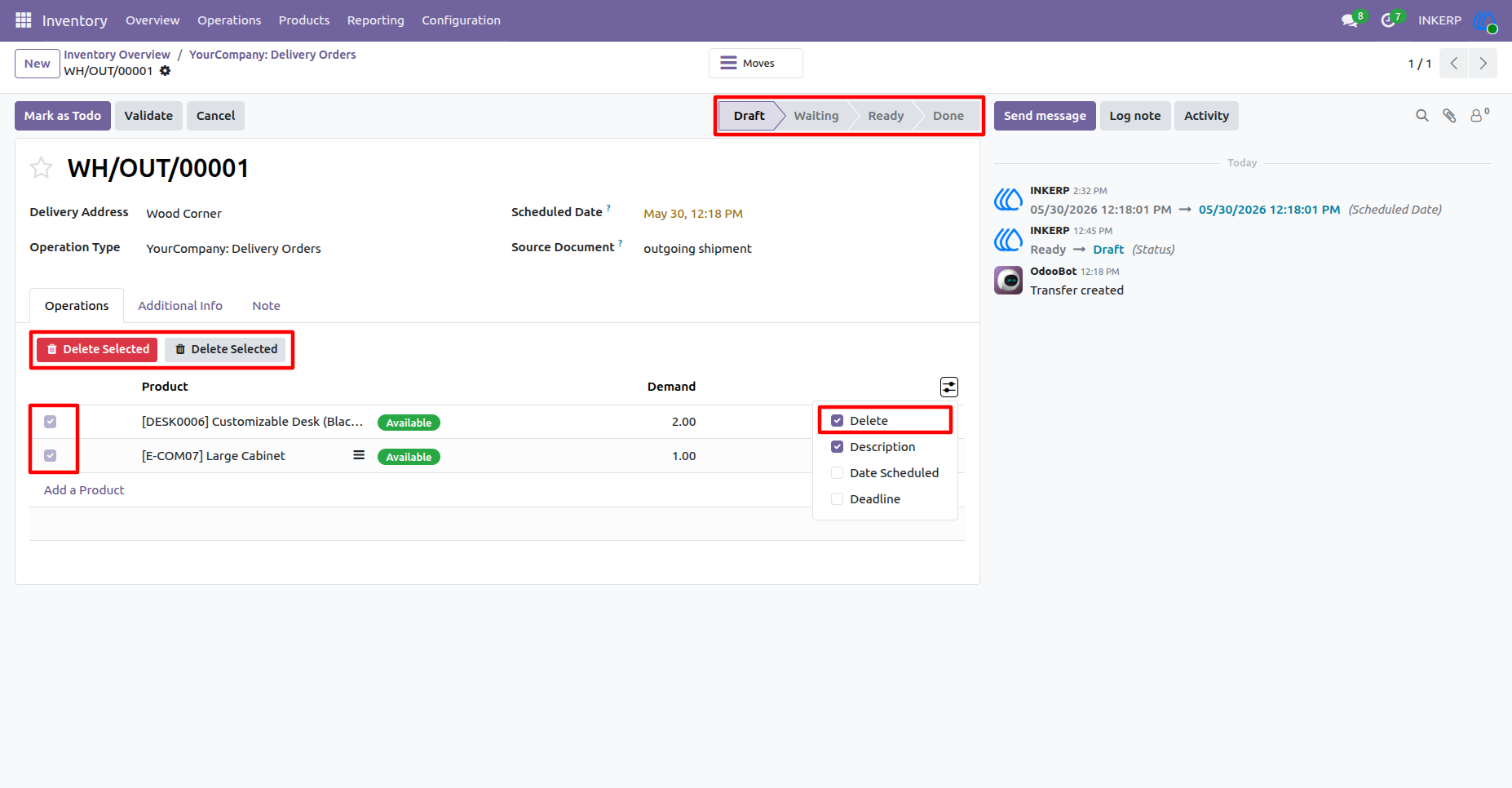
5.) Picking Line Delete :
Delete multiple stock move lines efficiently is currently a draft status.
User Guide