


Our Most Suggested Products


CRM Extra Fields
The CRM Extra Field module for Odoo adds custom fields to CRM Leads and Opportunities, syncing seamlessly with Contacts. It tracks details like fax numbers, Skype IDs, date of birth, and more. With two-way syncing, any changes in leads or opportunities automatically update the corresponding contact record. This simplifies lead management and ensures accurate customer data across your CRM.
Video Tutorial

 Features
 Screenshots
 Support
 Service
Features
Enhanced Data Sync Across CRM & Contacts
Seamlessly synchronize custom fields like Fax, Skype ID, Date of Birth, and Department between Leads, Opportunities, and Contacts. Any update in one record automatically reflects in the others, ensuring consistent data.
Advanced Lead Filtering & Custom Field Management
Filter and group Leads using custom fields such as Department, Secondary Email, or Fax. Easily manage extra fields in Leads and Opportunities for more detailed customer profiles. Boost your decision-making and follow-up process with better lead organization.
Screenshot
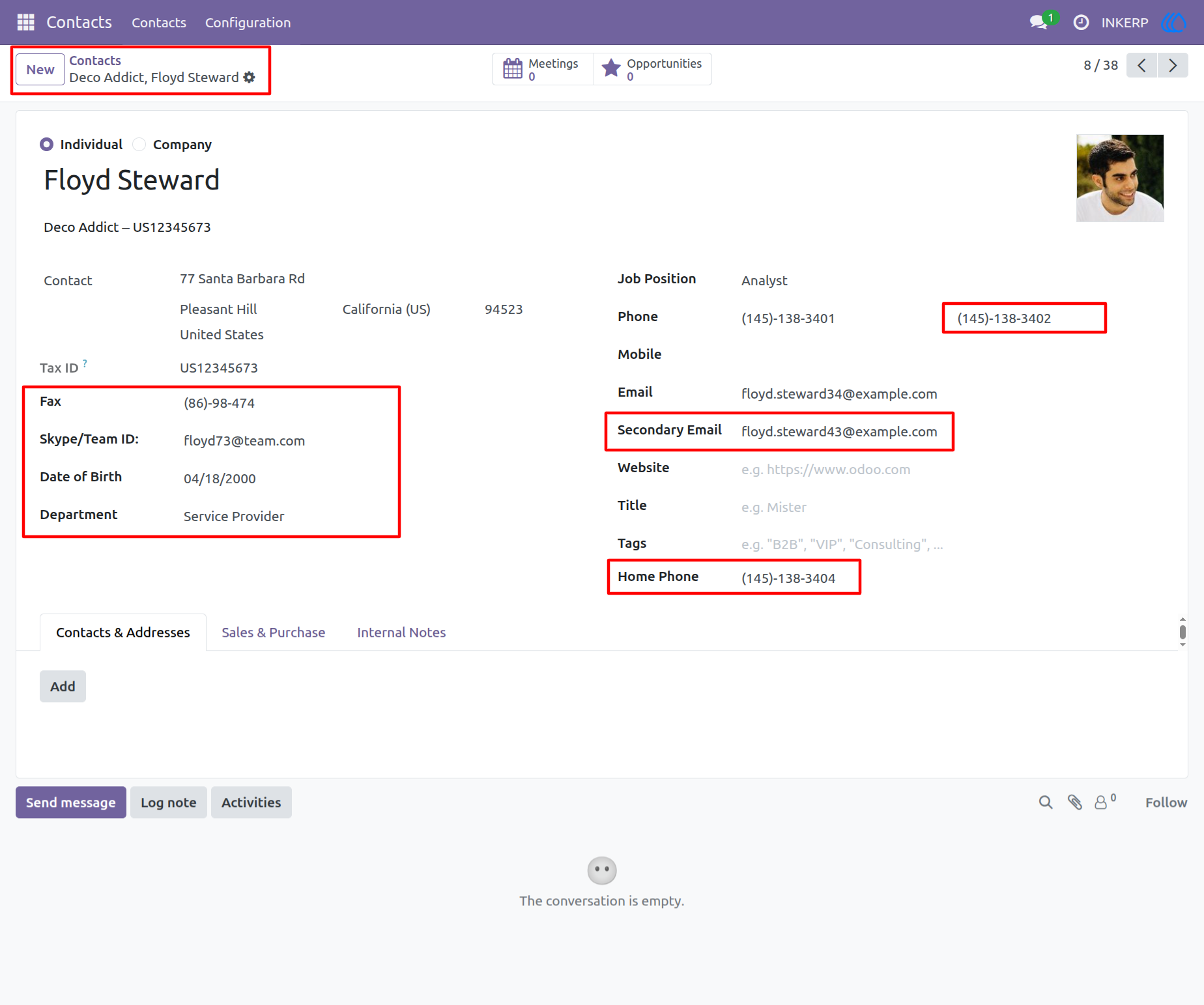
1.) Contact Information View with Custom Fields
This view shows the contact details in Odoo CRM, with additional fields such as Fax, Skype/Team ID, Date of Birth, Department, Secondary Email, and Home Phone. These fields allow for more detailed customer information, enhancing CRM functionality.
Navigation : Contacts › Contacts
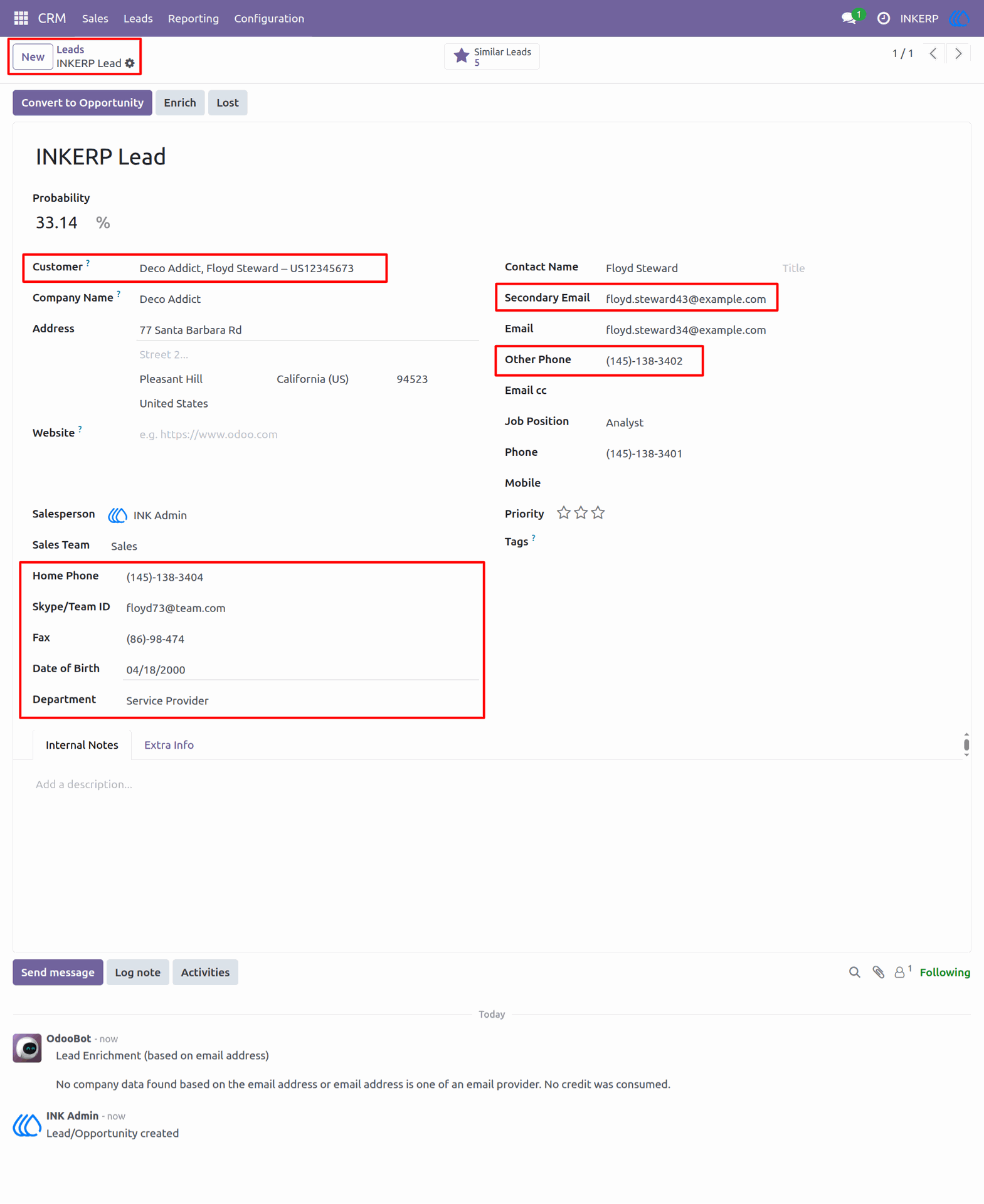
2.) Lead Information View with Custom Fields
This view displays the details of a CRM lead in Odoo, including additional fields such as Home Phone, Skype/Team ID, Fax, Date of Birth, Department, Secondary Email, and Other Phone. These extra fields enhance the CRM by providing more detailed contact information for better lead management and follow-up.
Navigation : CRM › Leads
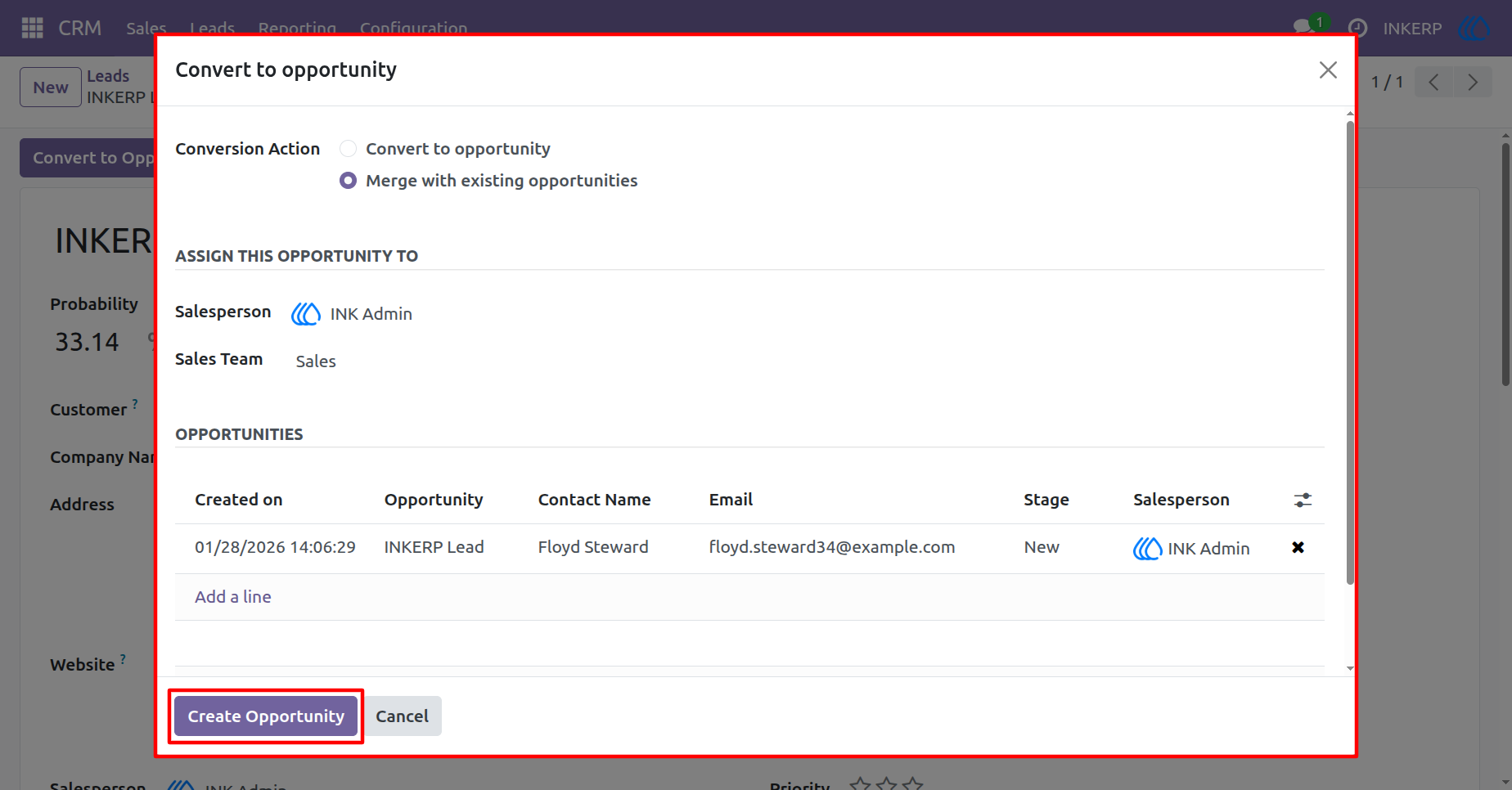
3.) Convert Lead to Opportunity in Odoo CRM
This view shows the process of converting a CRM Lead into an Opportunity in Odoo. Users can assign the opportunity to a salesperson, select the relevant sales team, and view existing opportunities linked to the lead. The Create Opportunity button allows seamless conversion while keeping all related information intact.
Navigation : CRM › Leads › Convert to Opportunity
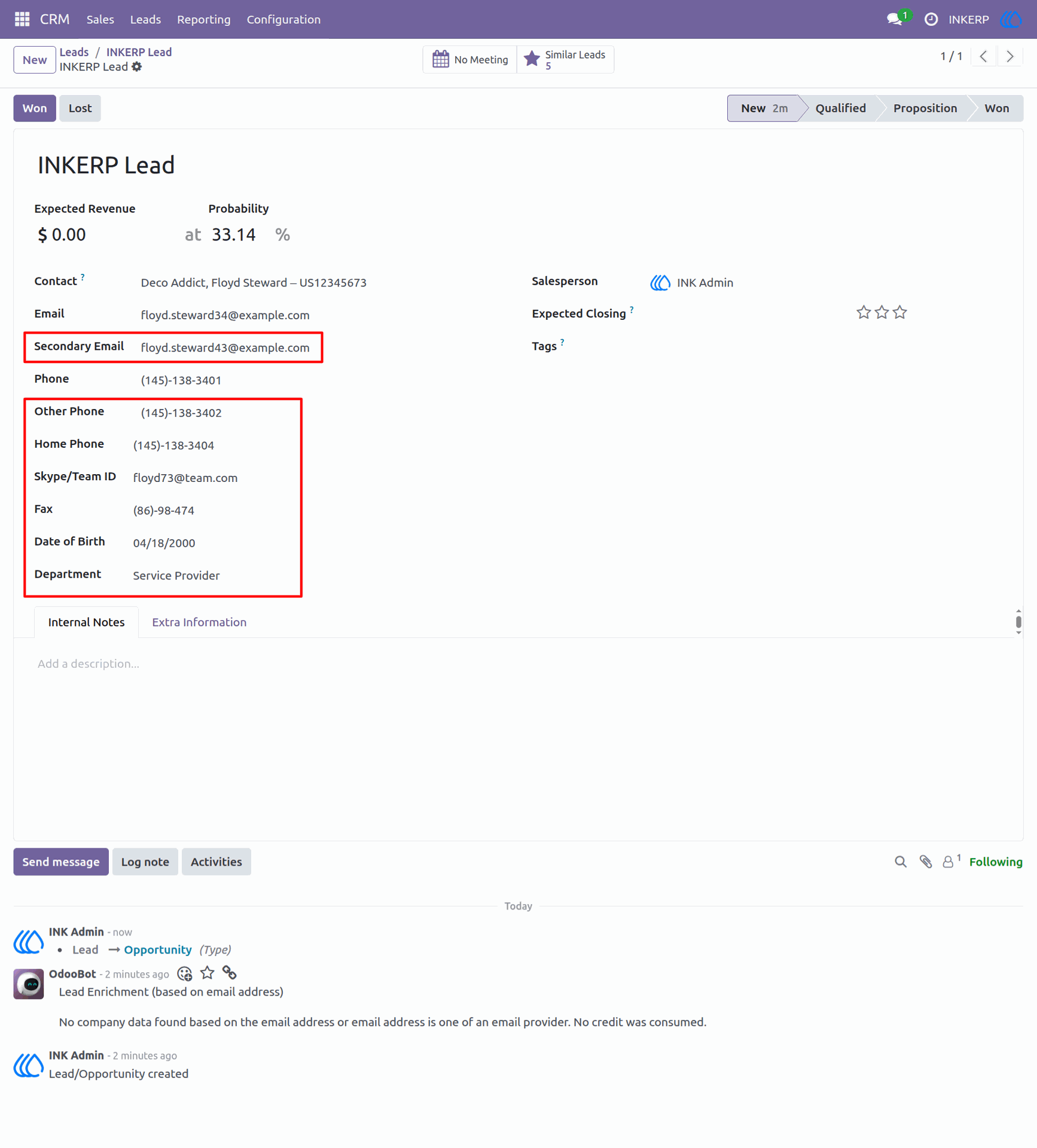
4.) Opportunity Information with Custom Fields
This view displays the detailed information of an Opportunity in Odoo CRM. It includes custom fields such as Secondary Email, Home Phone, Fax, Skype/Team ID, Date of Birth, and Department. These fields allow for a more comprehensive view of the opportunity and help track important customer details through the sales process.
Navigation : CRM › Leads › Opportunity
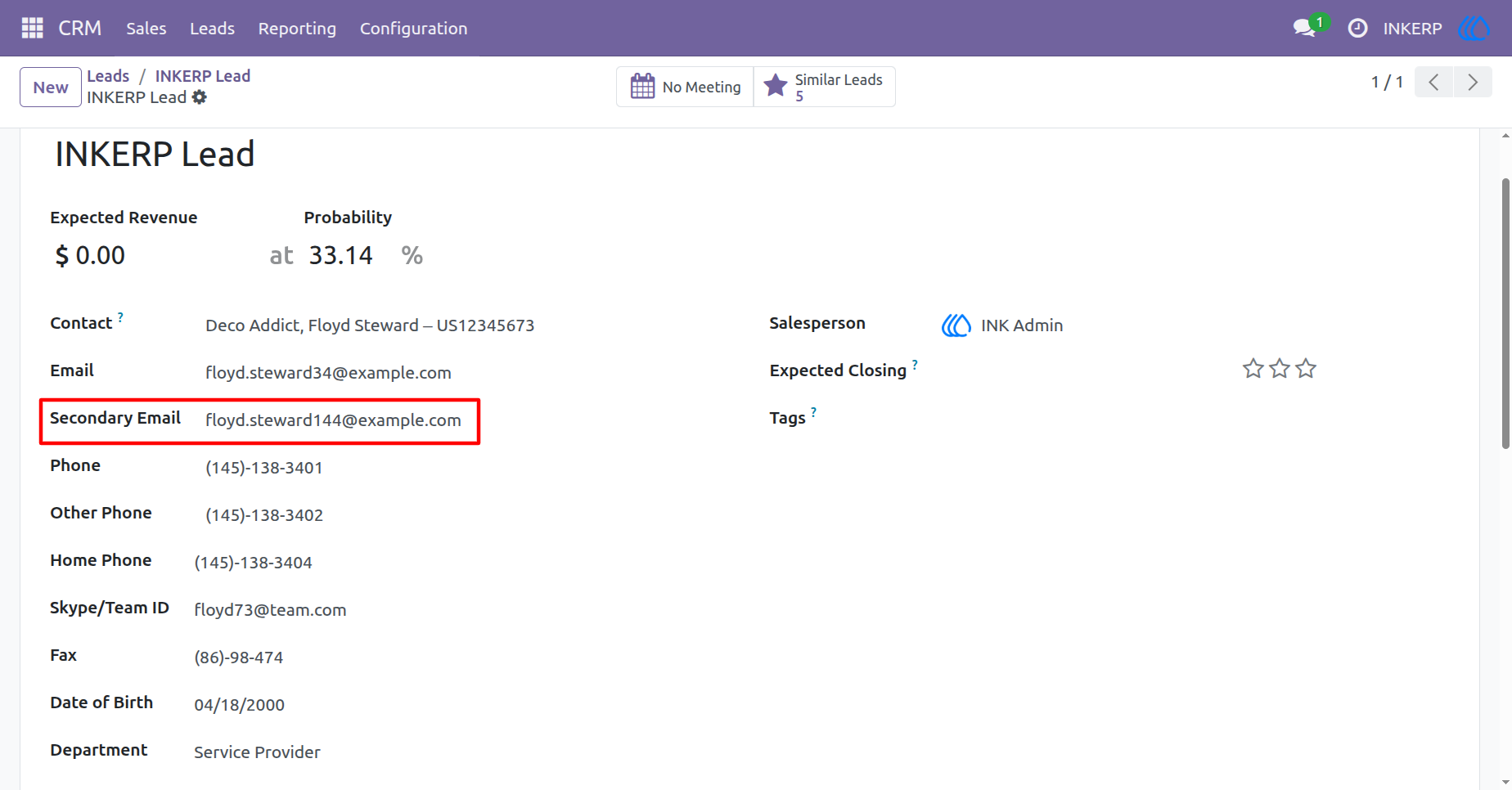
5.) Opportunity View with Customer Contact Information
This view displays the Opportunity details in Odoo CRM with the customer's contact information such as Secondary Email, Phone, Other Phone, Home Phone, Fax, Skype/Team ID, Date of Birth, and Department. These custom fields allow for enhanced tracking and management of the customer's data during the opportunity phase.
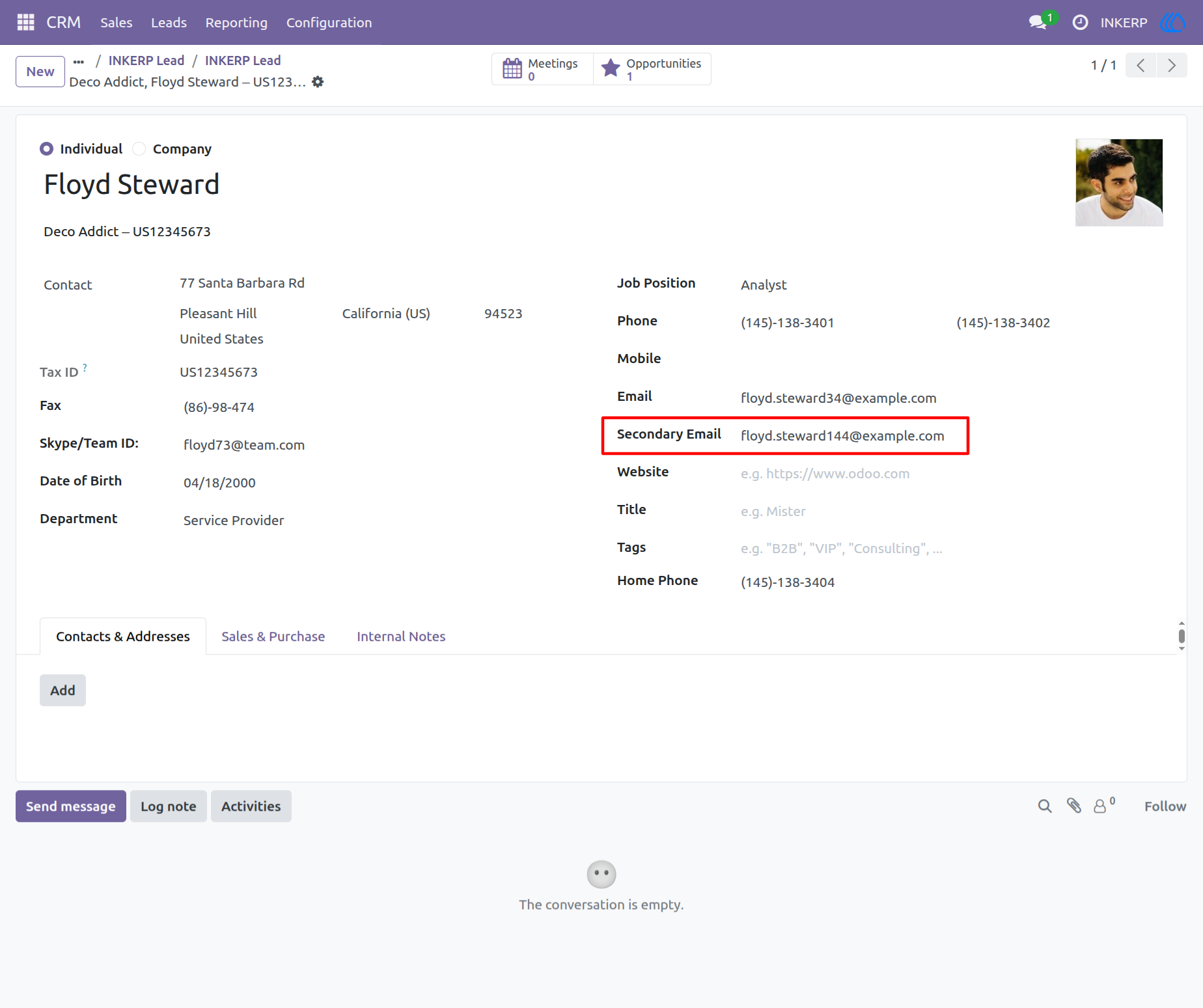
6.) Detailed Contact Info in CRM
This view shows detailed contact info in CRM, including fields like Fax, Skype/Team ID, Date of Birth, Department, and Secondary Email. These extra fields help you manage customer details more easily and keep track of important information.
Navigation : CRM › Opportunity › Contacts
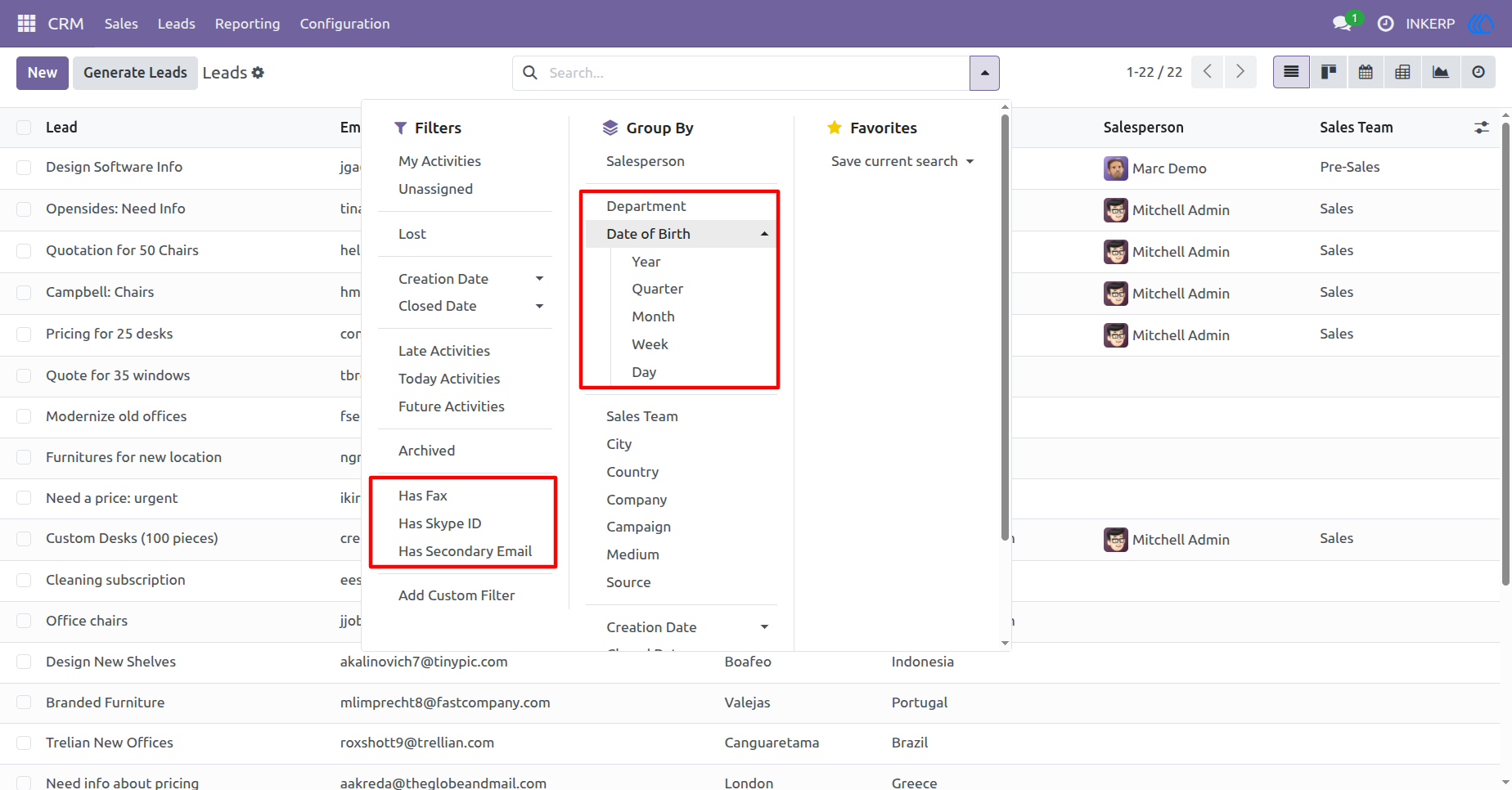
7.) CRM Lead Filtering with Custom Fields
This view allows users to filter CRM Leads by custom fields such as Fax, Skype ID, and Secondary Email. It also enables grouping leads by attributes like Department and Date of Birth, improving the organization and management of leads for better decision-making and follow-up.
User Guide