

Our Most Suggested Products


Create Repair Order from CRM-Lead
CRM to Repair Order helps users create Repair Orders directly from CRM Leads and Opportunities. It connects CRM records with Repair Orders and makes it easy to manage repair requests from CRM. Users can create a Repair Order, access related repairs from the CRM record, and view the CRM reference from the Repair Order.
 Features
 Screenshots
 Support
 Service
Features
Create Repair Orders from CRM
Create a Repair Order directly from a CRM Lead or Opportunity with a dedicated Create Repair Order button. Customer and CRM information can be carried into the repair workflow, making it easier to convert a customer repair requirement into a Repair Order.
Link Repair Orders with CRM
Automatically maintain a connection between the CRM Lead/Opportunity and its Repair Order. A Repair Order smart button in CRM provides quick access to related repairs, while the CRM Reference on the Repair Order lets users navigate back to the originating CRM record.
Screenshot
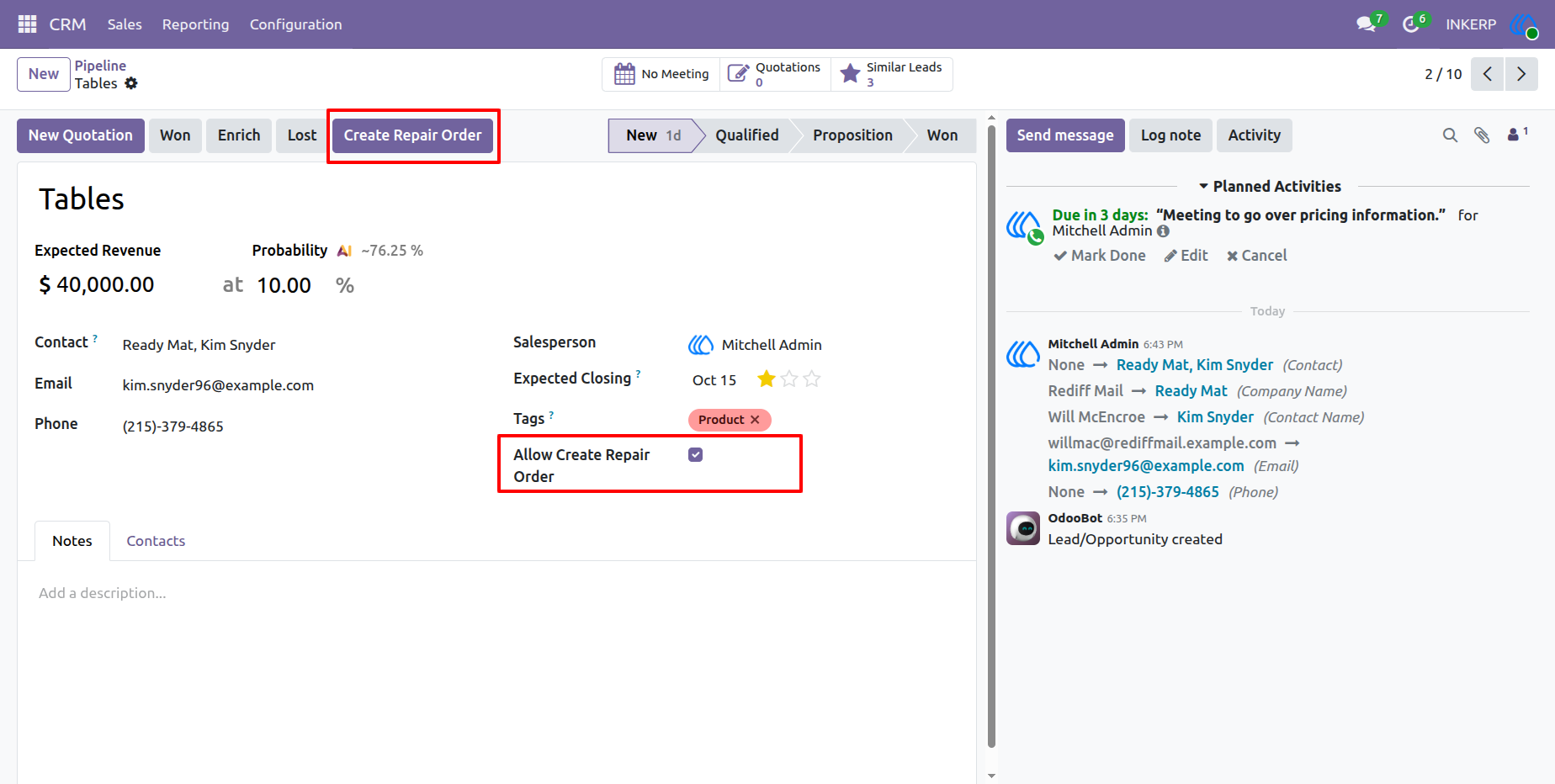
1.) Create Repair Order from CRM
A Create Repair Order button is added to the CRM Lead/Opportunity, allowing users to initiate a Repair Order directly from the CRM record. The Allow Create Repair Order option controls whether a repair can be created for the particular lead or opportunity.
Navigation : CRM › Sales › My Pipeline
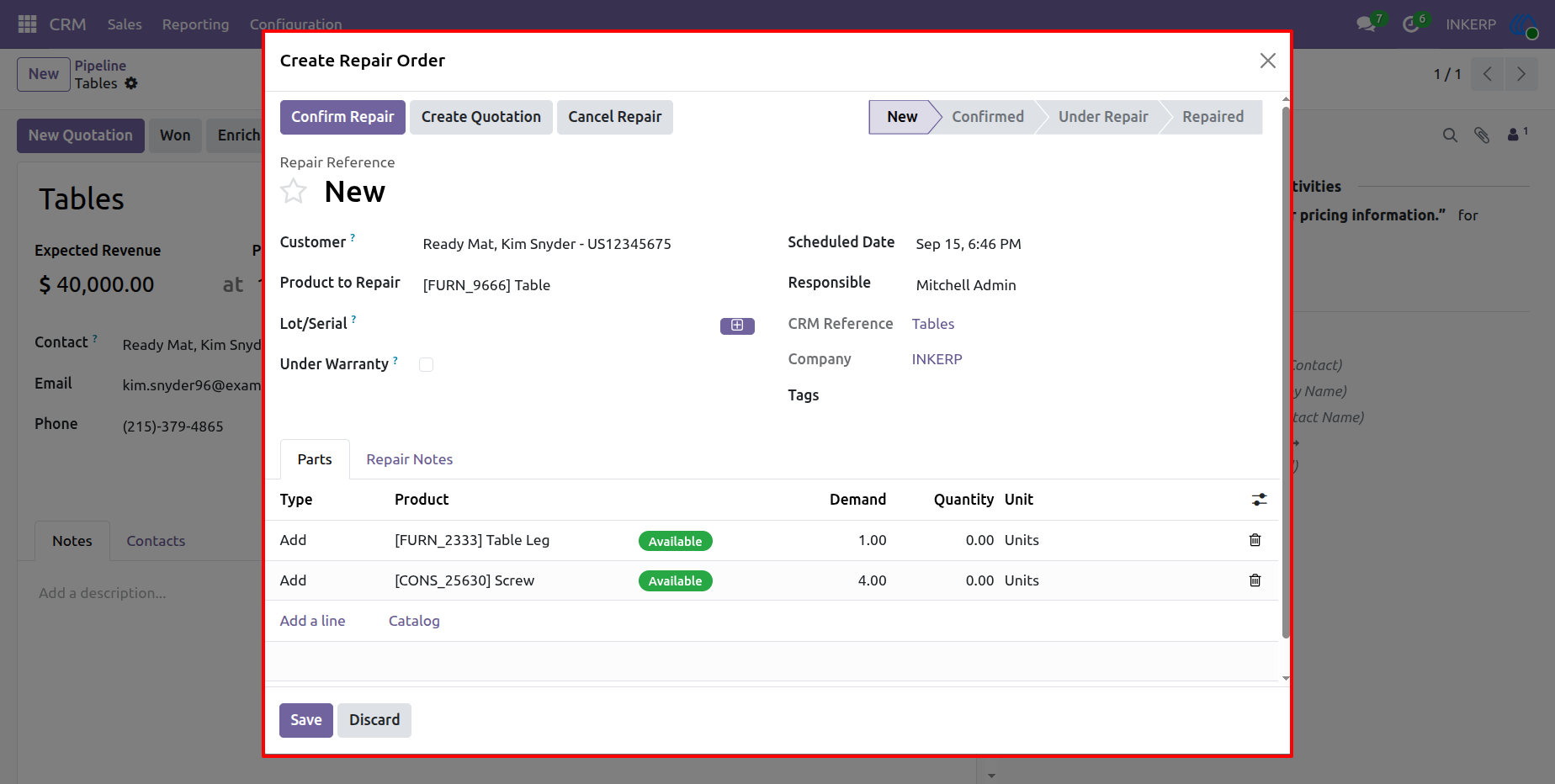
2.) Create Repair Order
Clicking Create Repair Order opens the repair creation form with relevant CRM and customer information available for the new Repair Order. Users can review the customer, product to repair, scheduled date, responsible user, warranty details, and repair parts before confirming the repair.
Navigation : CRM › My Pipeline › Create Repair Order
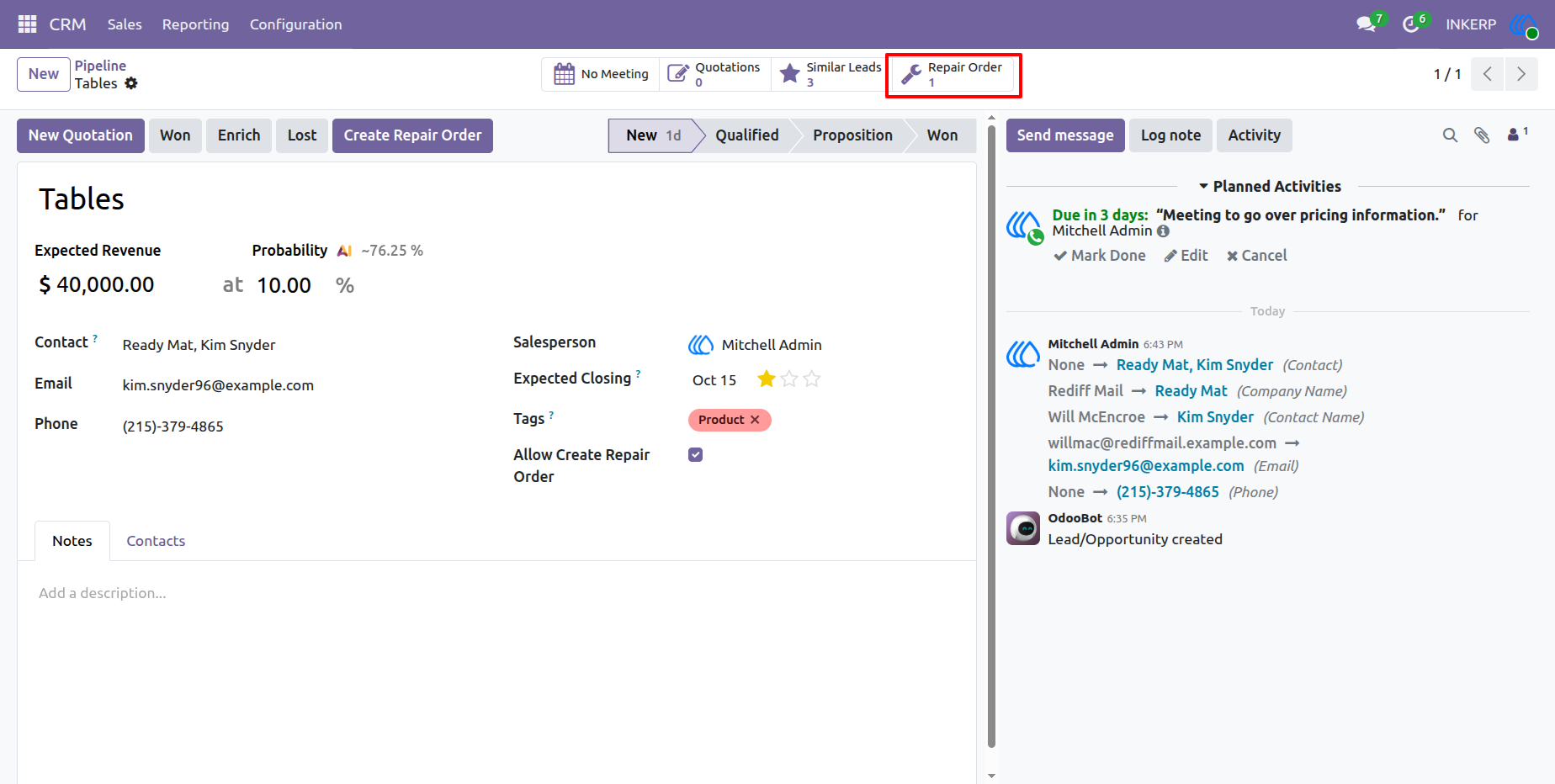
3.) Repair Order Smart Button in CRM
Once a Repair Order is created, a Repair Order smart button appears on the related CRM Lead/Opportunity. Users can click the smart button to quickly view the Repair Orders associated with that CRM record.
Navigation : CRM › Sales › My Pipeline
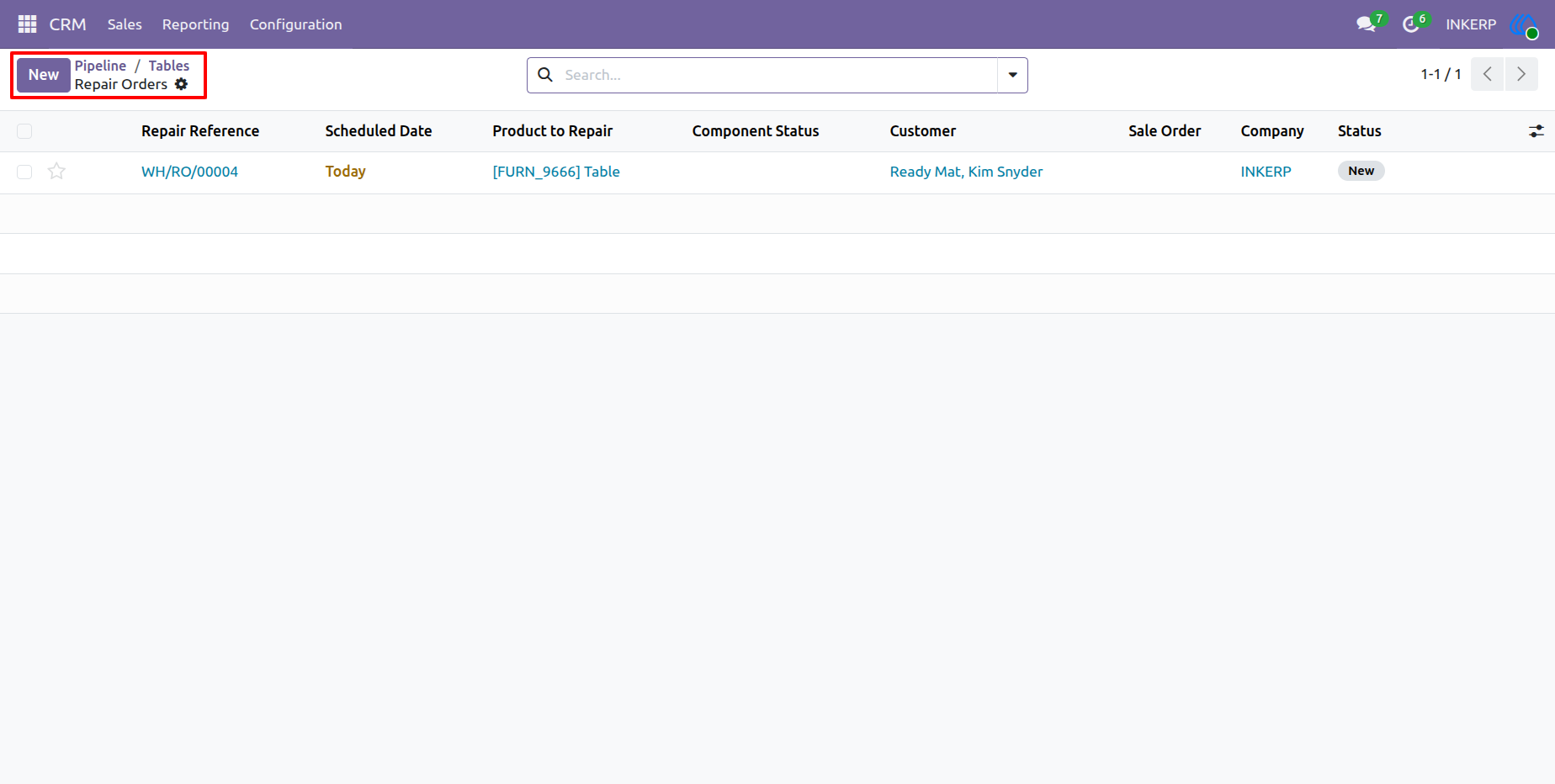
4.) Repair Order List
The Repair Order list displays repair records created from CRM along with important information such as repair reference, scheduled date, product to repair, component status, customer, Sales Order, company, and repair status. This provides a convenient overview of CRM-generated repairs.
Navigation : Repair › Repair Orders
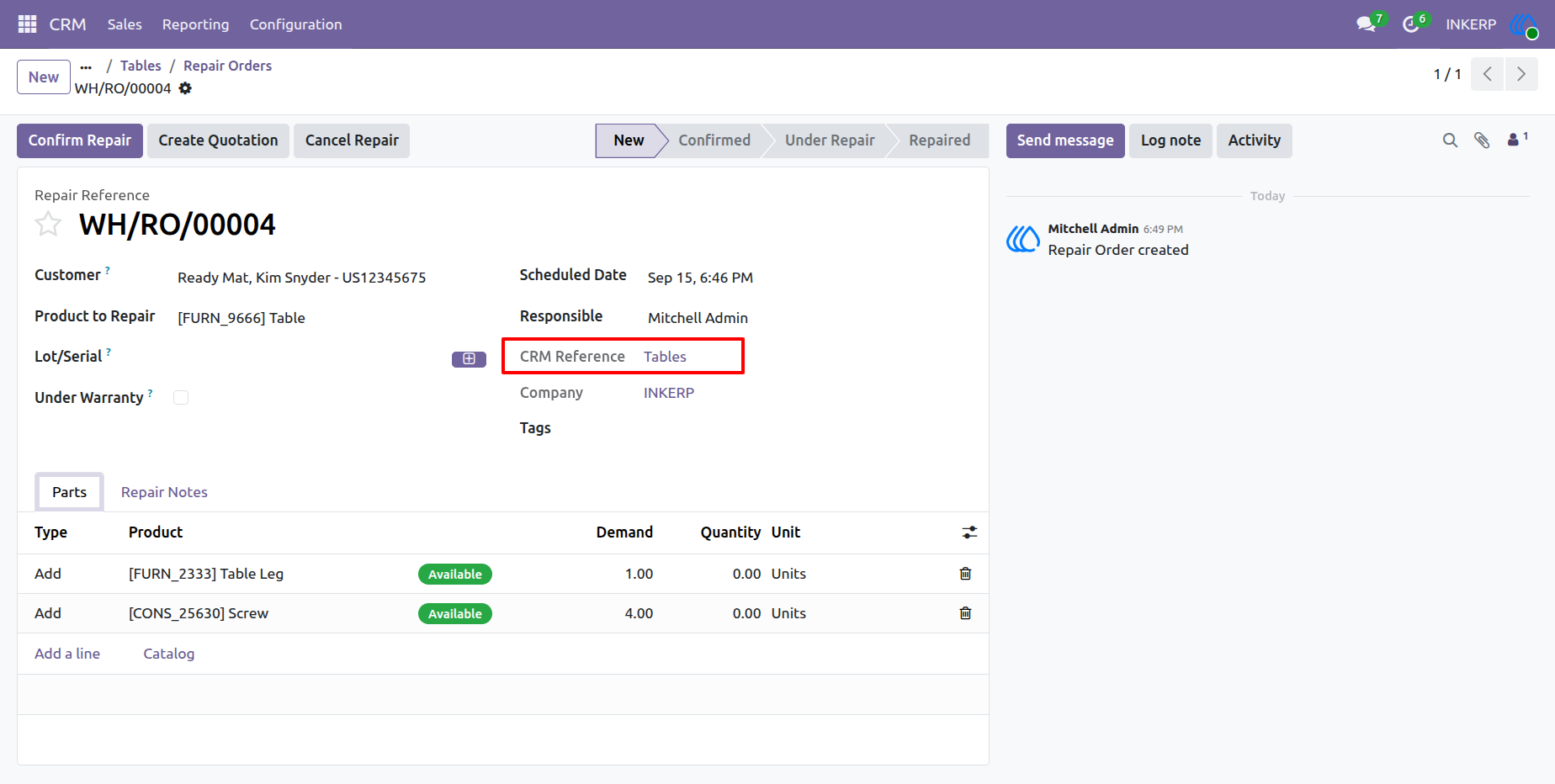
5.) Repair Order with CRM Reference
The Repair Order stores a CRM Reference that links the repair back to its originating CRM Lead or Opportunity. Users can open the CRM reference directly from the Repair Order while continuing to manage the repair, parts, notes, and repair workflow.
Navigation : Repair › Repair Orders
User Guide