

Our Most Suggested Products


Cancel Sale Order For Enterprise
Sales Management application is a centralized platform designed to help businesses easily handle their daily customer transactions. It allows your team to quickly draft tailored price quotations, add specific products, and define payment terms for prospective clients. Once a customer agrees to your pricing, you can instantly track the progression of these offers into fully confirmed sales documents. The application features a robust security framework where administrators can assign strict access rights for every employee within the company. This ensures that sensitive actions, like voiding or canceling an active purchase, are restricted only to authorized personnel.
 Features
 Screenshots
 Support
 Service
Features
User Permissions
Keep your business operations secure by controlling exactly what each team member can do. You can quickly grant or restrict specific abilities to ensure safe data handling.
Order Tracking
Monitor the real-time progress of every customer purchase from start to finish. The system automatically records status changes so you always know where things stand.
Screenshot
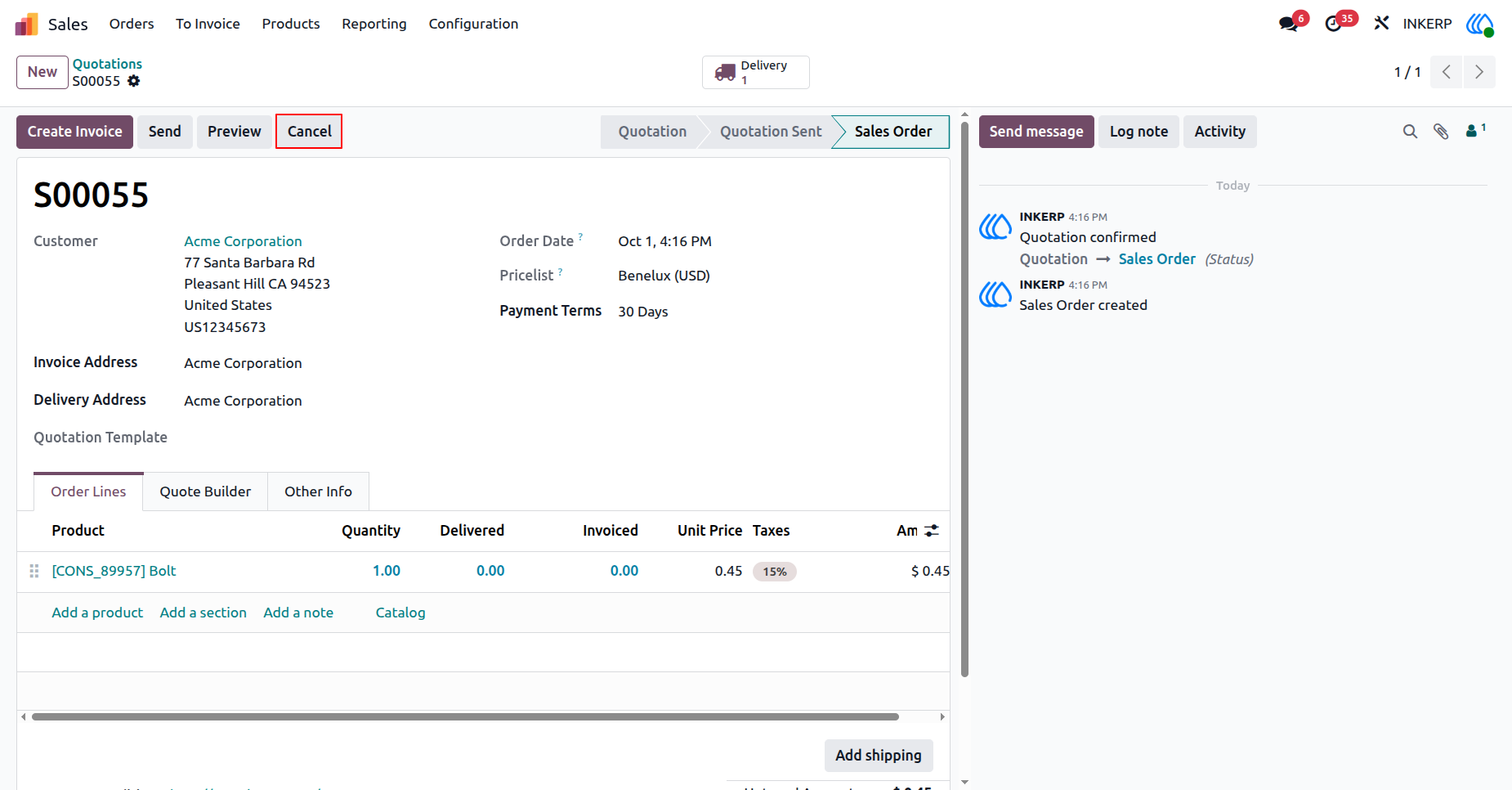
1.) Cancel Attempt
Locate the specific quotation requiring termination. Initiate the cancel action to halt the active transaction process.
Navigation : Sales → Orders → Quotations
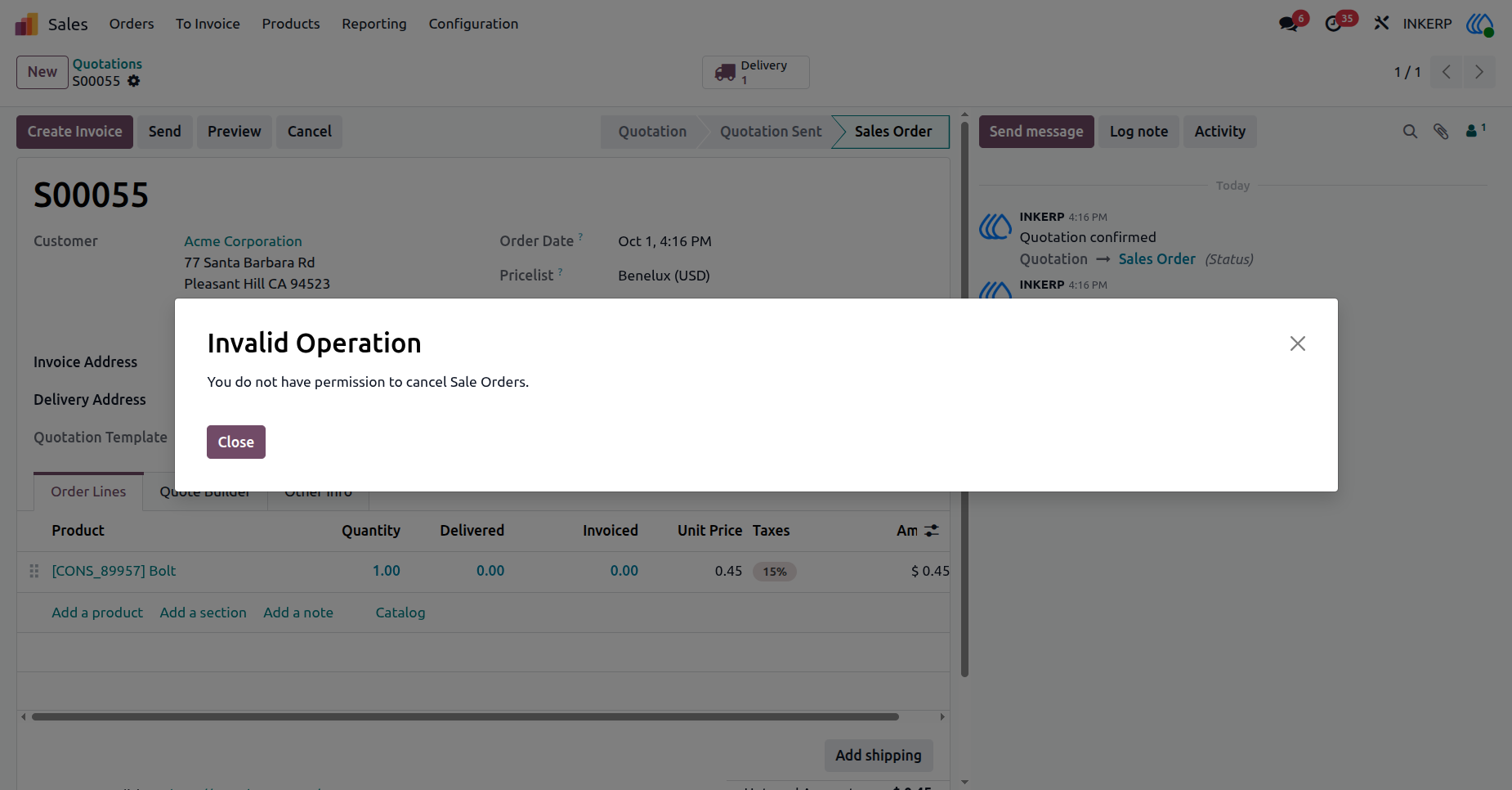
2.) Access Denied
A system warning halts the process if the active profile lacks necessary authorization. Review the restriction notice detailing the missing privileges.
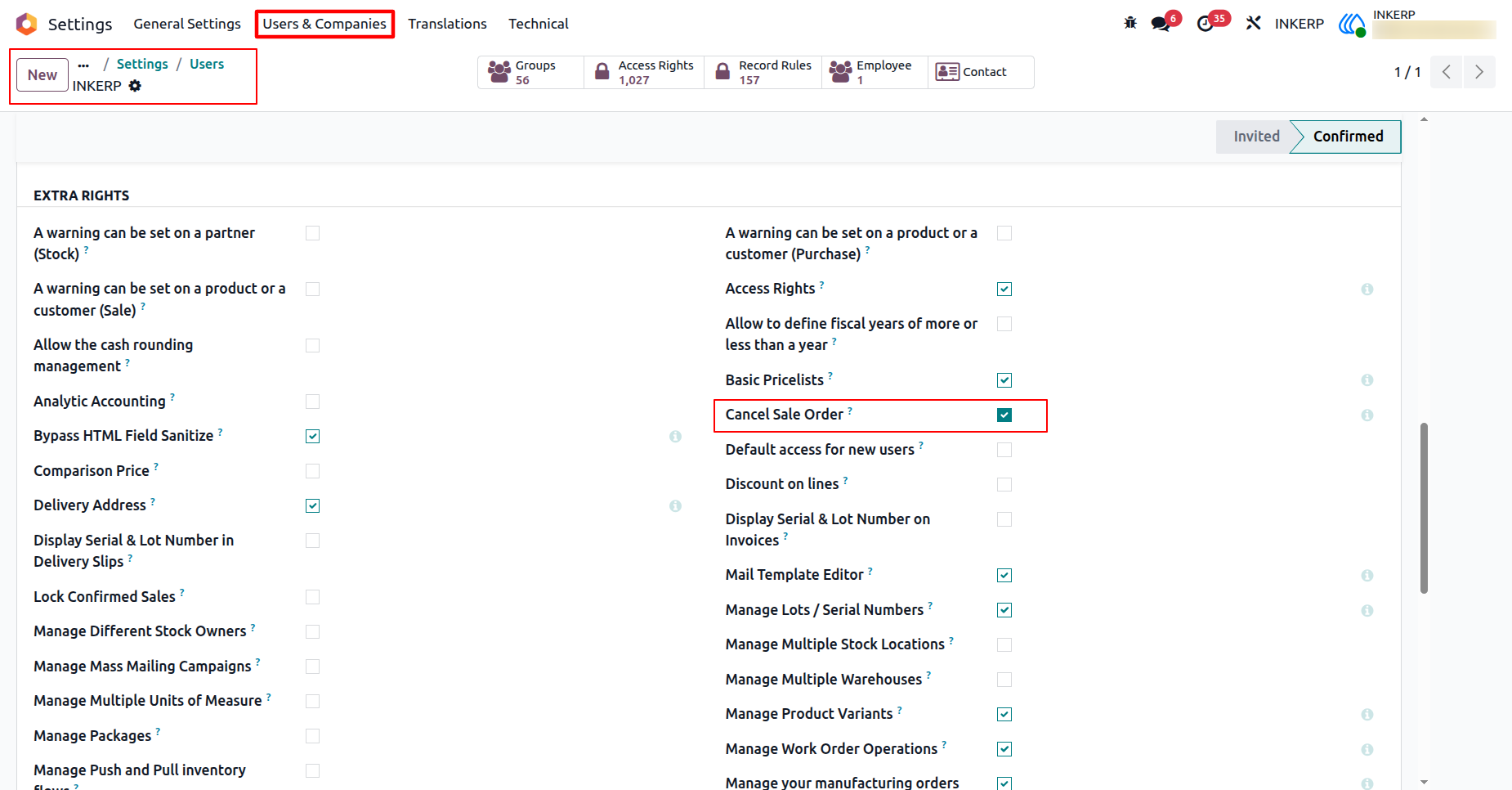
3.) Grant Permission
Navigate to the administration area to modify profile privileges. Assign the specific cancellation right to authorize the required workflow.
Navigation : Settings → User & Companies → Users
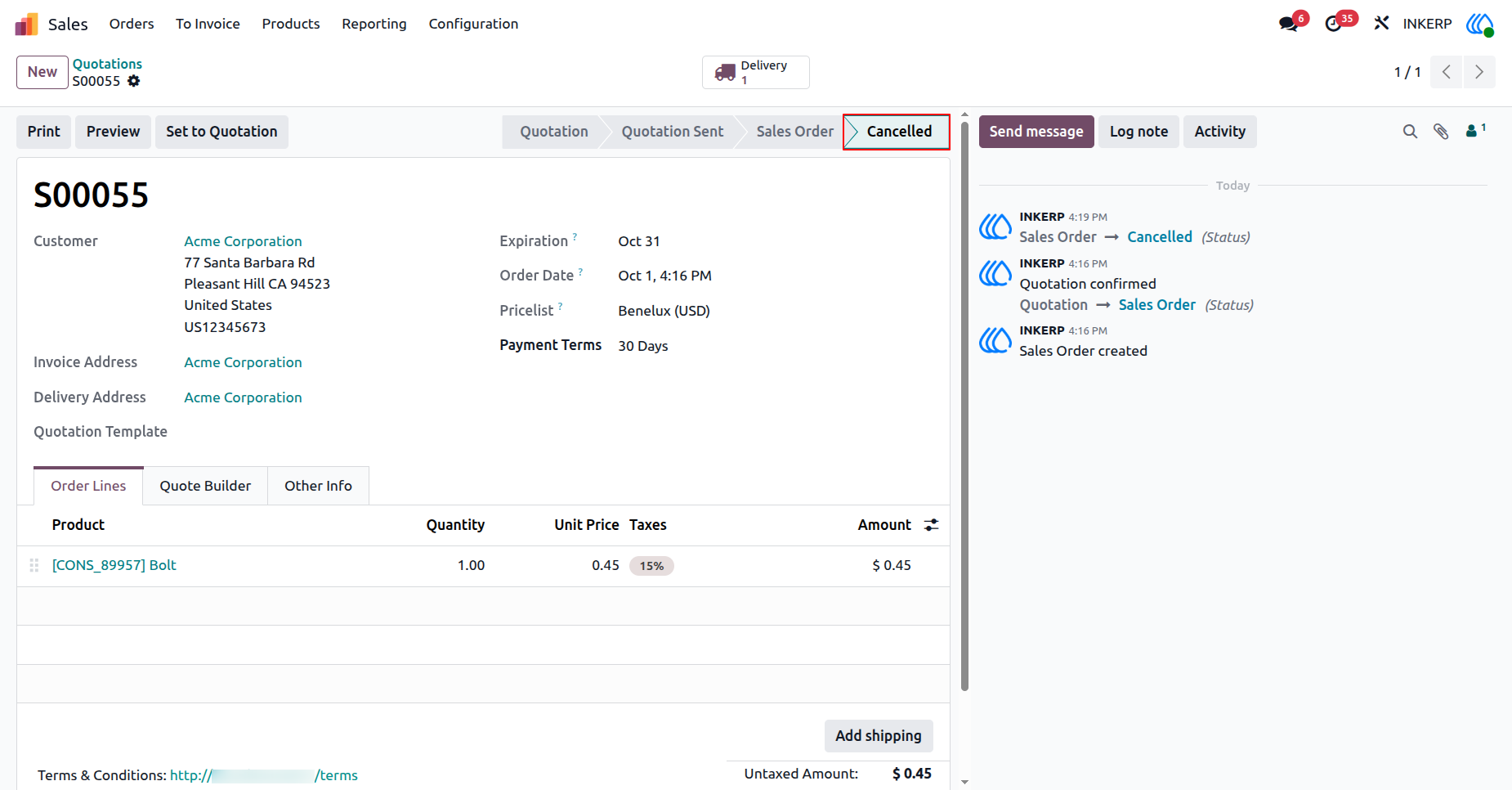
4.) Verify Status
Return to the original transaction record and execute the termination. The record state updates immediately to reflect the completed voiding process.
Navigation : Sales → Orders → Quotations
User Guide





