


Our Most Suggested Products


Cancel Reason For Mrp For Enterprise
This application simplifies the process of stopping manufacturing orders when unexpected production issues occur on the factory floor. It allows anyone on the team to easily cancel an active production run and select a predefined reason for the halt, such as a machine breakdown or capacity overload. By using these custom tracking categories, the system ensures every stopped order is properly documented with exact dates and details. A built-in communication feature instantly sends out automated emails to keep the entire team informed about the schedule change.
 Features
 Screenshots
 Support
 Service
Features
Mandatory Reason Selection
Require users to choose a specific reason code before cancelling any mrp orders or confirmed order. This prevents accidental cancellations and ensures every stopped transaction has a documented explanation.
Detailed Note Capture
Allow agents to write custom explanatory notes alongside the chosen cancellation category. This captures essential context from customer conversations and provides helpful details for internal dispute reviews.
Instant Customer Email
Automatically send an email notification to the customer as soon as their order is cancelled. The message communicates the exact reason for the cancellation and keeps the client updated without manual effort.
Screenshot
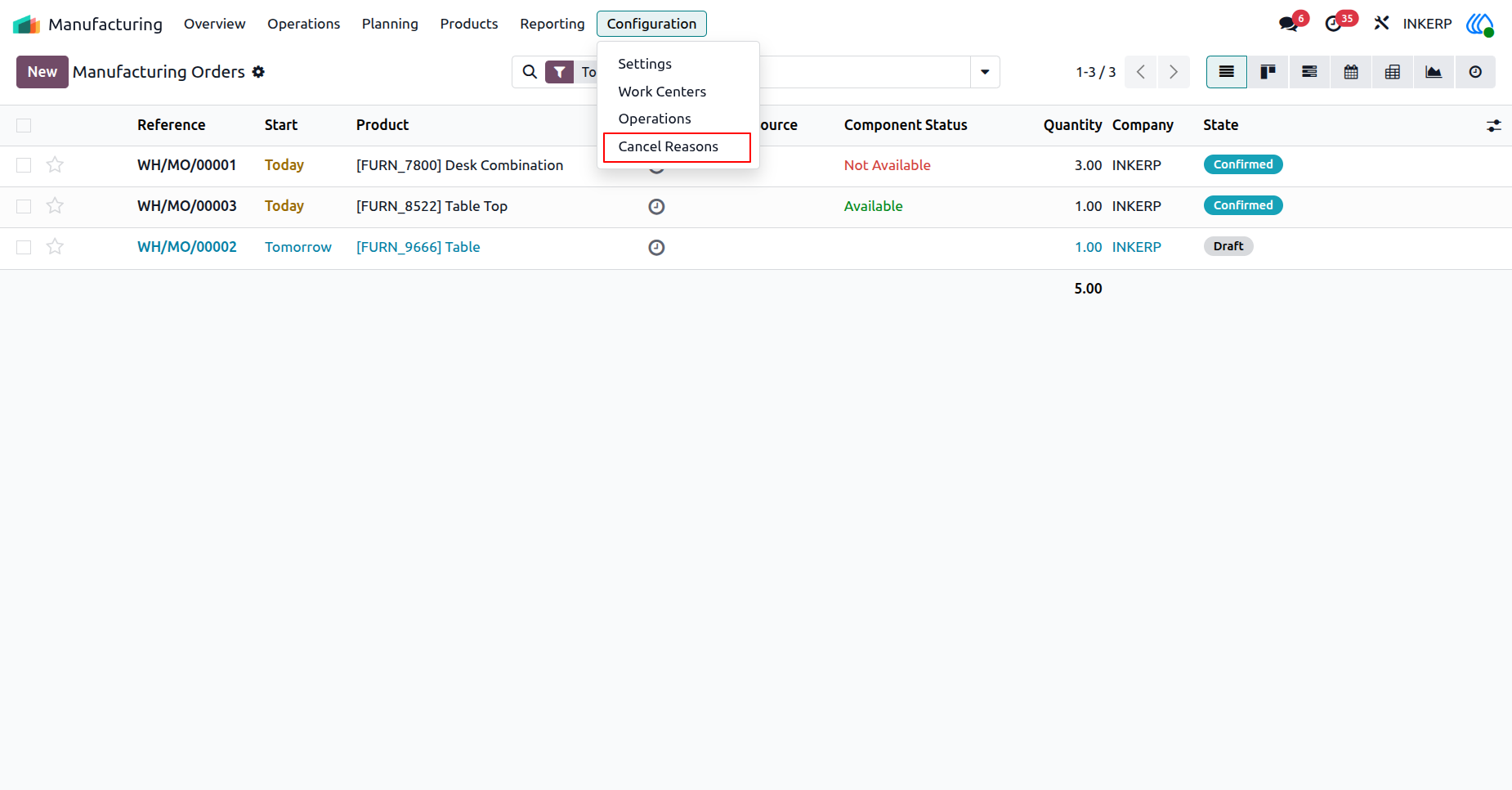
1.) Setup Reasons
Accessing the configuration settings allows administrators to establish predefined categories for manufacturing interruptions. Establishing standard categories ensures consistent tracking across all production facilities.
Navigation : Manufacturing → Configuration → Cancel Reason
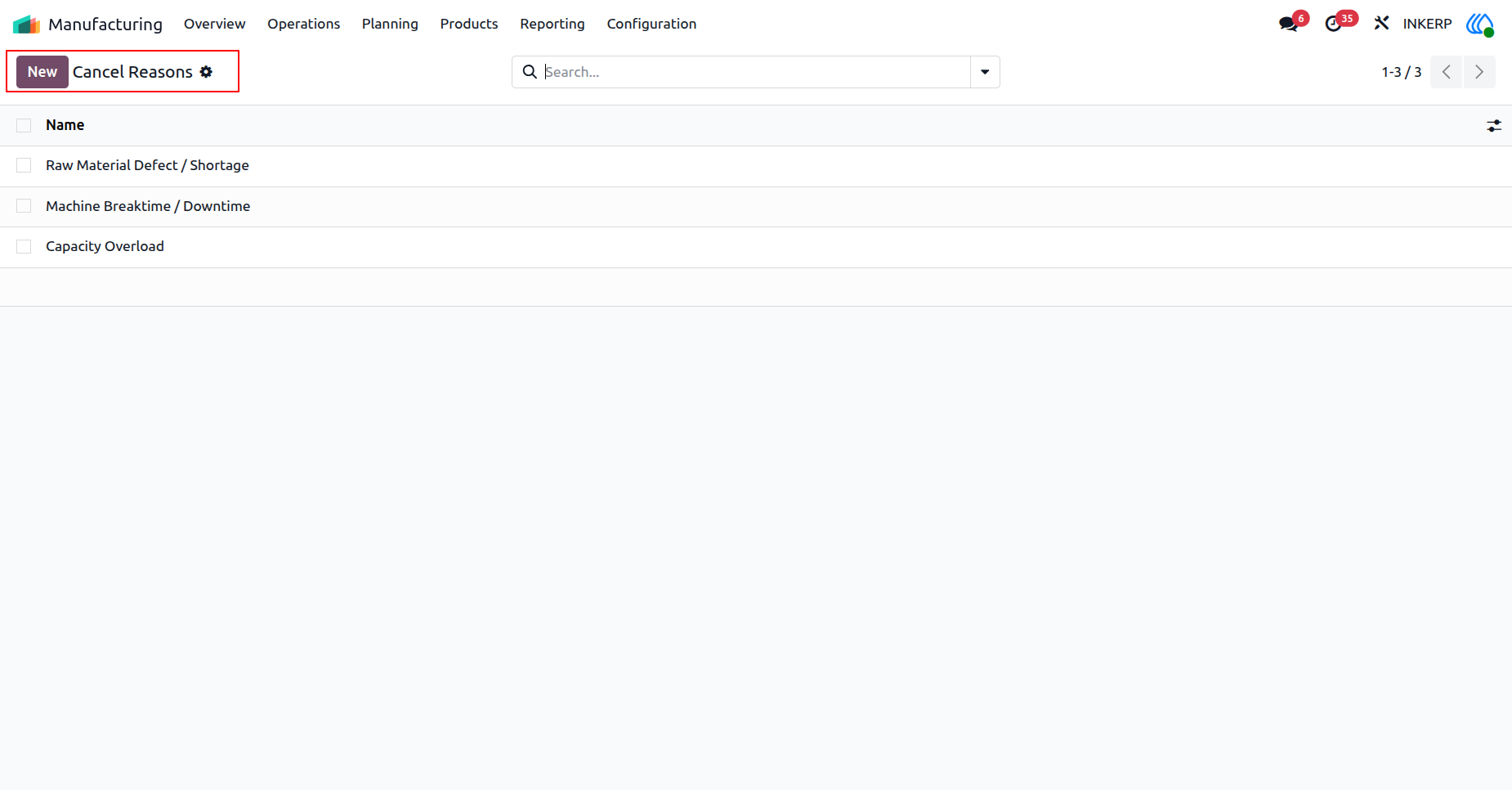
2.) Add New Reason
Administrators initiate the generation of a new standard justification code for stopped workflows. This categorizes production halts for future analytical reporting and process improvement.
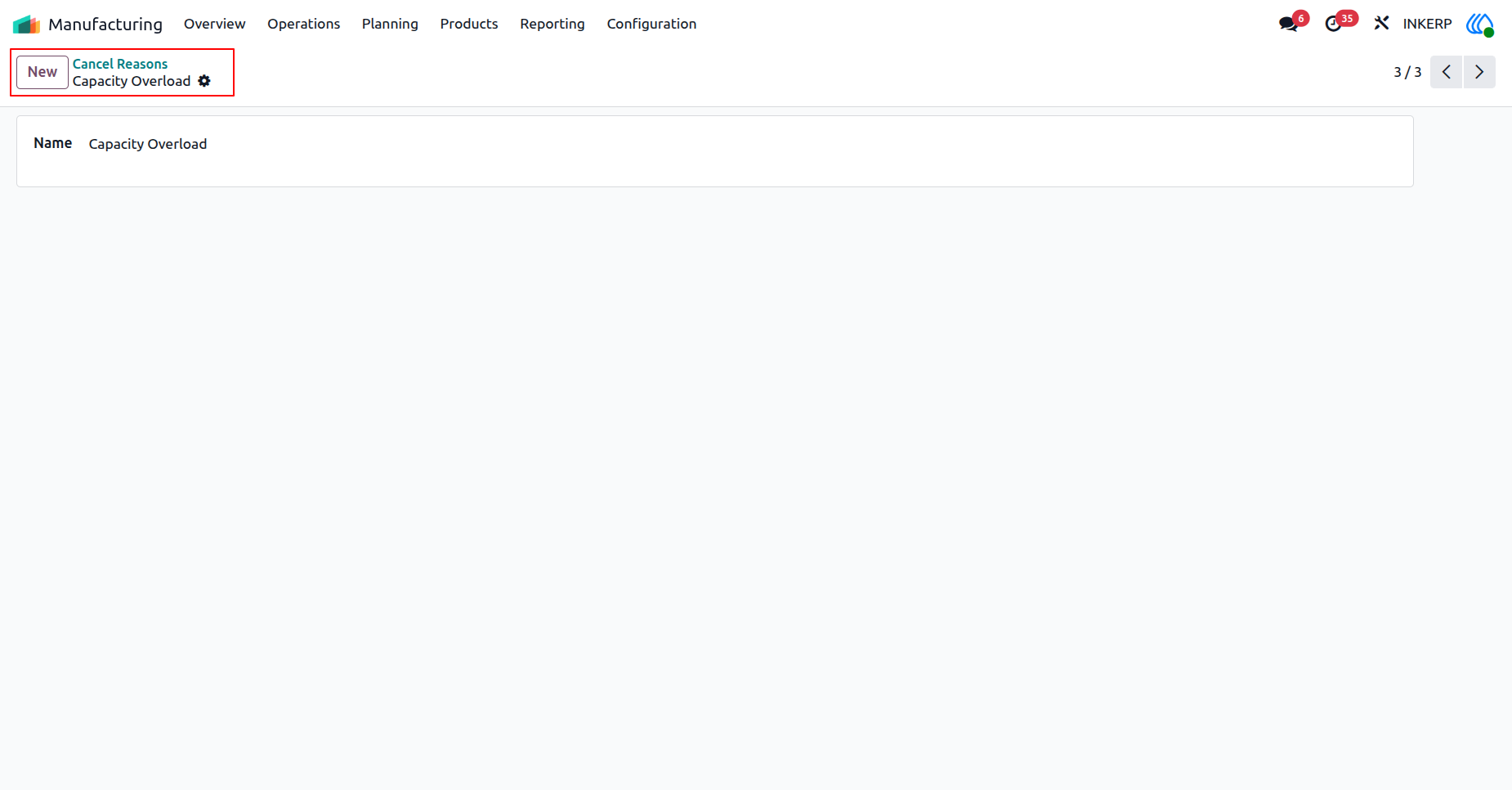
3.) Define Reason
A specific operational constraint, such as exceeding available resource capacity, is established as a formal tracking metric. This metric will accurately reflect production limitations during future order evaluations.
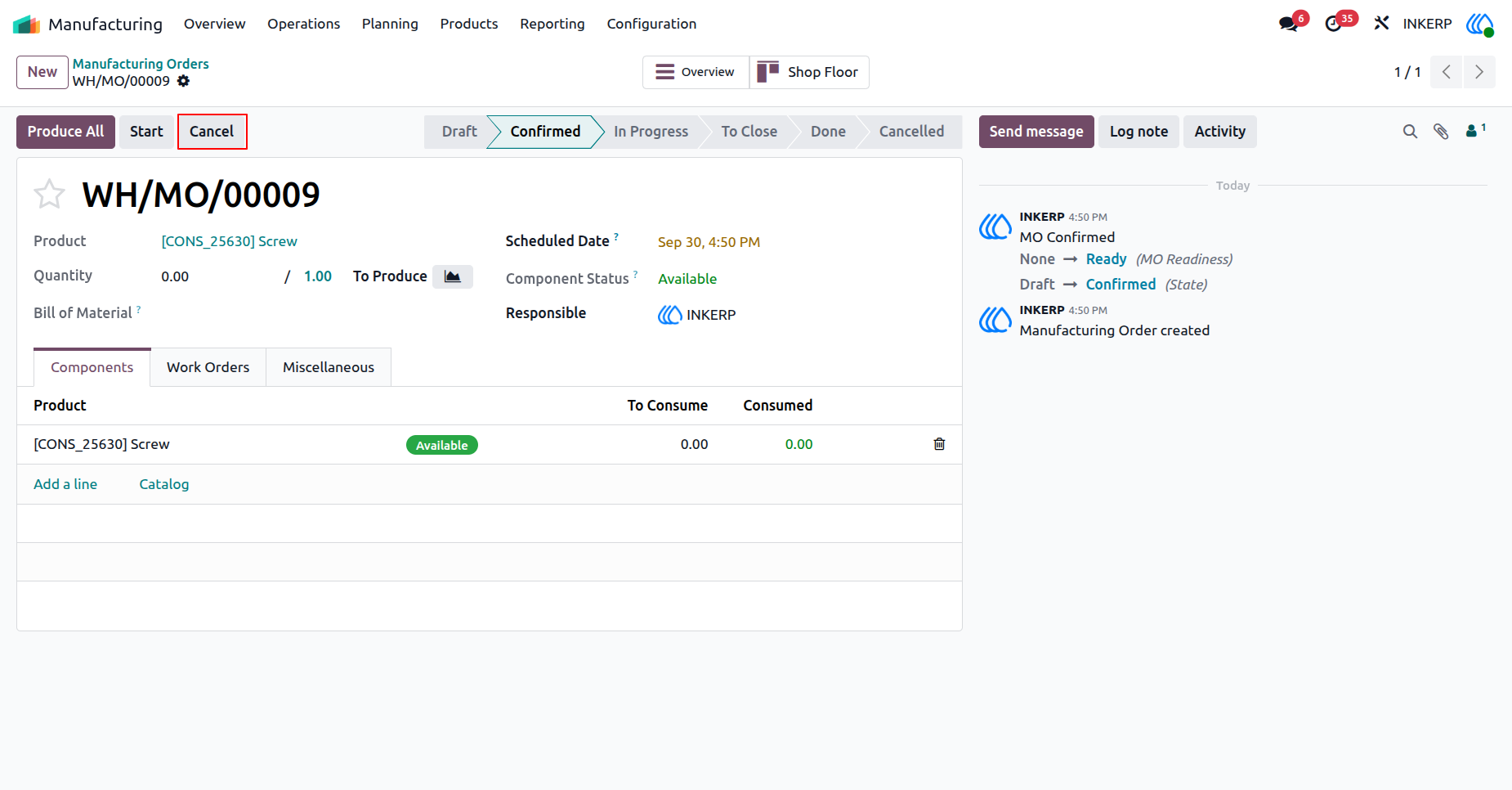
4.) Halt Production
A confirmed manufacturing task requires immediate termination due to unforeseen operational constraints. The execution phase is formally halted to prevent unnecessary resource allocation.
Navigation : Manufacturing → Operations → Manufacturing Orders
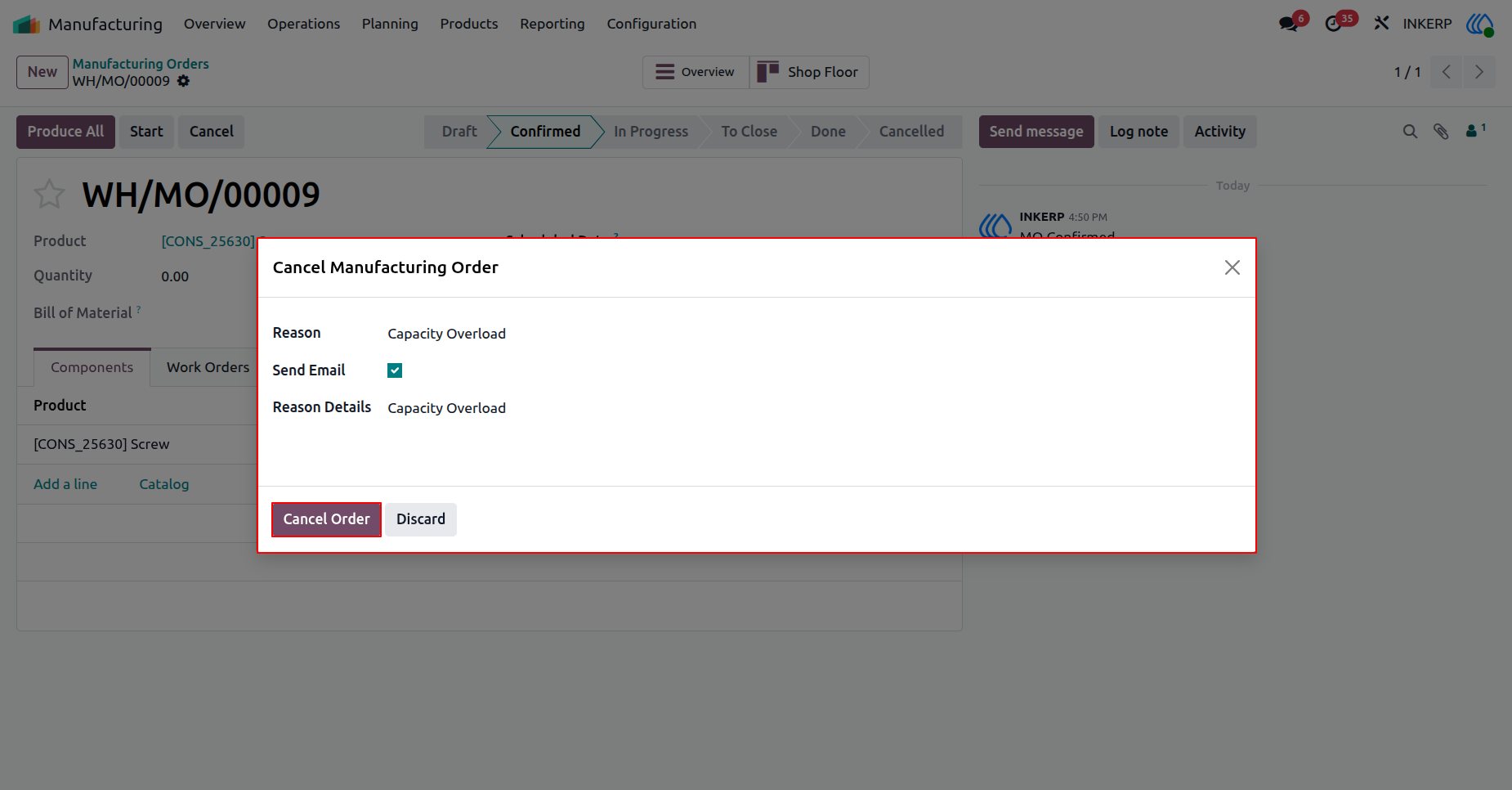
5.) Log Halt Reason
Operators provide necessary context for the production halt by applying the specific capacity limitation. Simultaneously, automated notifications are triggered to keep relevant stakeholders informed of the disruption.
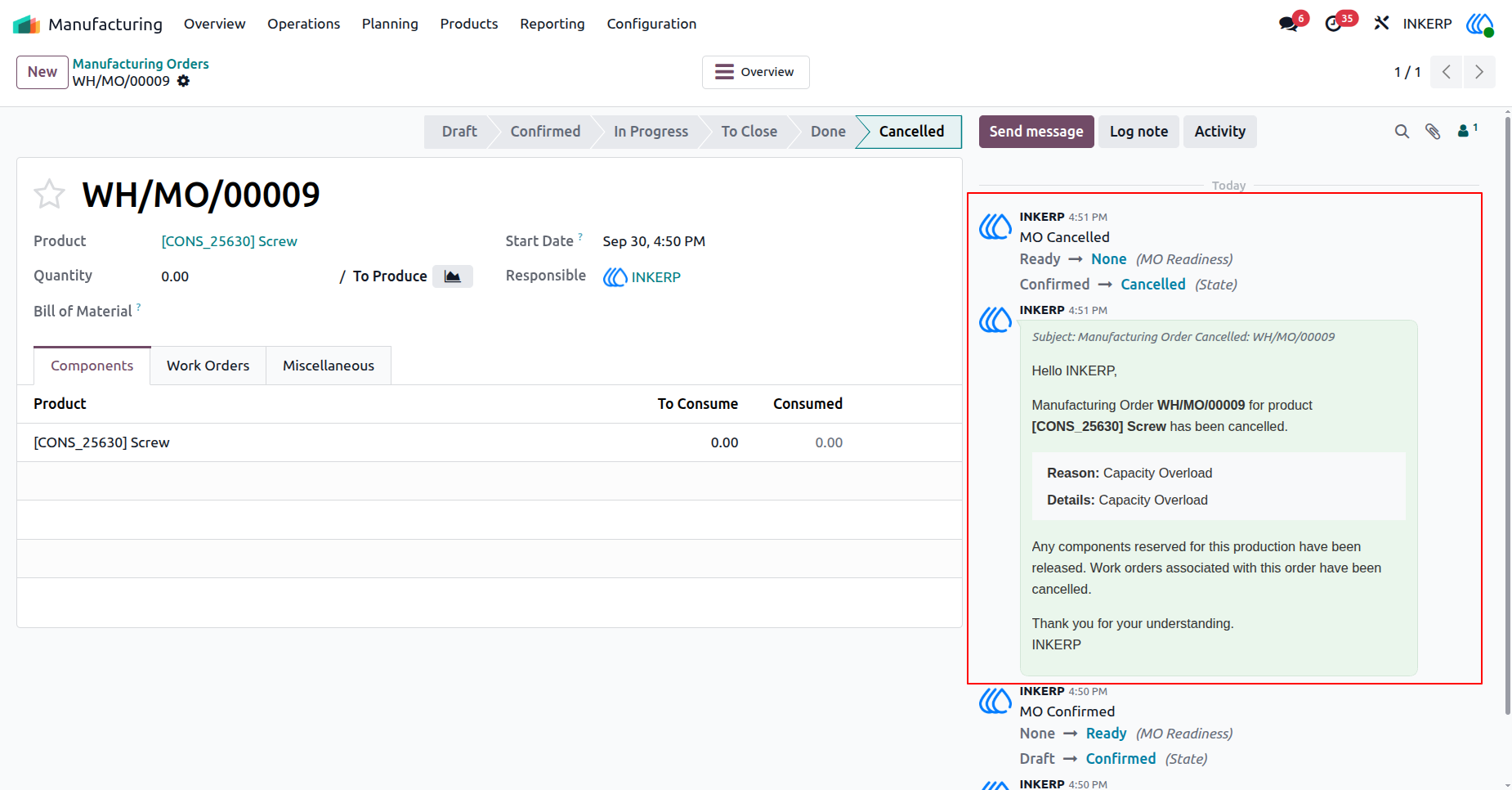
6.) Status Update
The system confirms the manufacturing order is completely voided and permanently records the communication sent to stakeholders. This transparent history maintains a clear timeline of the production lifecycle.
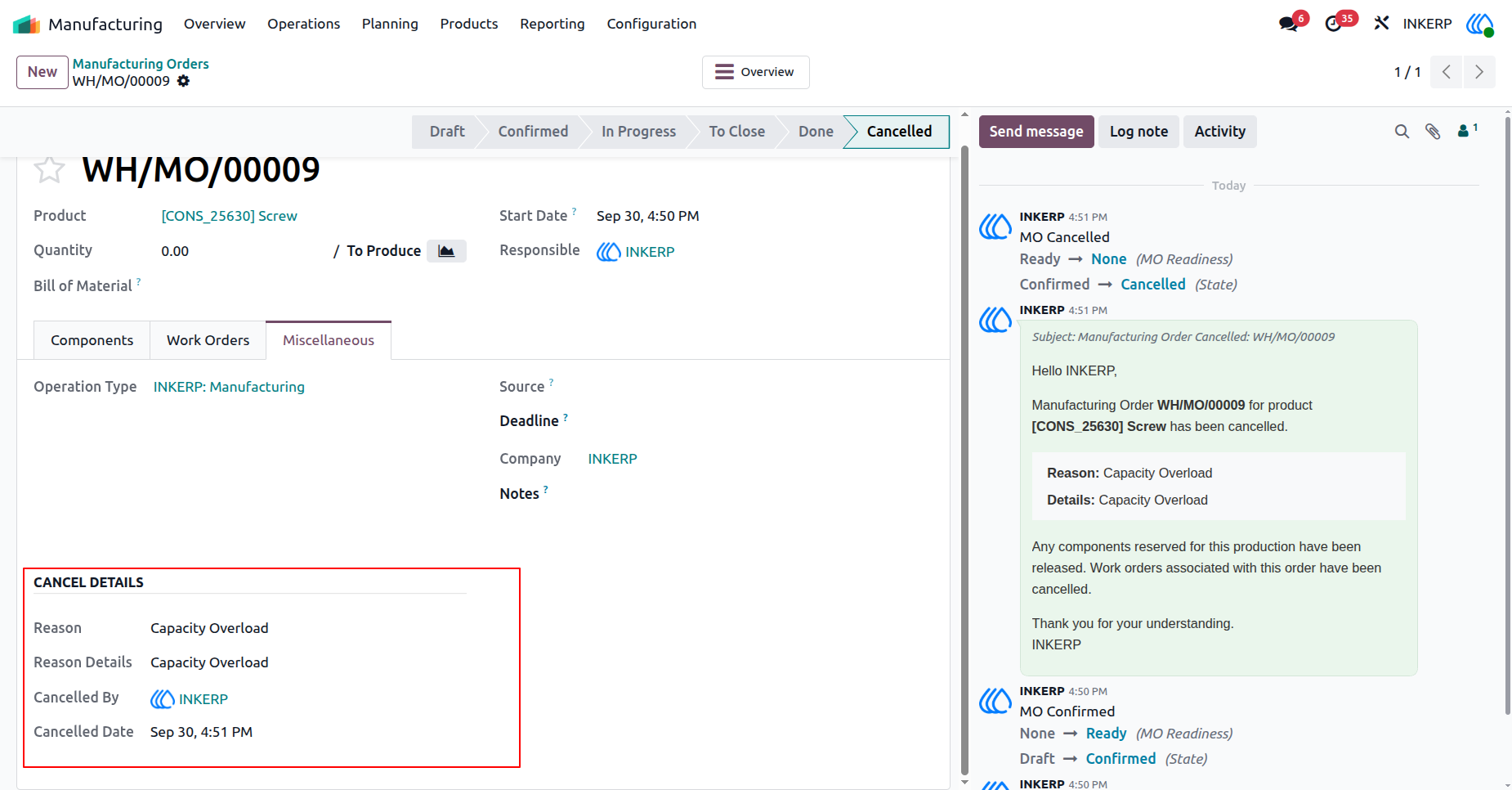
7.) Audit Details
Detailed operational metadata regarding the termination event is permanently stored for compliance and review. This includes the specific individual responsible and the exact timestamp of the workflow disruption.
User Guide





