


Our Most Suggested Products


Cancel Purchase Order
This comprehensive application helps businesses efficiently manage their entire buying process from start to finish. It allows users to easily create requests for quotations and convert them into official purchase orders with selected suppliers. The system carefully keeps track of vital vendor details, order deadlines, and expected delivery dates to ensure smooth daily operations. To maintain strict security, managers can control exactly who has the authority to modify or halt transactions through customizable access rights. When buying plans change unexpectedly, authorized staff can safely cancel active orders before any goods are shipped.
 Features
 Screenshots
 Support
 Service
Features
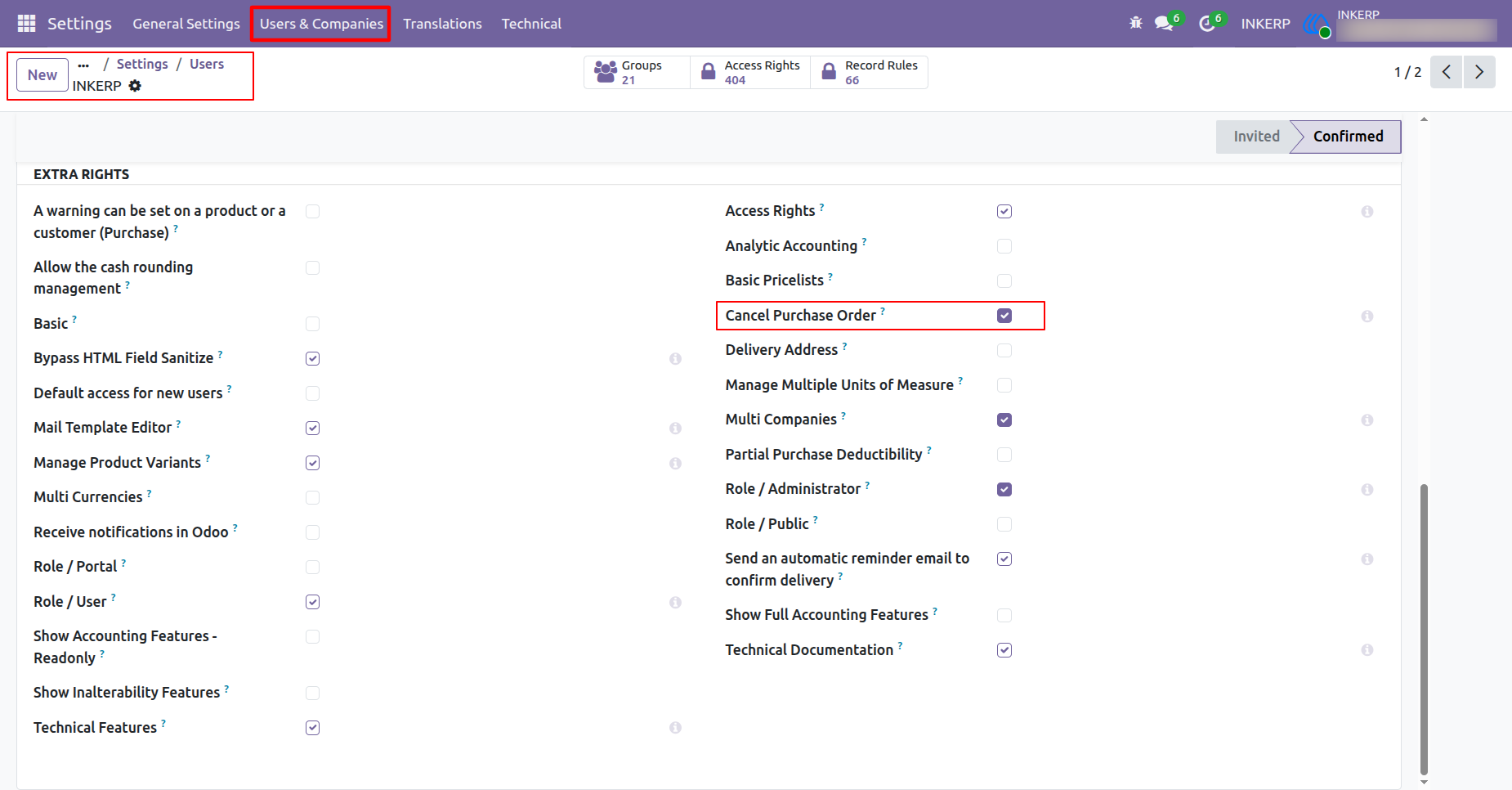
Grant Permission
Managers can give specific people the right to stop an order. This is done in the user settings area by turning on a special right. This allows trusted staff to safely manage and change buying requests.
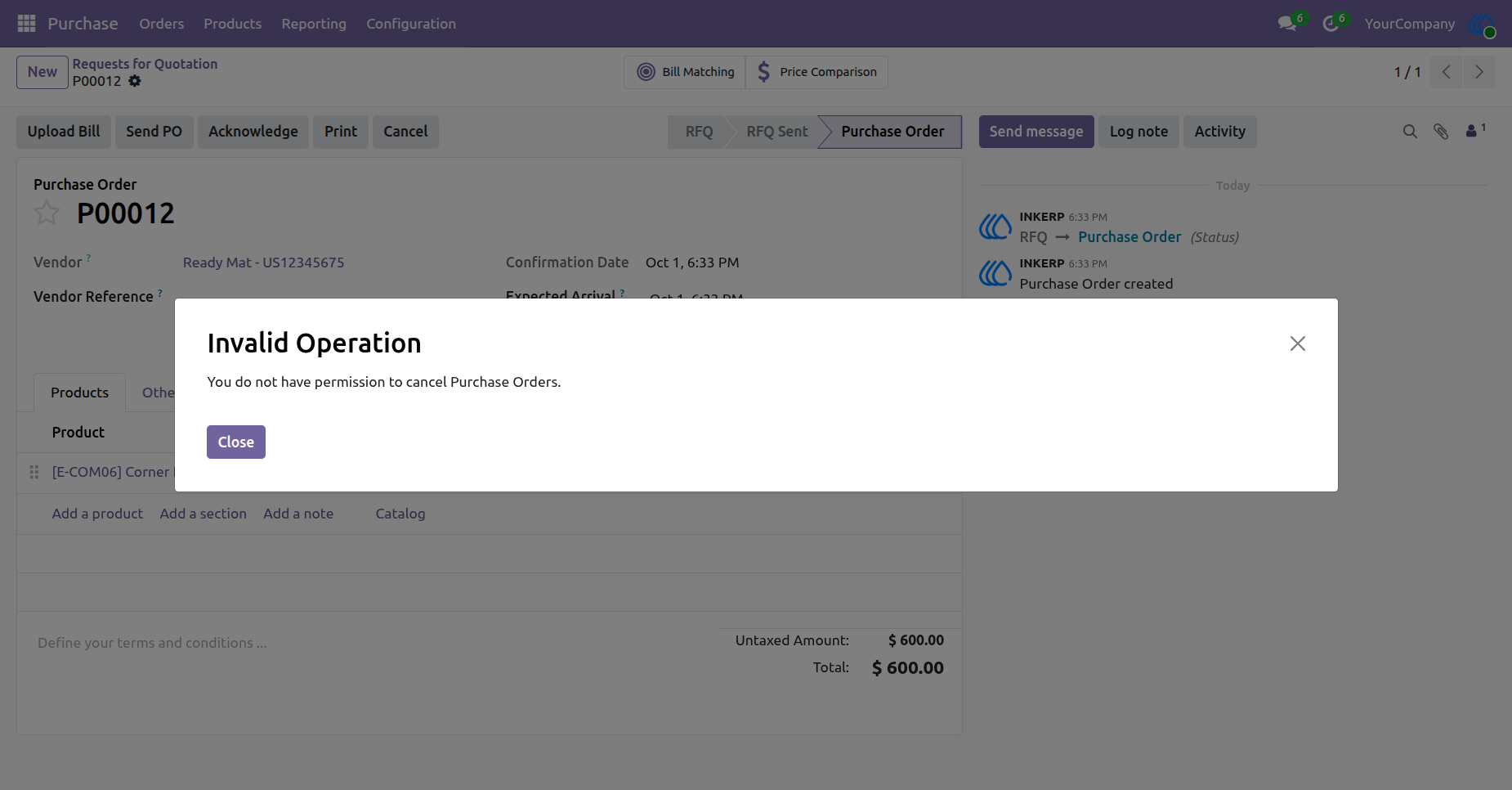
Access Denied
Only allowed team members can stop a purchase. If someone does not have the right permission, the system blocks them from changing the order. This keeps the business buying process safe and secure.
Screenshot
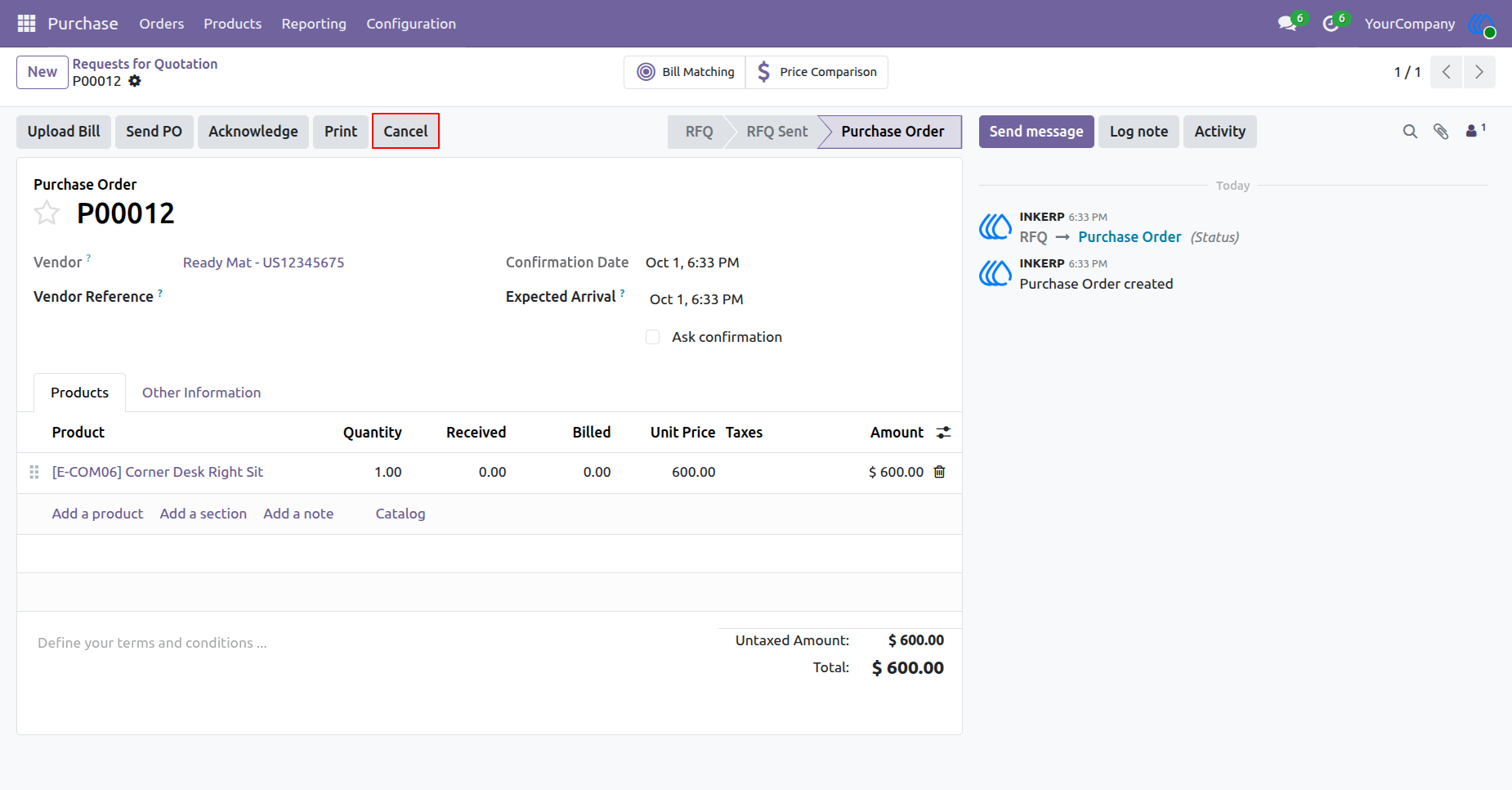
1.) Cancel Order
The process begins by initiating the termination action on an active procurement request. This step prepares the system to halt the ongoing transaction with the selected vendor. The request must be in an active state before the termination phase can commence.
Navigation : Purchase → Orders → Request for Quotation
2.) Access Denied
The system restricts unauthorized personnel from terminating active procurement requests. A warning notification appears when an individual lacks the necessary administrative privileges to halt the transaction. Proper authorization is required to proceed with the termination process.
3.) Grant Permission
Administrators must assign specific termination rights to authorized personnel within the configuration settings. Enabling this specific administrative privilege allows designated individuals to successfully halt procurement requests. This ensures secure oversight of financial and inventory adjustments.
Navigation : Settings → User & Companies → Users
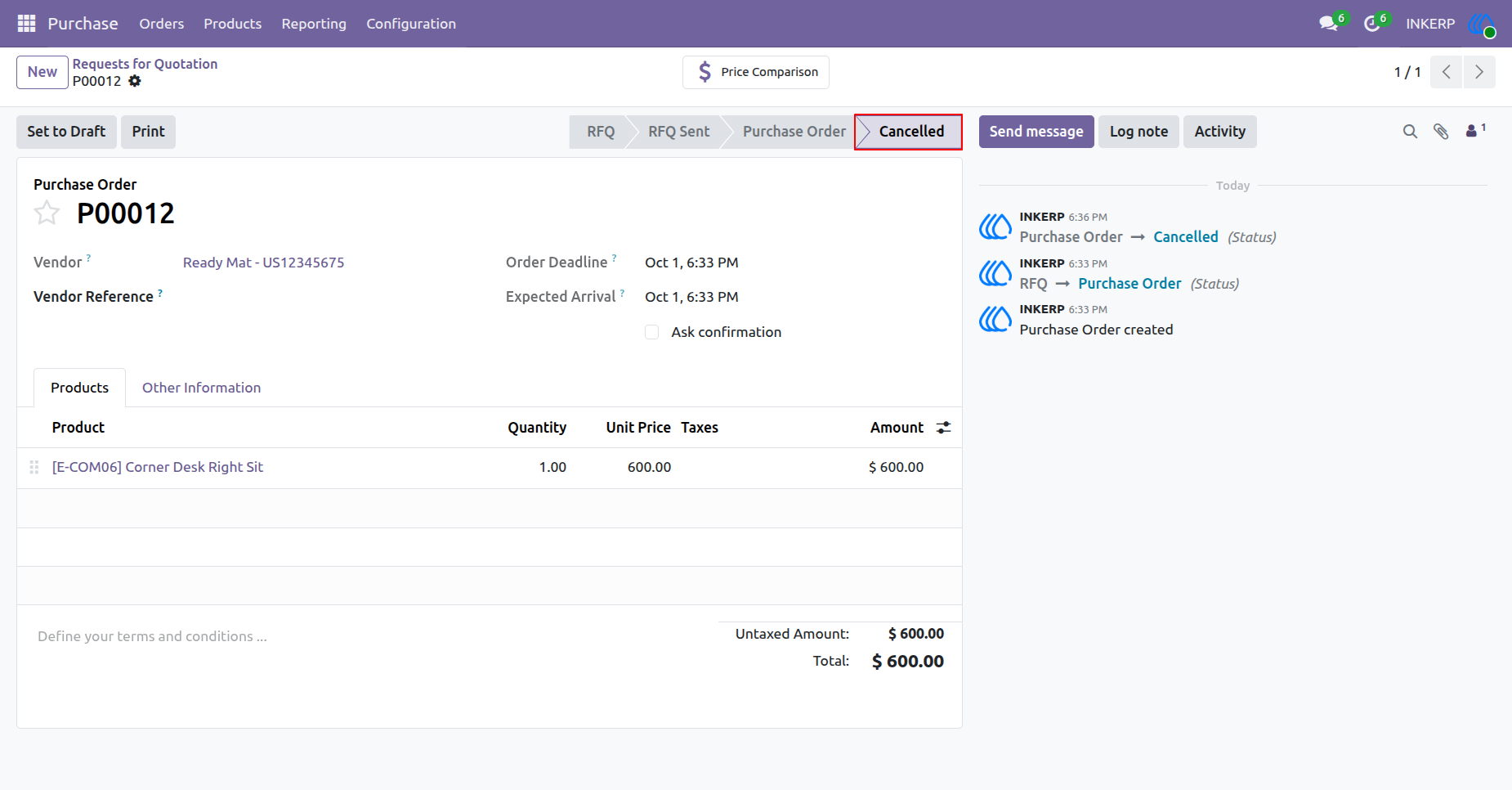
4.) Order Cancelled
The procurement request transitions to a terminated state, effectively halting all associated vendor activities and financial commitments. The system updates the transaction history to reflect the finalized termination. This action ensures no further logistics or payments proceed for this specific request.
Navigation : Purchase → Orders → Request for Quotation
User Guide





