

Our Most Suggested Products


Bus Booking Management - Bus Reservation and Trip Management
Bus Booking Management provides a complete solution for managing bus transportation operations, including stations, routes, buses, seat arrangements, trip schedules, bookings, passenger tickets, fares, invoices, payments, and check-in. It helps transportation businesses organize daily bus services from a single workflow, manage seat availability accurately, create scheduled trips automatically, handle passenger information, and generate professional tickets and booking confirmations. The reusable seat arrangement and trip management features make it easier to maintain consistent bus layouts and streamline the booking process.
 Features
 Screenshots
 Support
 Service
Features
Bus & Vehicle Management
Create and manage buses with registration details, passenger capacity, amenities, and reusable seat arrangements. Each bus can be connected to a predefined seating layout so operators can maintain consistent seat positions and booking rules across trips.
Route & Station Management
Define bus stations and create routes with starting and destination stations, expected travel duration, base fares, and intermediate stops. Boarding and dropping permissions can be configured for each stop, helping operators manage journeys accurately from one station to another.
Visual Seat Arrangement Studio
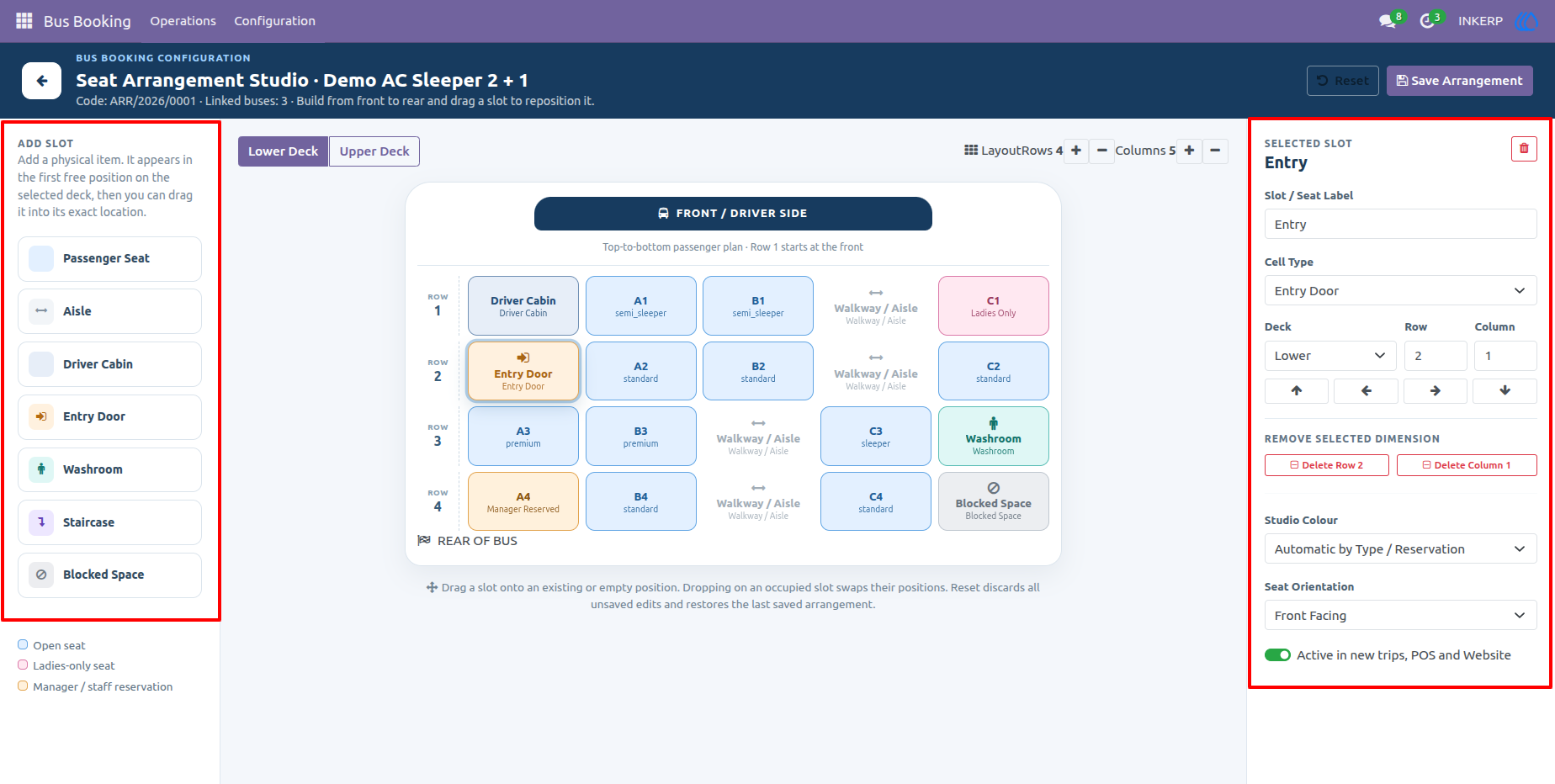
Design bus seating layouts using a visual arrangement studio with support for lower and upper decks, passenger seats, aisles, driver cabins, doors, washrooms, staircases, and blocked spaces. Seat classes, reservation policies, ladies-only seats, fare extras, colours, and seat orientation can be configured for a flexible and easy-to-understand bus layout.
Trip Scheduling & Automatic Generation
Create recurring or one-time trip schedules using daily, weekly, selected weekday, specific-date, or charter patterns. Multiple departure times, buses, drivers, conductors, fare overrides, and schedule exceptions can be configured, while future trips can be generated automatically according to the configured operating period.
Booking & Passenger Management
Create bookings for passengers with boarding and dropping stops, passenger details, selected seats, fares, and booking status. Seat availability is maintained at trip level, while temporary seat holds can expire automatically to prevent unavailable seats from remaining reserved indefinitely.
Invoicing & Payment Collection
Connect bus bookings with customer invoices and payment processing. Users can confirm a booking and collect payment through the booking workflow, while invoice information remains linked to the booking and ticket for easier financial tracking.
Ticket & Check-In Management
Generate individual passenger tickets containing journey details, seat information, boarding and dropping points, passenger details, fare, and ticket status. Tickets can be printed and passengers can be checked in directly from the ticket workflow.
Email Ticket Confirmation
Send confirmed bus tickets to passengers by email with the ticket PDF attached. The confirmation includes the booking reference, ticket number, journey information, seat number, boarding time, and other important travel instructions.
Flexible Fare Rules
Configure route-based and segment-based fares with optional bus, seat class, weekday, and date conditions. This allows operators to apply different prices for specific journeys, travel periods, buses, or seat classes without changing the main route configuration.
Screenshot
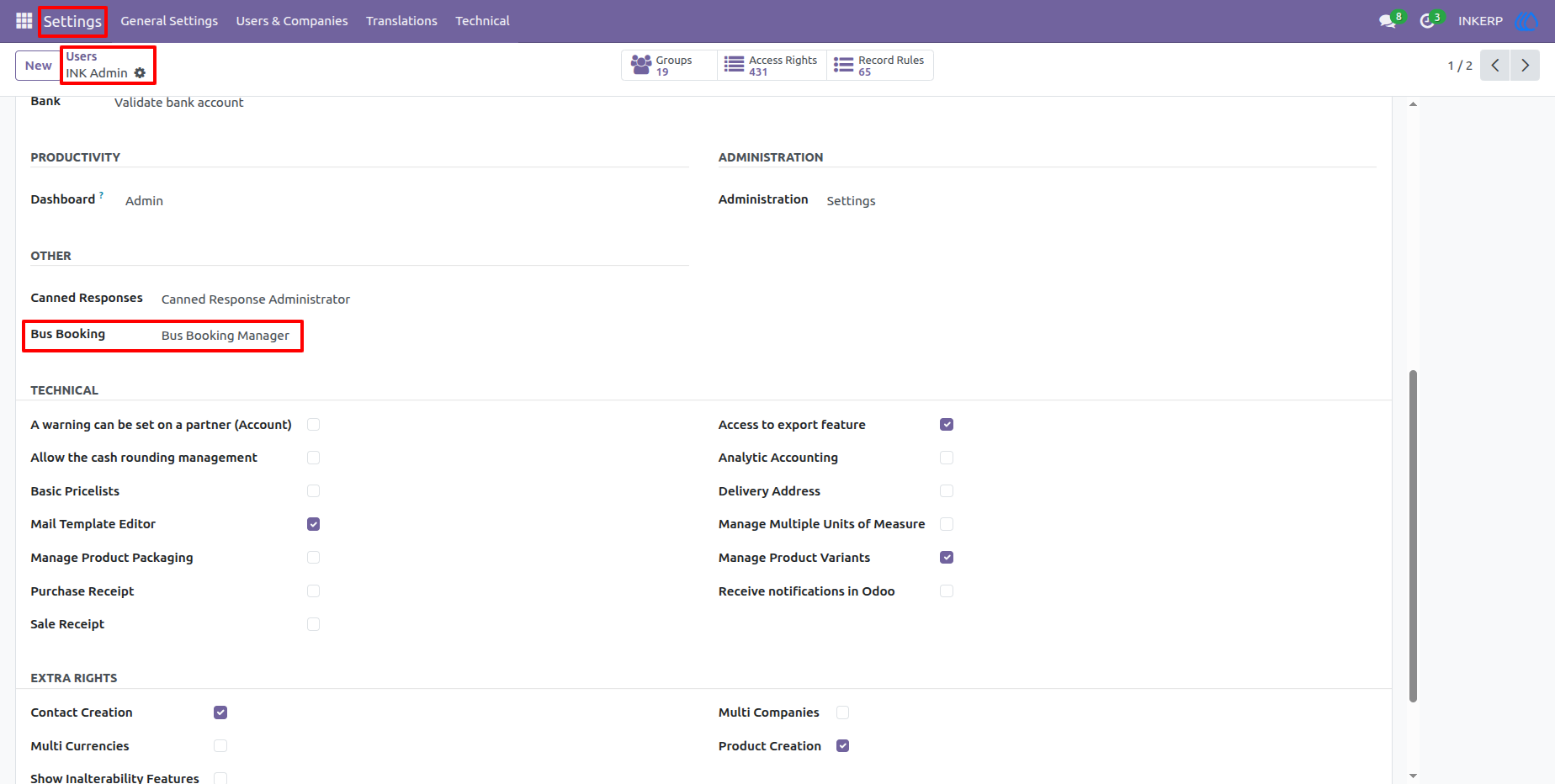
1.) Bus Booking Access Rights
The user access configuration provides dedicated permissions for the Bus Booking application. Administrators can assign appropriate access levels so transportation staff can work with bookings and operational data while management users can access configuration and scheduling functions.
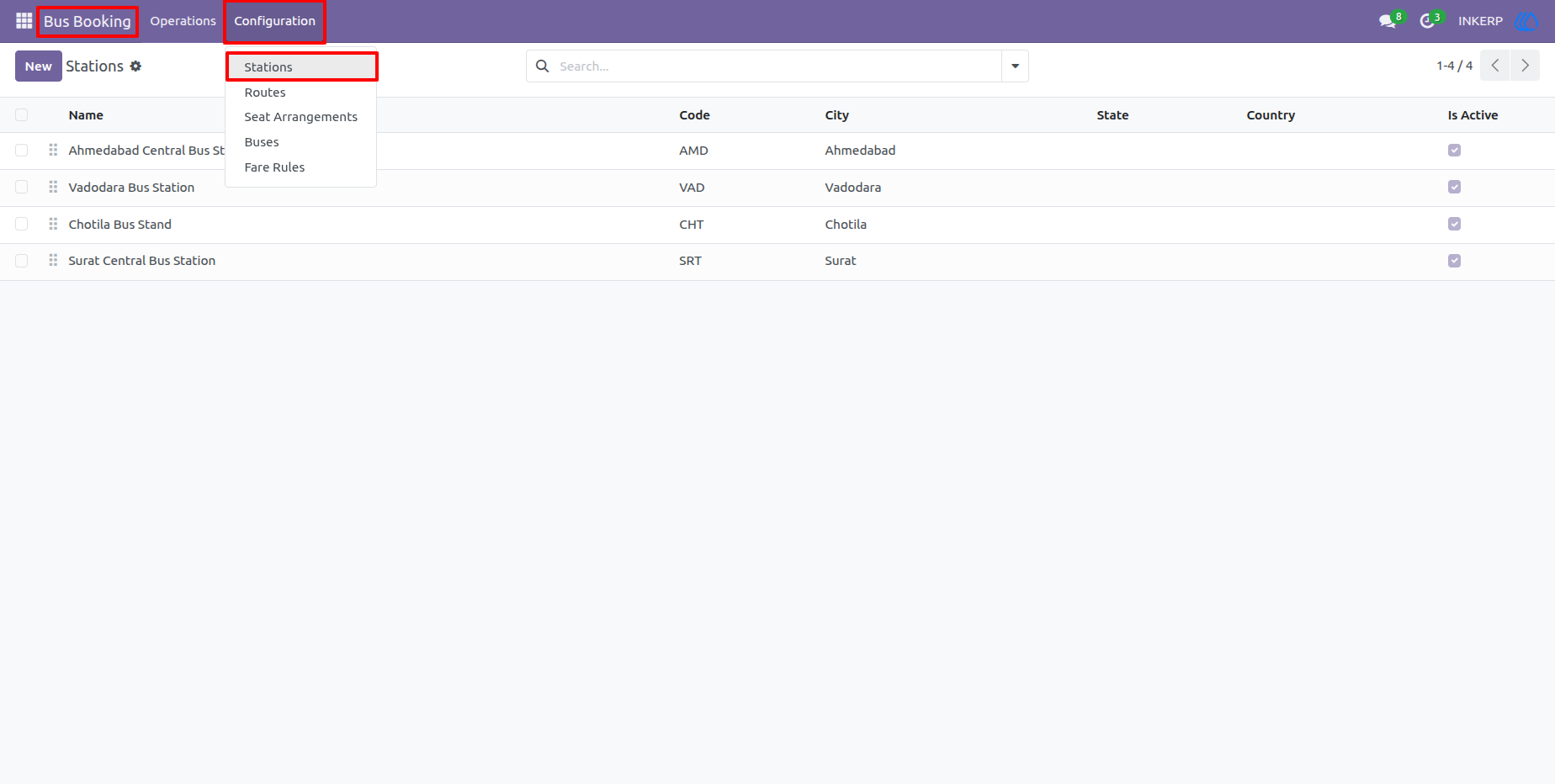
2.) Station List
The Stations list provides a centralized view of all bus stations configured in the system. Users can quickly review station names, codes, locations, and active status before using them in routes and trip operations.
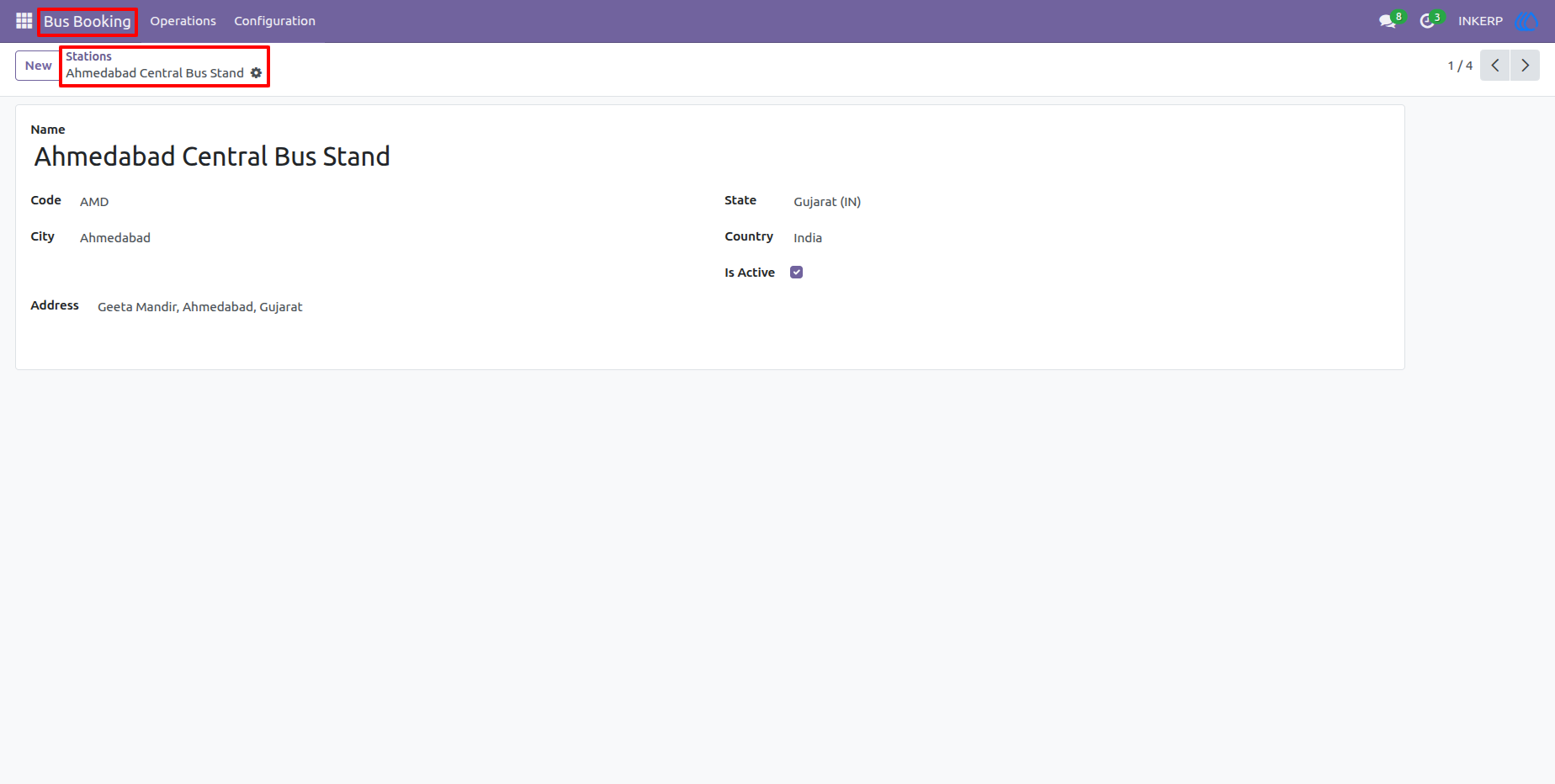
3.) Station Configuration
A station record stores essential location information such as station name, code, city, state, country, and address. Keeping this information structured makes it easier to build accurate routes and provide clear boarding and dropping locations.
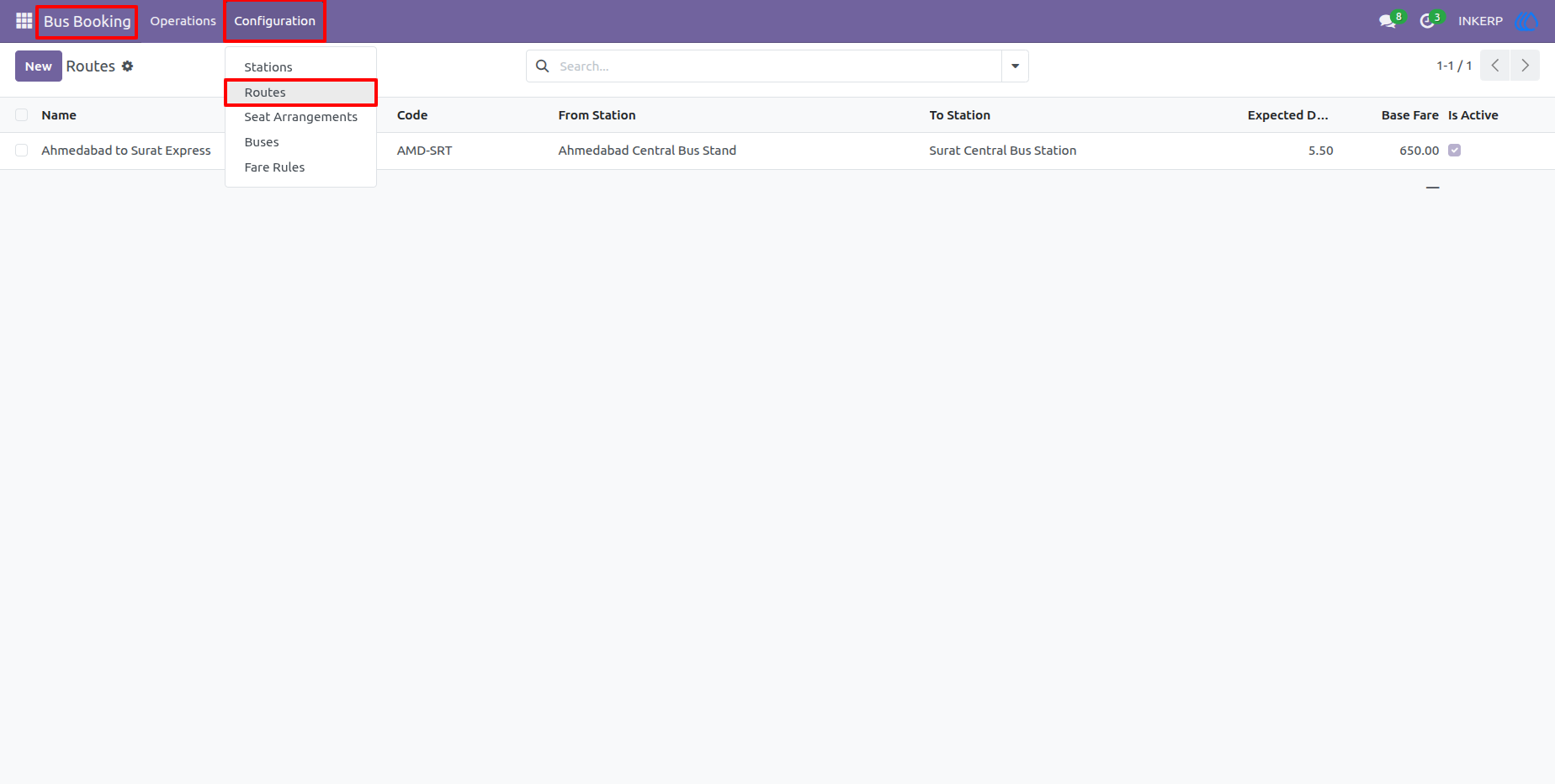
4.) Route List
The Routes list gives operators an overview of configured bus routes, including the route name, code, origin, destination, duration, base fare, and active status. It provides a quick starting point for maintaining the transportation network.
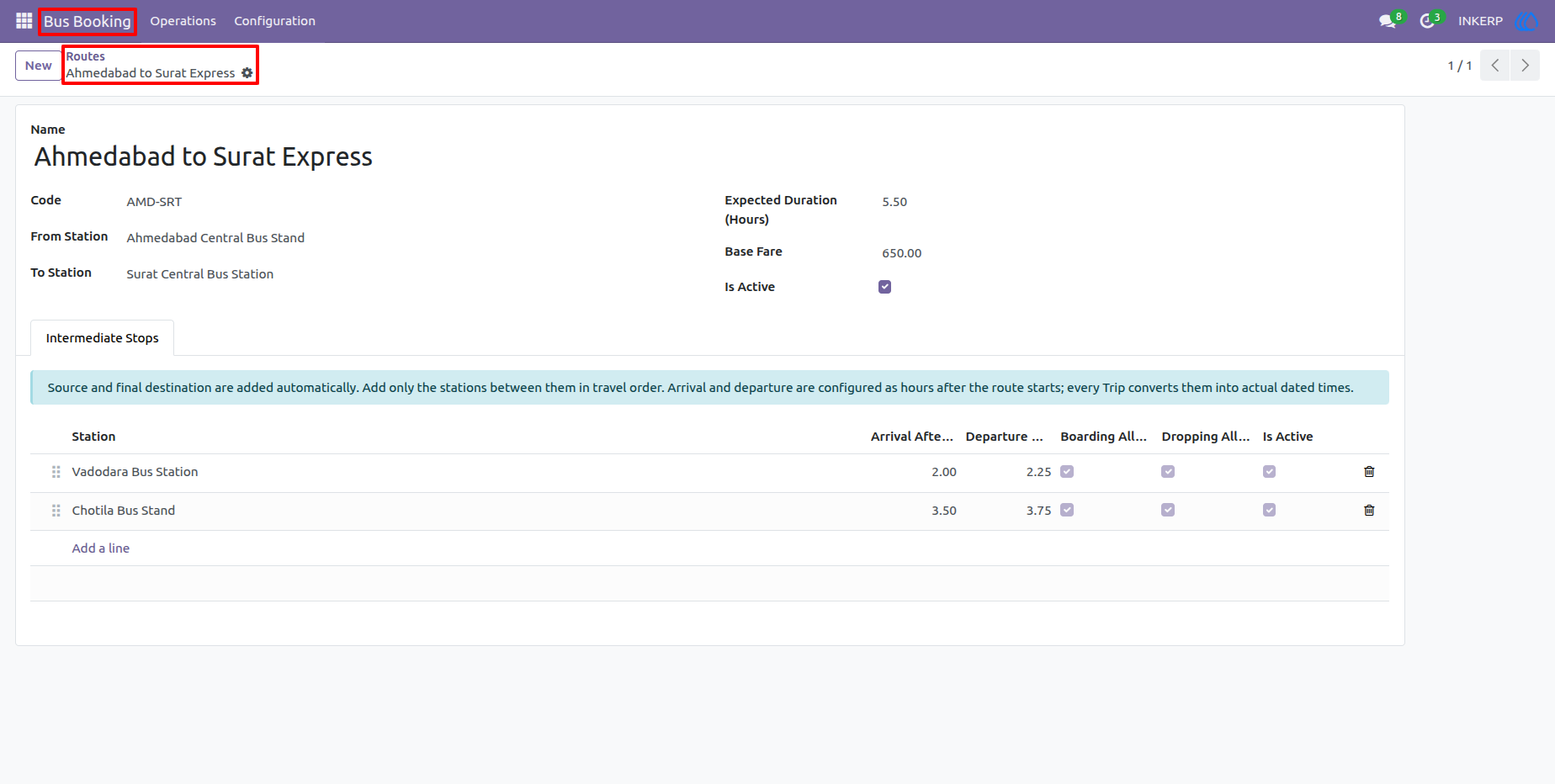
5.) Route Configuration
A route can be configured with its starting and destination stations, expected journey duration, base fare, and intermediate stops. Stop arrival and departure offsets can also be defined to create an organized timetable for every trip using the route.
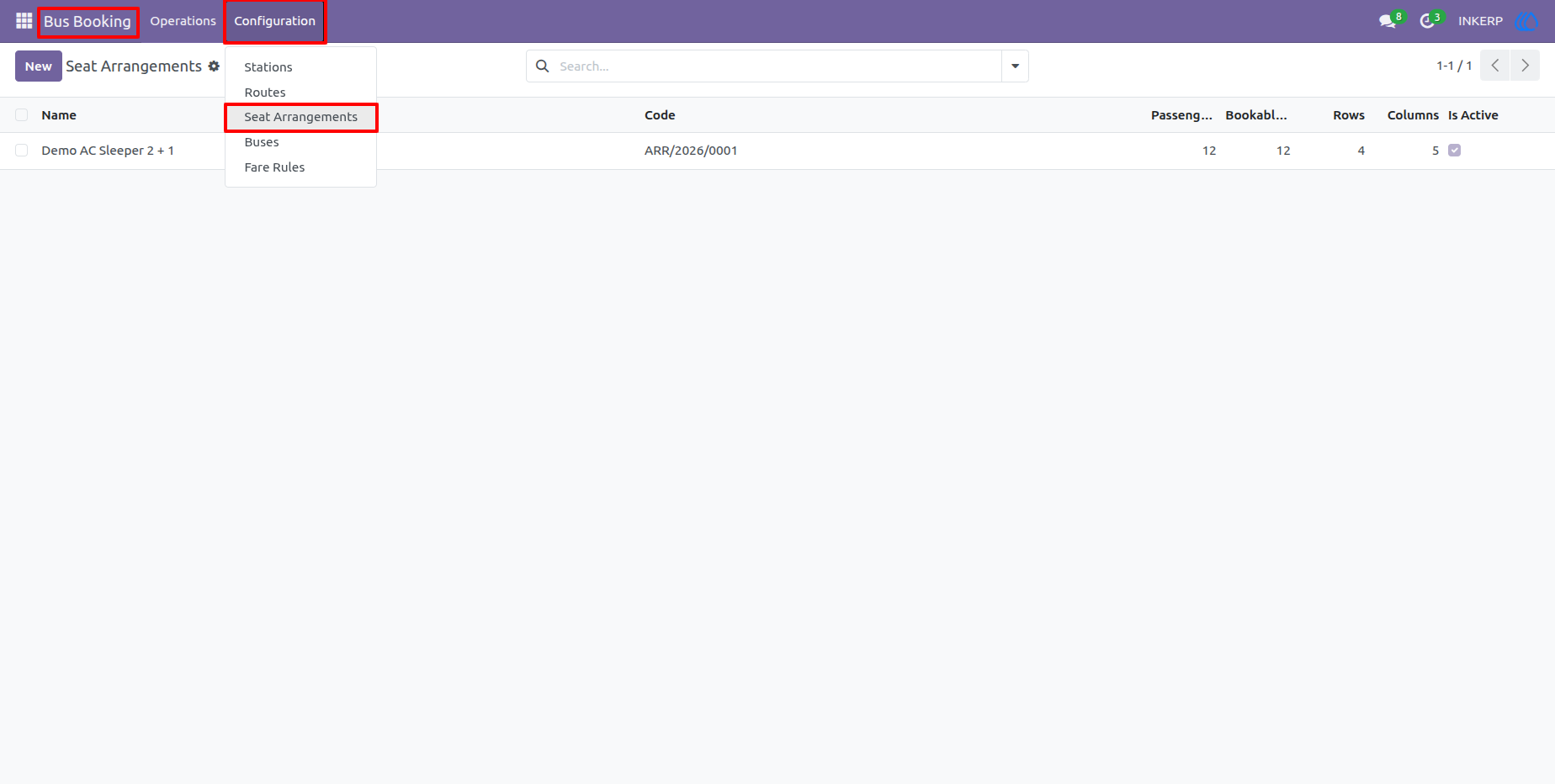
6.) Seat Arrangement List
The Seat Arrangements list contains reusable bus layouts with their codes, passenger seat counts, rows, columns, and active status. Operators can maintain multiple layouts for different types of buses and reuse them whenever required.
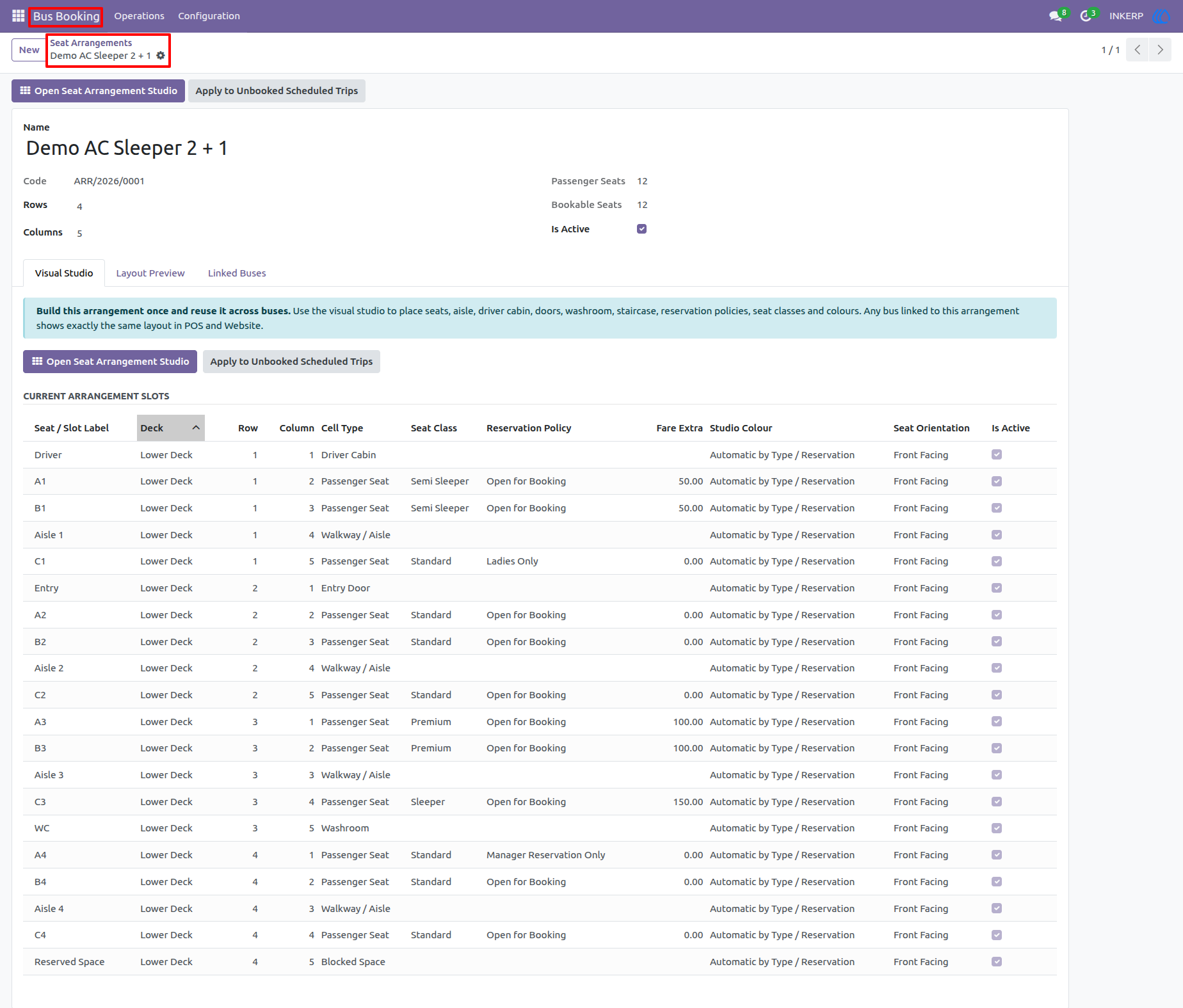
7.) Seat Arrangement Configuration
The seat arrangement configuration combines layout information with individual seat and slot definitions. Users can review passenger seats, seat classes, reservation policies, fare extras, deck positions, and other physical elements before opening the visual studio.
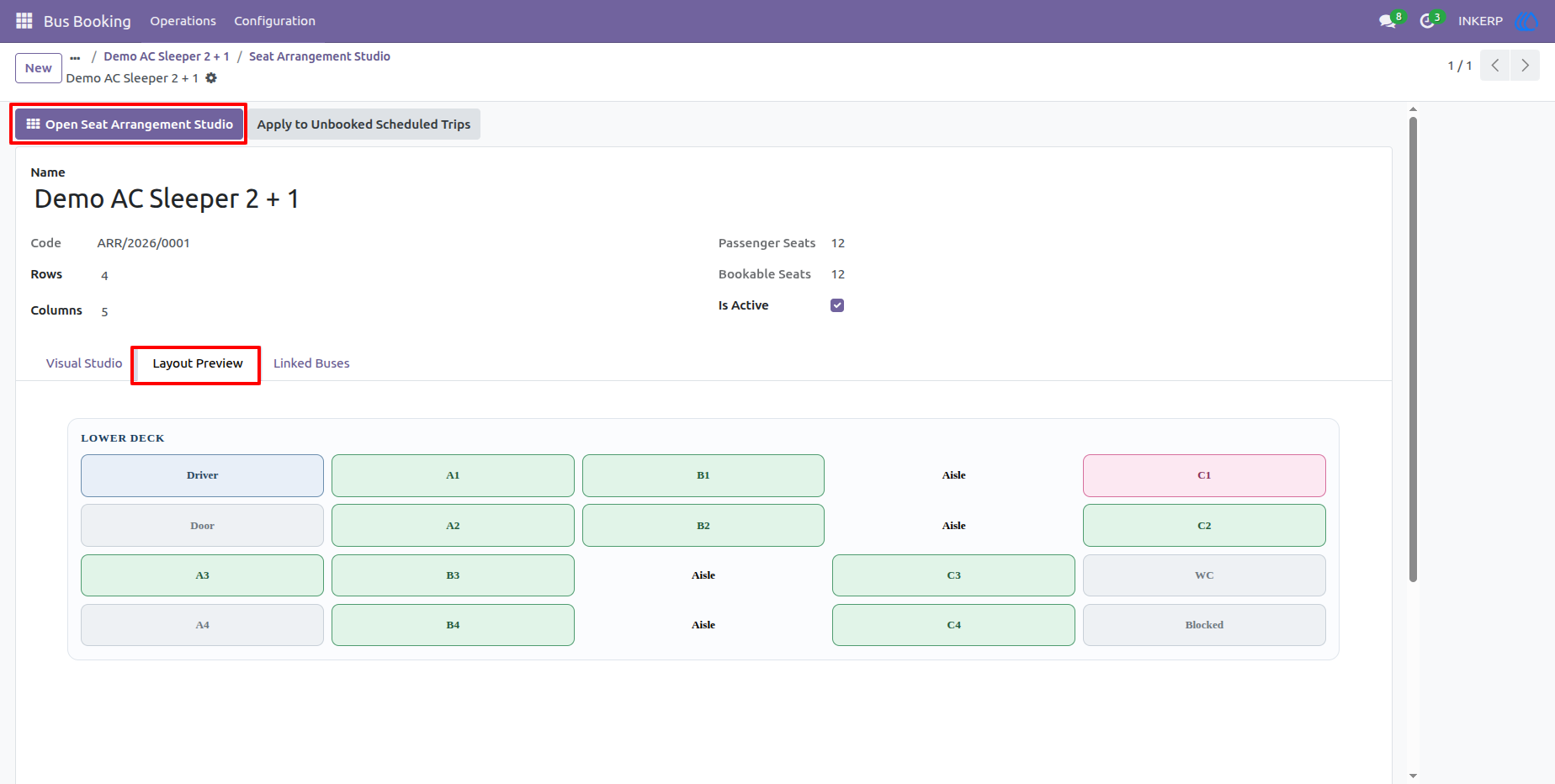
8.) Seat Map Preview
The layout preview provides a quick visual representation of the configured bus arrangement. It helps users verify the overall seating structure and understand how passenger seats and other physical spaces are positioned before the arrangement is used for trips.
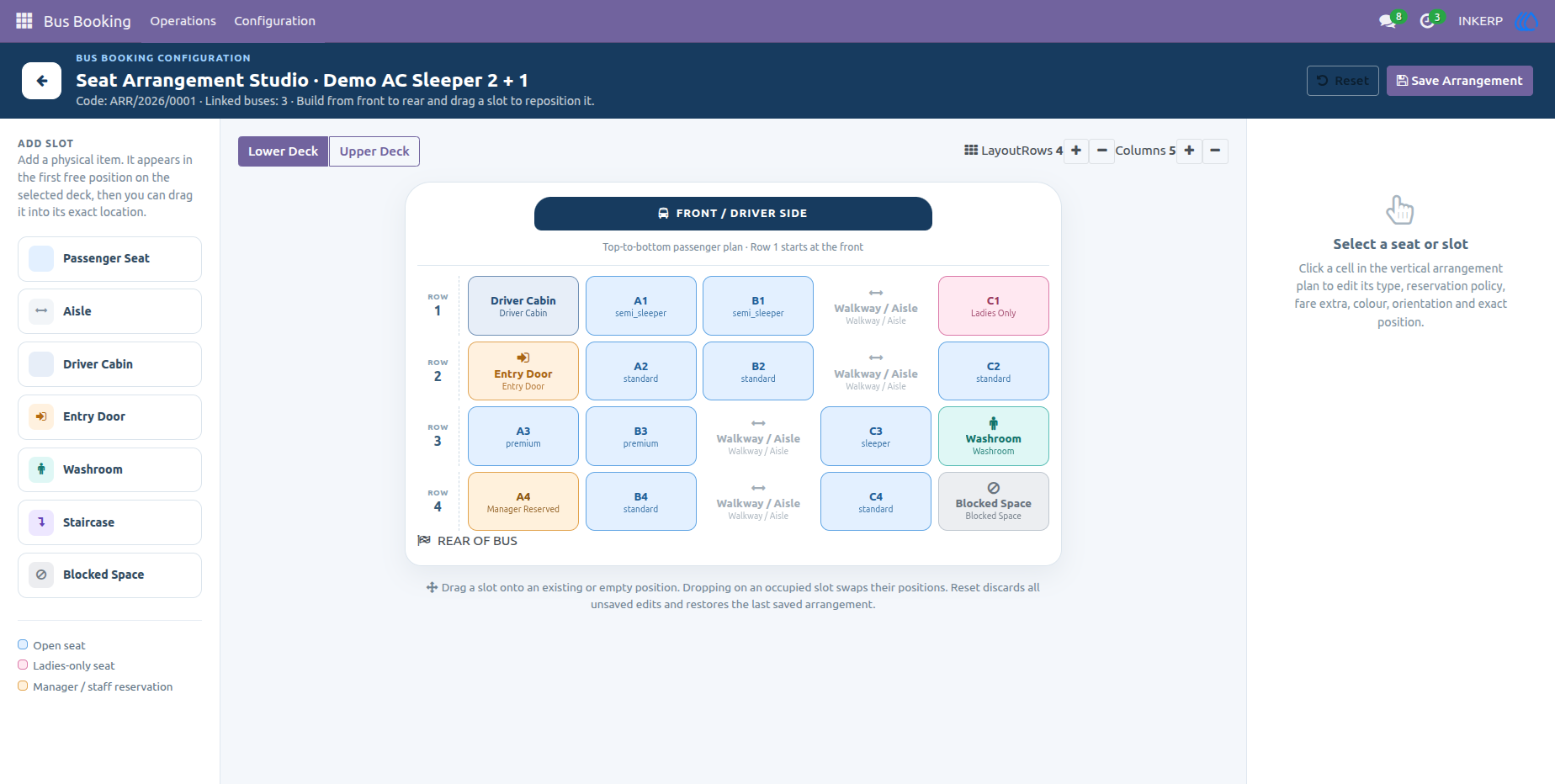
9.) Seat Arrangement Studio - Lower Deck
The visual studio provides an interactive way to build the lower deck of a bus. Users can add physical items, position seats, configure seat types and reservation rules, and drag slots into the required arrangement without manually maintaining a complex grid.
10.) Seat Arrangement Studio
The upper deck can be configured independently when a bus uses a multi-level layout. Operators can position seats and other physical elements, switch between supported slot types, and maintain a clear visual representation of the passenger area.
11.) Bus List
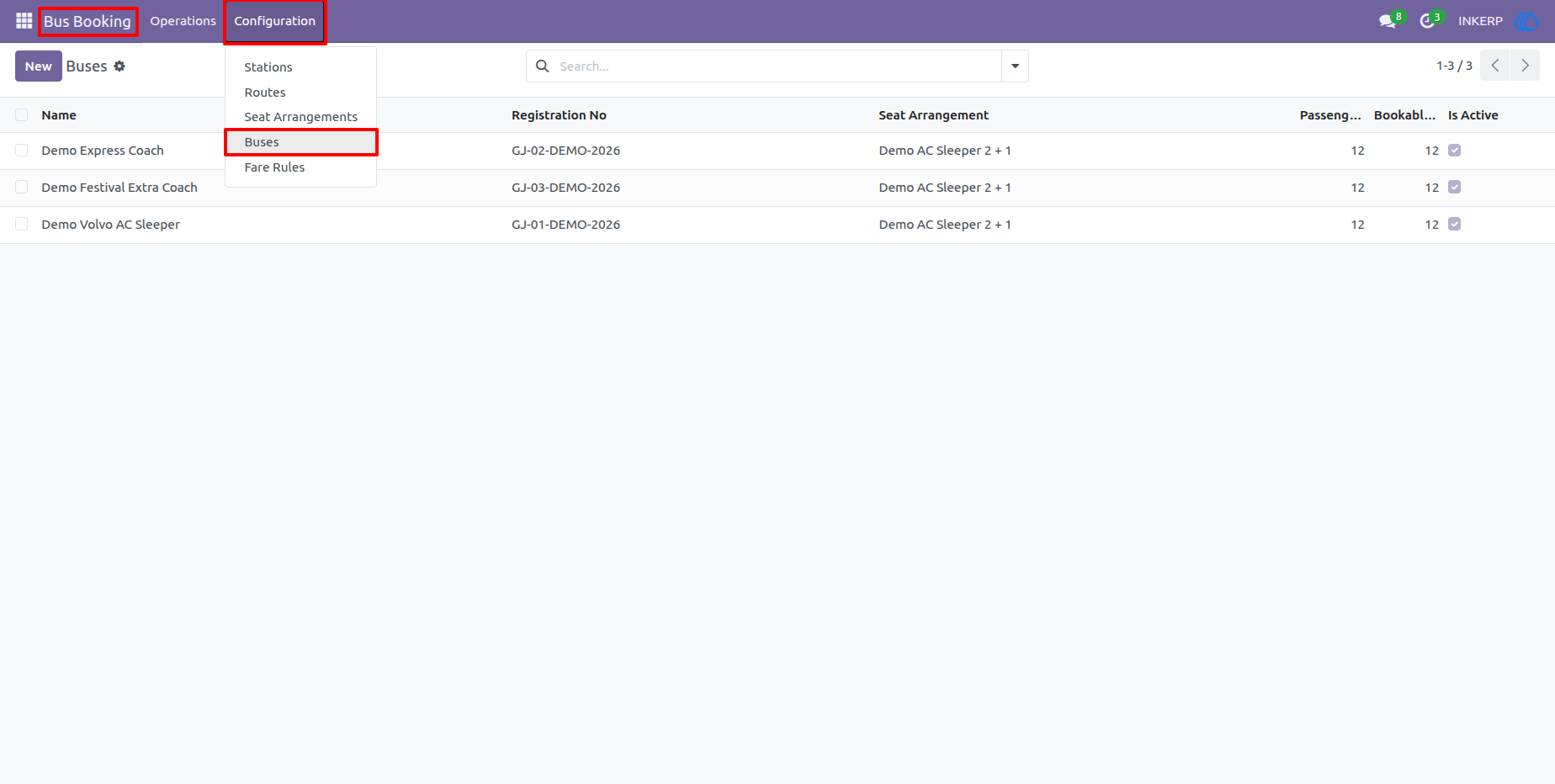
The Buses list provides a centralized view of vehicles used for transportation services. Registration numbers, passenger capacity, seat arrangement information, and active status can be reviewed quickly from one screen.
12.) Bus Configuration
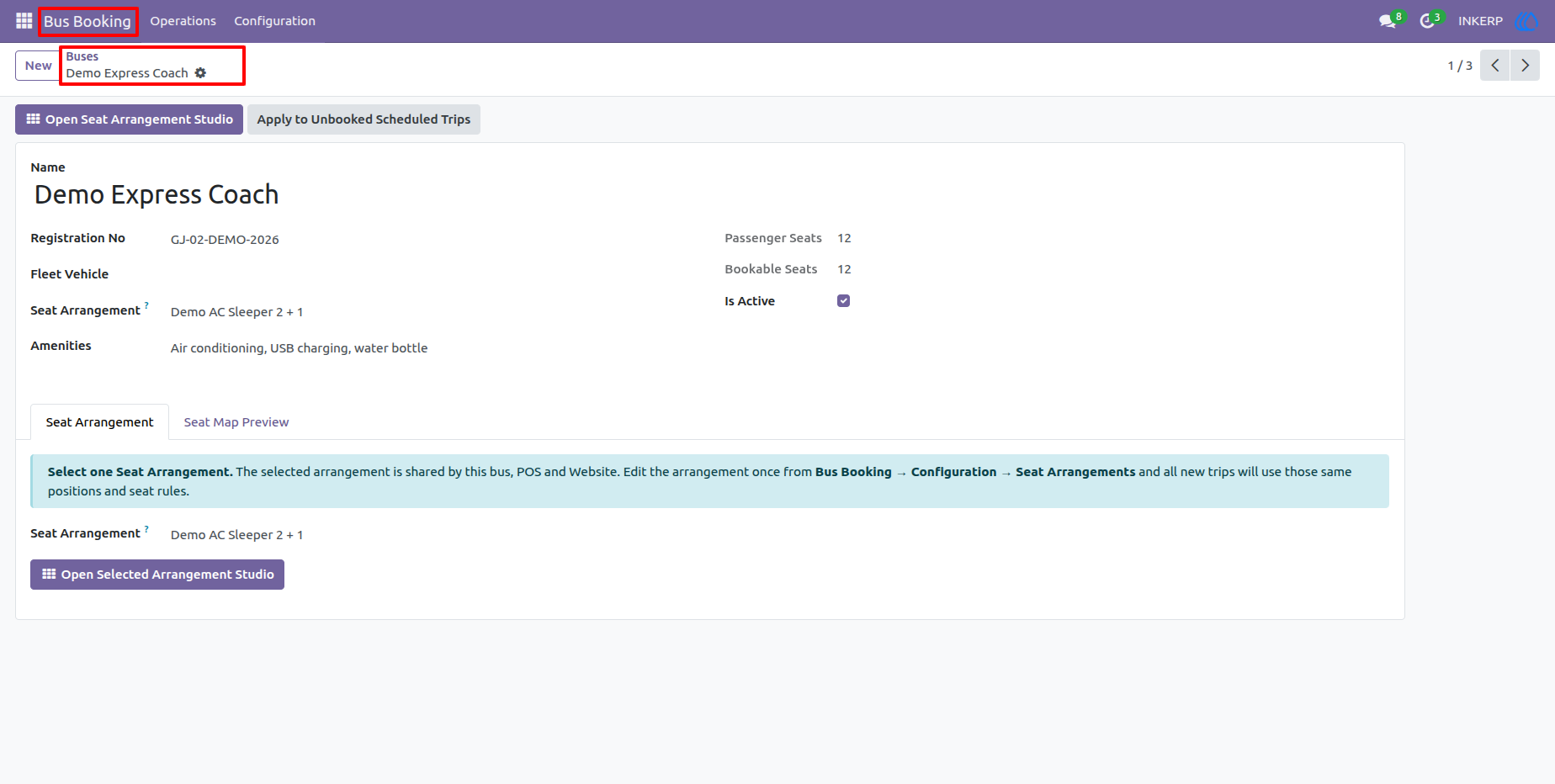
A bus record contains its registration information, passenger and bookable seat counts, amenities, and selected seat arrangement. Linking a reusable arrangement allows the same seating structure and seat rules to be applied consistently to new trips using that bus.
13.) Fare Rules List
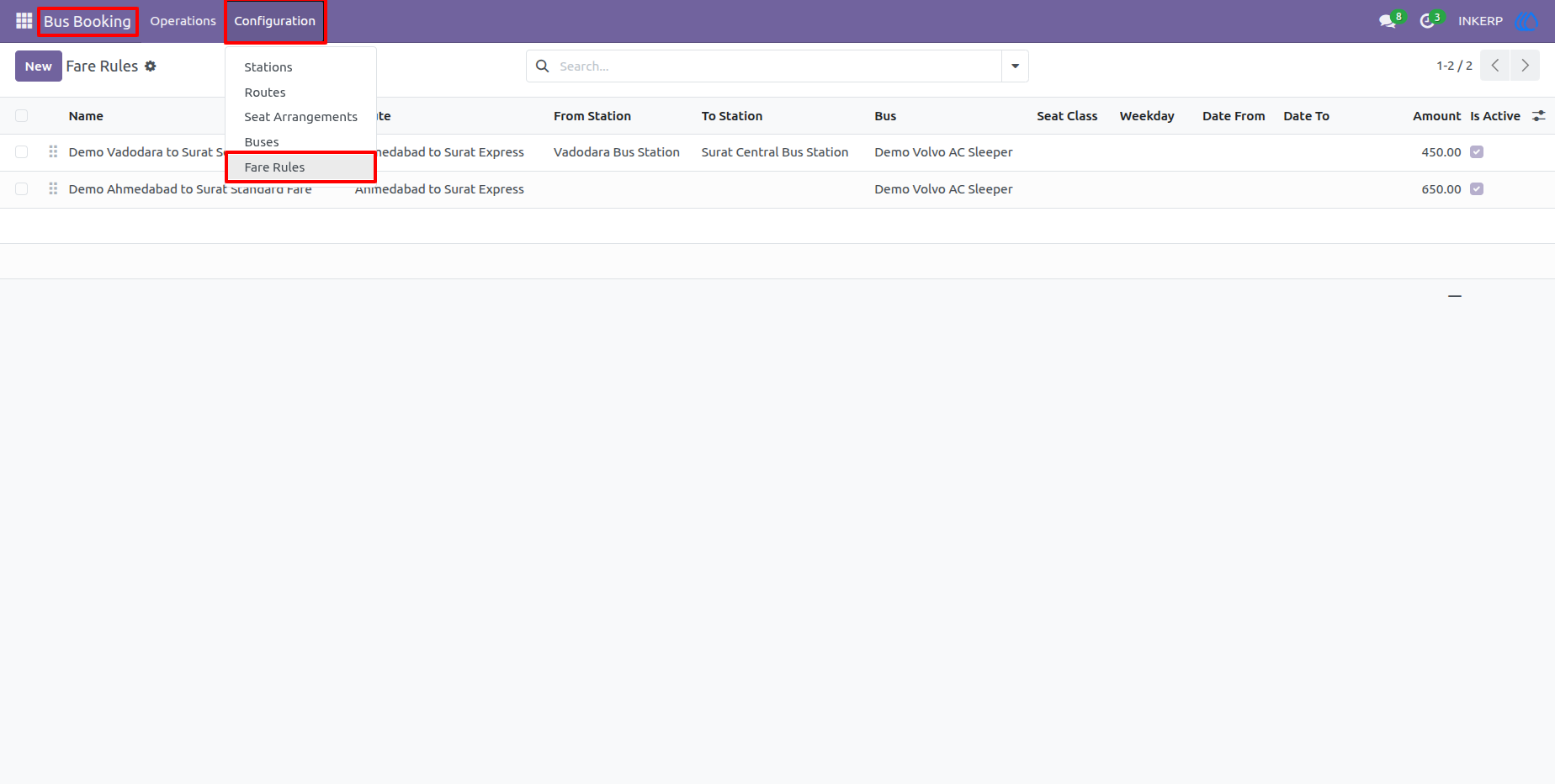
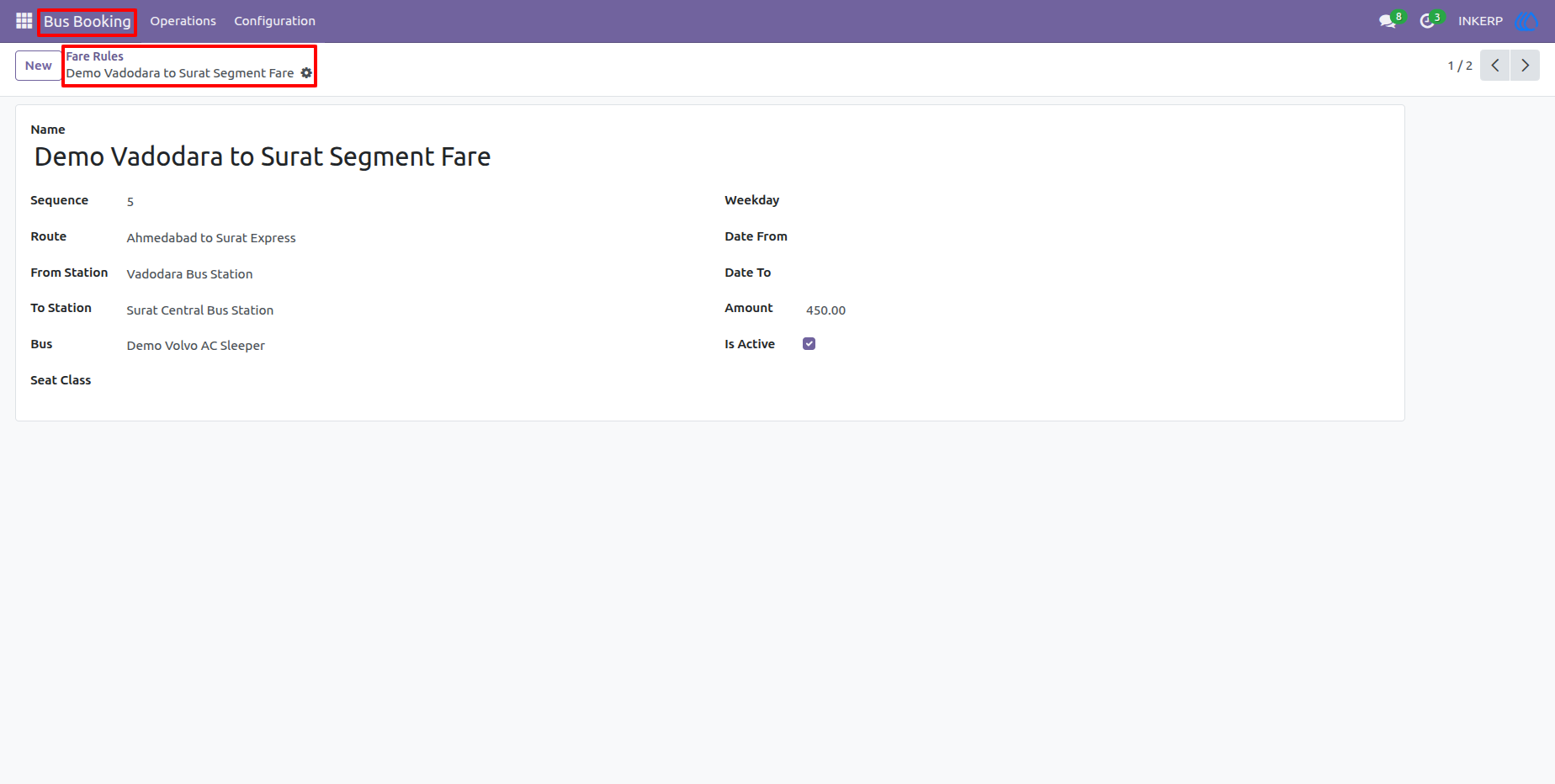
The Fare Rules list provides an overview of configured pricing rules for different routes and journey segments. Users can review the applicable stations, buses, seat classes, dates, weekdays, amounts, and active status.
14.) Fare Rule Configuration
A fare rule can define a specific amount for a route or travel segment between two stations. Optional conditions such as bus, seat class, weekday, and date range provide greater control over pricing for different services.
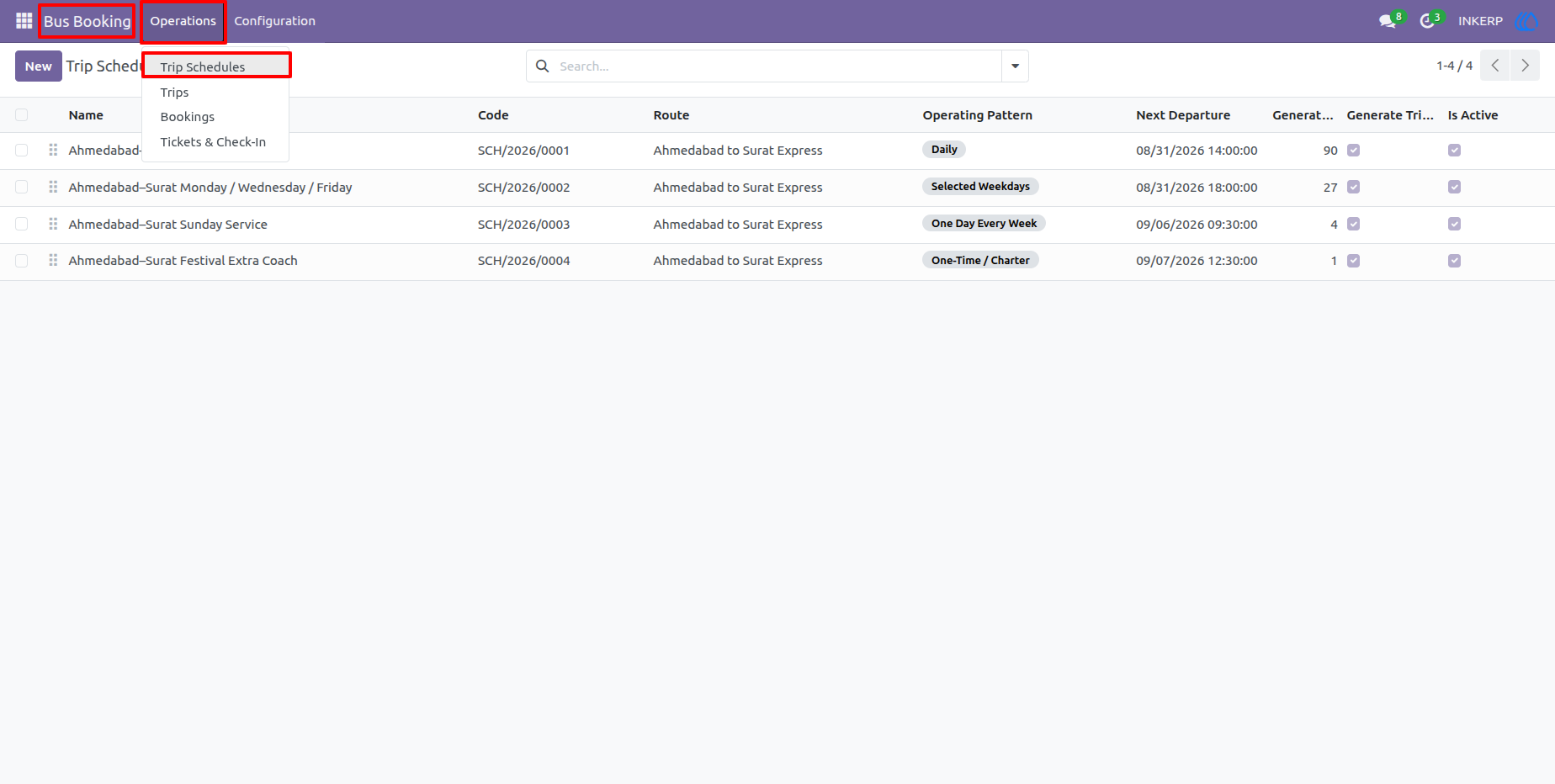
15.) Trip Schedule List
The Trip Schedules screen provides an overview of recurring and one-time bus services. Users can review the route, operating pattern, next departure, generated trips, and active status while managing the future operating calendar.
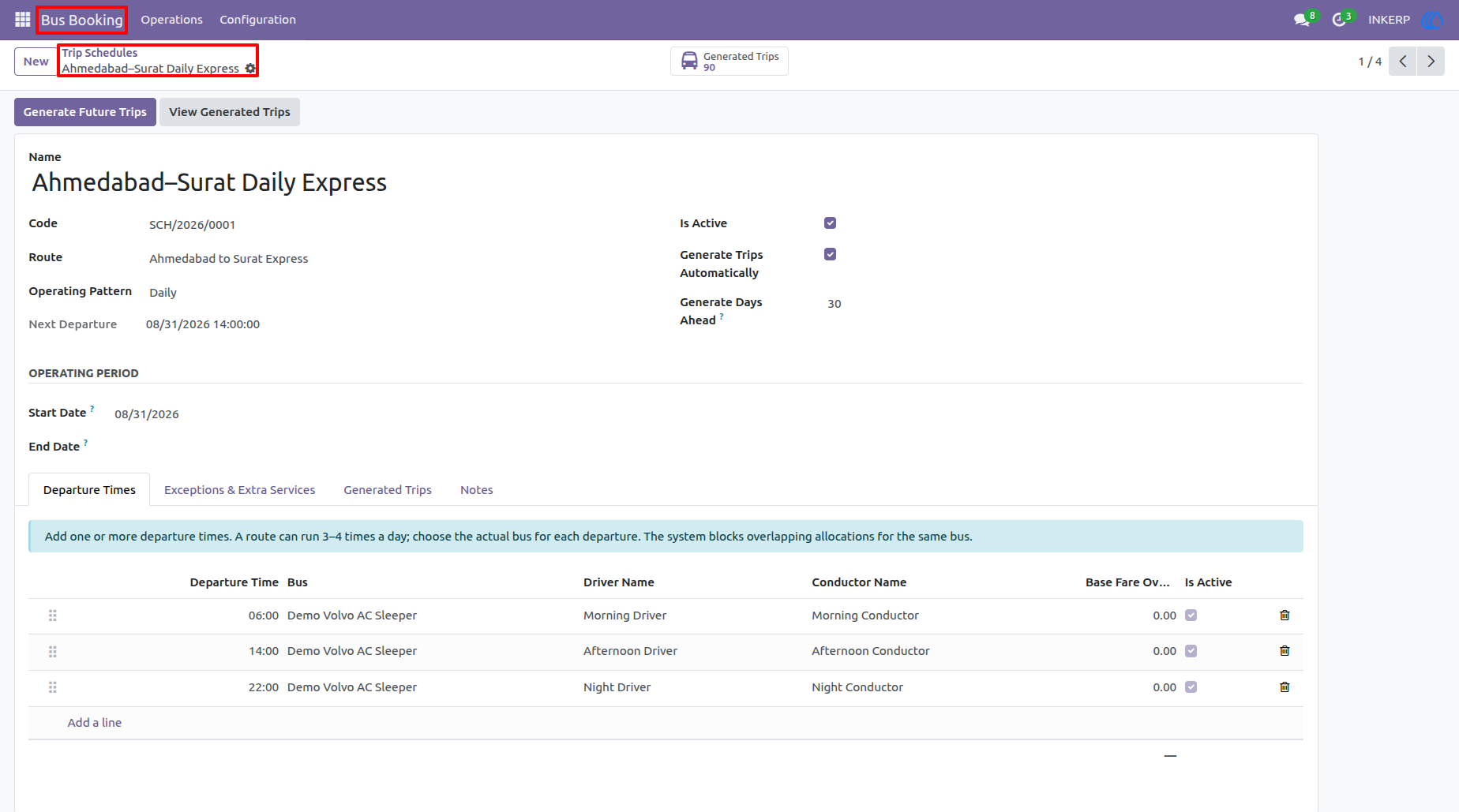
16.) Trip Schedule Configuration
A schedule can contain the operating pattern, start and end dates, departure times, assigned buses, driver and conductor details, and fare overrides. Exceptions and additional service dates can also be managed when normal scheduling needs to be changed.
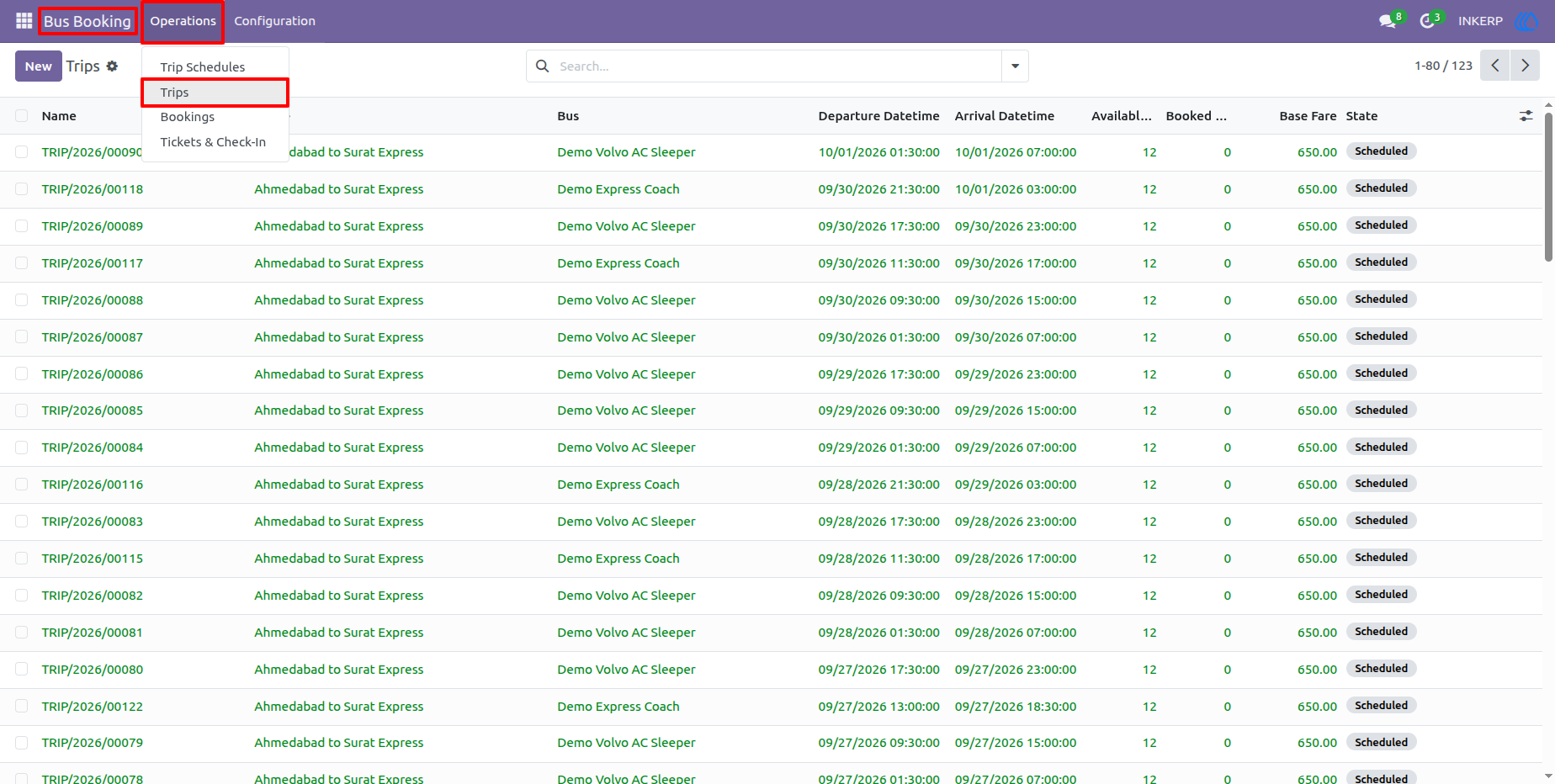
17.) Generated Trips
Generated trips provide the actual services created from configured schedules. Operators can review individual trip records, their routes, dates, departure information, and operational status before managing bookings and passengers.
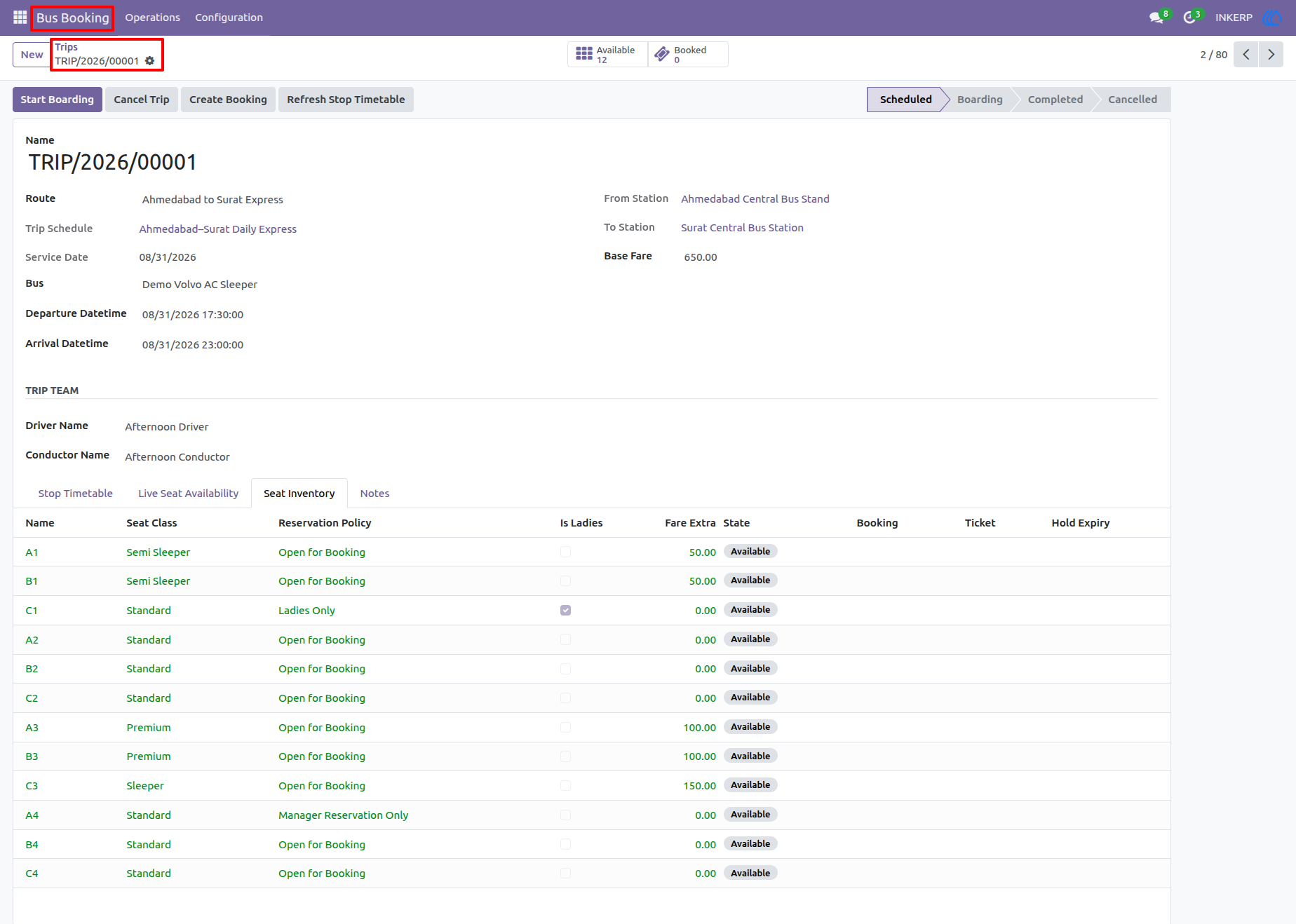
18.) Trip Management
The trip form brings together the route, bus, service date, departure and arrival times, trip team, stop timetable, and seat inventory. Operators can monitor available, booked, and held seats and move the trip through scheduled, boarding, completed, or cancelled states.
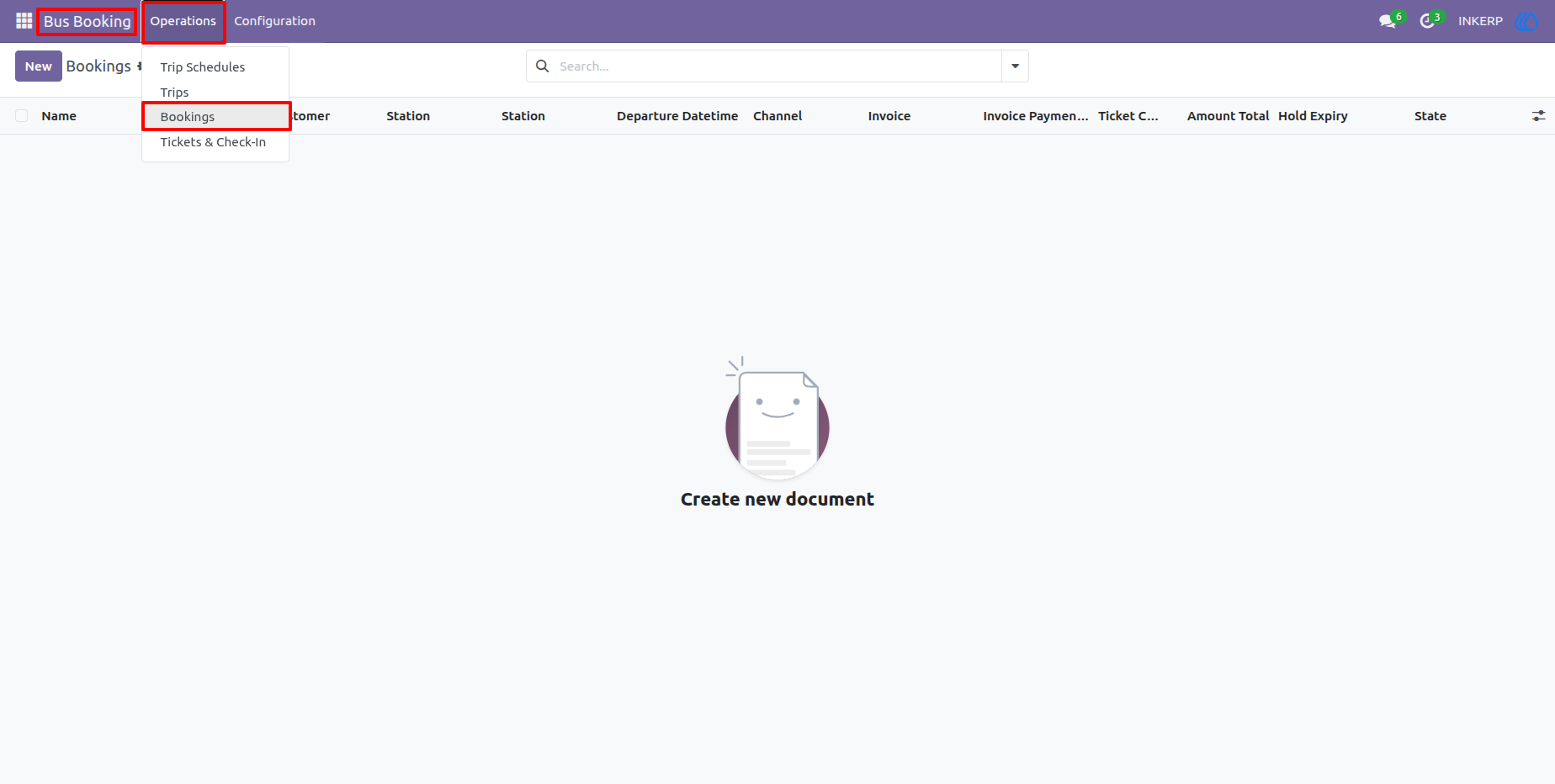
19.) Booking List
The Bookings screen provides a central overview of passenger reservations. Users can review booking references, customers, stations, departure times, invoice and payment information, ticket counts, amounts, and booking status.
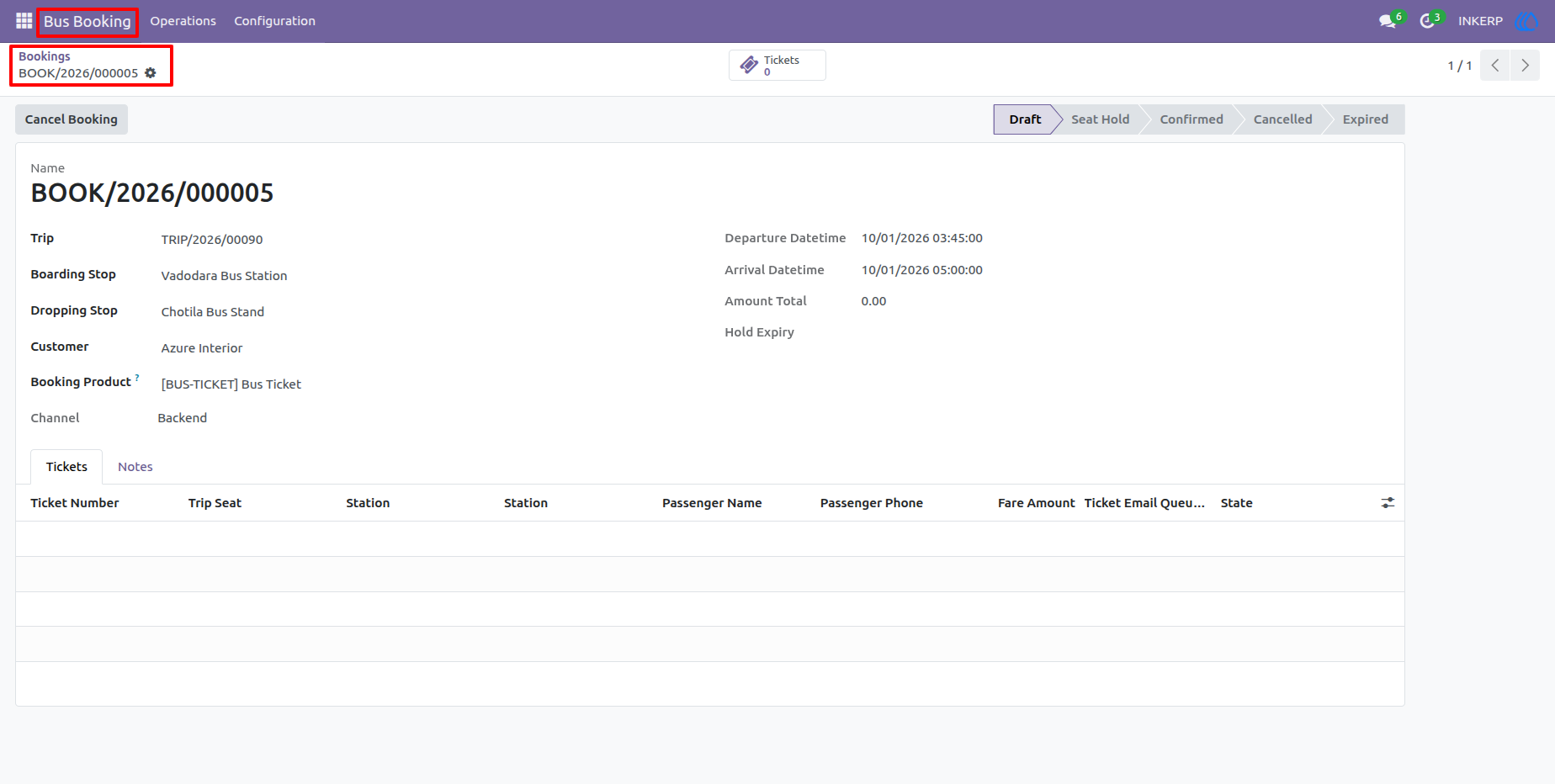
20.) Booking Details
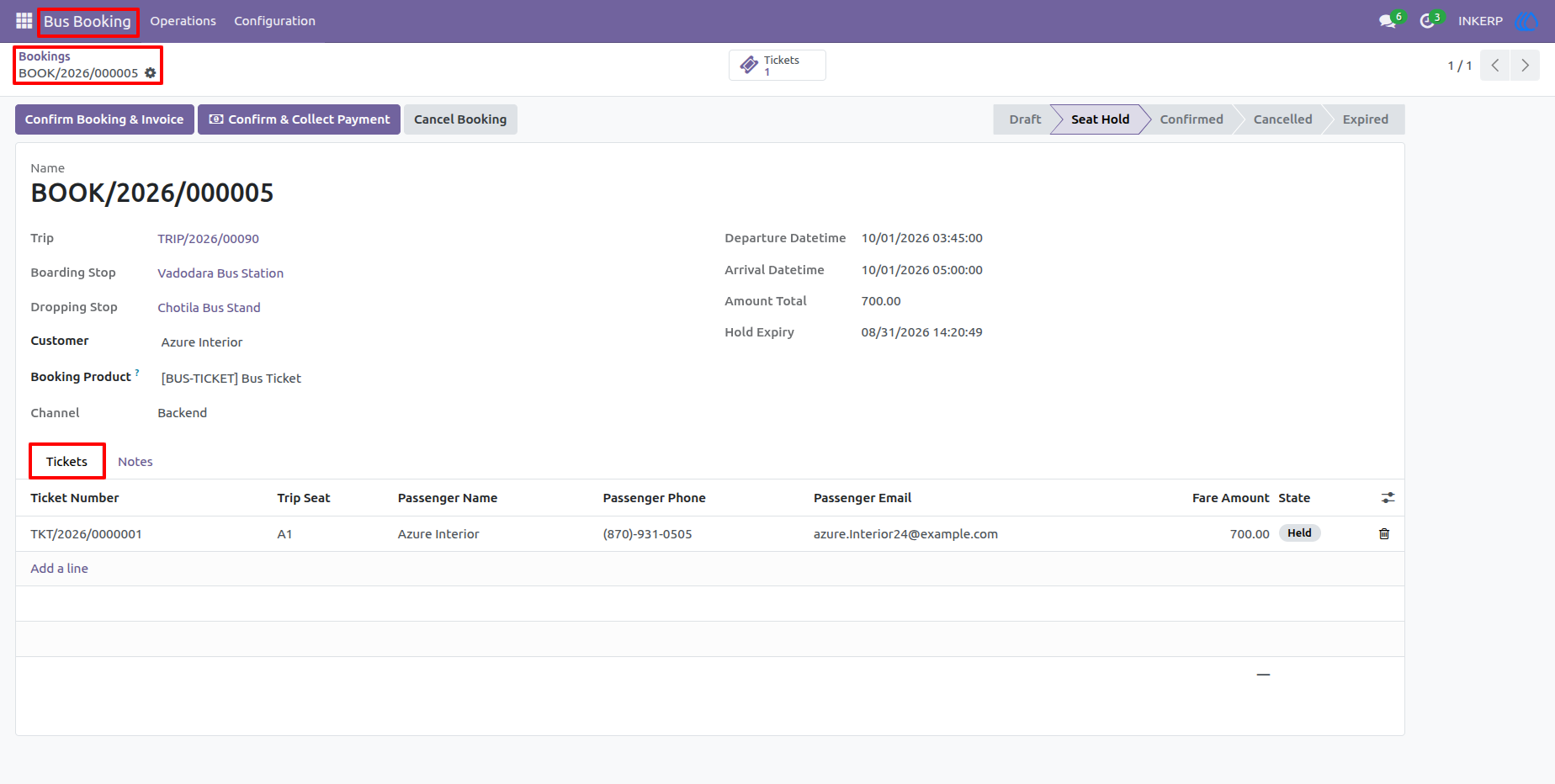
A booking record contains the complete journey and passenger reservation information, including trip, boarding and dropping stops, departure and arrival times, customer, amount, booking channel, and associated tickets. Users can confirm bookings, manage payments, cancel reservations, or send confirmation emails from the workflow.
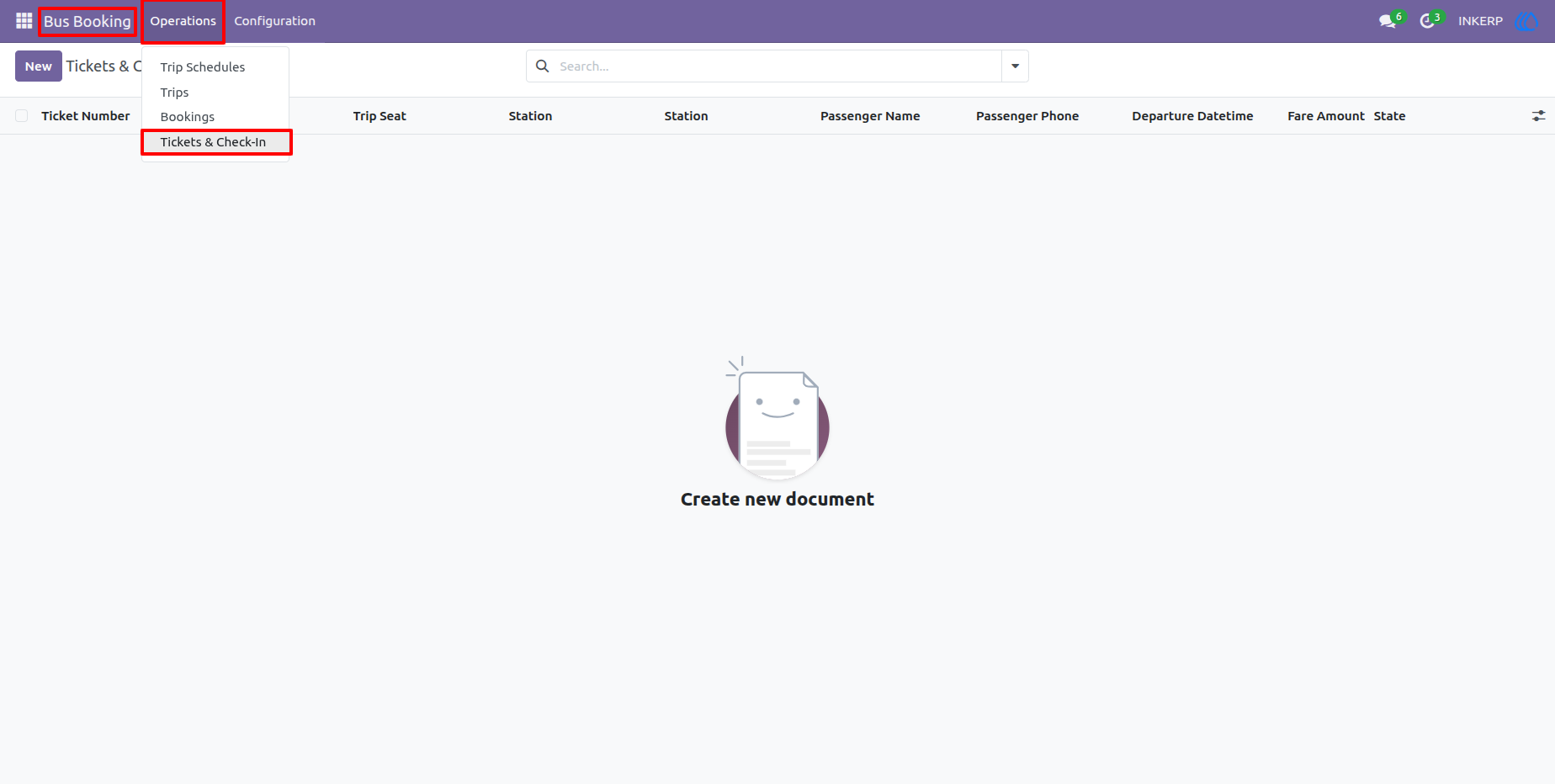
21.) Ticket List
The Tickets & Check-In list provides quick access to issued passenger tickets. Users can search and review ticket numbers, booking references, trips, passenger names, journey information, fares, and ticket status from a single list.
22.) Ticket Details
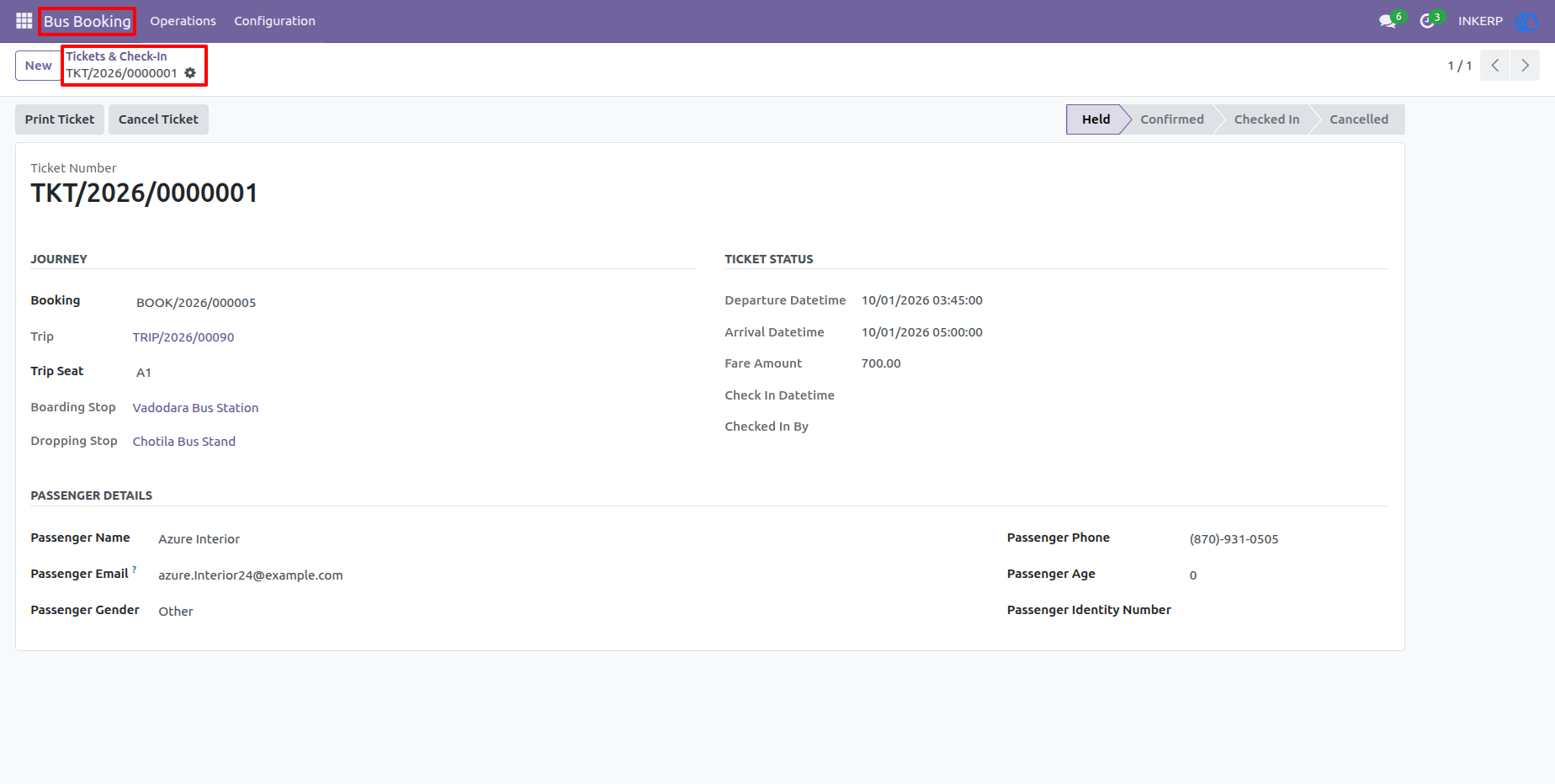
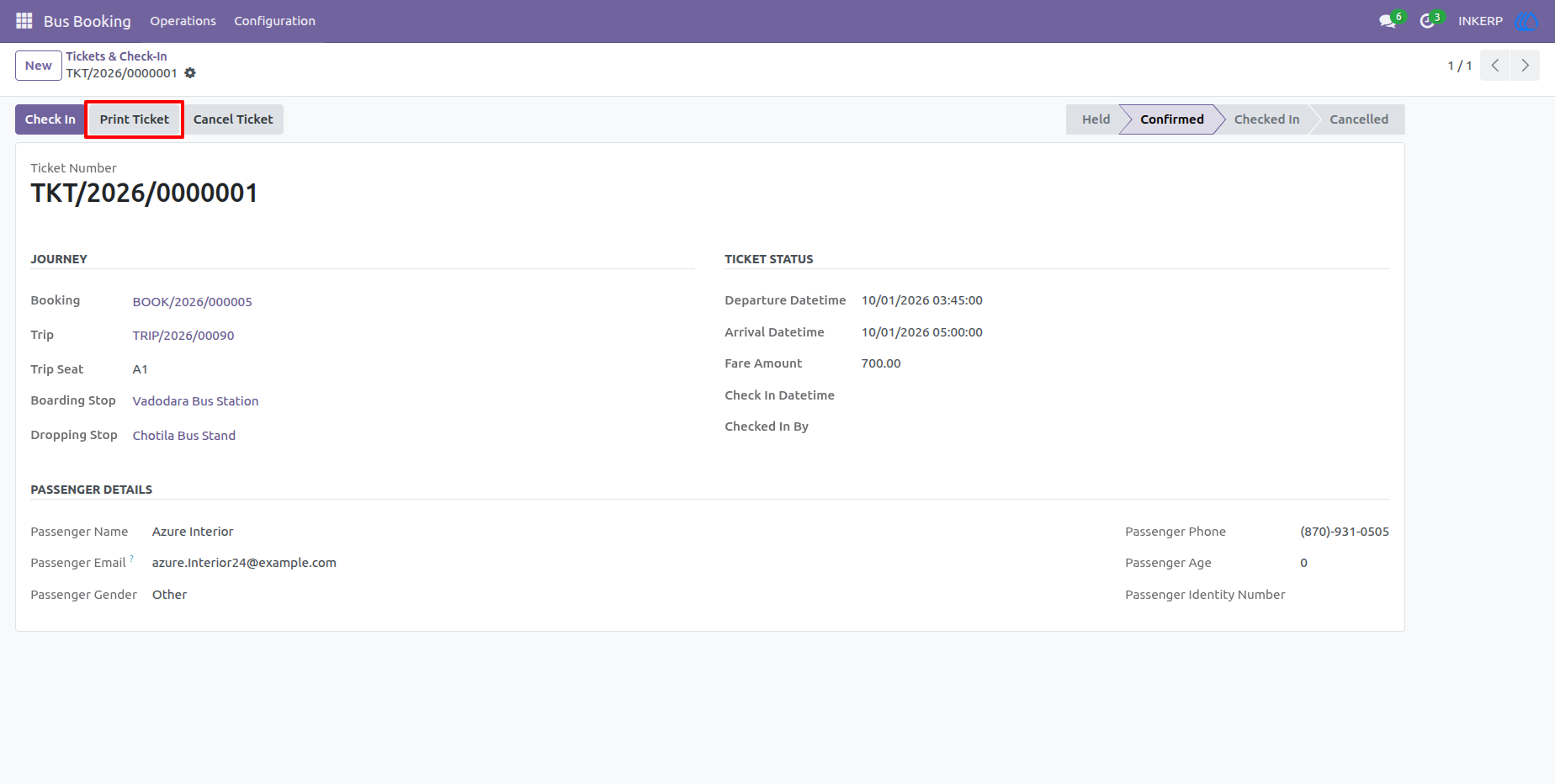
The ticket form contains the passenger's journey and contact information along with the assigned trip seat, boarding and dropping stops, fare, and ticket status. Operators can check passengers in, cancel tickets, and print the ticket directly from this screen.
23.) Booking Confirmation & Ticket
The confirmed booking view connects the passenger reservation with its ticket and payment workflow. Operators can verify the selected seat, passenger details, fare, booking status, and ticket information before completing the travel transaction.
24.) Customer Invoice & Payment
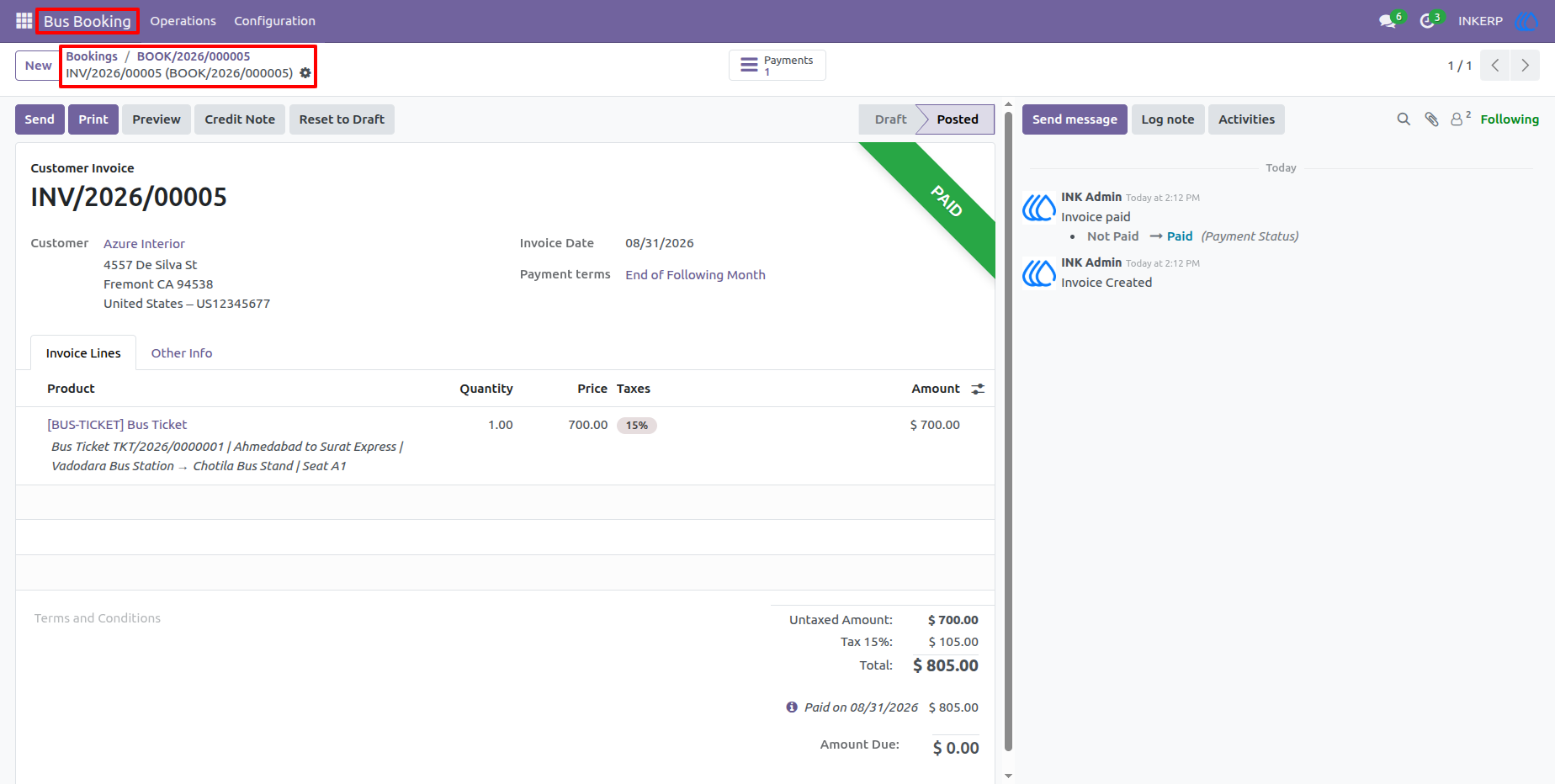
The invoice is generated from the bus booking and retains the booking and ticket references along with journey and seat details. This provides a clear financial record for the passenger reservation and allows payment status to be tracked alongside the booking.
25.) Ticket Confirmation Email
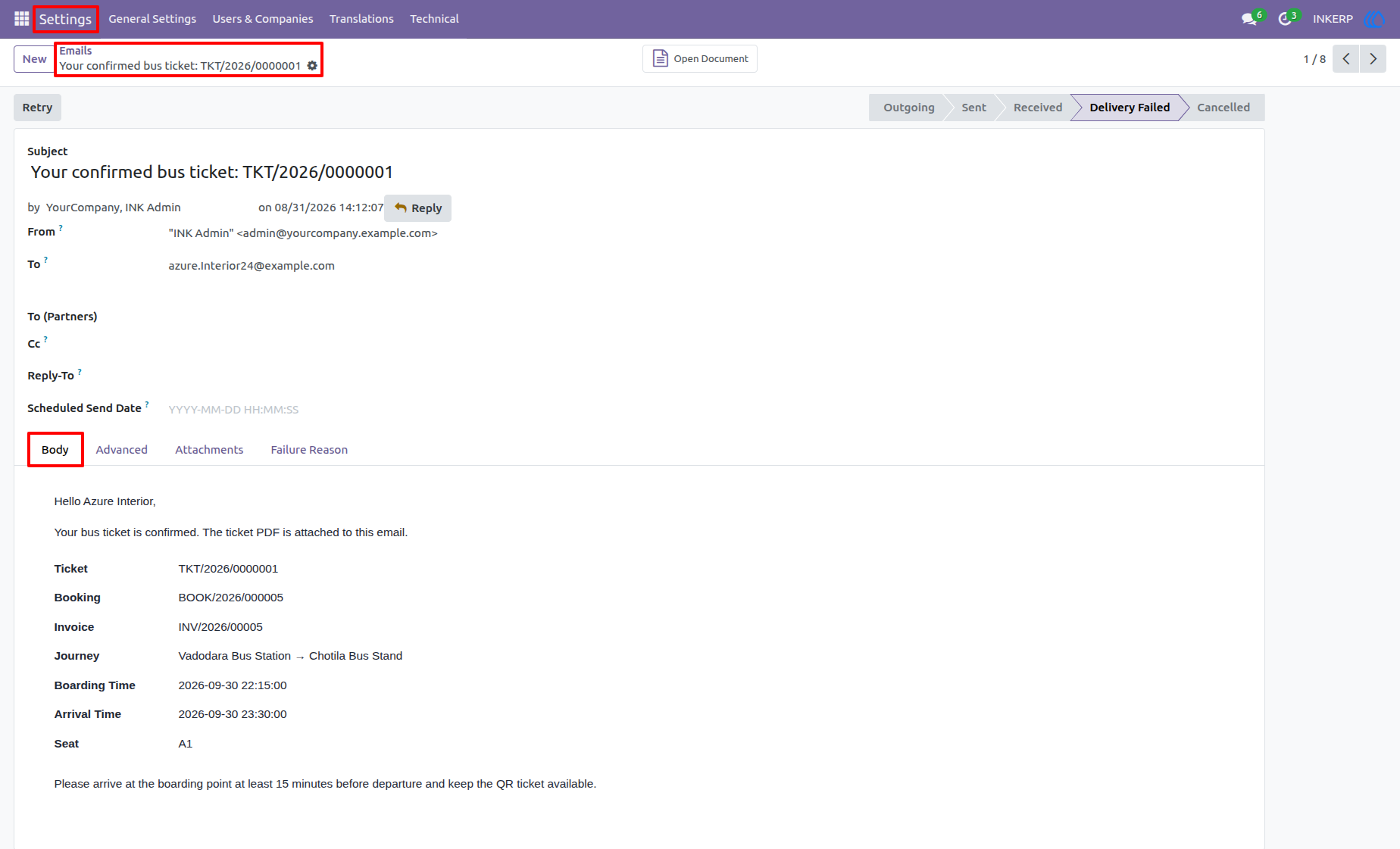
The confirmation email provides the passenger with the ticket reference, booking reference, journey details, seat number, boarding and arrival information, and travel instructions. The generated ticket PDF is attached so the passenger can keep a ready-to-use copy of the ticket.
26.) Checked-In Ticketq
The ticket status records the passenger's check-in information after boarding verification. Operators can see the check-in status, check-in time, and user who completed the check-in while retaining the original journey and passenger information.
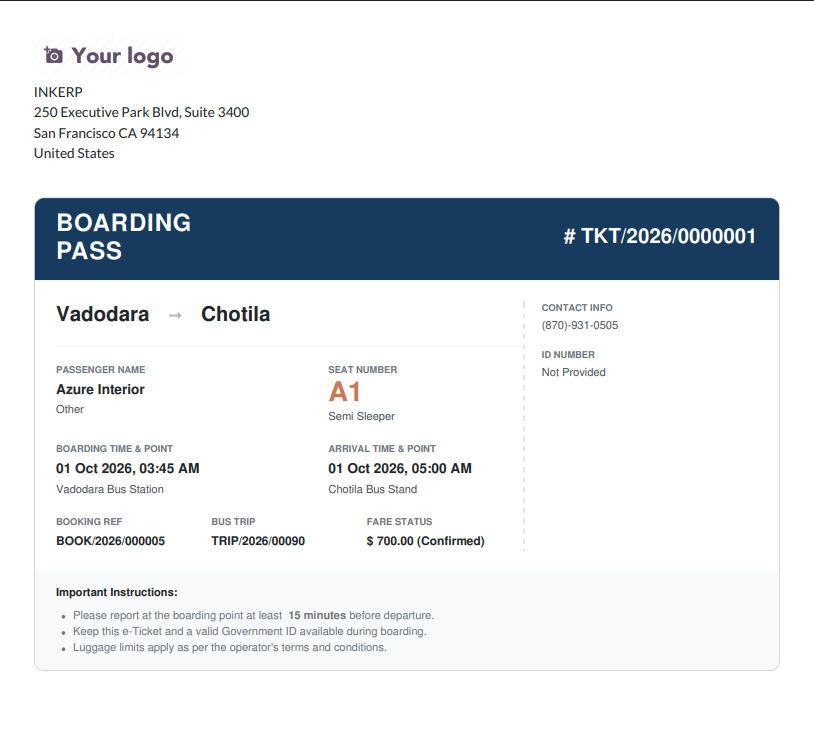
27.) Printable Boarding Pass
The printable boarding pass presents the essential travel information in a compact passenger-friendly format. It includes the ticket and booking references, passenger name, seat number, boarding and dropping locations, departure and arrival details, fare, and important boarding instructions.
User Guide