

Our Most Suggested Products


Bulk Mark as todo
The Bulk Mark as To-Do for Purchase RFQs module streamlines the Purchasing workflow in Odoo by enabling administrators to convert multiple Requests for Quotation (RFQs) into Purchase Orders in a single action. Instead of confirming each RFQ individually, users can perform mass updates directly from the RFQ list view, reducing manual effort and saving operational time.
 Features
 Screenshots
 Support
 Service
Features
Bulk Conversion of RFQs to Purchase Orders
This feature allows users with admin rights to select multiple RFQs and convert them into Purchase Orders at once using the Mark Todo action. It eliminates the need to open each RFQ individually, making the process significantly faster.
Smart Restriction & Warning System
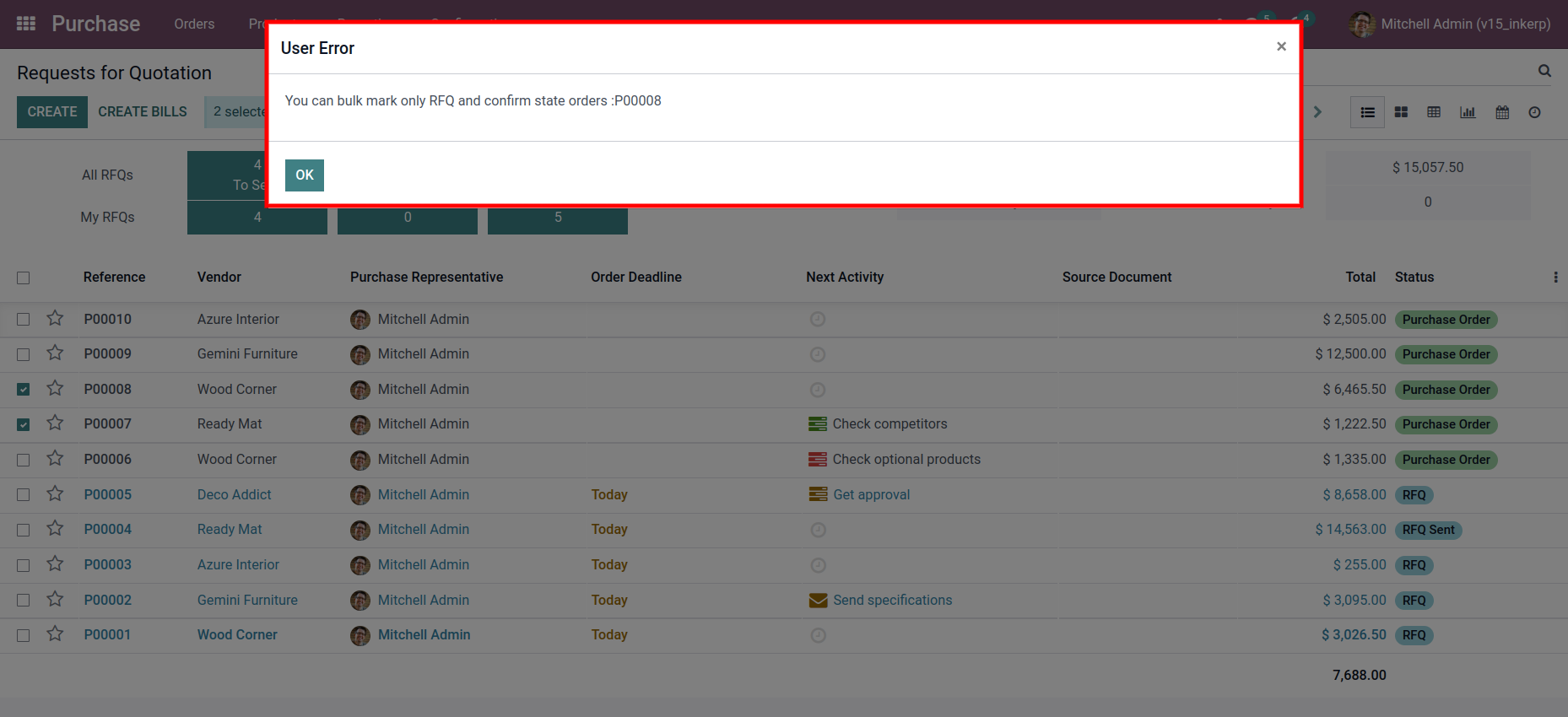
To maintain data accuracy, the module prevents converting RFQs that are already confirmed as Purchase Orders. When such an RFQ is selected, a clear warning message appears to inform the user about the restriction.
Screenshot
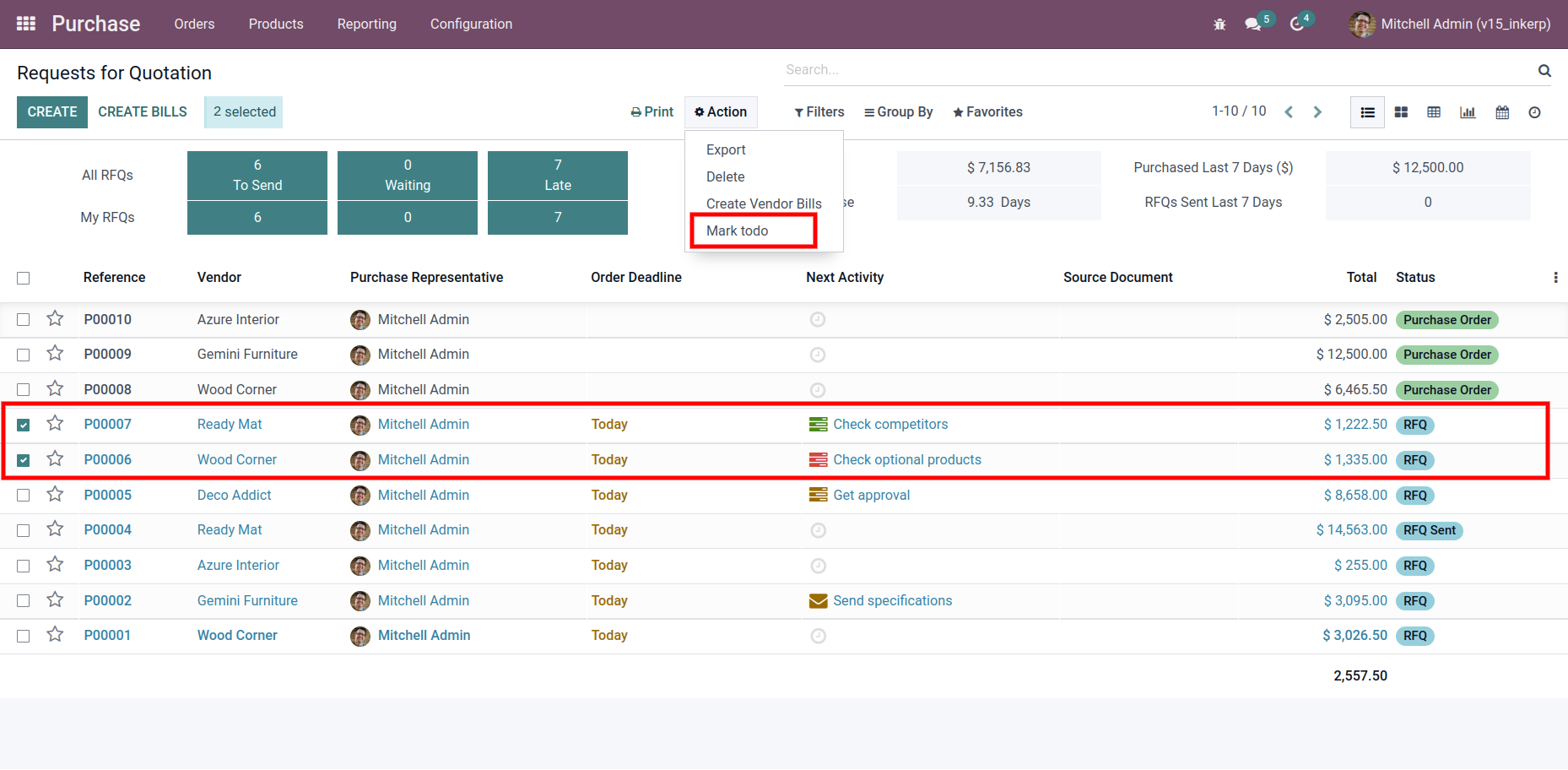
1.) Selecting RFQs for Bulk Conversion
In the RFQ list view, multiple quotations can be selected together, allowing the user to initiate the mass update. Once selected, the Mark Todo action becomes available from the Action menu, enabling quick conversion into Purchase Orders without navigating through individual RFQ forms.
Navigation : purchase › orders › request for quotation
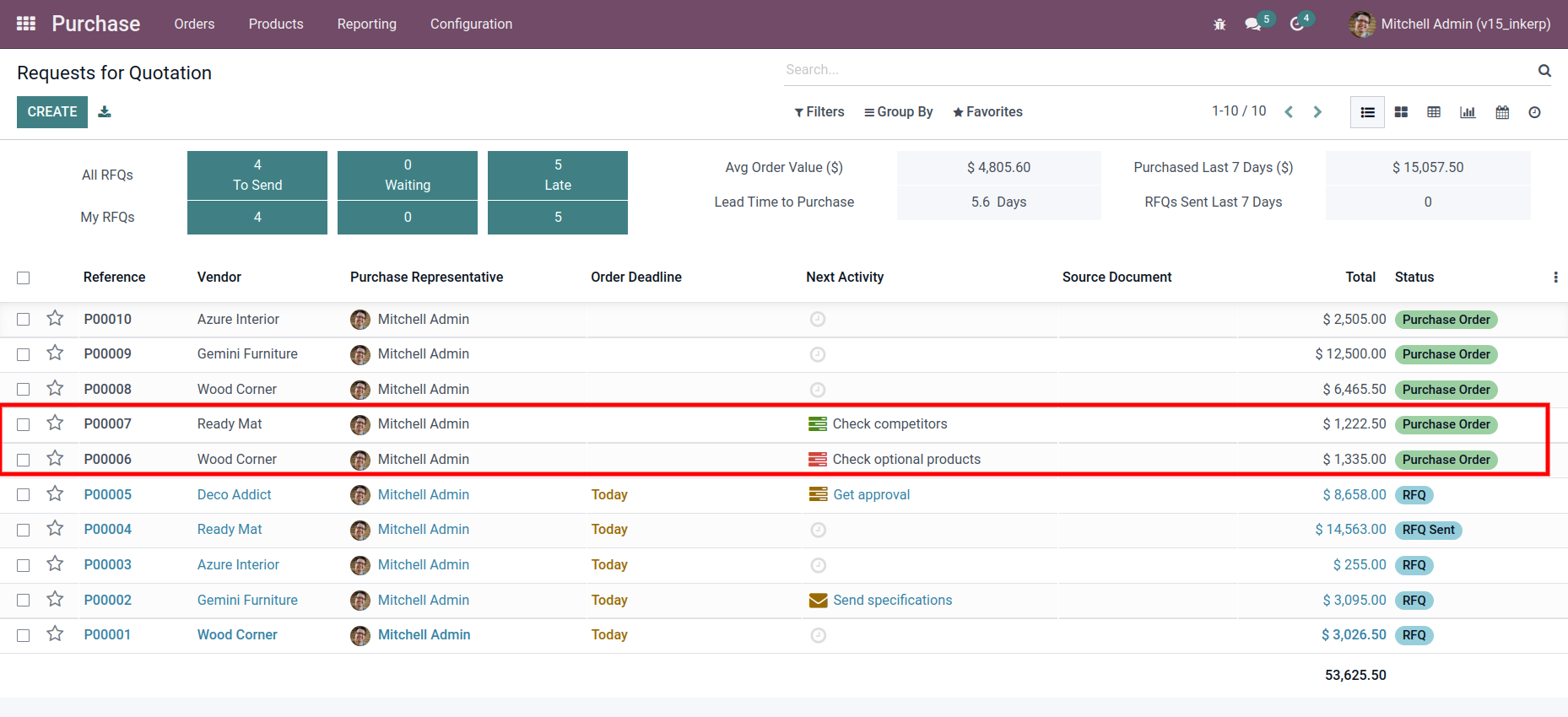
2.) RFQs Successfully Converted to Purchase Orders
After applying the bulk action, the selected RFQs appear with their updated state as confirmed Purchase Orders.
3.) Warning for Already Confirmed RFQs
When attempting to convert RFQs that have already been confirmed, a warning message appears to alert the user.
User Guide