

Our Most Suggested Products


BOM Cost Price
The BOM Cost Price application improves manufacturing financial tracking by automatically calculating the complete production cost of any item. It seamlessly aggregates the individual prices of all required components within a Bill of Materials to provide a clear, finalized production expense. By eliminating manual calculations, the application ensures accurate pricing, simplifies profit margin analysis, and delivers financial visibility for all manufacturing operations.
 Features
 Screenshots
 Support
 Service
Features
Total BOM Costing
Automatically calculate the complete manufacturing expense for any bill of materials. You can easily track the aggregated component prices directly within the main list view and the specific item's form view.
Final Product Cost
Instantly access the total manufacturing expense directly on individual product and variant records. This eliminates the need to dig through complex material lists to find critical financial data.
Screenshot
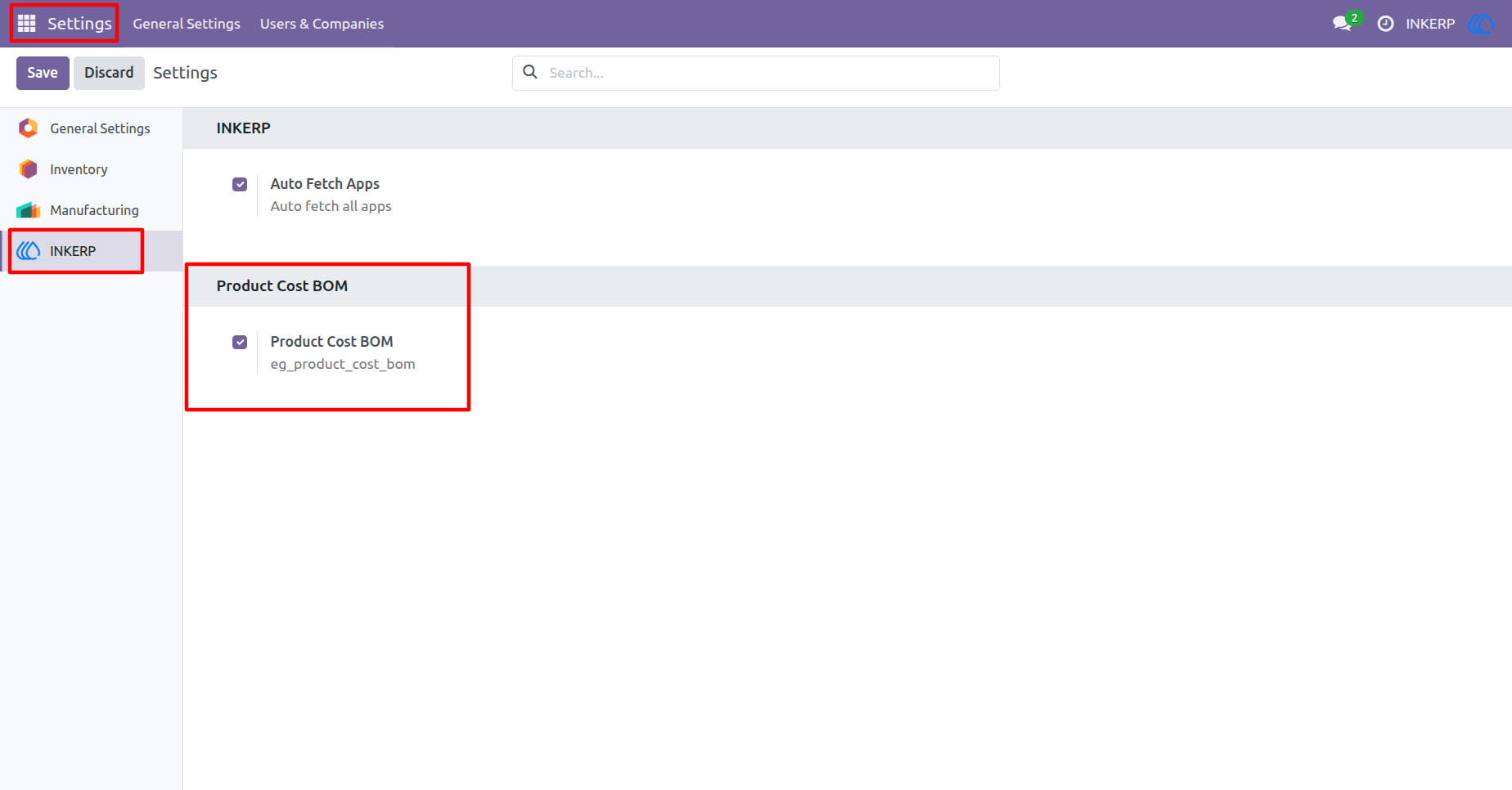
1.) Enable BOM Cost
Activate the feature to calculate the total cost of manufacturing a product. This setting allows the system to aggregate component costs within the bills of materials.
Navigation : Settings › INKERP
2.) View Total Costs
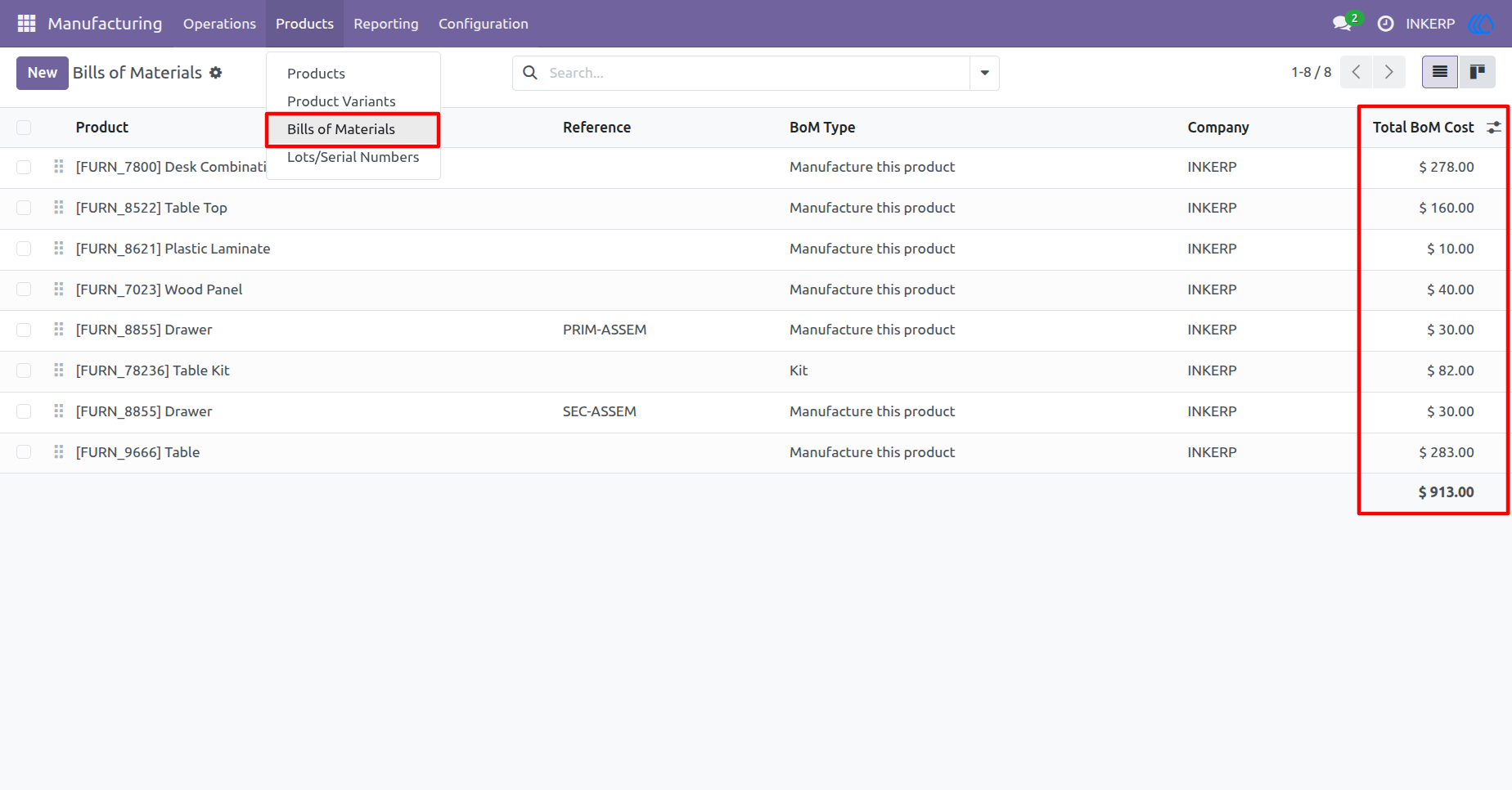
Review the aggregated manufacturing costs for all products in a single list. A dedicated column clearly displays the total computed cost for each bill of materials.
Navigation : Manufacturing › Products › Bills of Materials
3.) BOM Cost Details
Inspect the specific financial breakdown for a single manufactured item. Observe the individual component expenses alongside the resulting final assembly cost.
Navigation : Manufacturing › Products › Bills of Materials
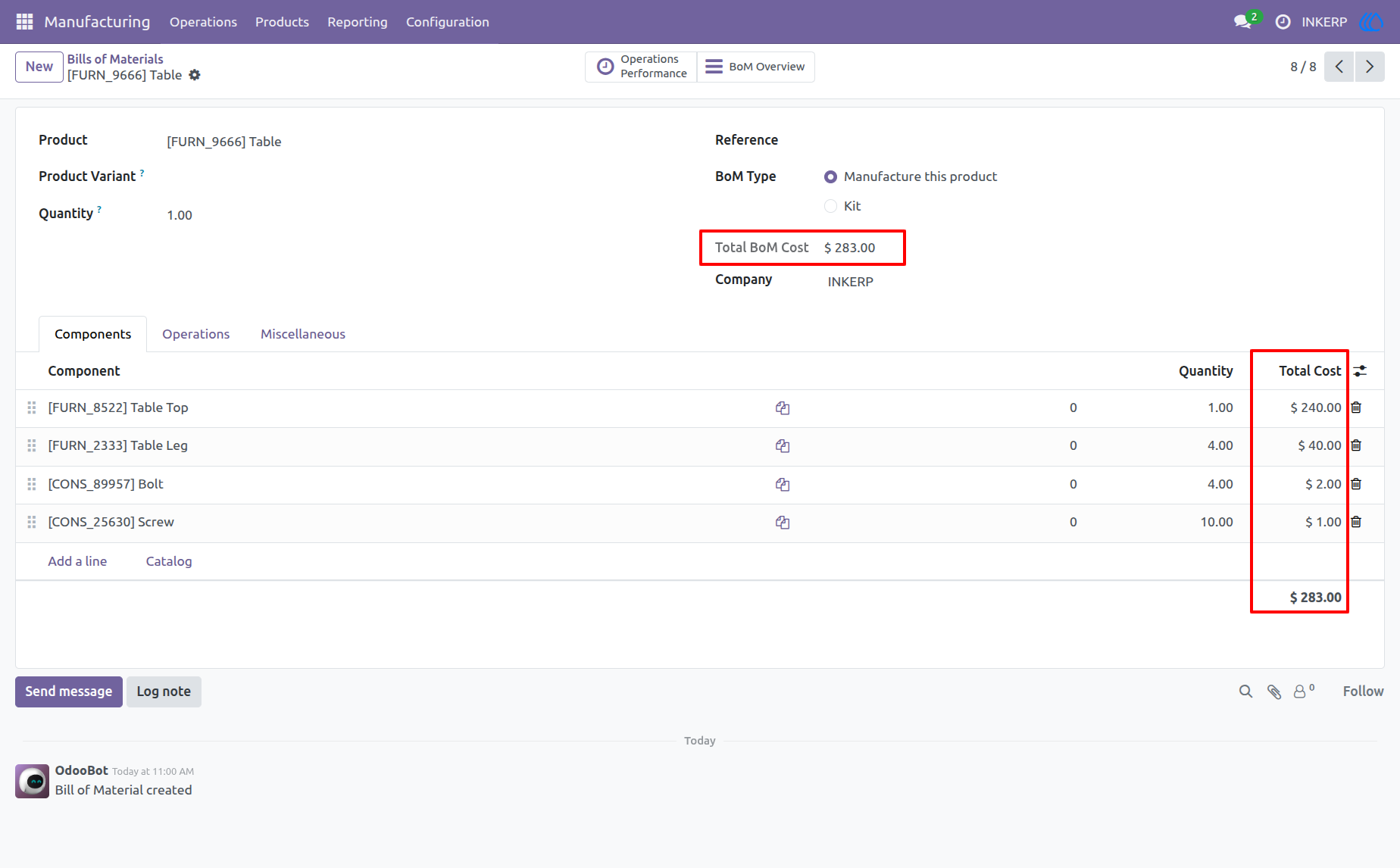
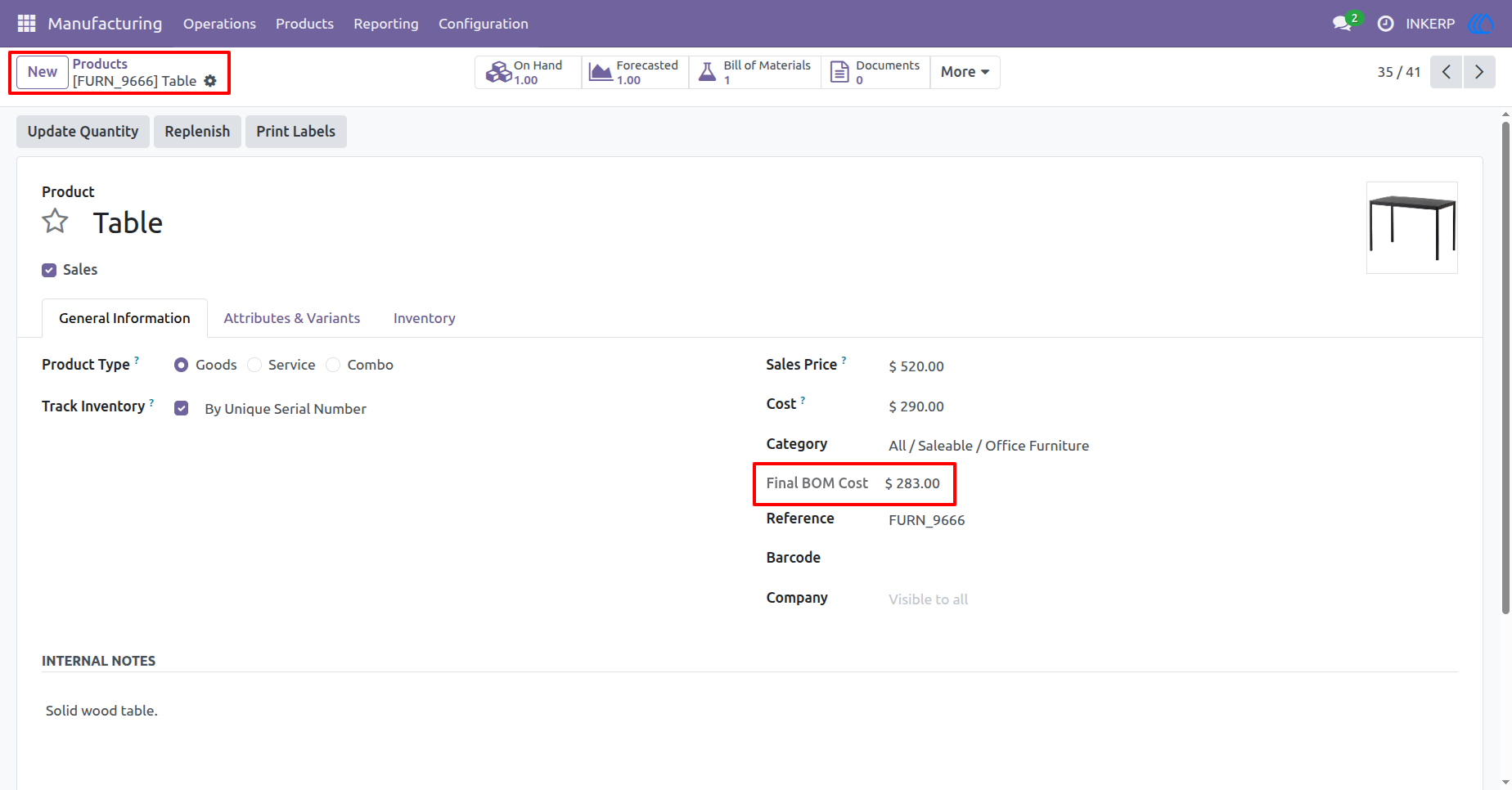
4.) Product BOM Cost
Check the finalized manufacturing expense directly on the main product record. This value provides immediate visibility into the financial requirements for production.
Navigation : Manufacturing › Products › Products
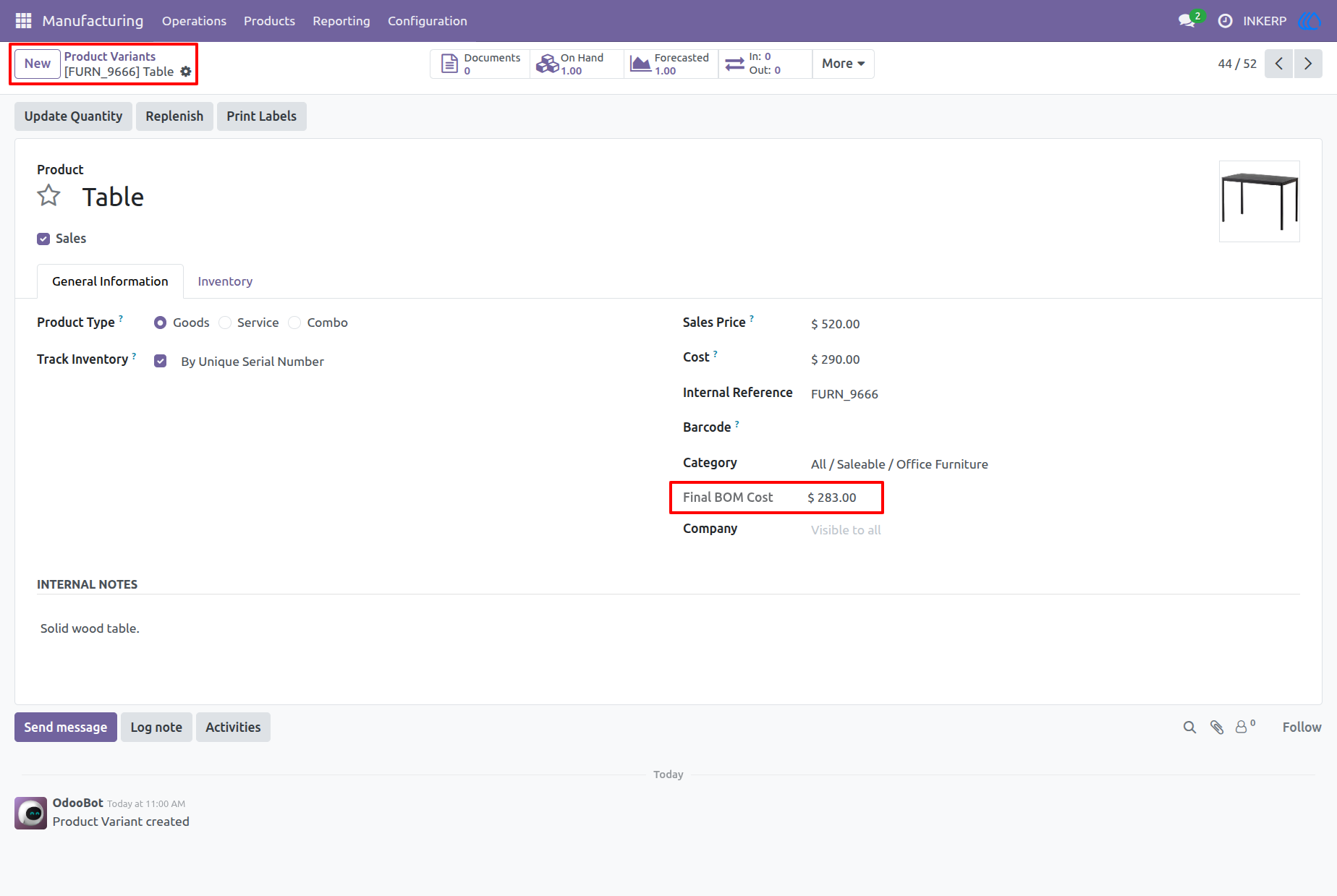
5.) Variant BOM Cost
Access the specific manufacturing cost for different product variations. This ensures accurate financial tracking for items with multiple configurations.
Navigation : Manufacturing › Products › Product Variants
User Guide