

Our Most Suggested Products


Auto Create Purchase Order
Auto Create Purchase Order is a smart Odoo module that automates your procurement process. Whenever on‑hand quantity of product falls below the minimum threshold defined in your configuration settings, the system automatically generates a purchase order. The replenishment quantity is also configurable, ensuring that the right amount of stock is ordered every time. In addition to global configuration, this module provides the flexibility to set minimum quantity and order quantity at the individual product level. This ensures precise control over inventory management, reduces manual work, and prevents stockouts, making it an essential tool for businesses that rely on timely procurement.
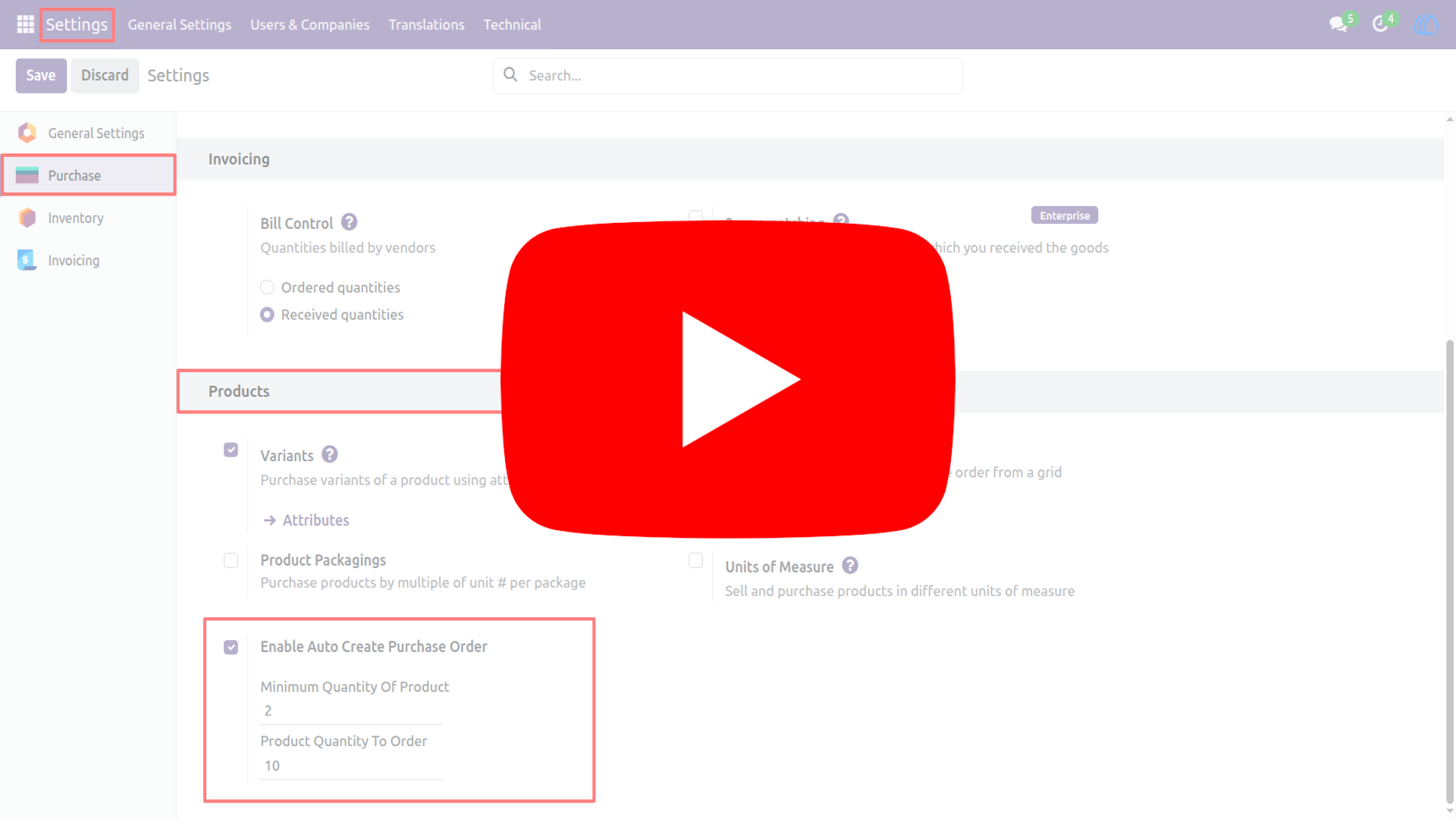
Video Tutorial
 Features
 Screenshots
 Support
 Service
Features
Automatic Purchase Order Creation :
The system continuously monitors product stock levels and automatically generates purchase orders when the on‑hand quantity drops below the defined minimum. This ensures uninterrupted supply and eliminates the need for manual intervention.
Configurable Global Thresholds :
Define minimum stock levels and replenishment quantities in the configuration settings. These global rules apply across your inventory, providing a standardized approach to procurement planning.
Product‑Specific Control :
Go beyond global settings by configuring minimum quantity and order quantity for individual products. This allows you to tailor procurement rules to specific items, ensuring optimal stock management for high‑demand or critical products.
Streamlined Procurement Workflow :
By automating purchase order creation, the module reduces human error and saves valuable time. Procurement teams can focus on strategic tasks while the system ensures that stock levels are maintained efficiently and consistently.
Screenshot
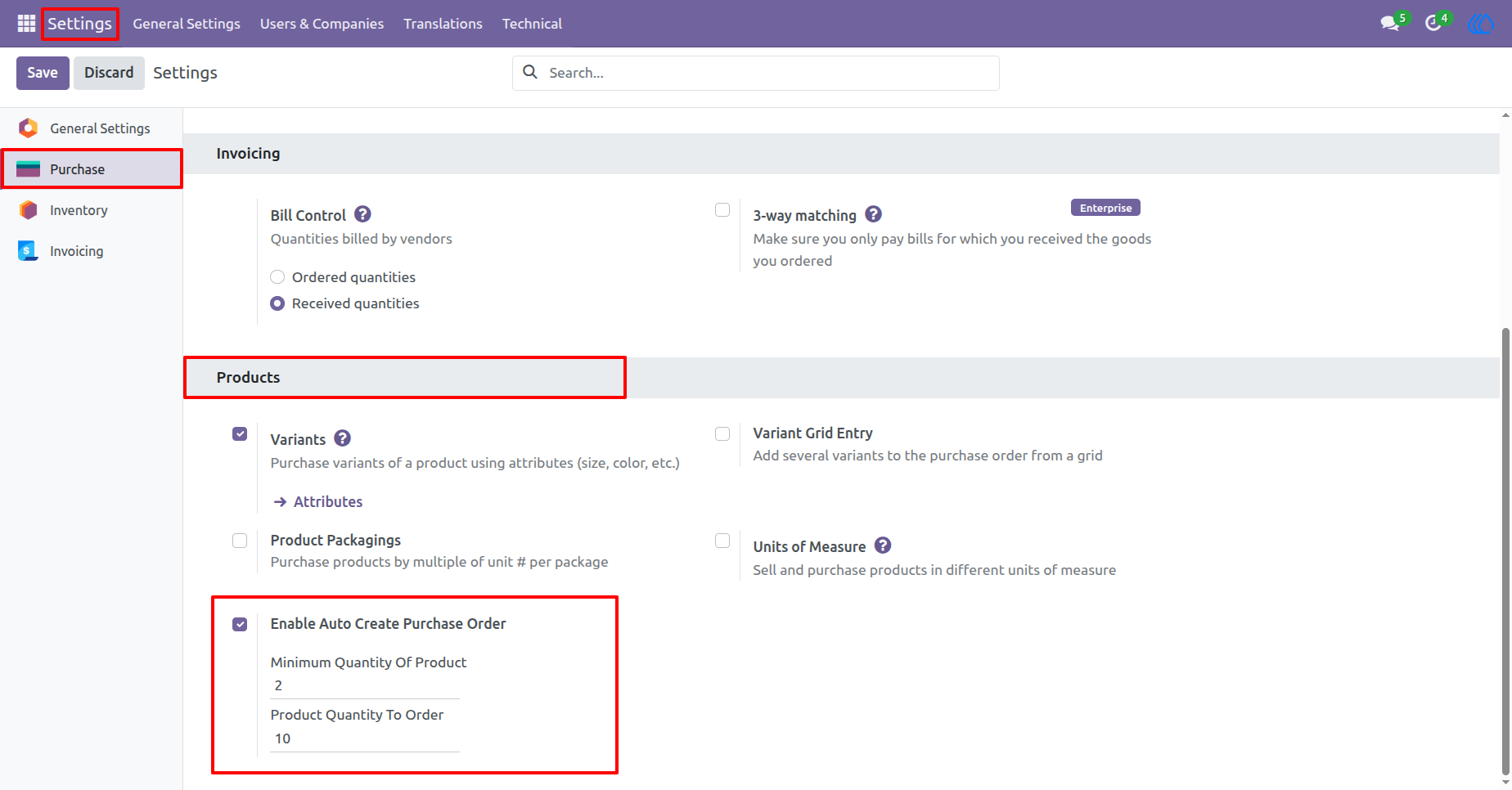
1) Settings View
Tick the checkbox “Enable Auto Create Purchase Order”, and two fields will become visible. Set the minimum quantity of the product (the threshold at which the on‑hand quantity triggers replenishment) and set product quantity to order (this value will be automatically applied to the newly created purchase order).
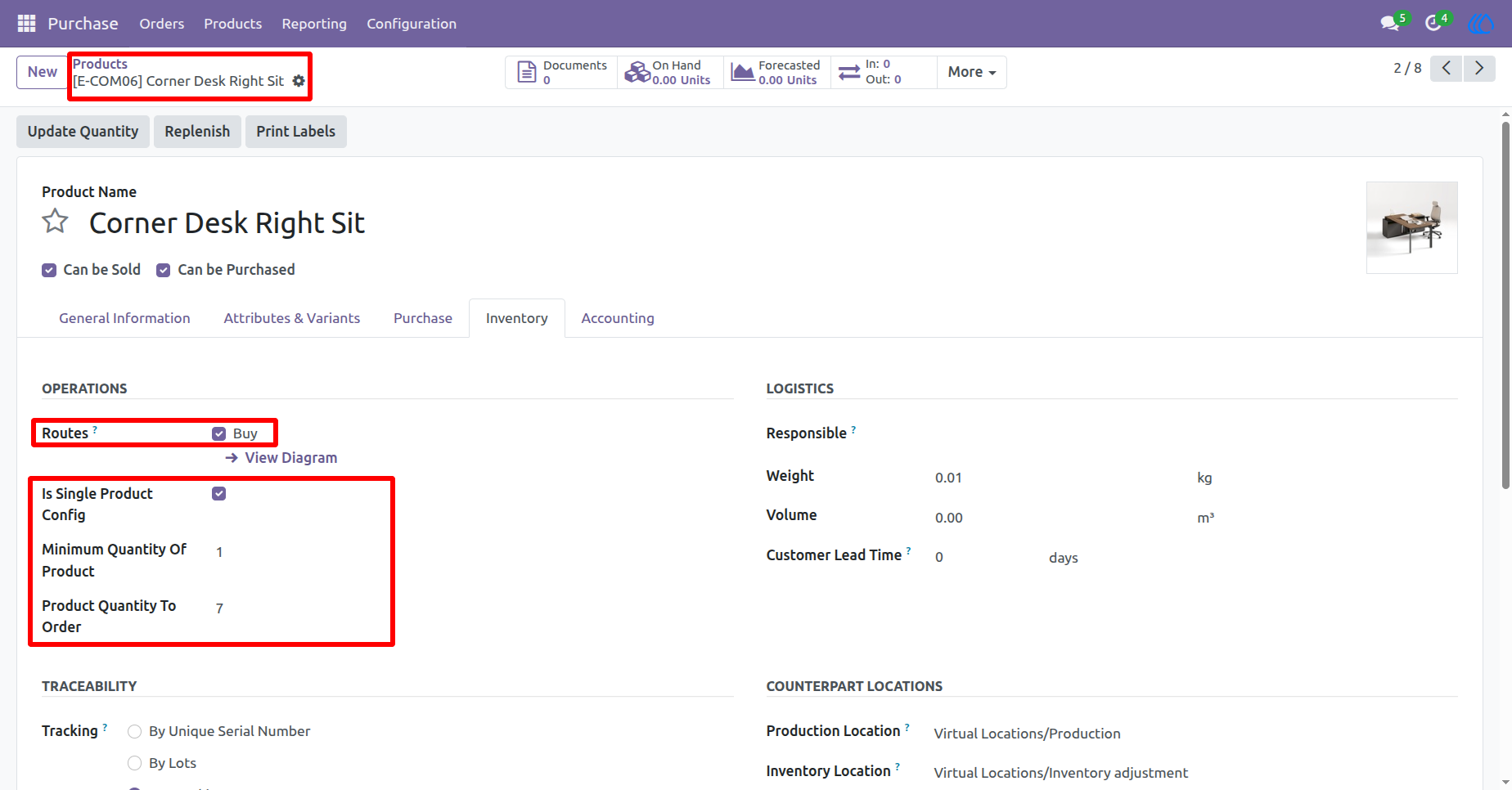
2) Product Form View
In the product form view, users can configure the Auto Create Purchase Order settings individually for each product. This allows them to define specific minimum quantity and order quantity requirements tailored to particular products, ensuring more precise and flexible procurement management.
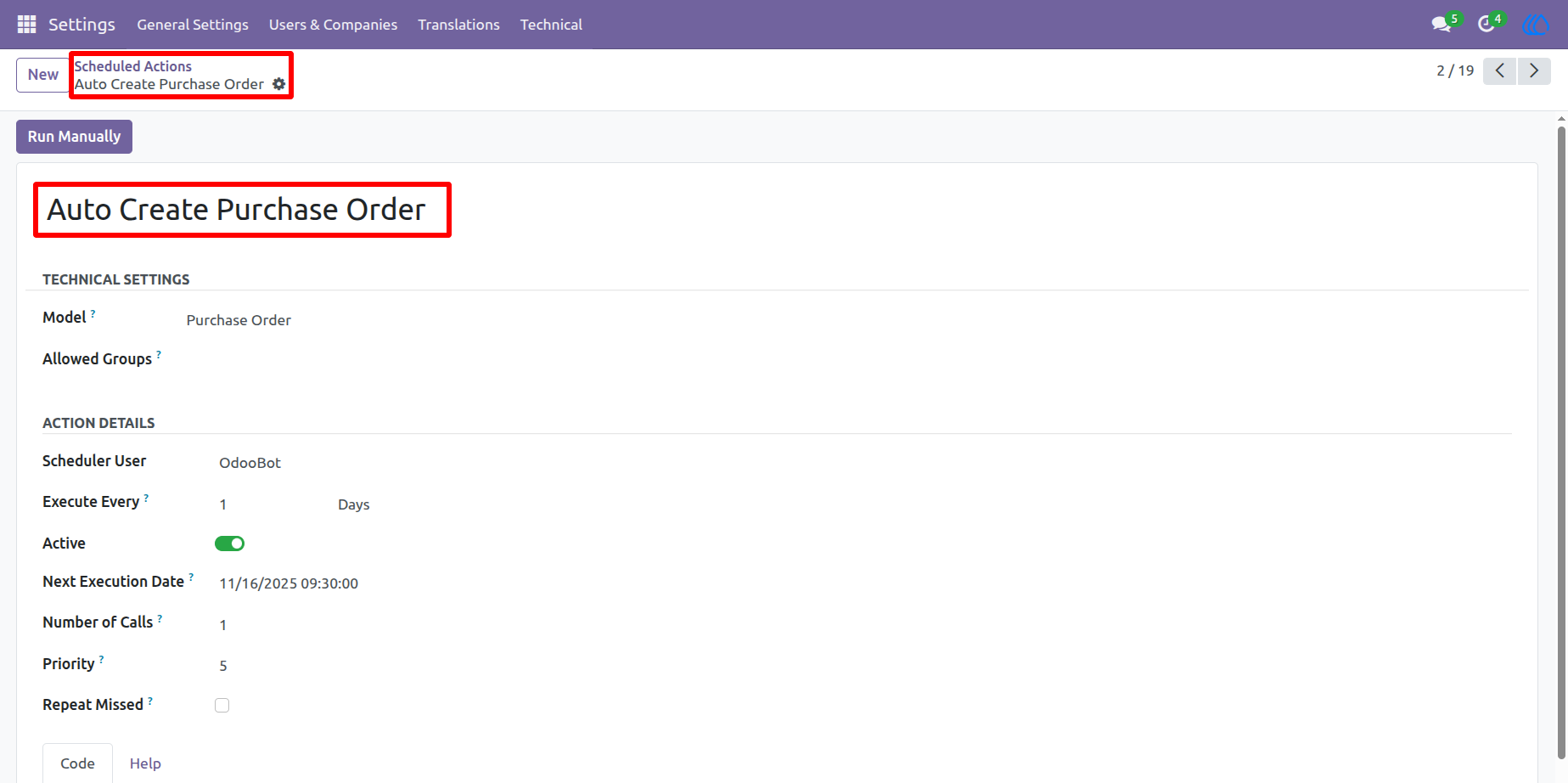
3) Schedule Actions View
The scheduler runs automatically once each day, and whenever a product’s on‑hand quantity falls below the defined minimum threshold, it will generate a purchase order with the configured quantity.
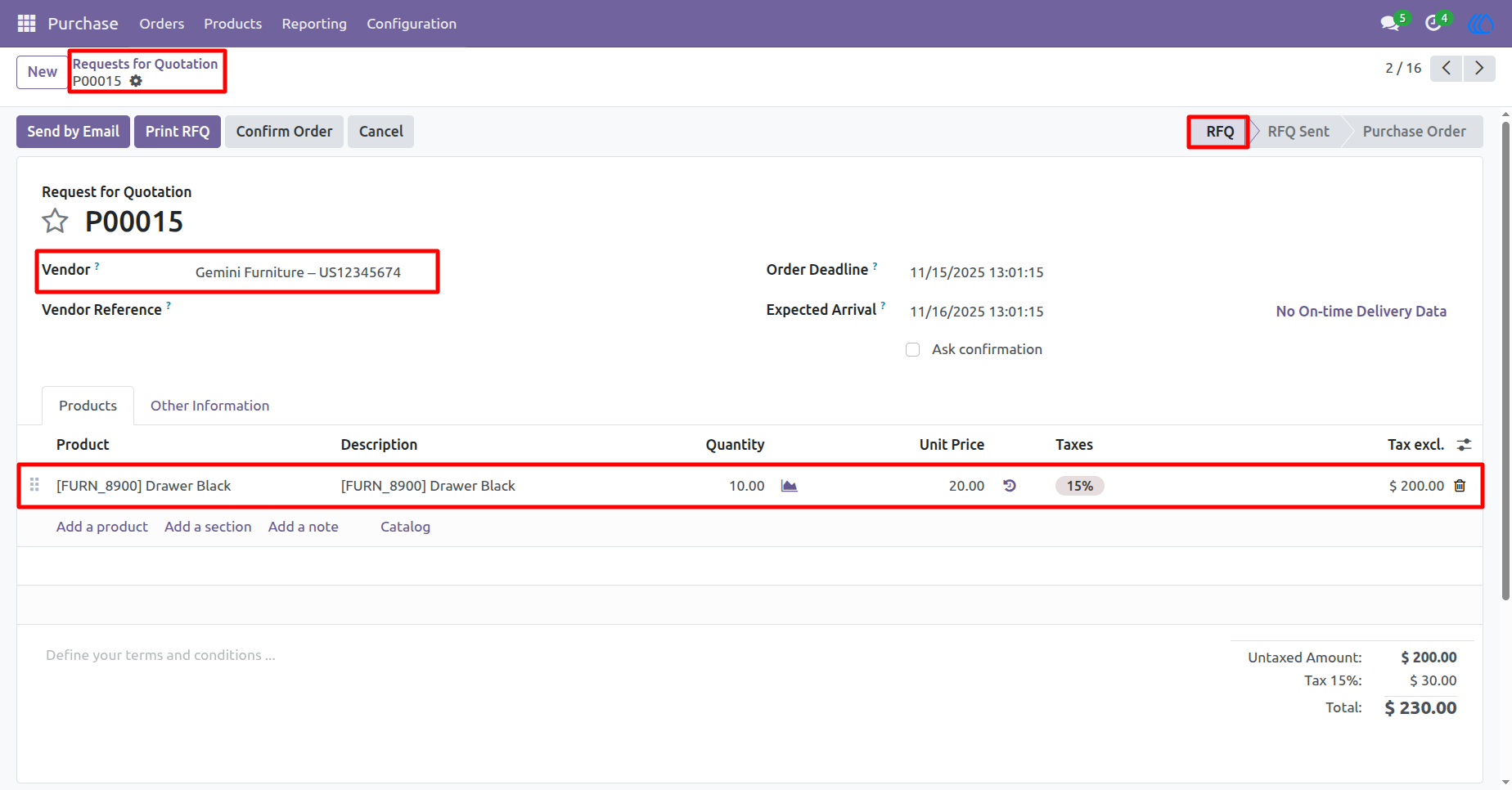
4) Purchase Order View
Here, the user can see that the purchase order has been automatically created by the system whenever the product’s on‑hand quantity falls below the defined minimum threshold.
User Guide