

Our Most Suggested Products


Attendance Custom Search Restriction
Attendance search restriction provides flexible control over advanced search features for individual users in Odoo Attendance. Administrators can enable or disable advanced search access directly from the user settings according to specific responsibilities. Restricted users cannot create custom filters, domains, or grouping options, while authorized users can use these features for detailed attendance analysis. This helps maintain a cleaner Attendance interface and manage search-level permissions without affecting standard Attendance access rights.
 Features
 Screenshots
 Support
 Service
Features
User-Based Advanced Search Control
Attendance Search Restriction allows administrators to decide which users can access advanced search features. The permission can be configured individually from the user settings. This provides better control over custom search functionality in the Attendance module.
Restrict Custom Filters
When Attendance Advanced Search is disabled, restricted users cannot create custom filters for attendance records. Standard search options remain available for regular record navigation. This helps prevent unauthorized customization of attendance searches.
Control Custom Grouping
Administrators can control whether users are allowed to create custom grouping options in Attendance views. Users without the required permission cannot access custom grouping functionality. Authorized users can organize attendance records according to their reporting requirements.
Custom Domain Access
Users with the advanced search permission can apply custom domains to attendance records. This makes it easier to perform detailed searches based on specific conditions. Administrators can limit this functionality for users who do not require advanced data filtering.
Screenshot
1.)Admin Advance Search Access Rights
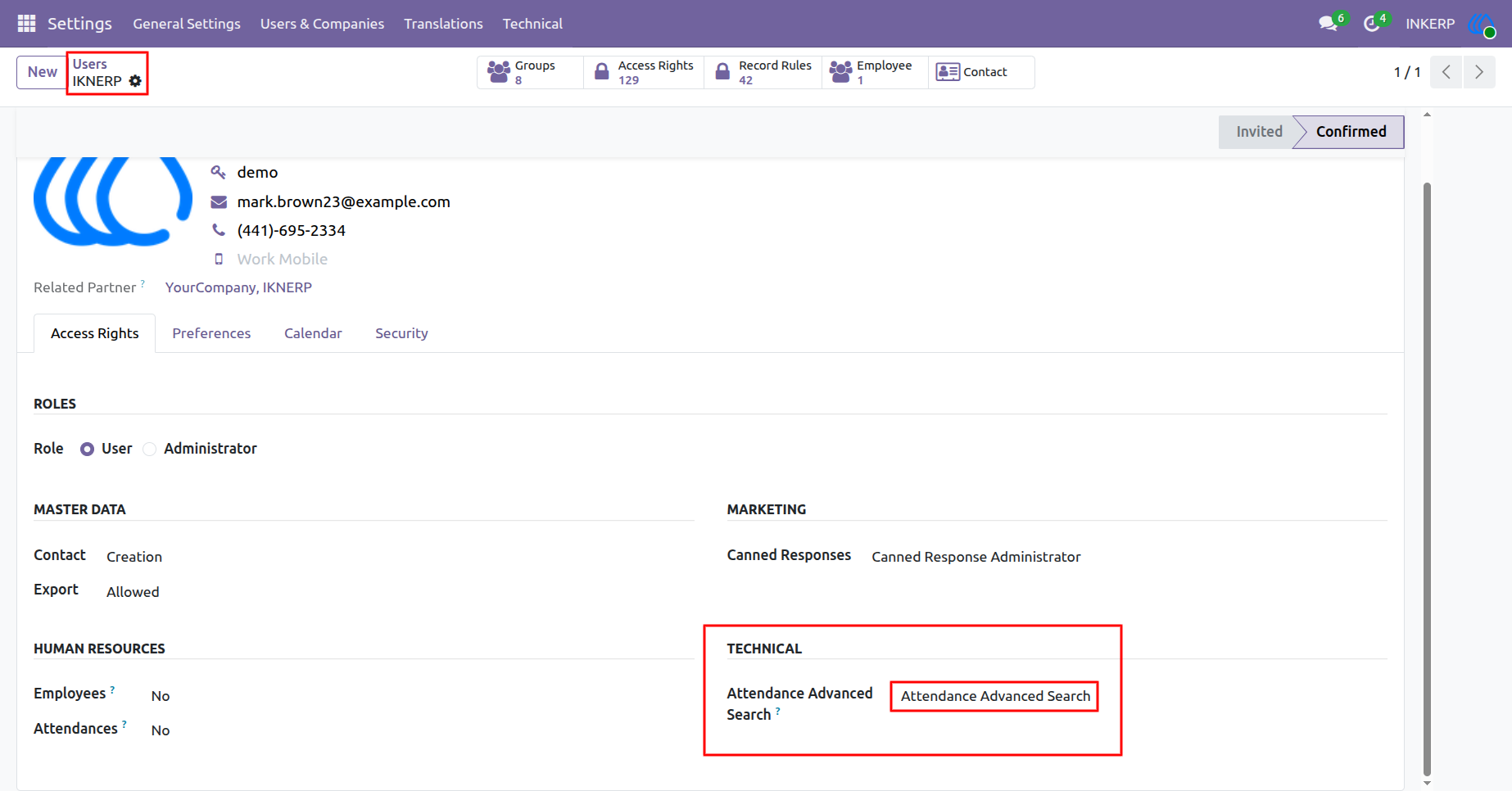
Go to Settings and open the Users section to configure the required user access. Select the user and locate the Attendance Advanced Search permission in the access settings. Enable the Attendance Advanced Search option to allow the selected user to use advanced search functionality in the Attendance module. This setting provides user-specific control over advanced search capabilities.
Navigation : setting › User & Companies › User
2.)Attendance search view with custom filter and group
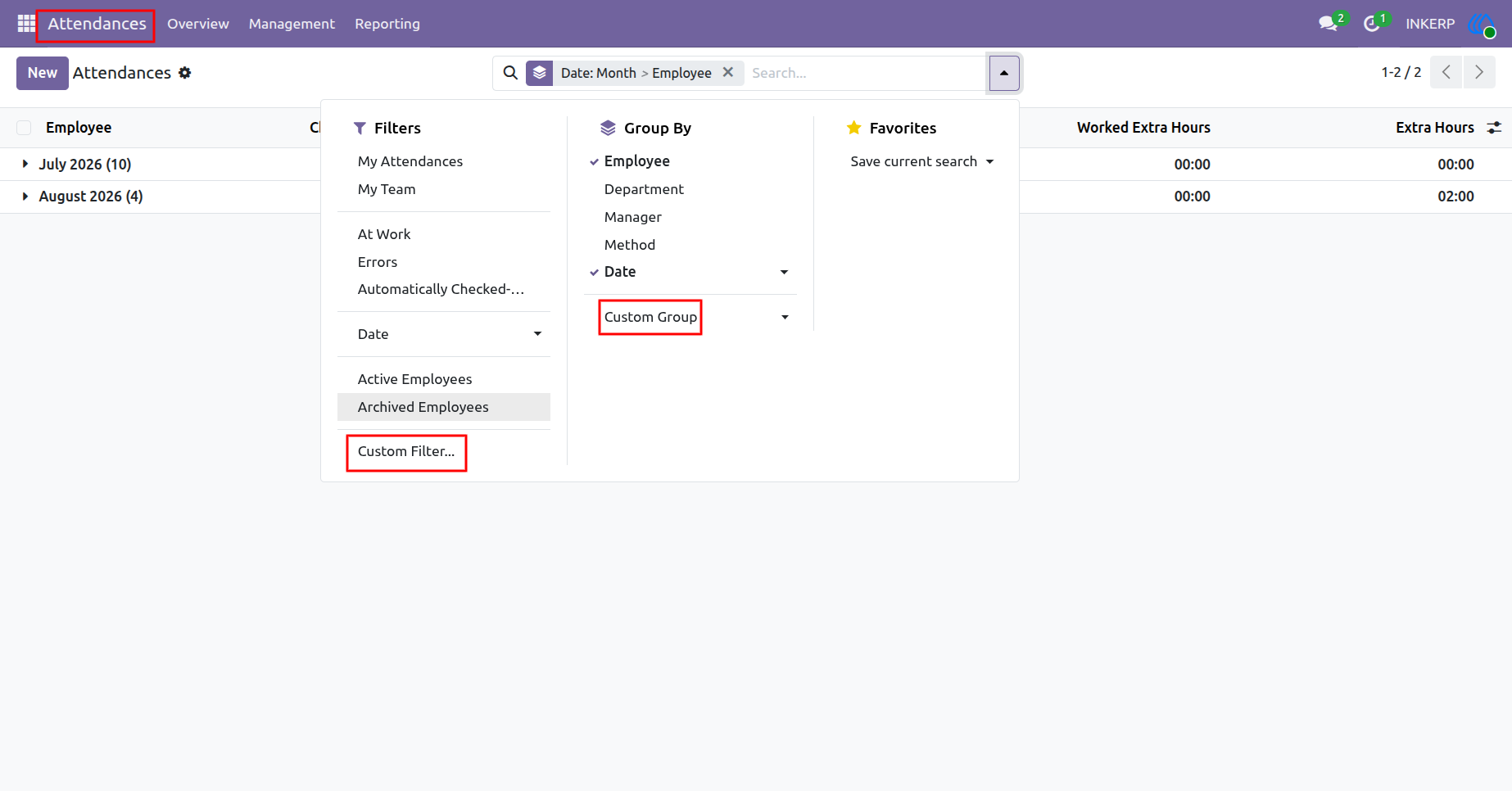
Open the Attendance search view to access the available advanced search options. Users with Attendance Advanced Search permission can create custom filters based on specific attendance data. They can also use custom grouping options to organize and analyze attendance records more effectively. These features provide greater flexibility for searching and managing attendance information.
Navigation : Attendances › Reporting › Attendances
3.)User Advance Search Access Rights
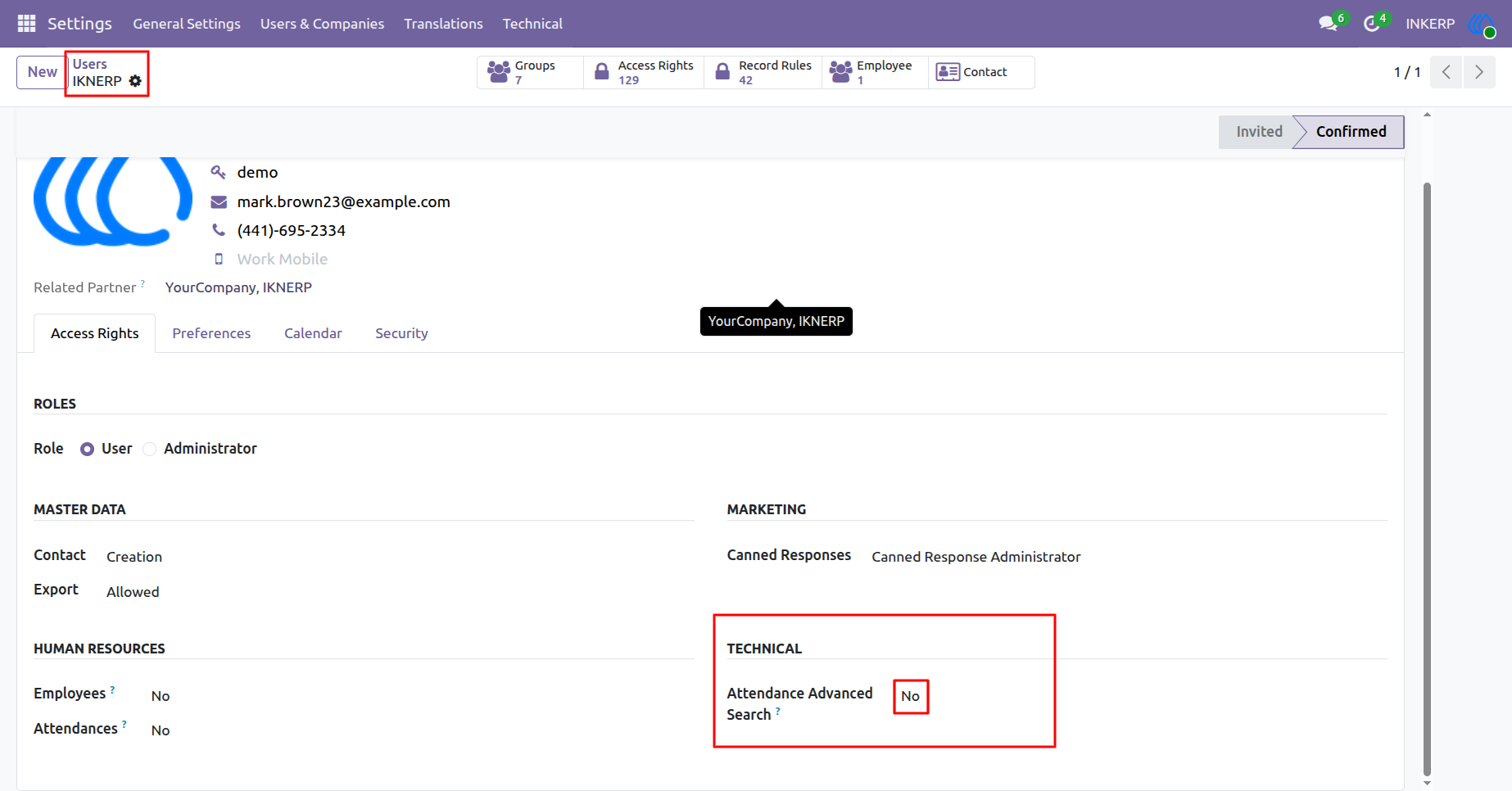
Go to Settings and open the Users section to configure the required user access. Select the desired user and set the Attendance Advanced Search permission to No. With this setting disabled, the selected user will not have access to advanced search features in the Attendance module. This helps administrators restrict custom search and grouping capabilities for specific users.
Navigation : setting › User & Companies › User
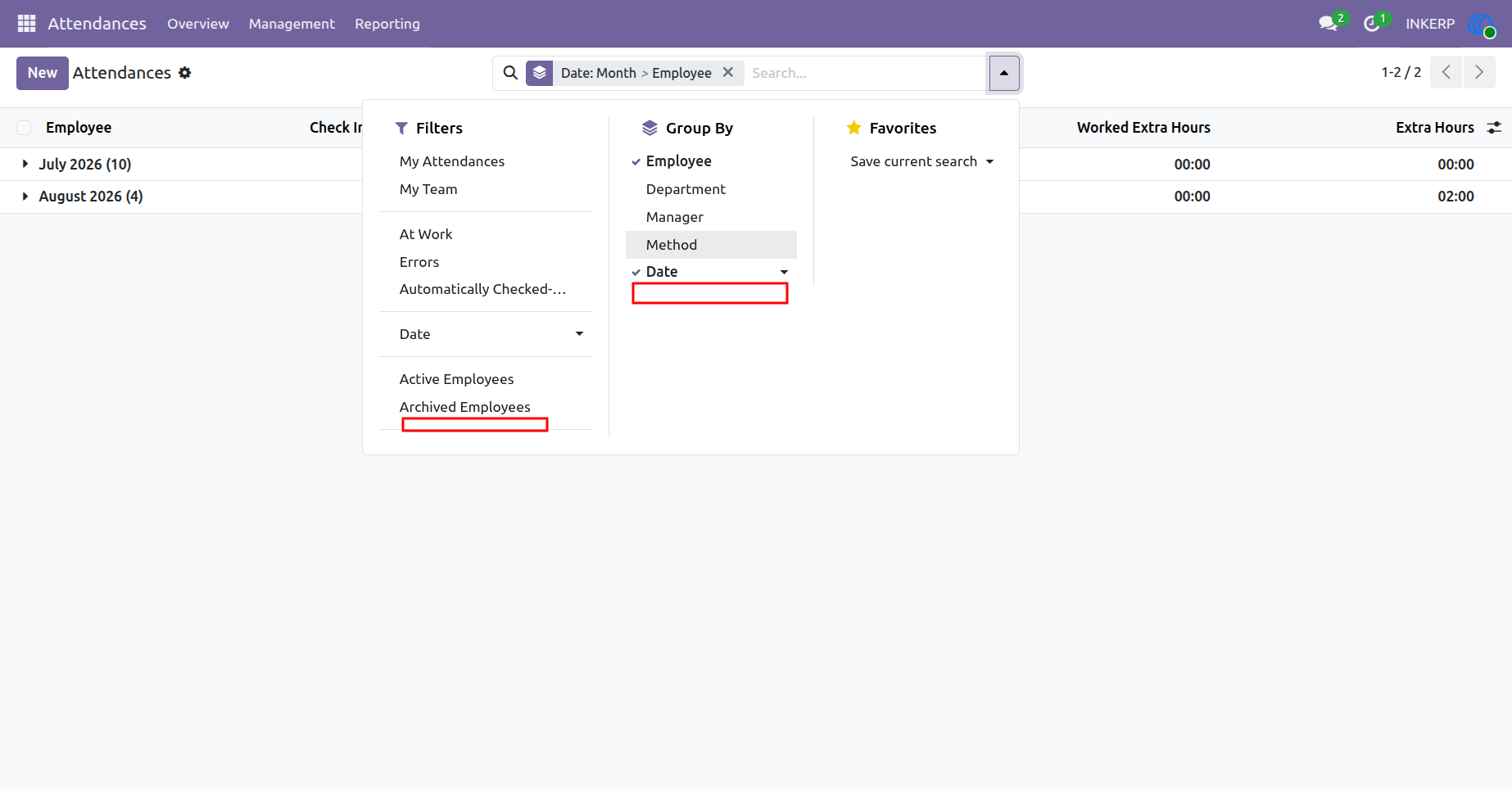
4.)Attendance search view with
Open the Attendance search view to check the available search options for the selected user. Since Attendance Advanced Search is disabled, the Custom Filter and Custom Group options are not visible. The user can continue using the standard search functionality without accessing advanced customization tools. This ensures advanced search capabilities remain restricted according to the configured user permission.
Navigation : Attendances › Reporting › Attendances
User Guide