

Our Most Suggested Products


All in One Warehouse Restriction
All in One Warehouse Restriction is a powerful access control module that allows you to restrict users to specific warehouses and related records in Odoo. This app ensures that users can only view and operate data belonging to their assigned warehouses, improving security, accuracy, and operational control. It provides warehouse-level restrictions across key business operations including Sales, Purchase, Inventory, Stock Picking, and Stock Locations, preventing unauthorized access and reducing the risk of data errors. This module is ideal for businesses managing multiple warehouses, branches, or locations and needing strict warehouse-based access control.
 Features
 Screenshots
 Support
 Service
Features
1. Warehouse Assignment to Users
This module allows administrators to assign one or multiple warehouses to each user. These assigned warehouses define the scope of data the user can access.How it works: A new field is added in the User form: Allowed Warehouses Admin selects warehouses the user is permitted to access The system automatically applies restrictions based on this configuration Benefit: Ensures users can only operate within their authorized warehouse environment.
2. Sale Order Warehouse Restriction
Users can only view, create, and manage Sale Orders that belong to their assigned warehouses.Restriction applies to: Viewing Sale Orders list Creating new Sale Orders Selecting warehouse in Sale Order Accessing quotations and confirmed orders Example: If a user is assigned to Warehouse A, they cannot see or create Sale Orders for Warehouse B.
3. Purchase Order Warehouse Restriction
Purchase Orders are restricted based on the warehouse selected in the order. Restriction applies to: Viewing Purchase Orders Creating Purchase Orders Selecting warehouse in Purchase Order Managing RFQs and confirmed Purchase Orders Benefit: Prevents users from creating or managing purchases for unauthorized warehouses.
4. Stock Picking Restriction (Delivery, Receipt, Internal Transfer)
Users can only access stock pickings related to their assigned warehouses. Restriction applies to: Delivery Orders Incoming Shipments (Receipts) Internal Transfers Stock Moves Example: A user assigned to Warehouse A cannot validate deliveries from Warehouse B.
5. Stock Location Restriction by Warehouse
Users can only view and operate stock locations that belong to their allowed warehouses. Restriction applies to: Location selection Stock Moves Inventory Adjustments Internal Transfers Benefit: Prevents users from accessing or modifying stock in unauthorized locations.
6. Automatic Record Filtering
The system automatically filters records based on user warehouse permissions. This applies to: Sale Orders Purchase Orders Stock Picking Stock Locations Stock Moves Users will only see records relevant to their assigned warehouses.
7. Warehouse-Based Security Using Record Rules
The module uses Odoo's security and record rule mechanism to enforce warehouse restrictions at the database level. This ensures: Secure data access No bypass possible via search, reports, or API Full compliance with access control policies
8. Multi-Warehouse Environment Support
Fully supports businesses operating multiple warehouses. Ideal for: Multi-branch companies Multi-location businesses Warehouse-specific staff Regional warehouse management
Screenshot
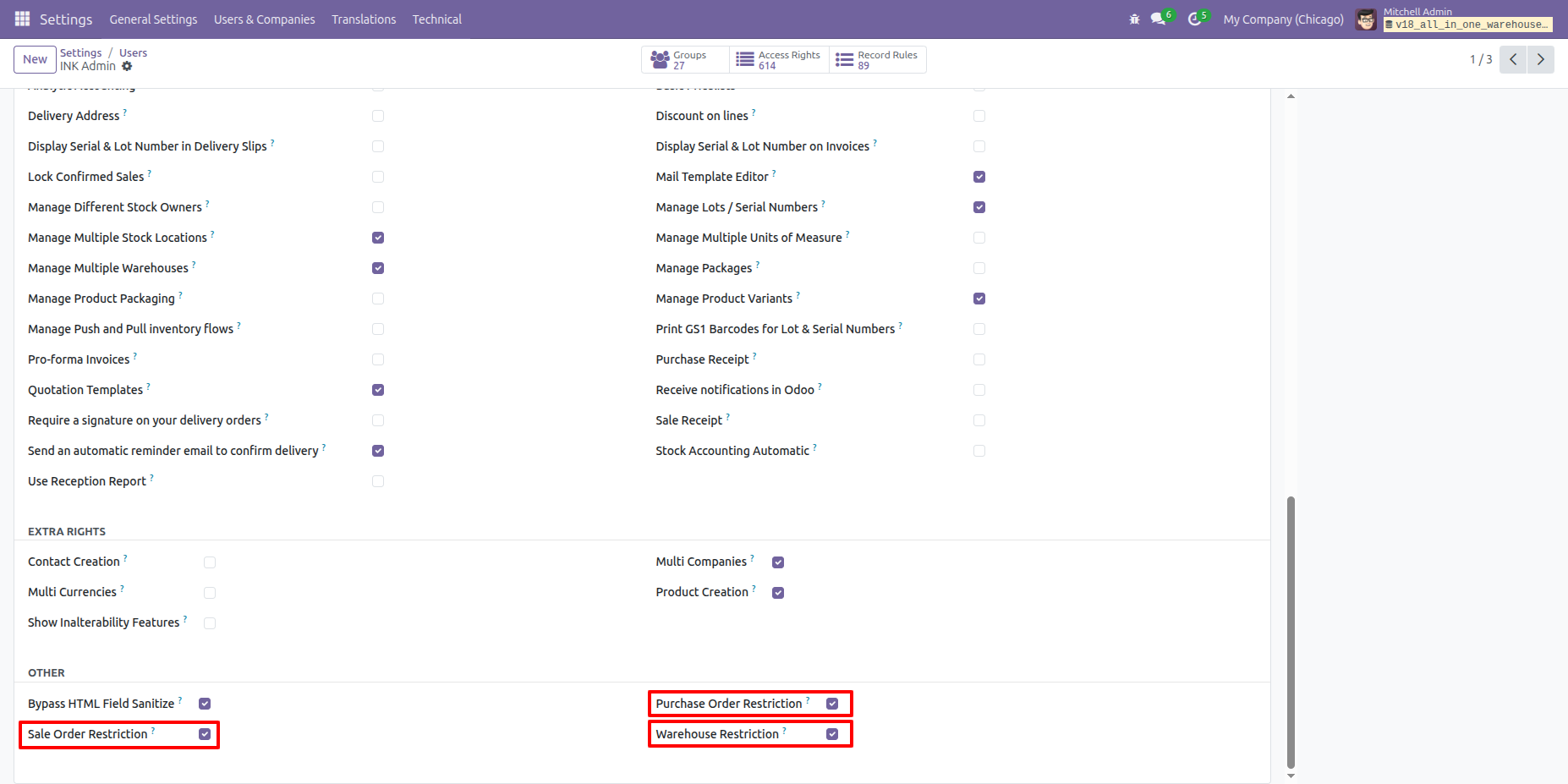
1. Access rigths assigment
The administrator can configure user access rights and apply restrictions for Warehouses, Sale Orders, and Purchase Orders to ensure users only access authorized records.
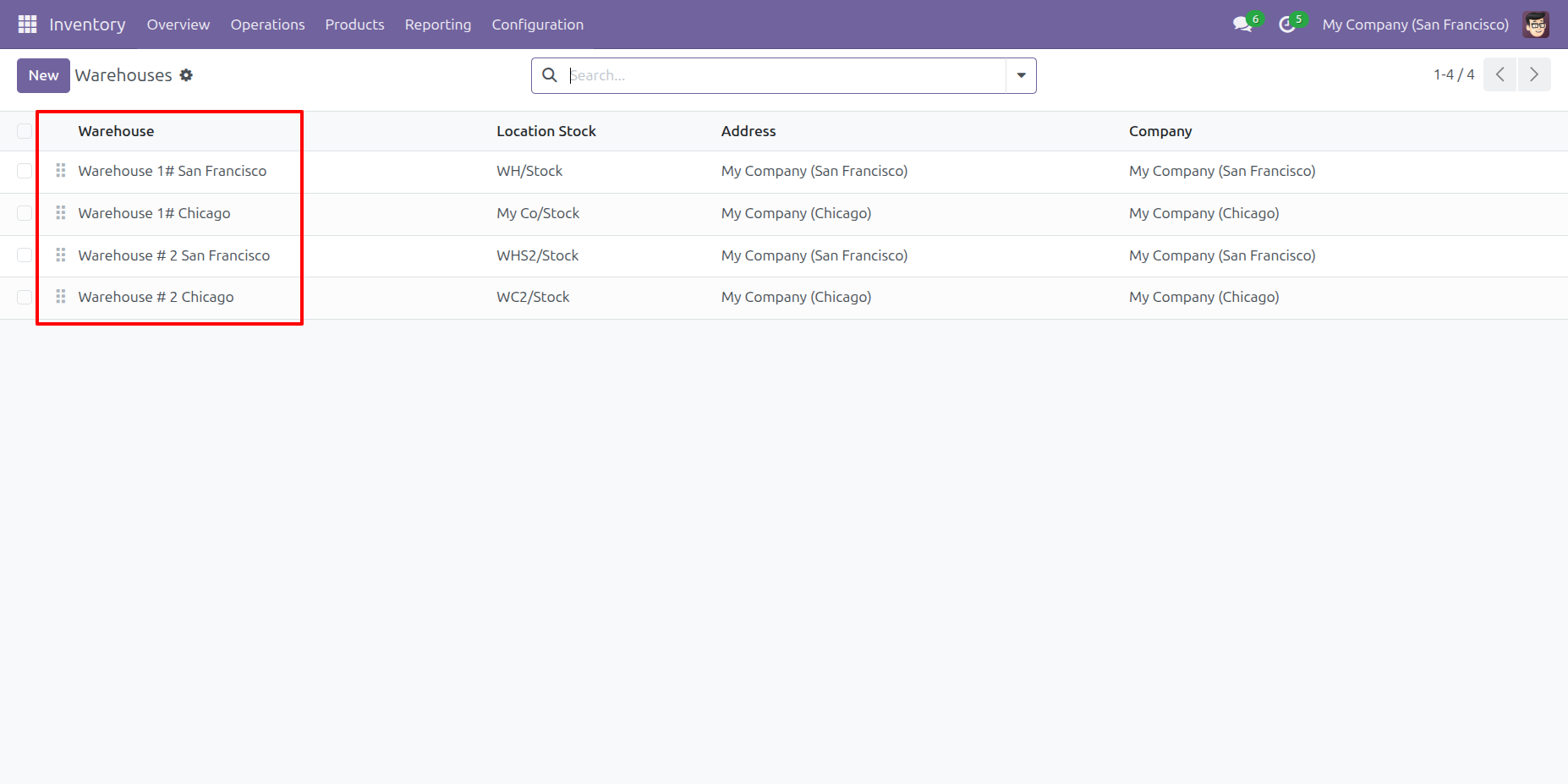
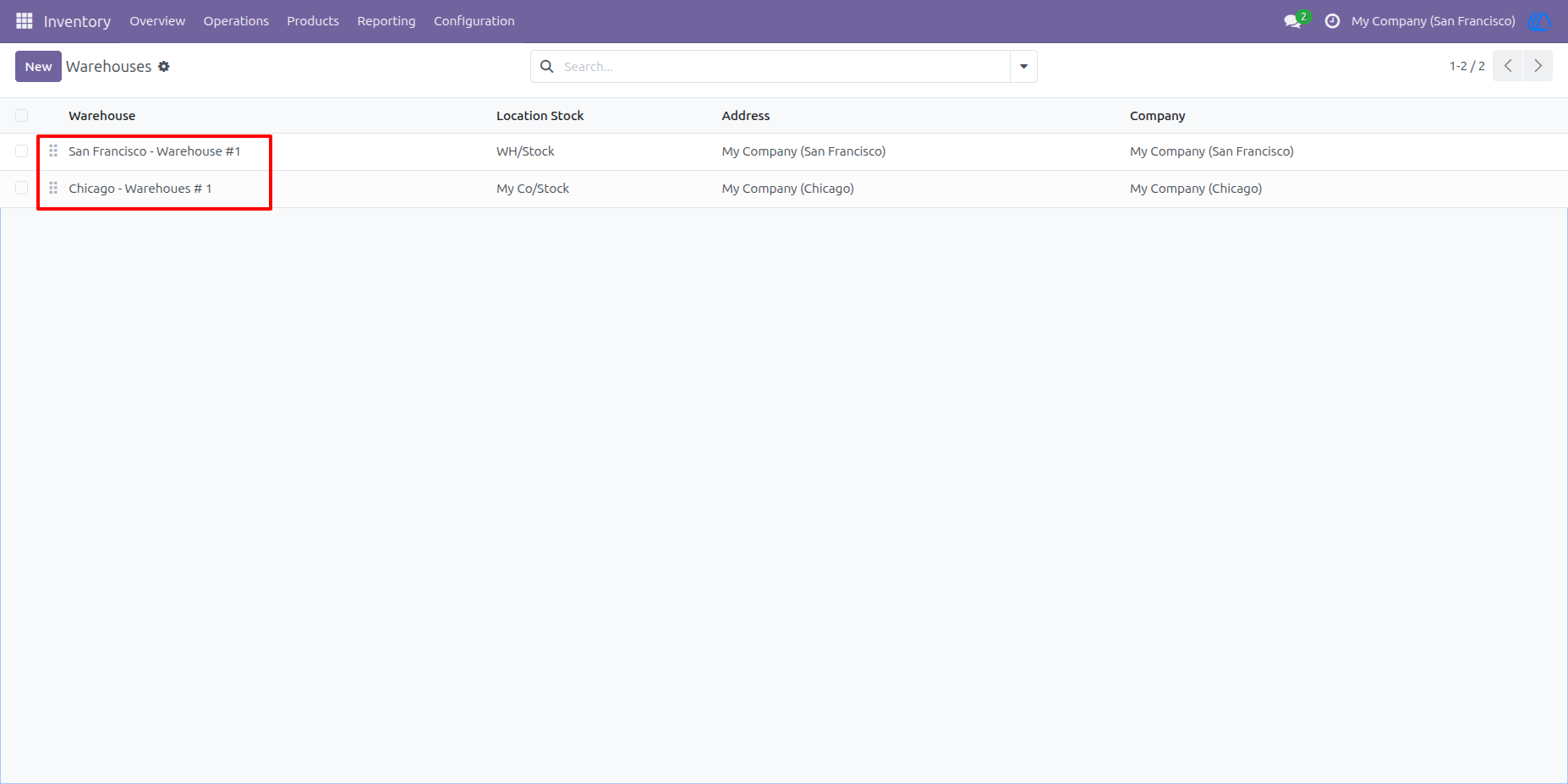
2. Admin Warehouse Access
The administrator can access and manage all warehouses without any limitations or restrictions.
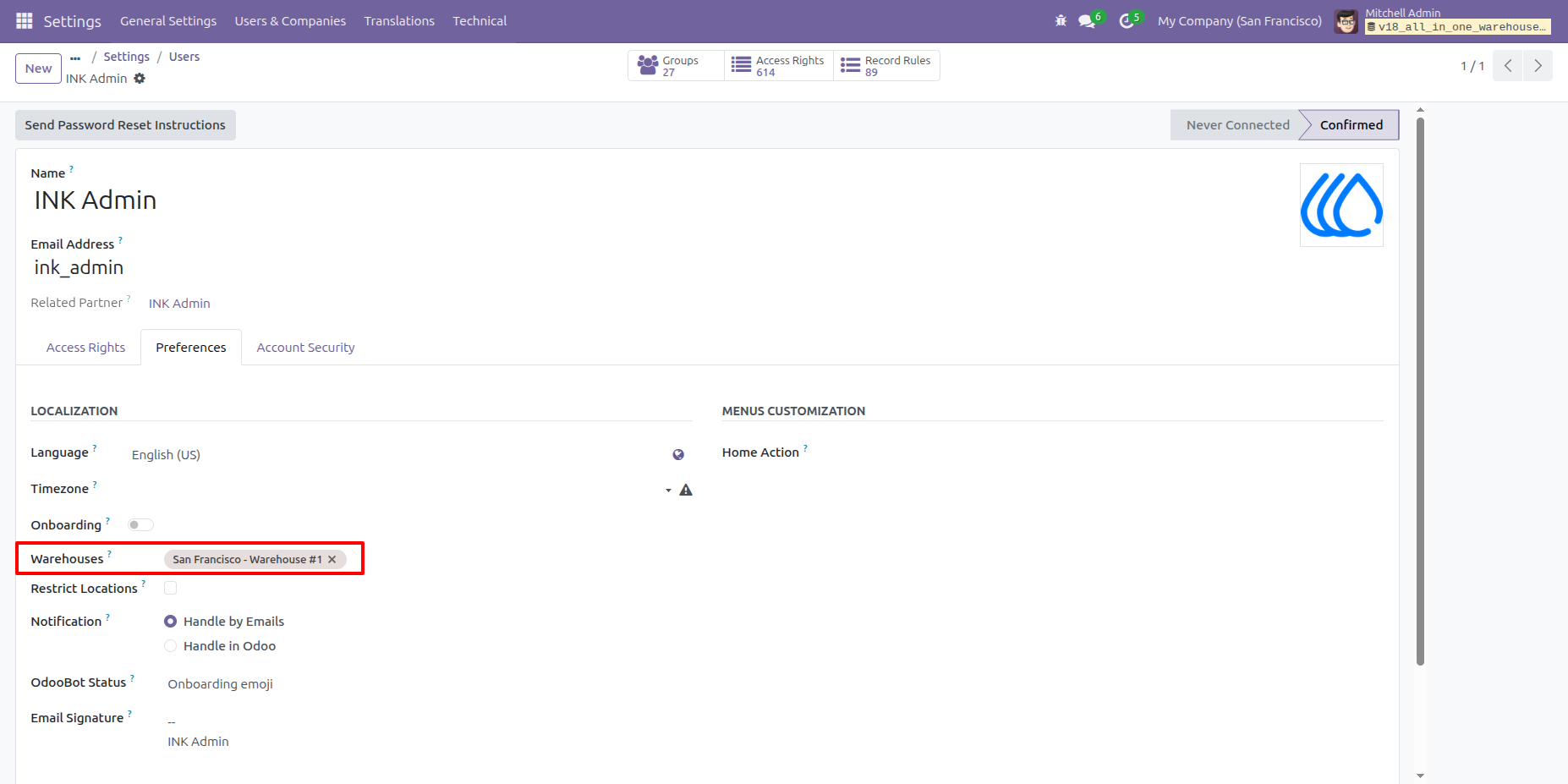
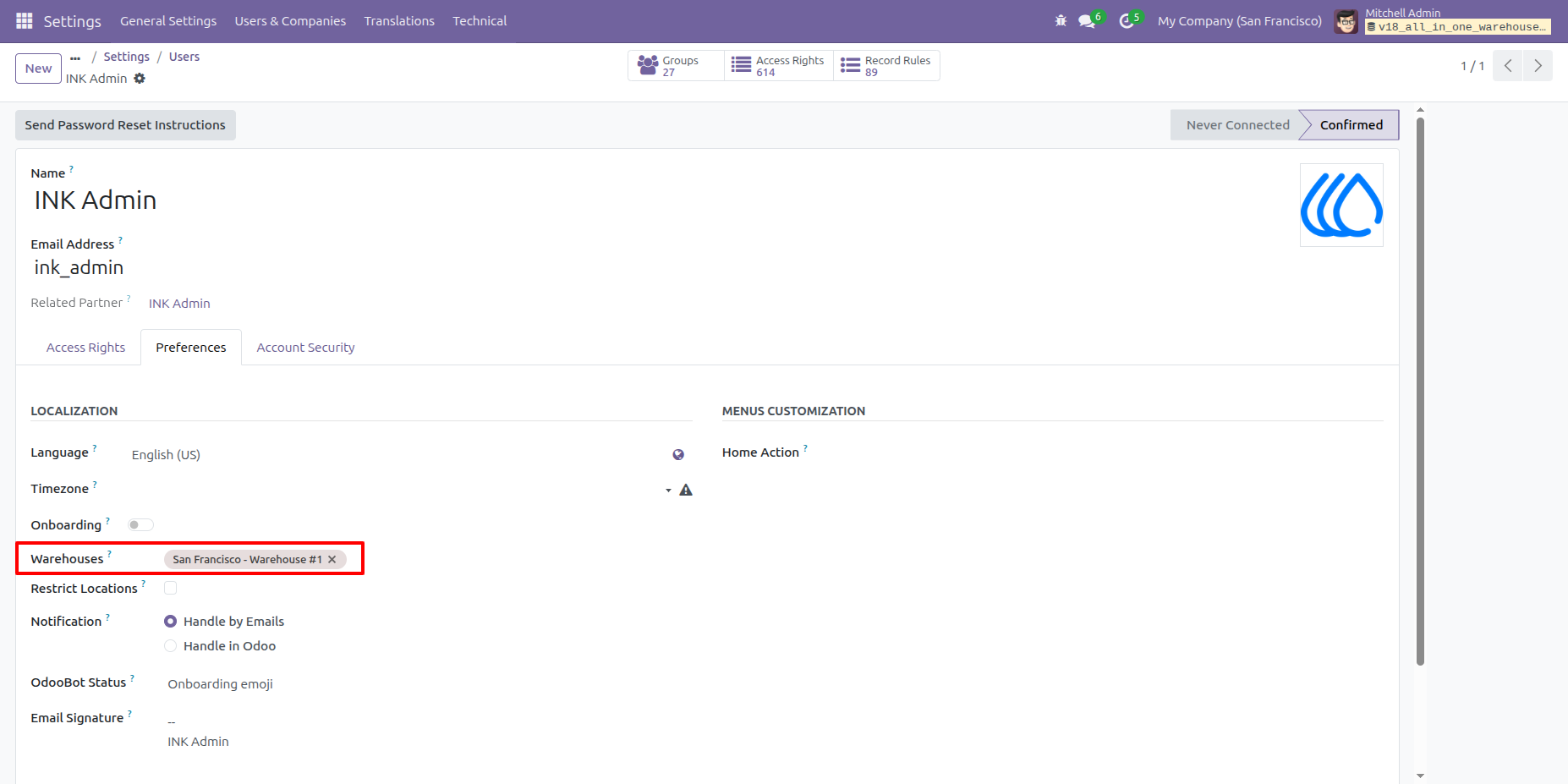
3. Assign Warehouse to User
The administrator can assign specific warehouses to a user. In this example, the user is assigned 'San Francisco Warehouse # 1. '
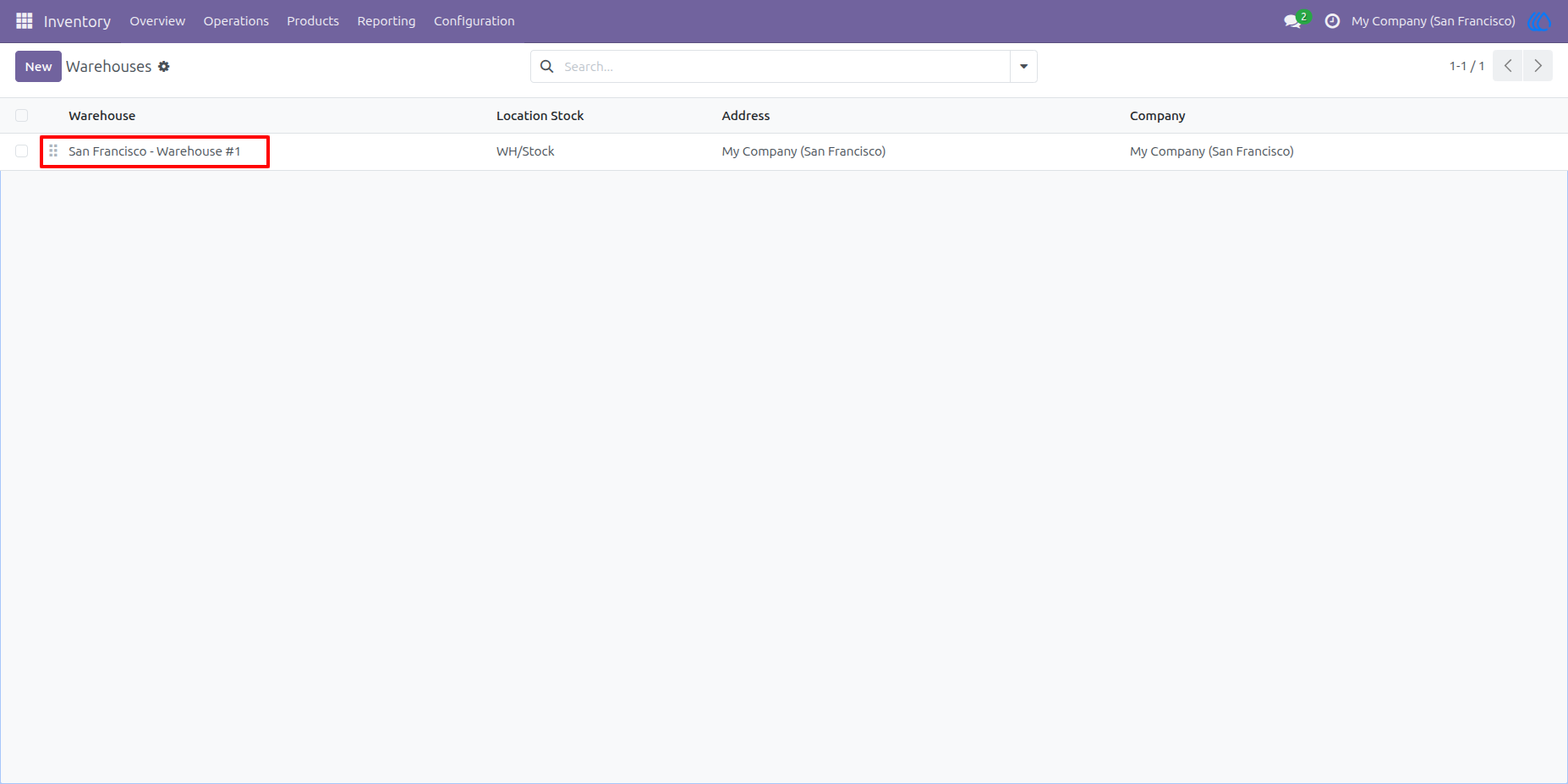
4. Restricted Warehouse Access for User
After the warehouse is assigned, the user can access only 'San Francisco Warehouse #1.' Access to all other warehouses will be restricted.
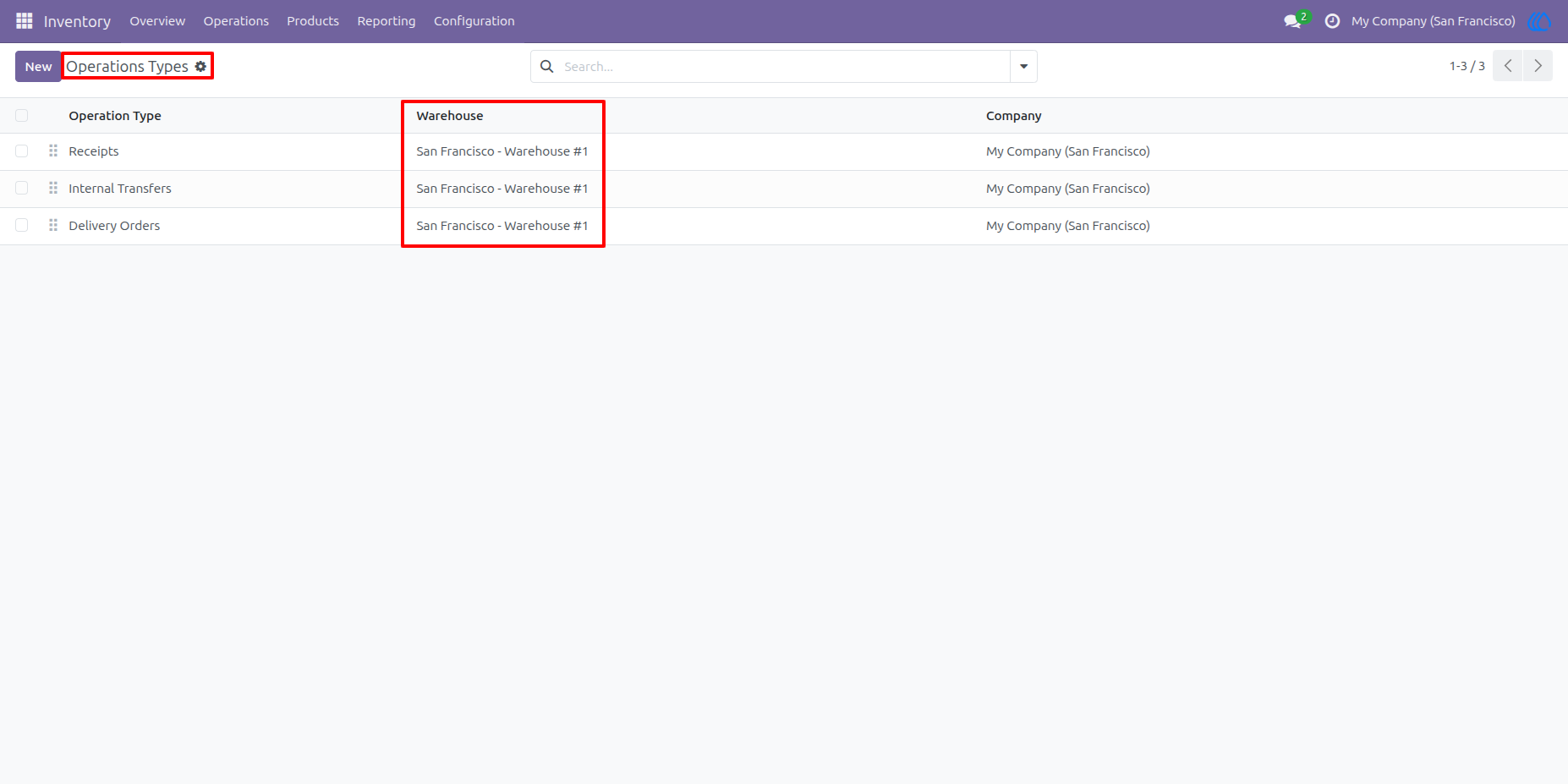
5. Operation Type Restriction
The user is allowed to access only the operation types of the assigned warehouse, 'San Francisco Warehouse #1.”'All other operation types will be restricted.
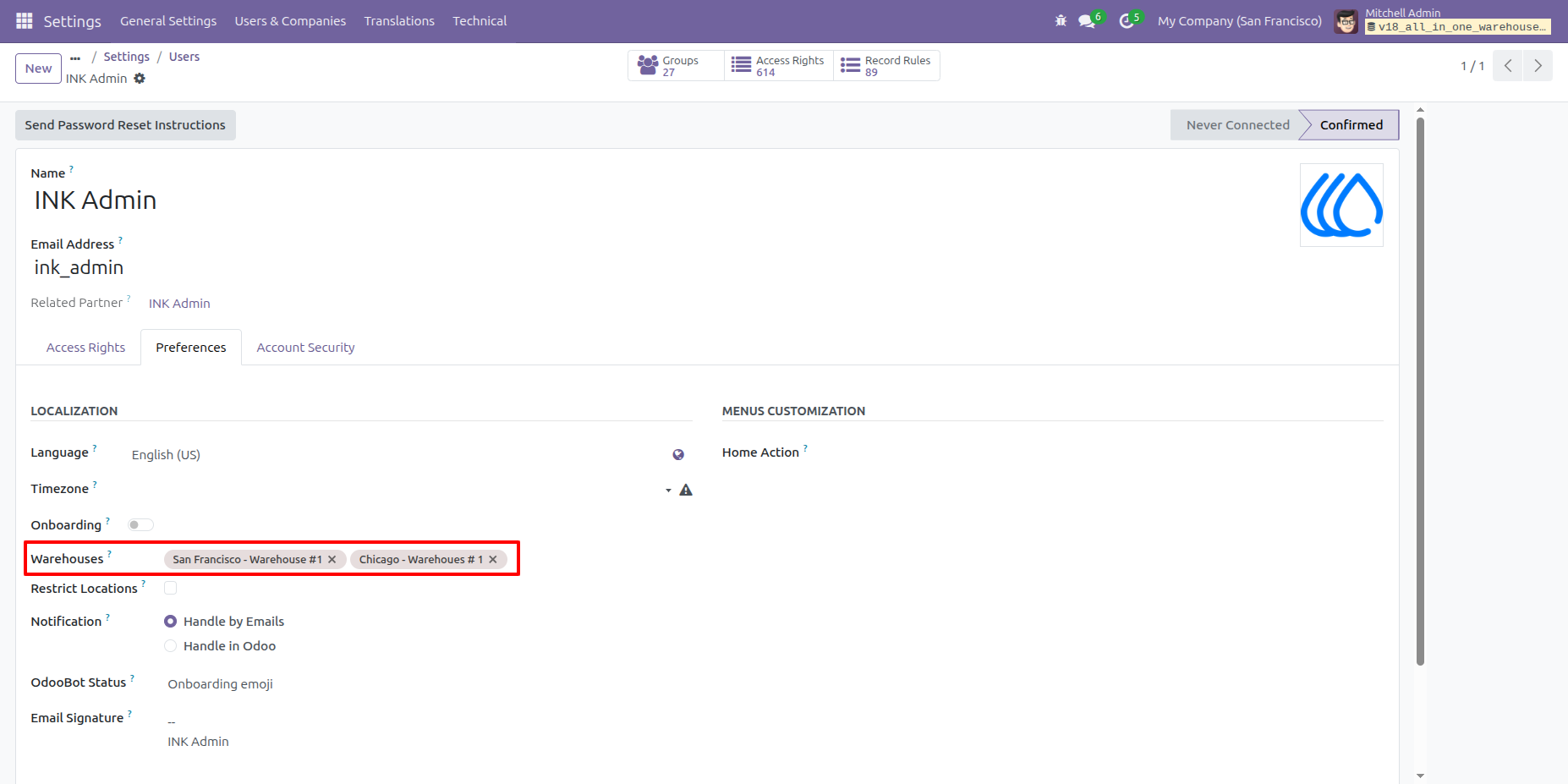
6. Multi-Warehouse Access
The administrator can assign multiple warehouses to a user, allowing the user to access and operate within those selected warehouses only.
7. User Access to Multiple Warehouses
The user can access and operate in all warehouses that have been assigned by the administrator.
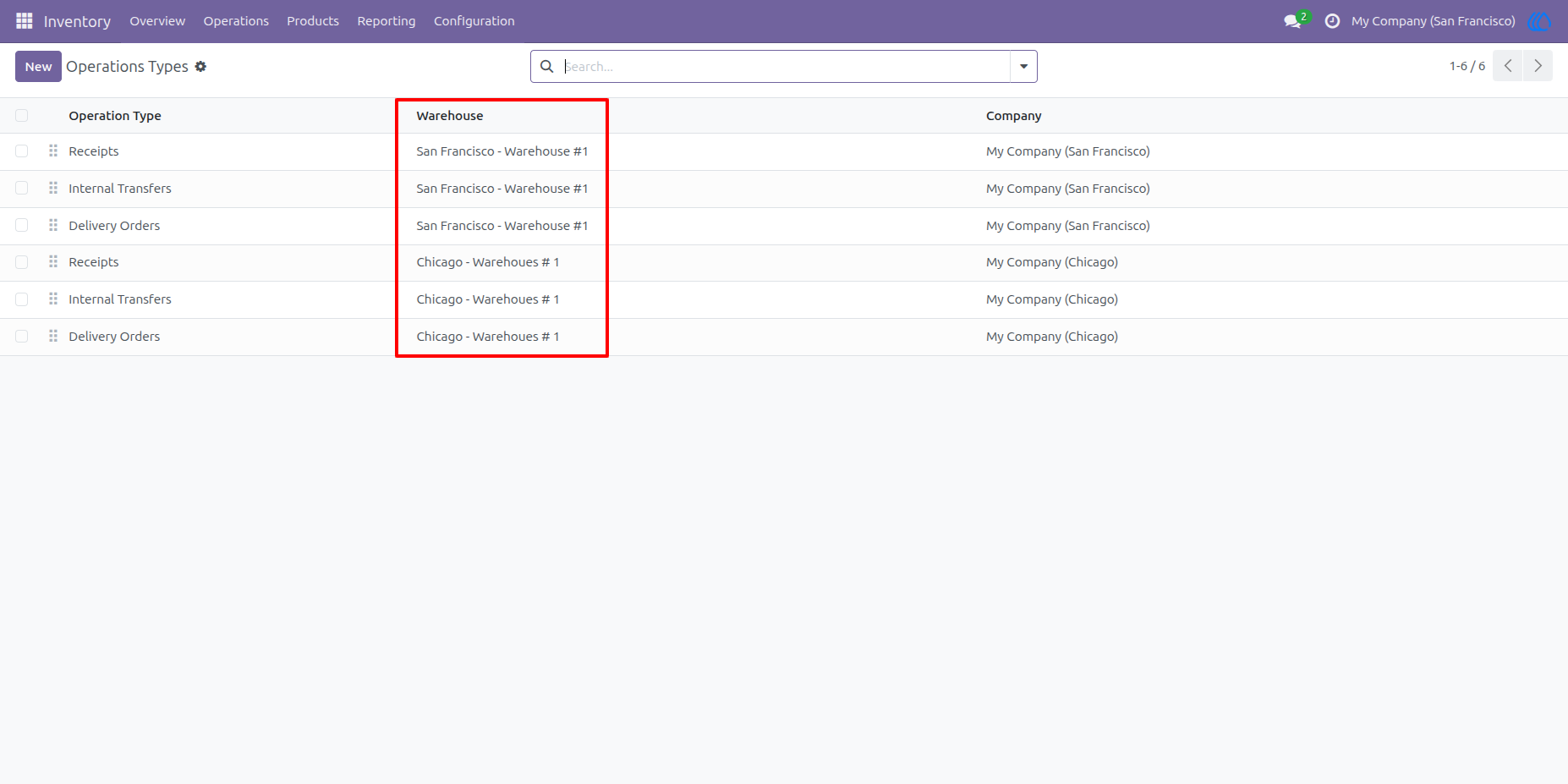
8. Operation Type Access
The user is allowed to access all operation types associated with the warehouses assigned by the administrator.
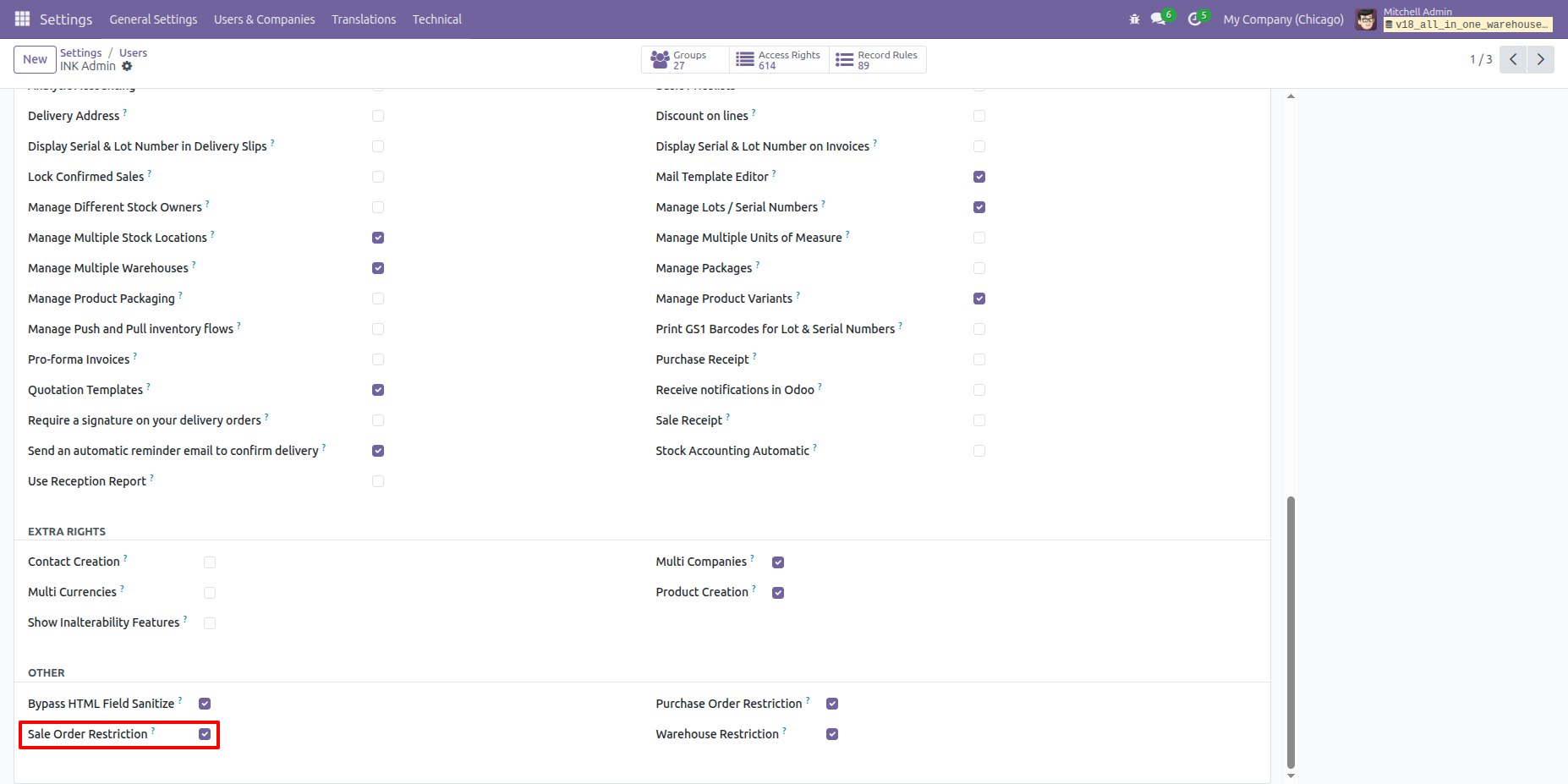
9. Sale Order Restriction
The administrator can enable Sale Order restrictions for a user. When enabled, the user can access only the Sale Orders related to their assigned warehouses.
10. Assign Warehouse to User
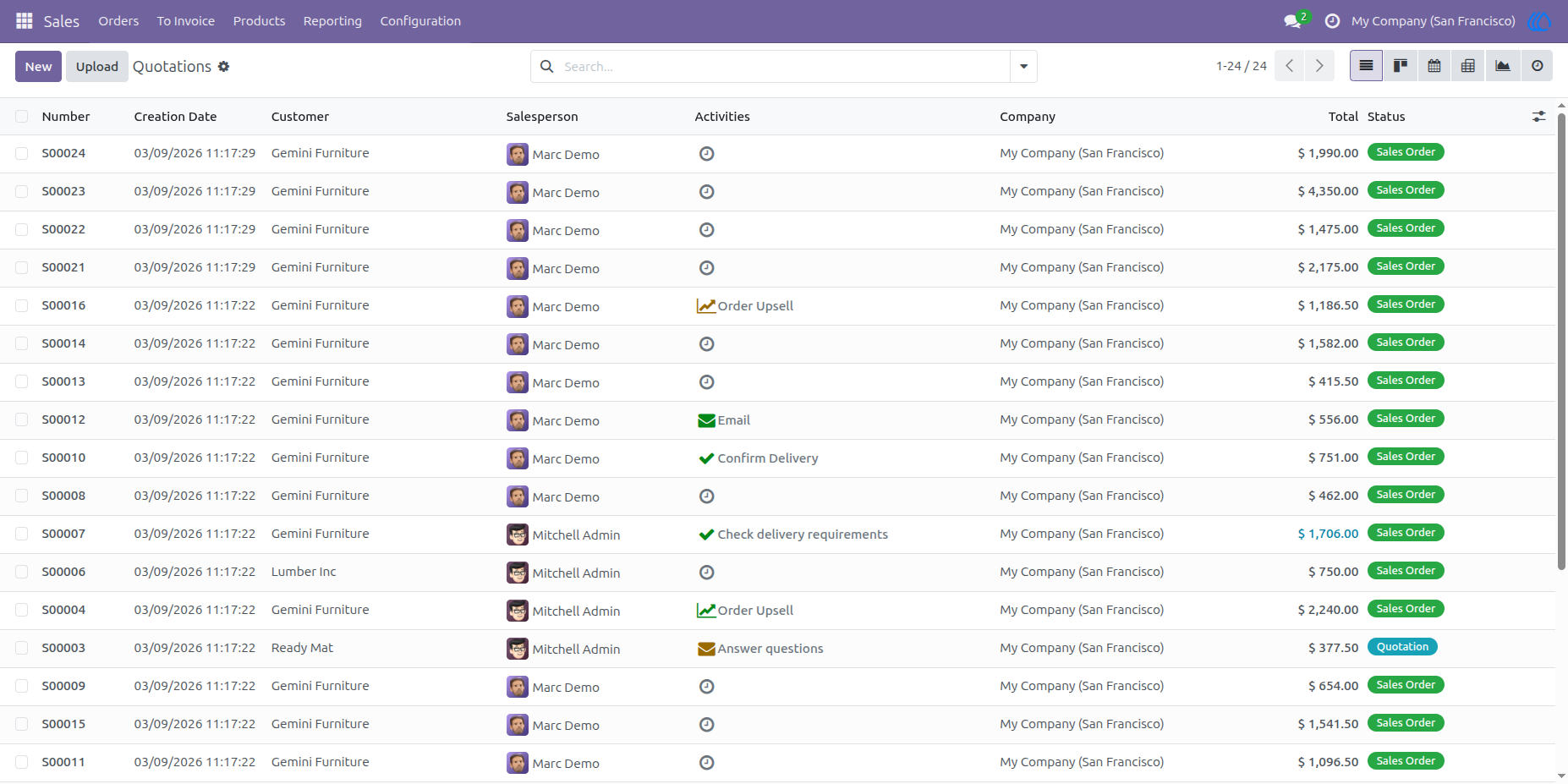
The administrator assigns specific warehouses to a user. The user can then access only the Sale Orders associated with those assigned warehouses.
11. User Access to Sale Orders
The user can view and manage only the Sale Orders related to the warehouses assigned by the administrator.
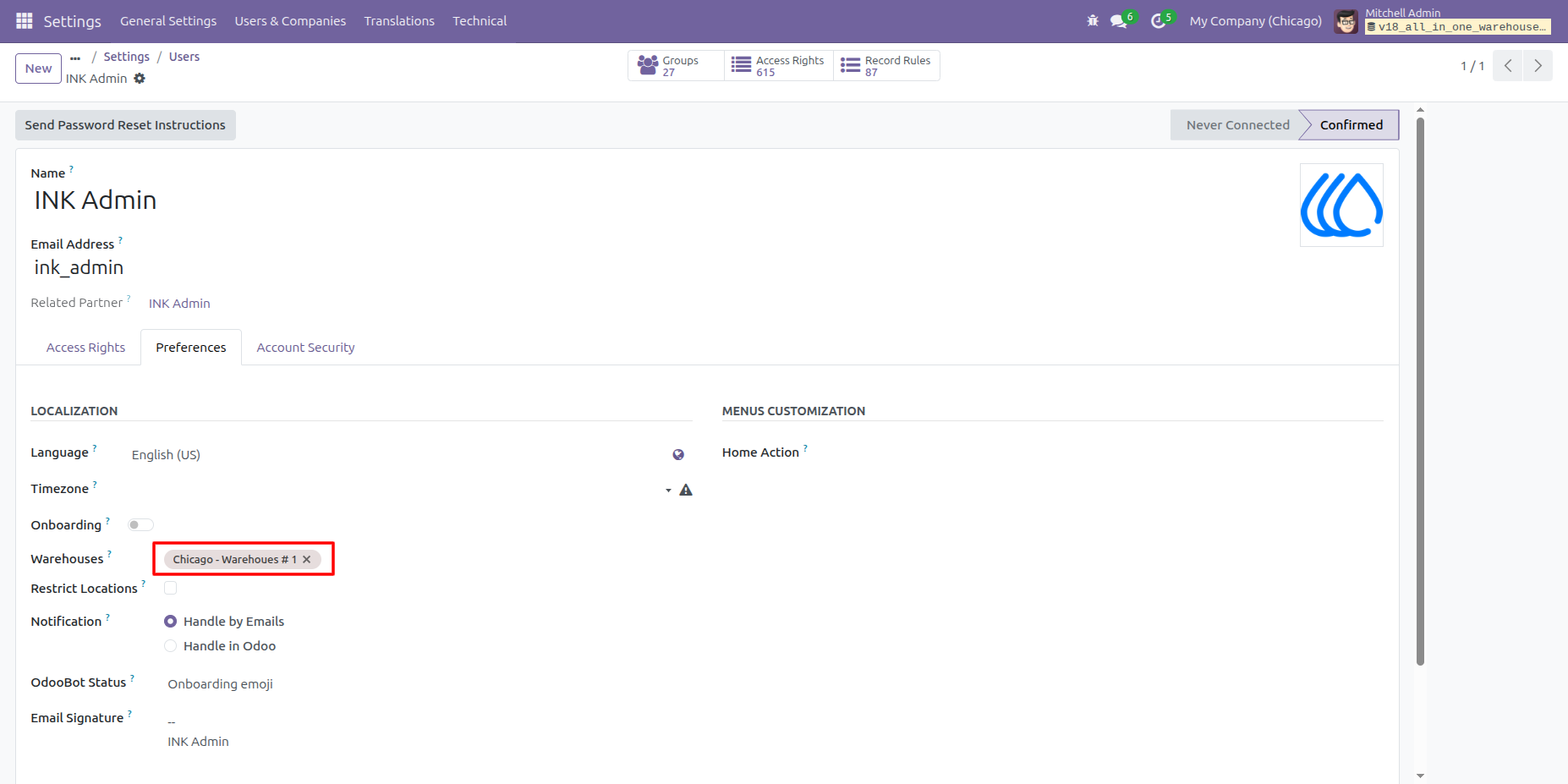
12. Change Assigned Warehouse
The administrator updates the user’s assigned warehouse to 'Chicago Warehouse #1.'
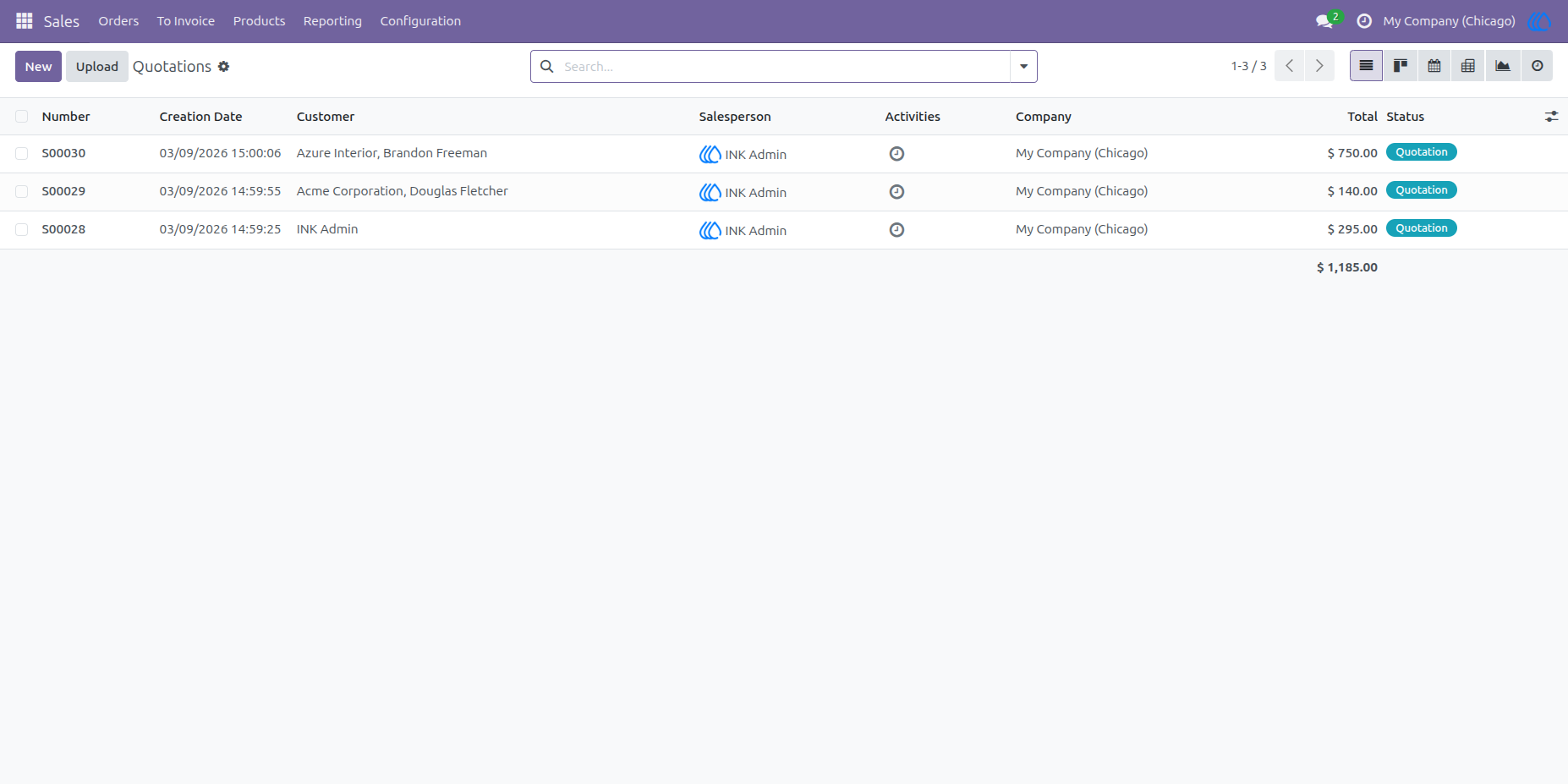
13. Updated Sale Order Access
After the warehouse is updated, the user can access only the Sale Orders associated with 'Chicago Warehouse #1.'
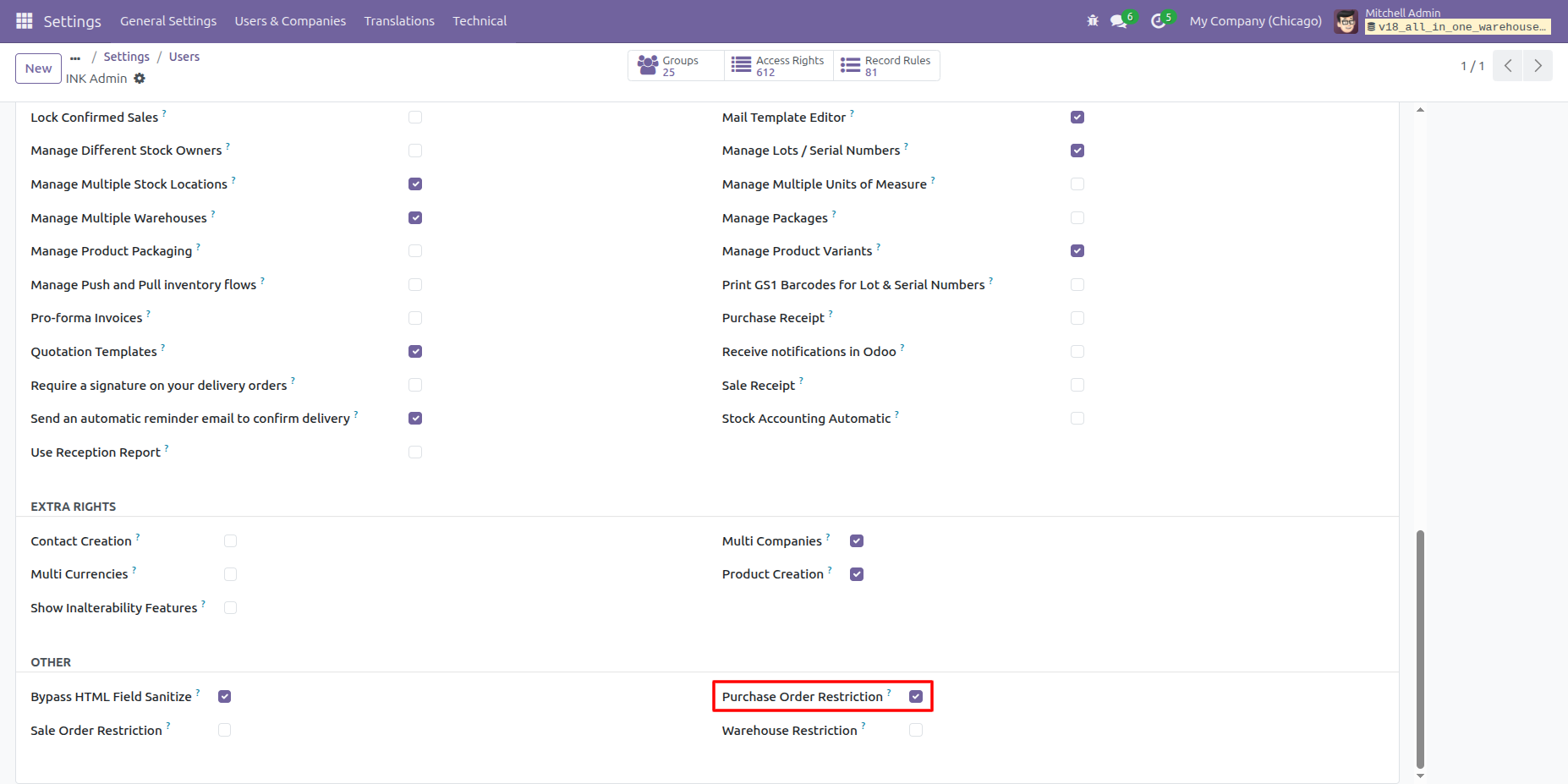
14. Purchase Order Restriction
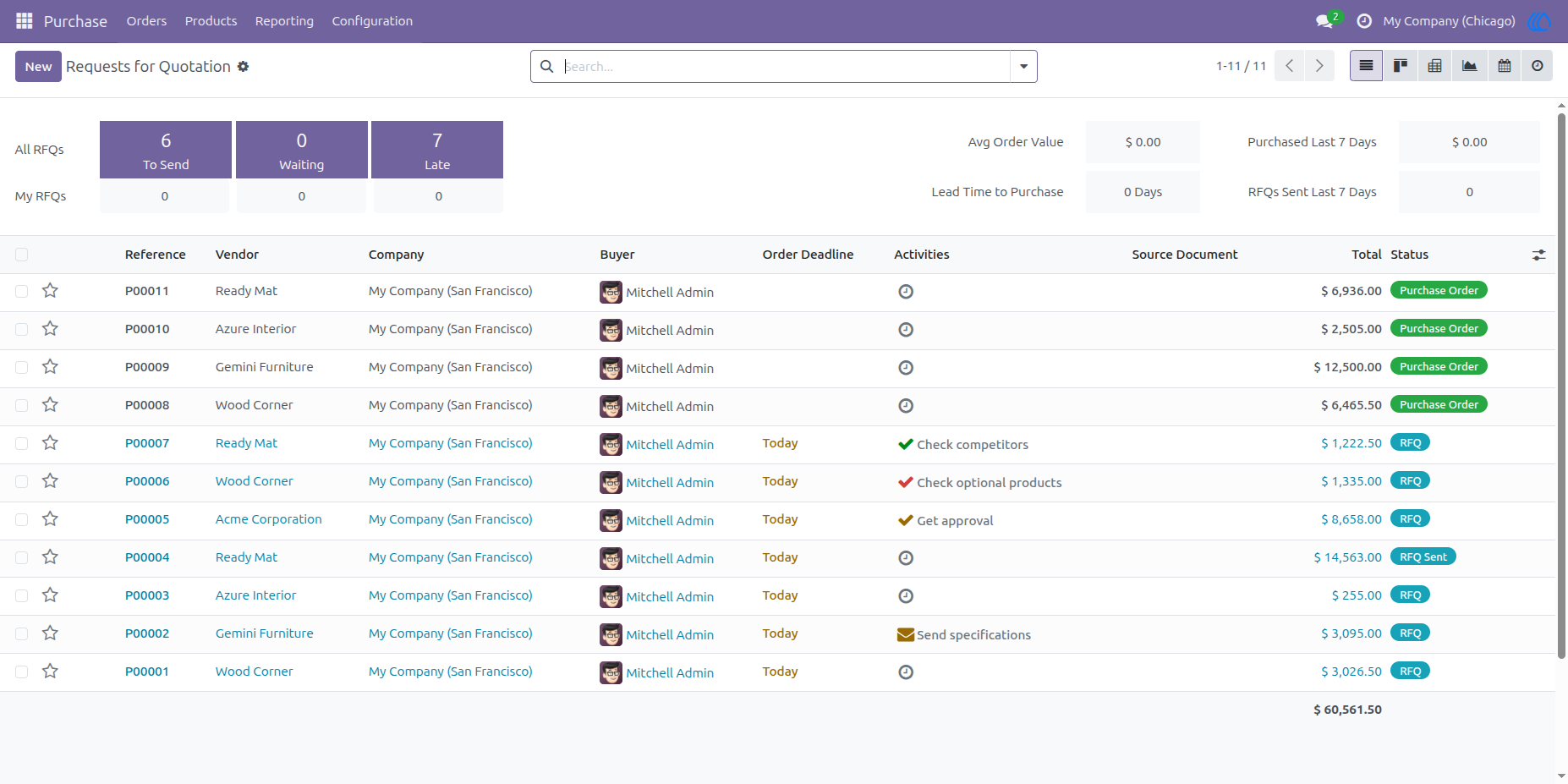
The administrator can configure Purchase Order restrictions for a user, ensuring that the user can view and manage only the Purchase Orders associated with their assigned warehouses.
15. Restricted Purchase Order Access
The user can view and manage only the Purchase Orders related to the warehouses assigned by the administrator.
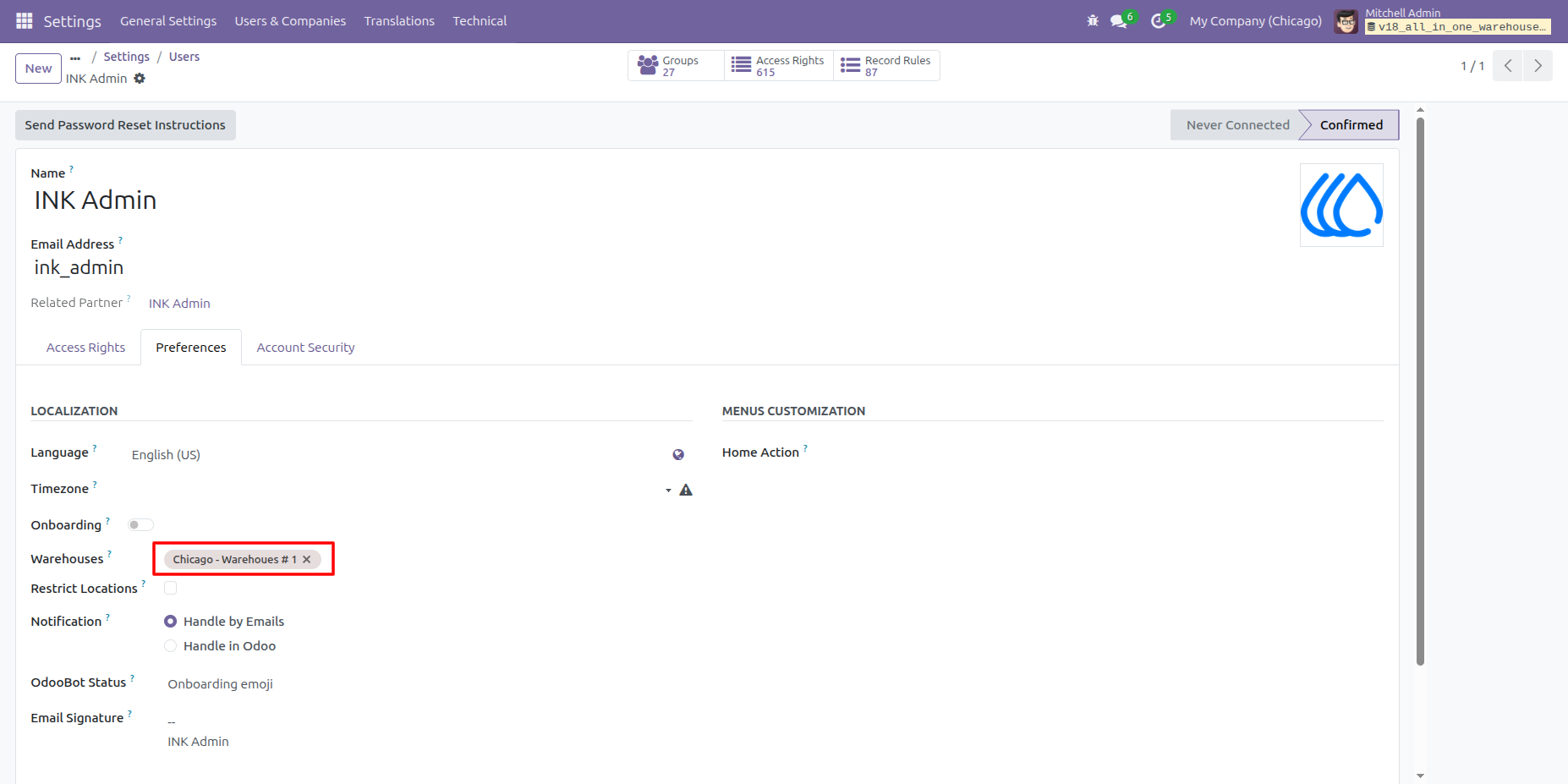
16. Change Assigned Warehouse
The administrator updates the user’s assigned warehouse to 'Chicago Warehouse #1.'
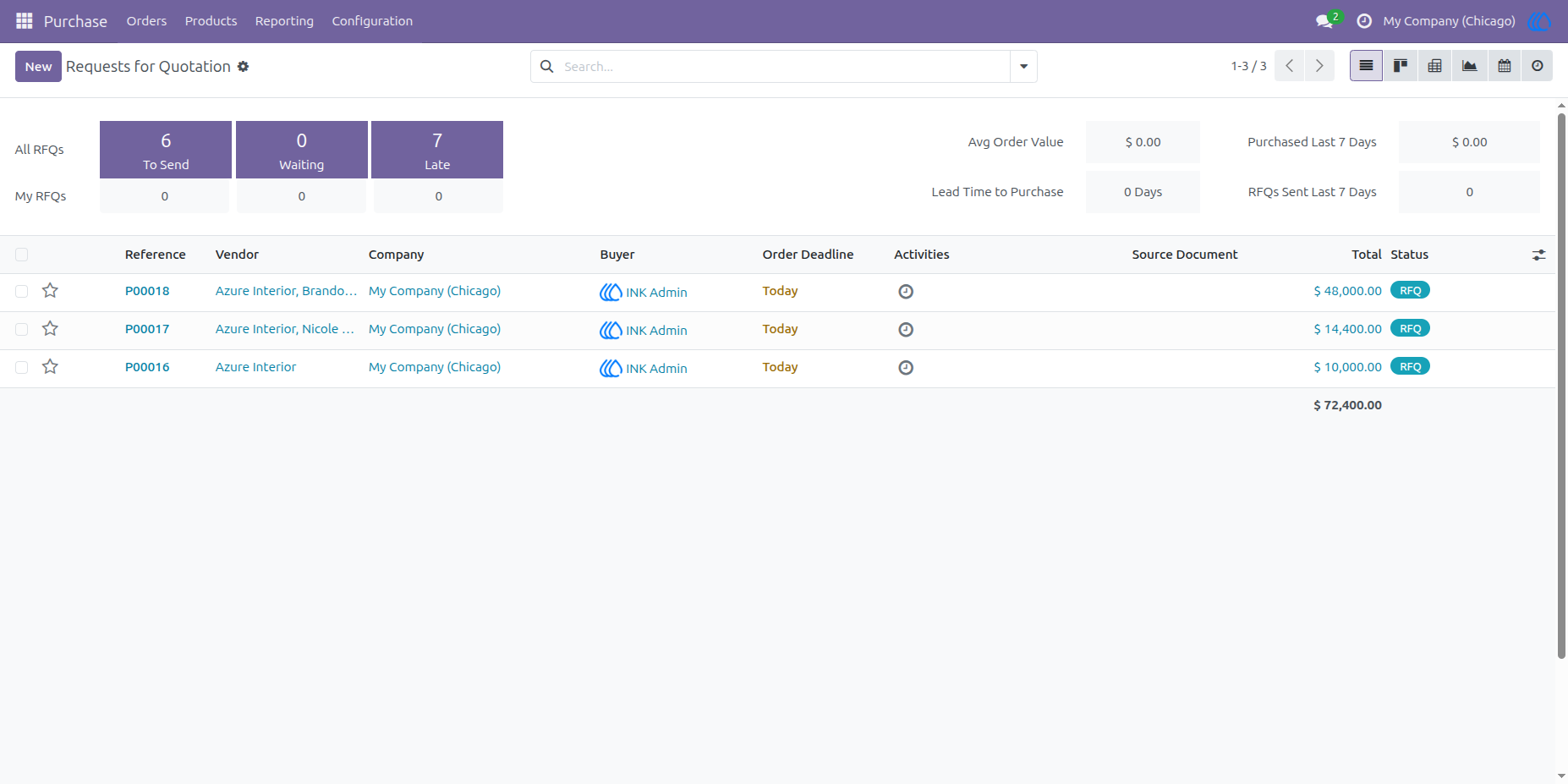
17. Updated Purchase Order Access
After the warehouse is updated, the user can access only the Purchase Orders associated with 'Chicago Warehouse #1.'
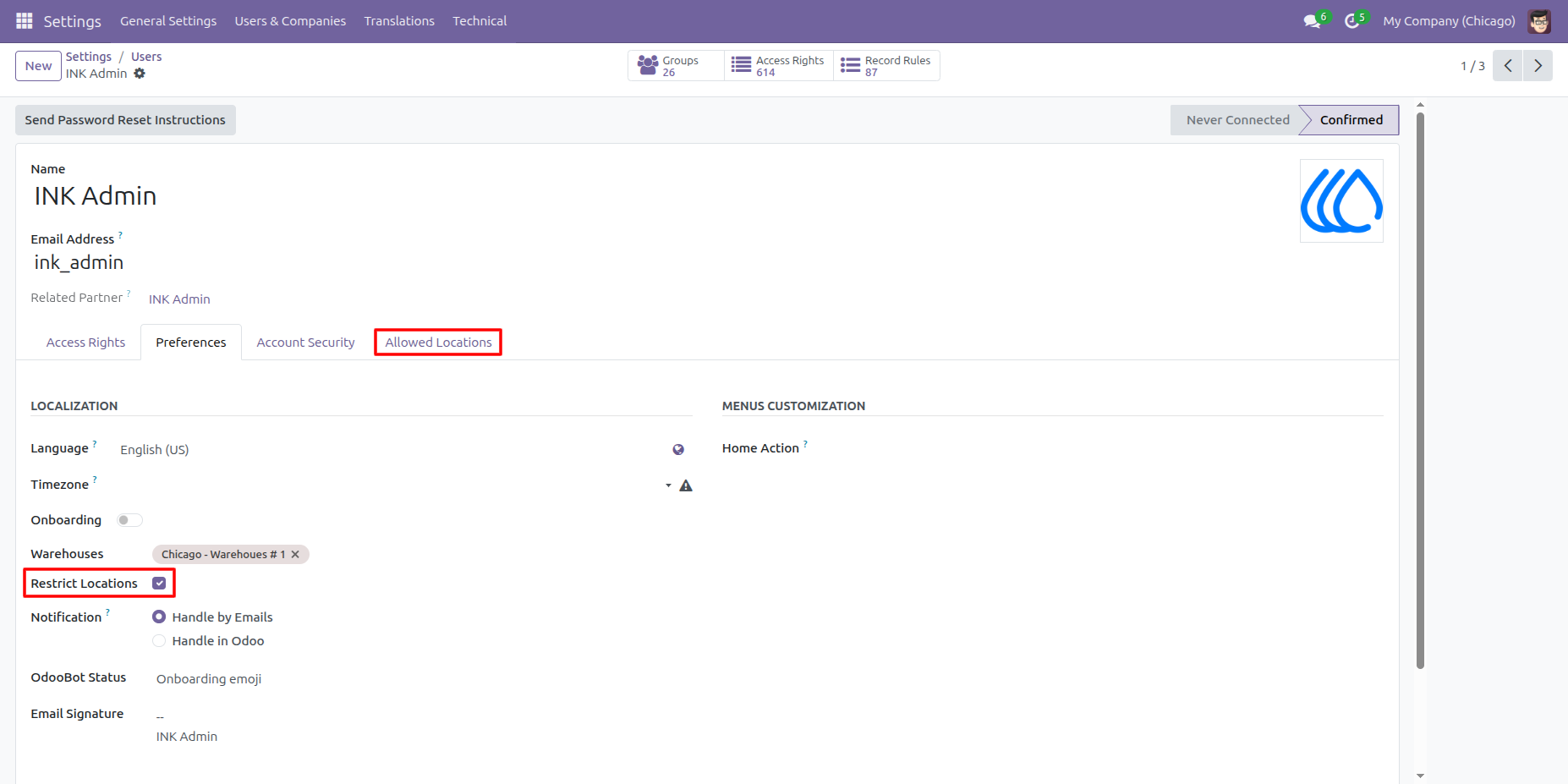
18. Location Restriction
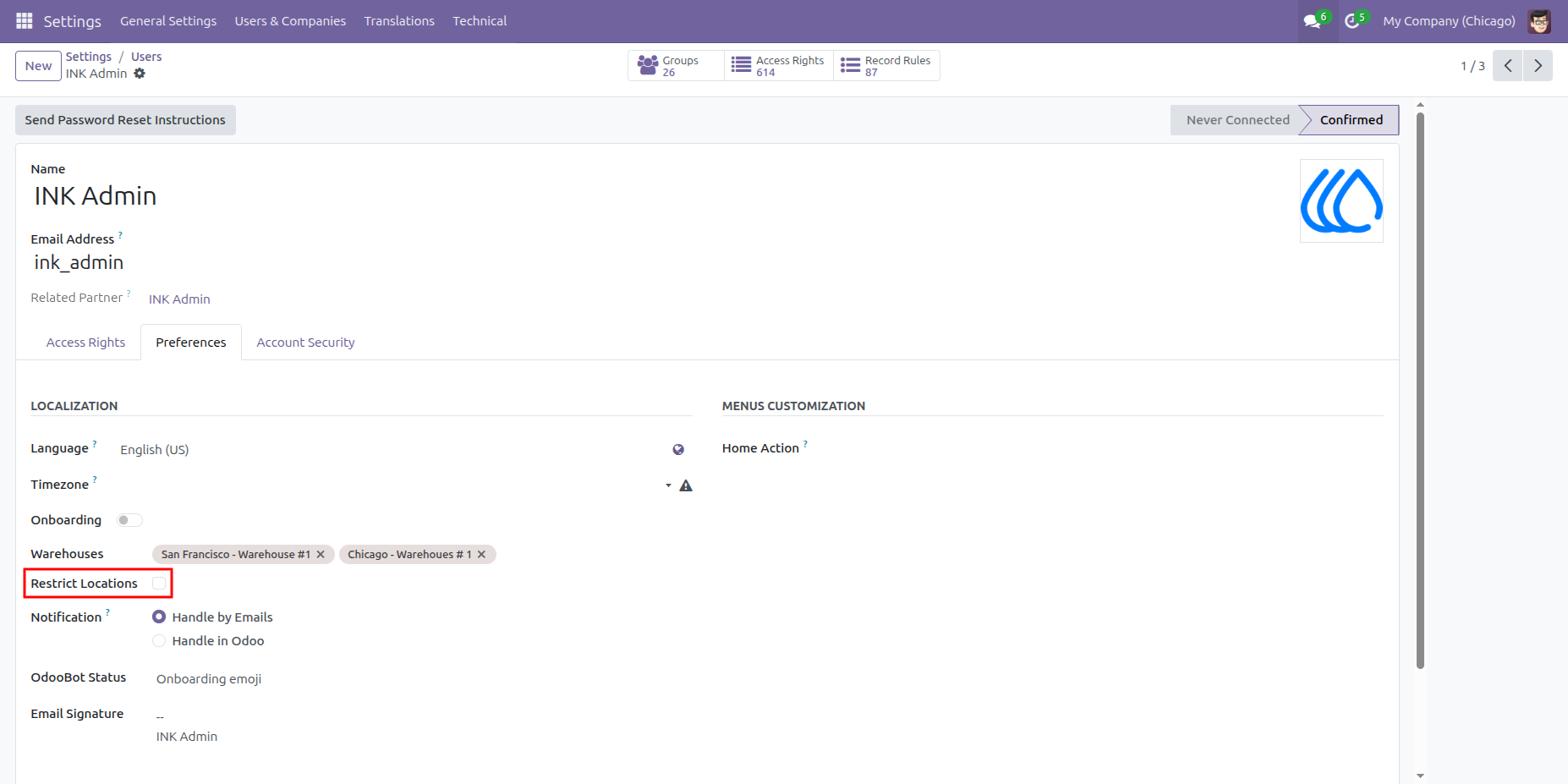
When the administrator enables Location Restriction, the user can access only the specific stock locations assigned to them. If the administrator disables this option (unticks 'Restrict Location'), the user will be able to access all locations of the assigned warehouses.
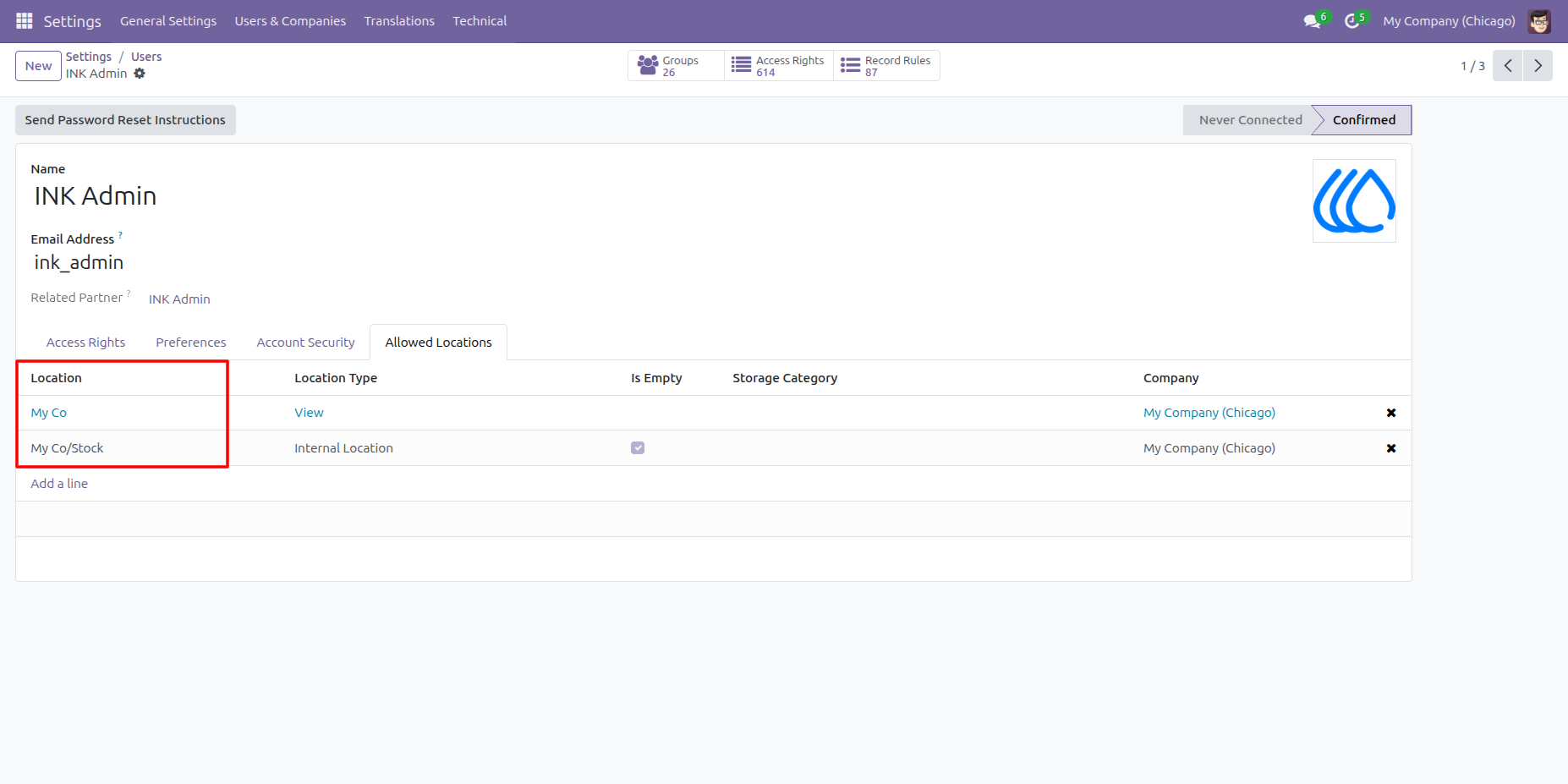
19. Location Assignment for User
The administrator can assign specific stock locations to a user, ensuring that the user can access and operate only within those assigned locations.
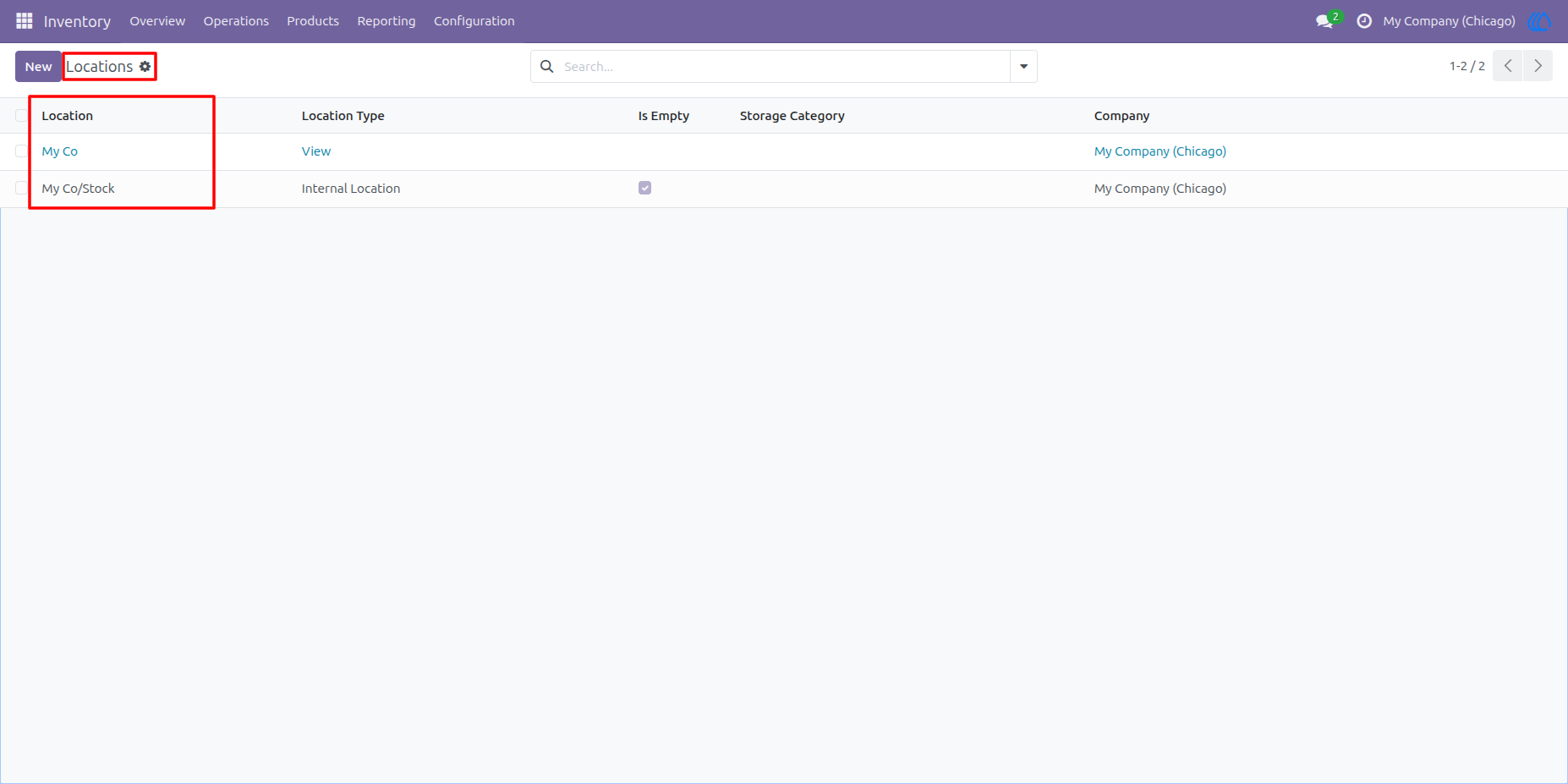
20. Location Access for User
The user can view and operate only in the locations assigned by the administrator, while access to all other locations will be restricted.
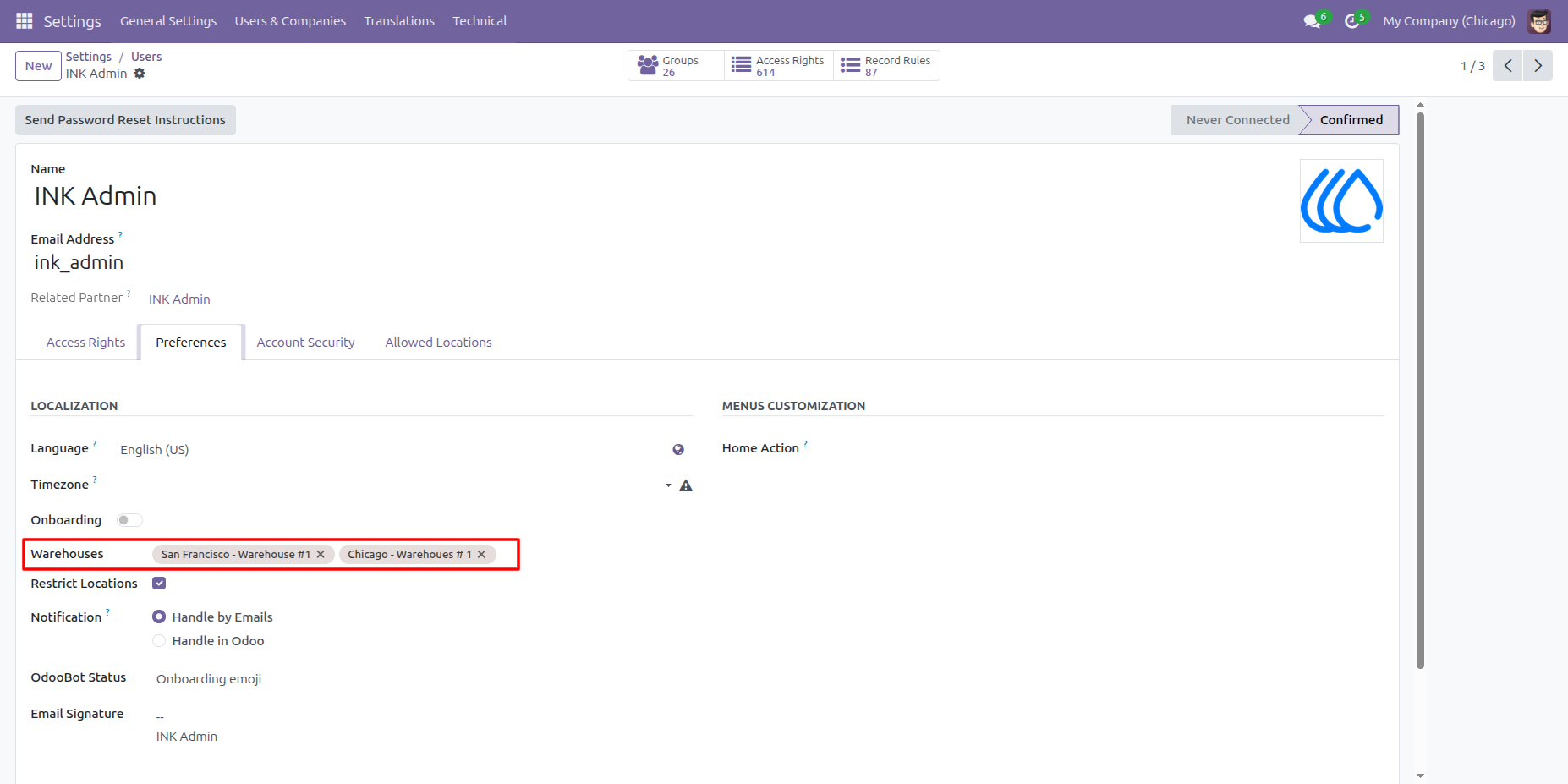
21. Multiple Warehouse Assignment
The administrator can assign multiple warehouses to a user, allowing the user to operate within all assigned warehouses.
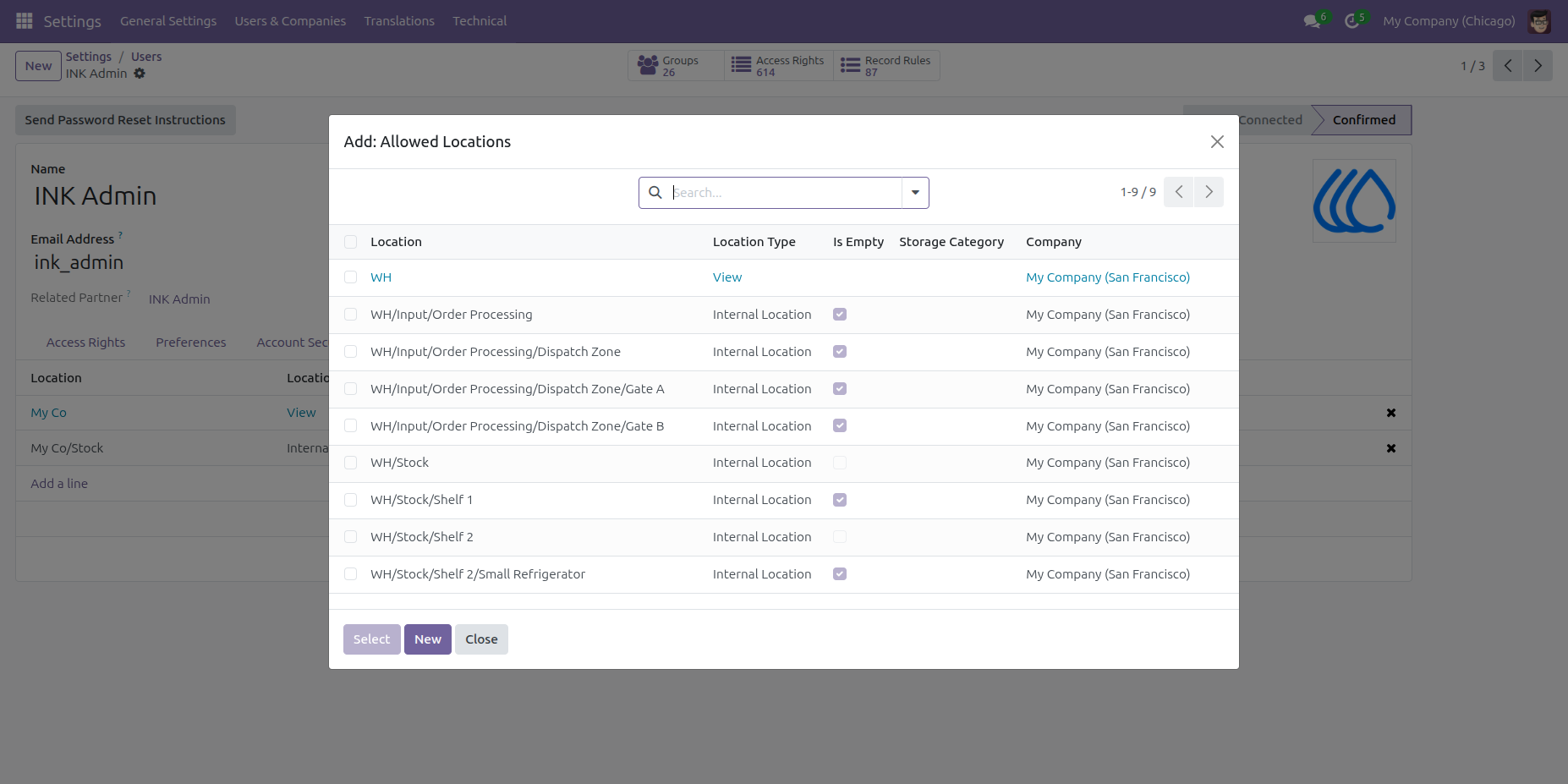
22. Location Access for Multiple Warehouses
The administrator can assign specific stock locations from the user’s assigned warehouses. The user will be able to access and operate only within those assigned locations.
23. Multiple Location Assignment
The administrator can assign stock locations from multiple warehouses, allowing the user to access only those selected locations.
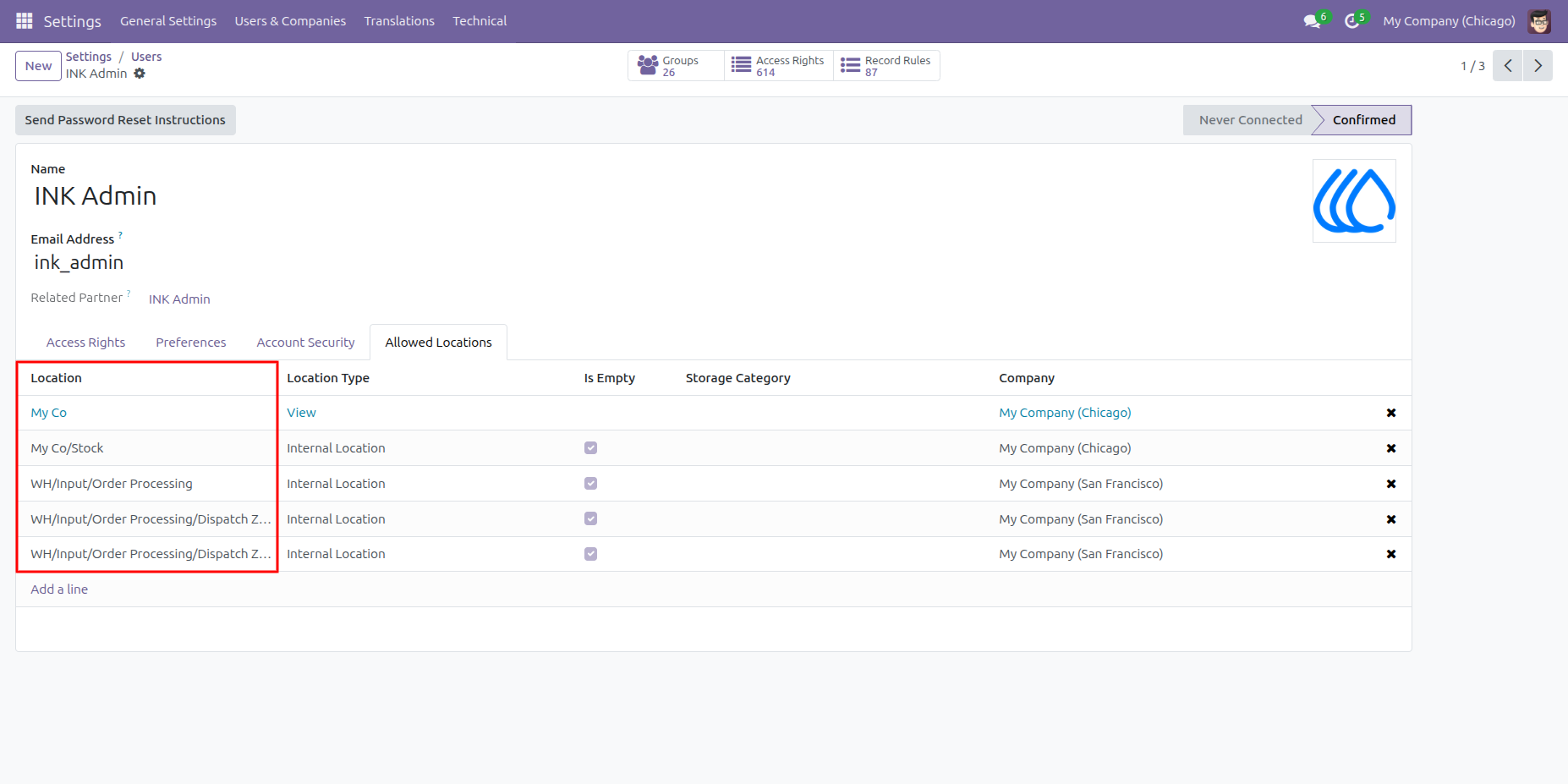
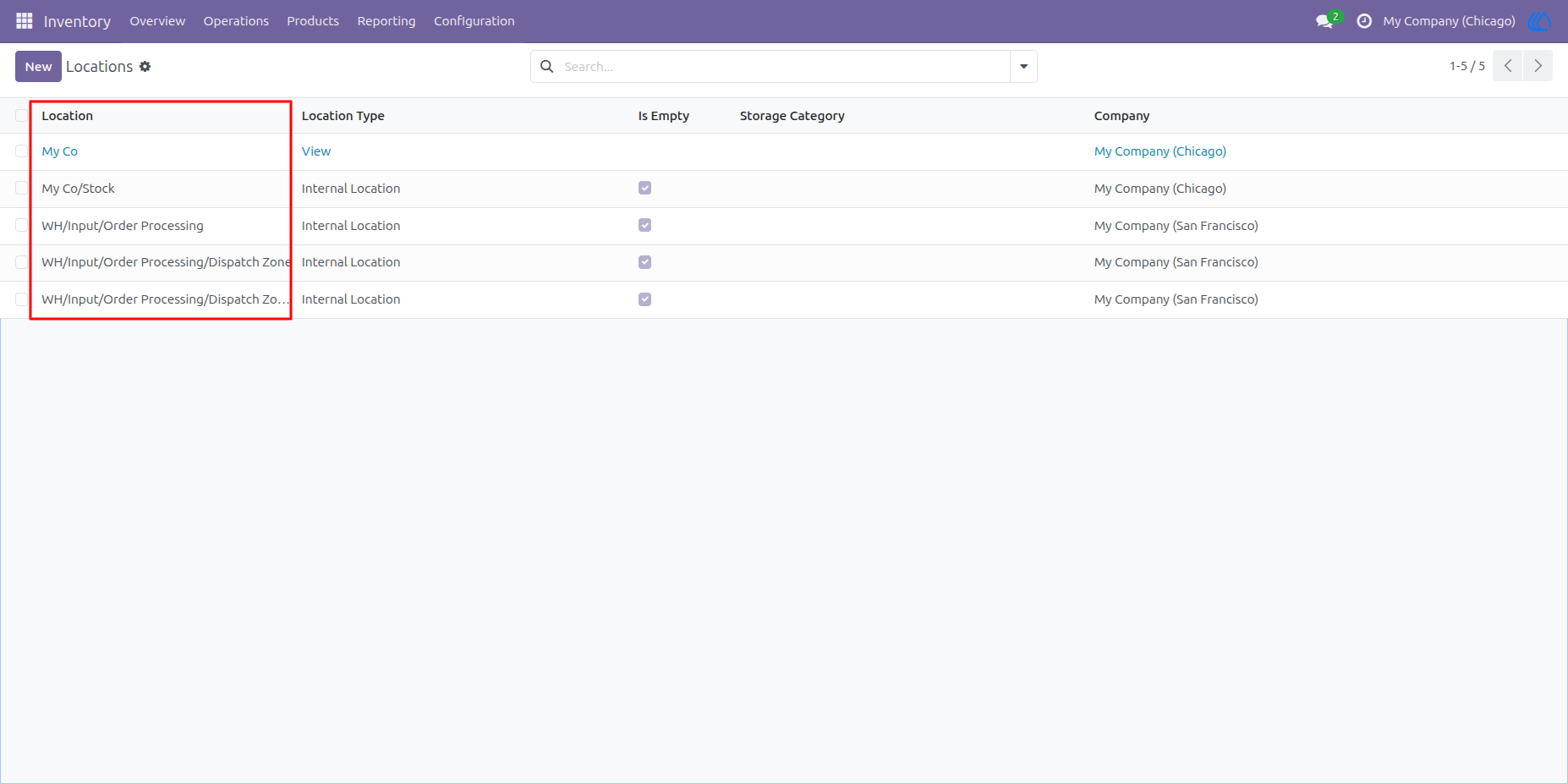
24. Updated Location Access
Once the administrator updates the warehouse and location assignments, the user’s access will be automatically updated to reflect the newly assigned locations.
25. Disable Location Restriction
When the administrator disables the “Restrict Location” option, the user will be able to view and access all locations of the assigned warehouses.
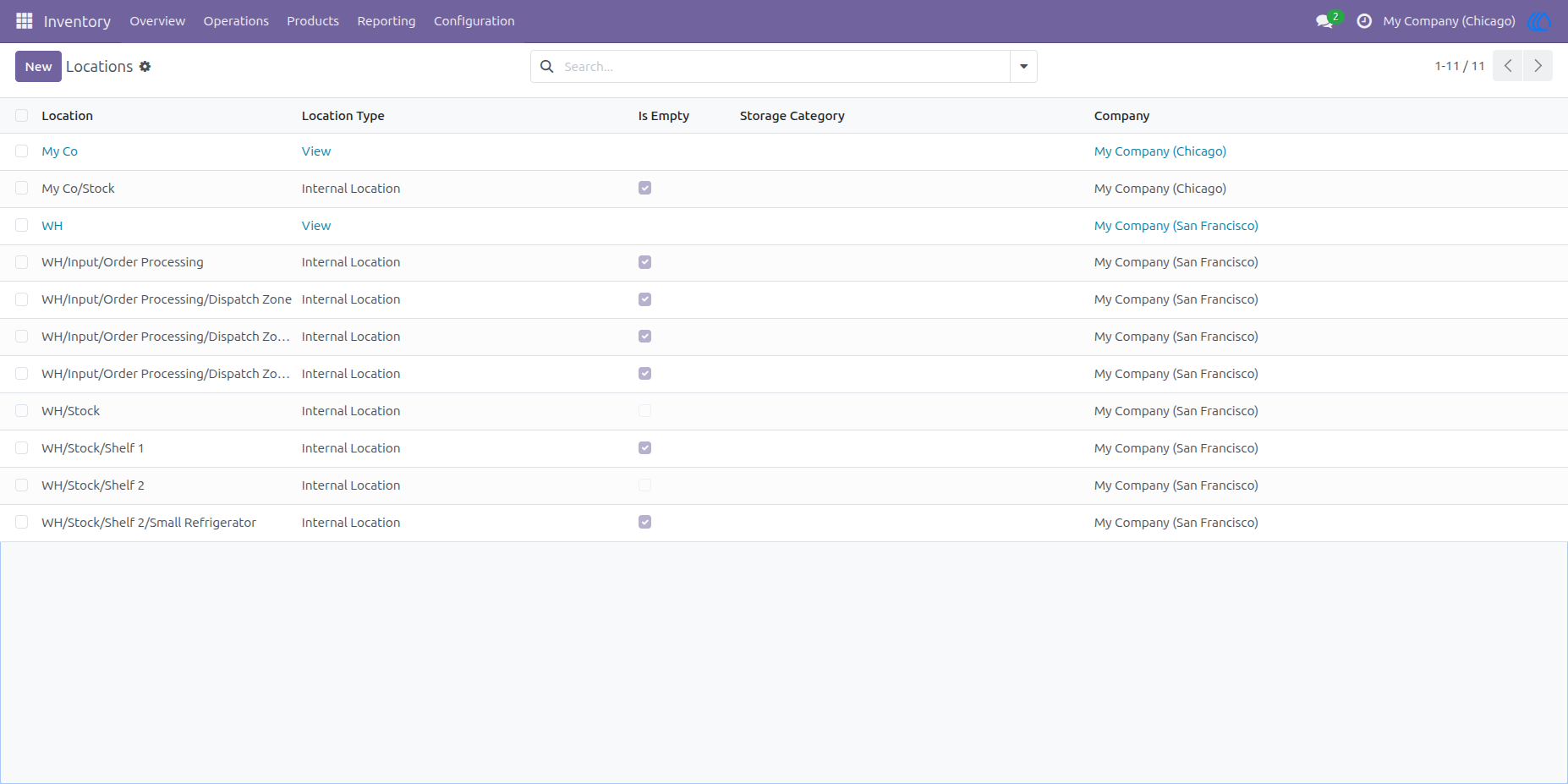
26. Full Location Access for Assigned Warehouses
Once the Location Restriction is disabled, the user will be able to view and access all locations of the warehouses assigned to them.
User Guide