

Our Most Suggested Products


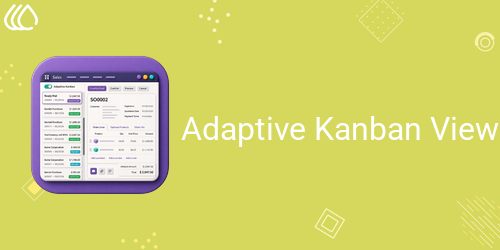
Adaptive Kanban View
Adaptive Kanban Split View enhances Odoo Kanban workflows by allowing users to open, preview, edit, and manage records in a side-by-side Kanban and form layout without leaving the current screen. It improves navigation, reduces unnecessary clicks, speeds up record processing, and delivers a more productive split-screen working experience.
 Features
 Screenshots
 Support
 Service
Features
Adaptive Kanban Split View
Display the Kanban view and selected record form side by side on the same screen. Users can review and manage records without leaving the Kanban interface.
Quick Record Viewing and Editing
Open any Kanban record directly in the form panel for faster viewing and editing. This reduces unnecessary page navigation and improves daily productivity.
Automatic Record Saving
Changes made in the form panel are saved automatically before switching to another record, helping prevent data loss during continuous record processing.
Kanban Drag-and-Drop Support
Continue using the standard Kanban drag-and-drop functionality while the split view is active. Users can move records between stages without closing the form panel.
User Access Control
Administrators can control which users are allowed to use the Adaptive Kanban Split View. The activation option is available only to authorized users.
Screenshot
1). Assign Adaptive Kanban Access Rights
Administrators can enable the Adaptive Kanban User access right from the user profile. Only authorized users can view and use the Adaptive Kanban option, providing controlled access to the split-view functionality.

2). Use the Standard Kanban View
When Adaptive Kanban is disabled, records are displayed in the standard Kanban layout. Users can continue working with the regular Kanban interface whenever the split view is not required.

3). Activate the Adaptive Kanban Split View
Enable the Adaptive Kanban option to divide the screen into two sections. The Kanban board appears on the left, while the record details panel appears on the right, allowing users to select a card and view its information on the same screen.

4). View and Edit Records in the Details Panel
Click any Kanban card to open its complete form view in the right-side panel. Users can review, edit, and manage the selected record without leaving the Kanban board. Changes are automatically saved while moving between records.

5). Support for Grouped Project Task Kanban Views
The Adaptive Kanban option is also available in grouped Kanban views such as project tasks. When disabled, users can continue viewing and managing tasks across standard groups such as Inbox, Today, This Week, This Month, and Later.

6). Manage Project Tasks in Split View
Activate Adaptive Kanban in the Project application to display grouped task cards on the left and the selected task form on the right. Users can update task details, stages, assignees, deadlines, subtasks, and chatter while keeping the task board visible.

User Guide





